
What Unpost can delete on each platform
Auf Englisch verfügbar
Each platform has its own list, limited to what that platform lets your account undo. This is what the app offers today, platform by platform. Removing your like, repost, bookmark or save only takes back your action: the post stays on its author’s profile.
- 01
Discord: your messages in DMs and servers
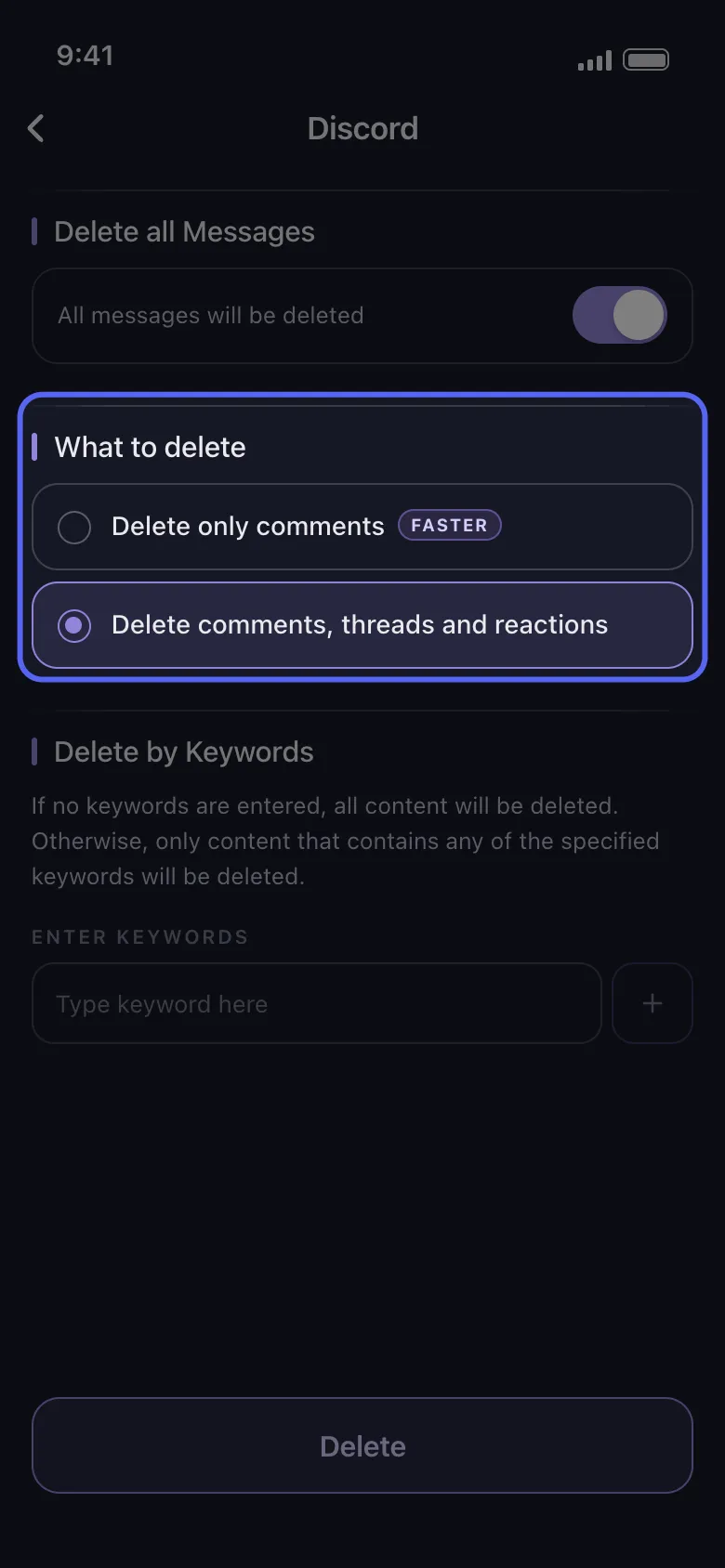
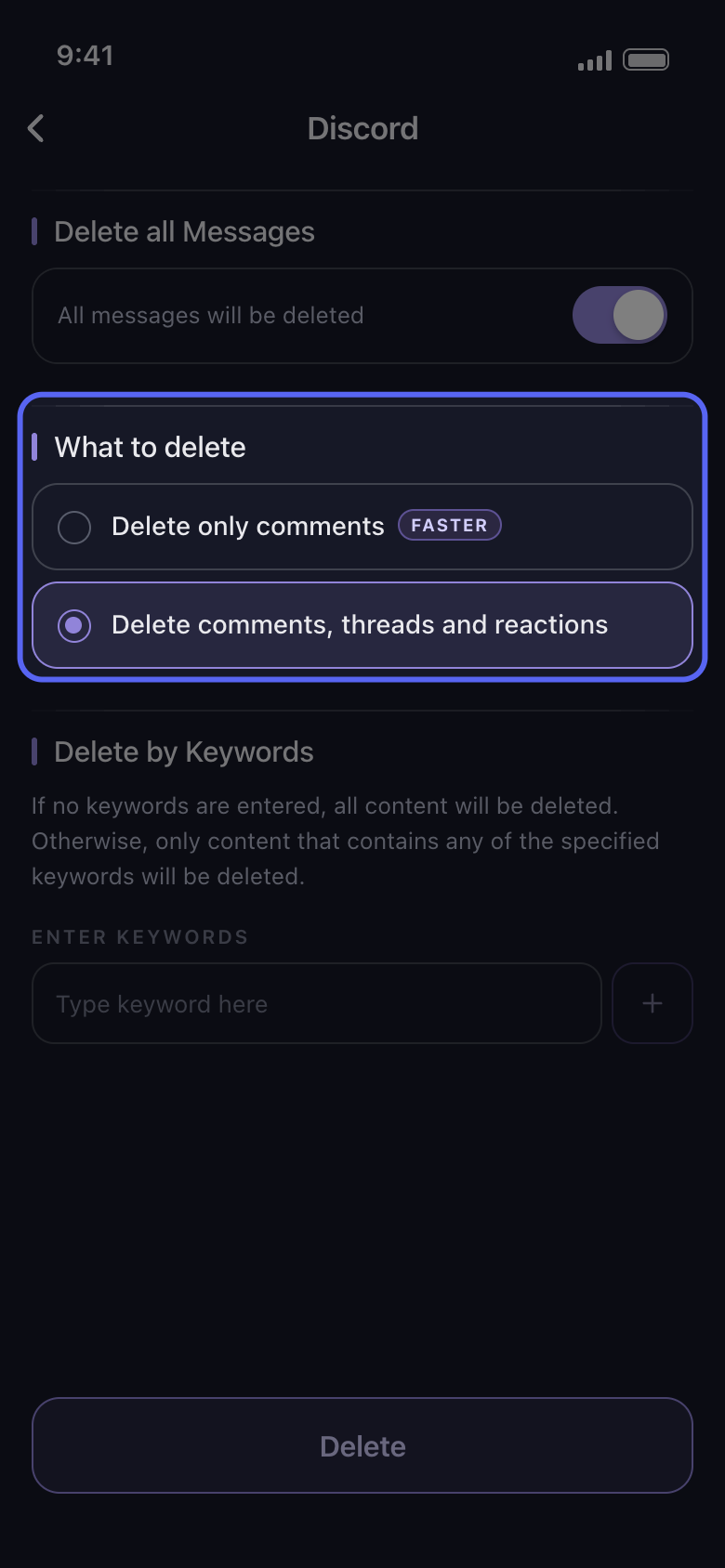
Pick conversations on the Dms tab, or servers and channels on the Servers tab. Only the messages you sent are deleted, in DMs and in servers alike. On the options screen, Delete only comments (faster) searches server channels for the messages you sent and skips threads; in DMs and group chats keep Delete comments, threads and reactions, because in the current version Delete only comments finds nothing there. Delete comments, threads and reactions walks the whole conversation, so it also reaches your reactions on other people’s messages and your replies in threads under theirs. Admins can also delete other members’ messages in servers they moderate (Delete from Discord as admin), and a data package reaches old messages Discord no longer lists.
In der App Main → Discord → account → Delete from Discord → pick conversations → Continue
- 02
Instagram: posts, reels, likes, comments, follows and DMs
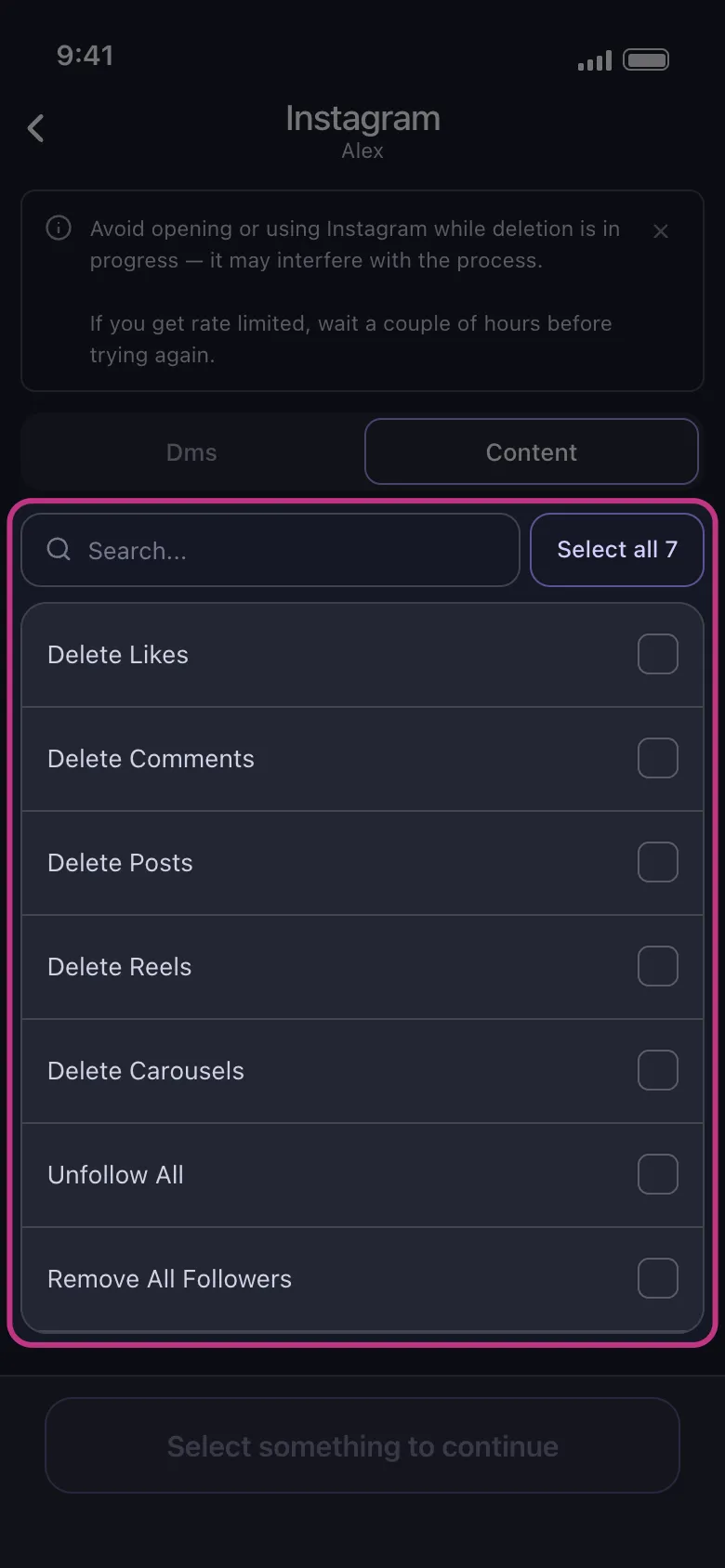
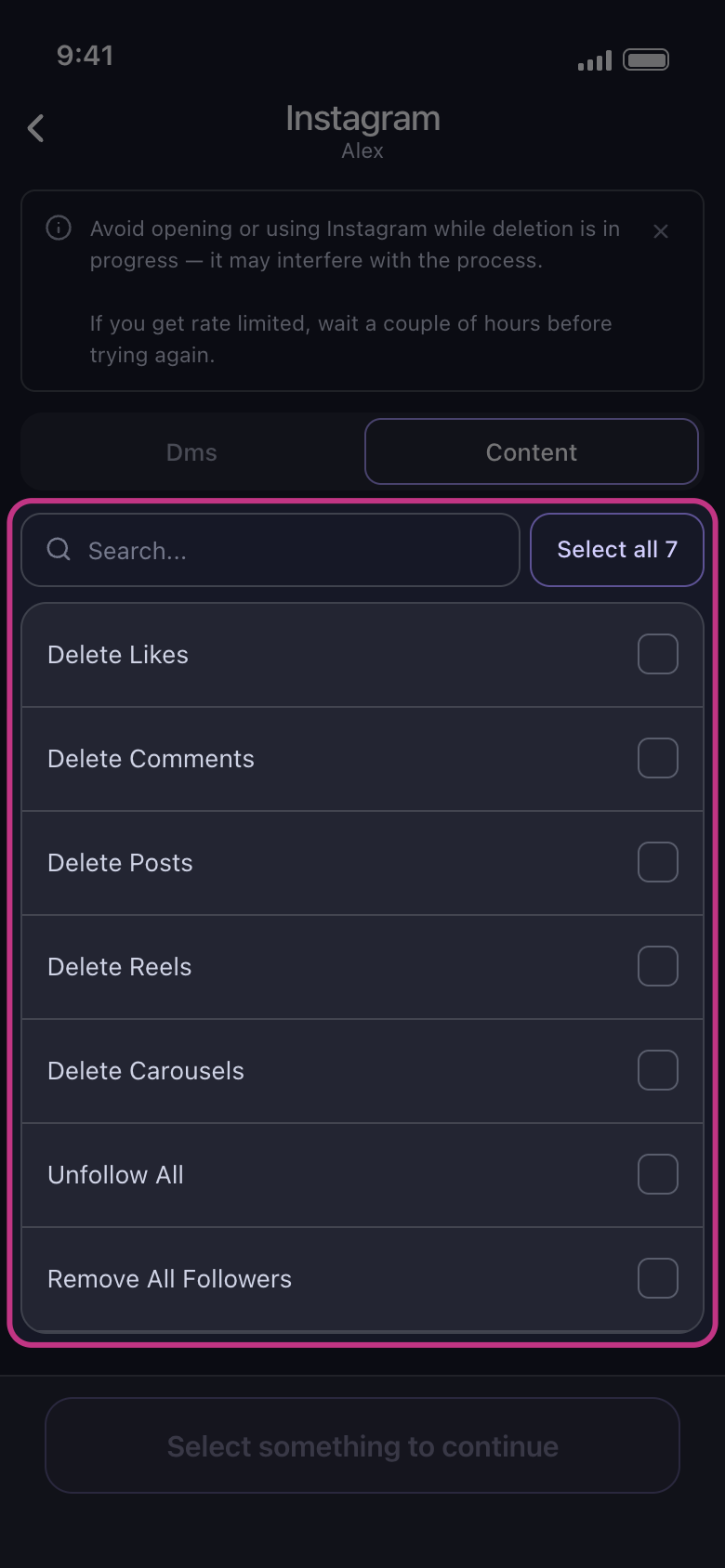
The Content tab lists Delete Likes, Delete Comments, Delete Posts, Delete Reels, Delete Carousels, Unfollow All and Remove All Followers. The last two act on your whole following and follower lists. On the Dms tab, pick chats: Unpost unsends the messages you sent, and everyone else’s stay.
In der App Main → Instagram → account → Content
- 03
X (Twitter): posts, reposts, replies, quotes, likes and bookmarks
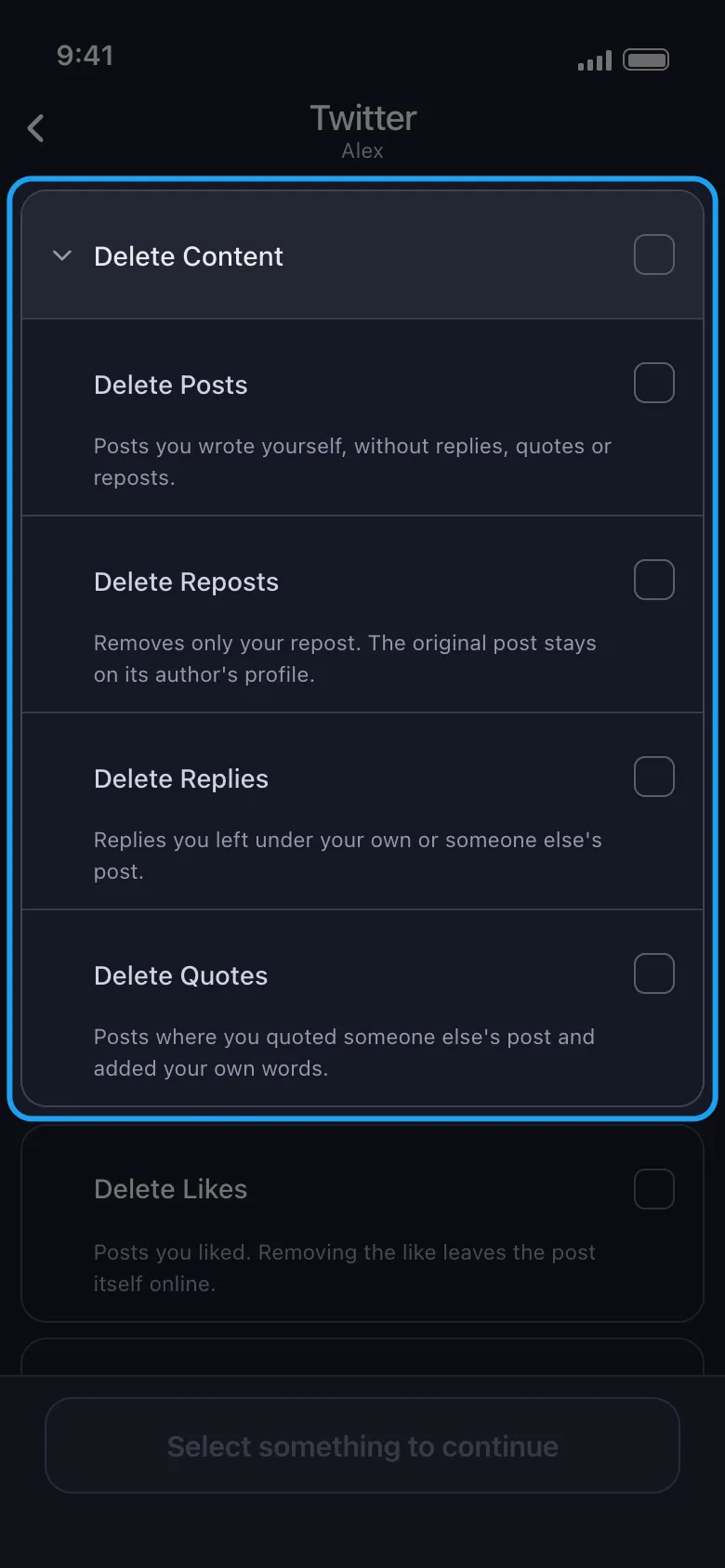
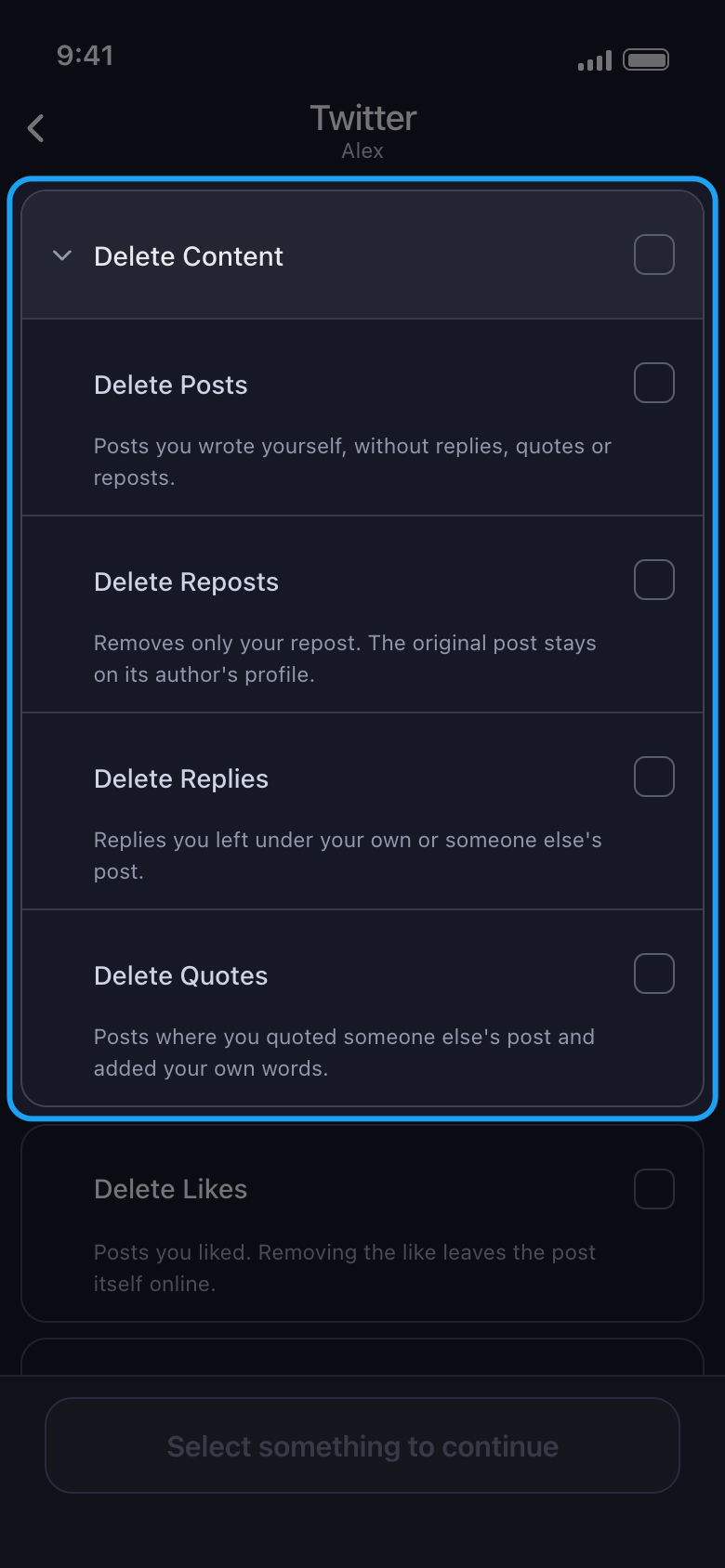
Delete Posts covers posts you wrote yourself, without replies, quotes or reposts; replies, quotes and reposts each have their own option, as do likes and bookmarks. Direct messages are not on the list. From a data package, Delete Posts and Delete Replies reach older content, and Delete Posts also takes the export’s reposts and quotes, which the export doesn’t mark as such; Delete Reposts and Delete Likes still appear in that list but find nothing, and quotes and bookmarks have no option of their own there.
In der App Main → Twitter → account → Delete from X (Twitter)
- 04
TikTok: videos, reposts, comments and watch history
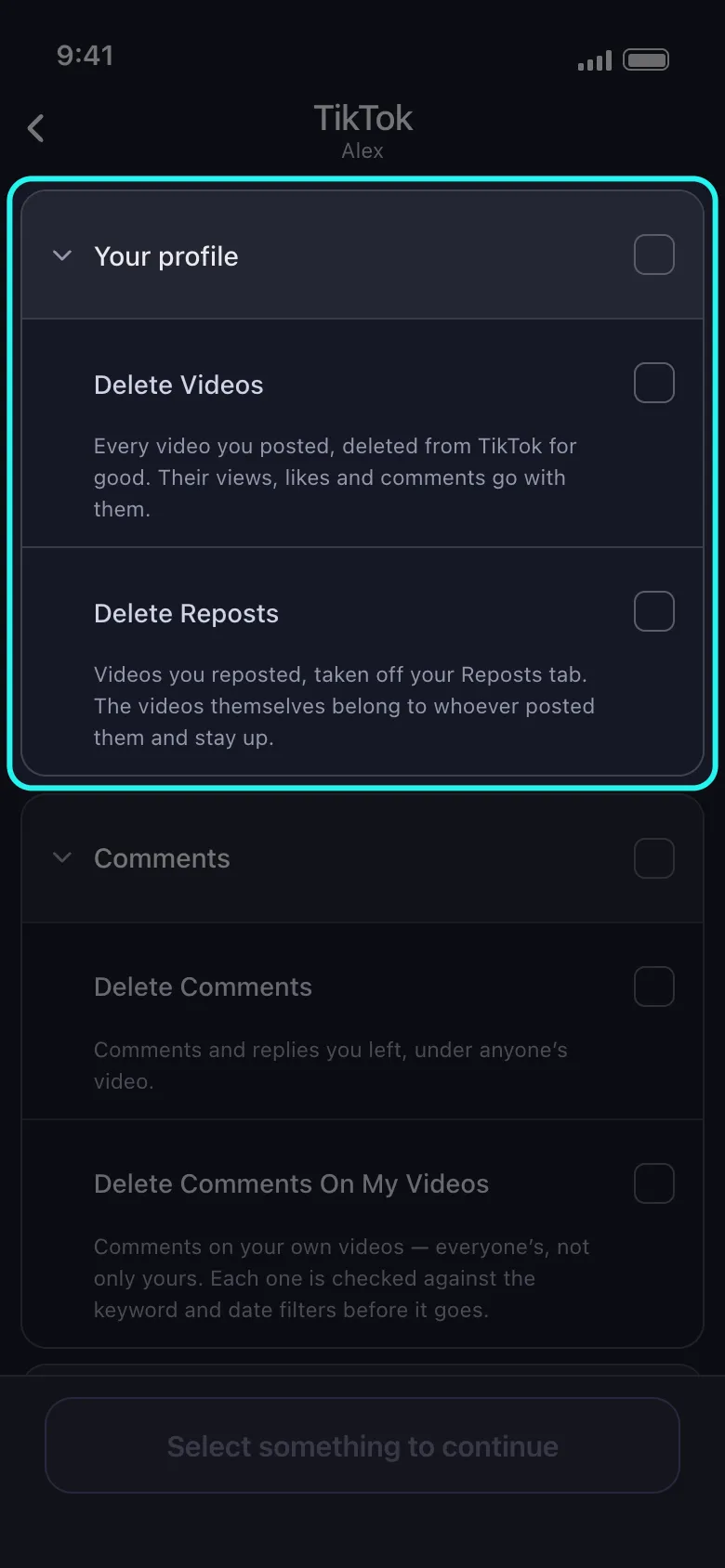
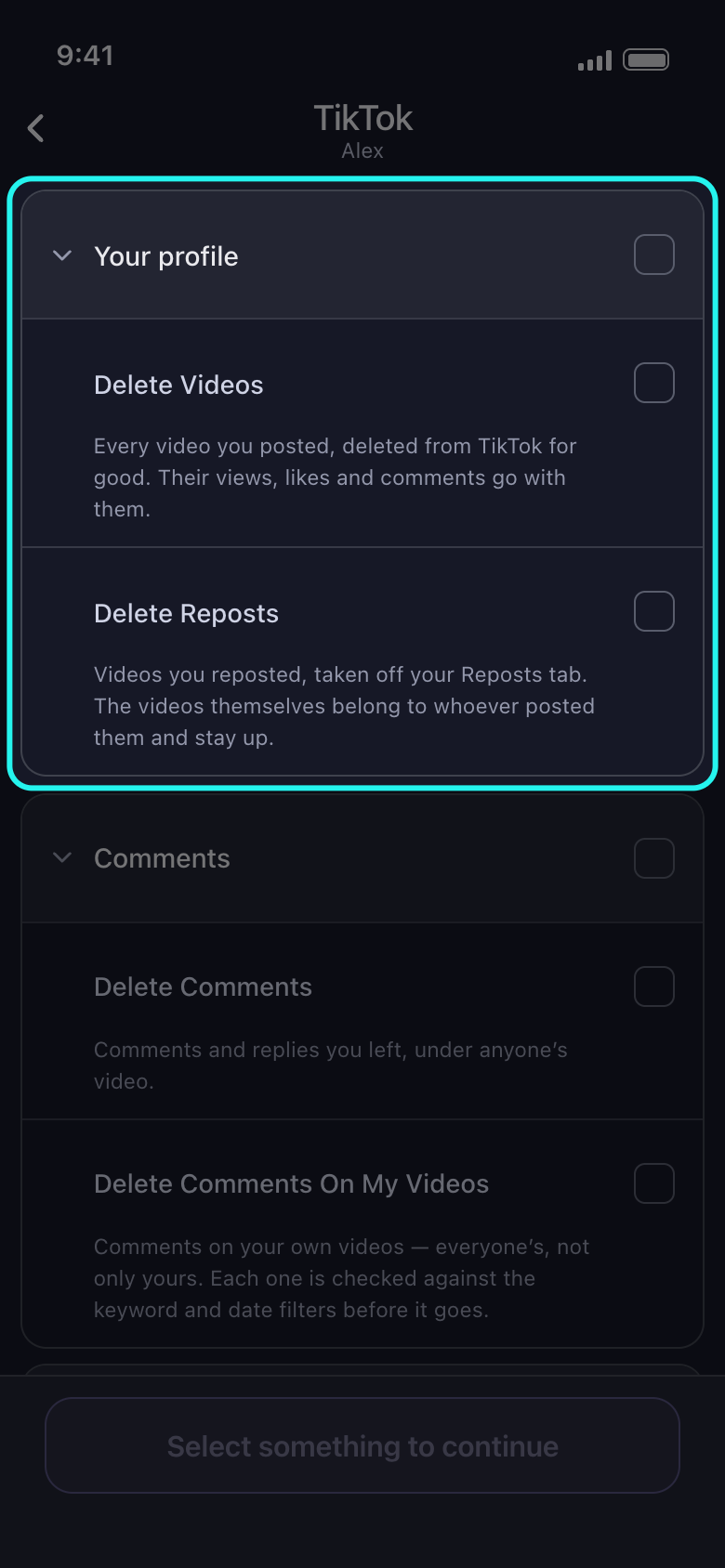
Delete Videos removes every video you posted. Delete Reposts takes videos off your Reposts tab. Delete Comments removes the comments you left under anyone’s video, and Delete Comments On My Videos clears everyone’s comments under yours, apart from any TikTok refuses. Delete Watch History clears the record of what you watched.
In der App Main → TikTok → account
- 05
Facebook: posts, photos, stories, tags, comments and more
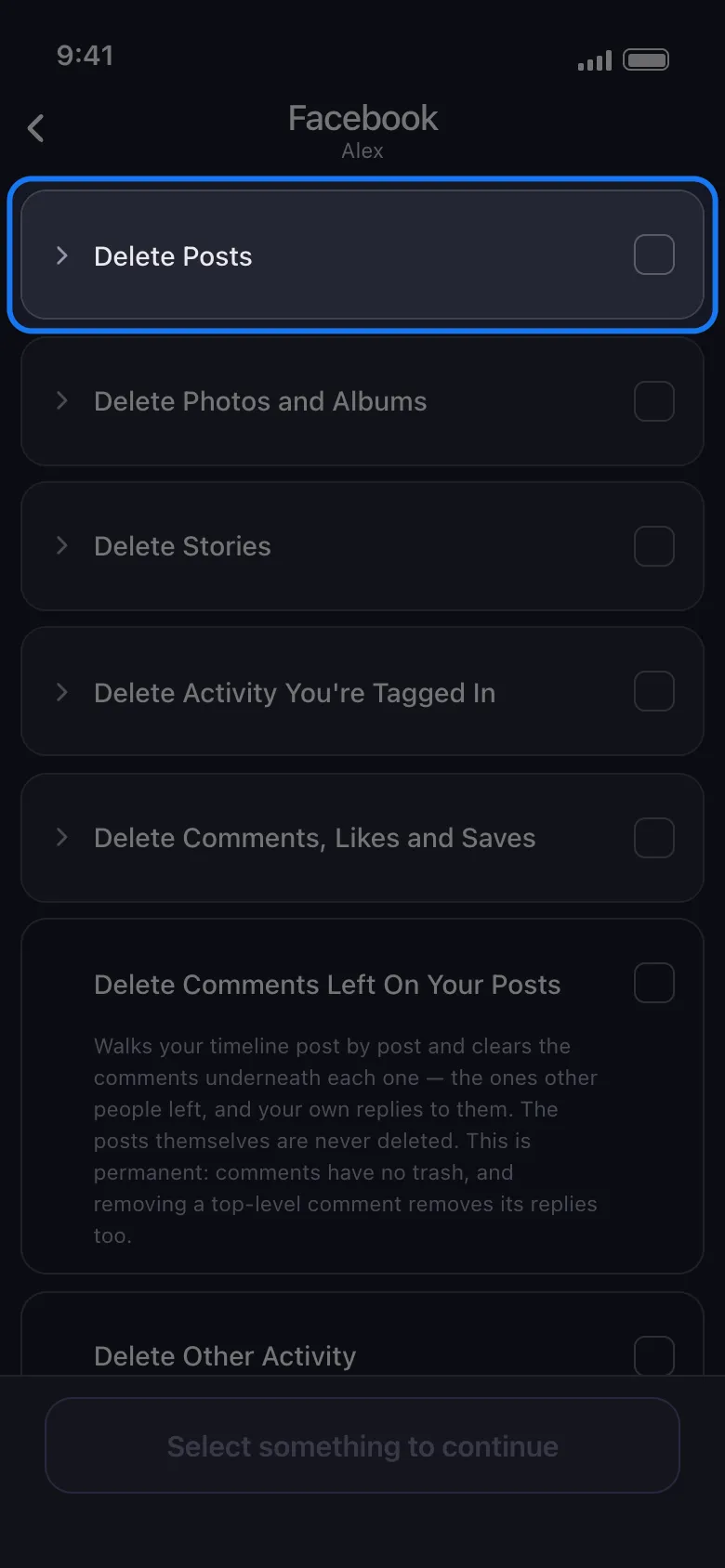
The list is in five groups: Delete Posts (text, photo, reel and video posts, reposts, posts from friends, posts on others’ profiles, archived posts and everything else), Delete Photos and Albums, Delete Stories, Delete Activity You’re Tagged In, and Delete Comments, Likes and Saves (also poll votes and events). Below them: comments left on your posts, other activity, and emptying your trash. Tap a group’s name or arrow to see its options; the box on its right selects the whole group.
In der App Main → Facebook → account
- 06
Reddit: posts, comments and chats
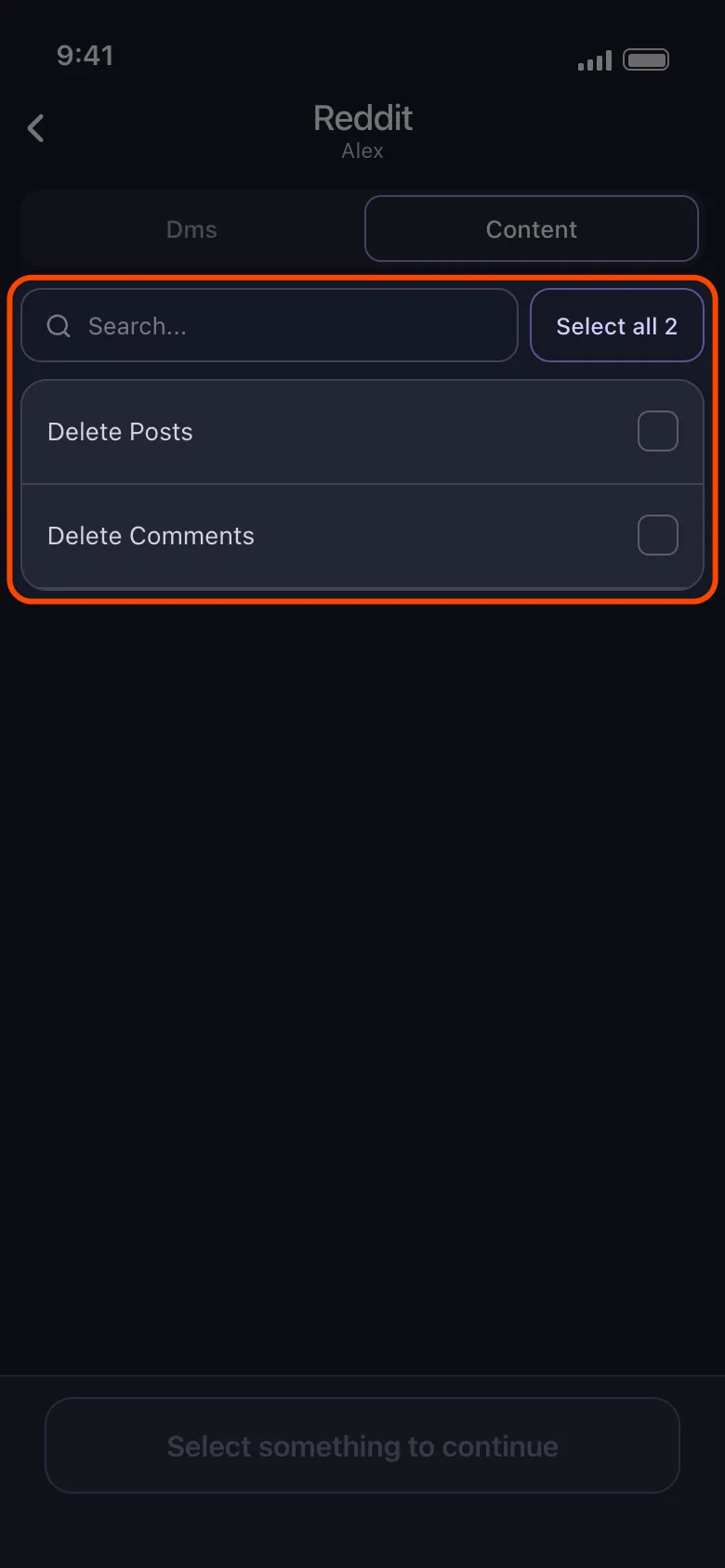
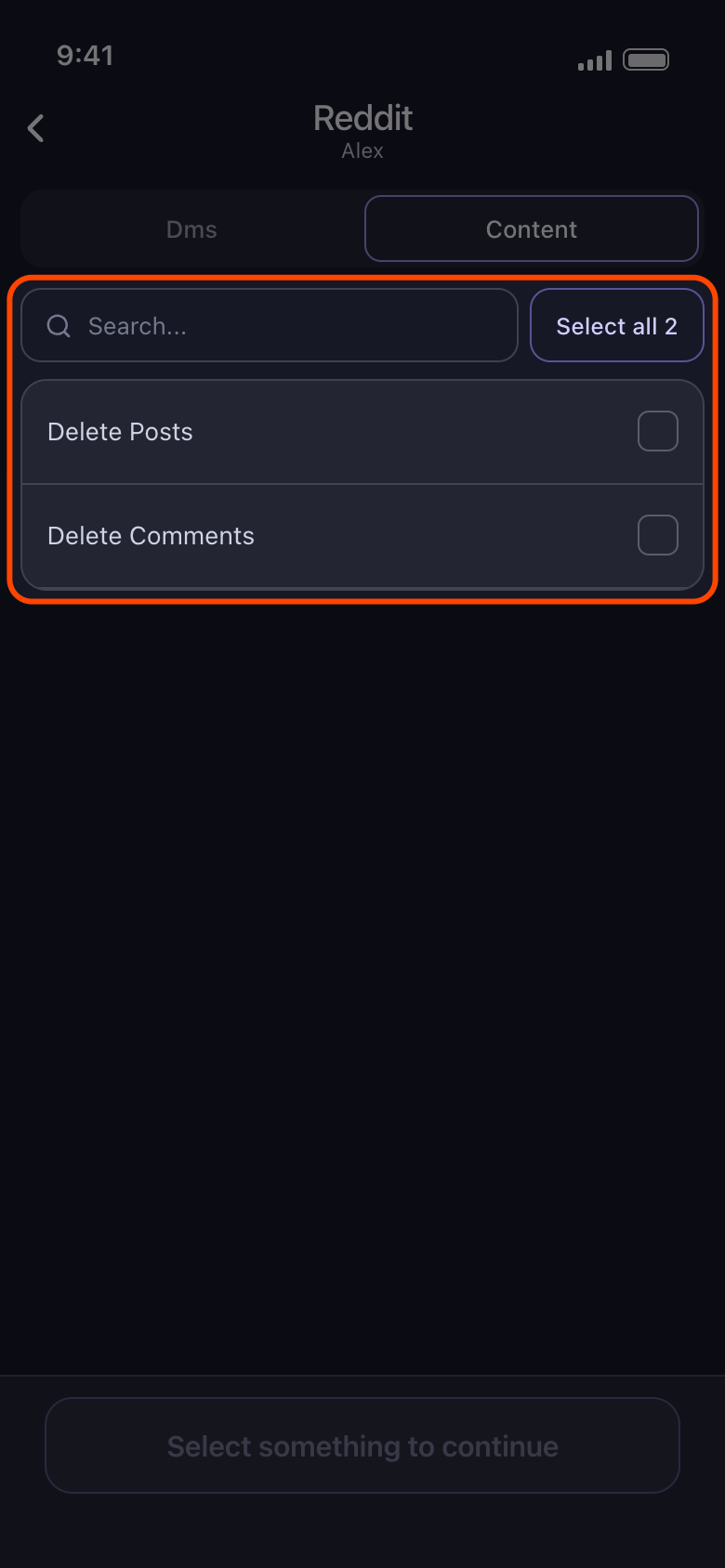
The Content tab has Delete Posts and Delete Comments. By default Unpost overwrites their text with random words. It skips any post or comment you have edited unless you untick Only unedited content, and it adds a short line crediting Unpost unless you tick Remove [Unpost] affiliate (Premium). Deleting them for good is Premium too. See the guide Reddit: randomize or delete, what each option does. On the Dms tab, the chat messages you sent are deleted. A data package reaches posts and comments Reddit no longer lists.
In der App Main → Reddit → account → Delete from Reddit → Content
- 07
LinkedIn: posts, reposts, comments and reactions
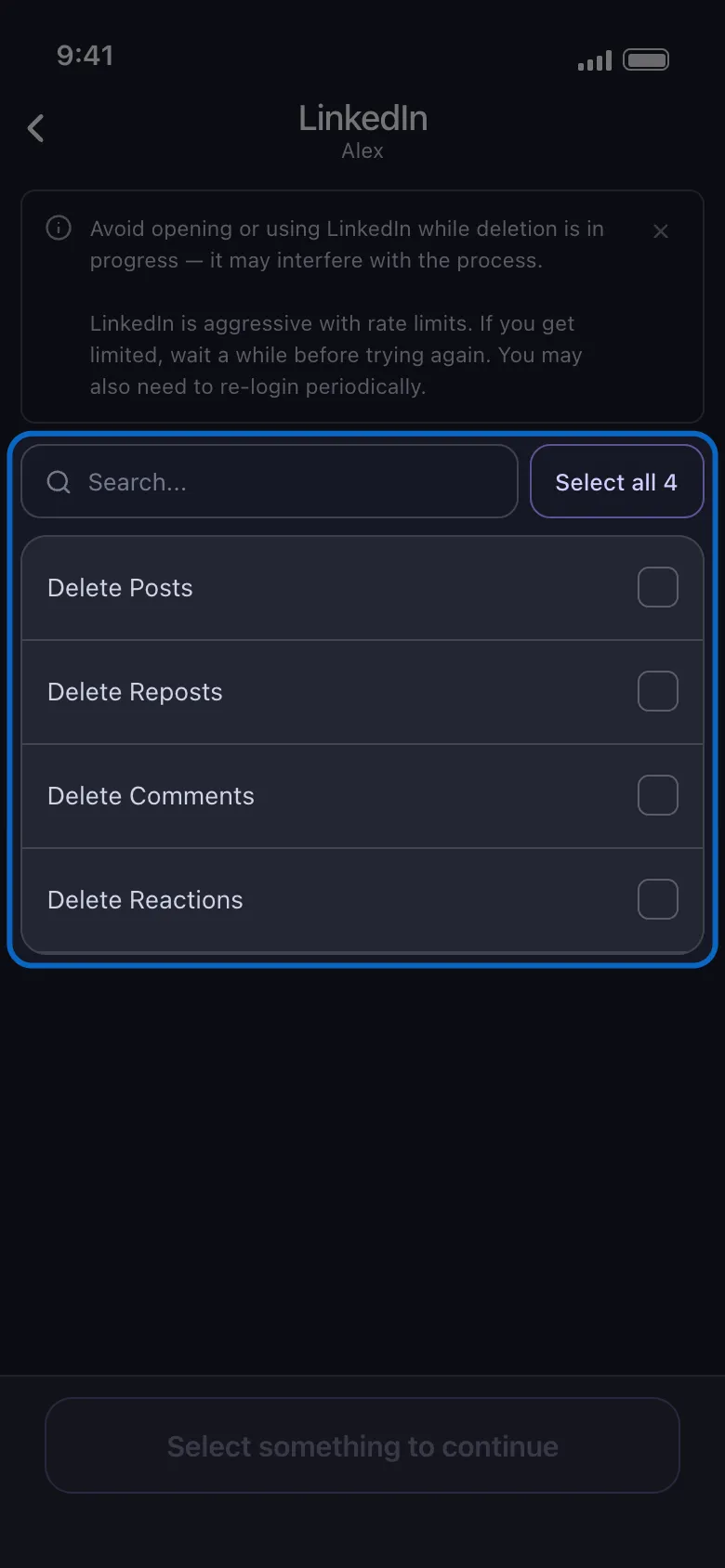
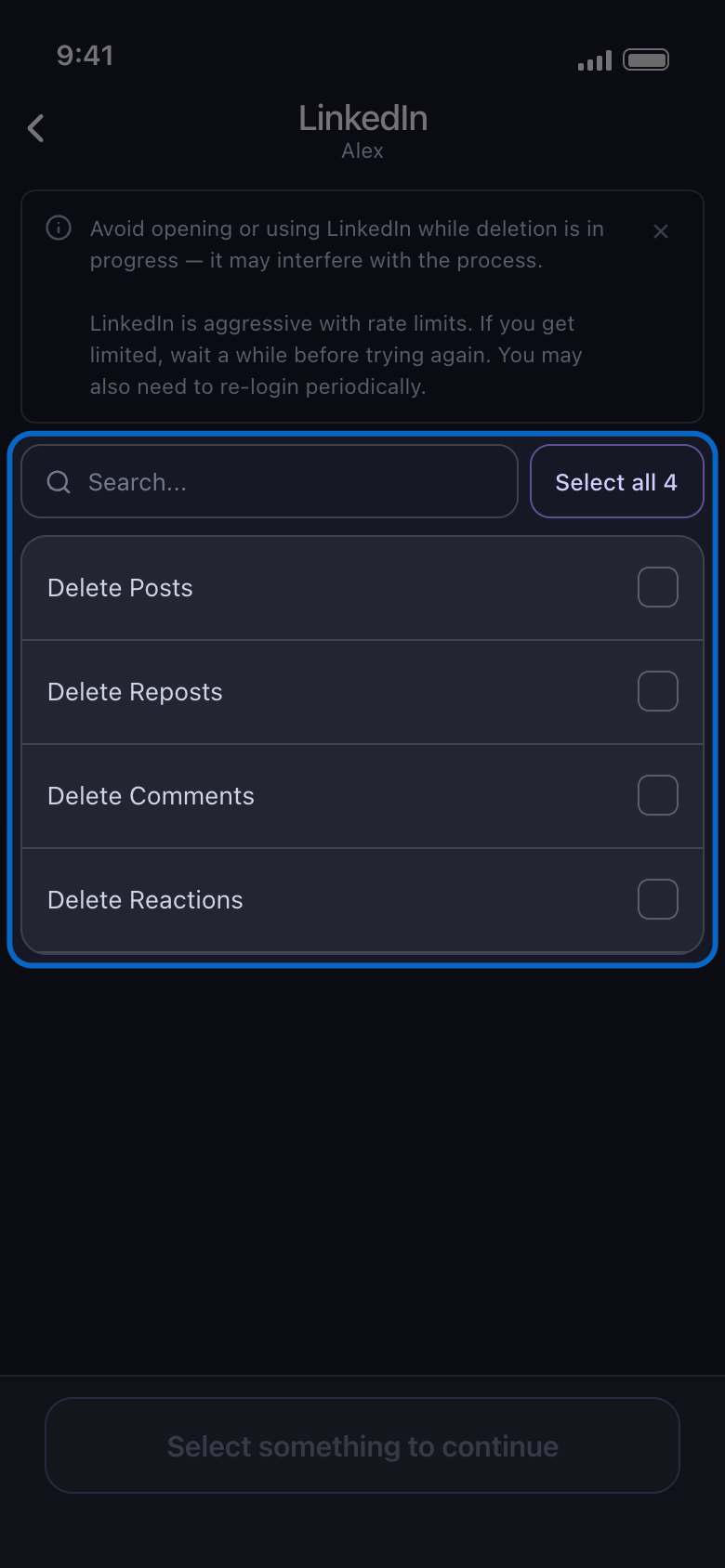
Delete Posts, Delete Reposts, Delete Comments and Delete Reactions. LinkedIn limits bulk actions strictly, so expect pauses on long runs.
In der App Main → LinkedIn → account
- 08
Slack: messages, threads and reactions
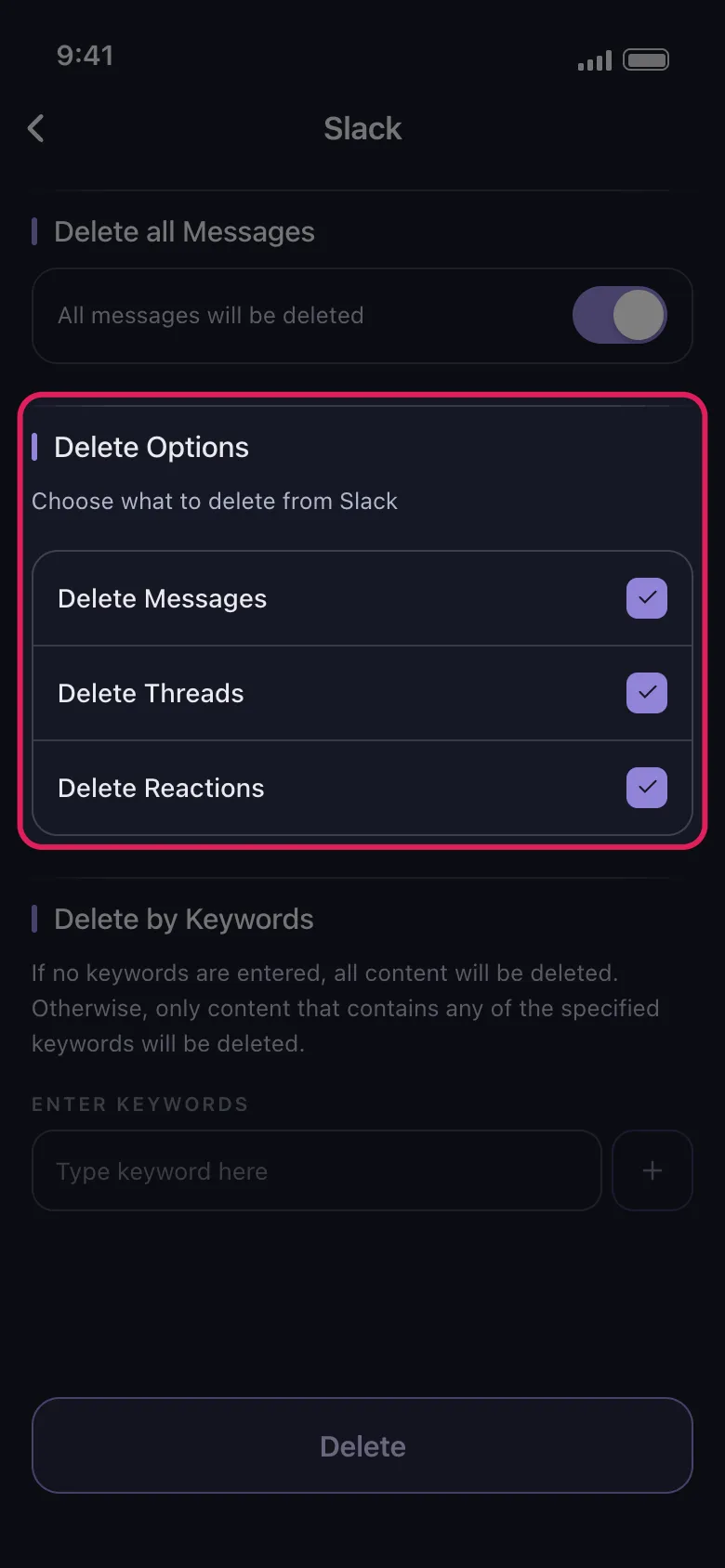
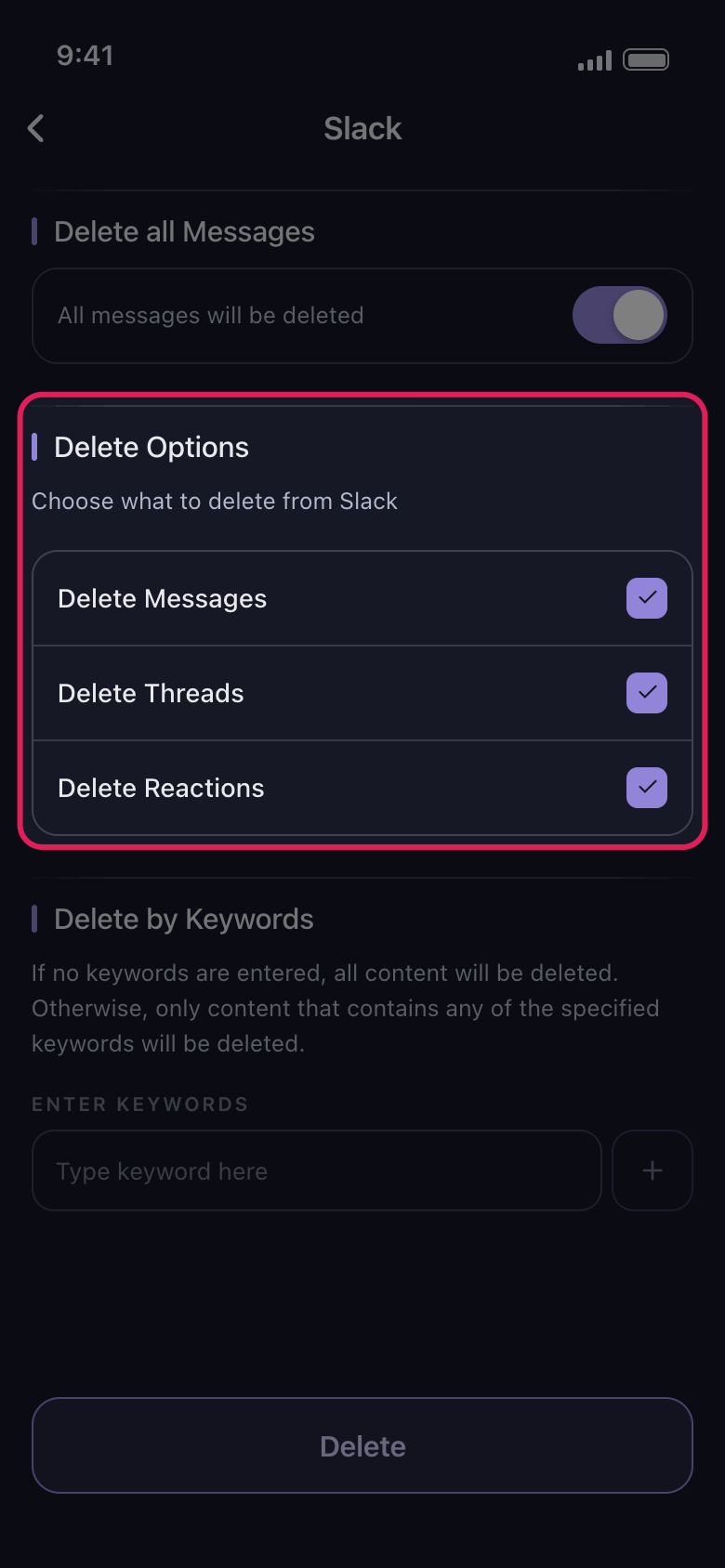
Pick DMs or channels, then choose on the options screen whether to delete messages, threads and reactions. Only the messages and reactions you posted are removed. Workspace admins can pick Delete from Slack as admin to clear other members’ messages in channels.
In der App Main → Slack → account → Delete from Slack → pick conversations → Continue

Gut zu wissen
- Only the eight platforms on the Main tab are supported.
- Not offered today: Instagram stories and highlights, TikTok likes, Facebook Messenger, and other people’s messages in your DMs on any platform.
- Deleting is permanent: there is no undo, and Unpost keeps no backup. On Facebook, your own timeline posts and archived posts go to Facebook’s trash first, where Facebook says it keeps them for 30 days; Empty Your Trash clears it now. Posts from friends, posts on others’ profiles and Photo Library pictures are deleted outright.
Weitere Anleitungen