
So wählst du aus, welche Inhaltstypen gelöscht werden
Öffnest du ein Konto, listet Unpost alles auf, was es auf dieser Plattform entfernen kann, auf einem Bildschirm mit dem Namen der Plattform und deinem Konto als Überschrift. Jede ausgewählte Zeile ist eine Auswahl, und ein Durchlauf arbeitet sie nacheinander ab.
- 01
Wähle den richtigen Tab
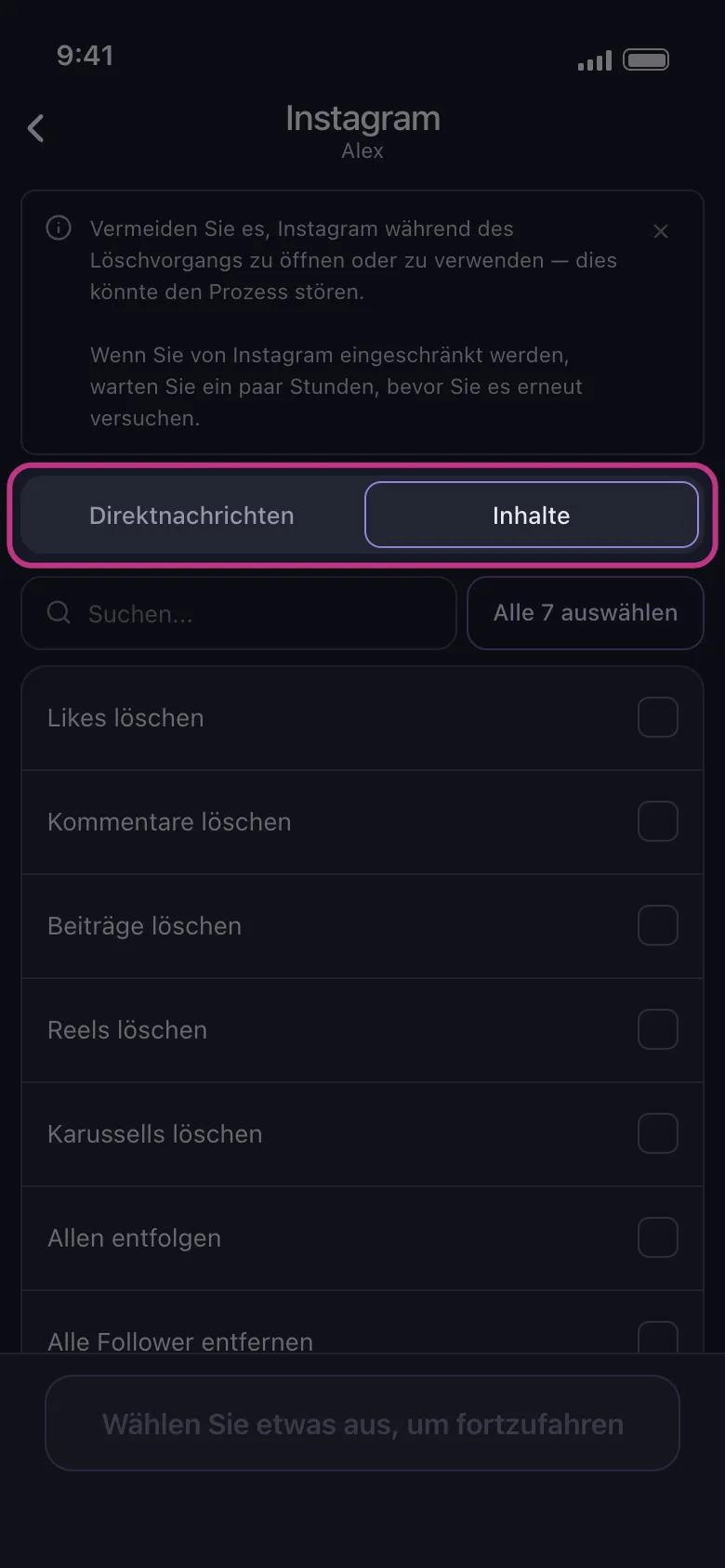
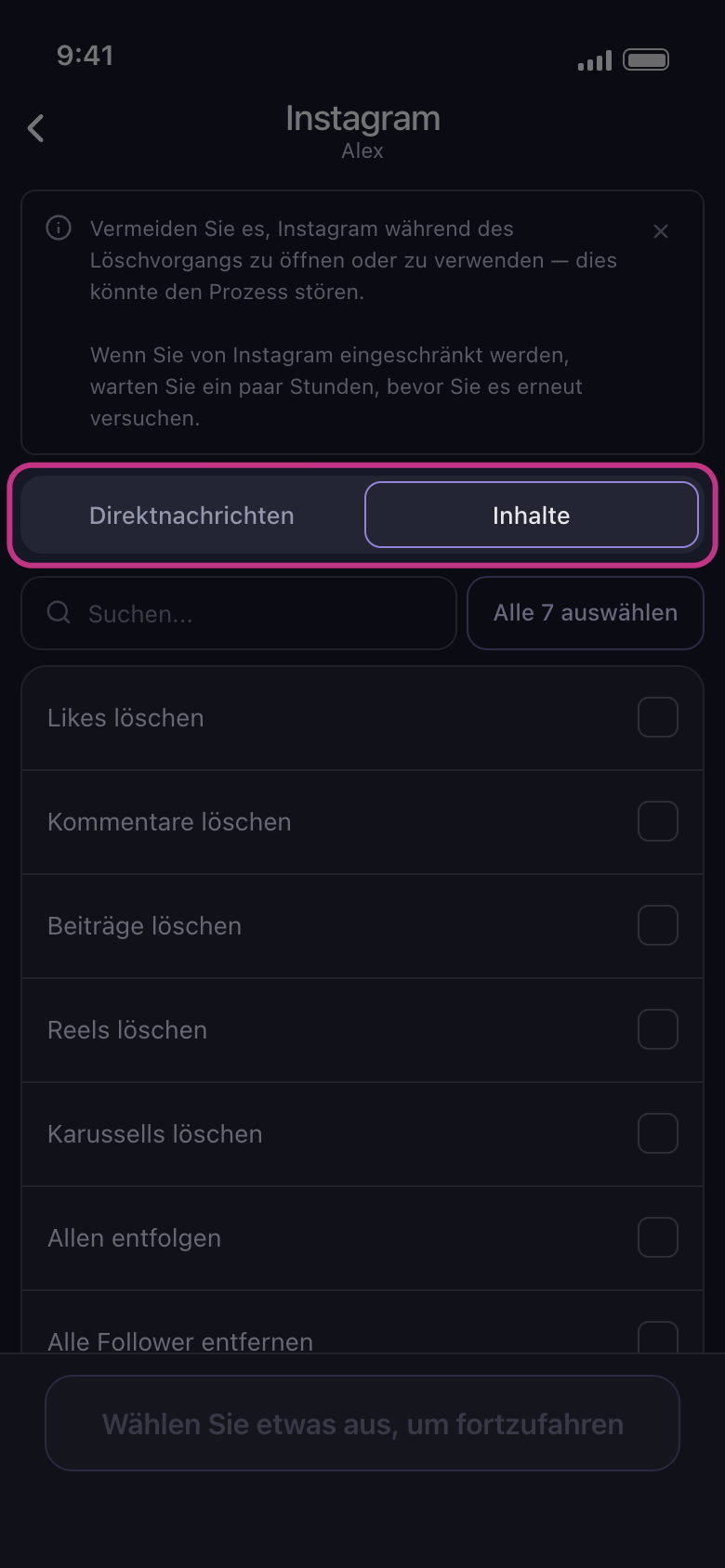
Discord, Instagram, Reddit und Slack haben zwei Tabs. Auf Discord heißen sie „Direktnachrichten“ und „Server“, auf Slack „Direktnachrichten“ und „Kanäle“: deine DMs und die Server oder Kanäle, in denen du bist. Auf Instagram und Reddit heißen sie „Direktnachrichten“ und „Inhalte“: „Direktnachrichten“ listet deine Chats, „Inhalte“ die Arten von Inhalten. Auf Instagram findest du Beiträge, Likes und Kommentare also im Tab „Inhalte“. Der Bildschirm öffnet sich mit „Direktnachrichten“: Tippe auf „Inhalte“, um zu ihnen zu kommen.
In der App Startseite → Instagram → Konto → Direktnachrichten / Inhalte
- 02
Öffne eine Gruppe, um darin auszuwählen
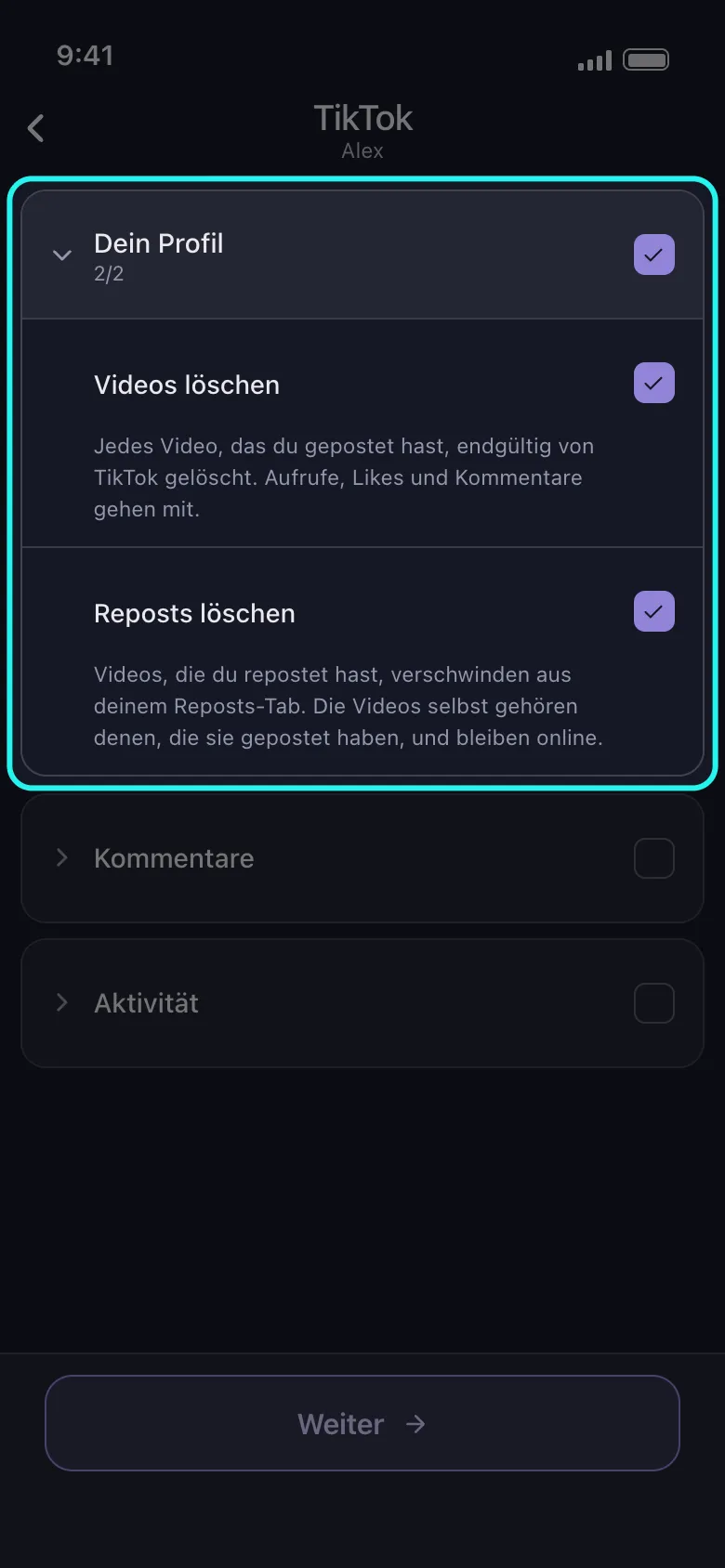
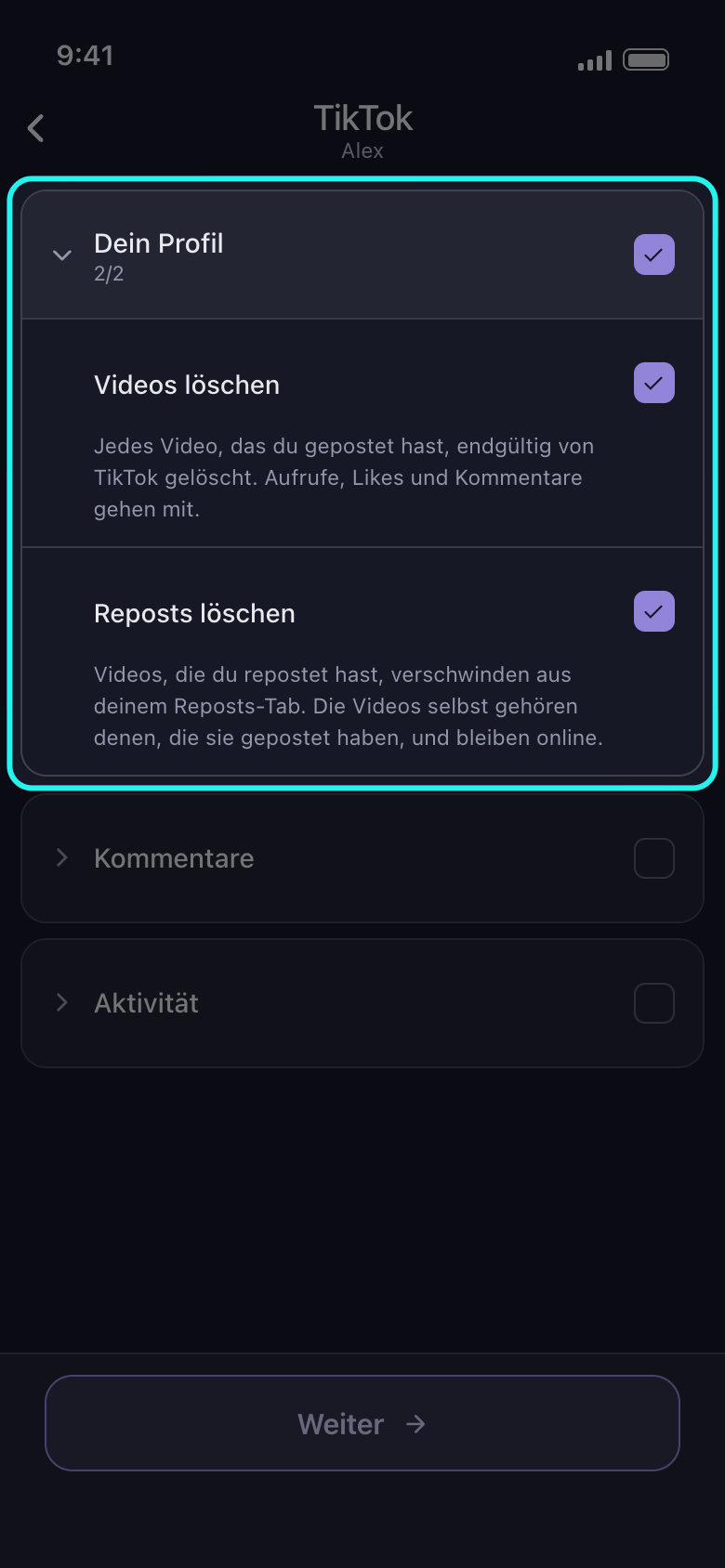
Auf Facebook, TikTok, X und YouTube stecken die meisten Optionen in Gruppen. Der Pfeil oder der Name öffnet eine Gruppe, und ihr Kästchen wählt alle Optionen darin aus; ein weiteres Tippen wählt alle wieder ab. Sind nur einige ausgewählt, zeigt das Kästchen eine halbe Markierung, und ein Tippen wählt den Rest aus. Sobald eine ausgewählt ist, zeigt die Kopfzeile der Gruppe, wie viele ihrer Optionen es sind, etwa 2/2.
In der App Startseite → TikTok → Konto
- 03
Lies die Zeile unter jeder Option
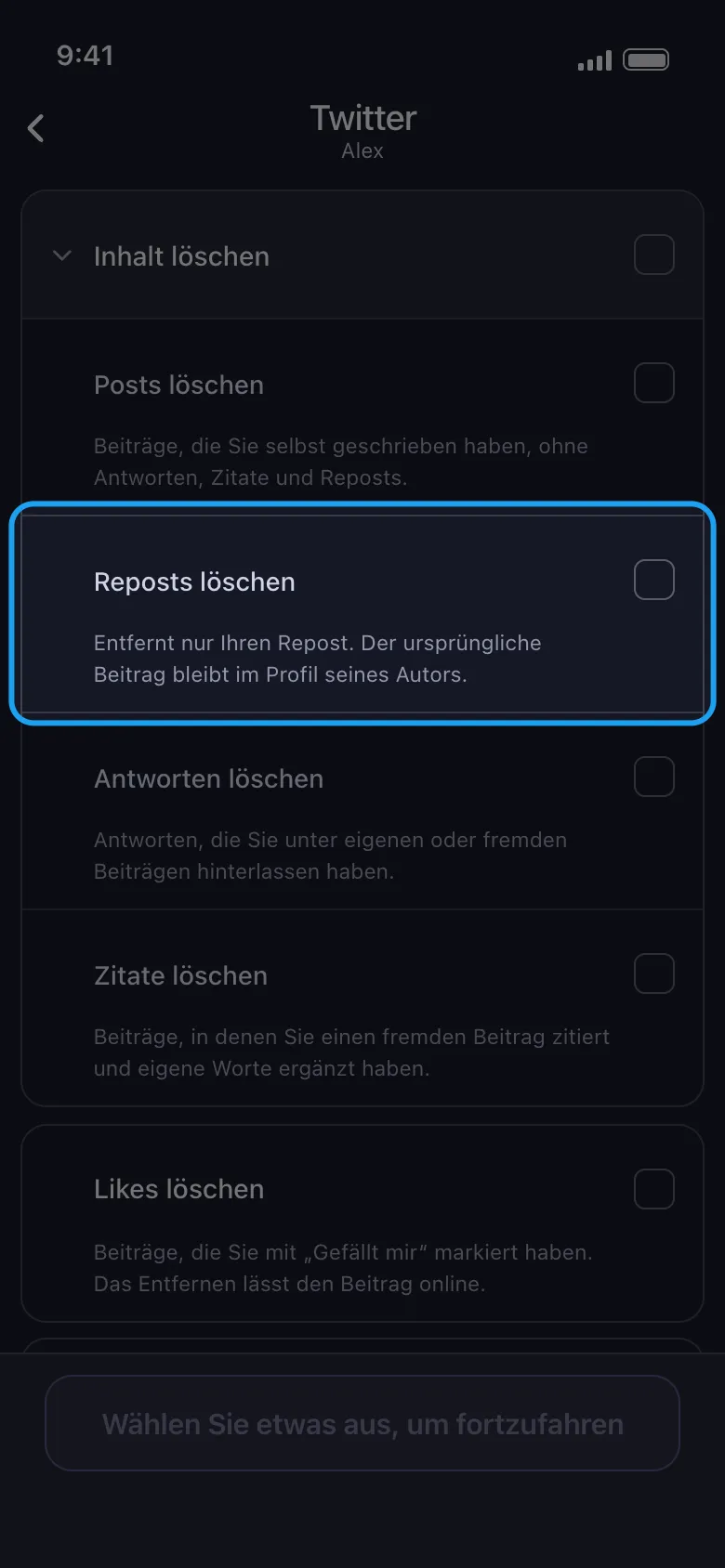
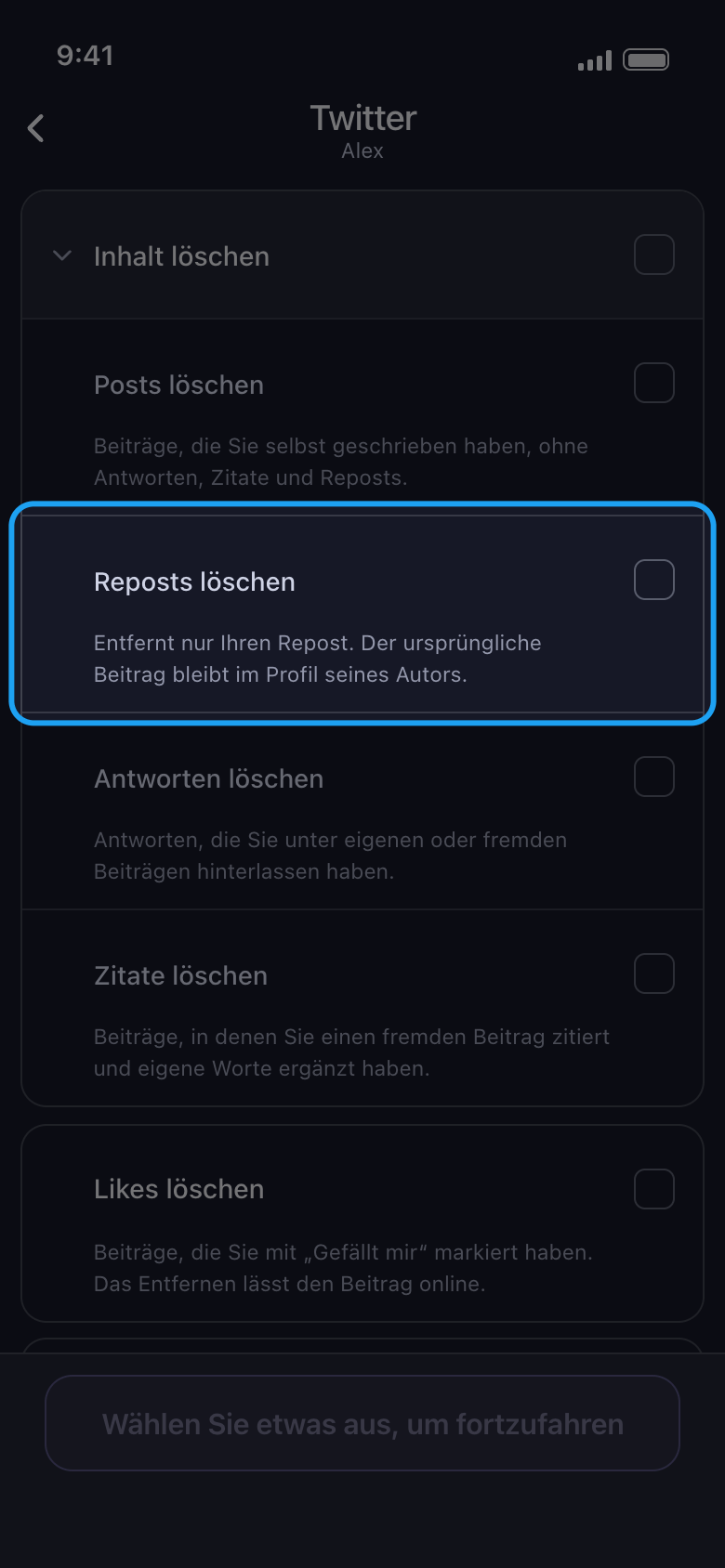
Auf Facebook, TikTok, X und YouTube sagt eine Zeile unter jeder Option, was gelöscht wird und was bleibt. Entfernst du zum Beispiel einen Repost, verschwindet nur deine Weitergabe: Der ursprüngliche Beitrag bleibt im Profil seines Autors. Instagram, LinkedIn und Reddit zeigen nur die Namen der Optionen.
In der App Startseite → Twitter → Konto → Von X (Twitter) löschen → Inhalt löschen
- 04
Vorsicht bei Optionen für die ganze Liste
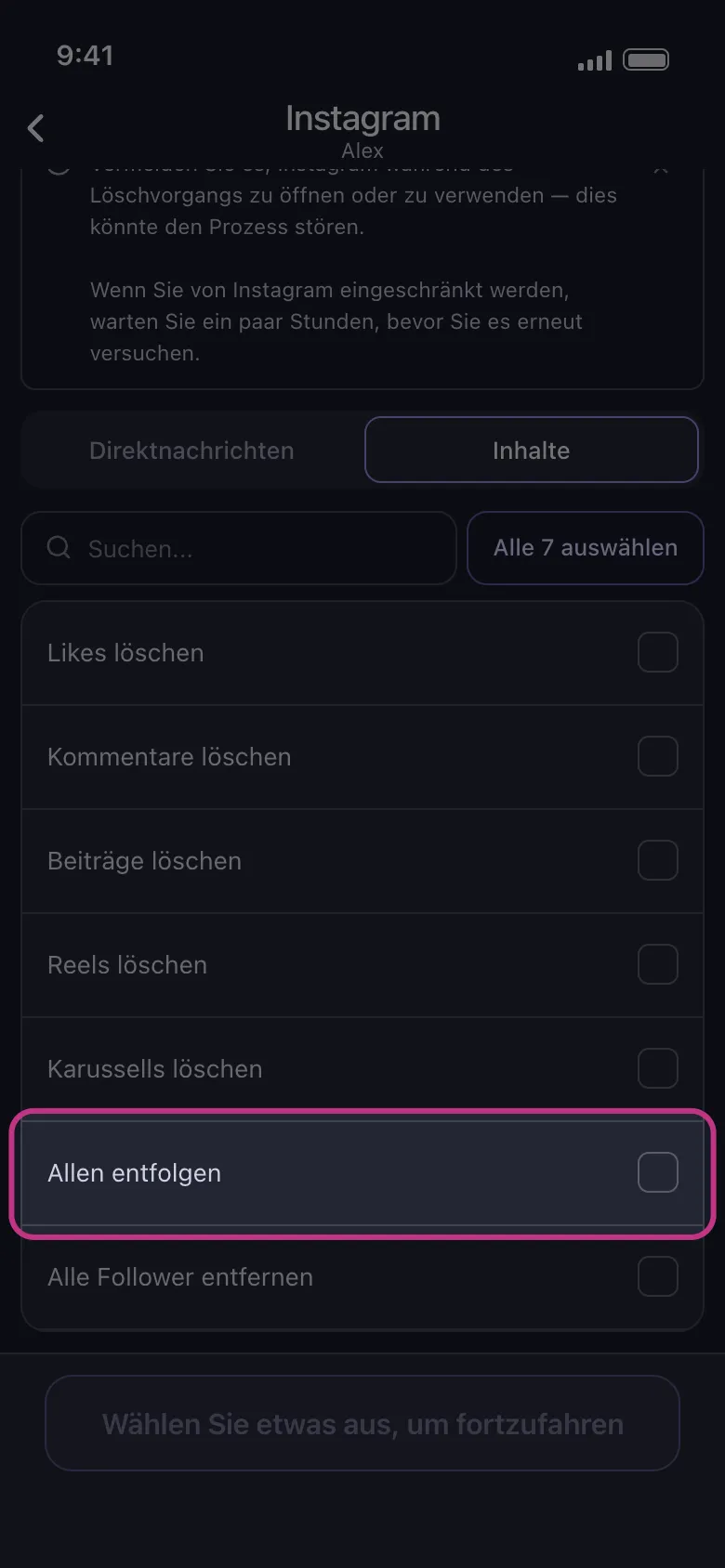
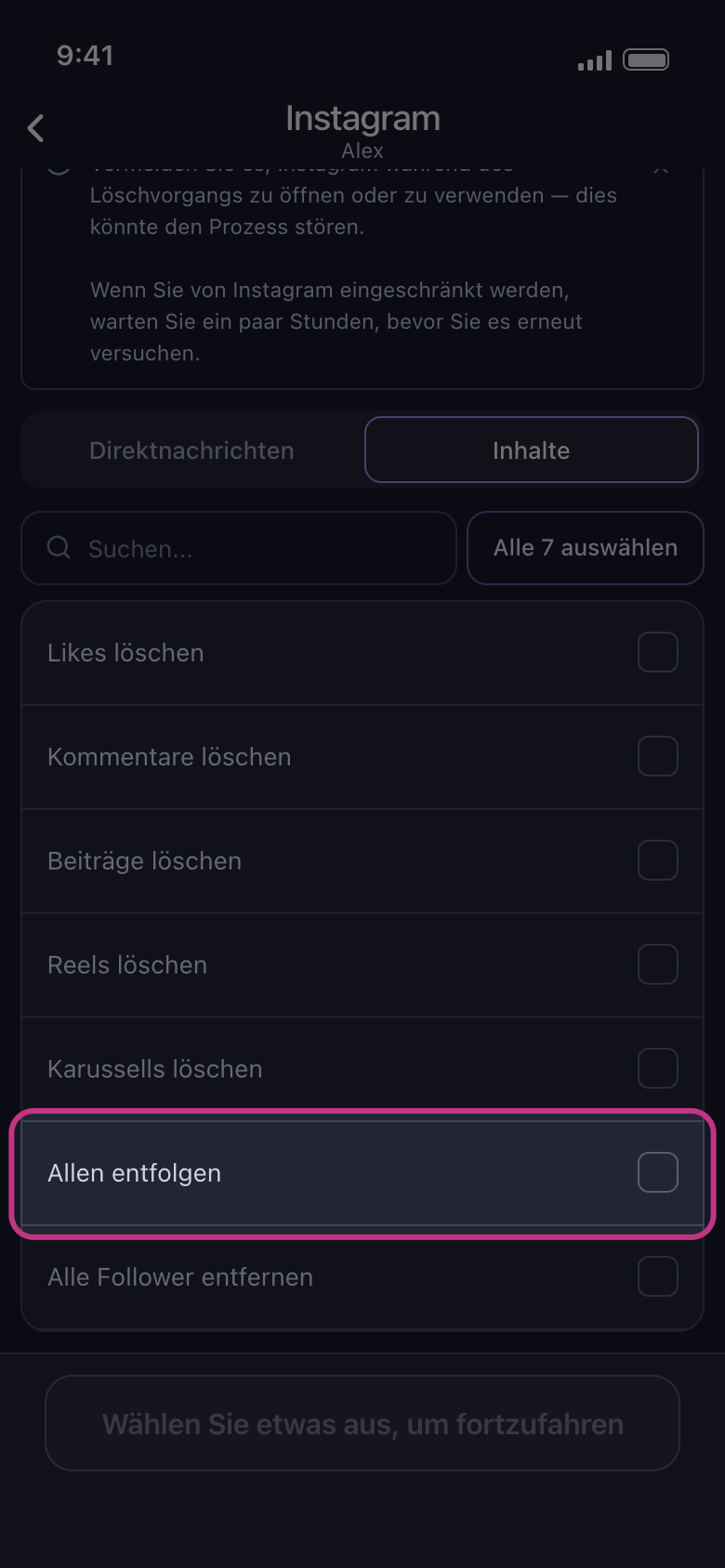
„Allen entfolgen“ und „Alle Follower entfernen“ von Instagram betreffen alle Konten, denen du folgst, und alle deine Follower: Du kannst nicht auswählen, welche Follower entfernt werden, also heißt es alle oder keine. „Alle … auswählen“ in diesem Tab wählt sie mit aus: Wähle sie also vor dem Weitermachen wieder ab, wenn du das nicht willst. Auf dem nächsten Bildschirm wirken der Zeitraum und die Grenzen für Likes oder Kommentare auf Beiträge, Reels und Karussells, Zeitraum und Schlüsselwörter auf DMs: Auf diese beiden Optionen, deine Likes und deine Kommentare wirkt dort nichts.
In der App Startseite → Instagram → Konto → Inhalte
- 05
Nutze „Alle … auswählen“ bei langen Listen
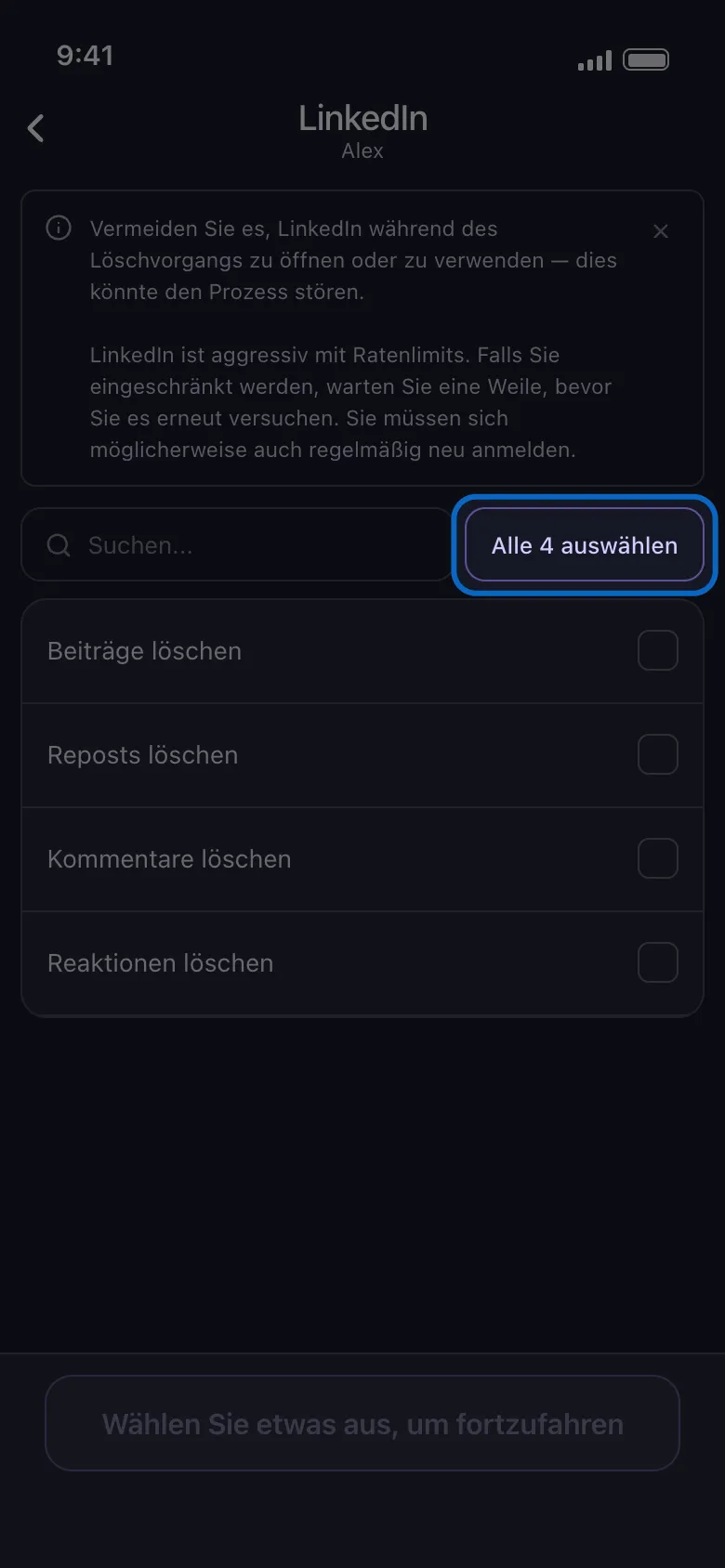
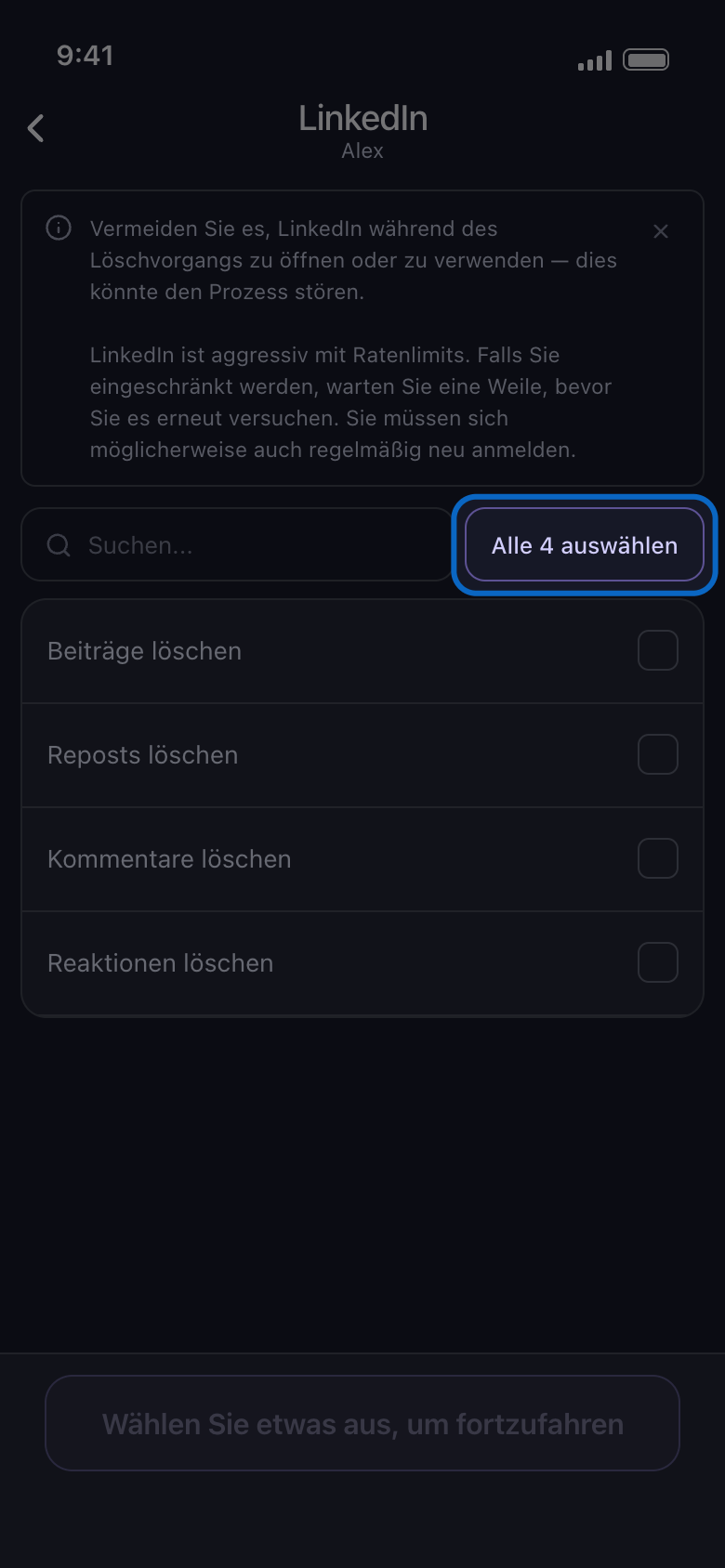
Listen ohne Gruppen haben ein Suchfeld und eine Schaltfläche „Alle … auswählen“; die Zahl darin gibt an, wie viele Zeilen die Liste gerade zeigt (alle oder nur die Suchtreffer). Nach einer Suche wählt sie nur die passenden Zeilen aus, und sind alle ausgewählt, heißt sie „Alle … abwählen“, mit derselben Zahl. Im Tab „Server“ von Discord öffnest du zuerst einen Server: Seine Kanalliste hat ein eigenes Suchfeld und „Alle … auswählen“.
In der App Startseite → LinkedIn → Konto → Alle … auswählen
- 06
Verfolge die Auswahlen während des Durchlaufs
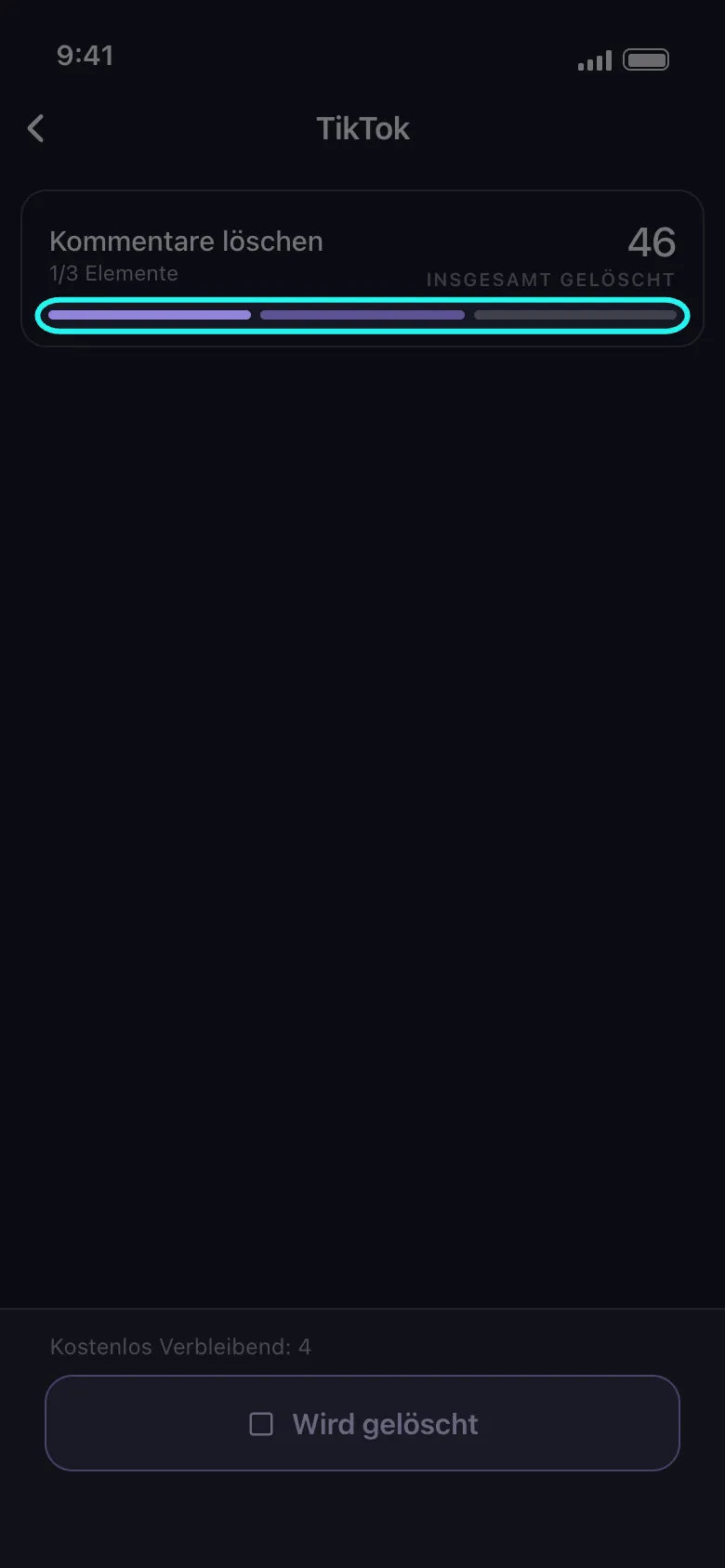
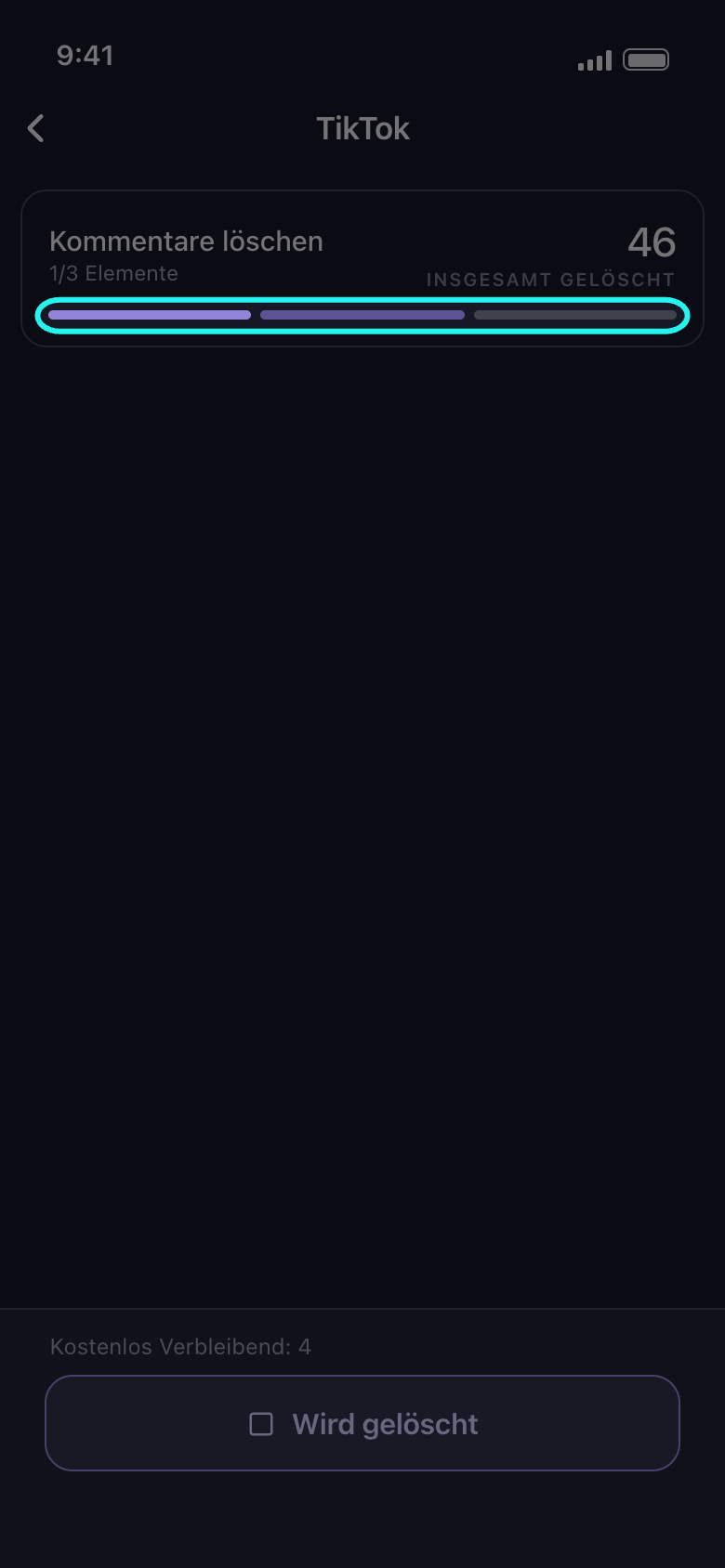
Die Balken unten auf der Karte des Durchlaufs sind deine Auswahlen: Der laufende ist animiert, ein heller Streifen zieht über ihn. Ein Balken wird voll, wenn seine Auswahl fertig ist; einer, der vorher stoppt (Limit erreicht, fehlgeschlagen oder nicht abgeschlossen), wird wieder leer, und der Ergebnisbildschirm sagt, warum. Bei mehr als 20 Auswahlen verschmelzen sie zu einem einzigen Balken. Die Karte nennt die Auswahl, die gerade gelöscht wird; auf Facebook, X und YouTube laufen manche Auswahlen gemeinsam und werden zusammen genannt, sodass sich mehrere Balken gleichzeitig bewegen können. Die Angabe unter dem Namen, etwa „1/3 Elemente“, zeigt, wie viele der Auswahlen fertig sind, und „Insgesamt Gelöscht“ rechts, wie viele Einträge dieser Durchlauf bisher entfernt hat.
In der App Löschbildschirm
Gut zu wissen
- Du kannst Zeilen in beiden Tabs auswählen; ein Durchlauf erledigt sie alle.
- Nach „Weiter“ zeigt der Optionsbildschirm „Bevor wir löschen“ nur die Optionen, die deine Auswahl eingrenzen; gibt es keine, öffnet sich direkt die Übersicht „Überprüfen“.
- Bei einem langen Verlauf kann es dauern, bis der erste Eintrag verschwindet: Das ist normal, kein Hänger.
Weitere Anleitungen