
كيف تختار أنواع المحتوى التي تُحذف
عندما تفتح حسابًا، يعرض Unpost كل ما يستطيع حذفه على تلك المنصة، في شاشة عنوانها اسم المنصة وحسابك. كل صف تحدده هو اختيار، وتمر العملية على الاختيارات واحدًا تلو الآخر.
- 01
اختر التبويب الصحيح
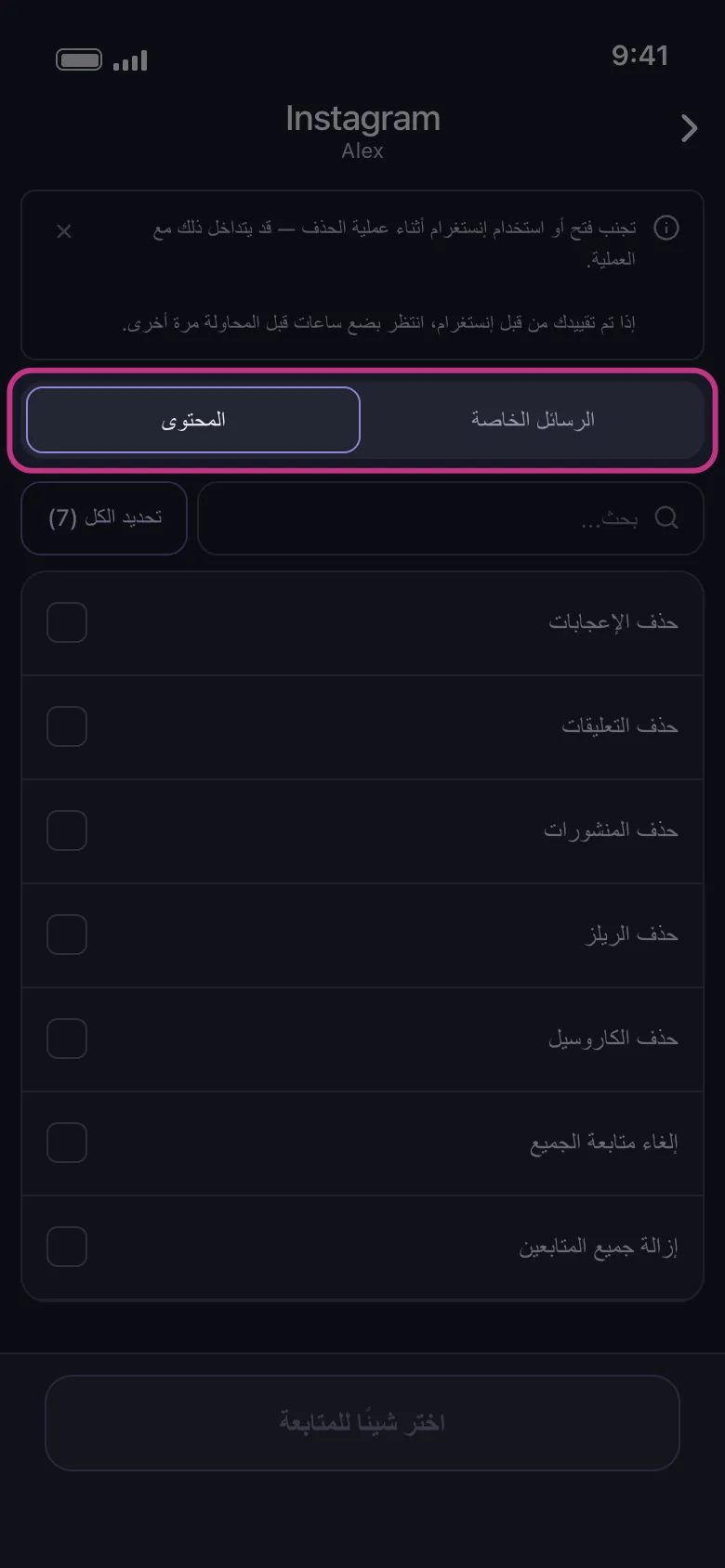
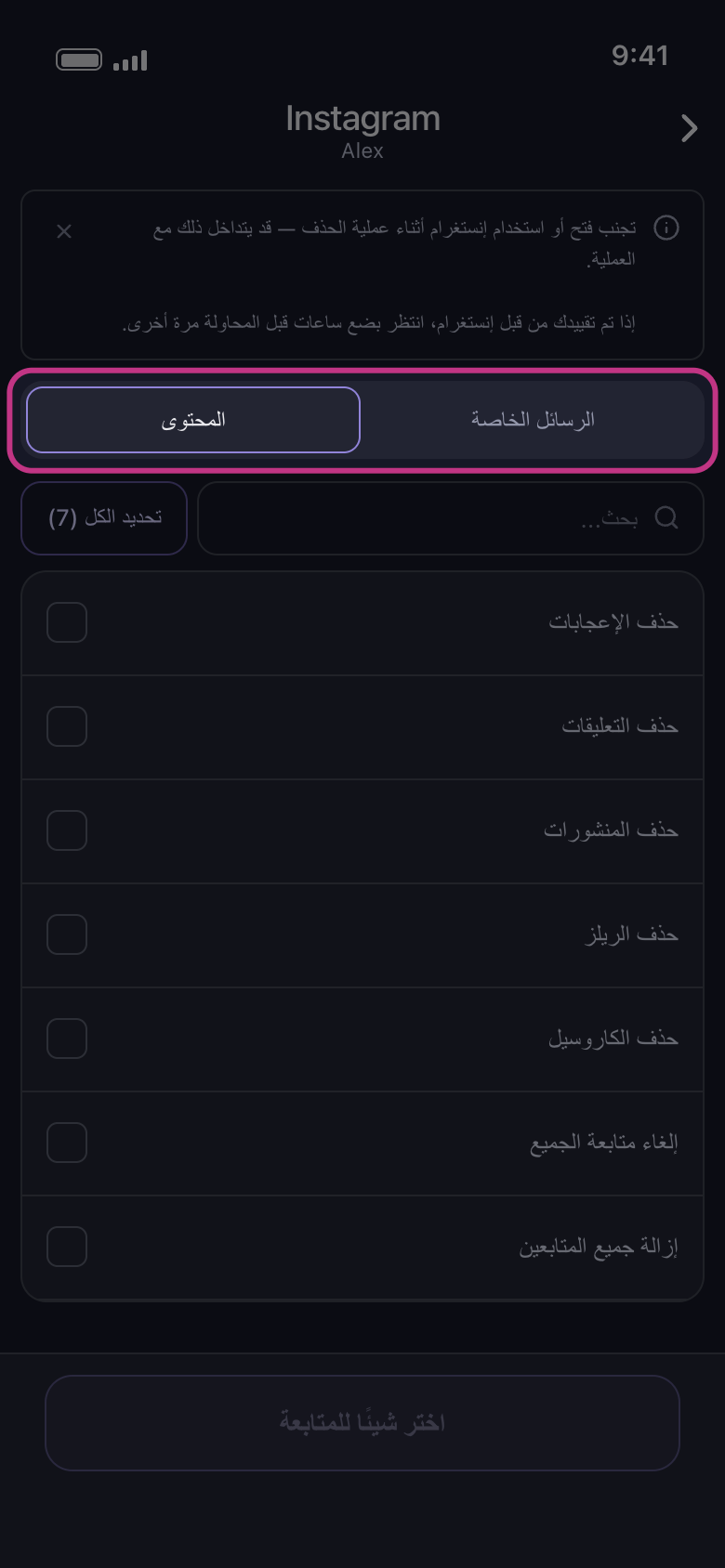
في Discord وInstagram وReddit وSlack تبويبان. على Discord هما «الرسائل الخاصة» و«الخوادم»، وعلى Slack «الرسائل الخاصة» و«قنوات»: رسائلك الخاصة، والخوادم أو القنوات التي أنت فيها. وعلى Instagram وReddit هما «الرسائل الخاصة» و«المحتوى»: يعرض الأول محادثاتك، والثاني أنواع المحتوى. لذا فالمنشورات والإعجابات والتعليقات على Instagram موجودة في تبويب «المحتوى». تُفتح الشاشة على «الرسائل الخاصة»: اضغط «المحتوى» للوصول إليها.
في التطبيق الرئيسية ← Instagram ← الحساب ← الرسائل الخاصة / المحتوى
- 02
افتح مجموعة لتختار داخلها
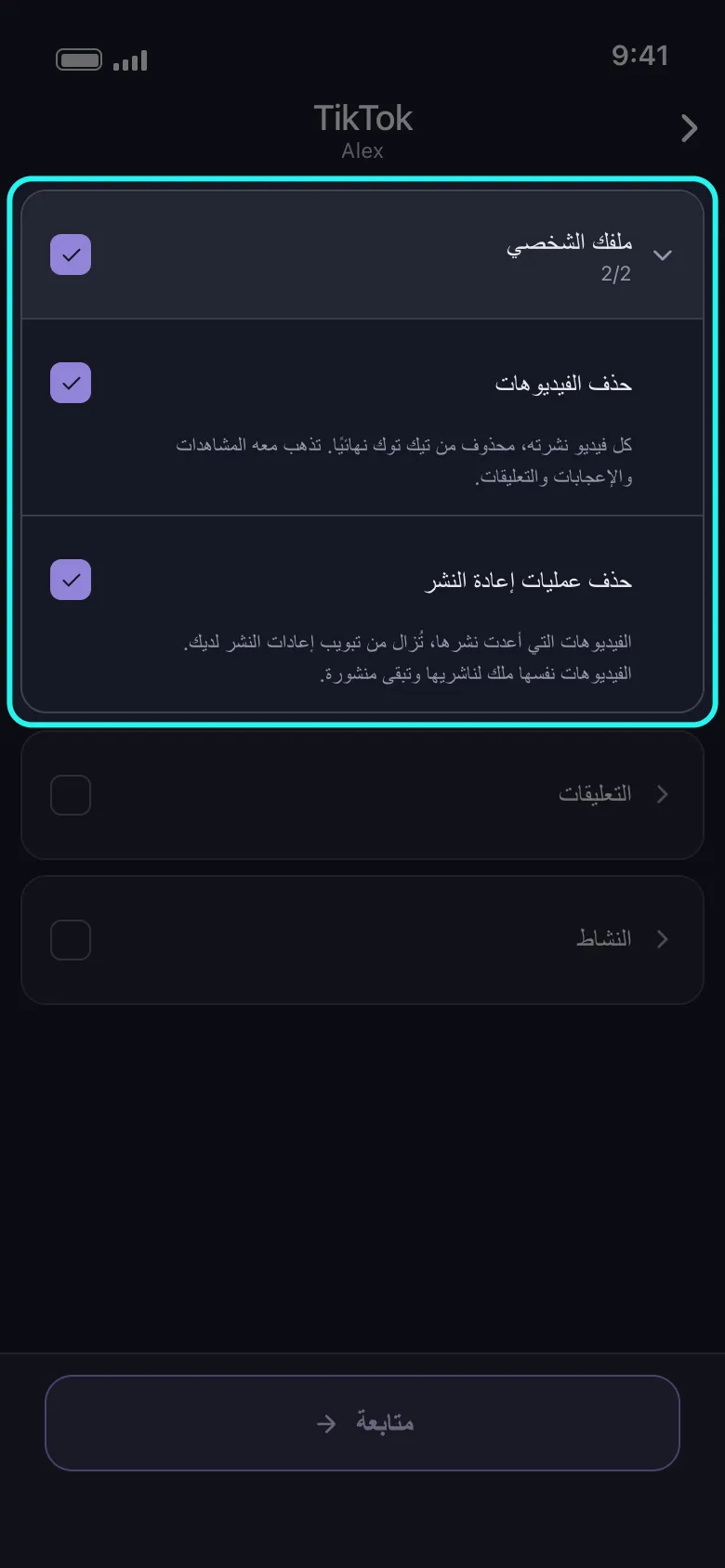
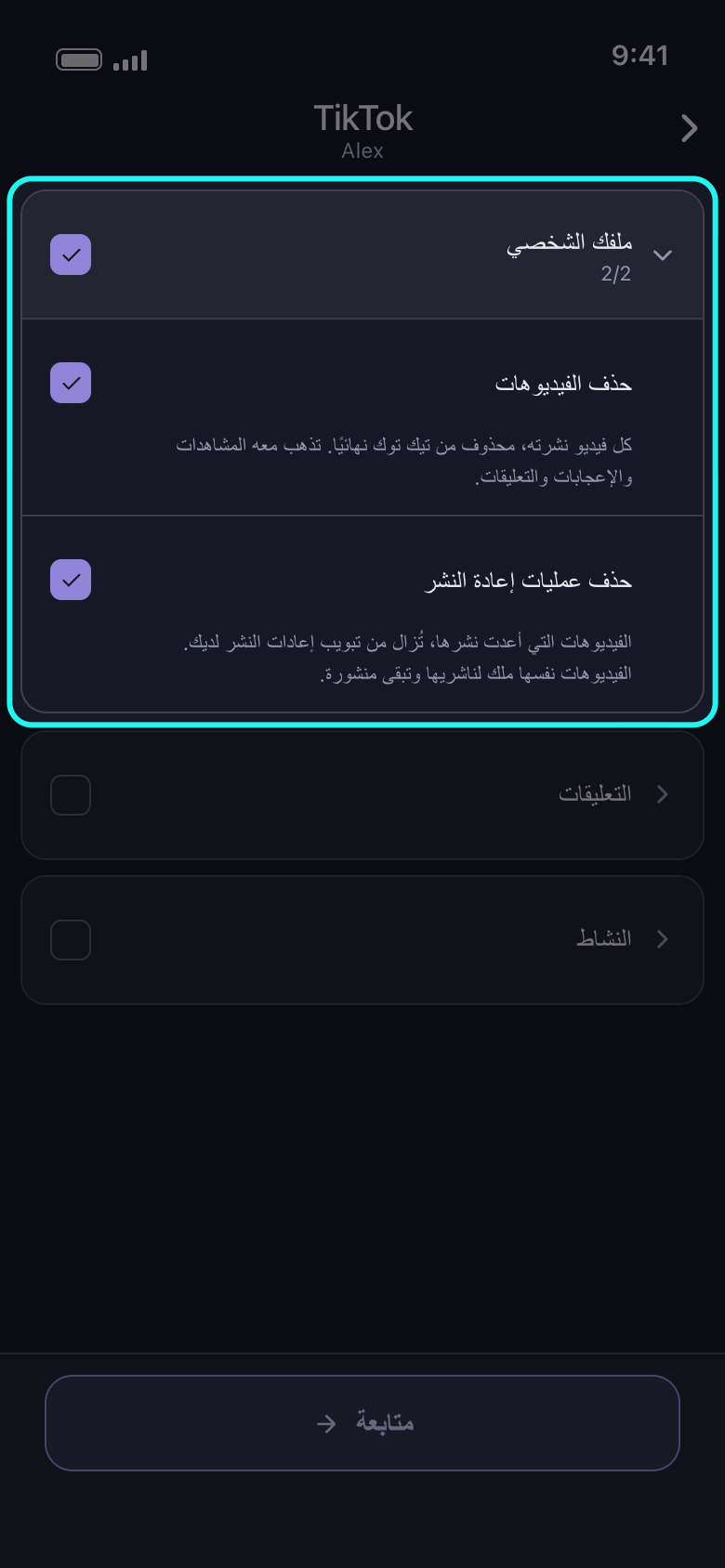
على Facebook وTikTok وX وYouTube تقع معظم الخيارات داخل مجموعات. يفتح السهم أو الاسم المجموعة، وخانة الاختيار الخاصة بها تحدد كل الخيارات داخلها؛ والضغط عليها مرة أخرى يلغي تحديدها كلها. وإذا كان بعضها فقط محددًا، تُظهر الخانة علامة تحديد جزئي، وضغطة واحدة تحدد الباقي. وبمجرد تحديد خيار واحد، يُظهر رأس المجموعة عدد خياراتها المحددة، مثل 2/2.
في التطبيق الرئيسية ← TikTok ← الحساب
- 03
اقرأ السطر تحت كل خيار
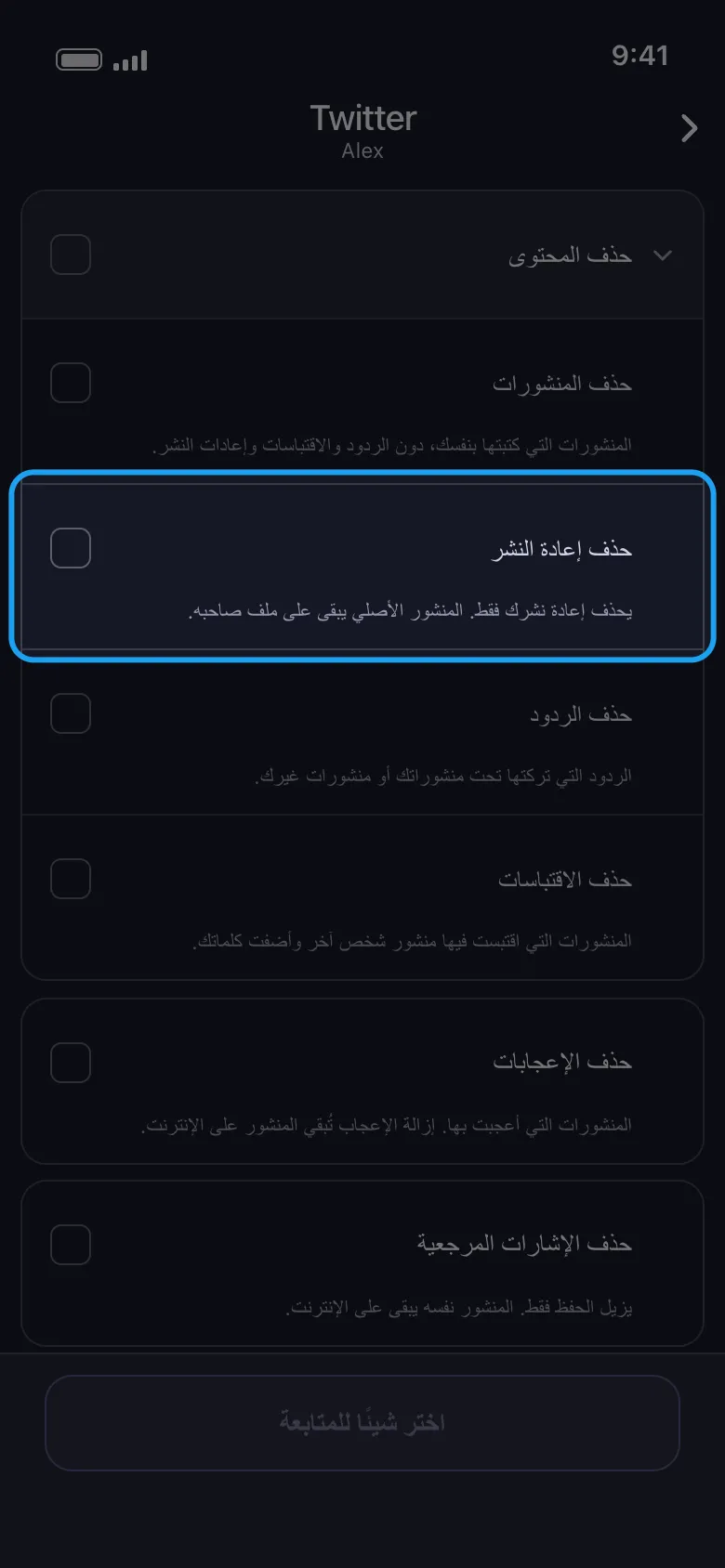
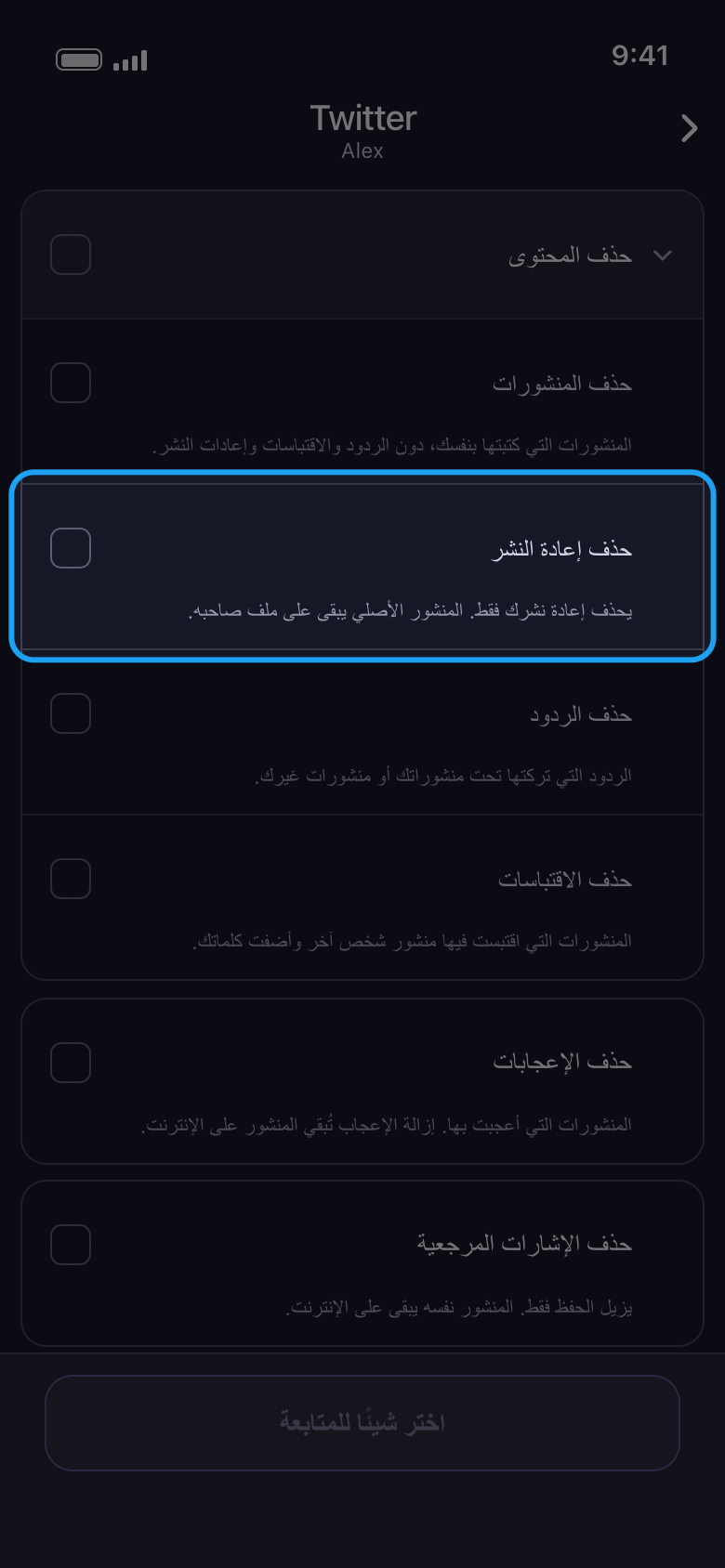
على Facebook وTikTok وX وYouTube يشرح سطر تحت كل خيار ما يُحذف وما يبقى. فحذف إعادة النشر مثلًا يزيل مشاركتك فقط: يبقى المنشور الأصلي على ملف صاحبه. أما Instagram وLinkedIn وReddit فتعرض أسماء الخيارات فقط.
في التطبيق الرئيسية ← Twitter ← الحساب ← احذف من X (تويتر) ← حذف المحتوى
- 04
انتبه للخيارات التي تشمل القائمة كلها
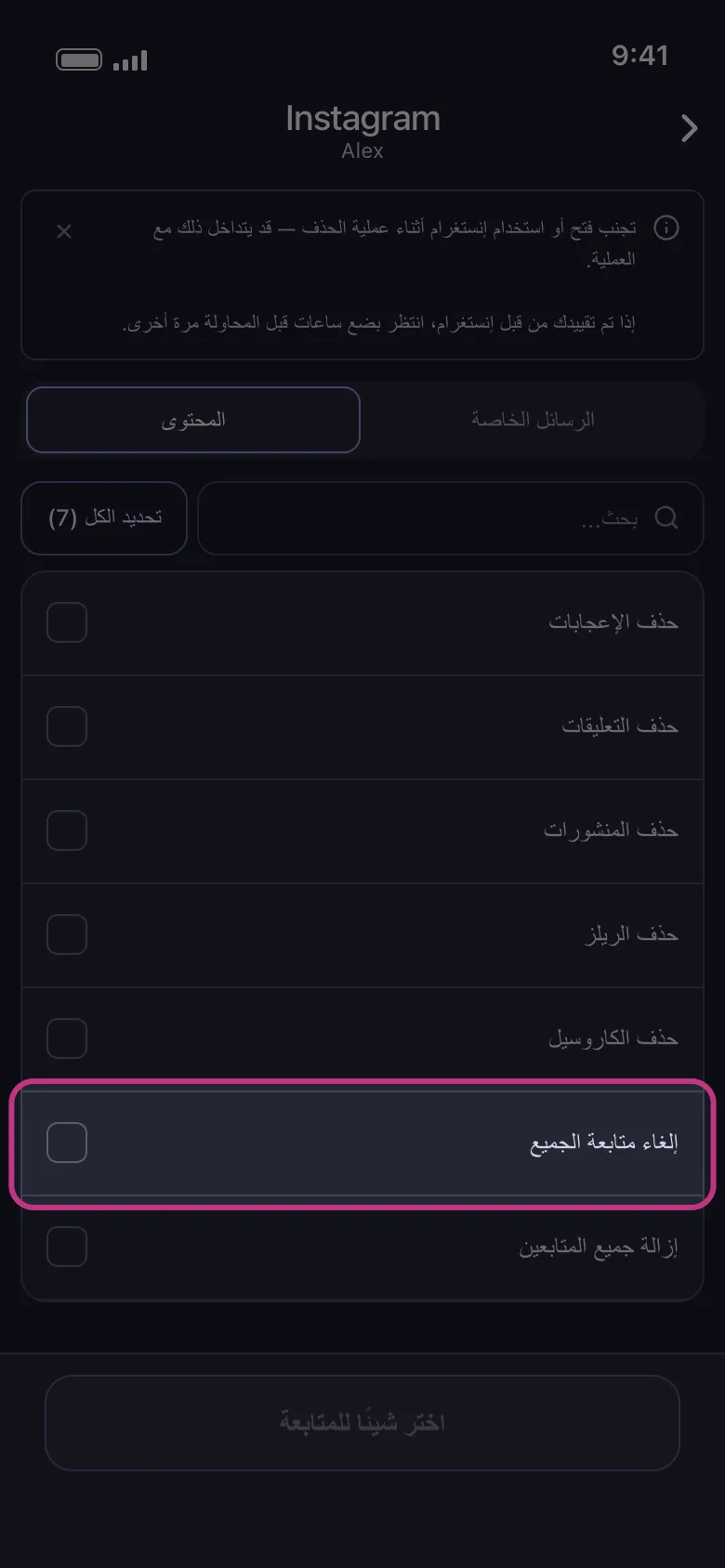
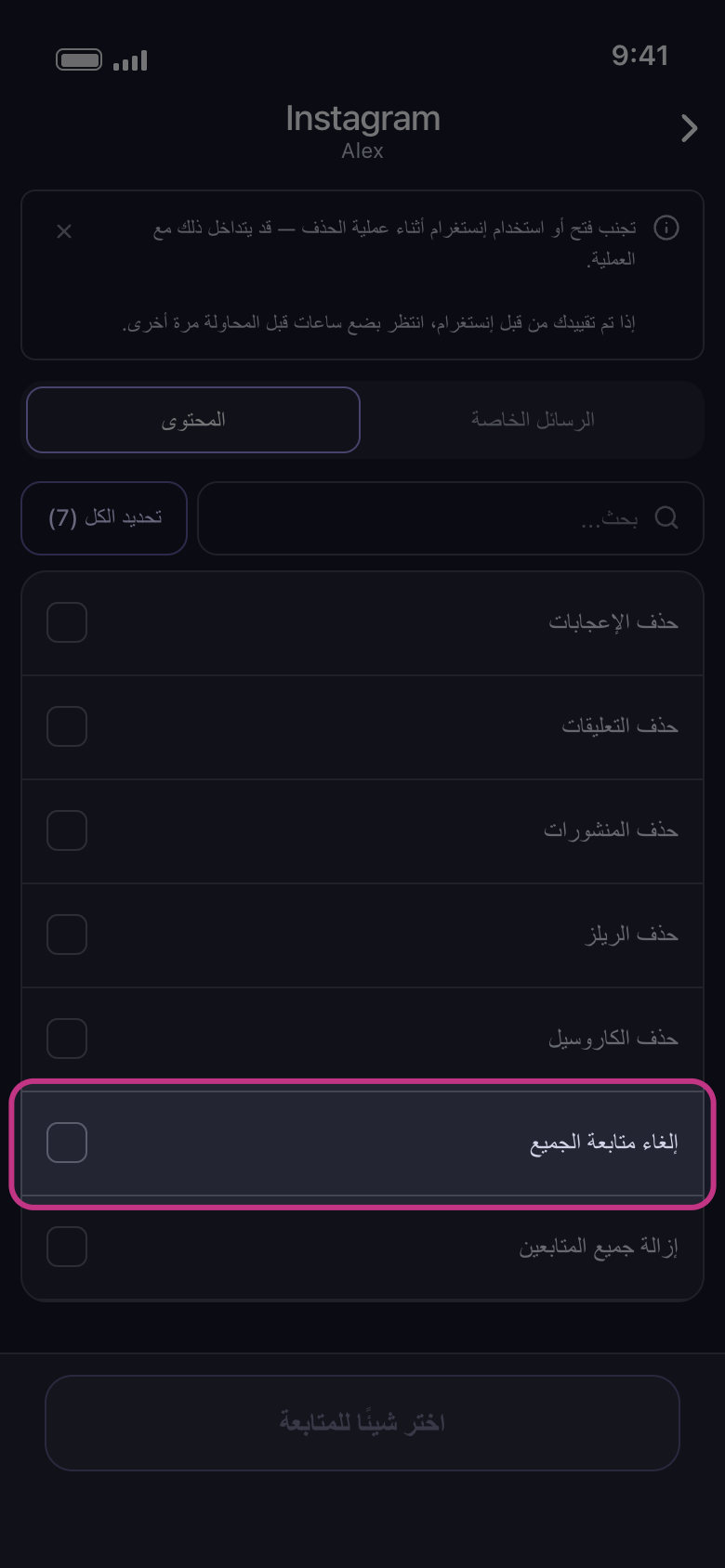
يعمل «إلغاء متابعة الجميع» و«إزالة جميع المتابعين» في Instagram على قائمتي من تتابعهم ومتابعيك كاملتين: لا يمكنك اختيار من يُزال من المتابعين، فإما الكل أو لا شيء. وزر «تحديد الكل» في ذلك التبويب يحددهما أيضًا، فألغِ تحديدهما قبل المتابعة إلا إذا كان هذا ما تريده. وفي الشاشة التالية، ينطبق النطاق الزمني وحدود الإعجابات أو التعليقات على المنشورات والريلز والكاروسيل، وينطبق النطاق الزمني والكلمات المفتاحية على الرسائل الخاصة، ولا ينطبق شيء منها على هذين الخيارين ولا على إعجاباتك ولا على تعليقاتك.
في التطبيق الرئيسية ← Instagram ← الحساب ← المحتوى
- 05
استخدم «تحديد الكل» في القوائم الطويلة
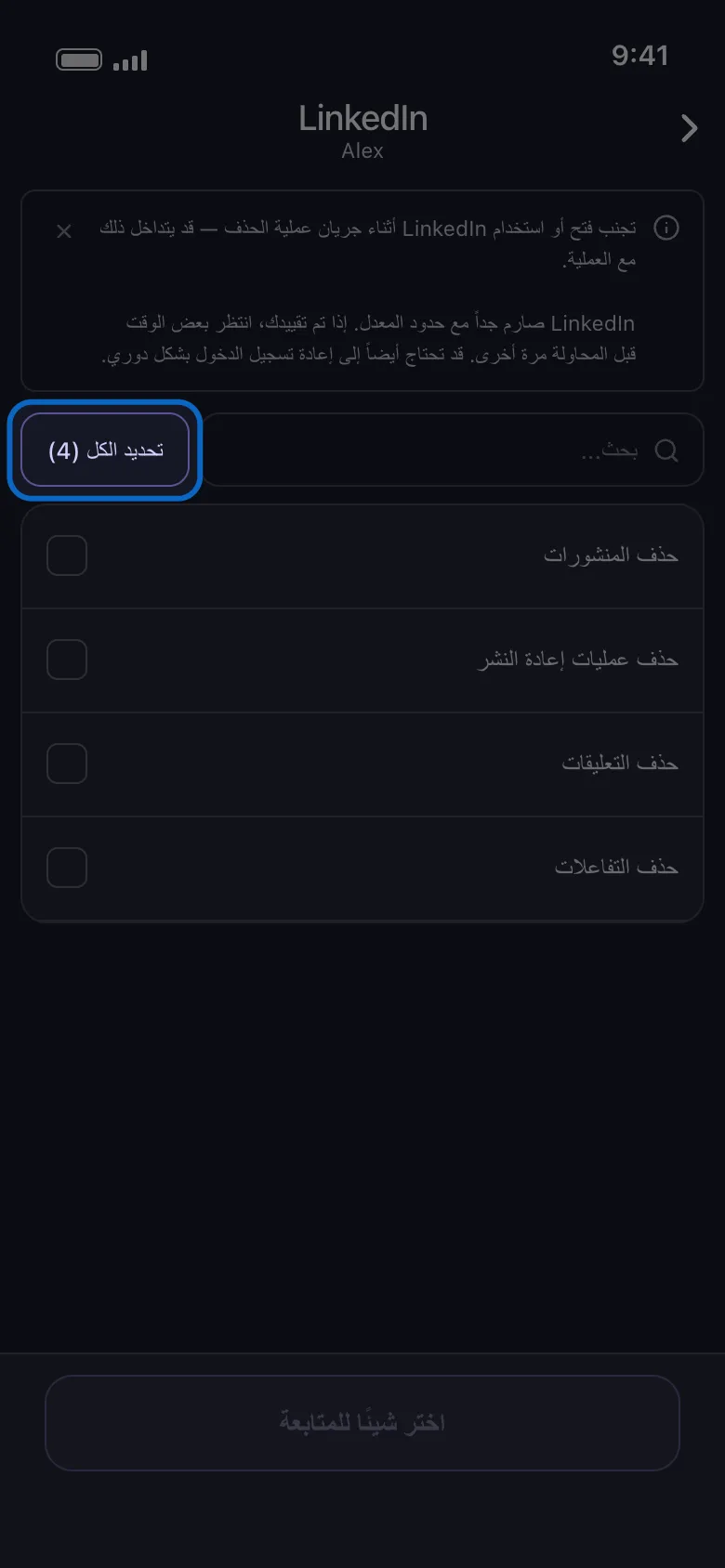
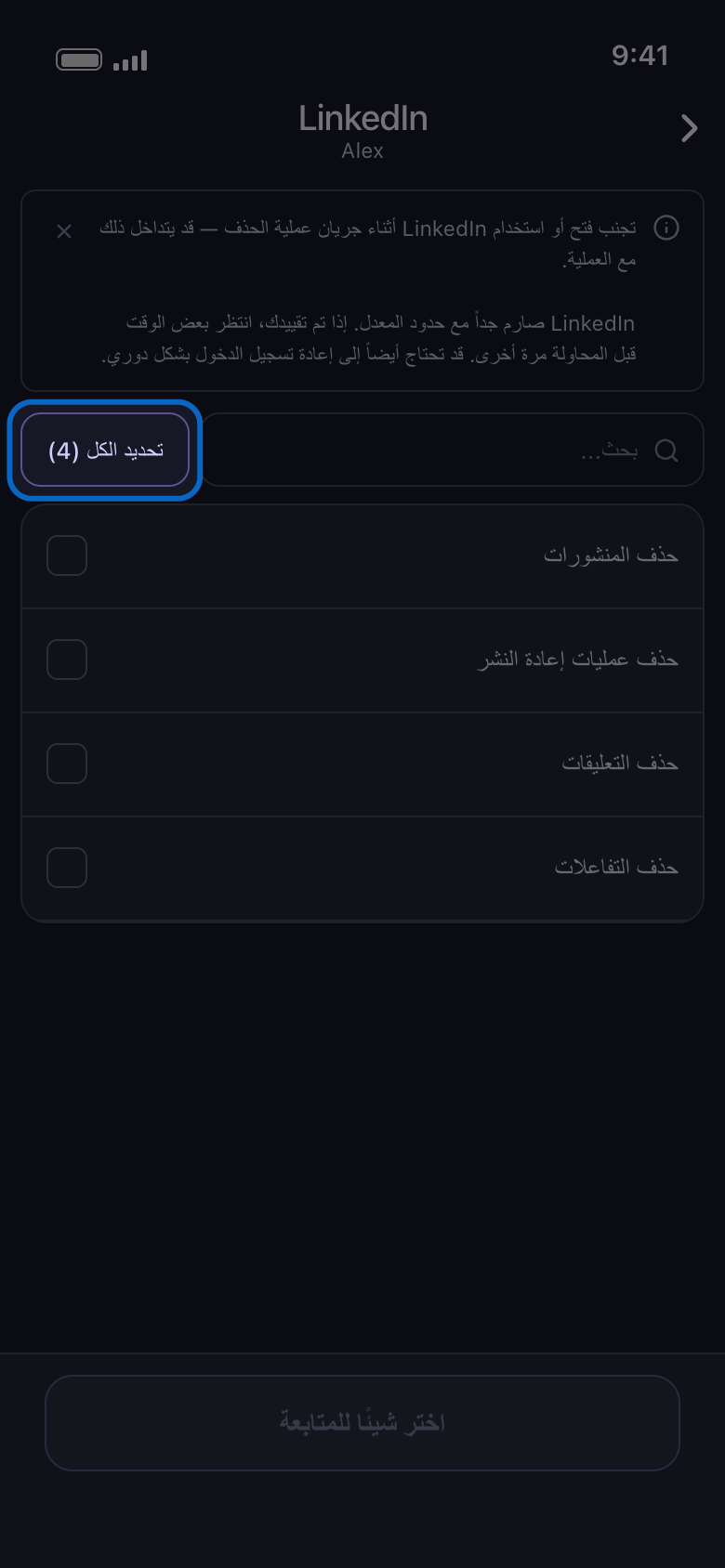
في القوائم التي لا مجموعات فيها خانة بحث وزر «تحديد الكل»؛ والرقم على الزر هو عدد الصفوف التي تعرضها القائمة (كلها، أو نتائج البحث فقط). بعد البحث يحدد الصفوف المطابقة فقط، وعندما تصبح كلها محددة يتحول إلى «إلغاء تحديد الكل» بالرقم نفسه. وفي تبويب «الخوادم» على Discord افتح الخادم أولًا: لقائمة قنواته خانة بحث وزر «تحديد الكل» خاصان بها.
في التطبيق الرئيسية ← LinkedIn ← الحساب ← تحديد الكل
- 06
تابع الاختيارات أثناء العملية
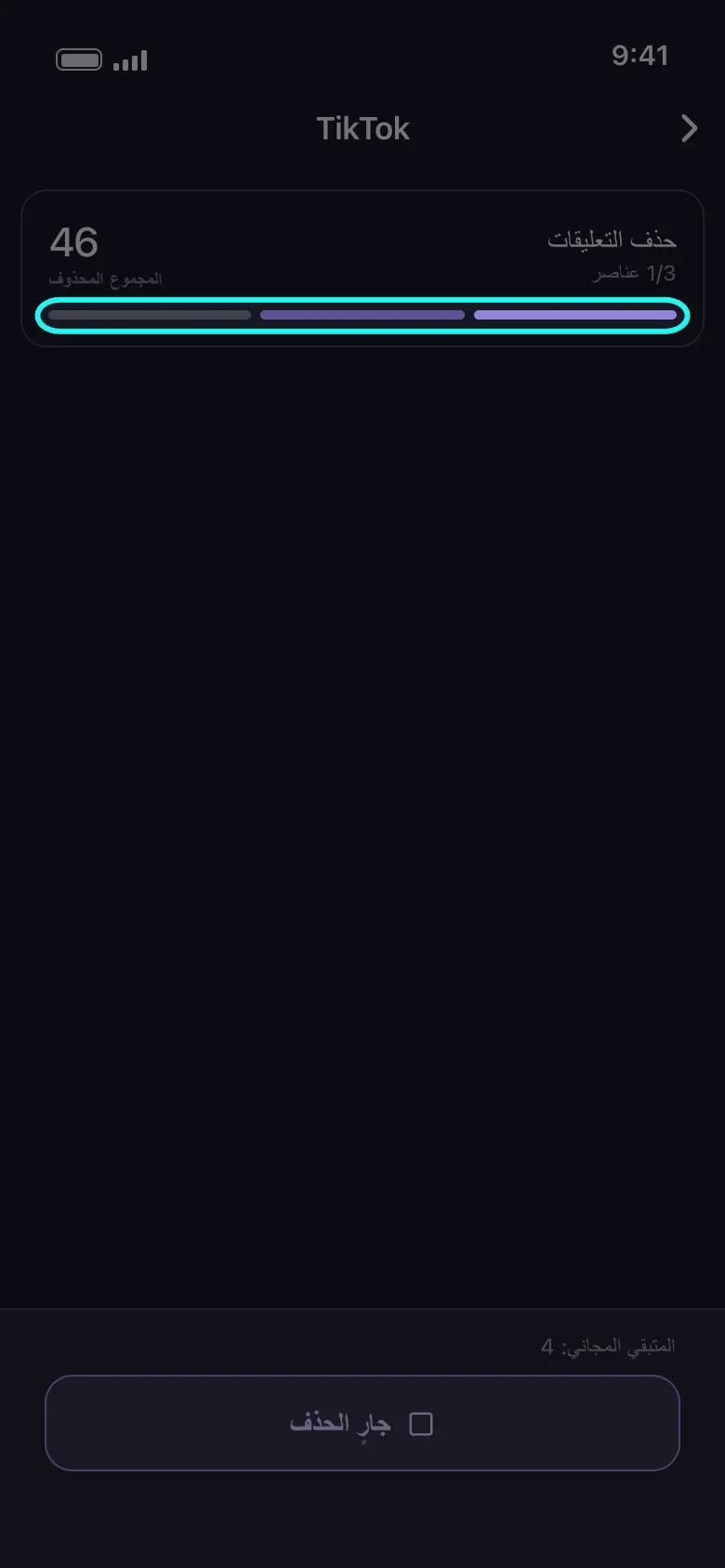
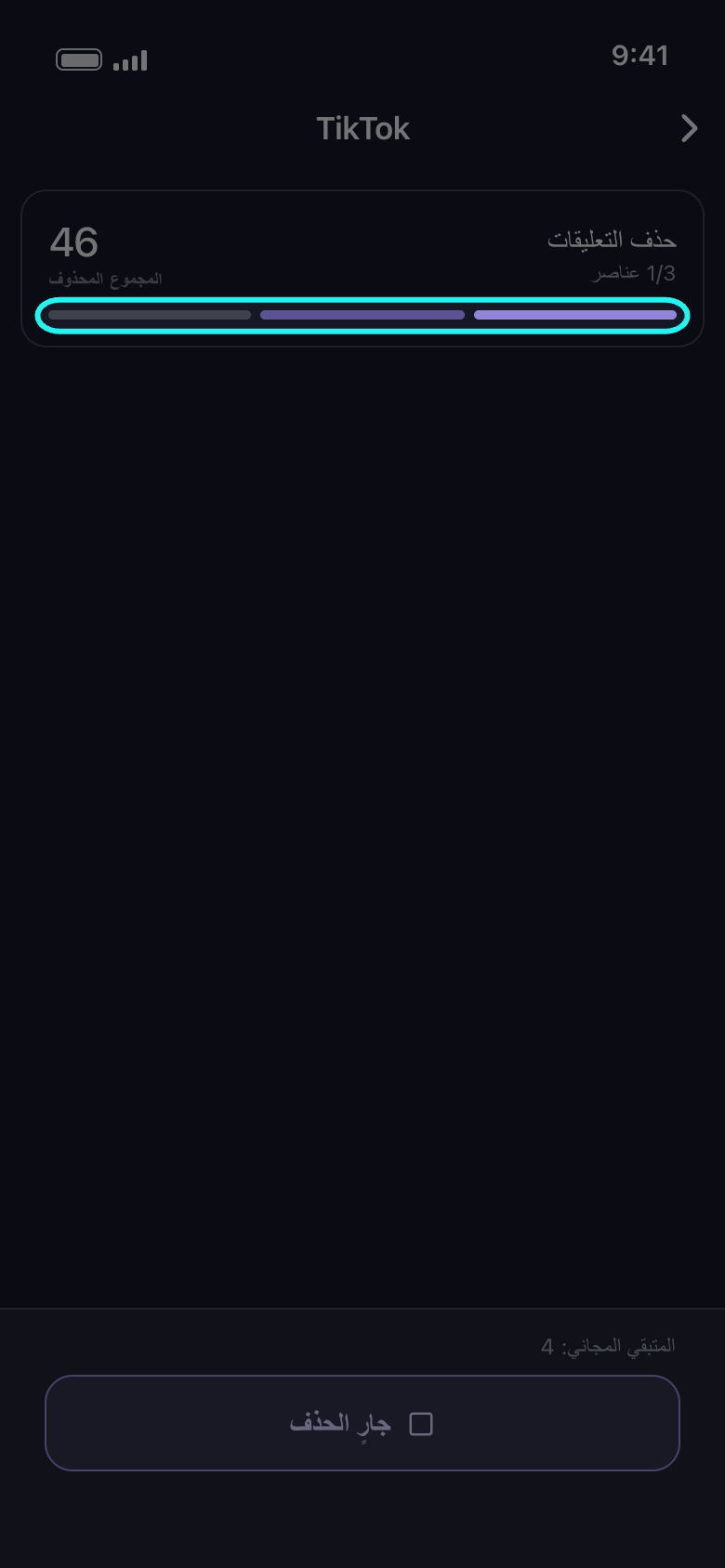
الأشرطة في أسفل بطاقة العملية هي اختياراتك: الشريط الجاري متحرك، تعبره حزمة ضوء. يصبح الشريط ممتلئًا عندما ينتهي اختياره؛ أما الذي يتوقف قبل نهايته («تم بلوغ الحد» أو «فشل» أو «لم يكتمل») فيعود فارغًا، وتذكر شاشة النتيجة السبب. ومع أكثر من 20 اختيارًا تندمج في شريط واحد. تذكر البطاقة الاختيار الجاري حذفه؛ وعلى Facebook وX وYouTube تعمل بعض الاختيارات معًا وتُذكر معًا، لذا قد تتحرك عدة أشرطة في الوقت نفسه. والعدد تحت الاسم، مثل «1/3 عناصر»، هو عدد الاختيارات المنتهية من المجموع، و«المجموع المحذوف»، في الطرف المقابل من البطاقة، هو عدد العناصر التي حذفتها هذه العملية حتى الآن.
في التطبيق شاشة الحذف
معلومات مفيدة
- يمكنك تحديد صفوف في التبويبين؛ وعملية واحدة تتولاها كلها.
- بعد «متابعة» لا تعرض شاشة الخيارات «قبل أن نحذف» إلا الخيارات التي تنطبق على ما حددته؛ وإن لم يوجد أيٌّ منها، تُفتح نافذة «المراجعة» مباشرة.
- إذا كان السجل طويلًا، فقد تستغرق العملية بعض الوقت قبل حذف أول عنصر: هذا طبيعي، وليس تعطلًا.
المزيد من الأدلة