
Cómo elegir qué tipos de contenido se borran
Al abrir una cuenta, Unpost muestra todo lo que puede quitar en esa plataforma, en una pantalla que lleva como título el nombre de la plataforma y tu cuenta. Cada fila marcada es una selección, y una limpieza las recorre una tras otra.
- 01
Elige la pestaña correcta
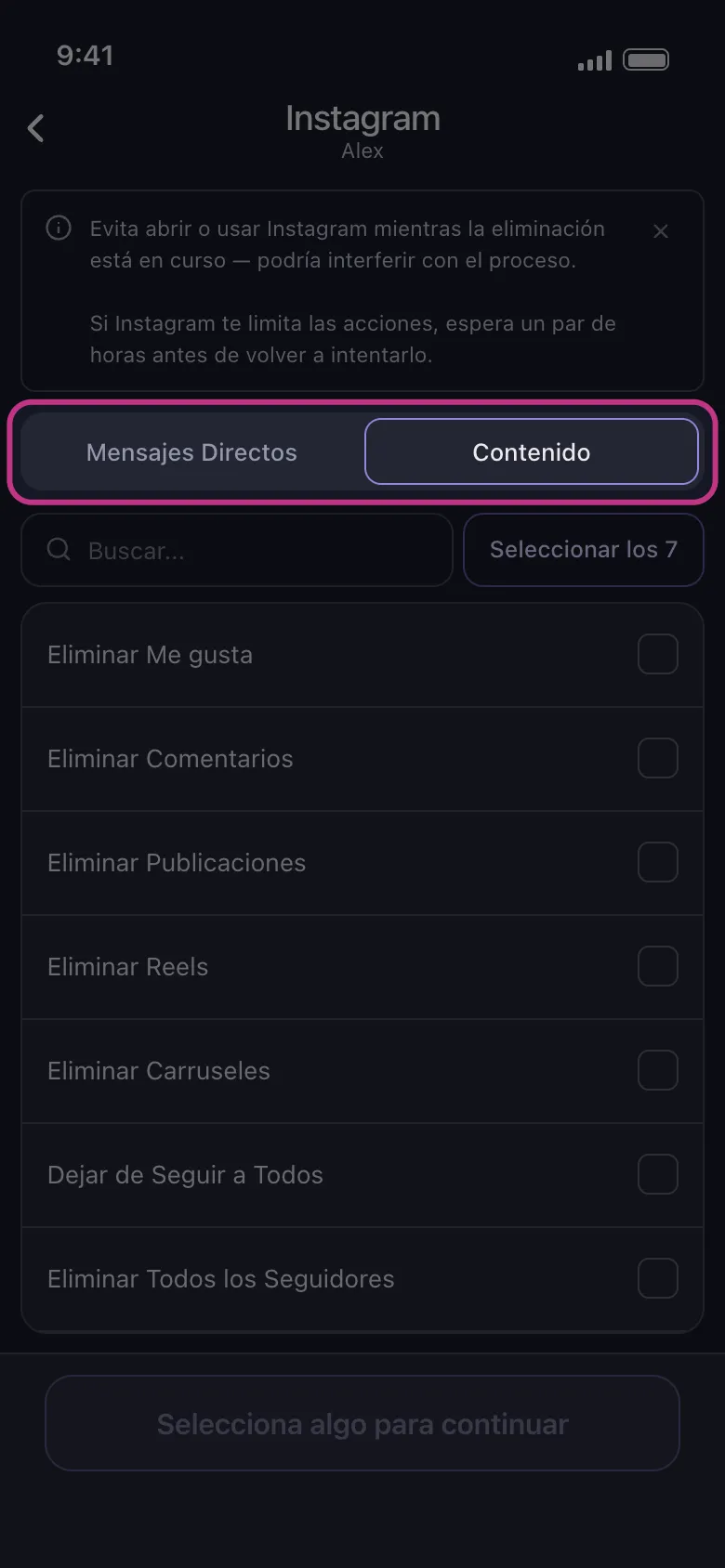
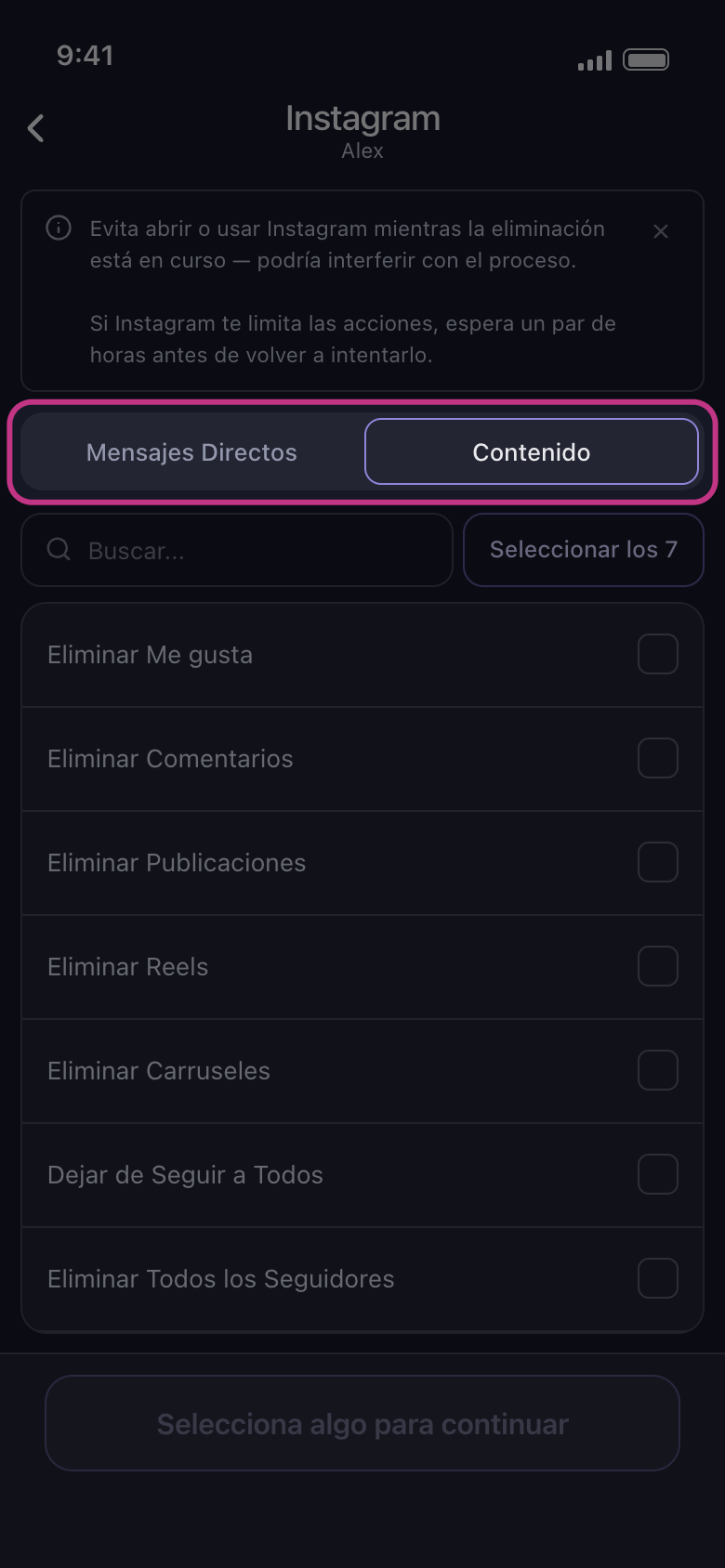
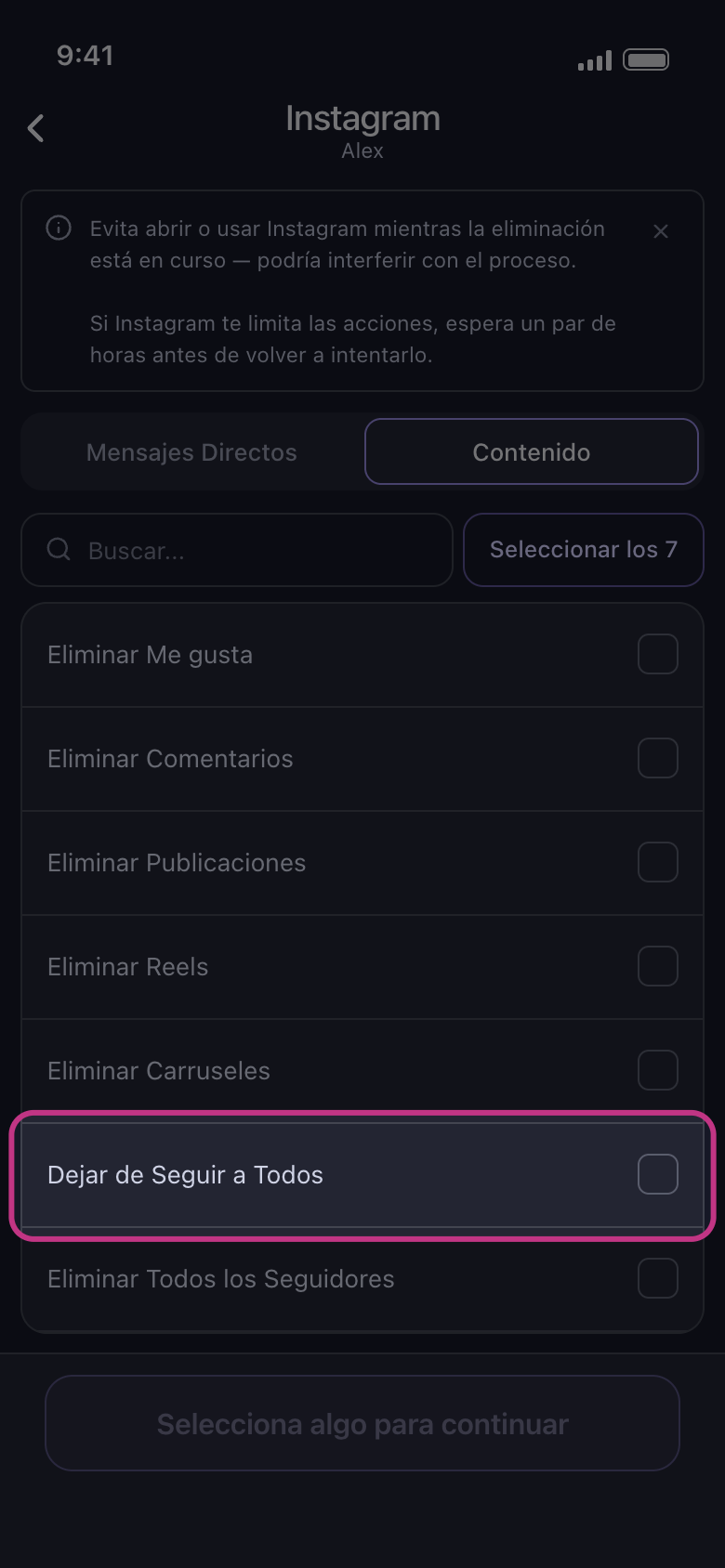
Discord, Instagram, Reddit y Slack tienen dos pestañas. En Discord son Mensajes Directos y Servidores; en Slack, Mensajes Directos y canales: tus MD y los servidores o canales en los que estás. En Instagram y Reddit son Mensajes Directos y Contenido: Mensajes Directos muestra tus chats, y Contenido, los tipos de contenido. Así que en Instagram las publicaciones, los me gusta y los comentarios están en la pestaña Contenido. La pantalla se abre en Mensajes Directos: toca Contenido para llegar a ellos.
En la app Principal → Instagram → cuenta → Mensajes Directos / Contenido
- 02
Abre un grupo para elegir dentro de él
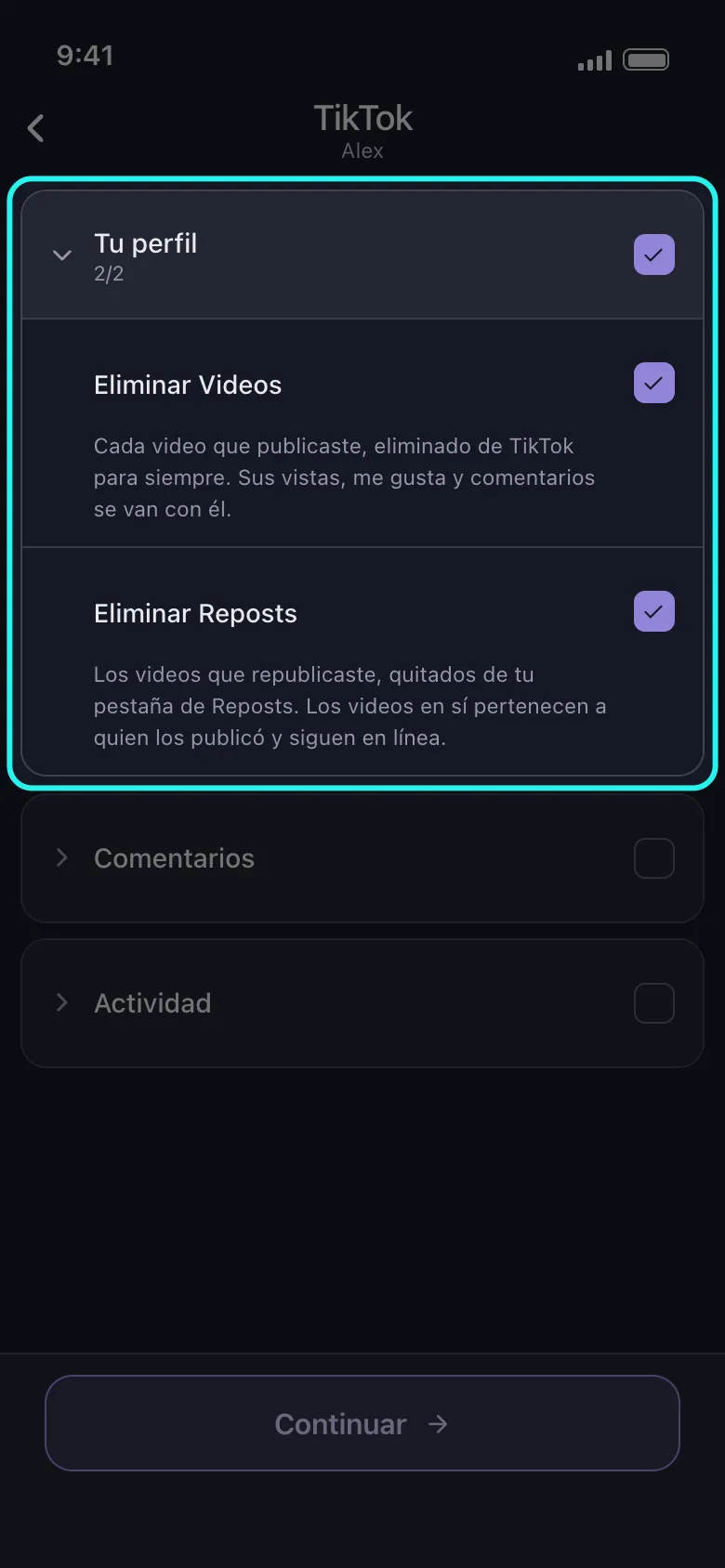
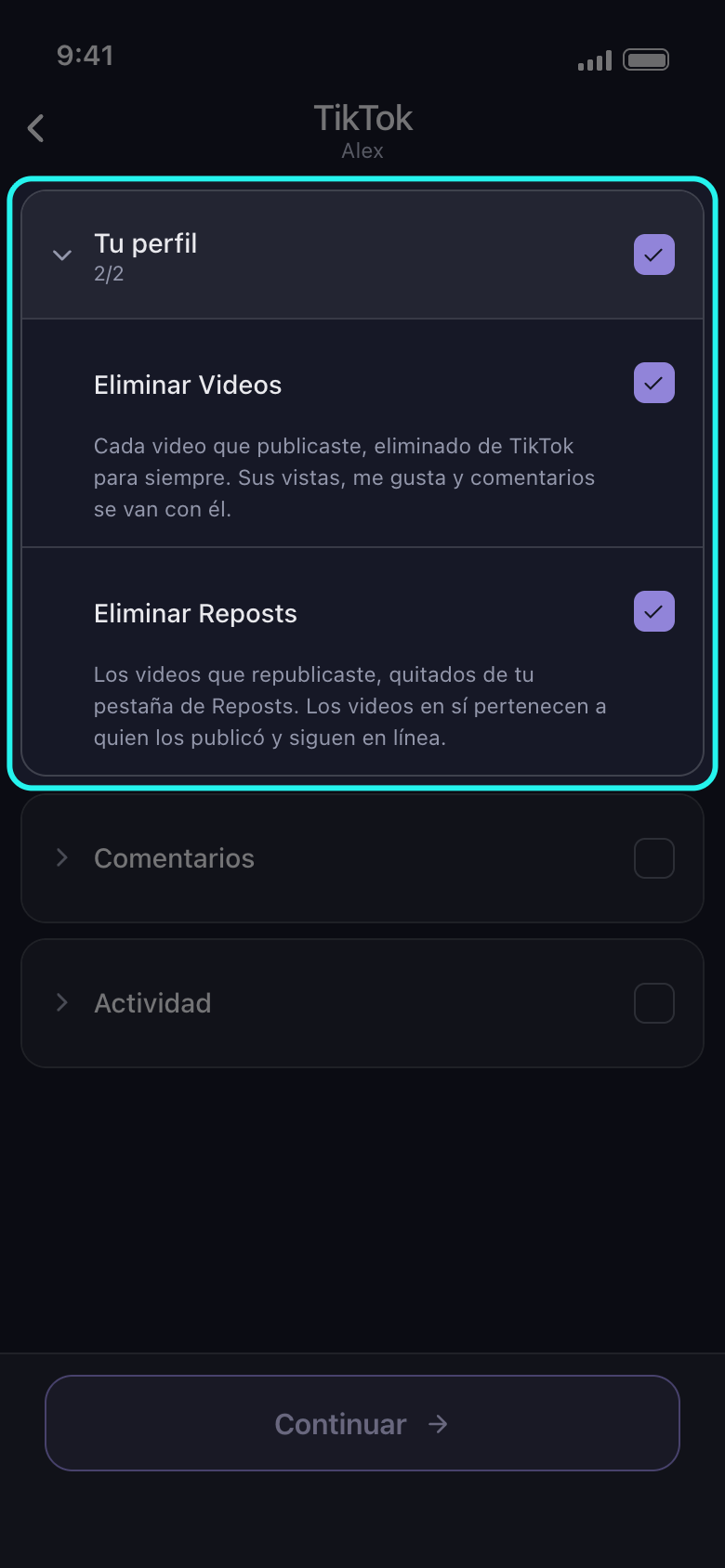
En Facebook, TikTok, X y YouTube, la mayoría de las opciones están en grupos. La flecha o el nombre abren un grupo, y su casilla marca todas las opciones que contiene; al tocarla otra vez se desmarcan todas. Si solo hay algunas marcadas, la casilla aparece marcada a medias y un toque marca el resto. En cuanto hay una marcada, la cabecera del grupo muestra cuántas de sus opciones lo están, por ejemplo 2/2.
En la app Principal → TikTok → cuenta
- 03
Lee la línea bajo cada opción
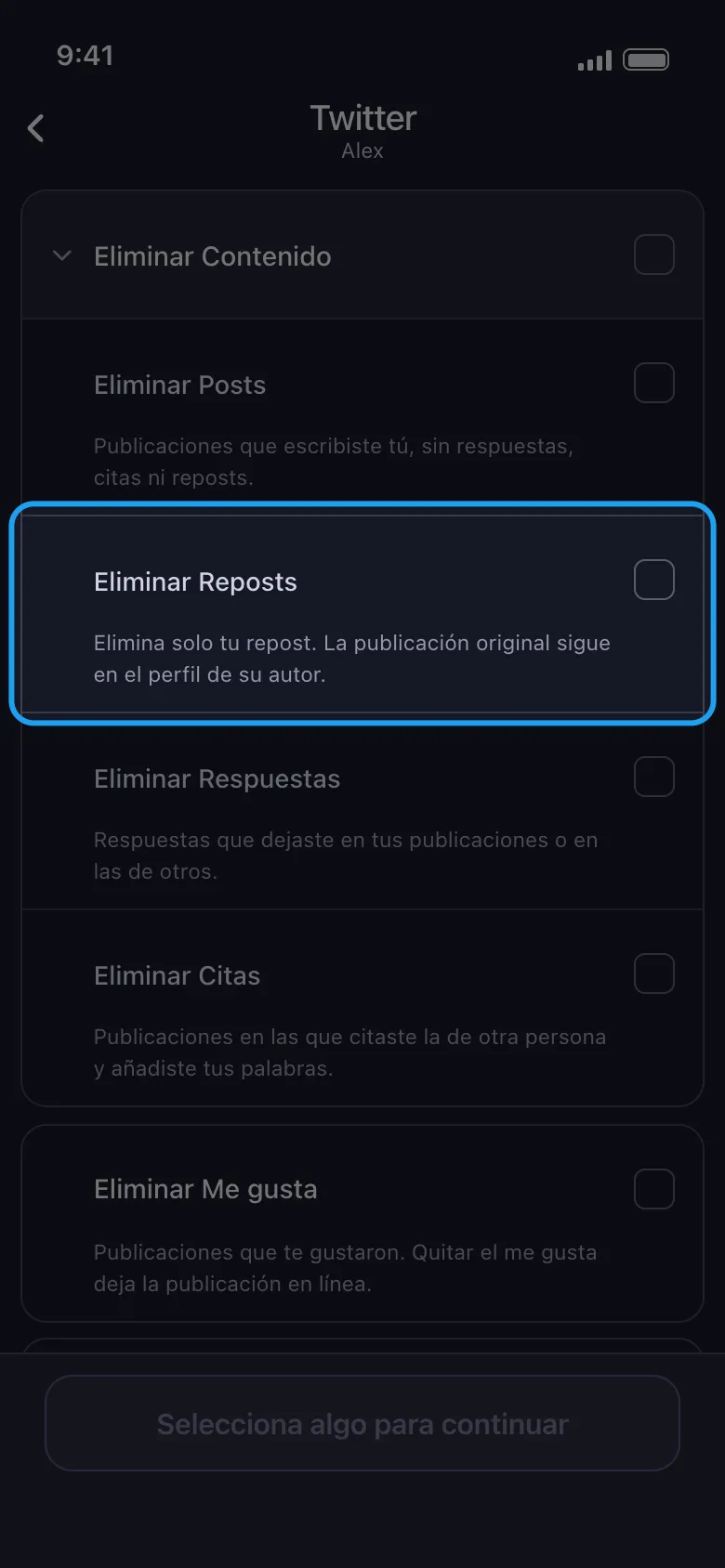
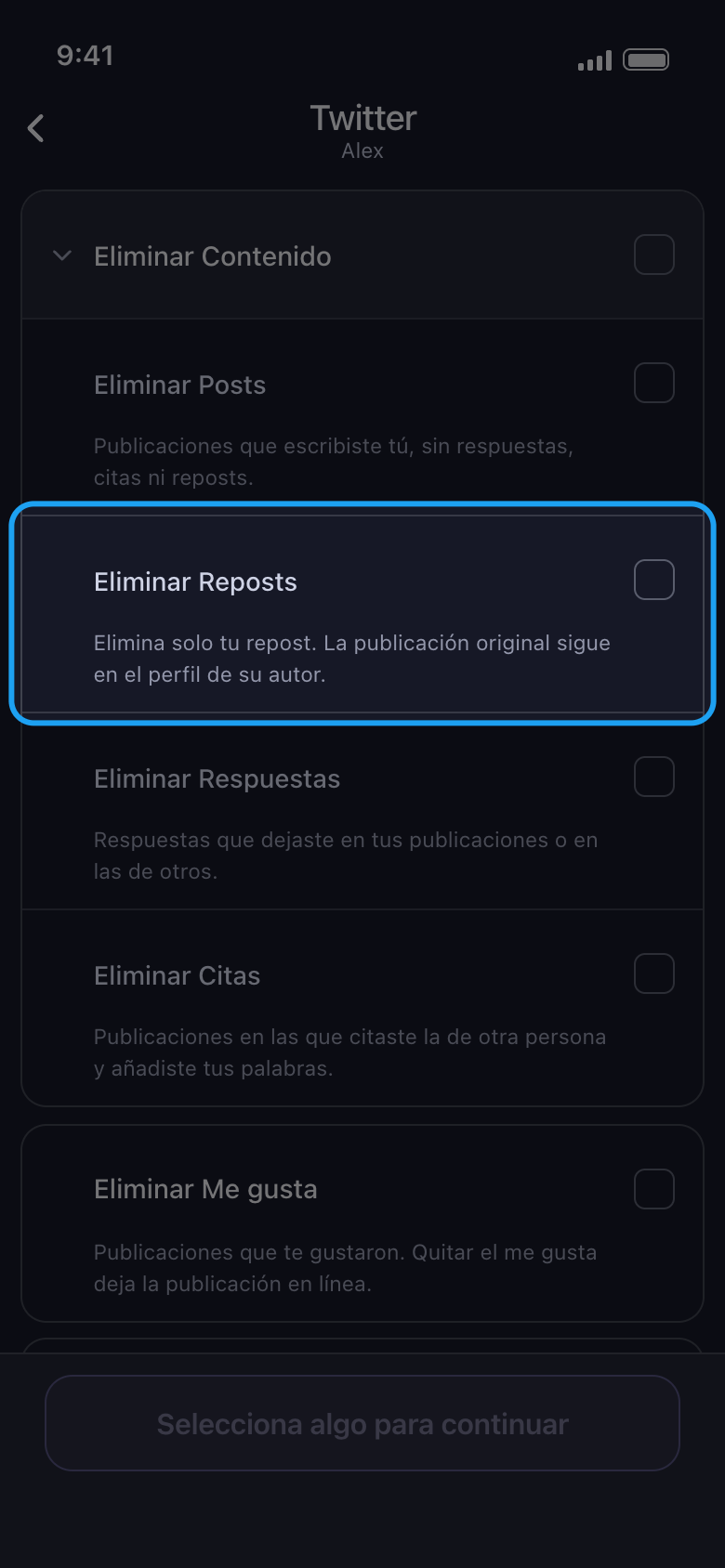
En Facebook, TikTok, X y YouTube, una línea bajo cada opción dice qué se borra y qué se queda. Eliminar un repost, por ejemplo, solo quita lo que compartiste: la publicación original sigue en el perfil de su autor. Instagram, LinkedIn y Reddit solo muestran los nombres de las opciones.
En la app Principal → Twitter → cuenta → Eliminar de X (Twitter) → Eliminar Contenido
- 04
Cuidado con las opciones que afectan a toda la lista
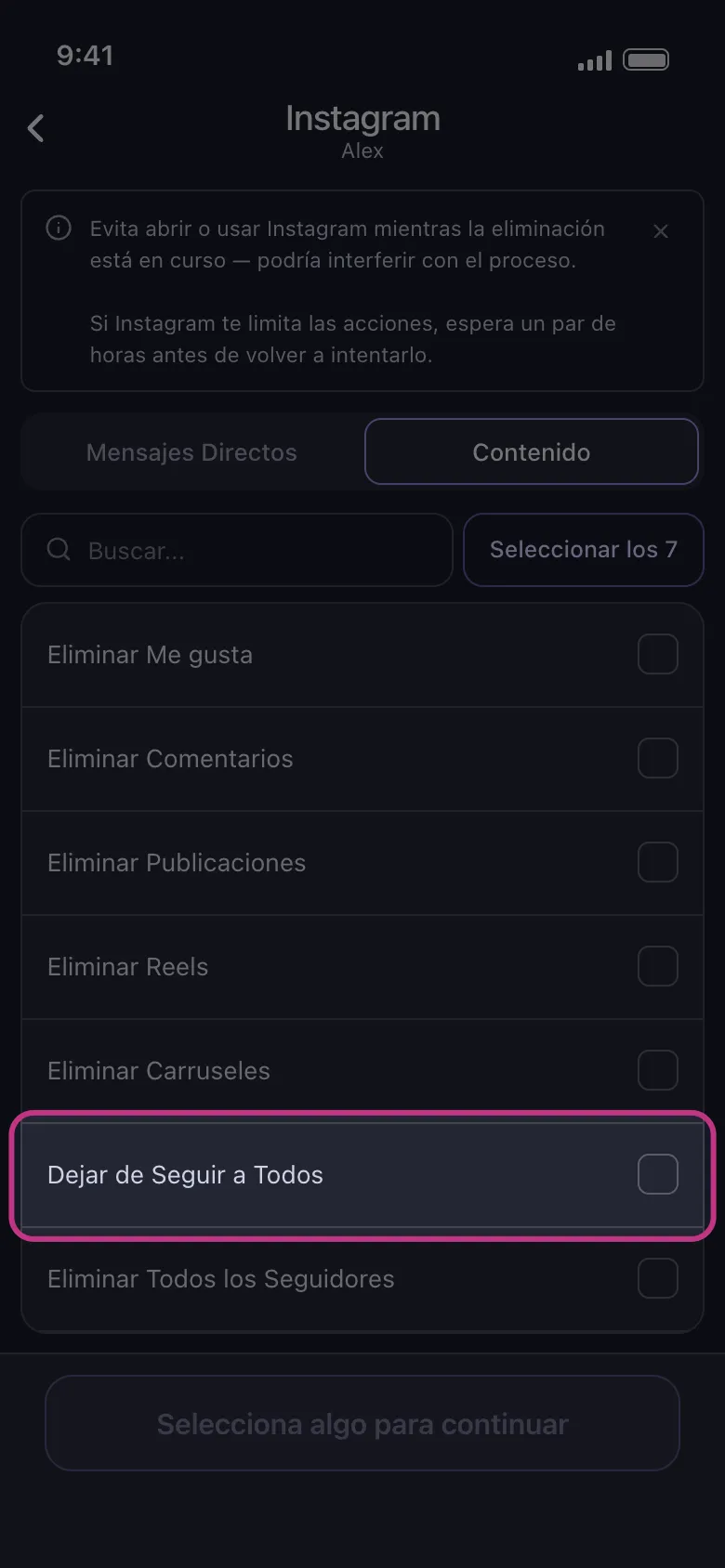
En Instagram, Dejar de Seguir a Todos y Eliminar Todos los Seguidores actúan sobre tus listas completas de seguidos y de seguidores: no puedes elegir qué seguidores se van, así que es todo o nada. En esa pestaña, Seleccionar los 7 también las marca, así que desmárcalas antes de continuar, salvo que sea lo que quieres. En la pantalla siguiente, el rango de fechas y los límites de me gusta o de comentarios acotan las publicaciones, los reels y los carruseles, y el rango de fechas y las palabras clave acotan los MD: nada de esa pantalla acota estas dos opciones, ni tus me gusta ni tus comentarios.
En la app Principal → Instagram → cuenta → Contenido
- 05
Usa el botón para seleccionarlo todo en las listas largas
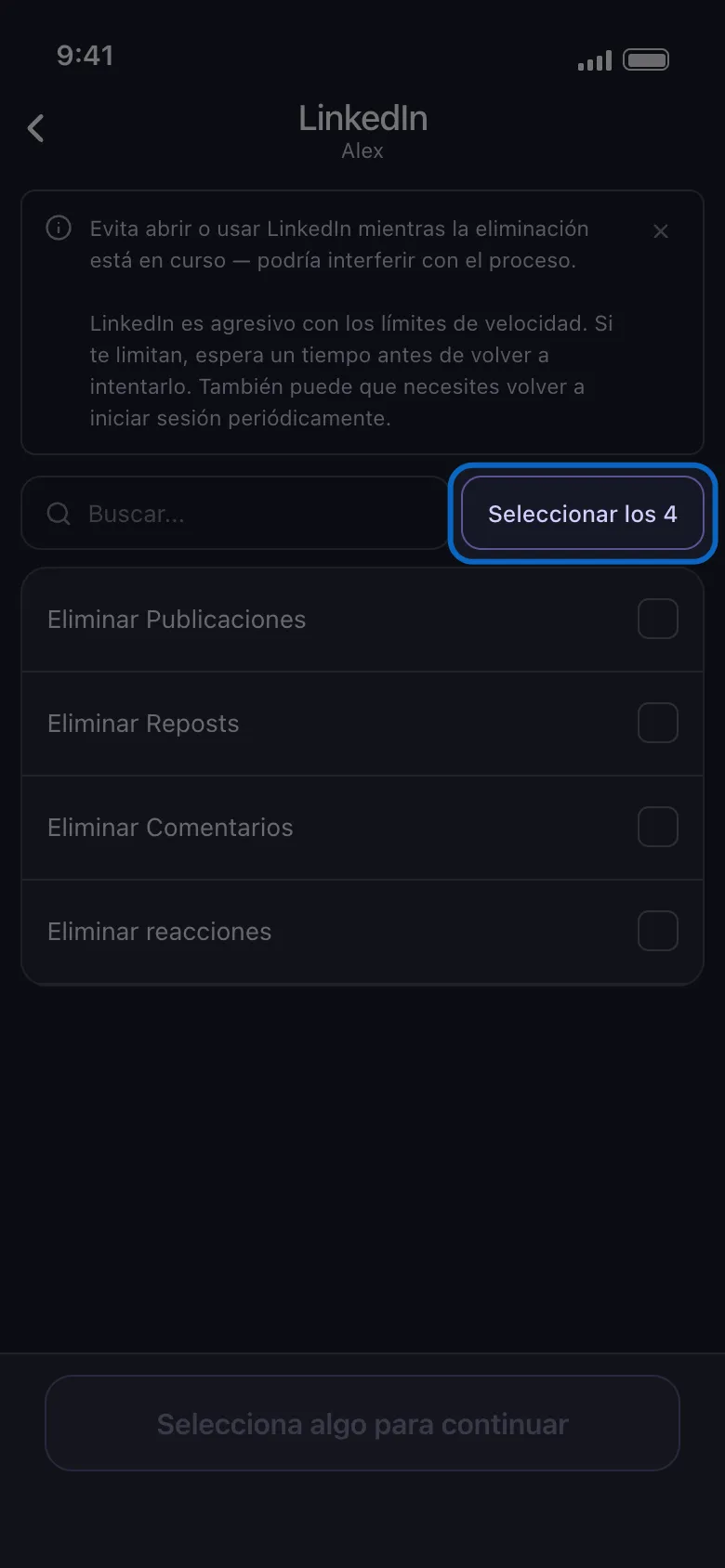
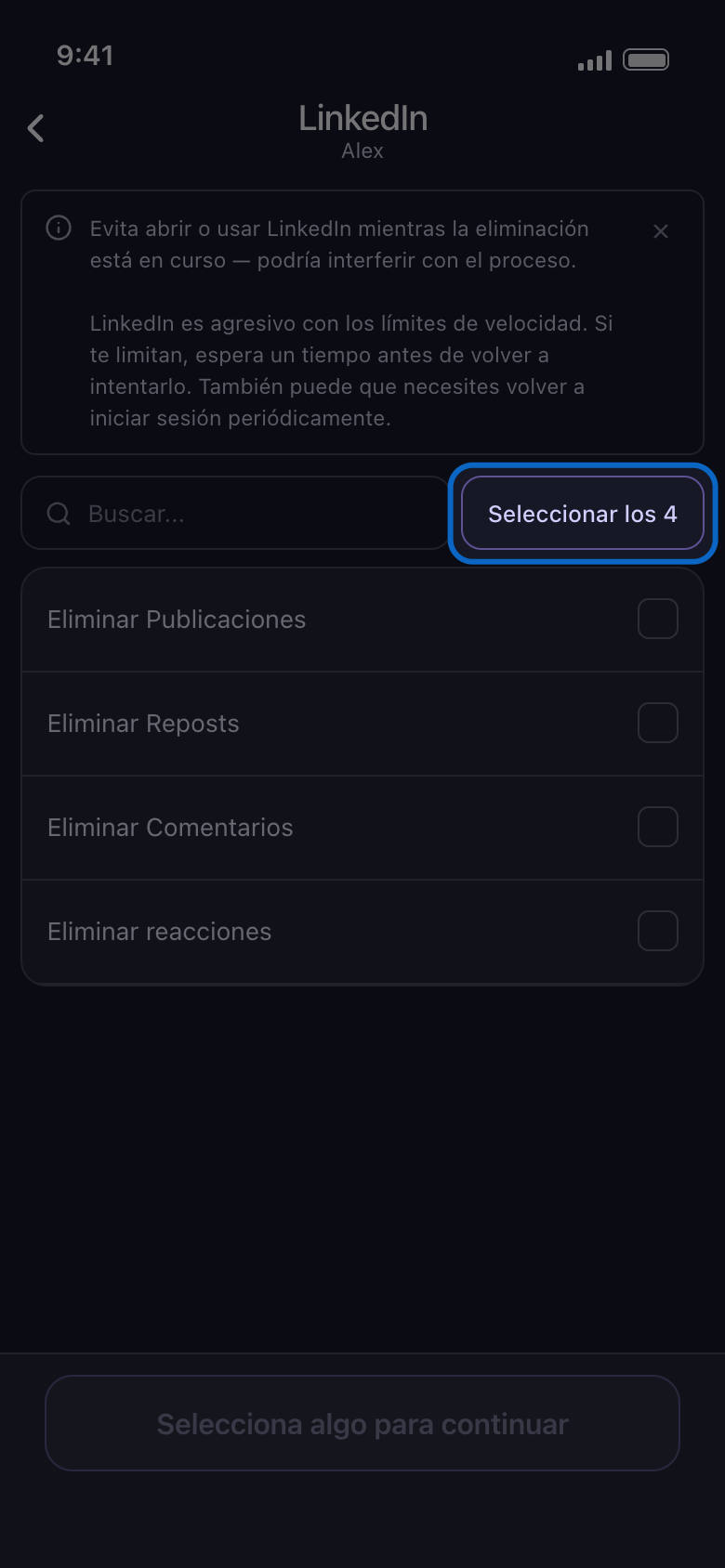
Las listas sin grupos tienen un cuadro de búsqueda y un botón como Seleccionar los 4: el número es cuántas filas muestra la lista (todas, o solo las que coinciden con la búsqueda). Después de una búsqueda solo marca las filas que coinciden, y, cuando están todas marcadas, pasa a decir Deseleccionar los 4. En la pestaña Servidores de Discord, abre primero un servidor: su lista de canales tiene su propio cuadro de búsqueda y su propio botón Seleccionar los…
En la app Principal → LinkedIn → cuenta → Seleccionar los 4
- 06
Sigue las selecciones durante la limpieza
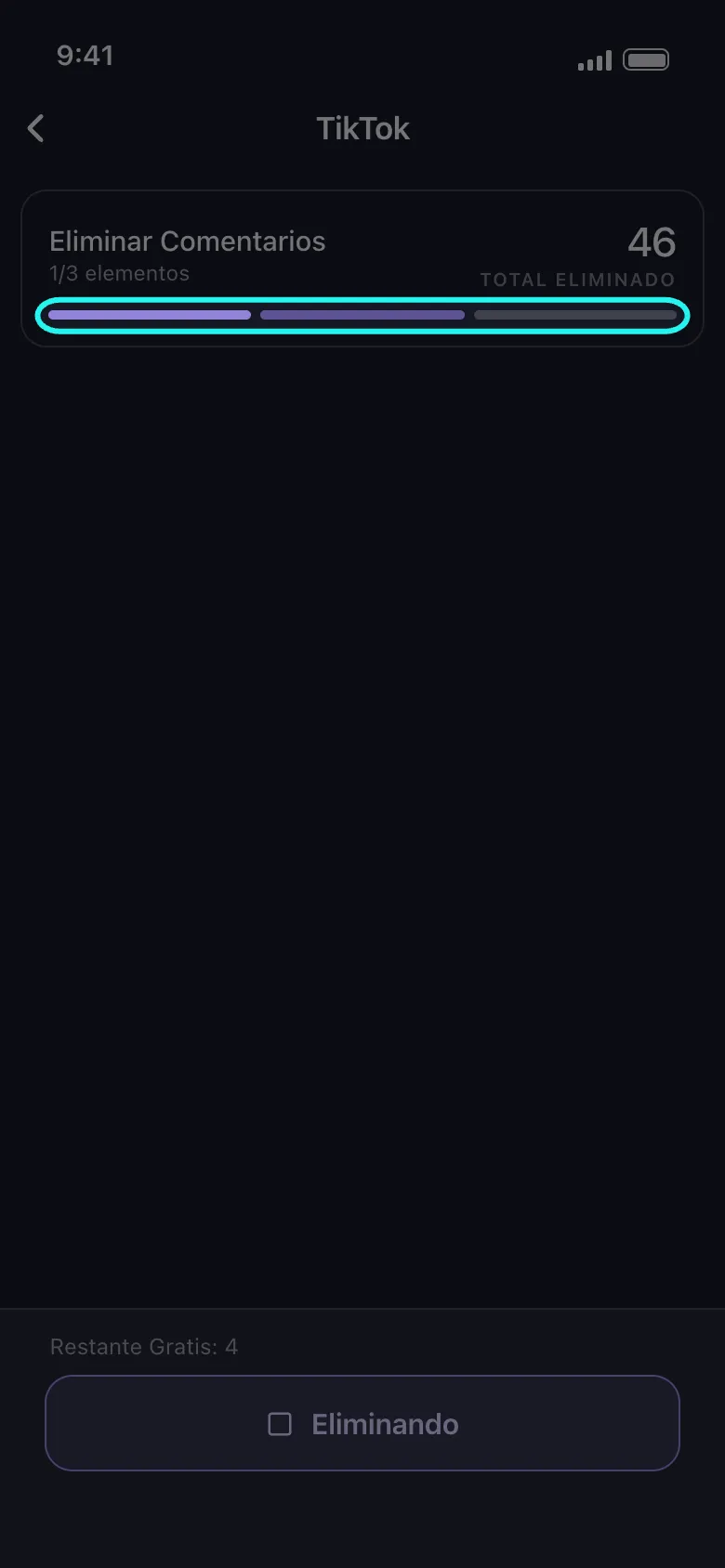
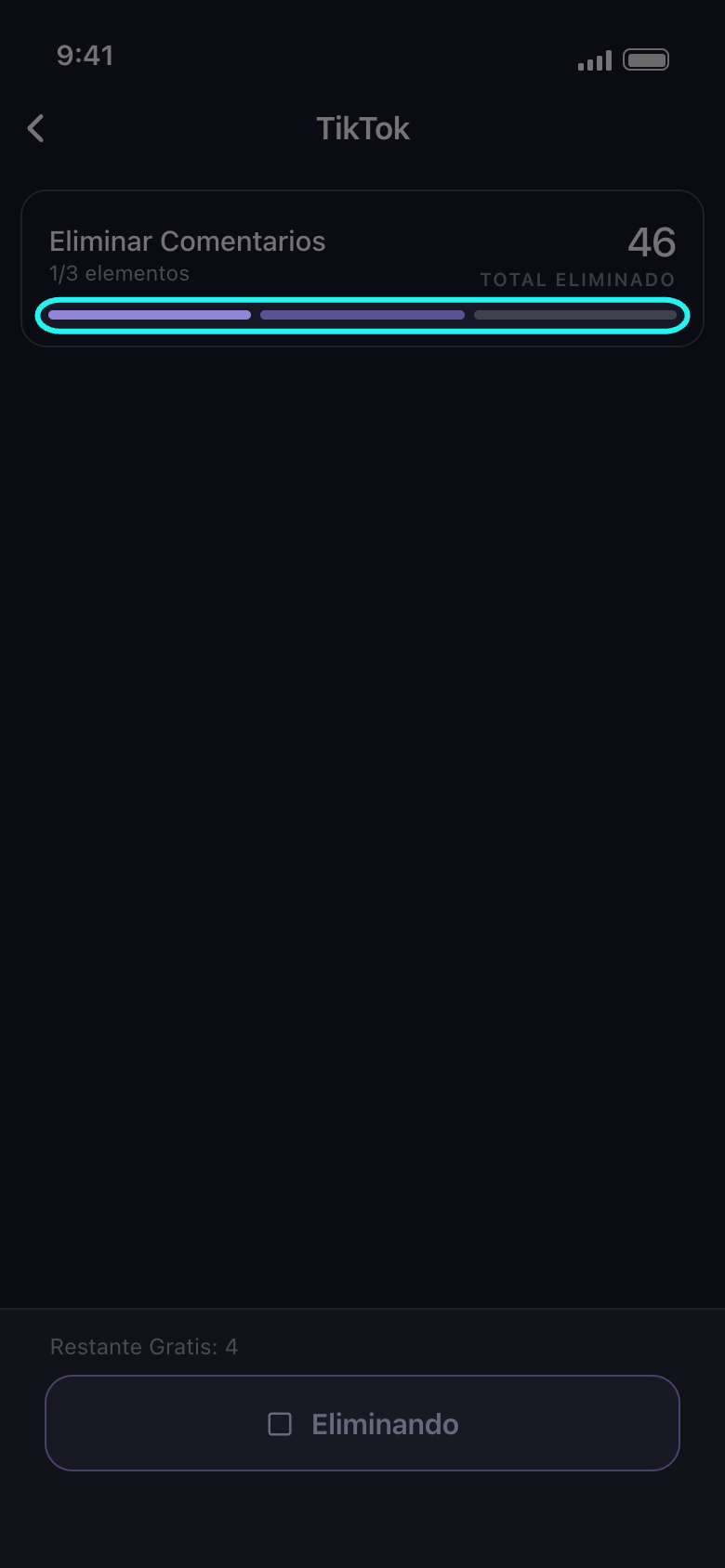
Las barras de la parte inferior de la tarjeta de progreso son tus selecciones: la que está en curso se anima, con una franja de luz que la recorre. Una barra se vuelve sólida cuando su selección termina; una que se queda a medias (por un límite, un fallo o porque no se terminó) vuelve a vaciarse, y la pantalla de resultado dice por qué. Con más de 20 selecciones se funden en una sola barra. La tarjeta nombra la selección que se está borrando; en Facebook, X y YouTube algunas selecciones se ejecutan juntas y se nombran juntas, así que varias barras pueden avanzar a la vez. El contador bajo el nombre, por ejemplo 1/3 elementos, indica las selecciones terminadas sobre el total, y Total Eliminado, a la derecha, indica cuántos elementos ha quitado esta limpieza hasta ahora.
En la app Pantalla de eliminación
Bueno saberlo
- Puedes marcar filas en las dos pestañas; una sola limpieza se encarga de todas.
- Después de Continuar, la pantalla de opciones, Antes de eliminar, muestra solo las opciones que limitan lo que marcaste; cuando ninguna lo hace, el panel Revisión se abre directamente.
- Con un historial largo, una limpieza puede tardar un rato antes de borrar el primer elemento: es normal, no se ha quedado bloqueada.
Más guías