
Cómo borrar una sola conversación, un canal o un servidor
En Discord y Slack, lo primero es elegir dónde borrar: un MD, un canal, un servidor entero o todo. Unpost borra los mensajes que enviaste; los de otras personas se quedan (para quitar los suyos donde moderas, consulta Cómo borrar los mensajes de otras personas como administrador).
- 01
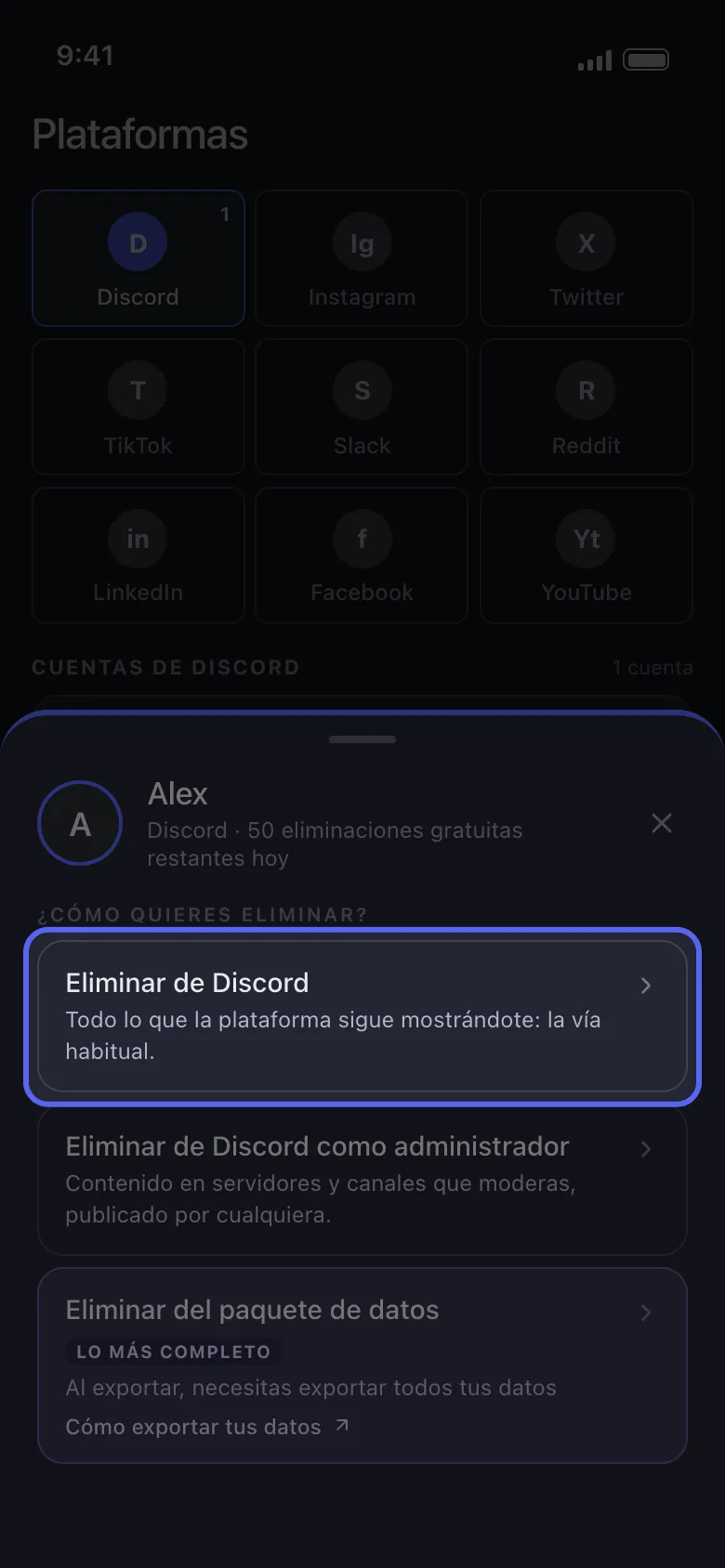
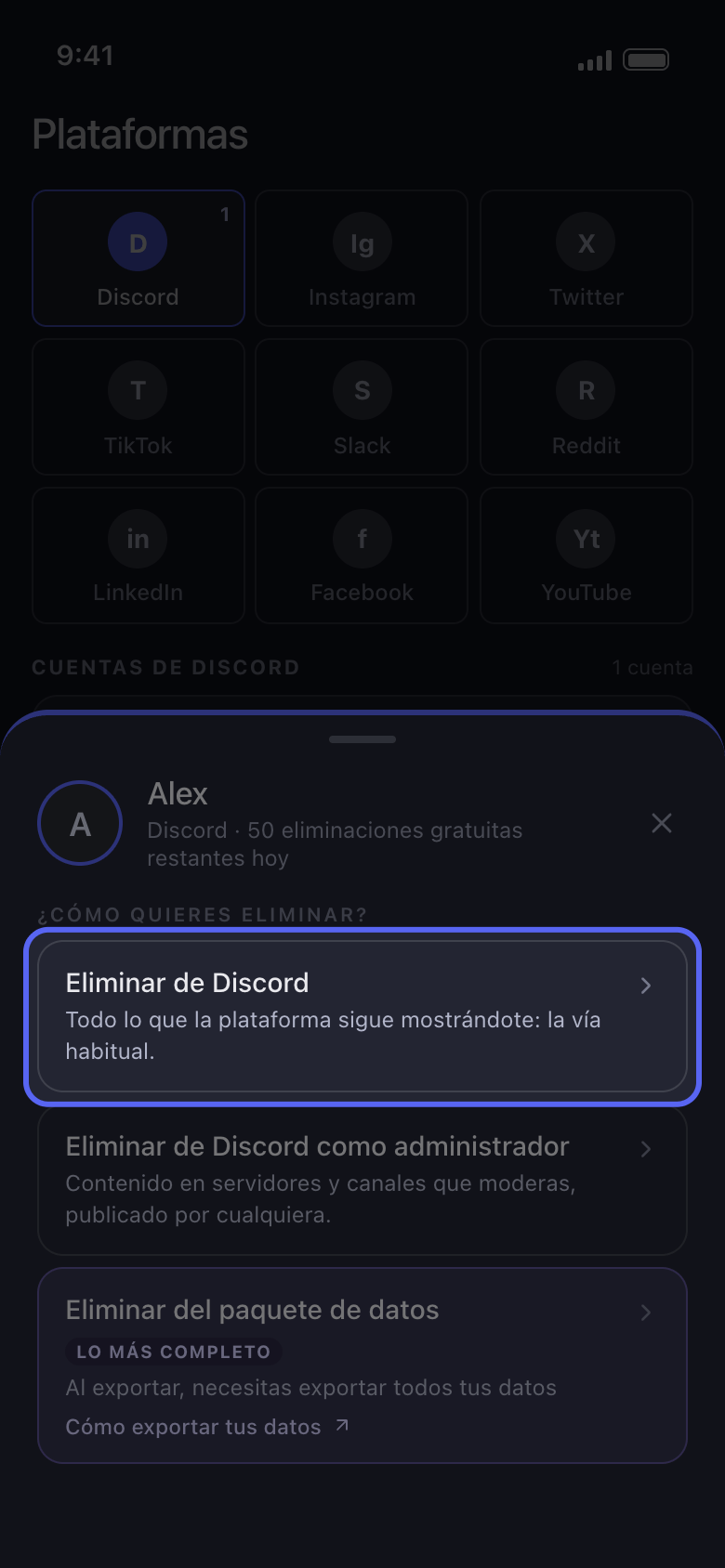
Abre la cuenta y elige Eliminar de Discord
Toca tu cuenta de Discord en Principal. El panel te pregunta cómo eliminar: Eliminar de Discord trabaja con las conversaciones que Discord todavía te muestra.
En la app Principal → Discord → cuenta → Eliminar de Discord
- 02
Una conversación: márcala en la pestaña Mensajes Directos
La lista se abre en la pestaña Mensajes Directos: tus mensajes directos y tus chats de grupo. Marca solo los que quieras limpiar; el cuadro de búsqueda encuentra uno por su nombre. Un MD que cerraste en Discord no aparece: ábrelo de nuevo en Discord primero, o llega a él con Eliminar del paquete de datos, que muestra las conversaciones de tu exportación de datos de Discord (consulta Cómo borrar mensajes antiguos con un paquete de datos).
En la app Eliminar de Discord → Mensajes Directos
- 03
Un canal o un servidor entero: ábrelo en la pestaña Servidores
Toca un servidor para abrir su lista de canales de texto y marca canales sueltos, o toca Seleccionar los… (con el número de canales) para marcar todos los canales de ese servidor. El servidor en sí no tiene casilla: para limpiar un servidor entero, usa Seleccionar los… dentro de él. Los hilos no aparecen en la lista; se llega a ellos a través del canal en el que se crearon (paso siguiente).
En la app Eliminar de Discord → Servidores → servidor
- 04
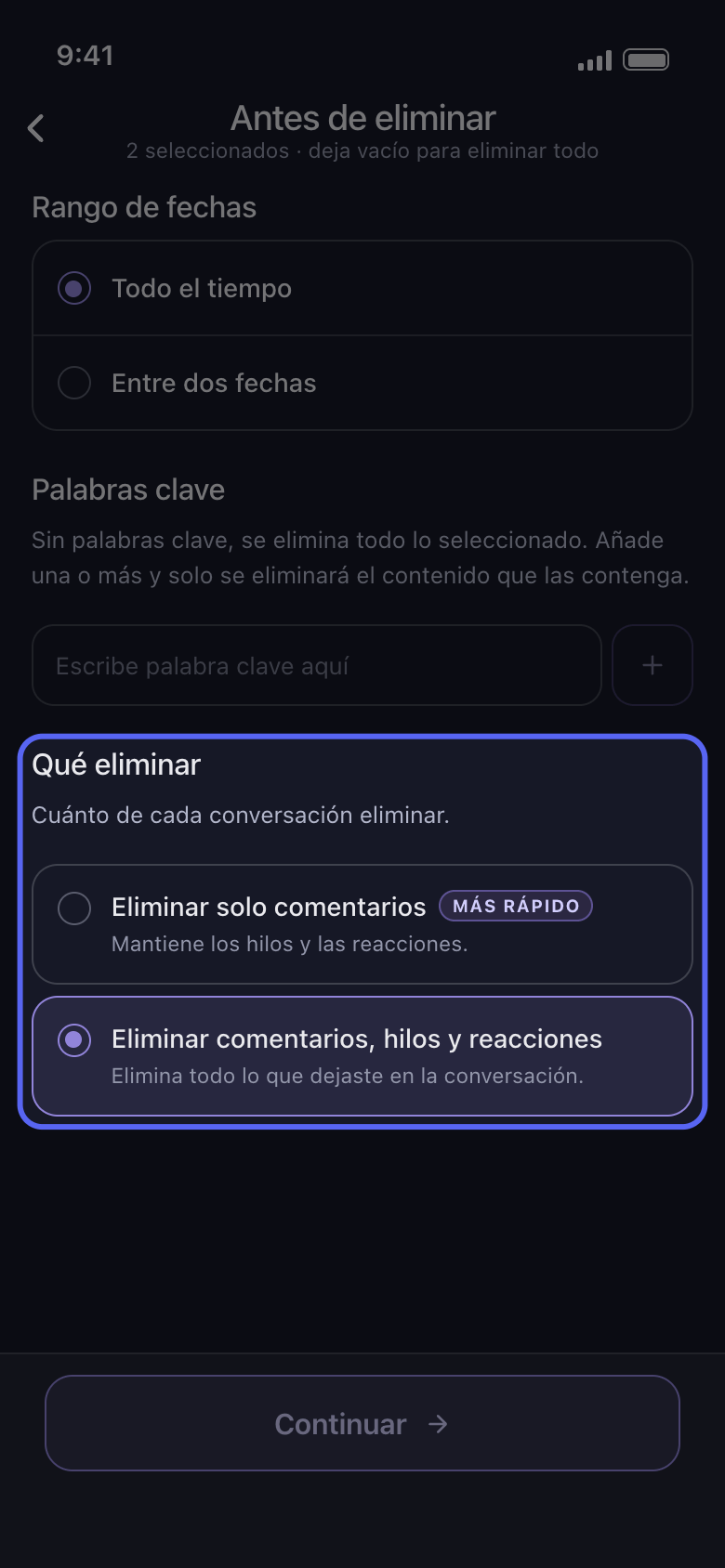
Elige si también se borran los hilos y las reacciones
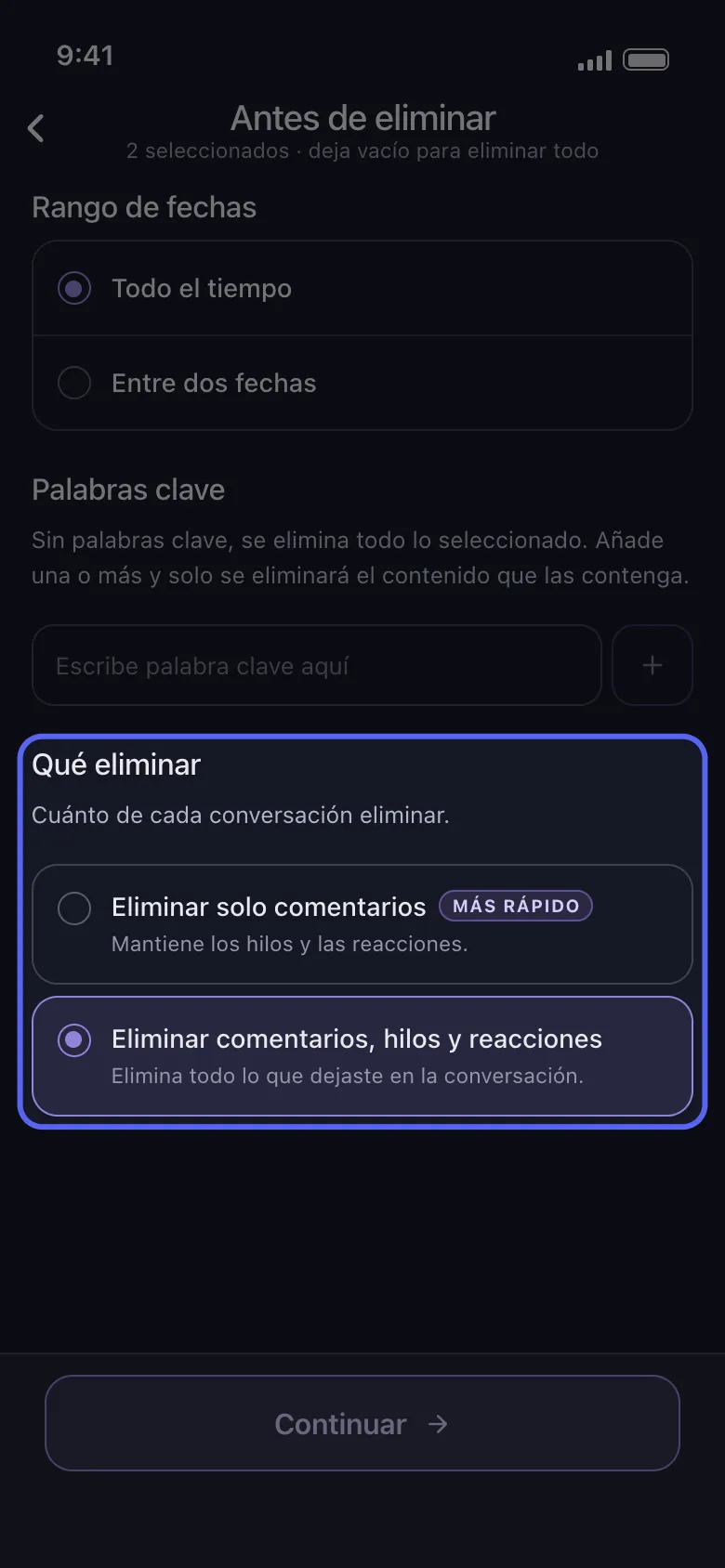
Toca Continuar. En la pantalla de opciones, Antes de eliminar, Qué eliminar aparece al final, después de Rango de fechas y Palabras clave. Eliminar comentarios, hilos y reacciones está seleccionada por defecto: quita todo lo que dejaste en cada conversación marcada, incluidos tus mensajes en los hilos creados ahí y tus reacciones. Eliminar solo comentarios, con la etiqueta más rápido, deja los hilos y las reacciones, tanto en MD y chats de grupo como en canales de servidor. Quédate con la primera opción si también deben borrarse tus respuestas en hilos; elige la segunda para conservar tus reacciones. Después toca Continuar.
En la app Continuar → Qué eliminar → Continuar
- 05
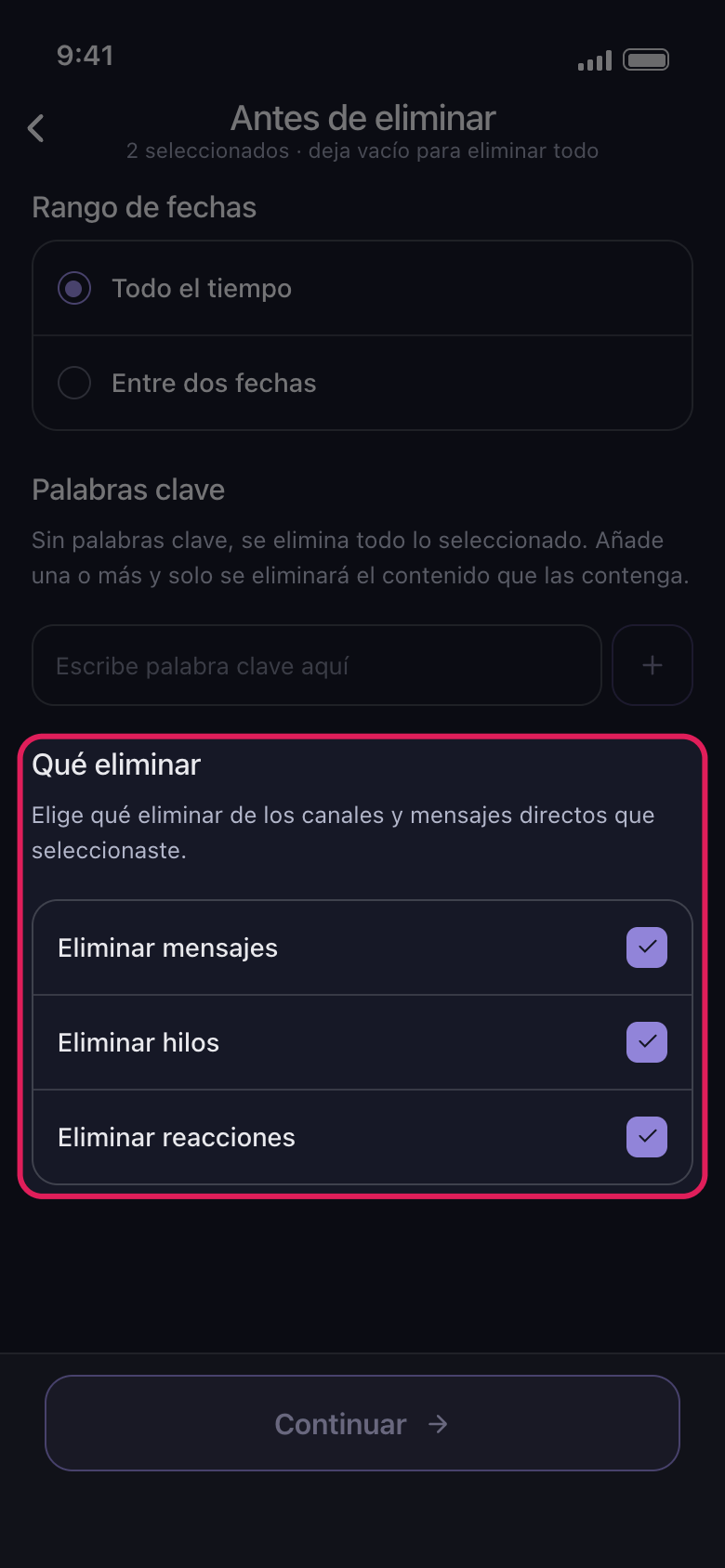
En Slack: Mensajes Directos o canales, y luego qué se borra
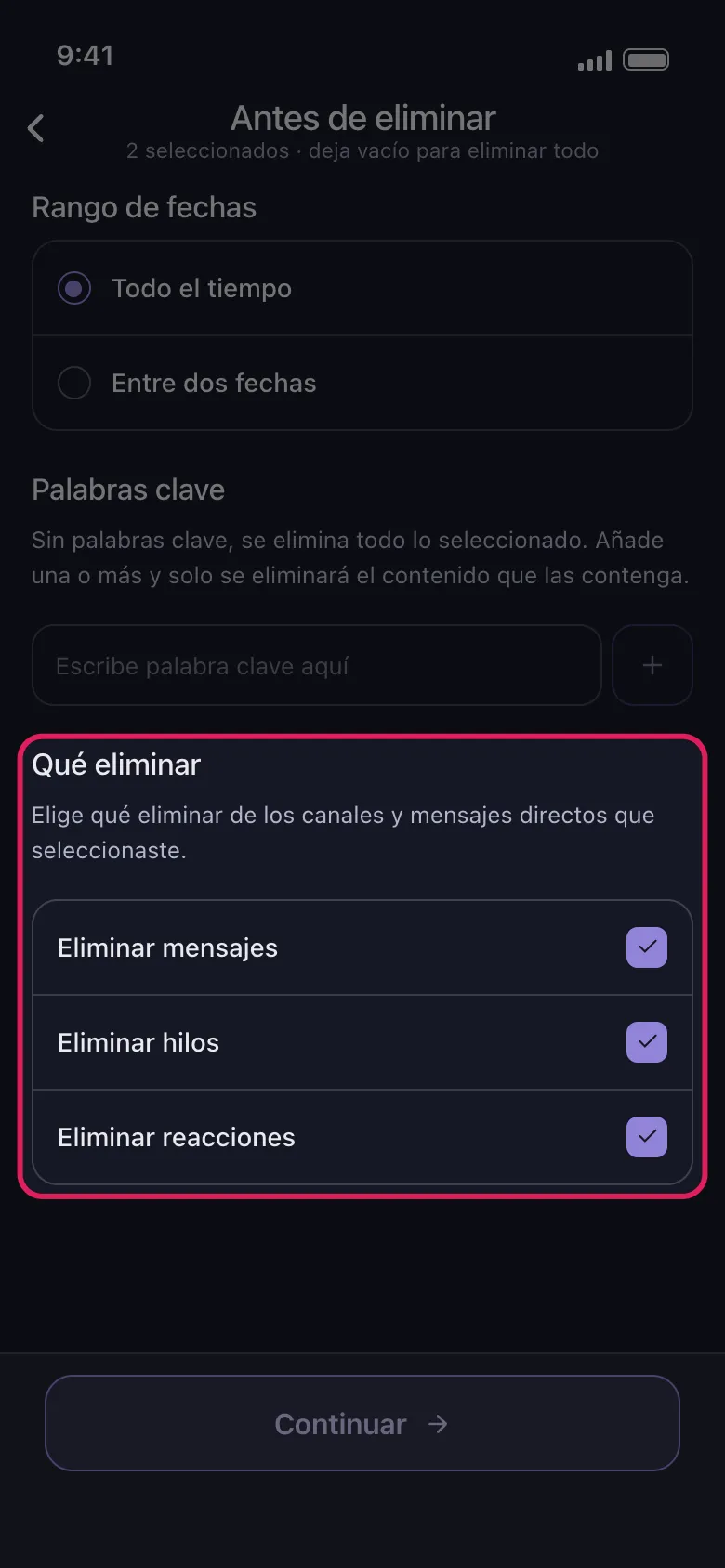
Elige Eliminar de Slack en el panel y marca conversaciones en la pestaña Mensajes Directos o canales en la pestaña canales. Después de Continuar, Qué eliminar tiene Eliminar mensajes, Eliminar hilos y Eliminar reacciones, todas marcadas por defecto: desmarca lo que quieras conservar y toca Continuar.
En la app Principal → Slack → cuenta → Eliminar de Slack
- 06
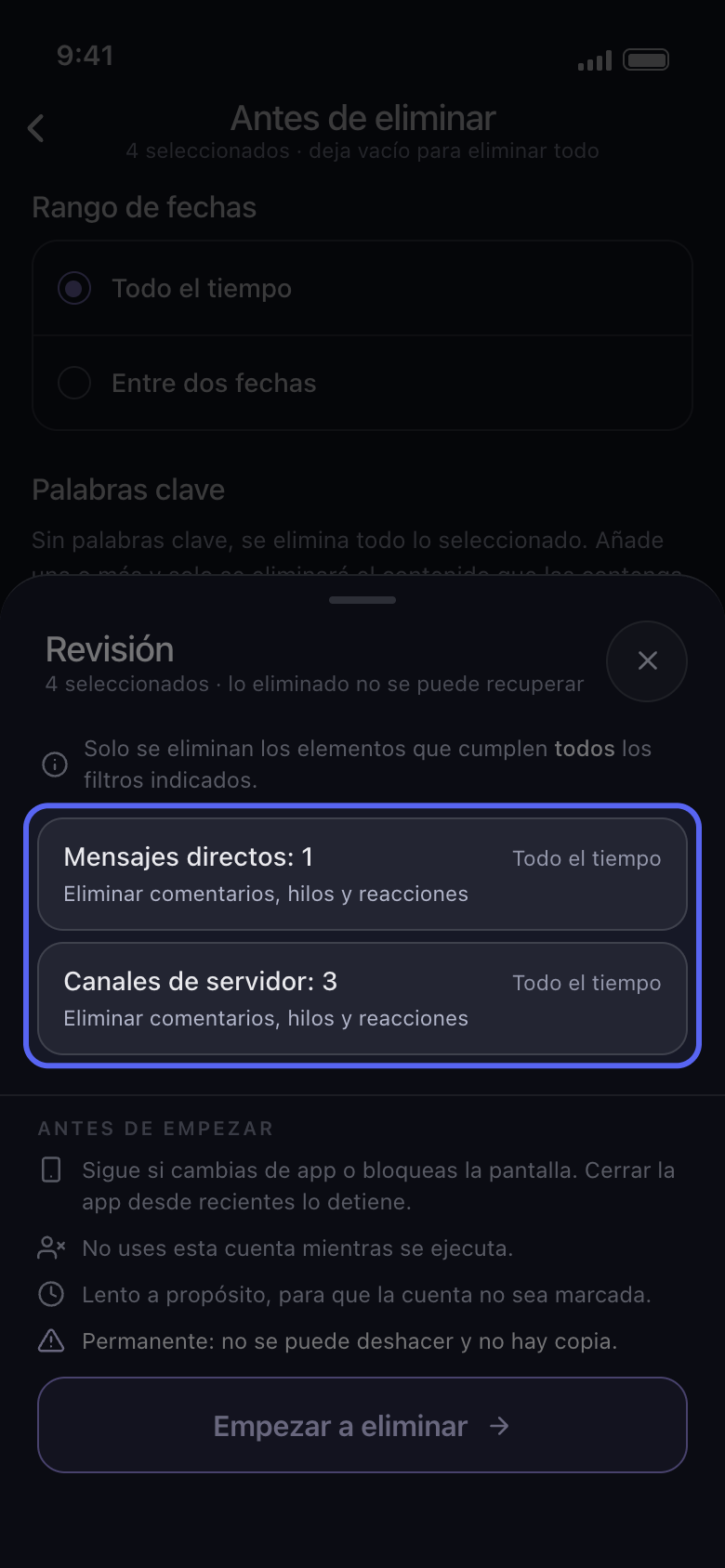
Comprueba el panel Revisión y toca Empezar a eliminar
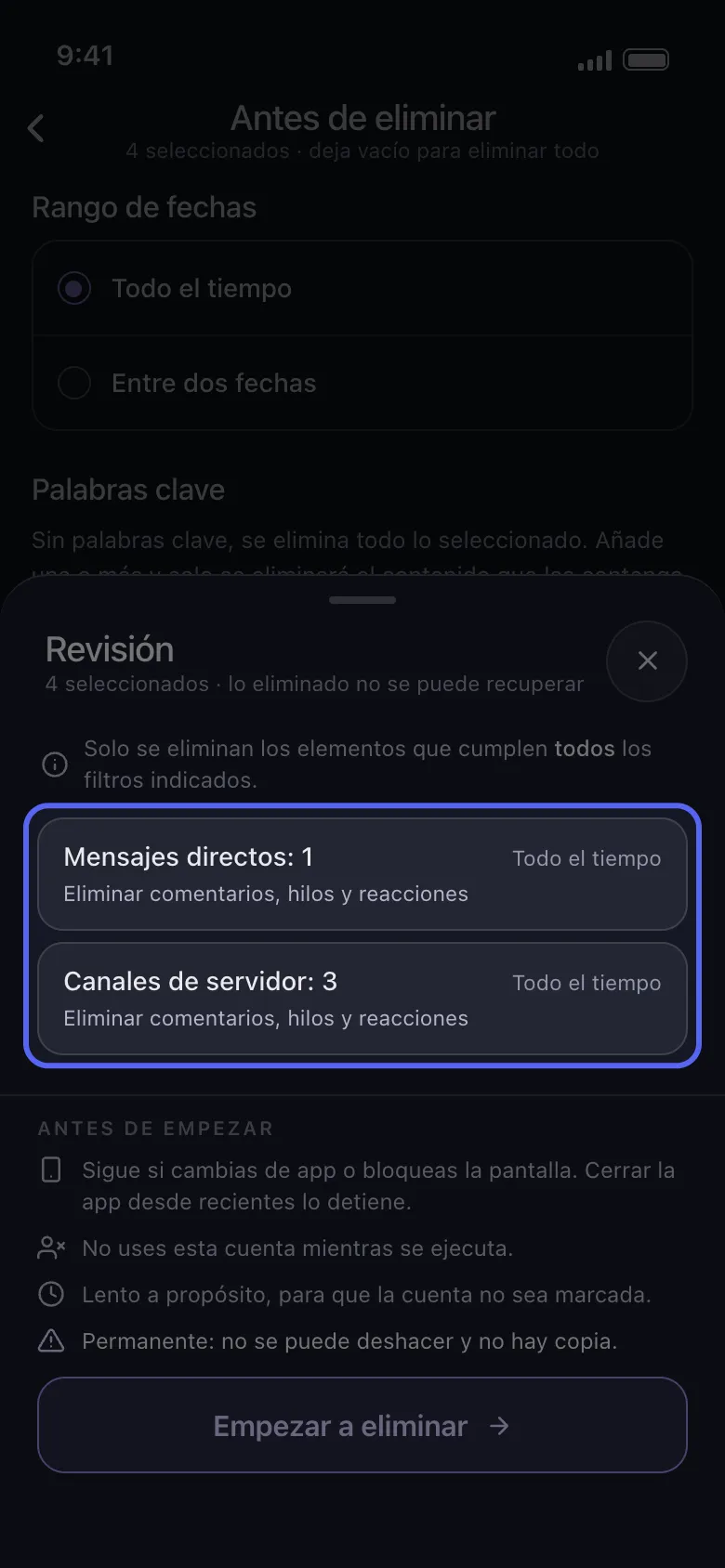
El panel Revisión cuenta lo que marcaste por tipo, sin nombrar las conversaciones, por ejemplo Mensajes directos: 1 y Canales de servidor: 3. Cada tarjeta muestra su rango de fechas (Todo el tiempo si no pusiste ninguno) y cuánto se borra. No se borra nada hasta que tocas Empezar a eliminar.
En la app Continuar → Revisión → Empezar a eliminar
Bueno saberlo
- El rango de fechas y las palabras clave de la misma pantalla de opciones limitan aún más una limpieza: consulta Cómo borrar solo un rango de fechas y Cómo borrar mensajes que contienen una palabra clave.
Más guías