
Tek bir sohbeti, kanalı veya sunucuyu silme
Discord ve Slack’te her şeyden önce nerede sileceğinizi seçersiniz: tek bir DM, tek bir kanal, bütün bir sunucu ya da hepsi. Unpost sizin gönderdiğiniz mesajları siler; başkalarınınki kalır (yönettiğiniz yerlerde onlarınkini kaldırmak için “Yönetici olarak başkalarının mesajlarını silme” kılavuzuna bakın).
- 01
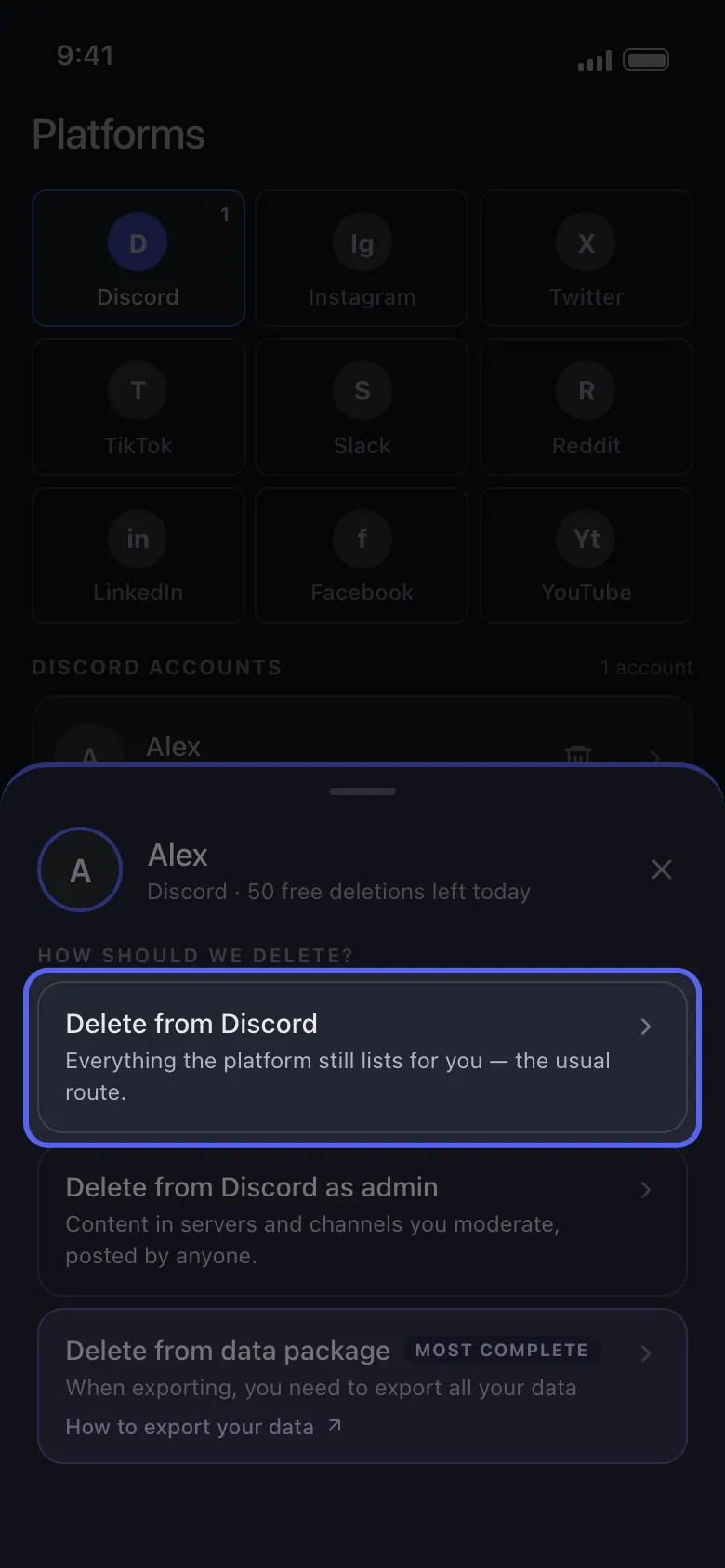
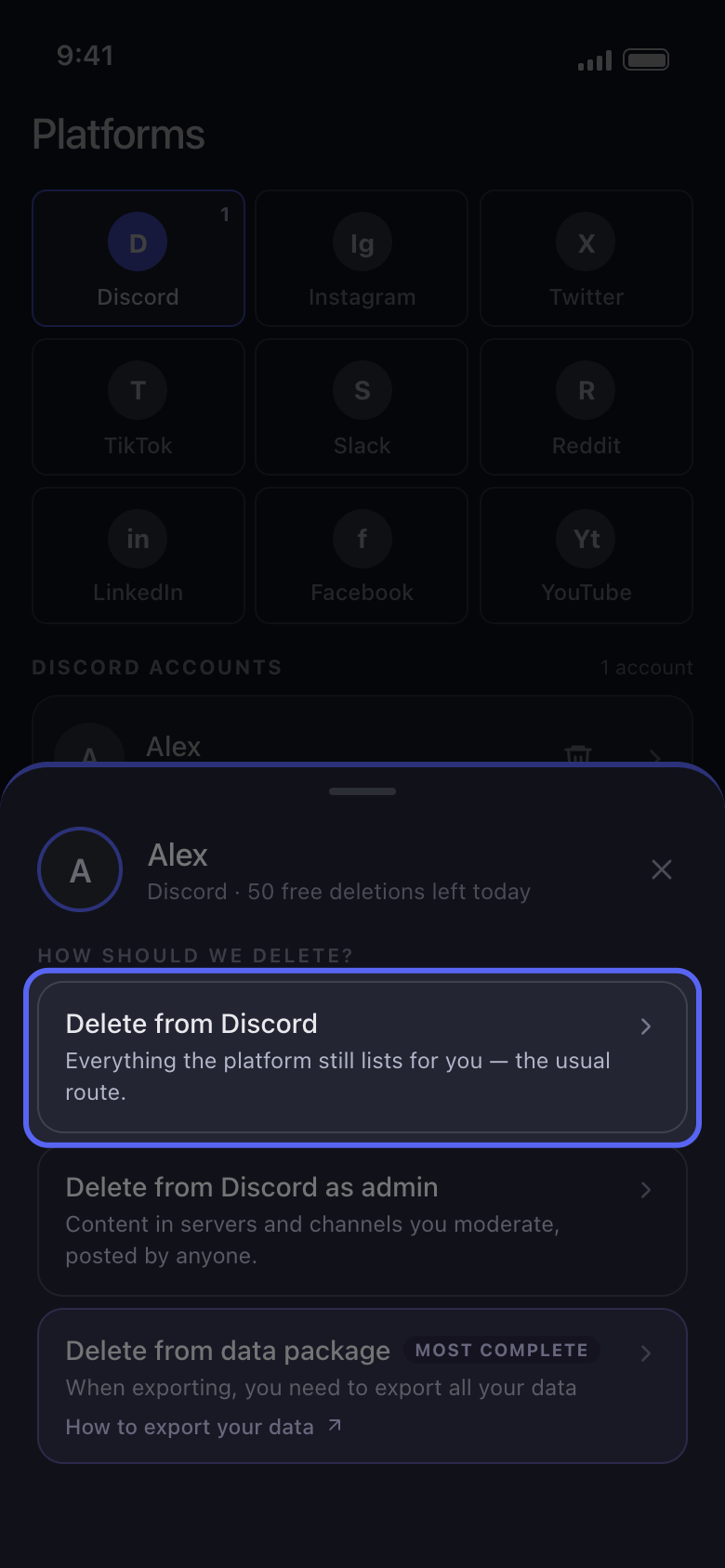
Hesabı açın ve Delete from Discord seçeneğini seçin
Main sekmesinde Discord hesabınıza dokunun. Açılan pencere nasıl silmek istediğinizi sorar: Delete from Discord, Discord’un size hâlâ listelediği sohbetlerde çalışır.
Uygulamada Main → Discord → hesap → Delete from Discord
- 02
Tek bir sohbet: Dms sekmesinde işaretleyin
Liste Dms sekmesinde açılır: özel mesajlarınız ve grup sohbetleriniz. Yalnızca temizlenecek olanları işaretleyin; arama kutusu bir sohbeti adıyla bulur. Discord’da kapattığınız bir DM listelenmez: önce Discord’da yeniden açın ya da Discord veri dışa aktarımınızdaki sohbetleri listeleyen Delete from data package ile ona ulaşın (“Veri paketiyle eski mesajları silme” kılavuzuna bakın).
Uygulamada Delete from Discord → Dms
- 03
Tek bir kanal veya bütün bir sunucu: Servers sekmesinde açın
Metin kanallarının listesini açmak için bir sunucuya dokunun, ardından tek tek kanalları işaretleyin ya da o sunucudaki tüm kanalları seçmek için Select all düğmesine dokunun. Sunucunun kendisi için bir kutu yoktur: bütün bir sunucuyu temizlemenin yolu, içindeki Select all düğmesidir. Thread’ler listelenmez; onlara başlatıldıkları kanal üzerinden ulaşılır (sonraki adım).
Uygulamada Delete from Discord → Servers → sunucu
- 04
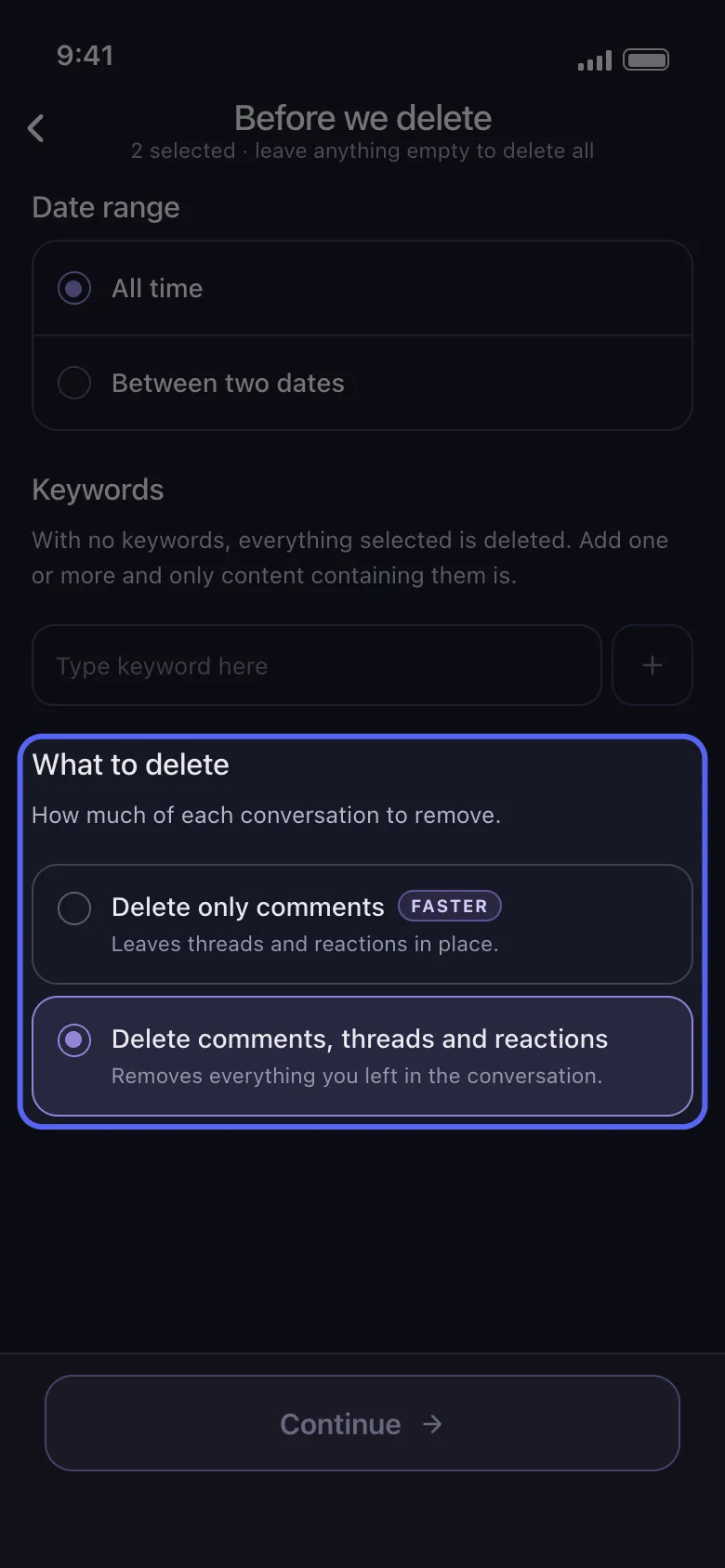
Thread’lerin ve tepkilerin de silinip silinmeyeceğini seçin
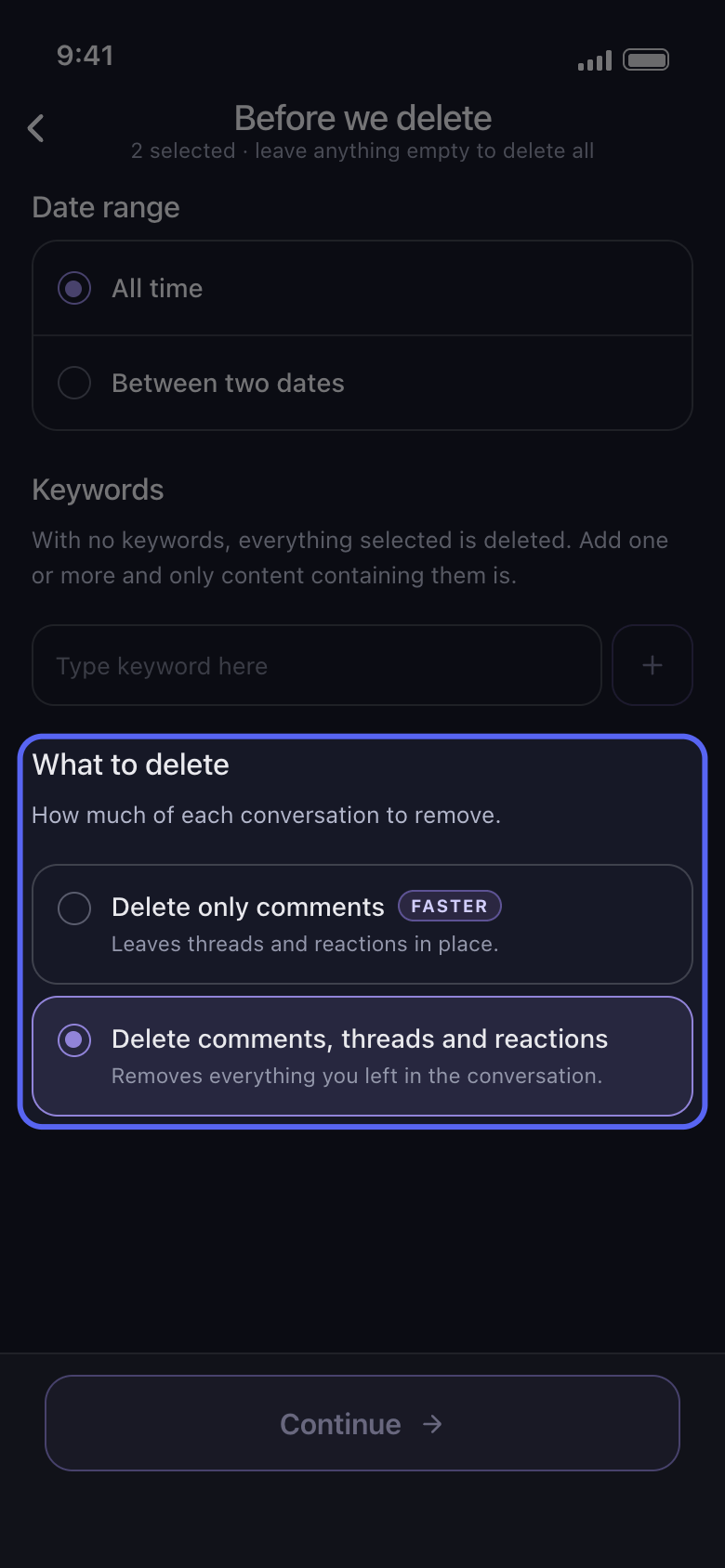
Continue düğmesine dokunun. Before we delete seçenekler ekranında What to delete, Date range ve Keywords bölümlerinden sonra en sonda gelir. Başta Delete comments, threads and reactions seçilidir: işaretlediğiniz her sohbette bıraktığınız her şeyi, orada başlatılan thread’lerdeki mesajlarınız ve tepkileriniz dahil, kaldırır. Delete only comments (faster etiketli) ise sunucu kanallarında olduğu gibi DM’lerde ve grup sohbetlerinde de thread’lere ve tepkilere dokunmaz. Thread yanıtlarınızın da gitmesi gerekiyorsa ilk seçimi koruyun; tepkilerinizi tutmak için ikincisini seçin. Sonra Continue düğmesine dokunun.
Uygulamada Continue → What to delete → Continue
- 05
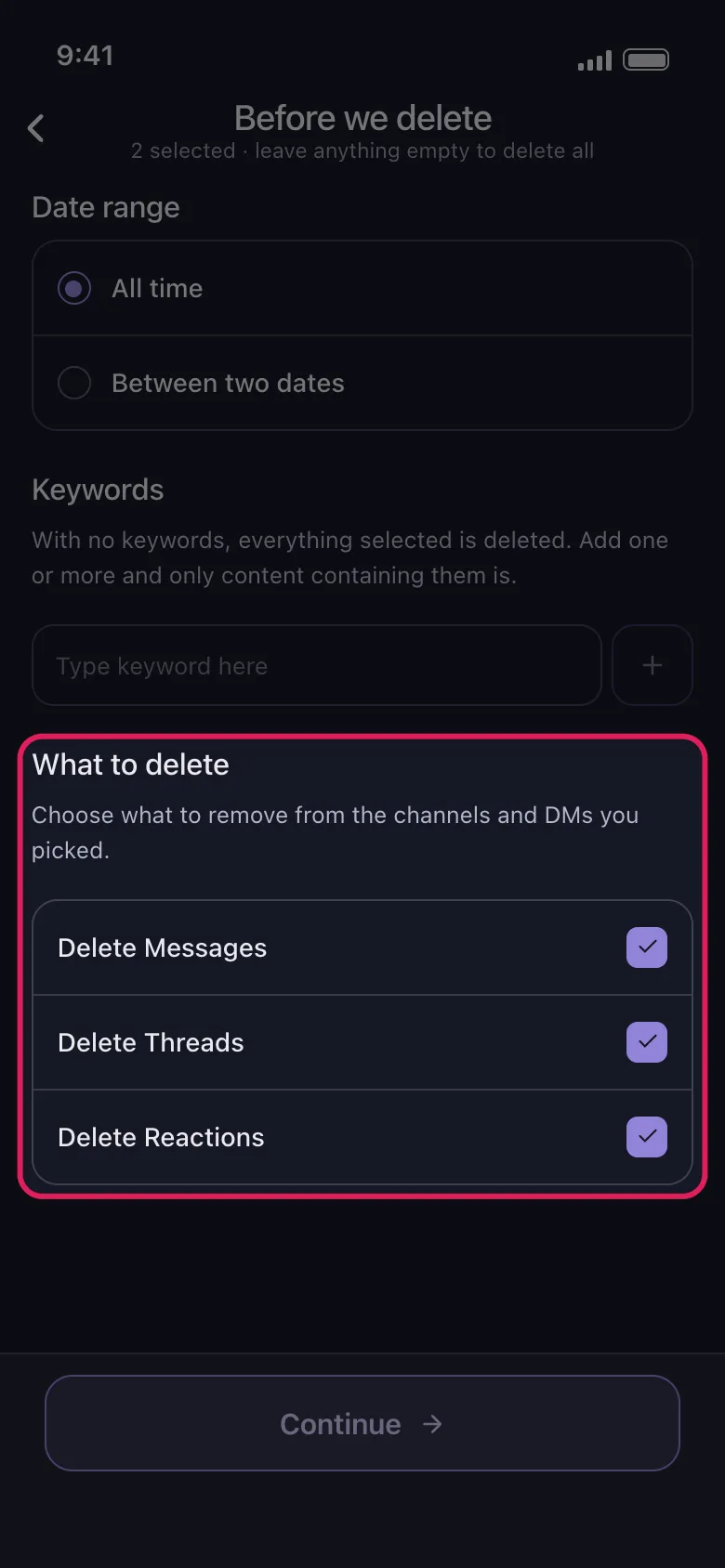
Slack’te: Dms veya channels, sonra silinecekler
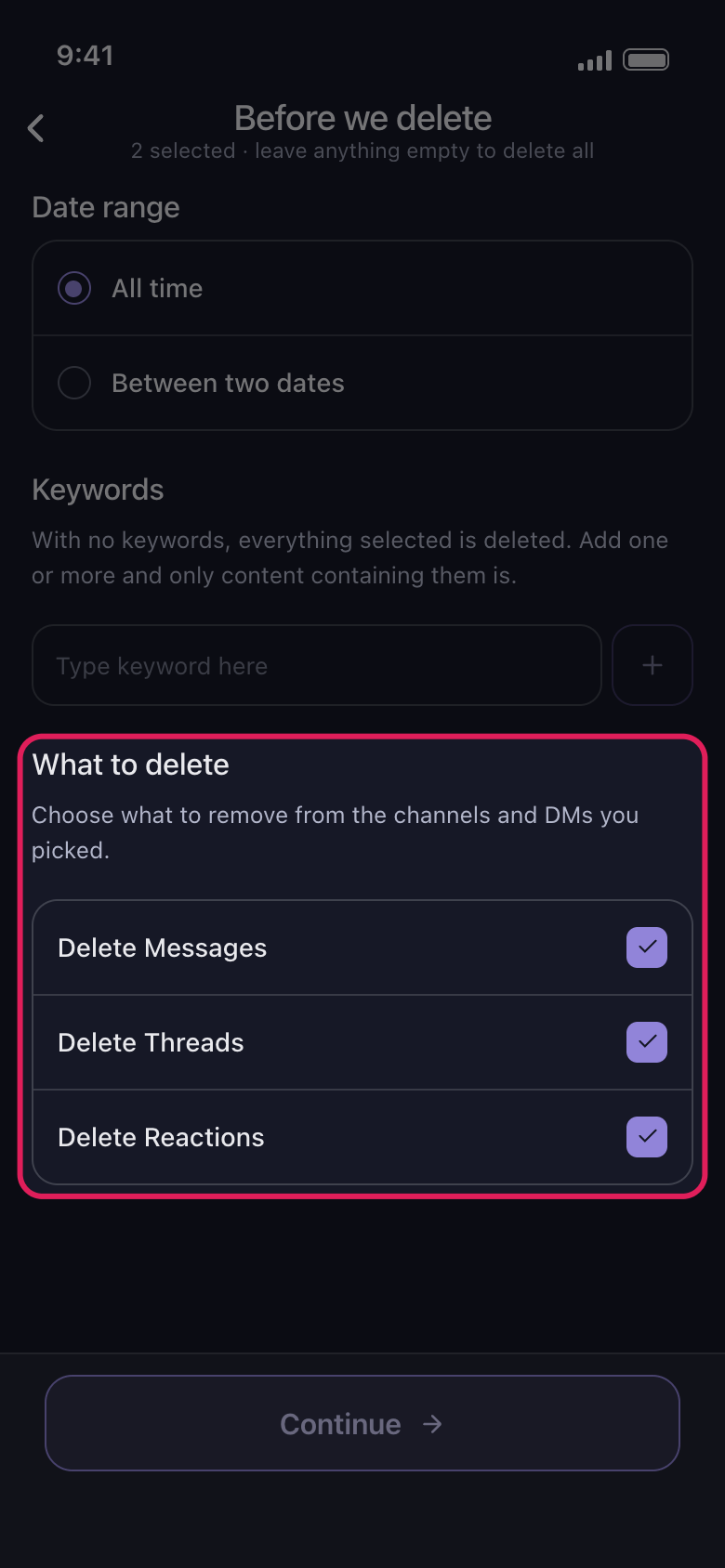
Pencerede Delete from Slack seçeneğini seçin, ardından Dms sekmesinde sohbetleri ya da channels sekmesinde kanalları işaretleyin. Continue düğmesinden sonra What to delete bölümünde Delete Messages, Delete Threads ve Delete Reactions yer alır, başta hepsi işaretlidir: tutmak istediklerinizin işaretini kaldırın, sonra Continue düğmesine dokunun.
Uygulamada Main → Slack → hesap → Delete from Slack
- 06
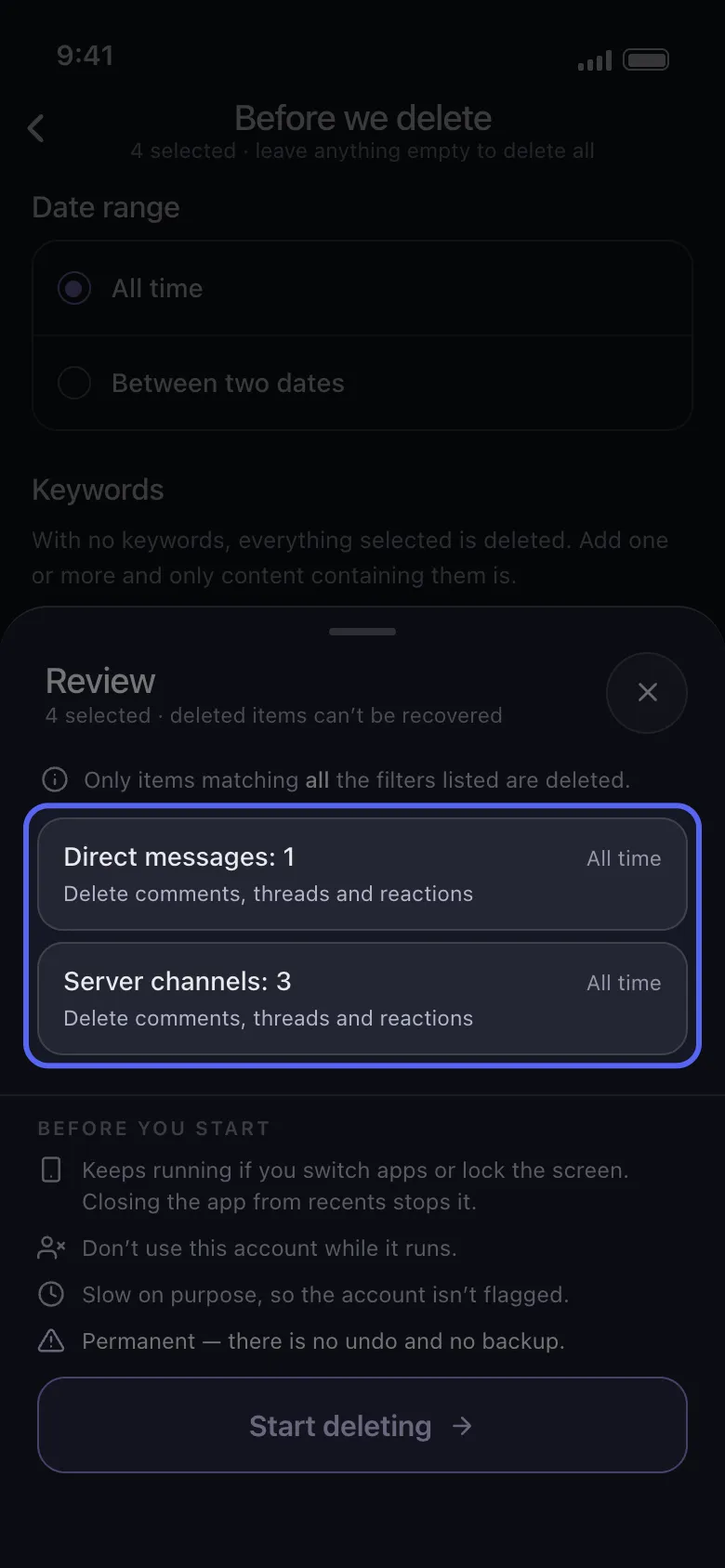
Review penceresini kontrol edin ve Start deleting düğmesine dokunun
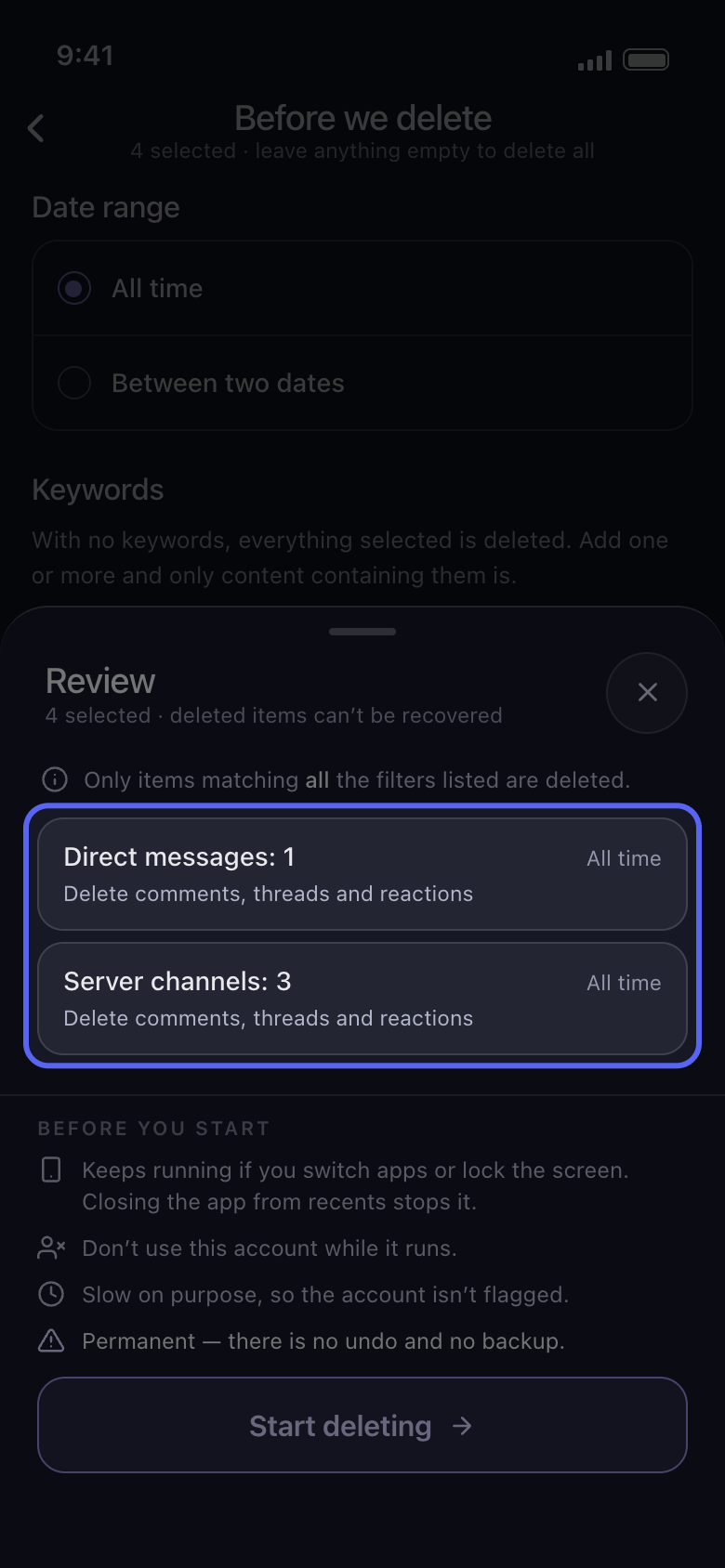
Review penceresi işaretlediklerinizi, sohbetlerin adını vermeden türlerine göre sayar, örneğin Direct messages: 1 ve Server channels: 3. Her kart tarih aralığını (siz belirlemedikçe All time) ve ne kadarının silineceğini gösterir. Start deleting düğmesine dokunana kadar hiçbir şey silinmez.
Uygulamada Continue → Review → Start deleting
Bilmekte fayda var
- Aynı seçenekler ekranındaki tarih aralığı ve anahtar kelimeler işlemi daha da daraltır: “Yalnızca belirli bir tarih aralığını silme” ve “Anahtar kelime içeren mesajları silme” kılavuzlarına bakın.
Daha fazla kılavuz