
Hesap ekleme ve ilk temizliği başlatma
Unpost başlı başına bir uygulamadır; Instagram’ın ya da başka bir uygulamanın içinde çalışan bir eklenti değildir ve oluşturmanız gereken bir Unpost hesabı yoktur: her platformu Unpost’un içinden, o platformun kendi giriş sayfasında bağlarsınız. Aşağıda tüm akışı, uygulamanın Twitter dediği X üzerinde görebilirsiniz. Her platform aynı yolu izler; değişenler yalnızca 4. adımdaki pencerenin çıkıp çıkmadığı, silinebilecekler listesi ve 5. adımdan sonra bir seçenekler ekranının açılıp açılmadığıdır.
- 01
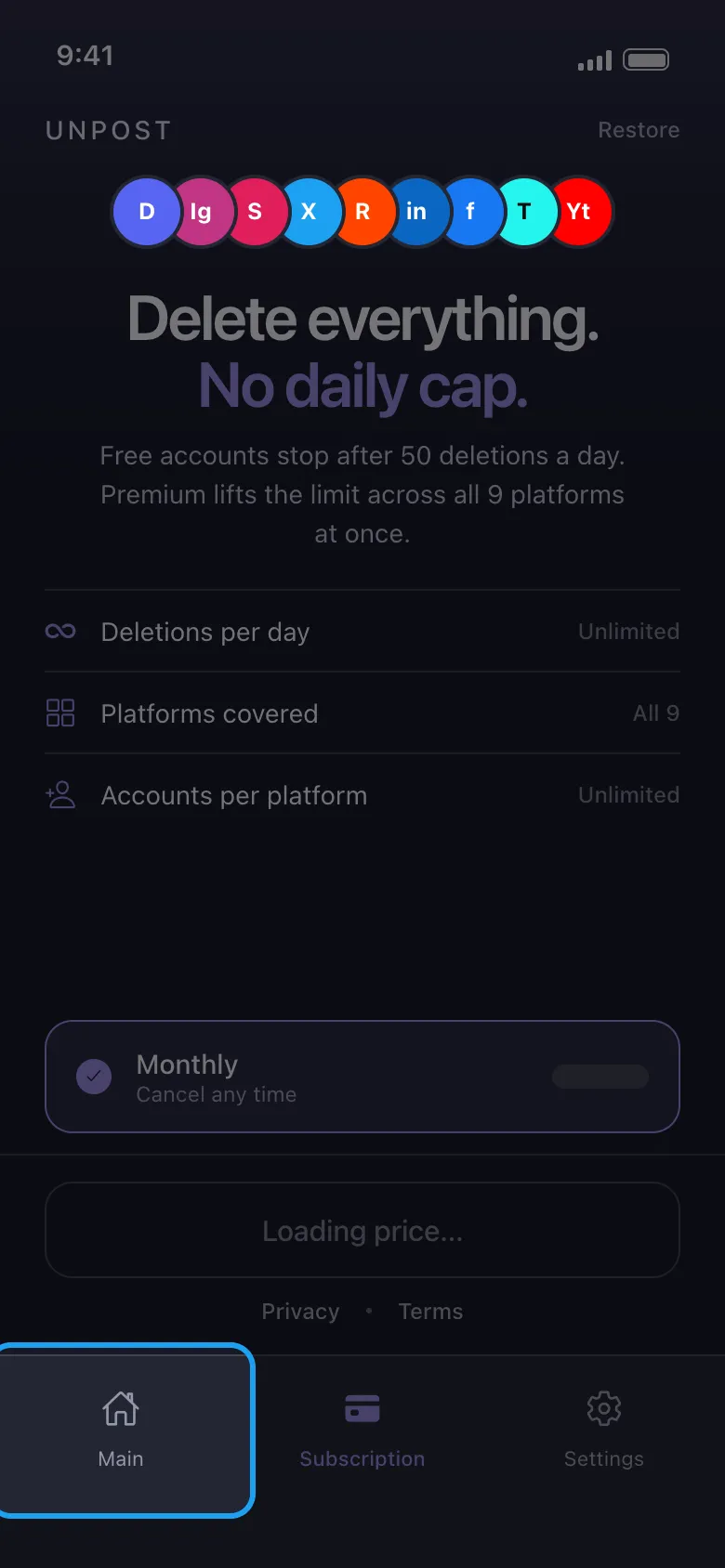
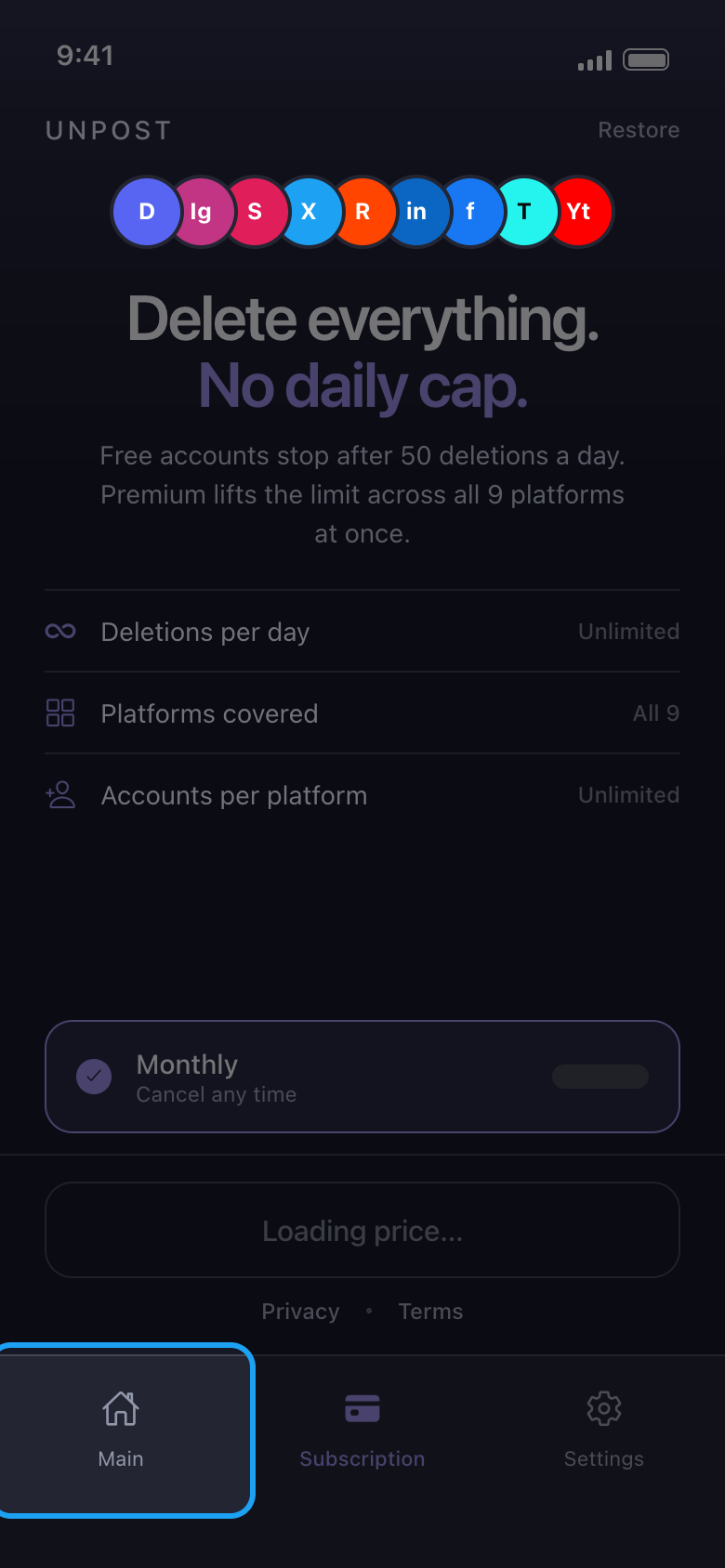
Alttaki Main sekmesine dokunun
Unpost ilk açılışta dilini seçmenizi ister (seçip Apply Language düğmesine dokunun; dili daha sonra Settings → Change Language bölümünden değiştirebilirsiniz), ardından gizlilik politikasını gösterir: Continue düğmesine dokunun. Premium’unuz olana kadar Unpost bundan sonra Subscription sekmesinde açılır. Abone olmanız gerekmez: Unpost’u önce ücretsiz, her hesapta günde en fazla 50 silmeyle deneyebilirsiniz. Platformlarınıza ulaşmak için Main sekmesine dokunun.
Uygulamada Subscription → Main
- 02
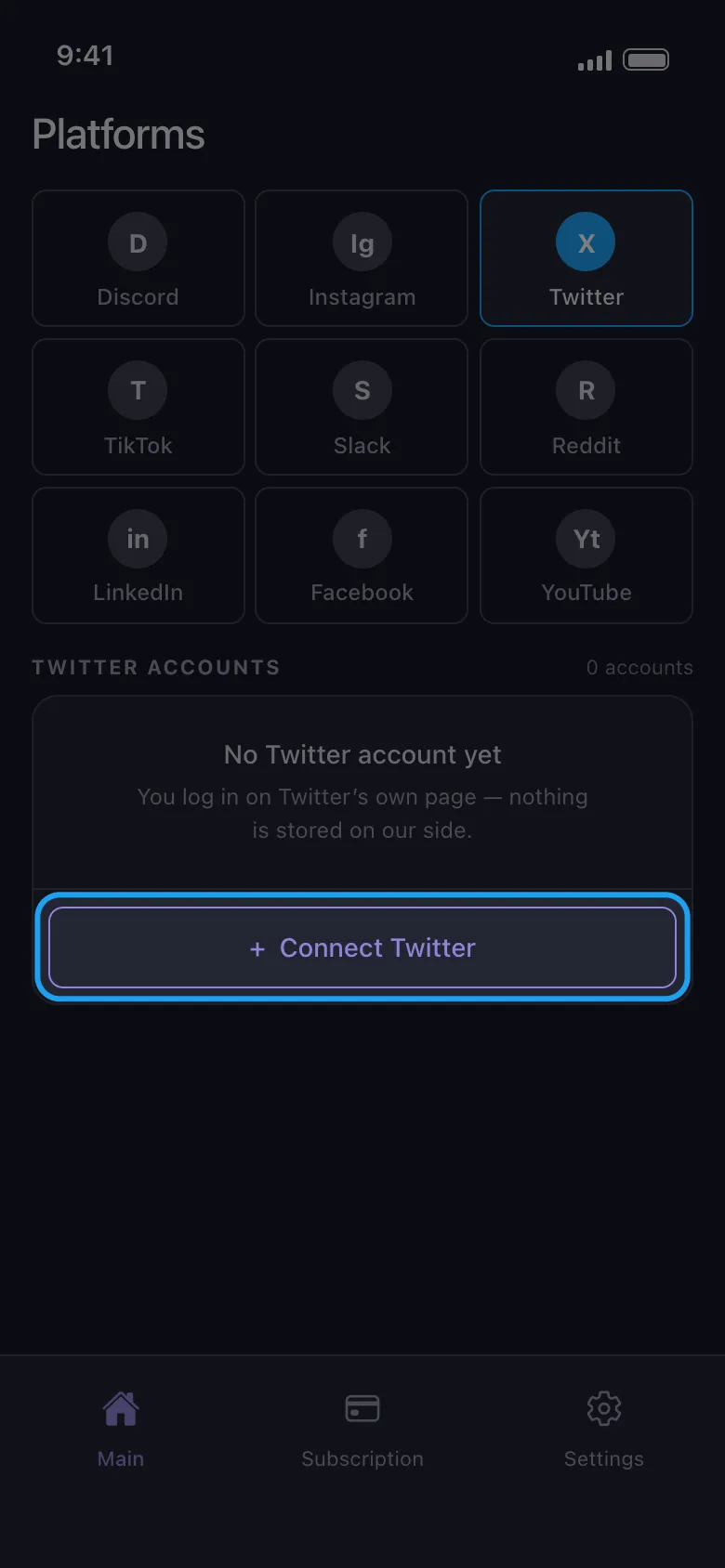
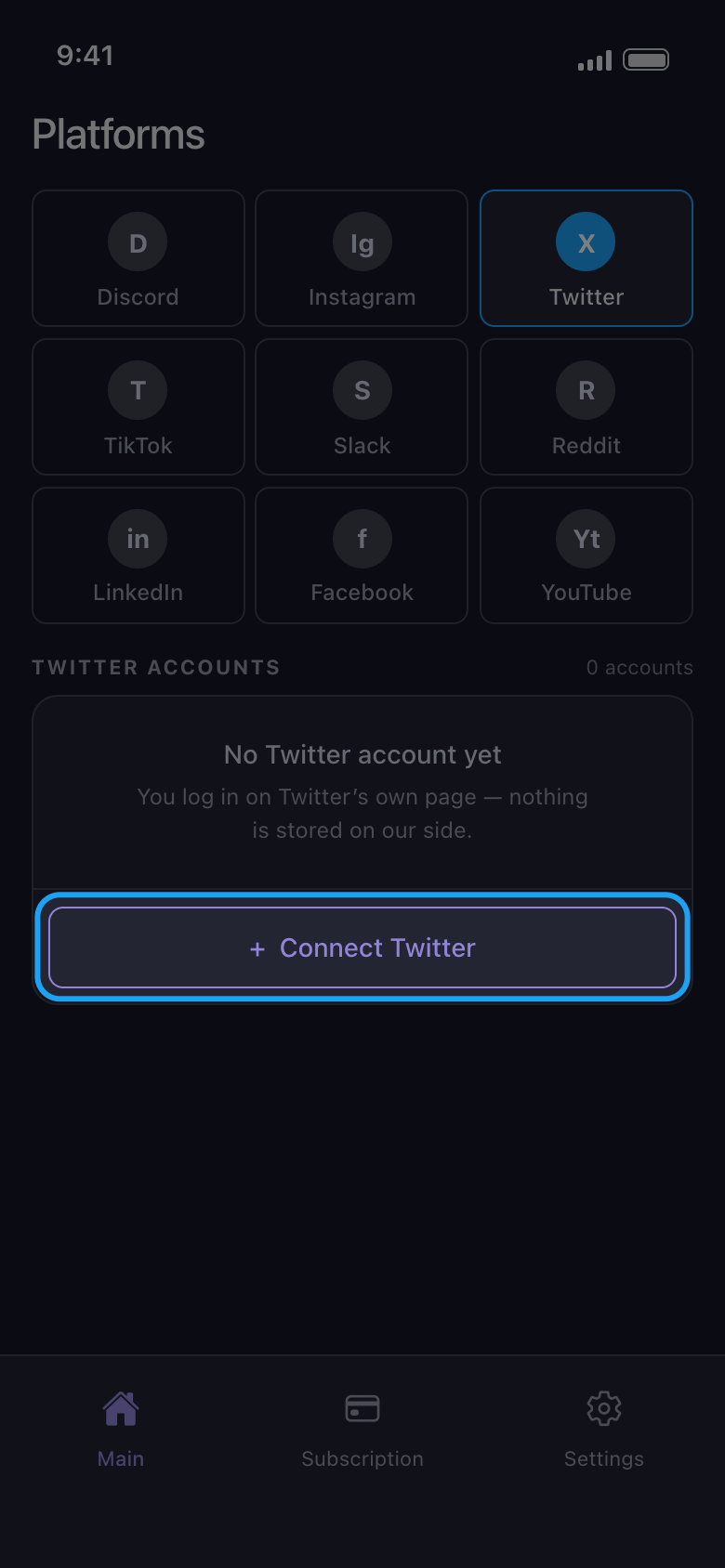
Platformu seçin ve Connect düğmesine dokunun
Platforma dokunun, ardından altında beliren Connect düğmesine dokunun; düğmede platformun adı da yazar (burada Connect Twitter).
Uygulamada Main → Twitter → Connect Twitter
- 03
Platformun sayfasında giriş yapın
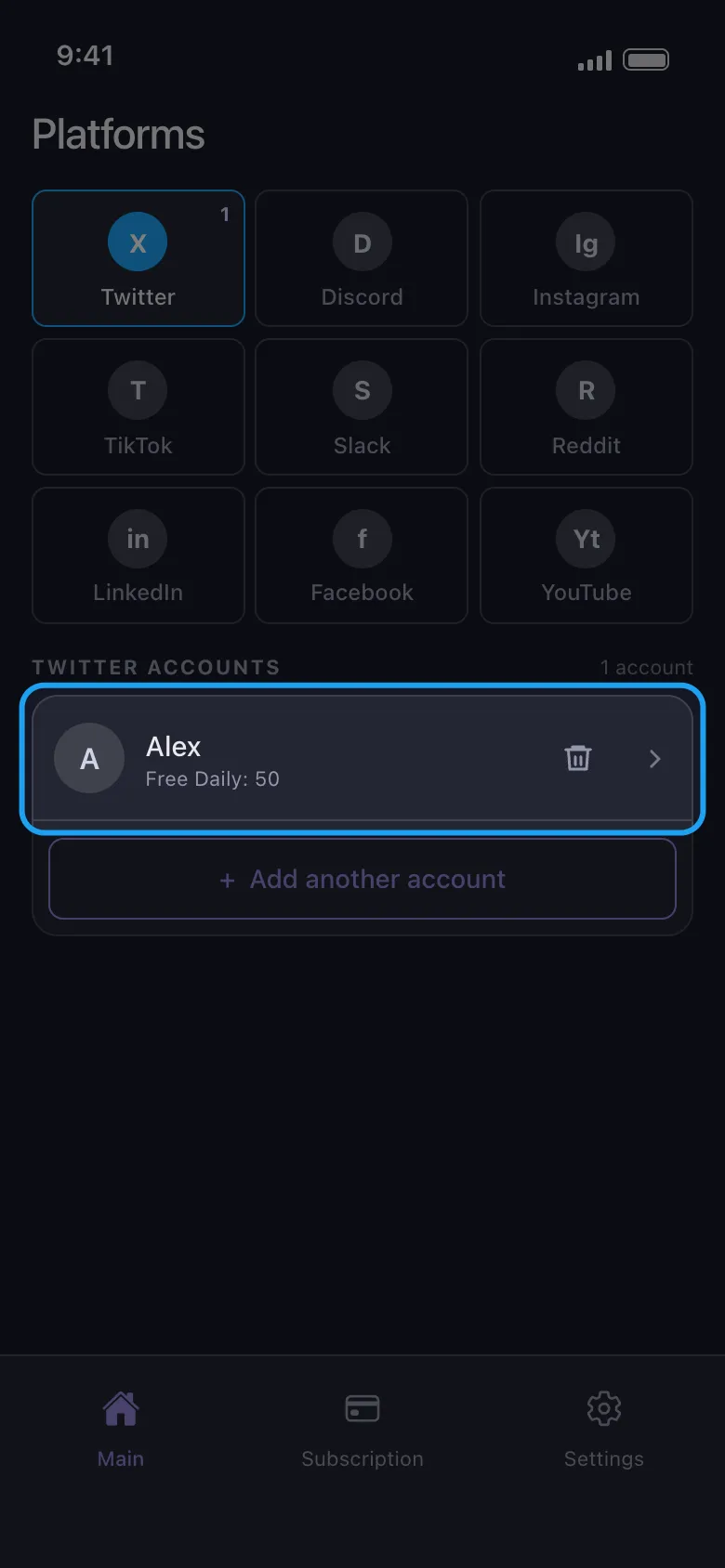
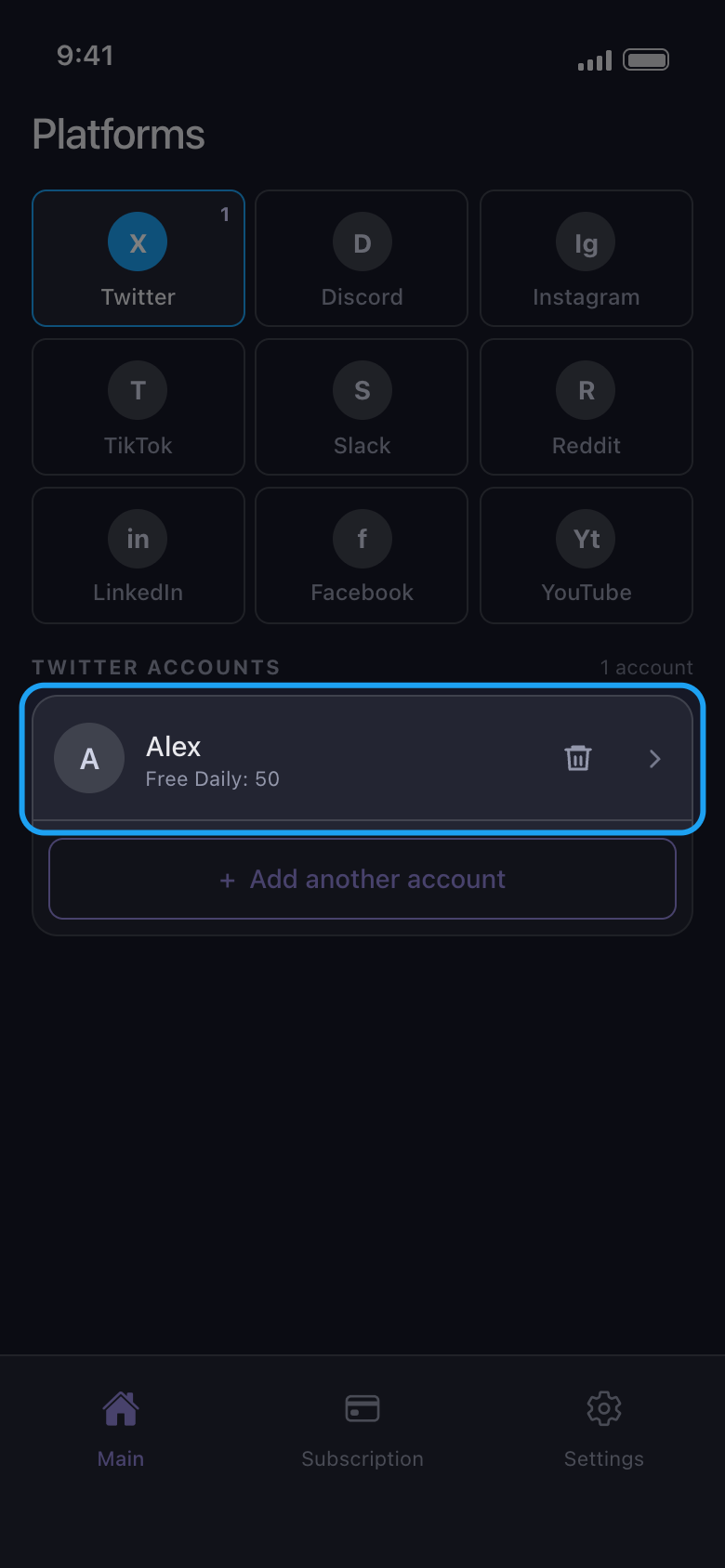
Kullanıcı adınız veya e-postanız ve şifrenizle giriş yapın; platform bir kod isterse onu da girin. Kullanıcı adı ve şifre formunu kullanın: Android’de Google ve Apple ile giriş düğmeleri tarayıcınızı açar ve orada tamamlanan giriş Unpost’a hiçbir zaman ulaşmaz. Giriş tamamlanınca sayfa kendiliğinden kapanır ve hesap listede görünür; adının altında bugün daha ne kadar silebileceği yazar. Unpost’tan hiç kimse sizden şifrenizi veya giriş kodunuzu istemez.
Uygulamada Connect Twitter → Twitter’ın giriş sayfası
- 04
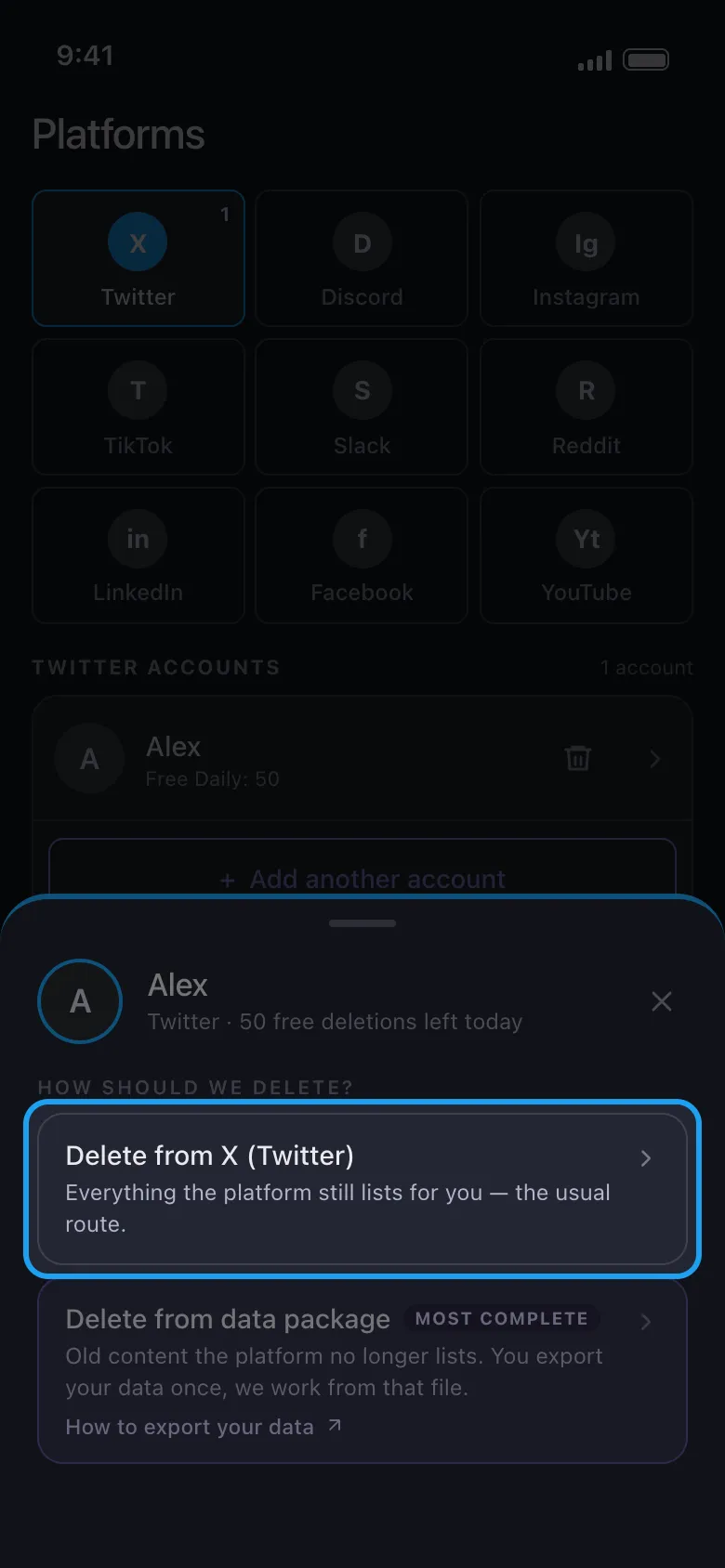
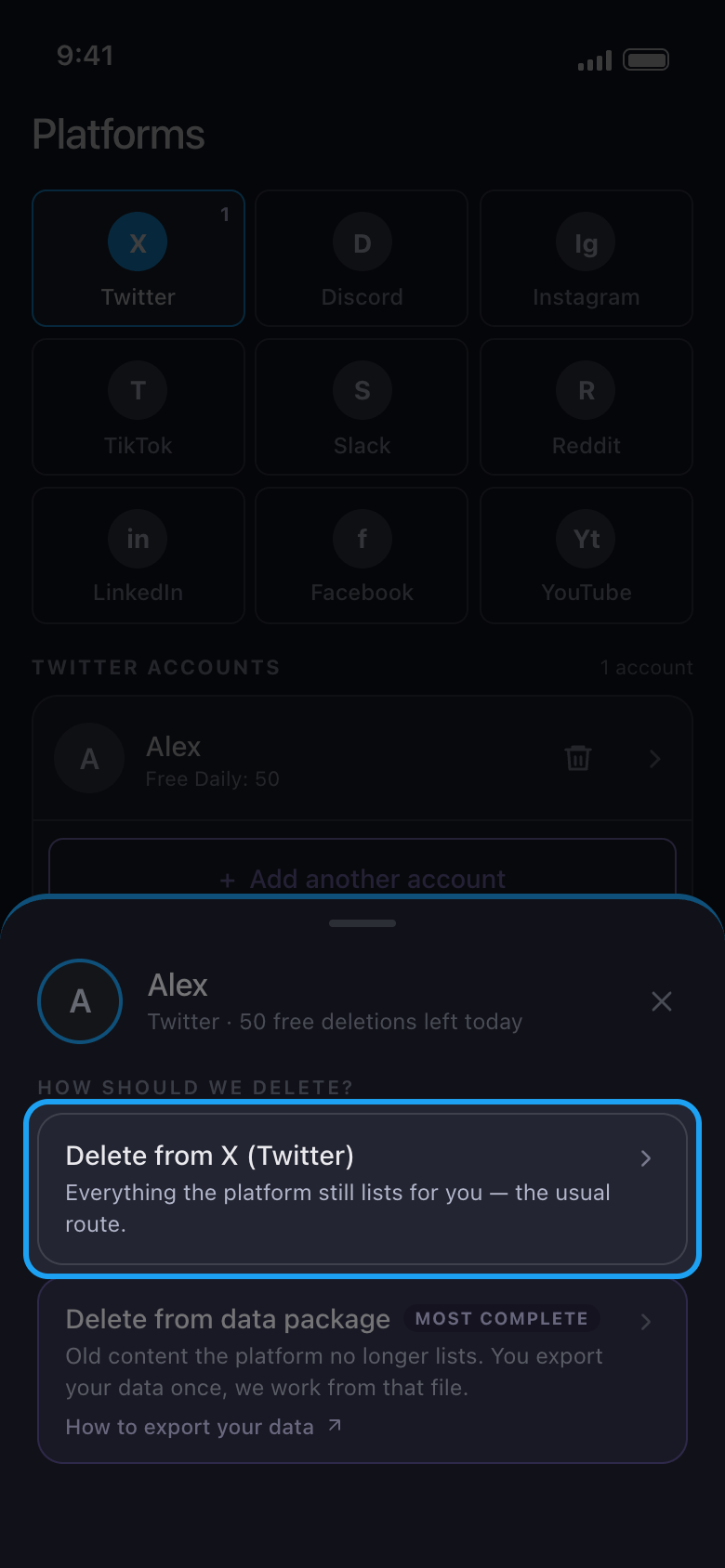
Hesaba dokunun ve Delete from X (Twitter) seçeneğini seçin
X, Discord, Slack ve Reddit’te bir pencere nasıl silmek istediğinizi sorar. İlk işleminiz için ilk seçeneği seçin: platformun size hâlâ listelediklerini siler. X, Discord ve Reddit’te Delete from data package, platformun artık göstermediği eski içerik içindir.
Uygulamada Main → Twitter → hesap → Delete from X (Twitter)
- 05
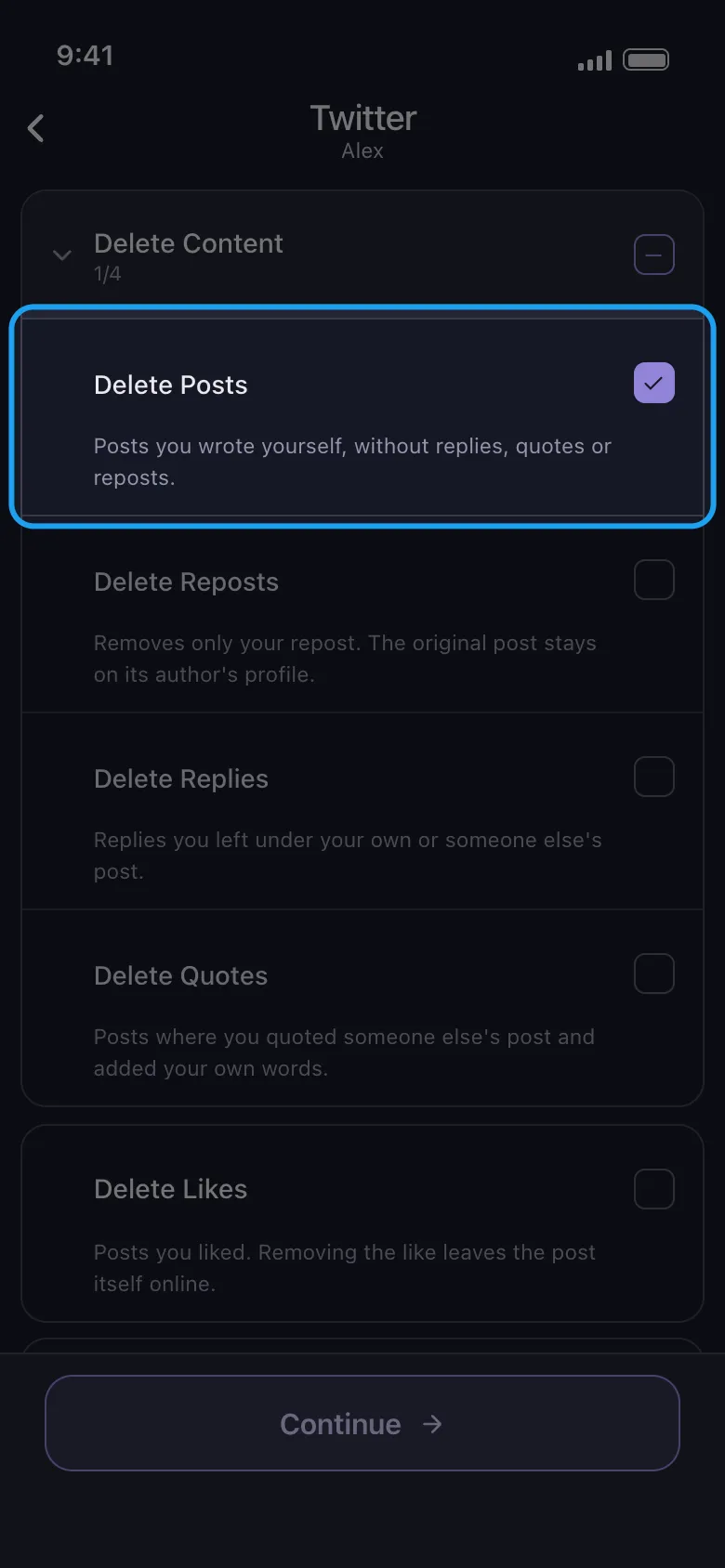
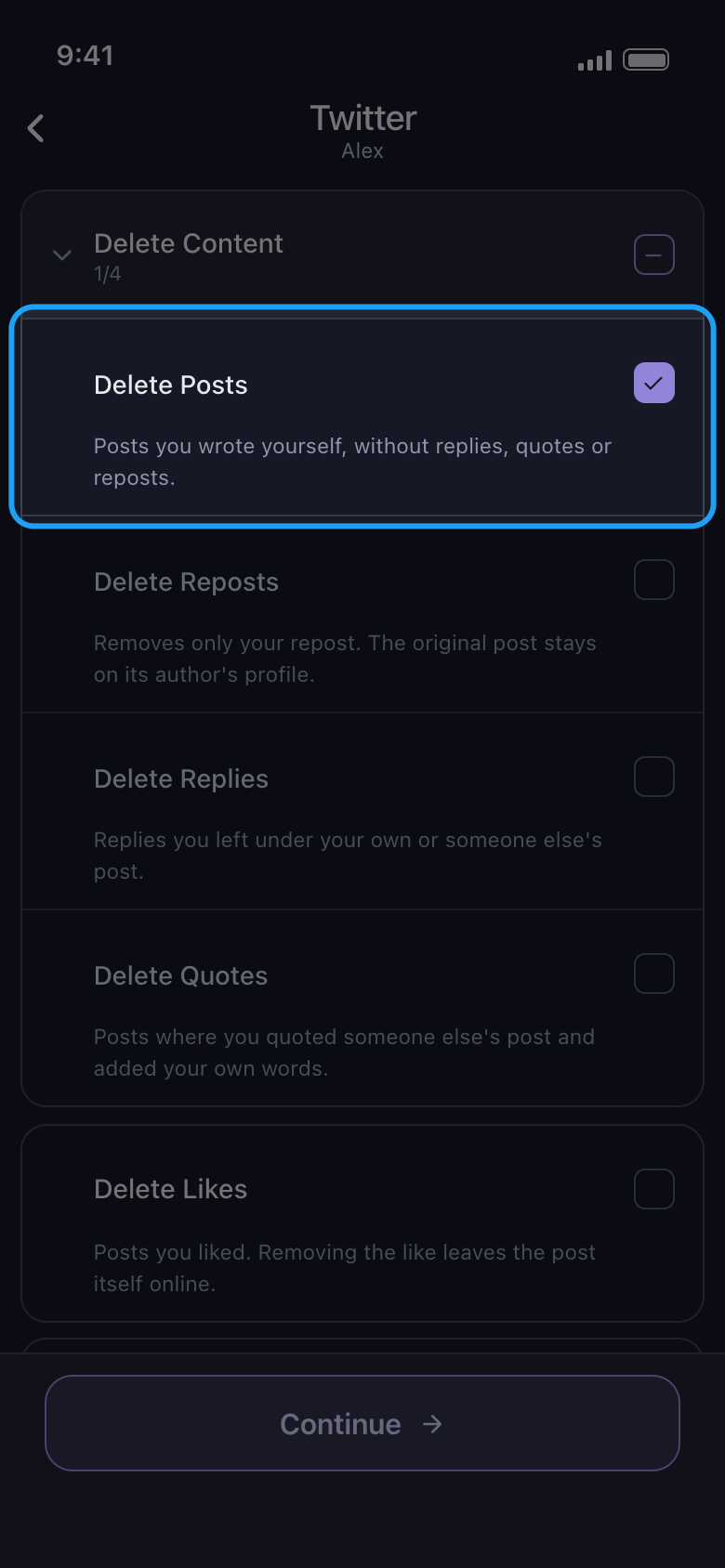
Silinecekleri işaretleyin, ardından Continue düğmesine dokunun
Her satır bir içerik türüdür; X’te altındaki kısa açıklama neyi kaldırdığını ve neyin çevrimiçi kaldığını söyler. Delete Content bir gruptur: açmak için adına dokunun, sonra yalnızca istediğiniz türleri işaretleyin (burada Delete Posts). Grubun kendi kutusu, içindeki dört türün hepsini işaretler; yanıtlar, yeniden gönderiler ve alıntılar da dahil. İşaretlediklerinize uygulanan bir seçenek varsa (tarih aralığı veya anahtar kelimeler gibi), ardından Before we delete seçenekler ekranı açılır: gerekenleri ayarlayın, gerisini olduğu gibi bırakın (boş kutu sınır yok demektir, 0 ise bir sınır sayılır), sonra yeniden Continue düğmesine dokunun. X’te yalnızca Delete Likes satırının bir seçeneği vardır; bu yüzden burada doğrudan Review penceresi açılır.
Uygulamada Delete Content → Delete Posts → Continue
- 06
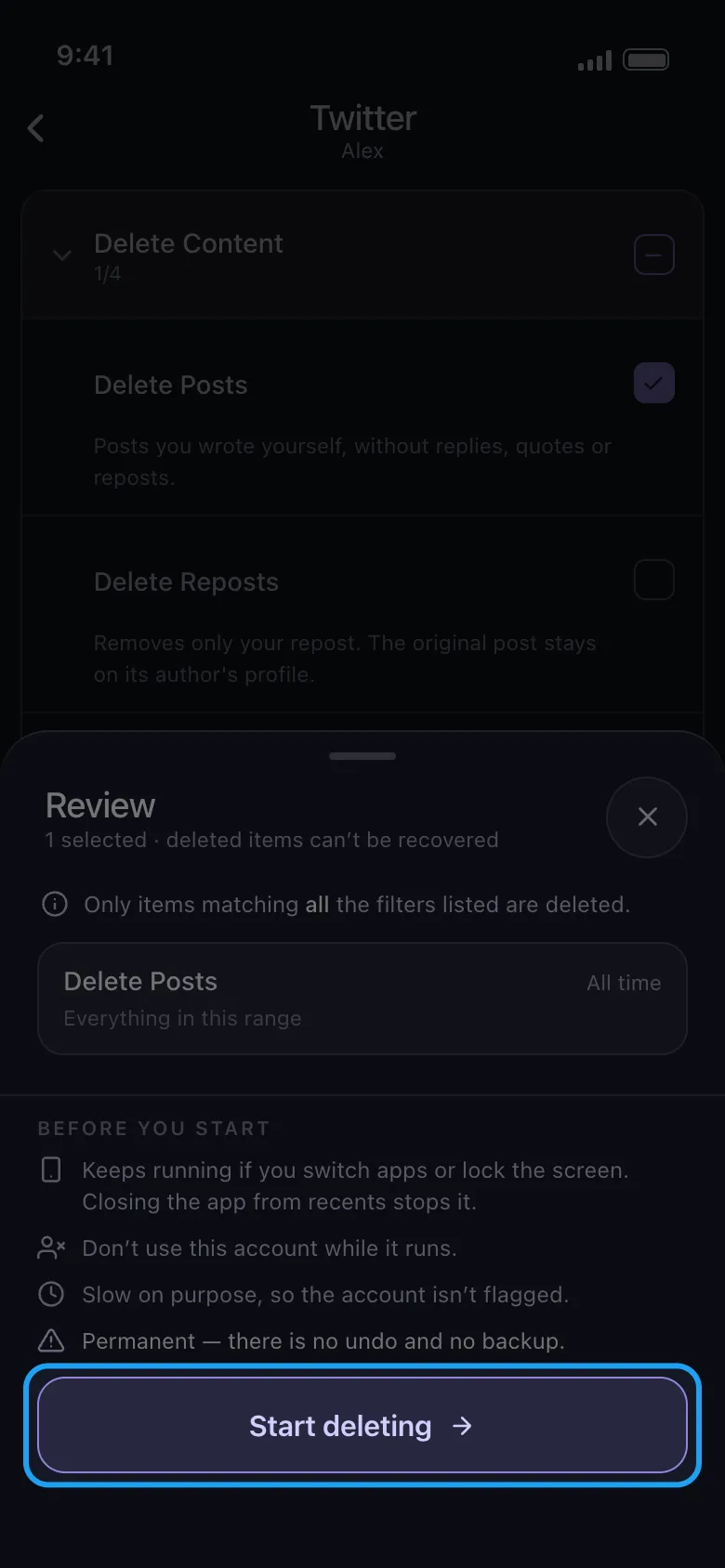
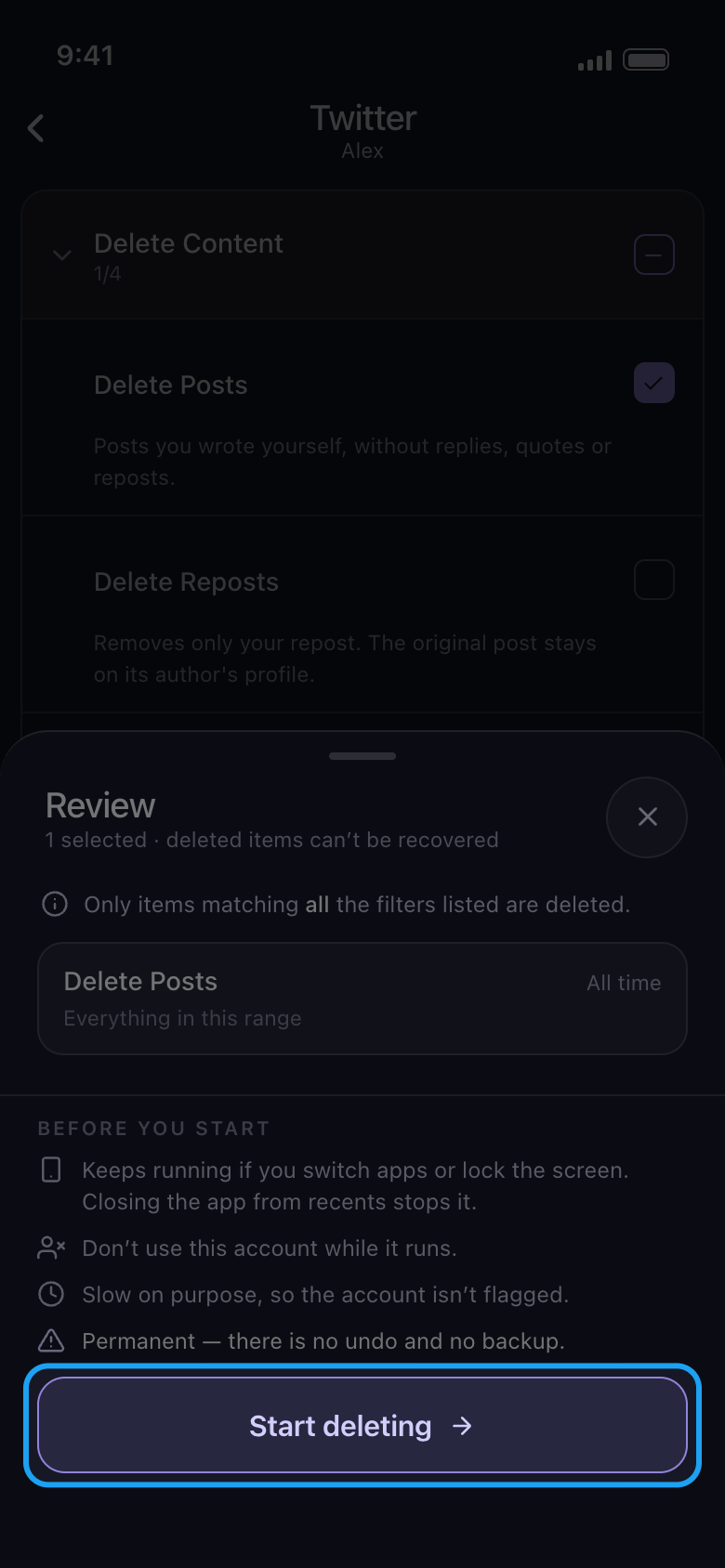
Review penceresini kontrol edin ve Start deleting düğmesine dokunun
Pencere silinecekleri listeler: işaretlediğiniz her tür için, tarih aralığını (burada All time) ve geçerli filtreleri gösteren bir kart. Before you start altında silme işleminin kuralları yer alır. Start deleting düğmesine dokunana kadar hiçbir şey silinmez. Android’de uygulama değiştirseniz ya da ekranı kilitleseniz de işlem sürer, ancak Unpost’u son uygulamalardan kapatırsanız durur; TikTok’ta silerken Unpost’u ekranda açık tutun. iPhone’da Unpost’u ekranda açık tutun. İşlem sürerken hesabı başka hiçbir yerde kullanmayın.
Uygulamada Continue → Review → Start deleting
- 07
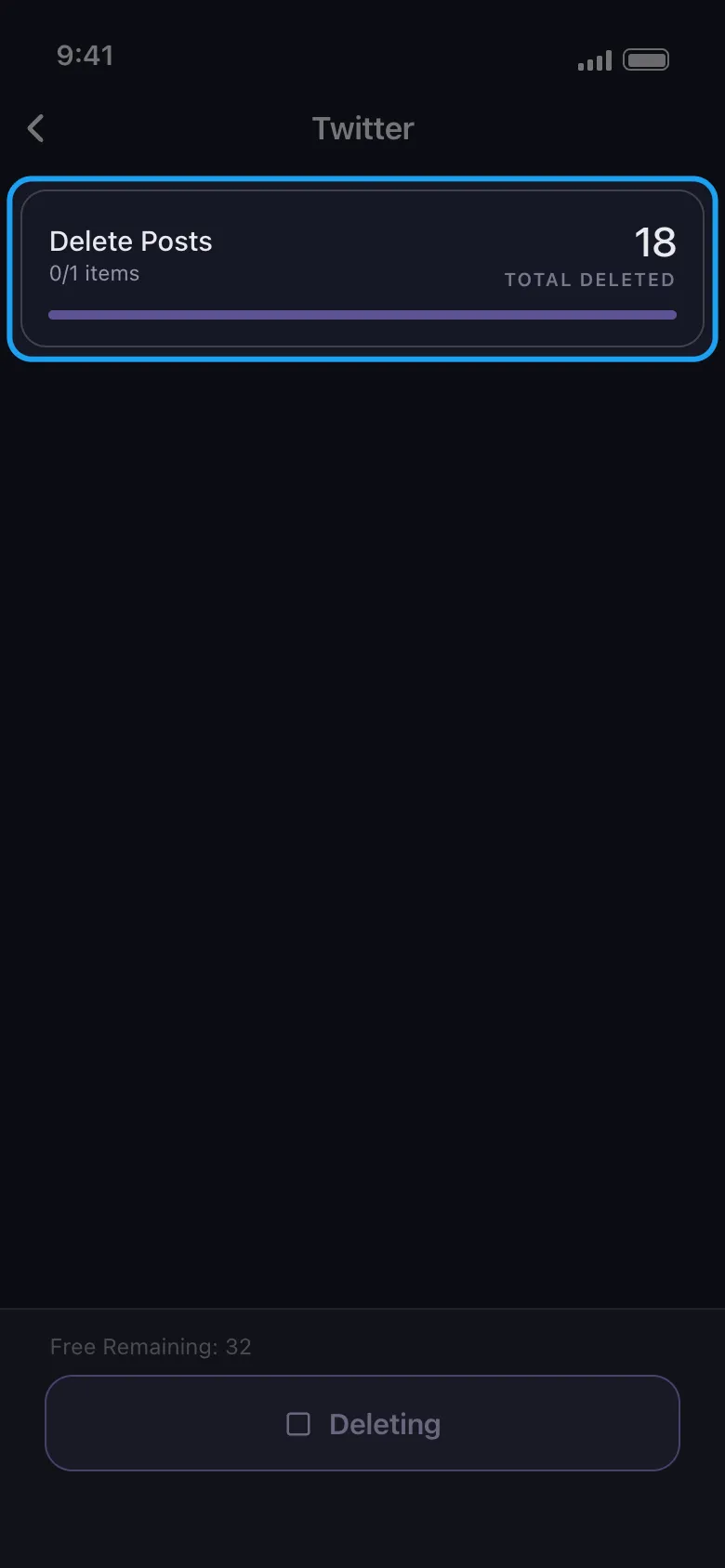
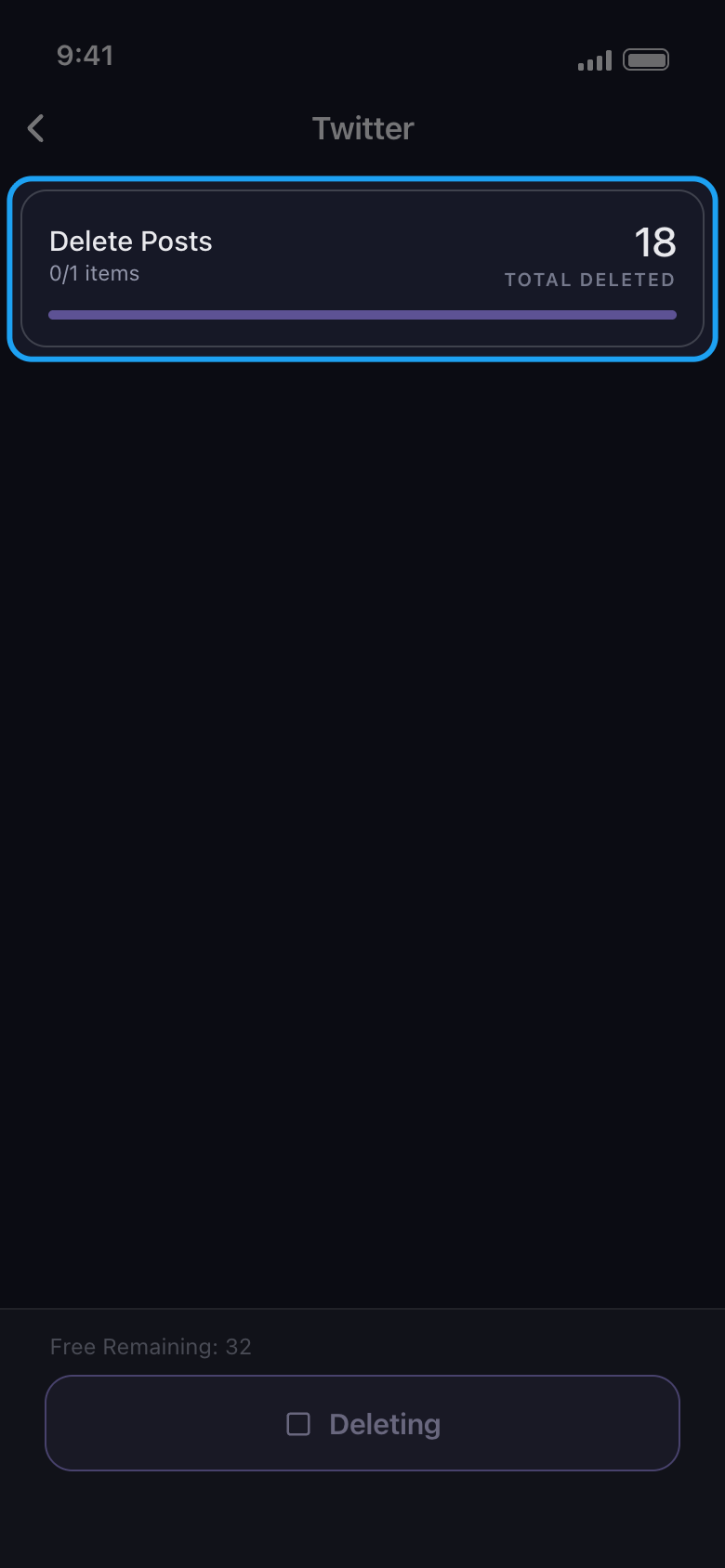
Bırakın çalışsın
Kart o anda neyin silindiğini ve şimdiye kadarki toplamı gösterir; adın altındaki küçük 0/1 öğeleri değil, seçimlerinizi sayar. Free Remaining, bugünkü hakkınızdan kalanı geriye doğru sayar. Silme bilerek yavaş yapılır. Erken durdurmak için alttaki Deleting düğmesine dokunun.
Uygulamada Silme ekranı
- 08
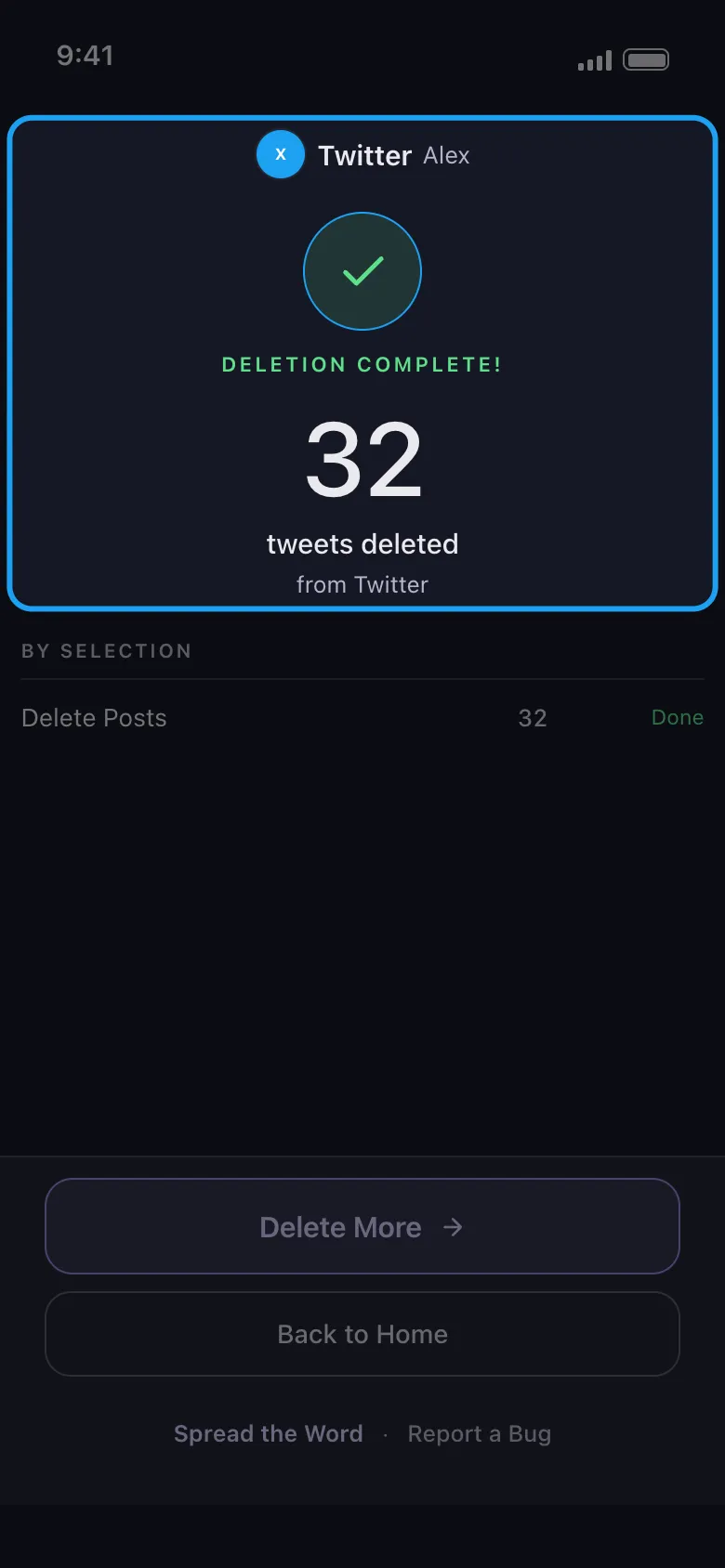
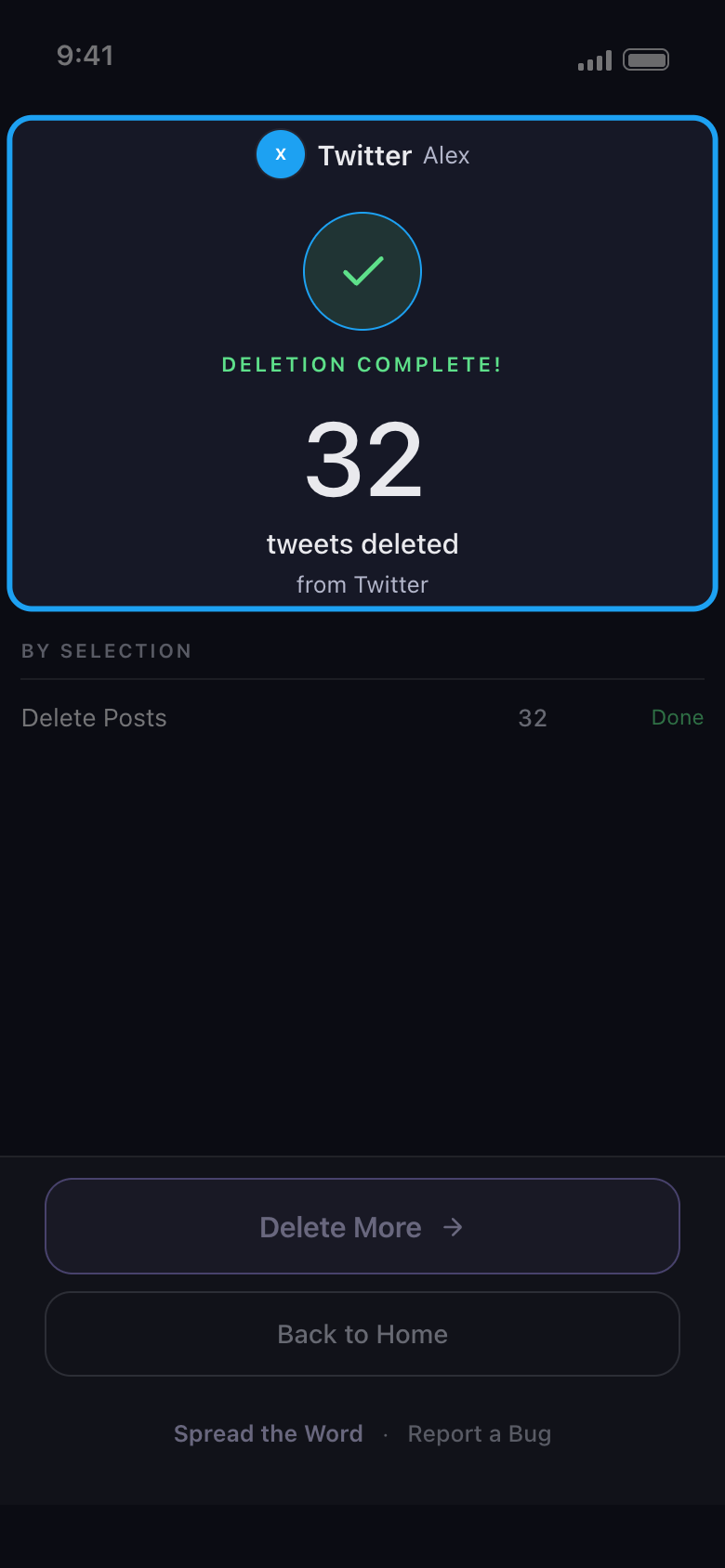
Sonucu okuyun
İşlem bitince sonuç ekranı platformu ve hesabı, kaç öğenin silindiğini ve her seçimin nasıl bittiğini gösterir. Delete More sizi aynı hesabın listesine geri götürür; işlem erken durduysa düğmede Try again yazar ve aynı işi yapar. Bugünkü 50 ücretsiz silme hakkı bittiği için durduysa düğmede Upgrade Now yazar ve Subscription sekmesini açar; bunun yerine ertesi günün hakkını beklemek için Back to Home düğmesine dokunun. İşlem başka bir nedenle durursa sonuç ekranı nedenini ve sonra ne yapmanız gerektiğini söyler.
Uygulamada Sonuç ekranı
Bilmekte fayda var
- Silme kalıcıdır. Geri alma yoktur ve Unpost yedek tutmaz.
- Instagram’da hesap Dms sekmesinde açılır: gönderiler, Reels videoları, carousel gönderileri, yorumlar ve beğeniler yanındaki Content sekmesindedir; oradaki Select all, Unfollow All ve Remove All Followers seçeneklerini de işaretler. “Silinecek içerik türlerini seçme” kılavuzuna bakın.
- Reddit’te günlük sınır yoktur. Günde 50 silmenin nasıl sayıldığı için “Ücretsiz günlük limit nasıl işler, ‘Daily limit reached’ ne demek?” kılavuzuna bakın.
- Giriş yaptıktan sonra giriş sayfası kapanmıyorsa “Giriş yapma ve giriş sorunlarını giderme” kılavuzuna bakın.
- Sonuç ekranı platformun işlemi duraklattığını söylüyorsa ya da “Nothing deleted” yazıyorsa “Bir platform temizliğinizi duraklatırsa ne yapmalı?” ve “Temizlik neden hiçbir şey bulamadı, erken durdu veya gönderiler hâlâ görünüyor?” kılavuzlarına bakın.
Daha fazla kılavuz