
Aynı platforma ikinci bir hesap ekleme
Unpost’ta bir platforma, ücretsiz planda da, istediğiniz kadar hesap ekleyebilirsiniz. Her hesabın kendi ücretsiz günlük hakkı vardır ve bir silme işlemi yalnızca onu başlattığınız hesaba dokunur.
- 01
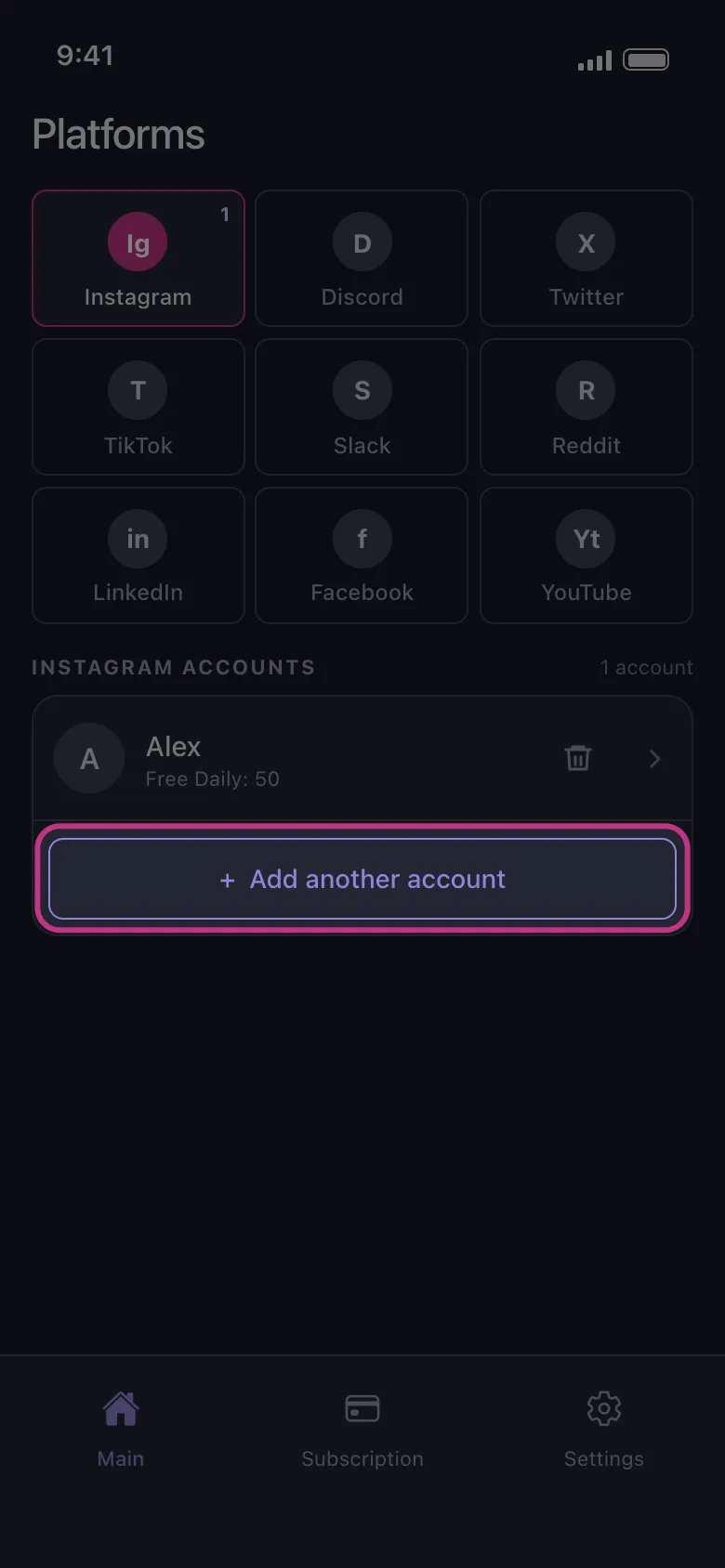
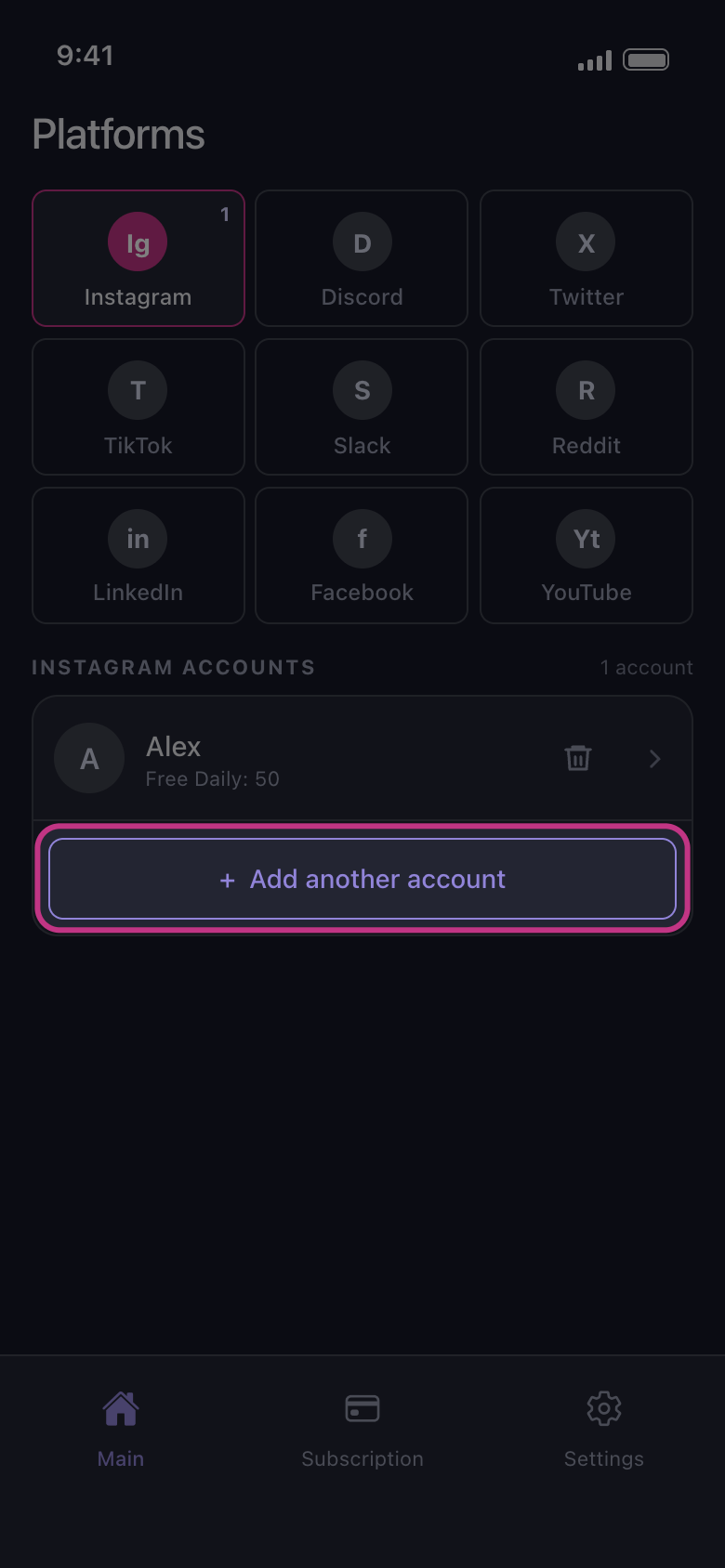
Add another account düğmesine dokunun
Main sekmesinde platforma dokunun. Mevcut hesabın altındaki Add another account düğmesine dokunun. Platformun giriş sayfası temiz açılır, ilk hesabınızla oturum açık gelmez: ikinci hesapla giriş yapın. İstediğiniz hesap listede zaten “Not connected — tap to log in” olarak görünüyorsa bunun yerine o satıra dokunun. Unpost’tan hiç kimse sizden şifrenizi veya giriş kodunuzu istemez.
Uygulamada Main → Instagram → Add another account
- 02
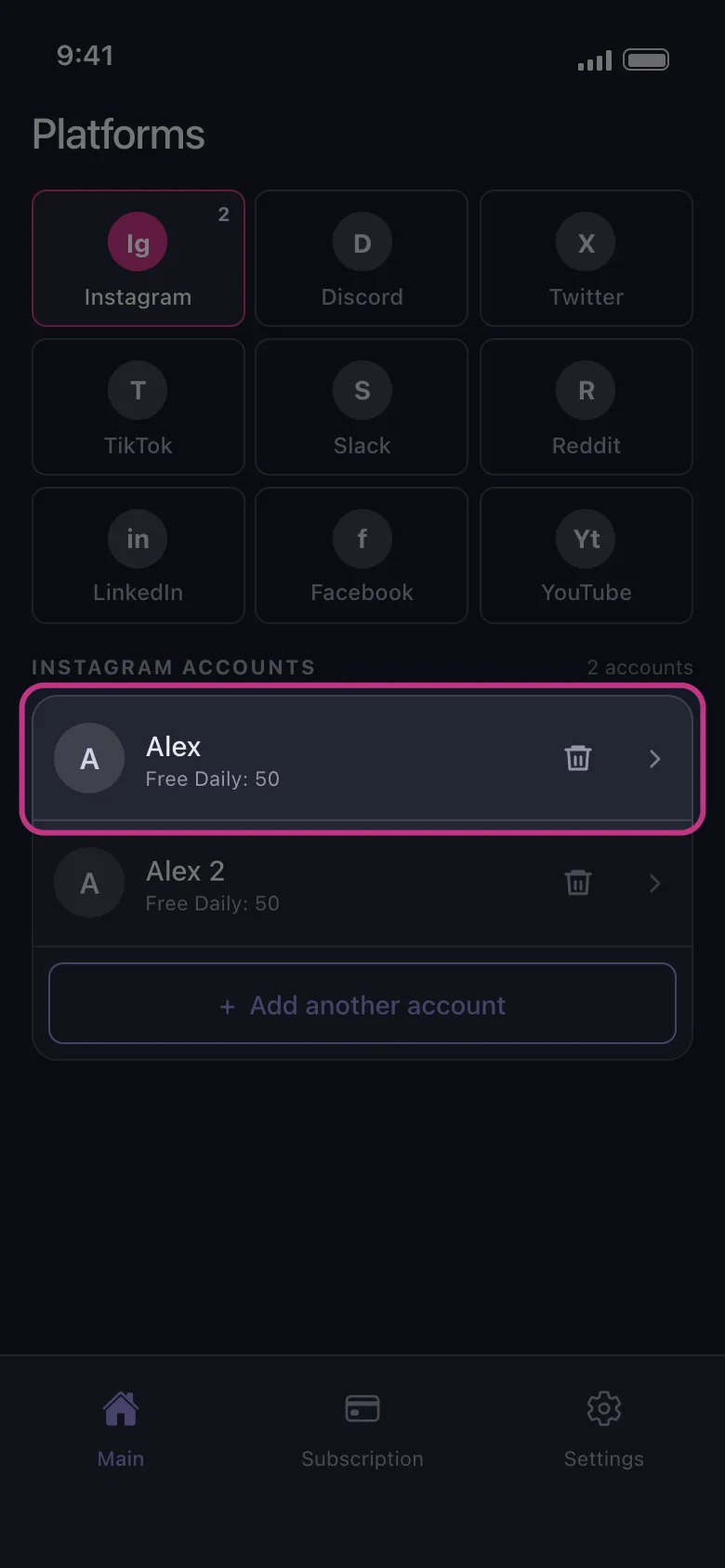
İki hesabı da listede bulun
Giriş tamamlanınca sayfa kapanır ve yeni hesap ilkinin altında görünür. Ücretsiz planda her satır, o hesabın bugün daha ne kadar silebileceğini gösterir (örneğin “Free Daily: 50”). Hak hesaba aittir: bir hesabın 50 silme hakkını bitirmek diğerininkini etkilemez.
Uygulamada Main → Instagram
- 03
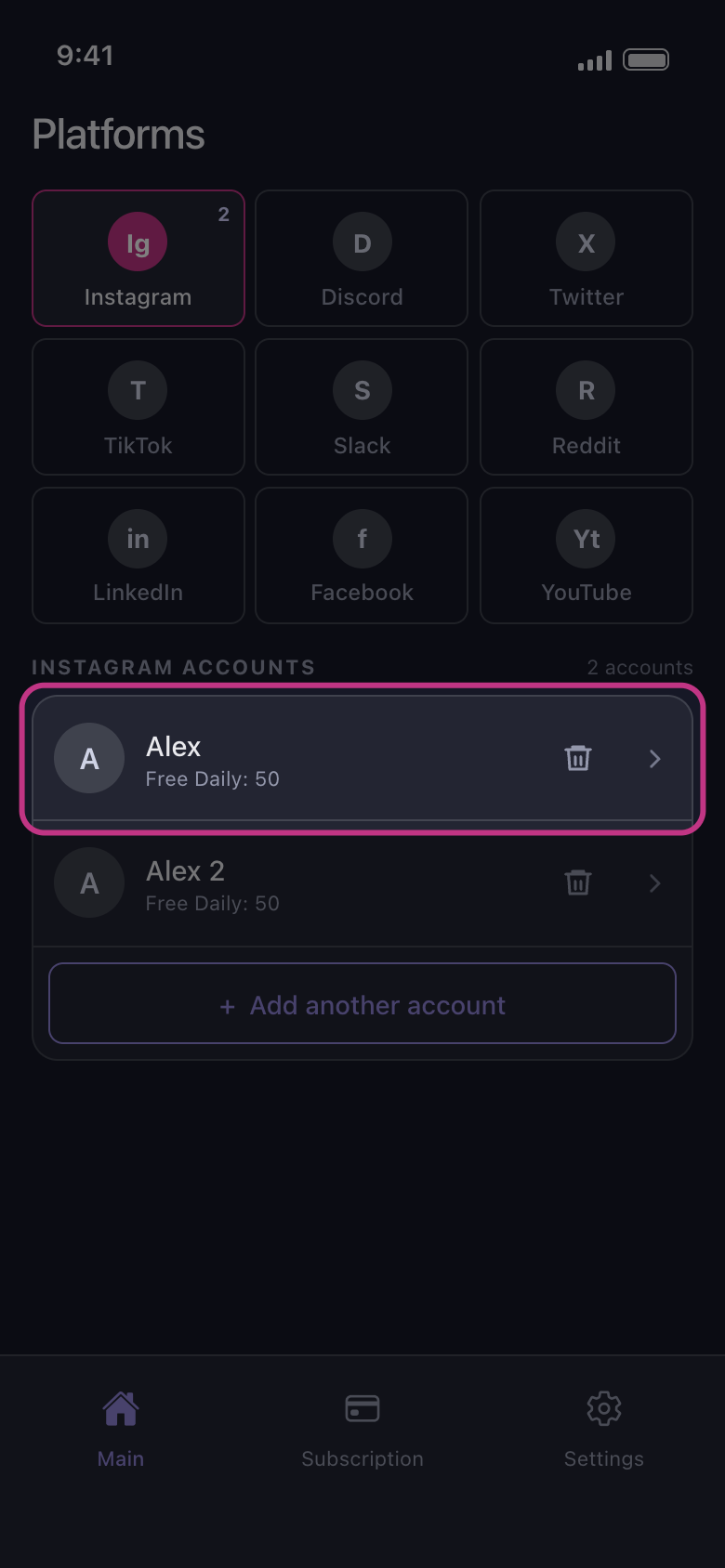
Temizlemek istediğiniz hesaba dokunun
Silme işlemi yalnızca dokunduğunuz hesapta çalışır, başka hiçbirinde değil. X, Discord, Slack ve Reddit’te önce How should we delete? penceresi açılır; diğer platformlarda silinebilecekler listesi doğrudan açılır. Liste açıldığında hiçbir şey işaretli değildir: seçimler önceki bir işlemden ya da diğer hesaptan aktarılmaz. O hesabın bugün ücretsiz silme hakkı kalmadıysa bunun yerine “Daily limit reached” penceresi açılır (günlük sınırı olmayan Reddit’te hiçbir zaman açılmaz).
Uygulamada Main → Instagram → hesap
Bilmekte fayda var
- YouTube’da tek bir Google girişi birkaç satır ekleyebilir: Google hesabı, ardından her marka kanalı ve hesabın yalnızca yönettiği her kanal. “YouTube: Google ile giriş yapma ve doğru kanalı seçme” kılavuzuna bakın.
- Instagram’da, giriş yaptığınız hesaba bağlı bir hesap kendiliğinden “Not connected — tap to log in” olarak görünebilir. O hesaba da giriş yapmak için satırına dokunun ya da çöp kutusu simgesiyle kaldırın.
- Listede zaten olan bir hesaba yeniden giriş yapmak satırını yeniler ve satır listenin en altına taşınır; hesap ikinci kez eklenmez.
- Hesap eklemek için Premium gerekmez. Premium, günlük sınırı tüm hesaplarda aynı anda kaldırır.
Daha fazla kılavuz