
Cómo añadir una segunda cuenta en la misma plataforma
Cada plataforma de Unpost admite tantas cuentas como añadas, también en el plan gratuito. Cada cuenta tiene su propio cupo diario gratuito, y una limpieza solo afecta a la cuenta desde la que la inicias.
- 01
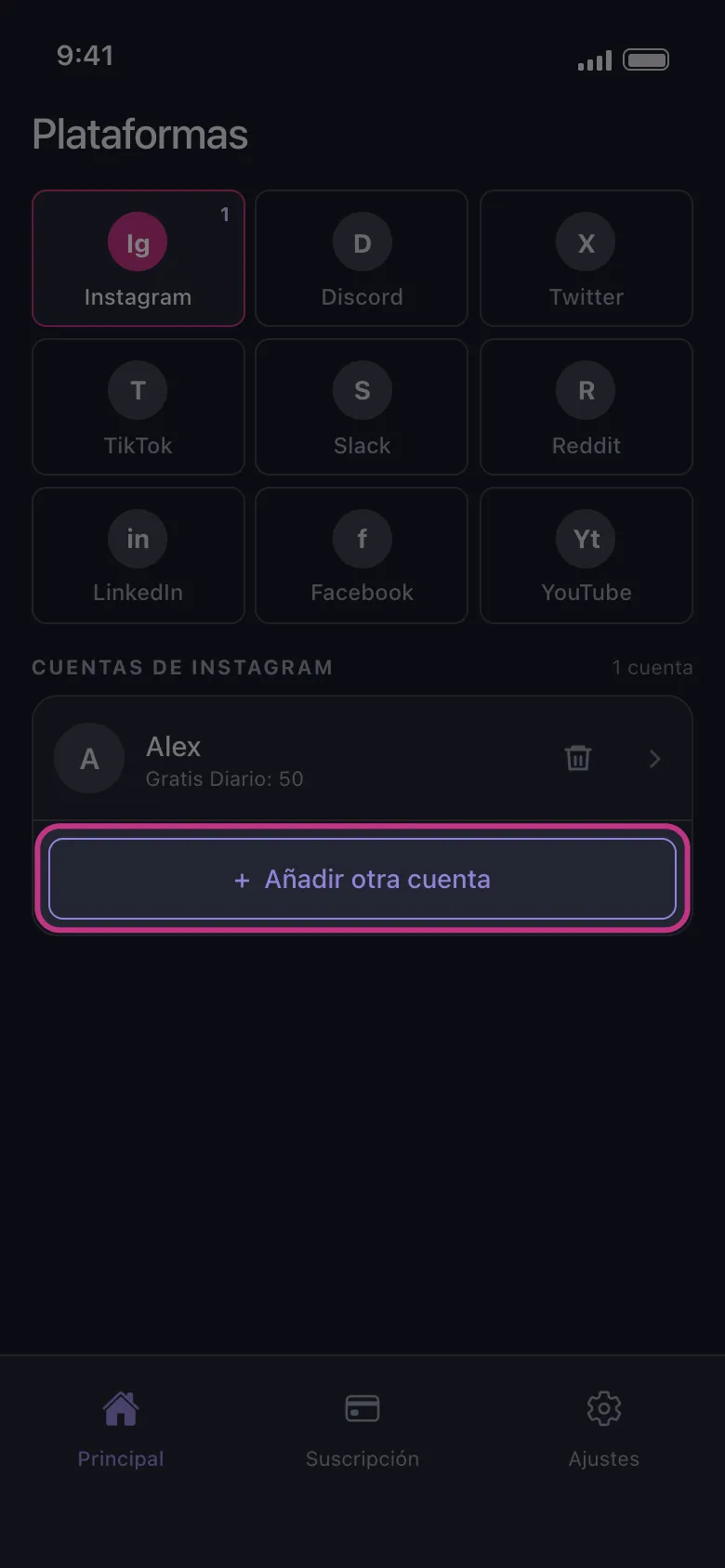
Toca Añadir otra cuenta
En la pestaña Principal, toca el recuadro de la plataforma. Debajo de la cuenta que ya tienes, toca Añadir otra cuenta. La página de inicio de sesión de la plataforma se abre limpia, sin la sesión de tu primera cuenta: inicia sesión con la segunda. Si la cuenta que quieres ya aparece con «No conectado: toca para iniciar sesión», toca esa fila. Nadie de Unpost te pedirá nunca tu contraseña ni un código de inicio de sesión.
En la app Principal → Instagram → Añadir otra cuenta
- 02
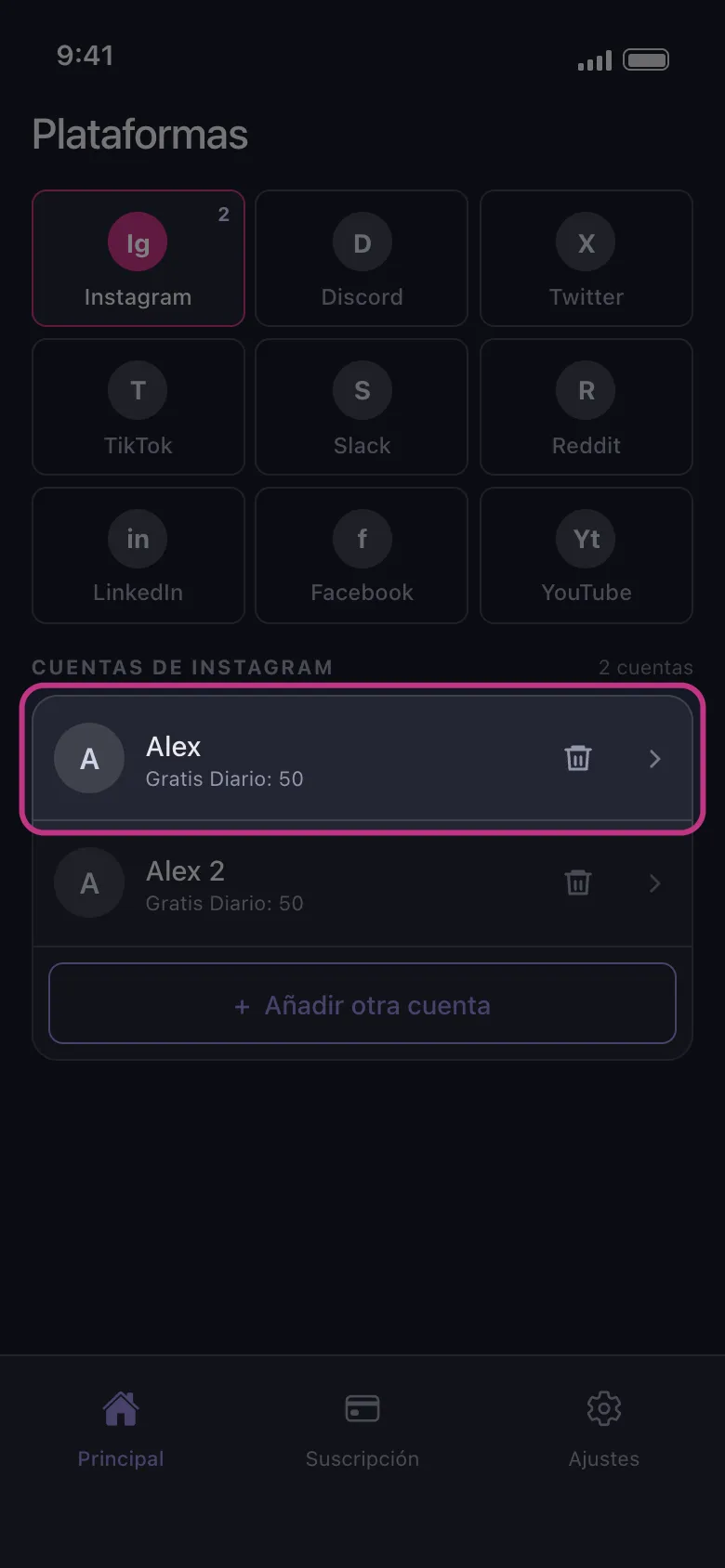
Encuentra las dos cuentas en la lista
Al terminar el inicio de sesión, la página se cierra y la cuenta nueva aparece bajo la primera. En el plan gratuito, cada fila muestra lo que esa cuenta todavía puede borrar hoy, por ejemplo Gratis Diario: 50. El cupo pertenece a la cuenta, así que agotar las 50 de una cuenta no cambia las de la otra.
En la app Principal → Instagram
- 03
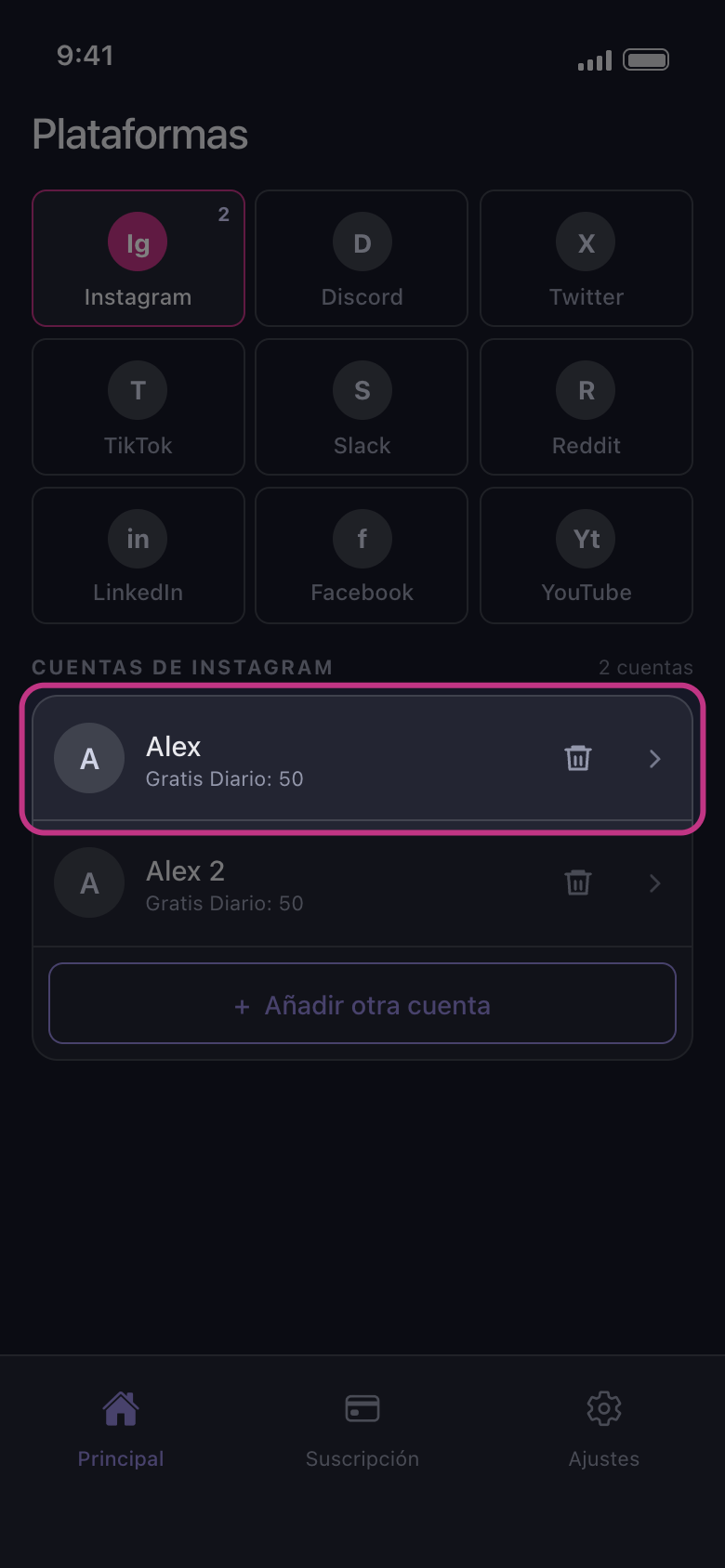
Toca la cuenta que quieres limpiar
La limpieza actúa sobre la cuenta que tocaste y sobre ninguna otra. En X, Discord, Slack y Reddit se abre primero el panel ¿Cómo quieres eliminar?; en las demás plataformas se abre directamente la lista de lo que se puede borrar. Al abrirse no hay nada marcado: lo que elegiste en una limpieza anterior o en la otra cuenta no se conserva. Si a esa cuenta no le quedan eliminaciones gratuitas hoy, se abre Límite diario alcanzado (nunca en Reddit, que no tiene límite diario).
En la app Principal → Instagram → cuenta
Bueno saberlo
- En YouTube, un solo inicio de sesión con Google puede añadir varias filas: la cuenta de Google y luego cada canal de marca y cada canal que solo gestiona. Consulta YouTube: inicia sesión con Google y elige el canal correcto.
- En Instagram, una cuenta vinculada a la que usaste para iniciar sesión puede aparecer sola, con «No conectado: toca para iniciar sesión». Toca esa fila para iniciar sesión también en ella, o quítala con el icono de la papelera.
- Volver a iniciar sesión en una cuenta que ya está en la lista sustituye su fila, que pasa al final de la lista; no se añade dos veces.
- Añadir cuentas no requiere Premium. Premium quita el límite diario en todas las cuentas a la vez.
Más guías