
Cómo iniciar sesión y qué hacer si la cuenta no se conecta
Unpost no tiene un formulario de inicio de sesión propio ni cuentas de Unpost. Al conectar, se abre dentro de la app la página de inicio de sesión real de la plataforma: inicias sesión ahí, Unpost nunca guarda tu contraseña y la sesión se queda en tu teléfono. No hay ninguna pantalla de permisos que aceptar: cuando la página se cierra, la cuenta está conectada. Nadie de Unpost te pedirá nunca tu contraseña ni un código de inicio de sesión.
- 01
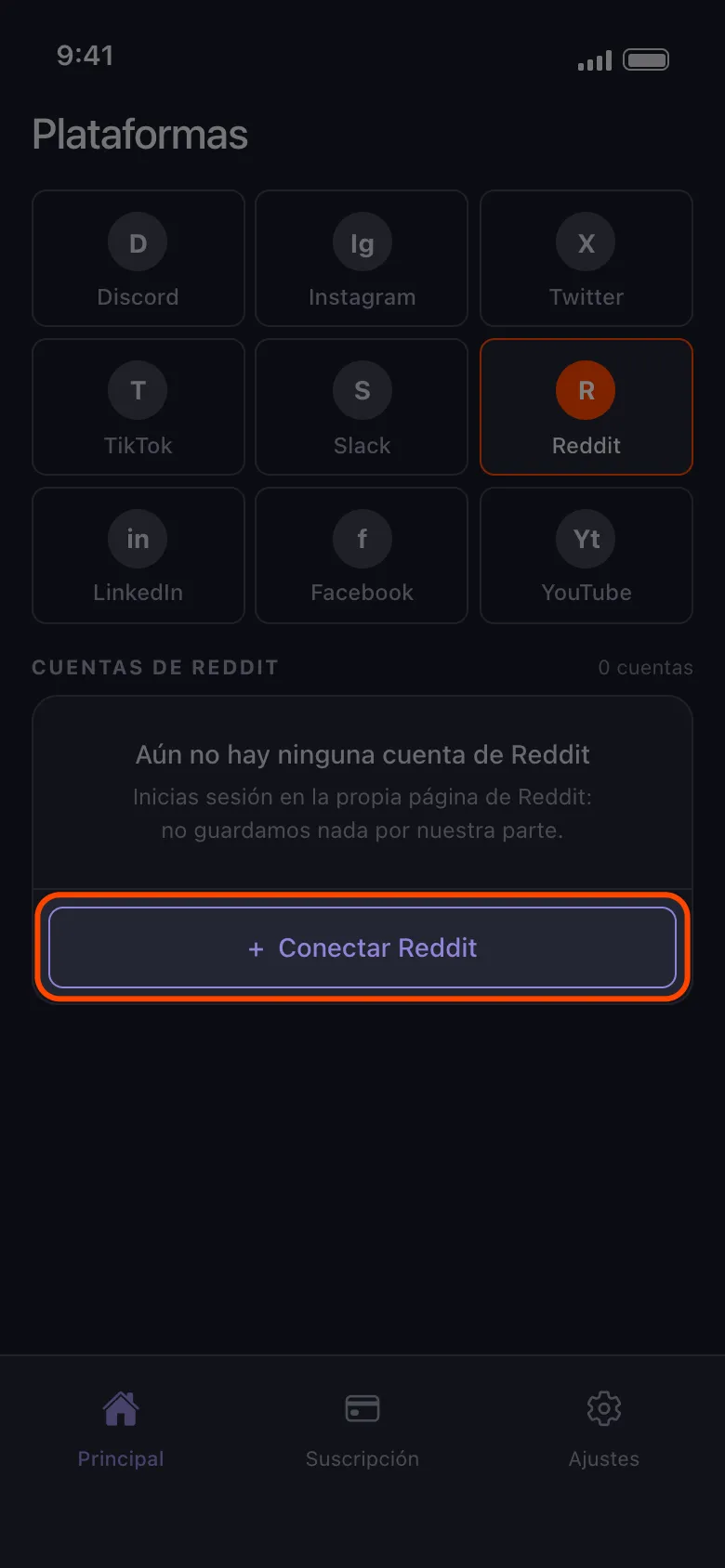
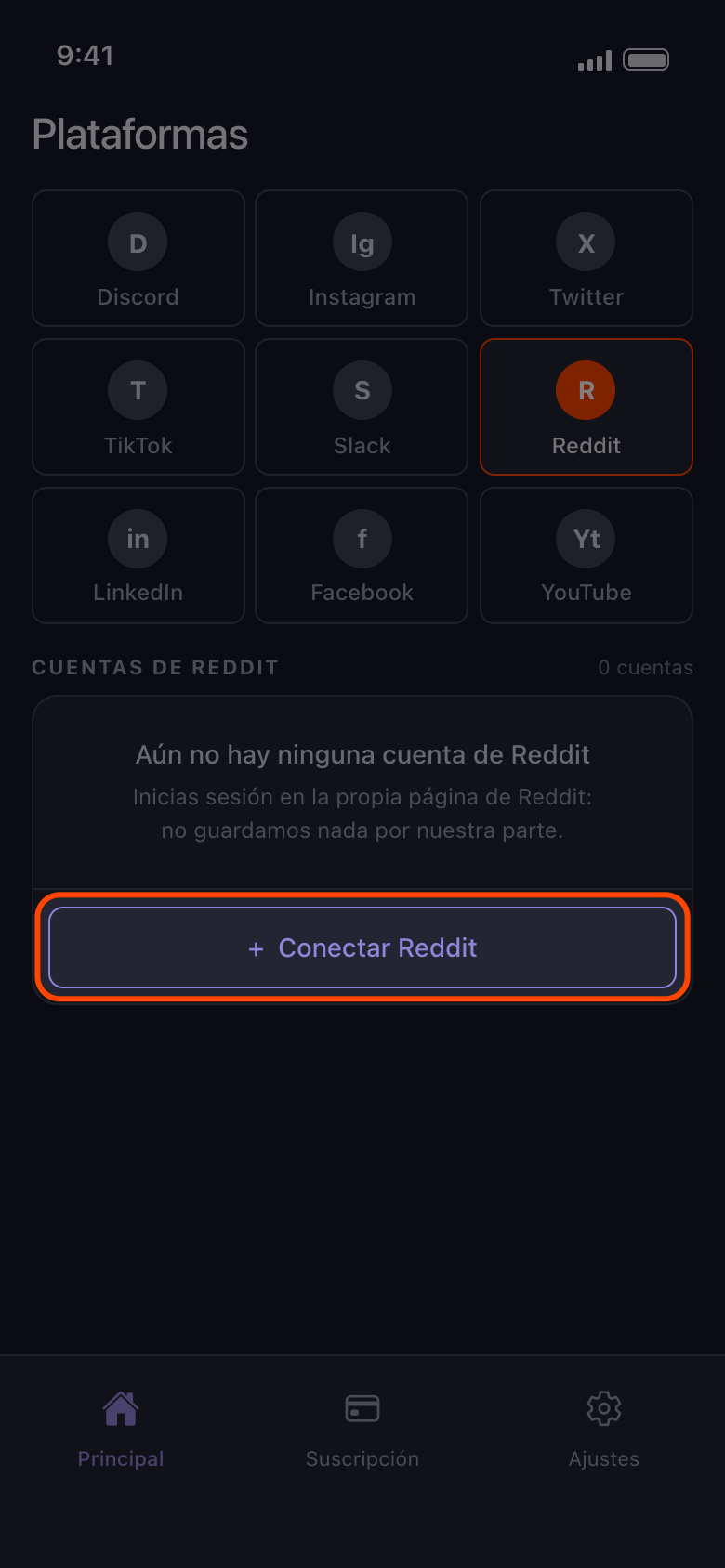
Toca el botón Conectar, o Añadir otra cuenta
Abre la pestaña Principal, elige la plataforma y toca el botón que dice Conectar y el nombre de la plataforma (aquí, Conectar Reddit), o Añadir otra cuenta si ya hay una.
En la app Principal → Reddit → Conectar Reddit
- 02
Inicia sesión con tu nombre de usuario y tu contraseña
Usa el formulario de la página de inicio de sesión que se abre, con el código de verificación en dos pasos o el captcha que te pida la plataforma. En Android, botones como Continuar con Google o Continuar con Apple abren tu navegador, y un inicio de sesión terminado allí nunca llega a Unpost: cierra el navegador, vuelve a la página de inicio de sesión y usa el formulario de usuario y contraseña. Si siempre has entrado con Google o con Apple, crea primero una contraseña, normalmente desde la opción de la plataforma para recuperar la contraseña. En un iPhone, si Google te pide una llave de acceso, elige otra forma de iniciar sesión y escribe tu contraseña de Google.
En la app Conectar Reddit → página de inicio de sesión de Reddit
- 03
Espera a que la página se cierre sola
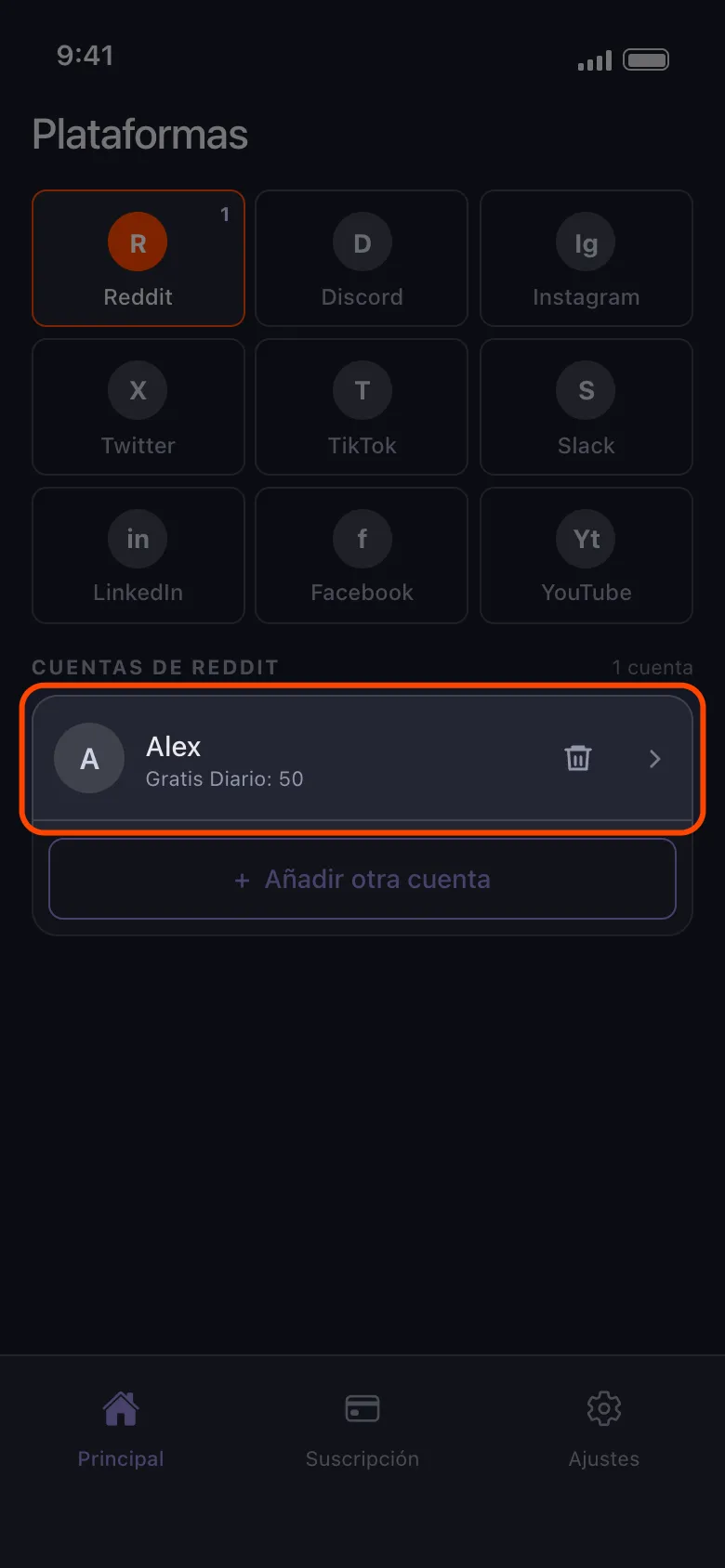
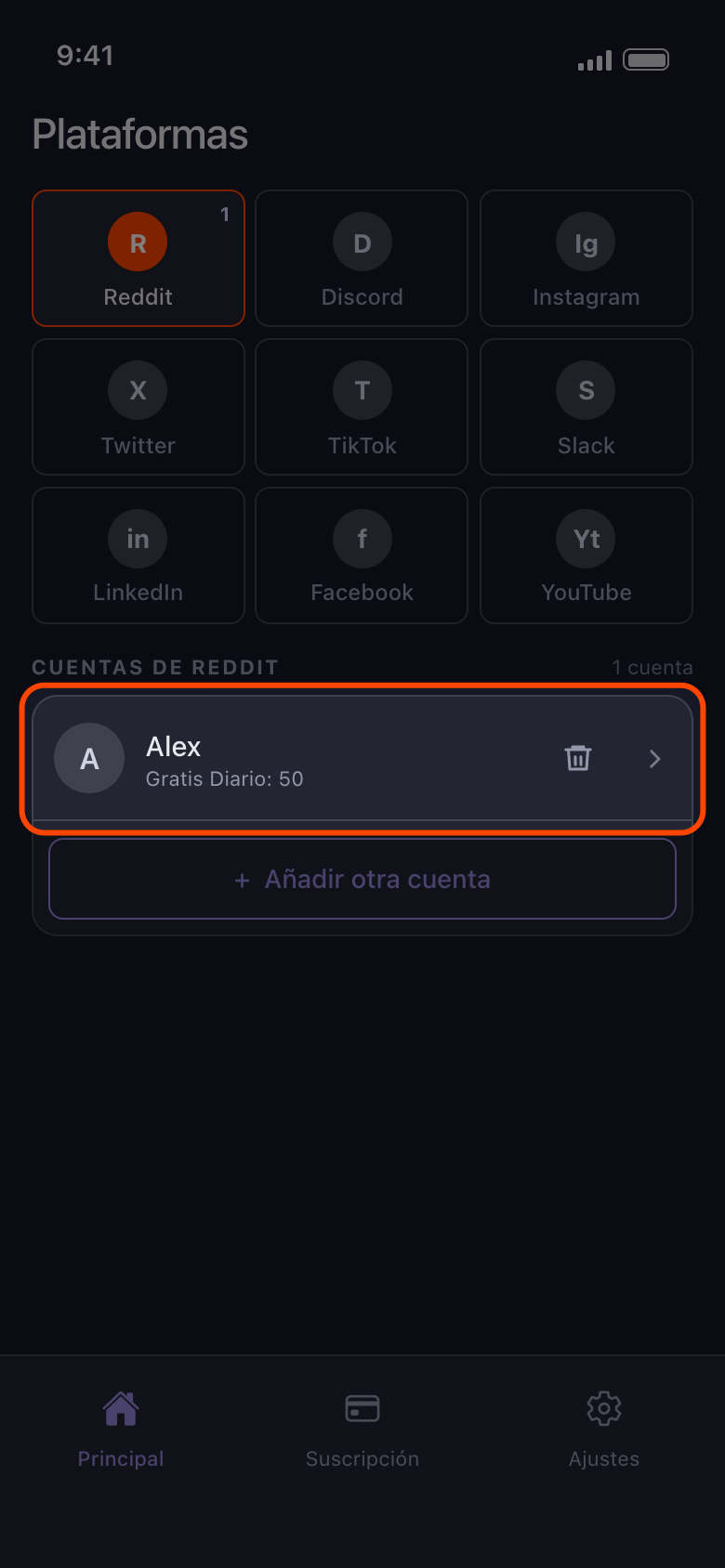
Cuando se completa el inicio de sesión, Unpost cierra la página y la cuenta aparece en la lista. Si la página sigue cargando más de uno o dos minutos, toca la flecha para volver e inténtalo de nuevo. Si se cierra pero no aparece ninguna cuenta, vuelve a tocar Conectar Reddit. Iniciar sesión solo conecta la cuenta: para borrar, tócala y elige qué se borra (consulta Cómo añadir una cuenta y hacer tu primera limpieza).
En la app Principal → Reddit
- 04
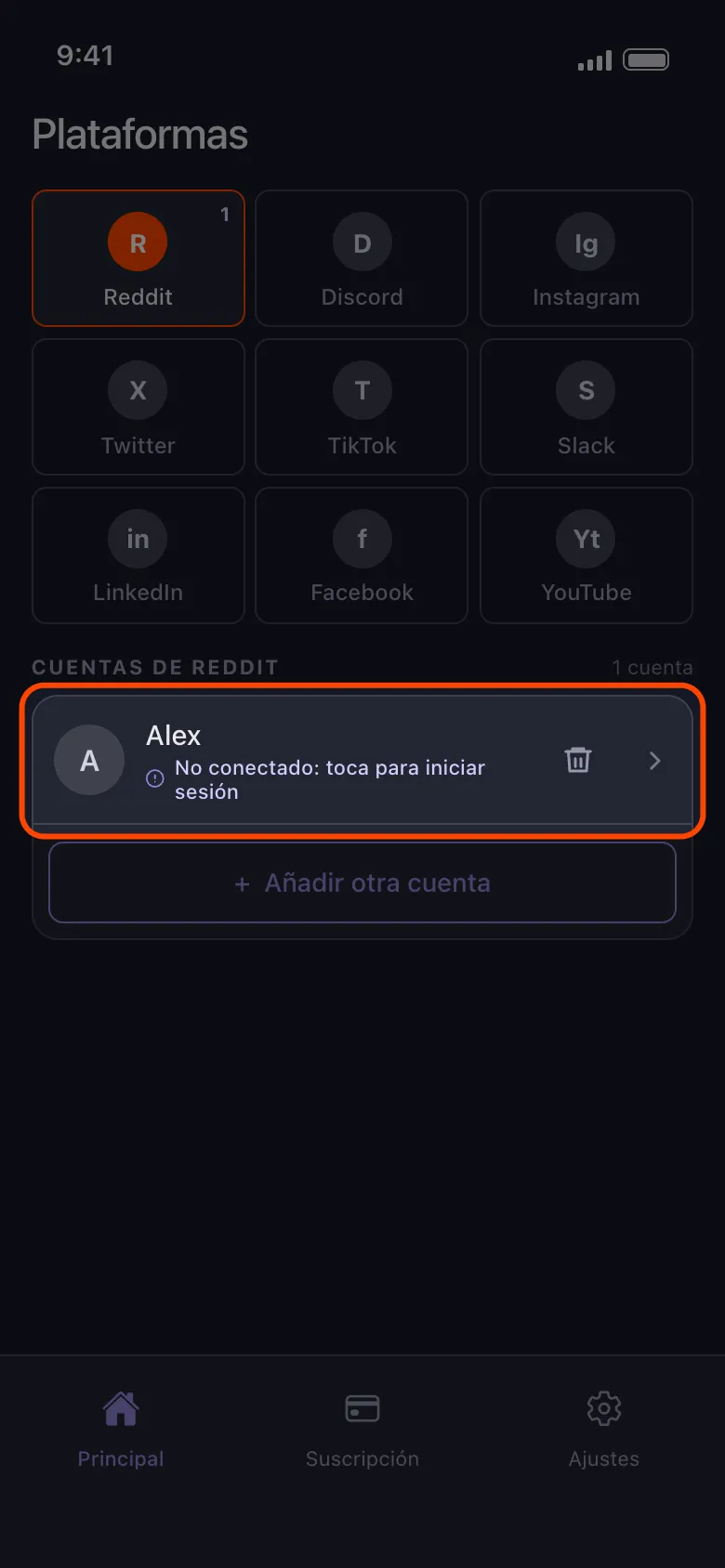
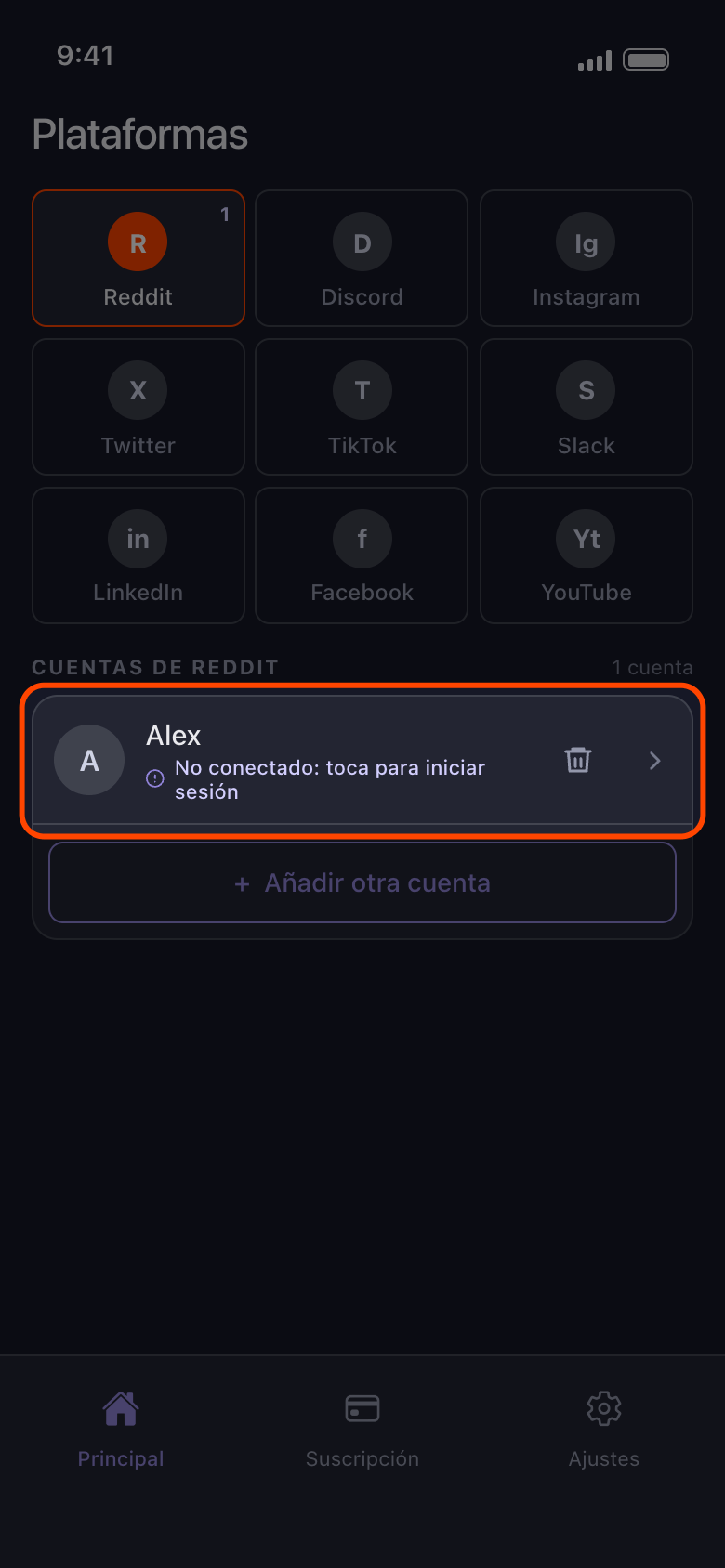
Si una cuenta dice No conectado, tócala
La plataforma cerró la sesión que Unpost guarda para esa cuenta. Tener la sesión iniciada en la app de la propia plataforma, la de TikTok por ejemplo, no cambia nada: Unpost guarda su propia sesión en este teléfono. Al tocar la fila se abre la página de inicio de sesión de esa cuenta. Inicia sesión en la misma cuenta y la fila se actualiza en vez de duplicarse; si tienes varias cuentas, pasa al final de la lista. Una cuenta distinta se añade como fila nueva, y la que dice «No conectado: toca para iniciar sesión» se queda hasta que la quites.
En la app Principal → Reddit → No conectado: toca para iniciar sesión
- 05
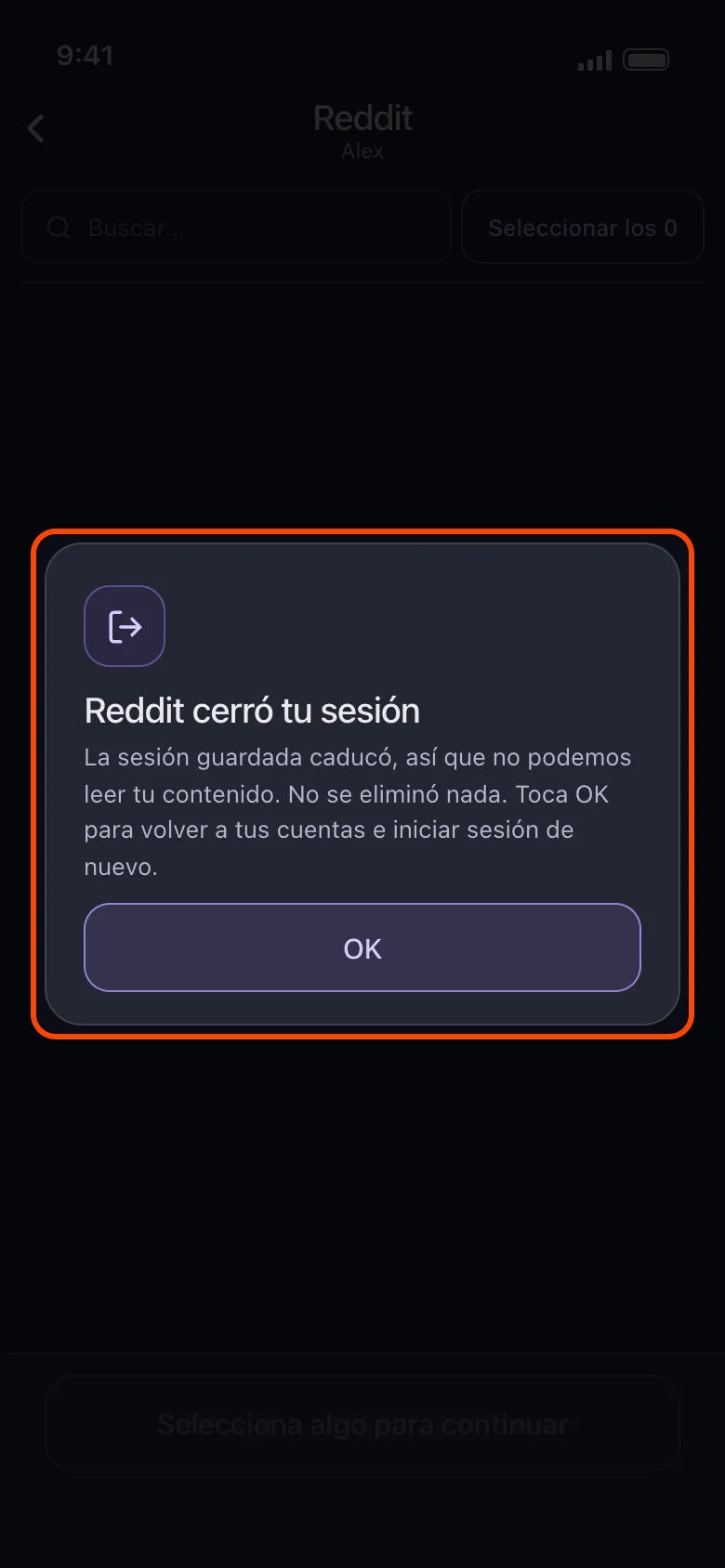
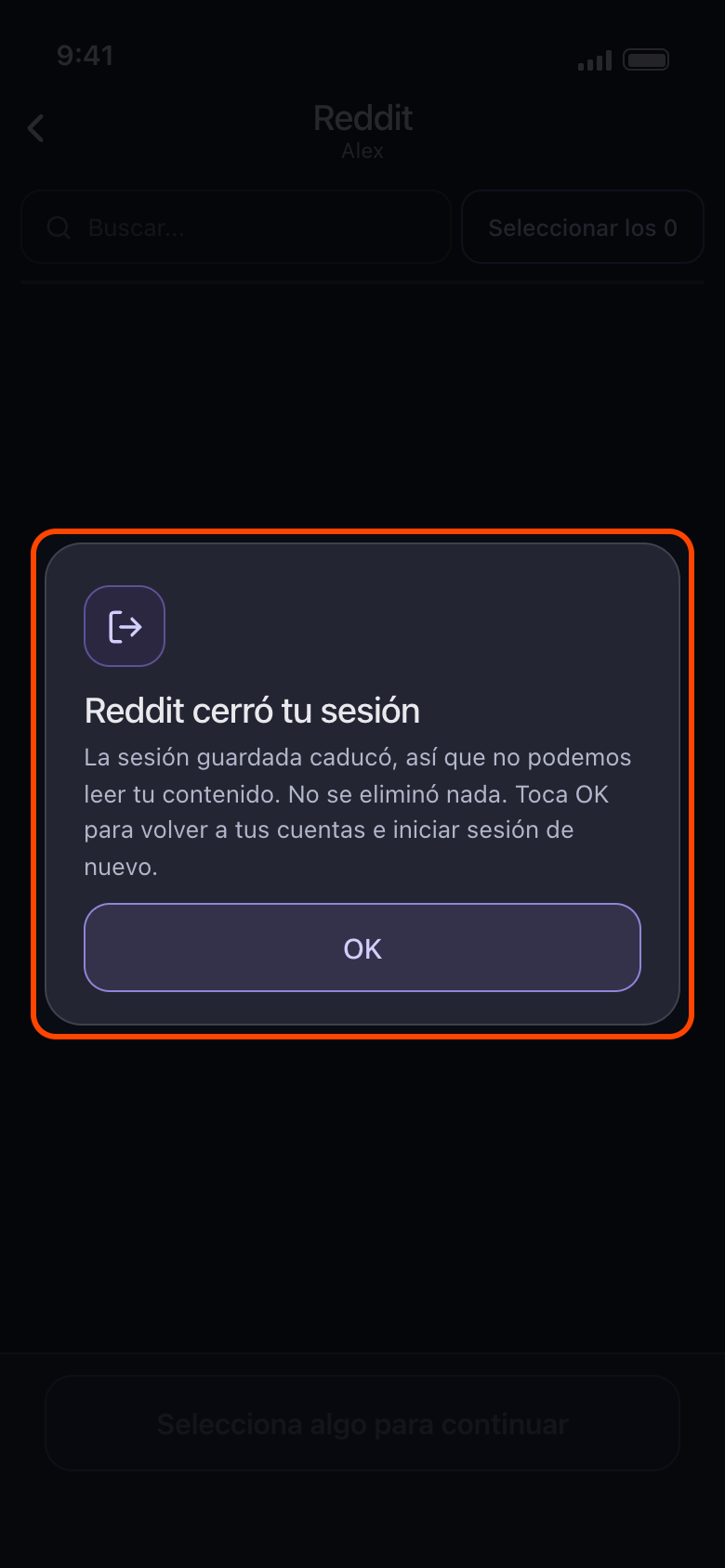
Si ves «Reddit cerró tu sesión», toca OK
La sesión había caducado cuando abriste la cuenta, y no se borró nada. OK te devuelve a tus cuentas, donde la fila ahora dice «No conectado: toca para iniciar sesión». Tócala y vuelve a iniciar sesión. Si una limpieza se detuvo porque la plataforma cerró la sesión de la cuenta, lo dice la pantalla de resultado: toca la fila de la cuenta en Principal, vuelve a iniciar sesión y empieza la limpieza de nuevo.
En la app Principal → Reddit → cuenta → Eliminar de Reddit → OK
- 06
Si una cuenta sigue fallando, actualiza Unpost y vuelve a añadirla
Primero actualiza Unpost a la última versión (la versión aparece al final de Ajustes). Si la cuenta sigue fallando, quítala y vuelve a añadirla, y luego empieza una limpieza nueva (consulta Cómo quitar una cuenta de Unpost); en Discord, X y Reddit, quitar una cuenta también borra su paquete de datos importado, así que vuelve a importarlo. Si es X quien rechaza el inicio de sesión, inicia sesión primero en esa cuenta en la app de X y vuelve a intentarlo en Unpost más tarde.
Bueno saberlo
- Cada página de inicio de sesión se abre con la sesión cerrada, nunca con otra cuenta iniciada, así que la plataforma puede pedirte el código de verificación en dos pasos cada vez.
- En YouTube inicias sesión en la propia página de Google. Un solo inicio de sesión añade la cuenta de Google, y luego cada canal de marca y cada canal que solo gestiona aparece en su propia fila: consulta YouTube: inicia sesión con Google y elige el canal correcto.
- En Instagram, una cuenta vinculada a la que usaste para iniciar sesión puede aparecer sola, marcada «No conectado: toca para iniciar sesión». Tócala para iniciar sesión también en esa cuenta, o quítala con el icono de la papelera. Para añadir otra cuenta de Instagram, usa Añadir otra cuenta, no una fila así. Si el inicio de sesión se queda en el feed de Instagram, te cierra la sesión enseguida o te pide una fecha de nacimiento, consulta Instagram no se conecta: se queda en el feed, se cierra la sesión o pide tu fecha de nacimiento.
- Si en lugar de la página de inicio de sesión ves No se pudo iniciar Unpost, Unpost no pudo cargar lo que necesita: toca Intentar de nuevo y, si sigue fallando, revisa tu conexión o actualiza Unpost; tus cuentas siguen como están. En Android, si aparece justo después de tocar un botón Conectar o una cuenta, consulta Por qué Unpost se detiene en un teléfono rooteado o un emulador. Un recuadro de error en lugar de la página de inicio de sesión significa que la página de la plataforma no cargó: revisa tu conexión e inténtalo de nuevo.
- Las cuentas de Reddit también muestran Gratis Diario: 50, pero Reddit no tiene límite diario.
- ¿Sigues sin poder conectar? Ajustes → Contactar Soporte abre un correo a contact@unpost.app. Indica qué plataforma es y qué mostró la página de inicio de sesión.
Más guías