
كيف تسجّل الدخول، وتحلّ مشكلة تسجيل دخول لا يكتمل
ليس في Unpost نموذج تسجيل دخول خاص به، ولا حساب Unpost. الربط يفتح صفحة تسجيل الدخول الحقيقية للمنصة داخل التطبيق: تسجّل الدخول هناك، ولا يخزّن Unpost كلمة مرورك أبدًا، ويبقى تسجيل الدخول على هاتفك. لا توجد شاشة أذونات لتوافق عليها: عندما تُغلق الصفحة يكون الحساب قد رُبط. لن يطلب منك أحد من Unpost أبدًا كلمة مرورك أو رمز تسجيل الدخول.
- 01
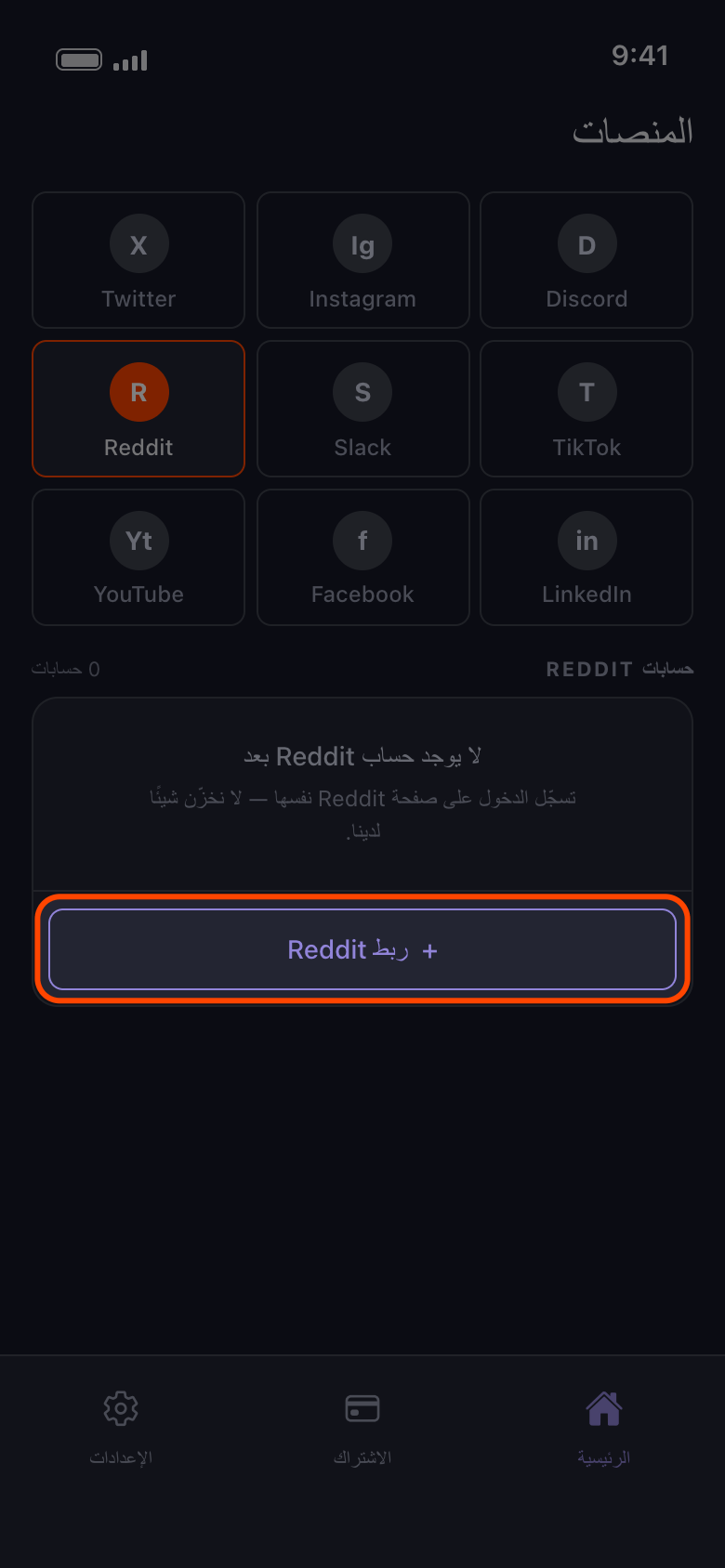
اضغط زر الربط، أو «إضافة حساب آخر»
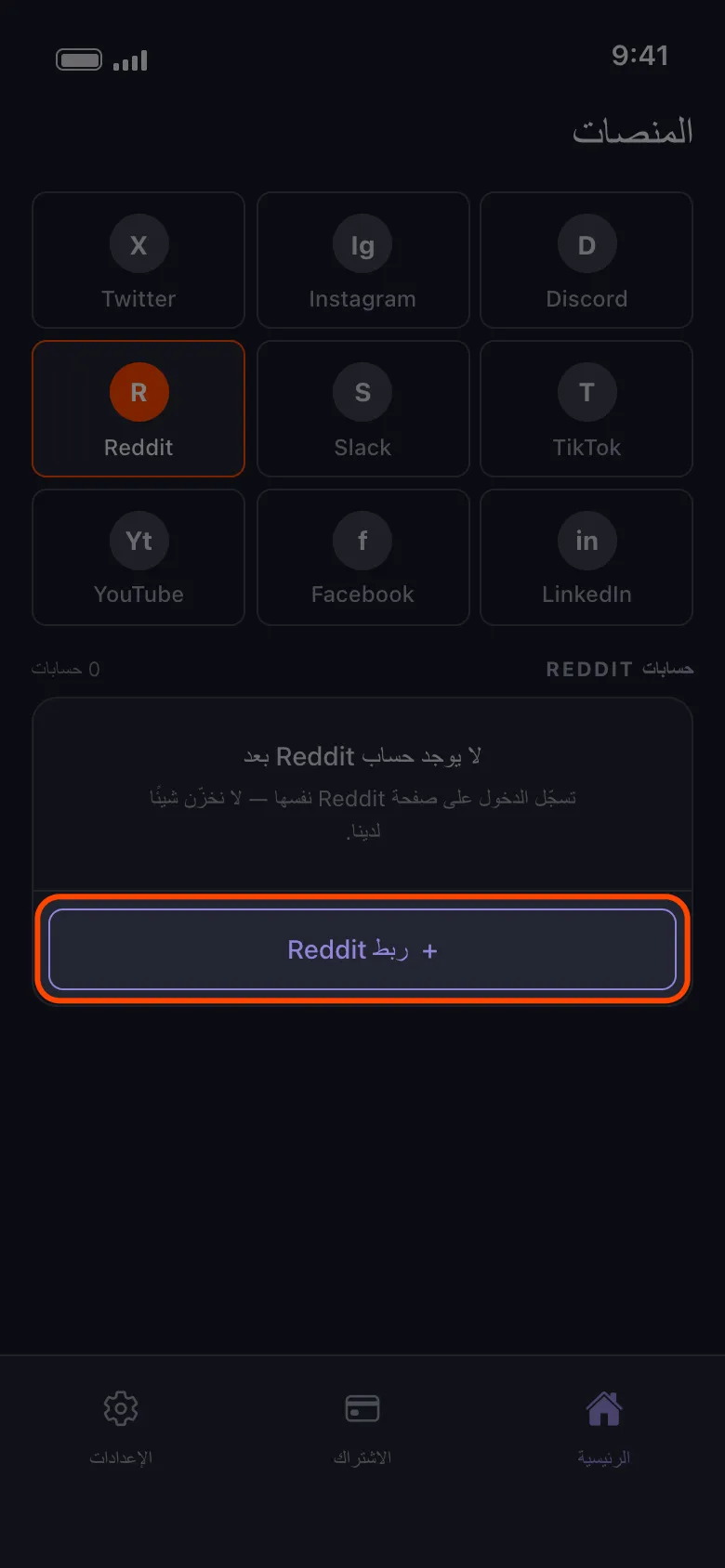
افتح تبويب «الرئيسية»، واختر المنصة، واضغط الزر الذي يحمل كلمة «ربط» واسم المنصة (هنا «ربط Reddit»)، أو «إضافة حساب آخر» إذا كان هناك حساب مضاف من قبل.
في التطبيق الرئيسية ← Reddit ← ربط Reddit
- 02
سجّل الدخول باسم المستخدم وكلمة المرور
استخدم النموذج في صفحة تسجيل الدخول التي تُفتح، مع أي رمز مصادقة ثنائية أو اختبار تحقق (CAPTCHA) تطلبه المنصة. على Android تفتح أزرار مثل المتابعة باستخدام Google أو Apple متصفحك، وتسجيل الدخول الذي يكتمل هناك لا يصل أبدًا إلى Unpost: أغلق المتصفح، وعد إلى صفحة تسجيل الدخول، واستخدم نموذج اسم المستخدم وكلمة المرور. وإذا كنت تسجّل الدخول دائمًا عبر Google أو Apple، فعيّن كلمة مرور أولًا، ويكون ذلك عادةً من رابط نسيان كلمة المرور في المنصة. وعلى iPhone، إذا طلب Google مفتاح مرور، فاختر طريقة أخرى لتسجيل الدخول واكتب كلمة مرور Google.
في التطبيق ربط Reddit ← صفحة تسجيل الدخول في Reddit
- 03
انتظر حتى تُغلق الصفحة تلقائيًا
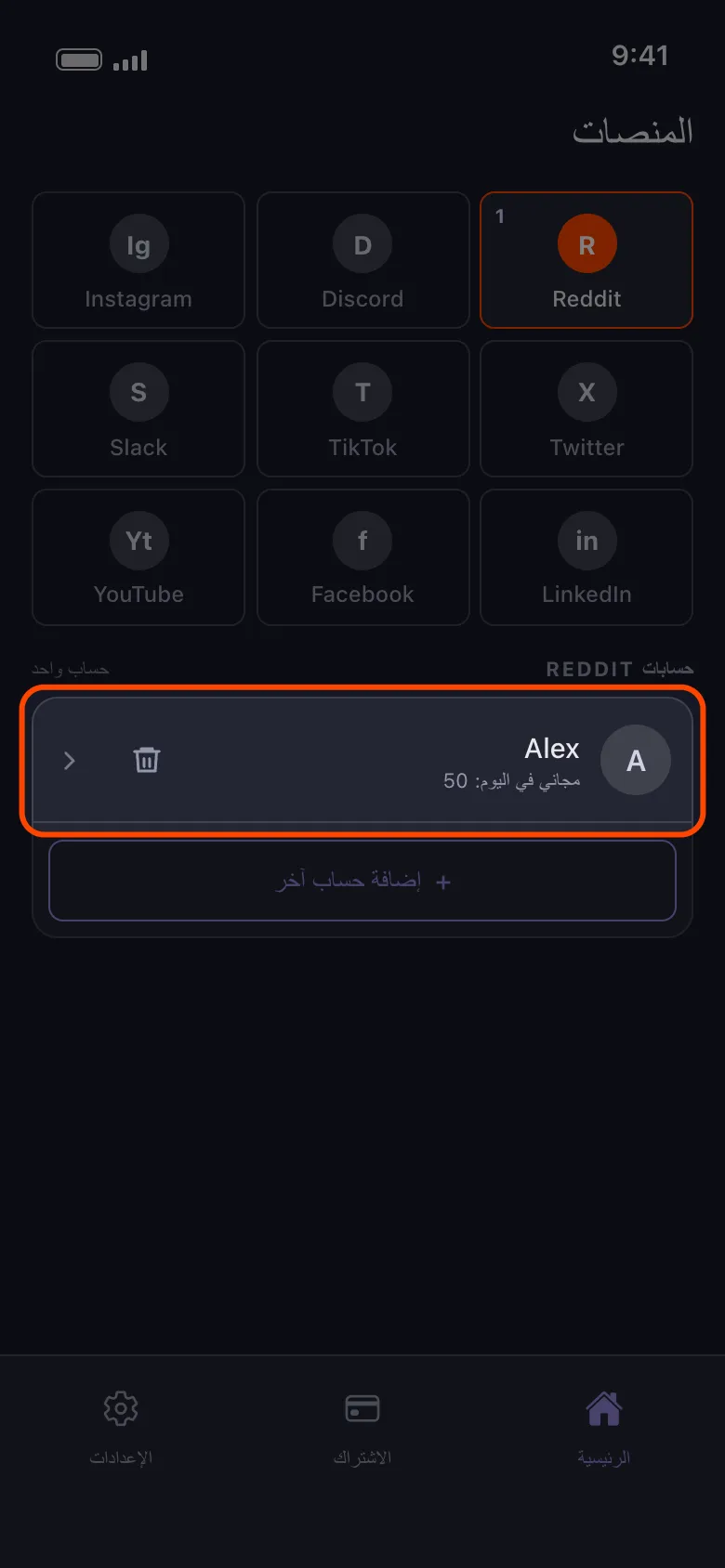
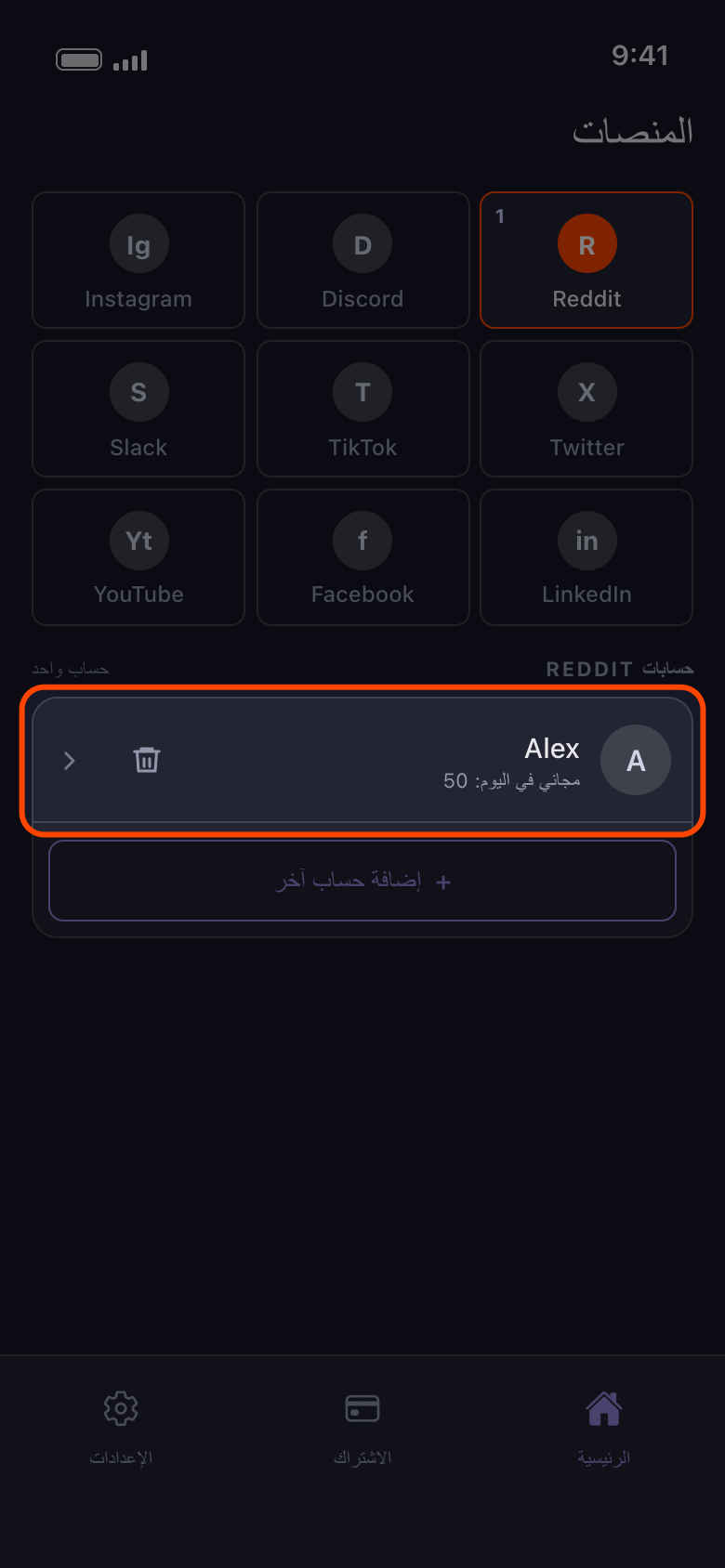
عند اكتمال تسجيل الدخول يغلق Unpost الصفحة ويظهر الحساب في القائمة. إذا ظلت الصفحة تُحمَّل أكثر من دقيقة أو دقيقتين، فاضغط سهم الرجوع وحاول مرة أخرى. وإذا أُغلقت دون أن يظهر أي حساب، فاضغط «ربط Reddit» مرة أخرى. تسجيل الدخول يربط الحساب فقط: للحذف اضغط عليه واختر ما يُحذف (راجع «كيف تضيف حسابًا وتُجري أول عملية تنظيف»).
في التطبيق الرئيسية ← Reddit
- 04
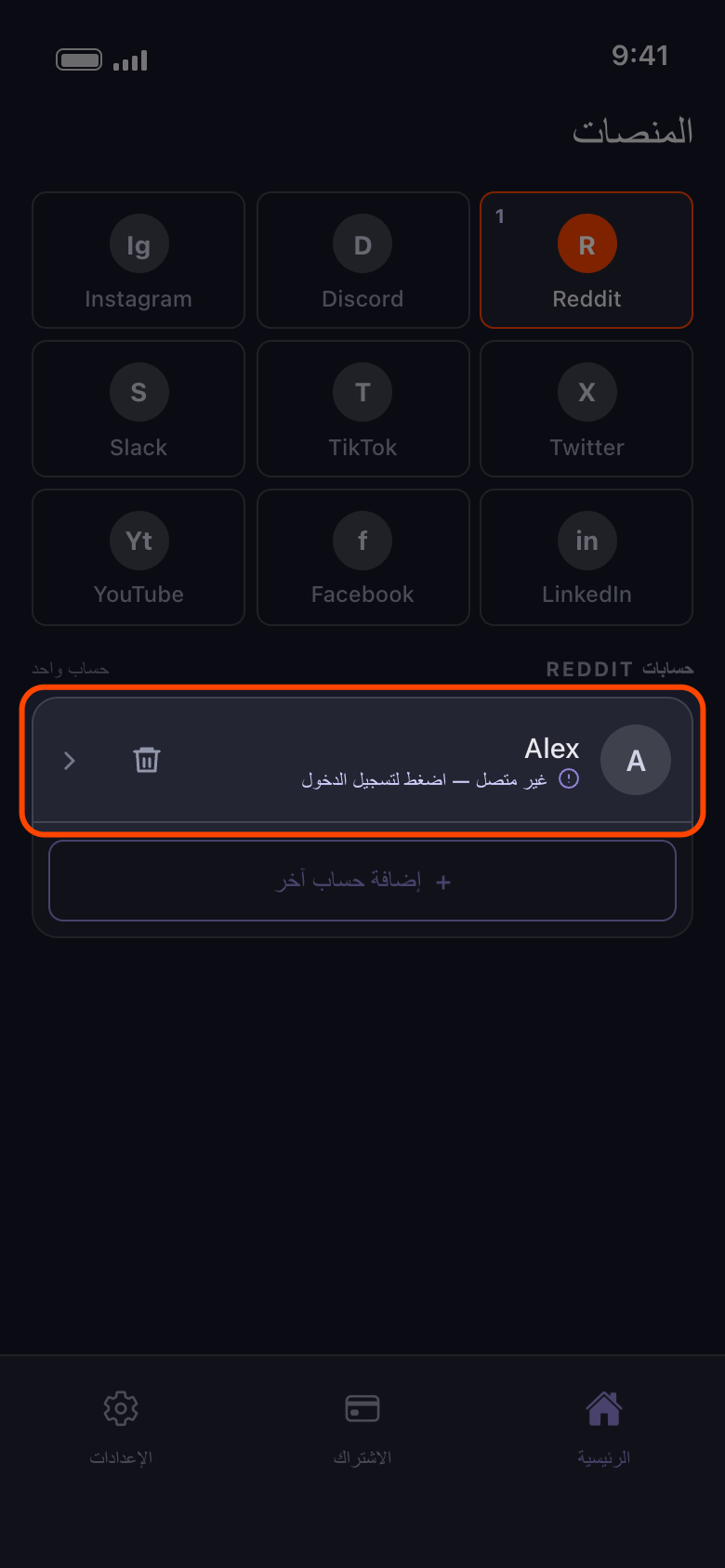
إذا ظهر حساب غير متصل، فاضغط عليه
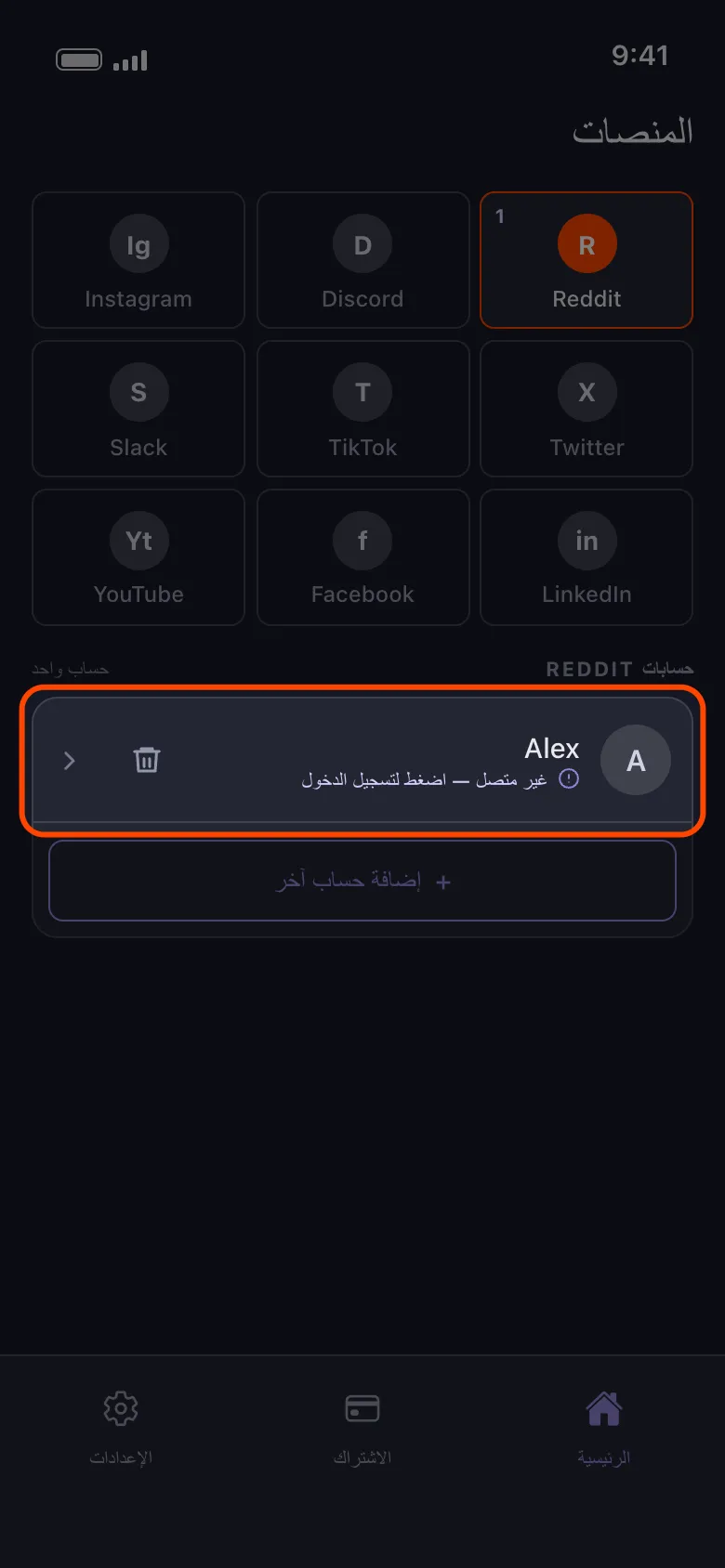
أنهت المنصة تسجيل الدخول الذي يحتفظ به Unpost لذلك الحساب. ولا يغيّر ذلك أنك مسجّل الدخول في تطبيق المنصة نفسها، كتطبيق TikTok مثلًا: فـUnpost يحتفظ بتسجيل دخول خاص به على هذا الهاتف. الضغط على الصف يفتح صفحة تسجيل الدخول لذلك الحساب. إذا سجّلت الدخول إلى الحساب نفسه، يُحدَّث الصف بدل أن يُضاف مرتين؛ ومع عدة حسابات ينتقل إلى أسفل القائمة. أما الحساب المختلف فيُضاف في صف جديد، ويبقى الصف الذي يظهر عليه «غير متصل — اضغط لتسجيل الدخول» حتى تزيله.
في التطبيق الرئيسية ← Reddit ← غير متصل — اضغط لتسجيل الدخول
- 05
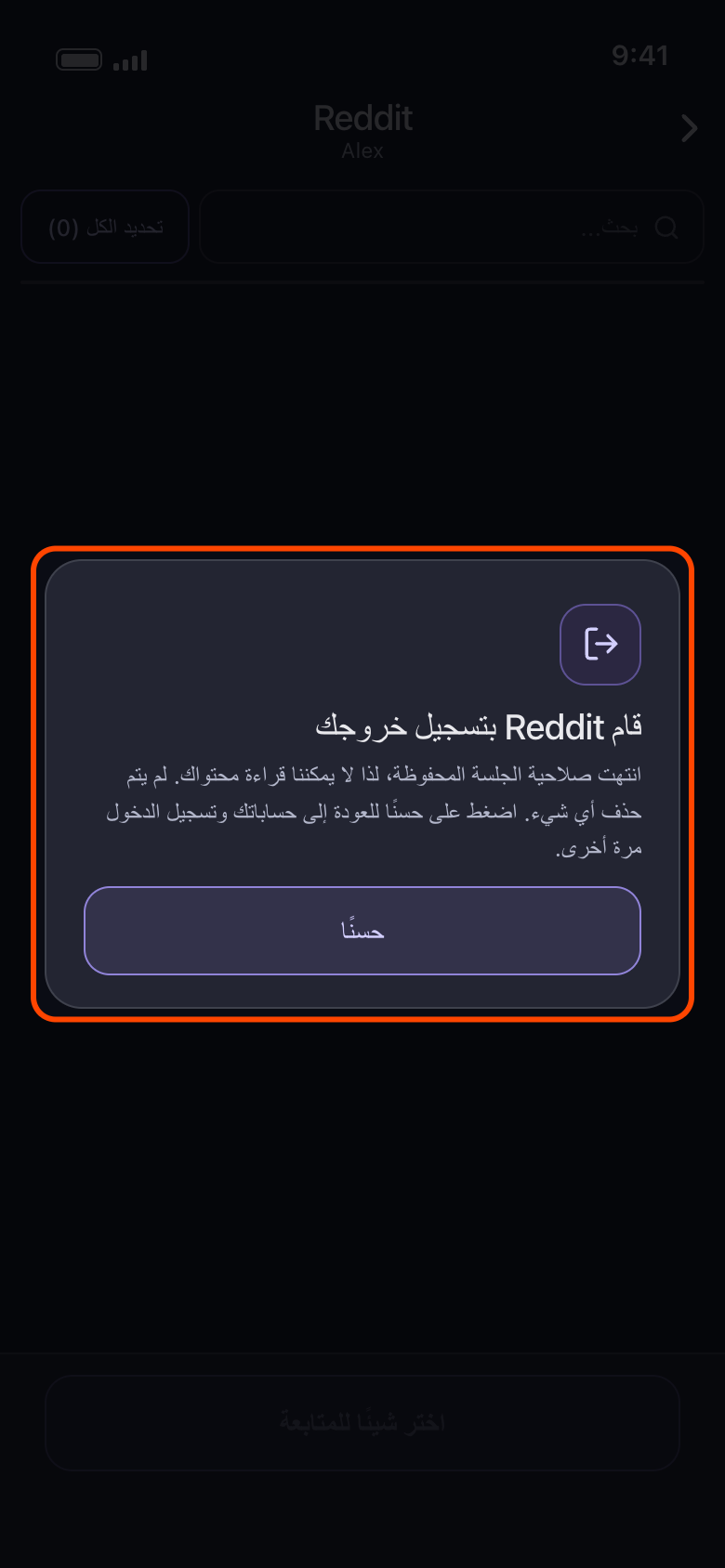
إذا رأيت «قام Reddit بتسجيل خروجك»، فاضغط «حسنًا»
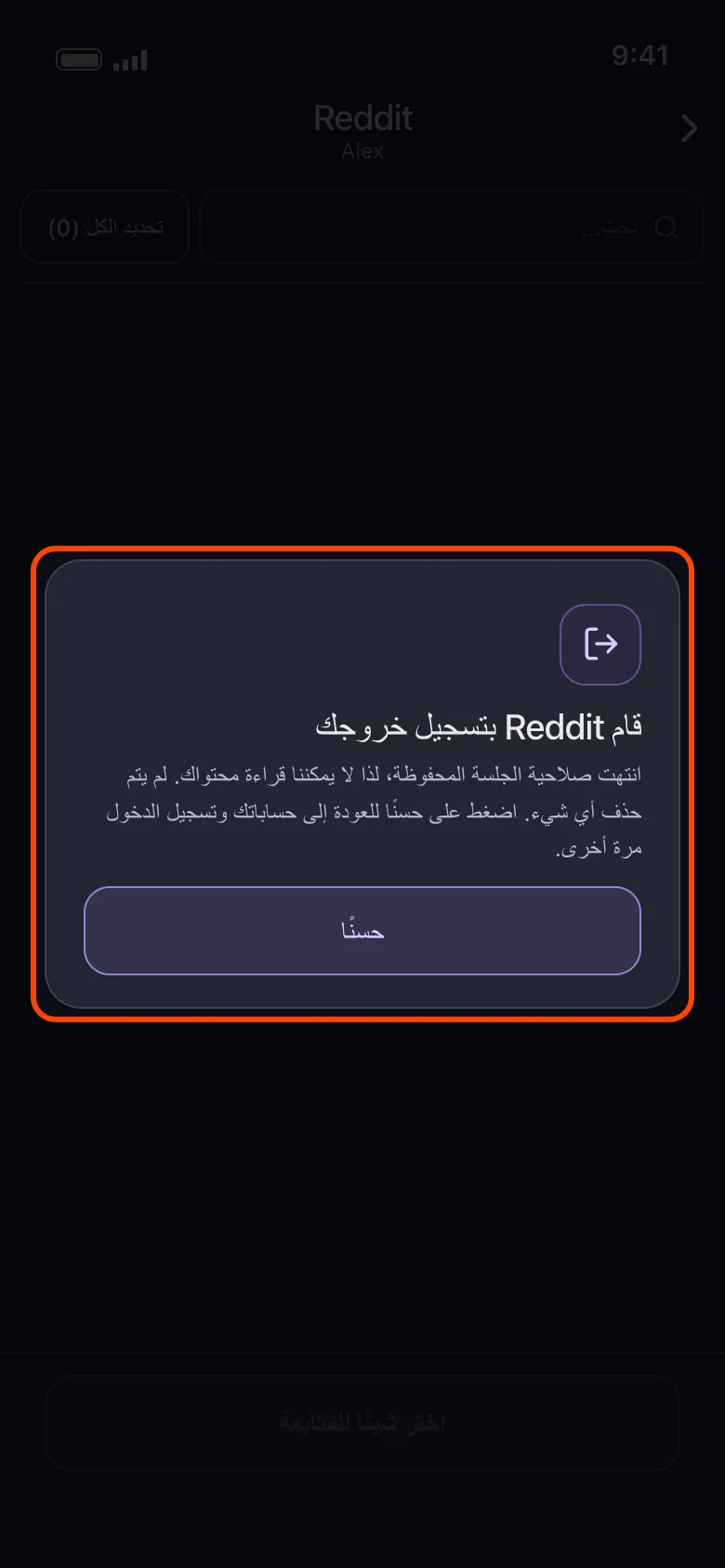
كانت صلاحية تسجيل الدخول قد انتهت عندما فتحت الحساب، ولم يُحذف شيء. يعيدك «حسنًا» إلى حساباتك، وقد صار الصف يحمل «غير متصل — اضغط لتسجيل الدخول». اضغط عليه وسجّل الدخول مرة أخرى. وإذا توقفت عملية لأن المنصة سجّلت خروج الحساب، فشاشة النتيجة هي التي تقول ذلك: اضغط على صف الحساب في «الرئيسية»، وسجّل الدخول مرة أخرى، ثم ابدأ العملية من جديد.
في التطبيق الرئيسية ← Reddit ← الحساب ← احذف من ريديت ← حسنًا
- 06
إذا استمر فشل حساب، فحدّث Unpost ثم أضفه من جديد
حدّث Unpost أولًا إلى أحدث إصدار (رقم الإصدار في أسفل «الإعدادات»). وإذا استمر فشل الحساب، فأزله وأضفه من جديد، ثم ابدأ عملية جديدة (راجع «كيف تزيل حسابًا من Unpost»)؛ وعلى Discord وX وReddit تمسح إزالة الحساب أيضًا حزمة البيانات التي استوردتها له، فاستوردها مرة أخرى. وإذا رفض X تسجيل الدخول نفسه، فسجّل الدخول إلى ذلك الحساب في تطبيق X أولًا، ثم حاول مرة أخرى في Unpost لاحقًا.
معلومات مفيدة
- تُفتح كل صفحة تسجيل دخول دون أي حساب مسجّل، لا على حساب آخر، لذا قد تطلب المنصة رمز المصادقة الثنائية في كل مرة.
- على YouTube تسجّل الدخول على صفحة Google نفسها. يضيف تسجيل دخول واحد حساب Google، ثم تظهر كل قناة علامة تجارية وكل قناة يديرها الحساب فقط في صف خاص بها: راجع «YouTube: سجّل الدخول بحساب Google واختر القناة الصحيحة».
- على Instagram قد يظهر وحده حساب مرتبط بالحساب الذي سجّلت الدخول به، وعليه «غير متصل — اضغط لتسجيل الدخول». اضغط عليه لتسجيل الدخول إلى ذلك الحساب أيضًا، أو أزله بأيقونة سلة المهملات. ولإضافة حساب Instagram مختلف استخدم «إضافة حساب آخر»، لا صفًا كهذا. وإذا بقي تسجيل الدخول على خلاصة Instagram، أو سجّل خروجك فورًا، أو طلب تاريخ ميلادك، فراجع «Instagram لا يتصل: عالق على الخلاصة، أو يسجّل خروجك، أو يطلب تاريخ ميلادك».
- ظهور «تعذّر تشغيل Unpost» بدل صفحة تسجيل الدخول يعني أن Unpost لم يتمكن من تحميل ما يحتاجه: اضغط «حاول مرة أخرى»، وإذا استمر الفشل فتحقق من اتصالك أو حدّث Unpost؛ وتبقى حساباتك كما هي. وعلى Android، إذا ظهرت مباشرة بعد ضغط زر ربط أو حساب، فراجع «لماذا يتوقف Unpost على هاتف بصلاحيات روت أو على محاكٍ». أما ظهور مربع خطأ بدل صفحة تسجيل الدخول فيعني أن صفحة المنصة لم تُحمَّل: تحقق من اتصالك وحاول مرة أخرى.
- تُظهر حسابات Reddit أيضًا «مجاني في اليوم: 50»، لكن لا يوجد حد يومي على Reddit.
- ما زلت عالقًا؟ «الإعدادات» ← «اتصل بالدعم» يفتح رسالة بريد إلكتروني إلى contact@unpost.app. اذكر المنصة وما عرضته صفحة تسجيل الدخول.
المزيد من الأدلة