
كيف تضيف حسابًا وتُجري أول عملية تنظيف
Unpost تطبيق قائم بذاته، وليس إضافة داخل Instagram أو أي تطبيق آخر، ولا يوجد حساب Unpost عليك إنشاؤه: تربط كل منصة من داخل Unpost، على صفحة تسجيل الدخول الخاصة بتلك المنصة. إليك الخطوات كاملة على X، الذي يسميه التطبيق Twitter. وتسير كل المنصات على الخطوات نفسها، وما يختلف هو ظهور النافذة في الخطوة 4 أو عدمه، وقائمة ما يمكن حذفه، وفتح شاشة خيارات بعد الخطوة 5 أو عدمه.
- 01
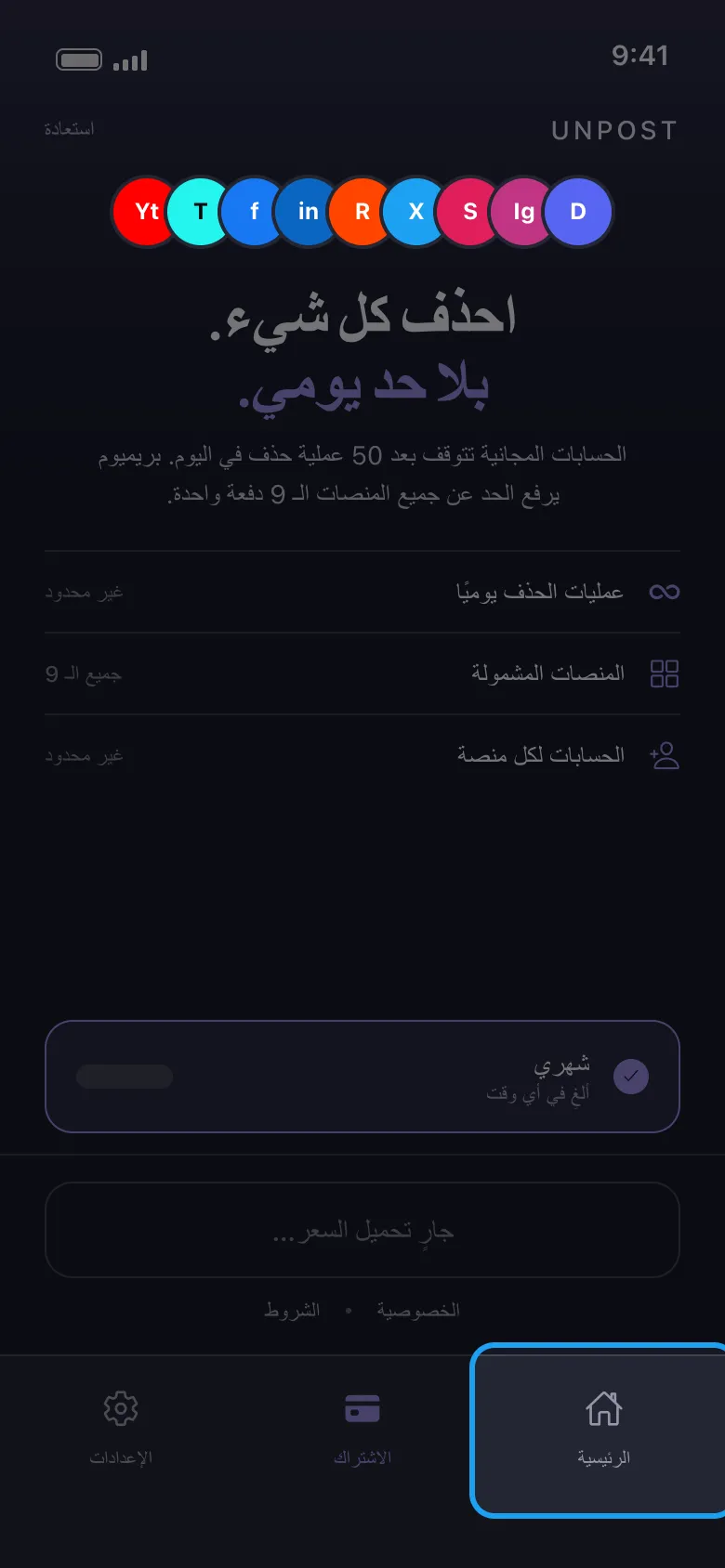
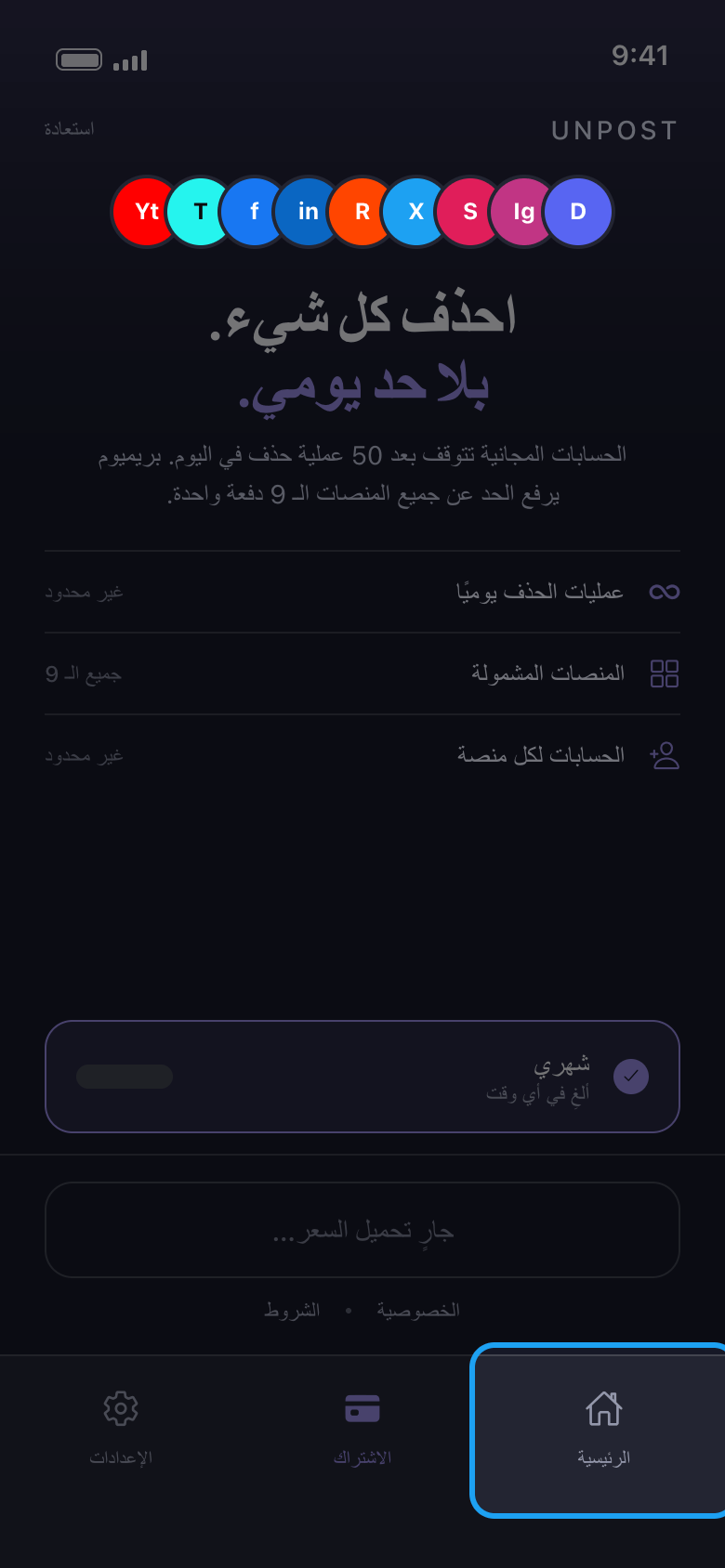
اضغط «الرئيسية» في الأسفل
عند فتحه أول مرة يطلب منك Unpost اختيار لغته («تطبيق اللغة»؛ ويمكنك تغييرها لاحقًا من «الإعدادات» ← «تغيير اللغة»)، ثم يعرض سياسة الخصوصية: اضغط «متابعة». وما دمت لا تملك Premium، يفتح Unpost بعد ذلك على تبويب «الاشتراك». لا تحتاج إلى الاشتراك: يمكنك تجربة Unpost مجانًا أولًا، بما يصل إلى 50 عملية حذف يوميًا لكل حساب. اضغط «الرئيسية» للوصول إلى منصاتك.
في التطبيق الاشتراك ← الرئيسية
- 02
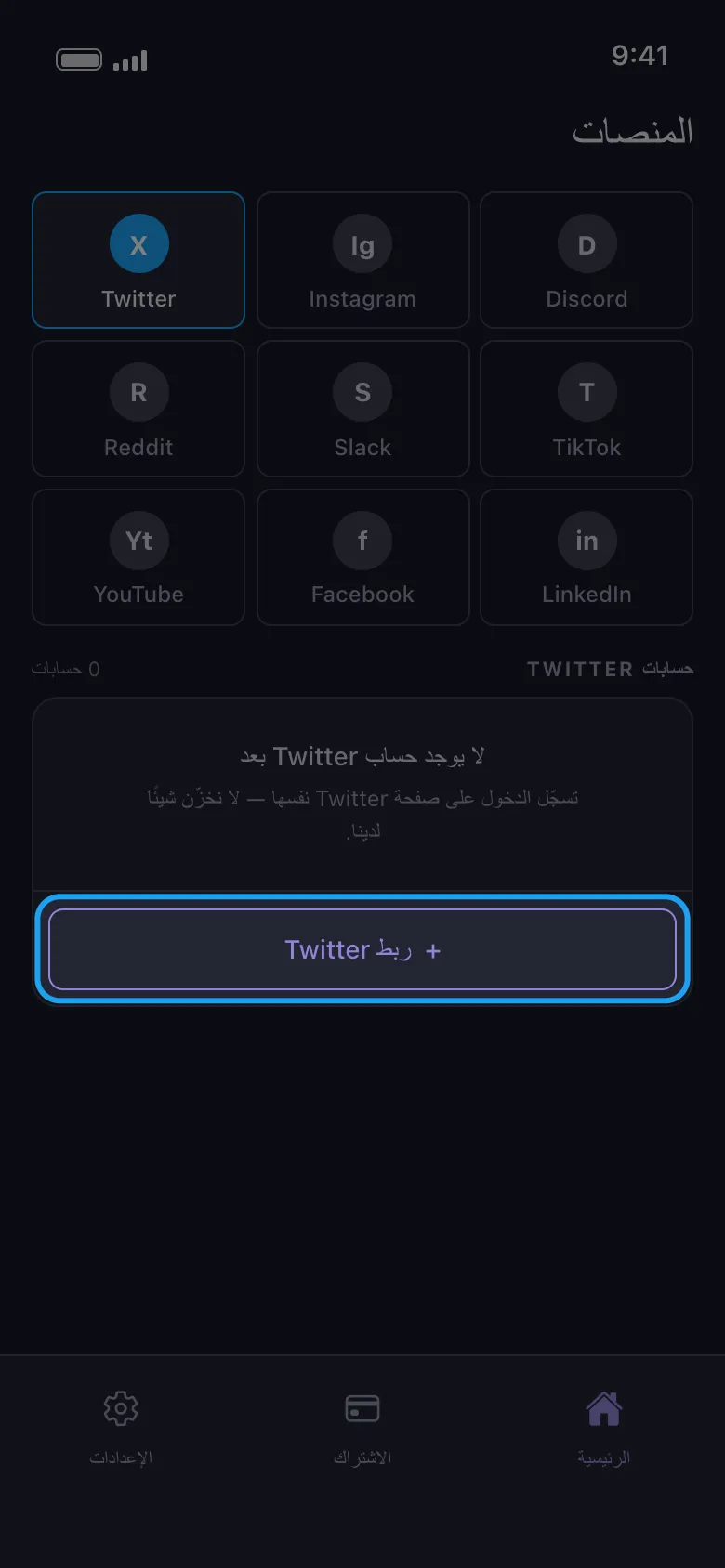
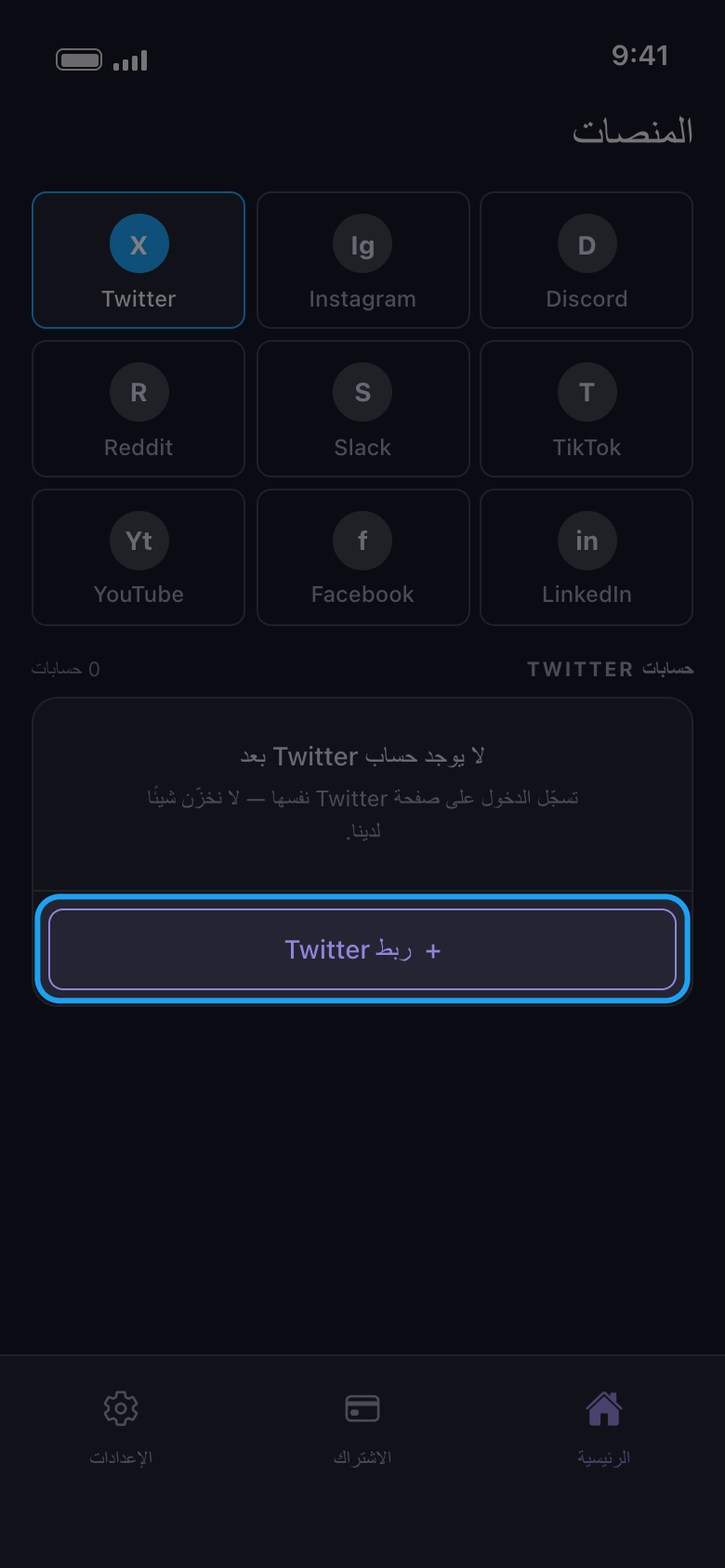
اختر المنصة واضغط زر الربط الخاص بها
اضغط على مربع المنصة، ثم على الزر الذي تحته ويحمل كلمة «ربط» واسم المنصة (هنا «ربط Twitter»).
في التطبيق الرئيسية ← Twitter ← ربط Twitter
- 03
سجّل الدخول على صفحة المنصة
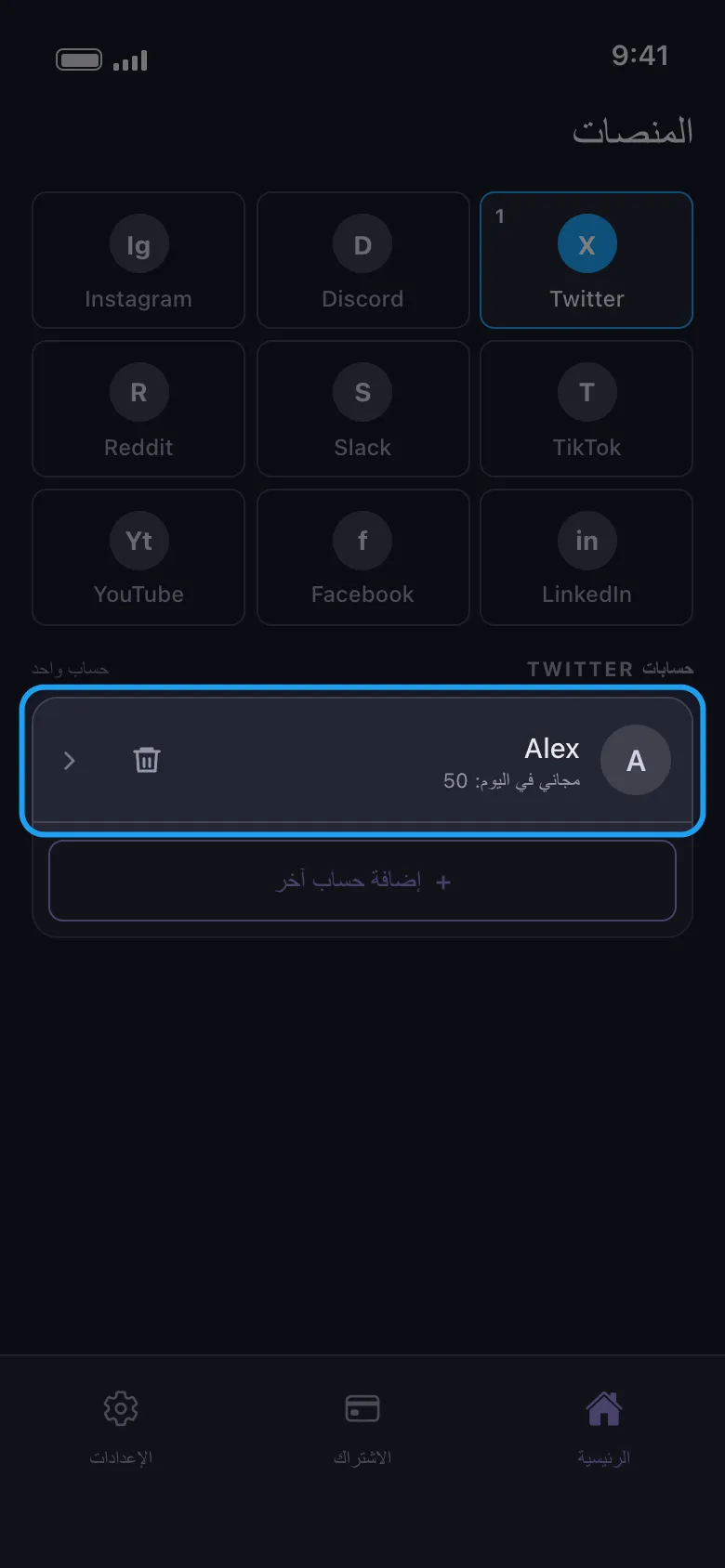
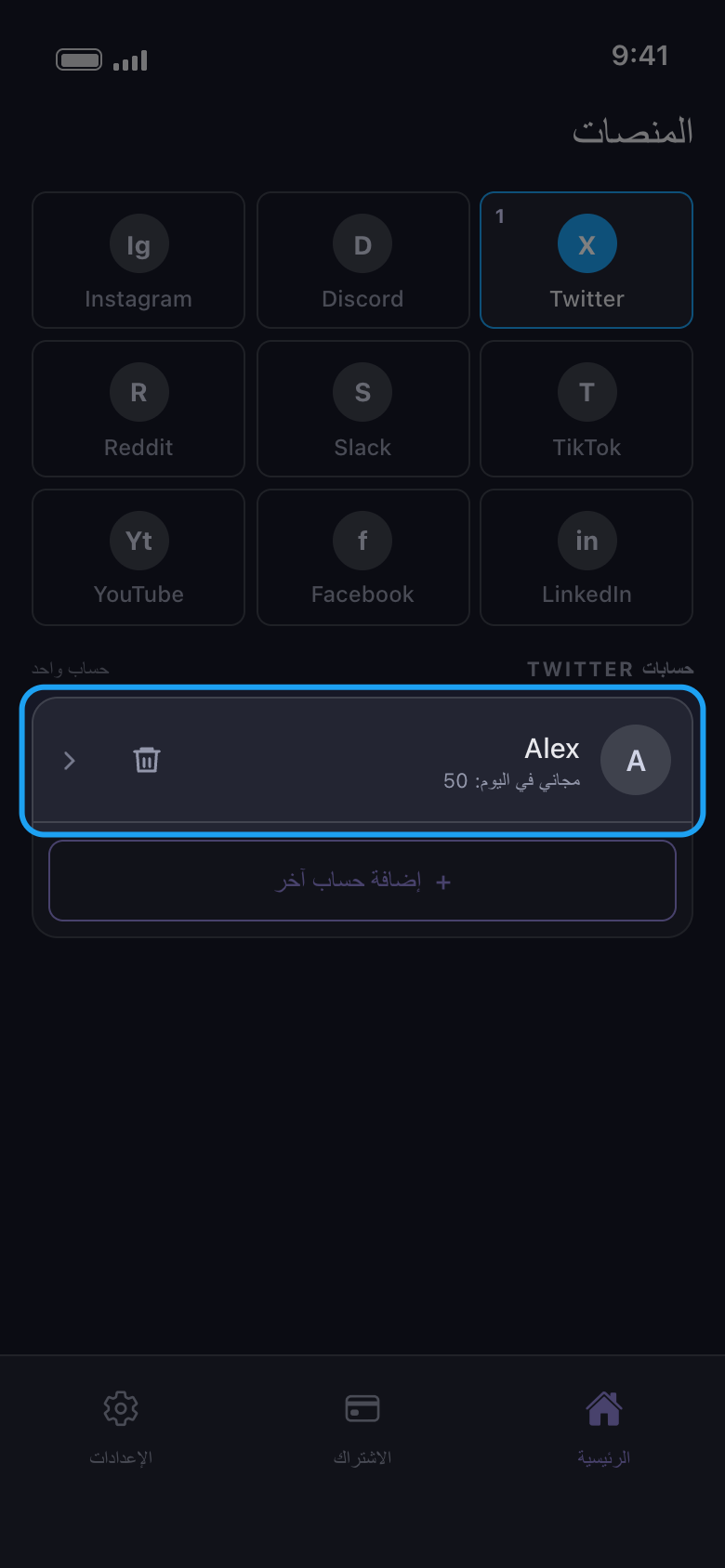
سجّل الدخول باسم المستخدم أو البريد الإلكتروني وكلمة المرور، وأدخل أي رمز تطلبه المنصة. استخدم نموذج كلمة المرور: على Android تفتح أزرار تسجيل الدخول عبر Google وApple متصفحك، وتسجيل الدخول الذي يكتمل هناك لا يصل أبدًا إلى Unpost. عند اكتمال تسجيل الدخول تُغلق الصفحة تلقائيًا ويظهر الحساب في القائمة، وتحت اسمه ما يمكنه حذفه اليوم. لن يطلب منك أحد من Unpost أبدًا كلمة مرورك أو رمز تسجيل الدخول.
في التطبيق ربط Twitter ← صفحة تسجيل الدخول في Twitter
- 04
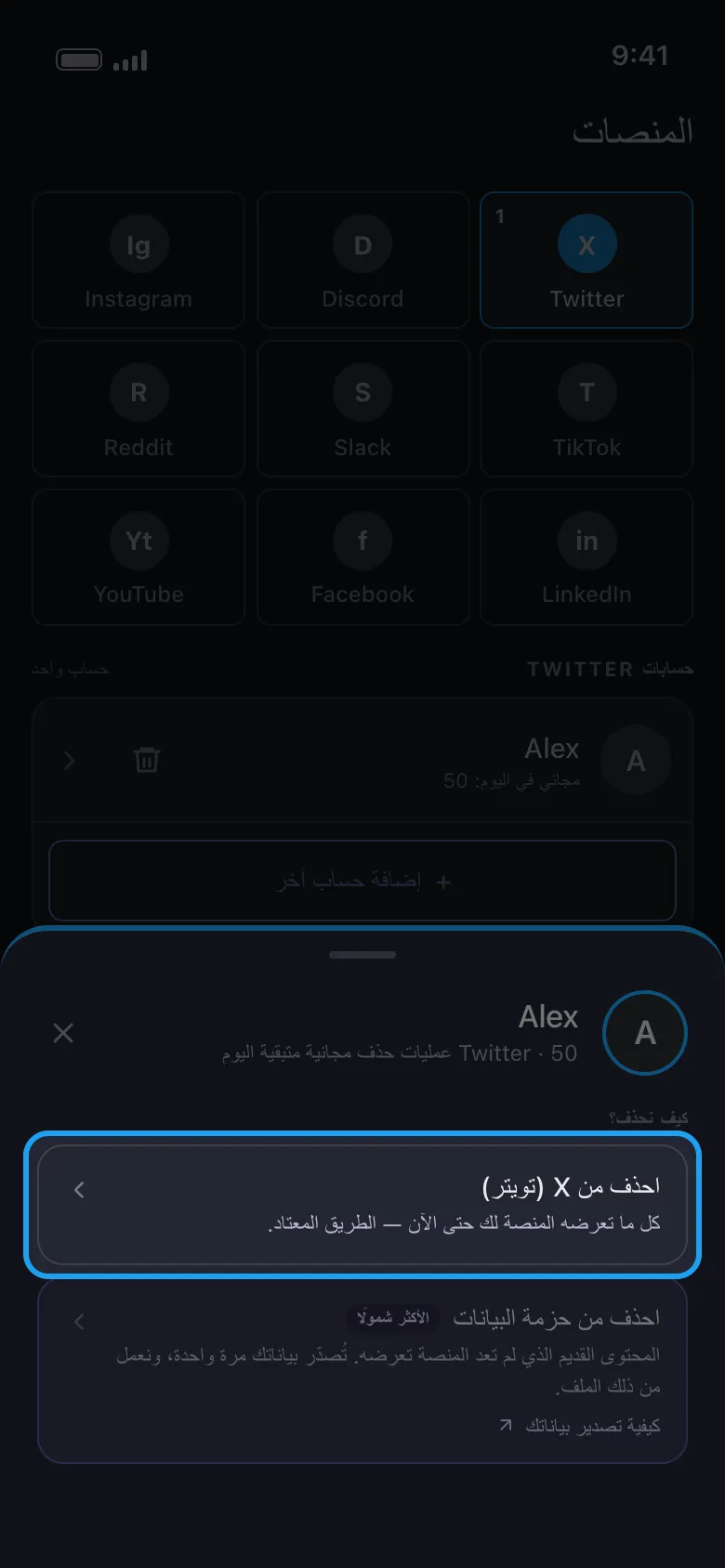
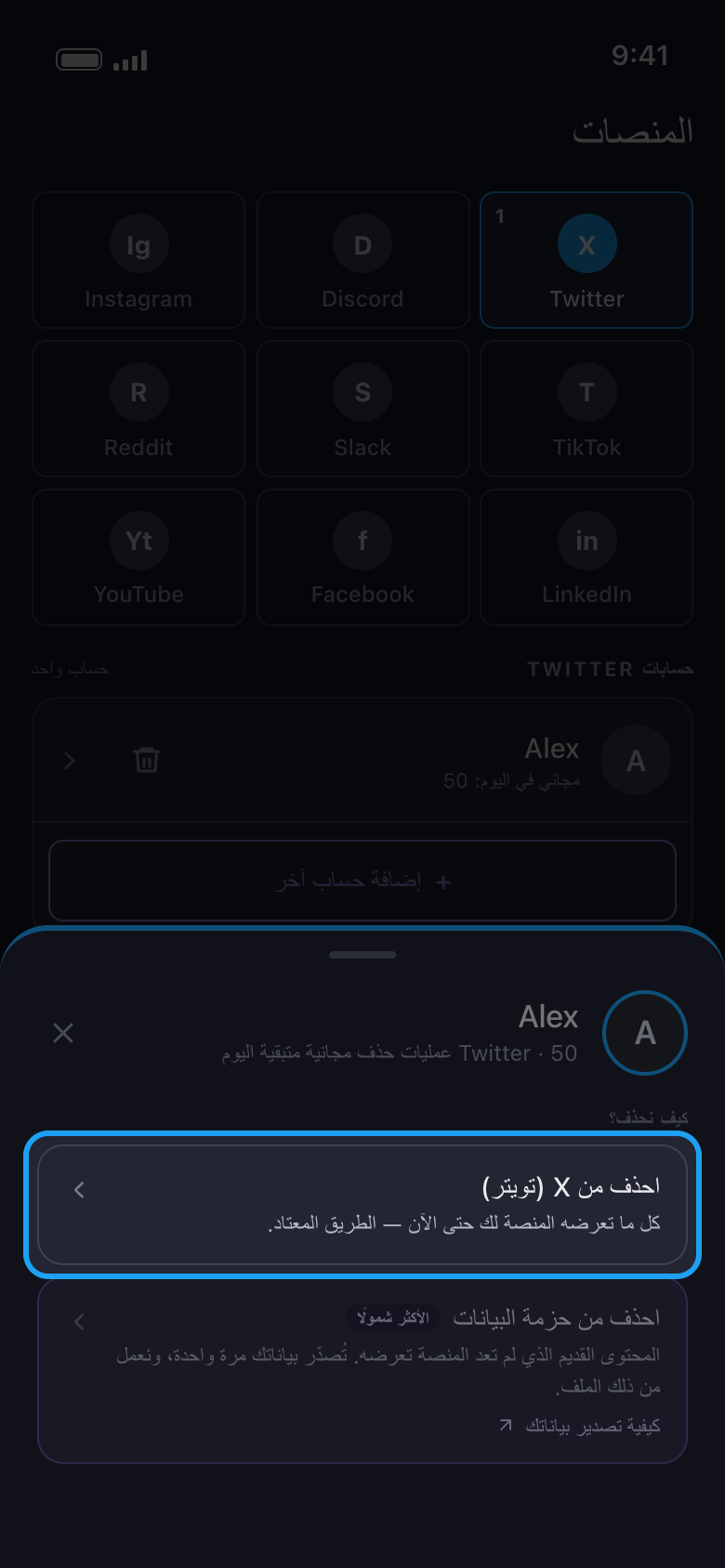
اضغط على الحساب واختر «احذف من X (تويتر)»
على X وDiscord وSlack وReddit تسألك نافذة عن طريقة الحذف. في أول عملية اختر الخيار الأول، الذي يحذف ما لا تزال المنصة تعرضه لك. أما خيار «احذف من حزمة البيانات»، على X وDiscord وReddit، فمخصص للمحتوى القديم الذي لم تعد المنصة تعرضه.
في التطبيق الرئيسية ← Twitter ← الحساب ← احذف من X (تويتر)
- 05
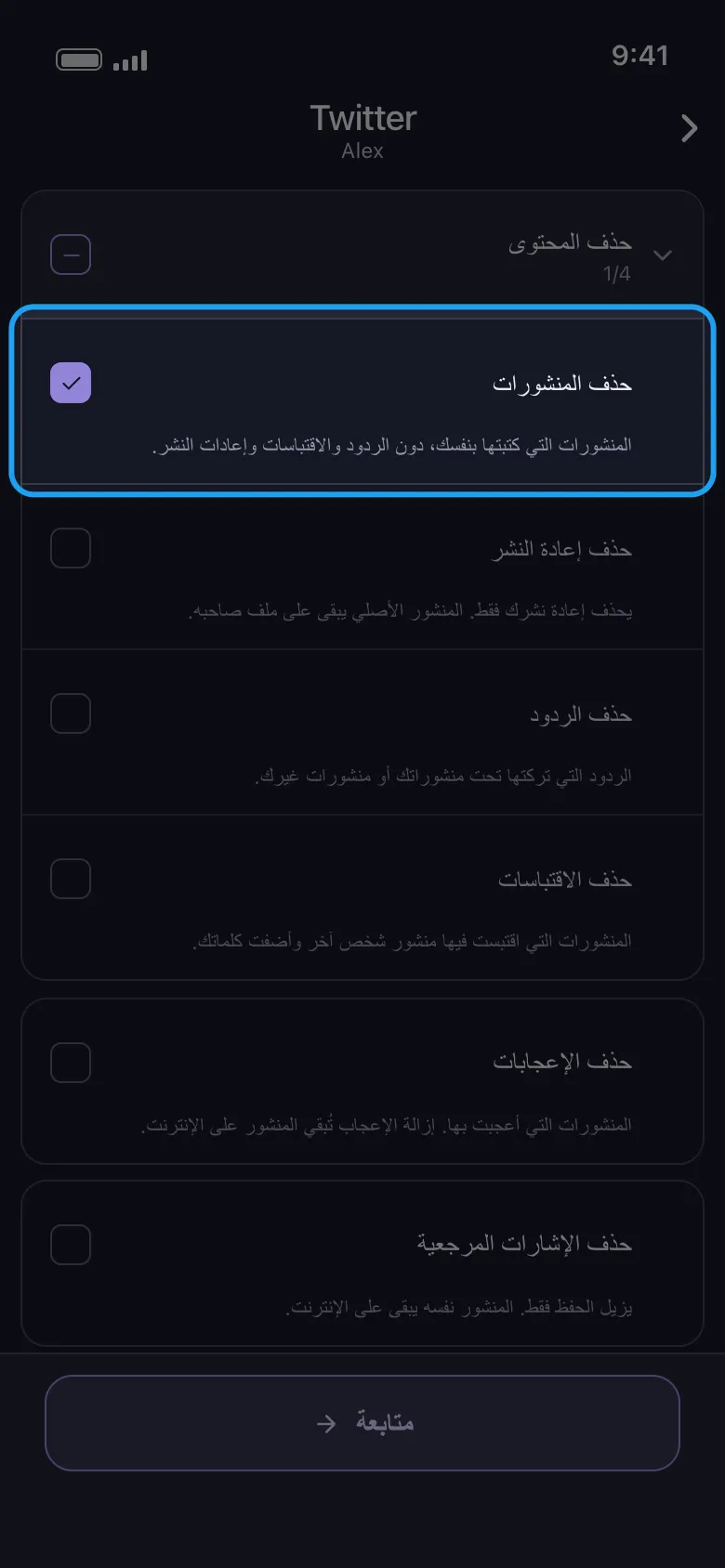
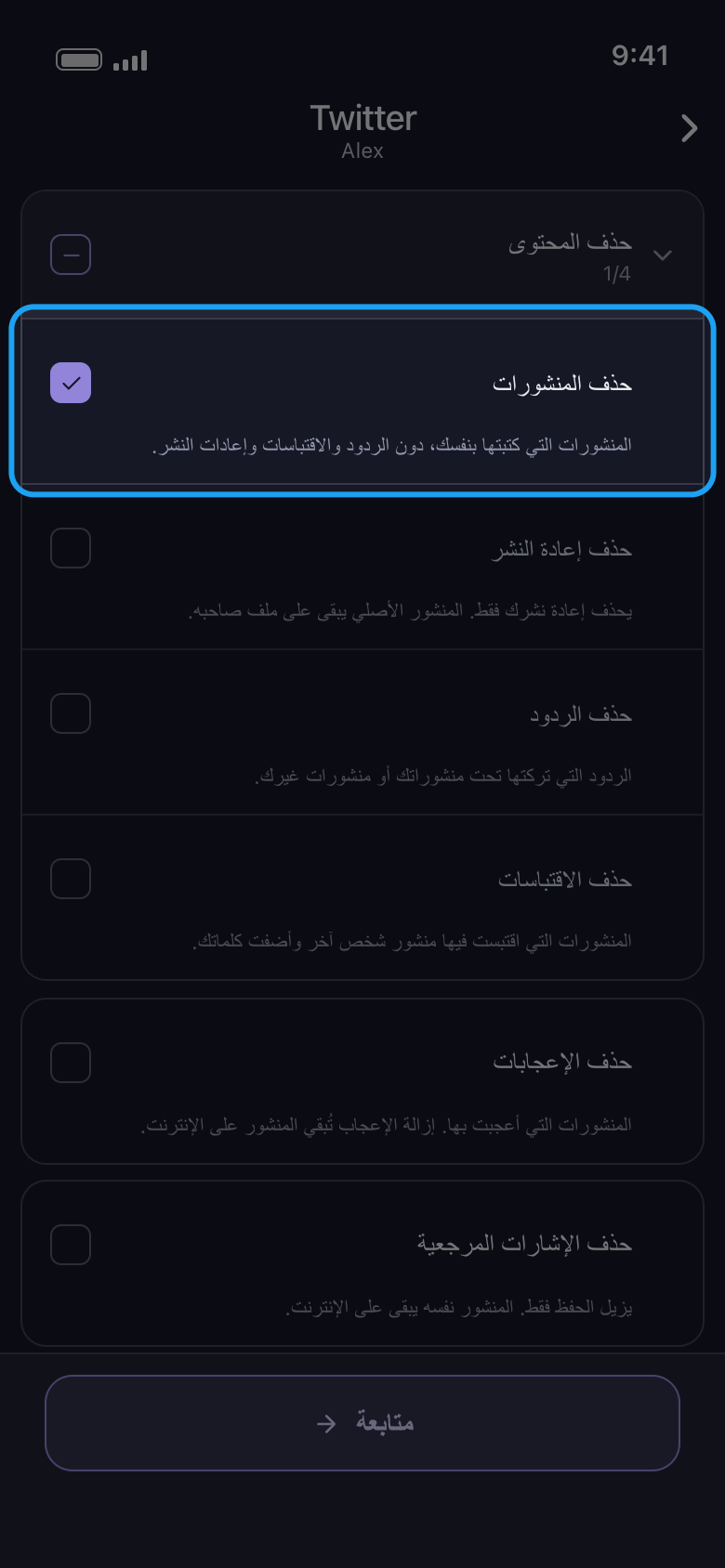
حدّد ما تريد حذفه، ثم اضغط «متابعة»
كل صف نوع واحد من المحتوى؛ وعلى X يشرح سطر تحته ما يحذفه وما يبقى على الإنترنت. «حذف المحتوى» مجموعة: اضغط على اسمها لفتحها، ثم حدّد الأنواع التي تريدها فقط، وهنا «حذف المنشورات». أما خانة الاختيار الخاصة بالمجموعة نفسها فتحدد الأنواع الأربعة داخلها، بما فيها الردود وإعادات النشر والاقتباسات. وعندما ينطبق خيار على ما حددته، مثل نطاق زمني أو كلمات مفتاحية، تُفتح بعدها شاشة الخيارات «قبل أن نحذف»: اضبط ما تحتاجه واترك الباقي كما هو (الحقل الفارغ يعني أنه لا حد، أما 0 فيُعدّ حدًا)، ثم اضغط «متابعة» مرة أخرى. وعلى X ليس لأي نوع خيارات سوى «حذف الإعجابات»، لذا تُفتح نافذة «المراجعة» هنا مباشرة.
في التطبيق حذف المحتوى ← حذف المنشورات ← متابعة
- 06
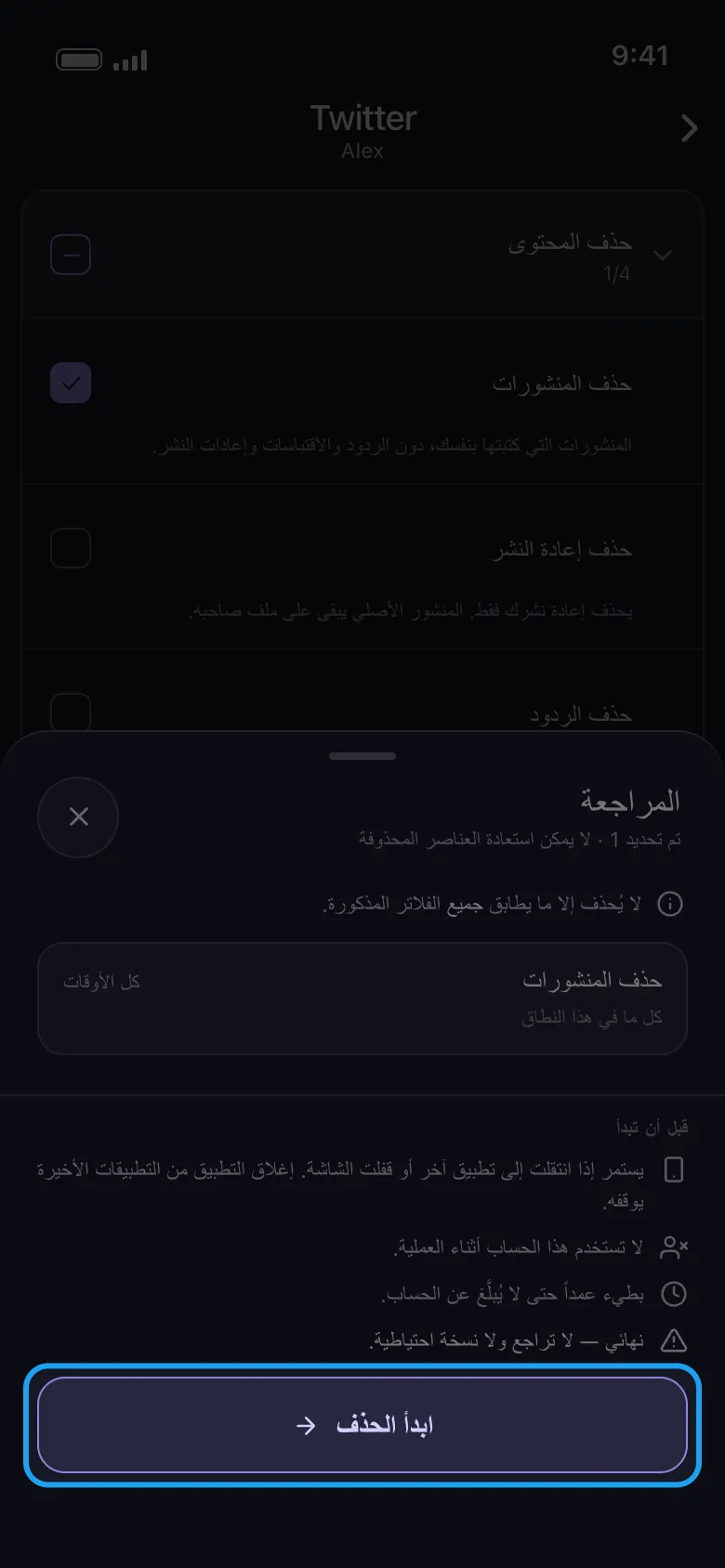
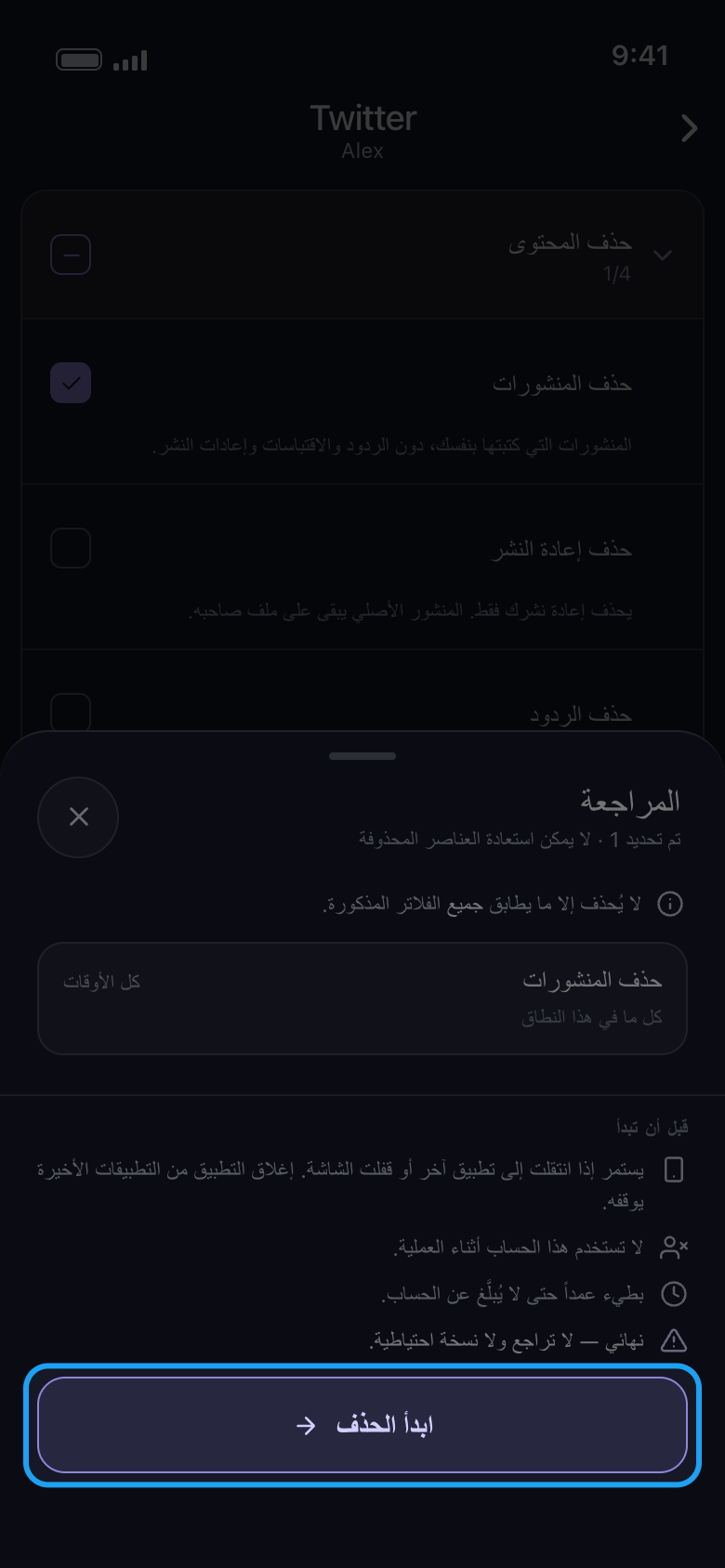
راجع نافذة «المراجعة» واضغط «ابدأ الحذف»
تعرض النافذة ما سيُحذف: بطاقة لكل نوع حددته، مع نطاقه الزمني (هنا «كل الأوقات») وأي فلاتر تنطبق عليه. وتحت «قبل أن تبدأ» قواعد العملية. لا يُحذف شيء قبل أن تضغط «ابدأ الحذف». على Android تستمر العملية إذا انتقلت إلى تطبيق آخر أو قفلت الشاشة، لكنها تتوقف إذا أغلقت Unpost من التطبيقات الأخيرة؛ أبقِ عملية TikTok ظاهرة على الشاشة. وعلى iPhone أبقِ Unpost مفتوحًا على الشاشة. ولا تستخدم الحساب في أي مكان آخر أثناء العملية.
في التطبيق متابعة ← المراجعة ← ابدأ الحذف
- 07
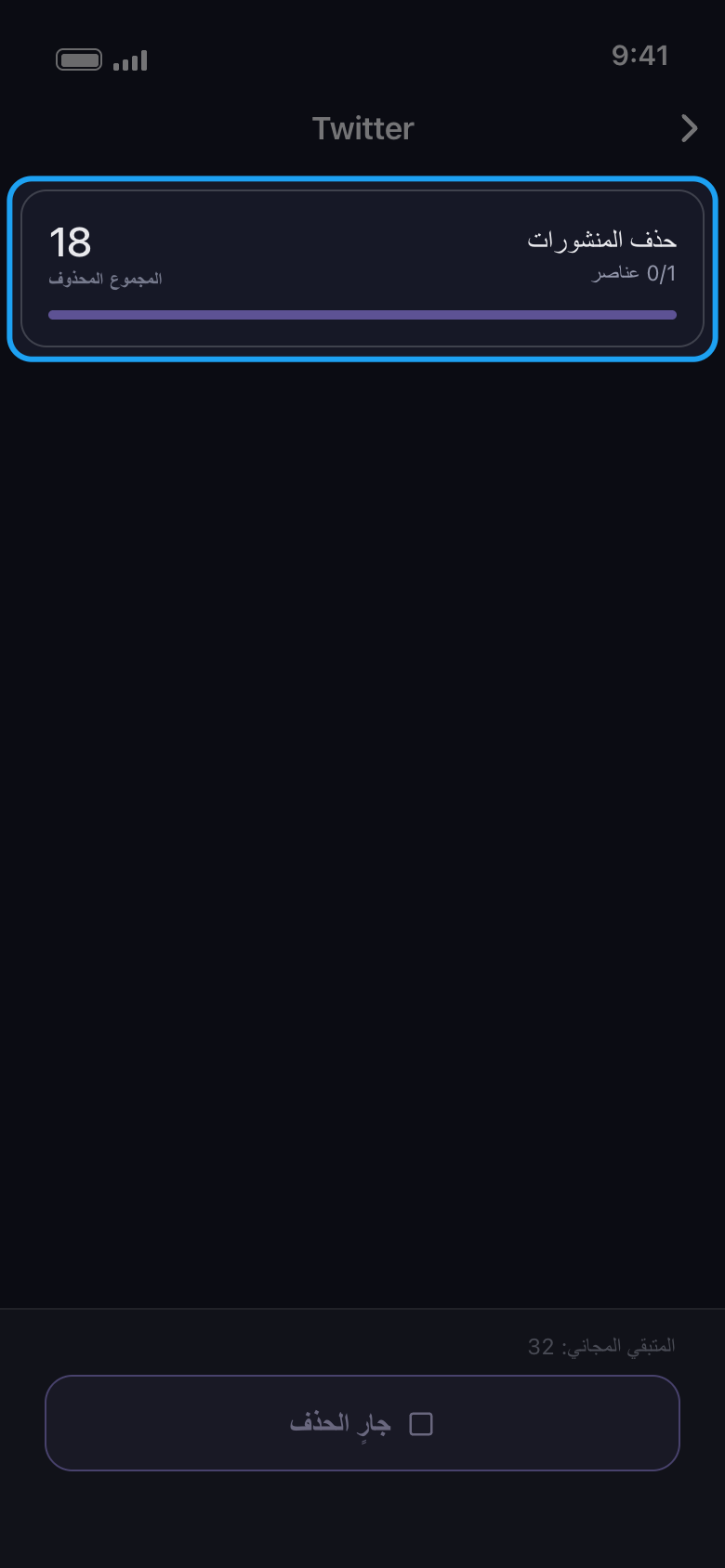
اتركها تعمل
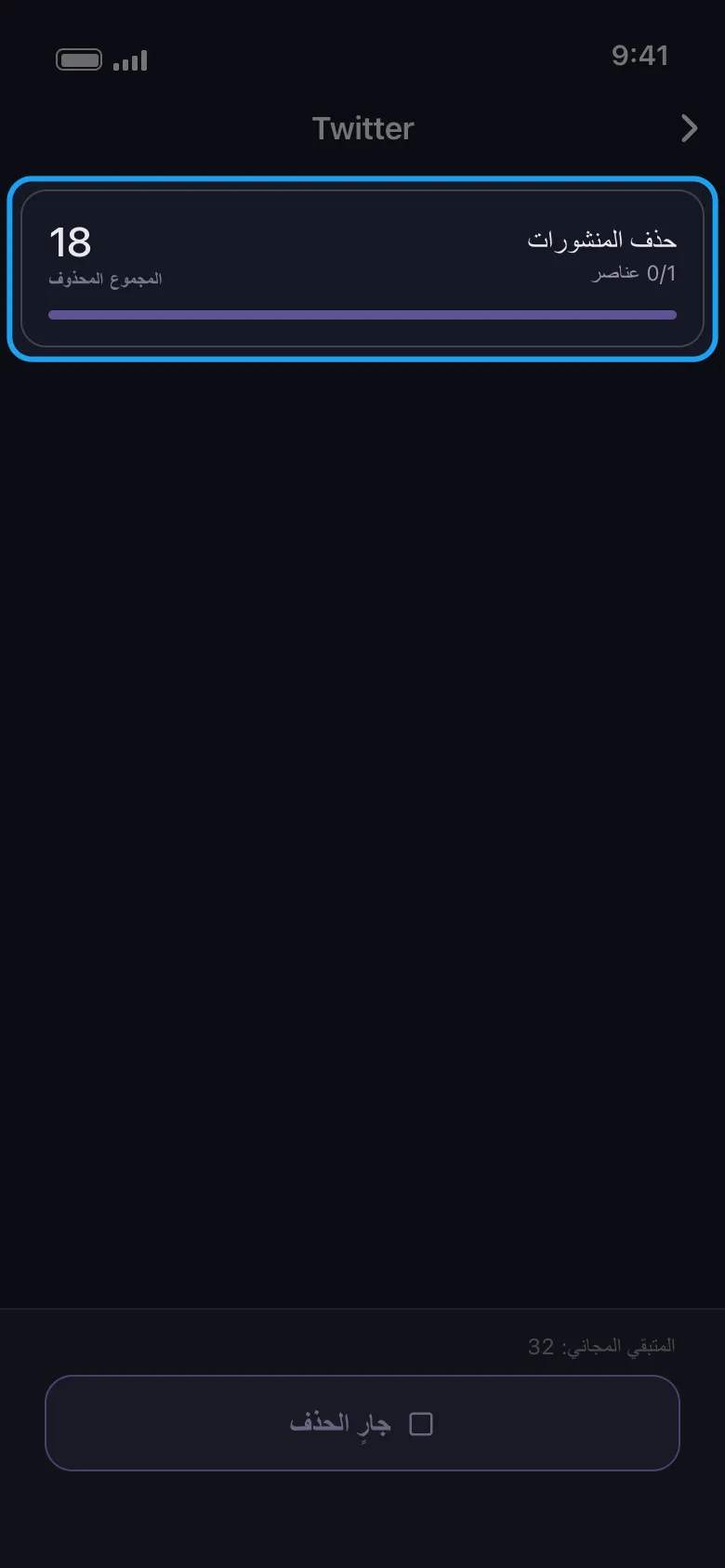
تعرض البطاقة ما يُحذف الآن والمجموع حتى اللحظة؛ والعدد الصغير 0/1 تحت الاسم يعدّ اختياراتك لا العناصر. ويعدّ «المتبقي المجاني» تنازليًا ما بقي من حصة اليوم. الحذف بطيء عمدًا. للتوقف مبكرًا اضغط زر «جارٍ الحذف» في الأسفل.
في التطبيق شاشة الحذف
- 08
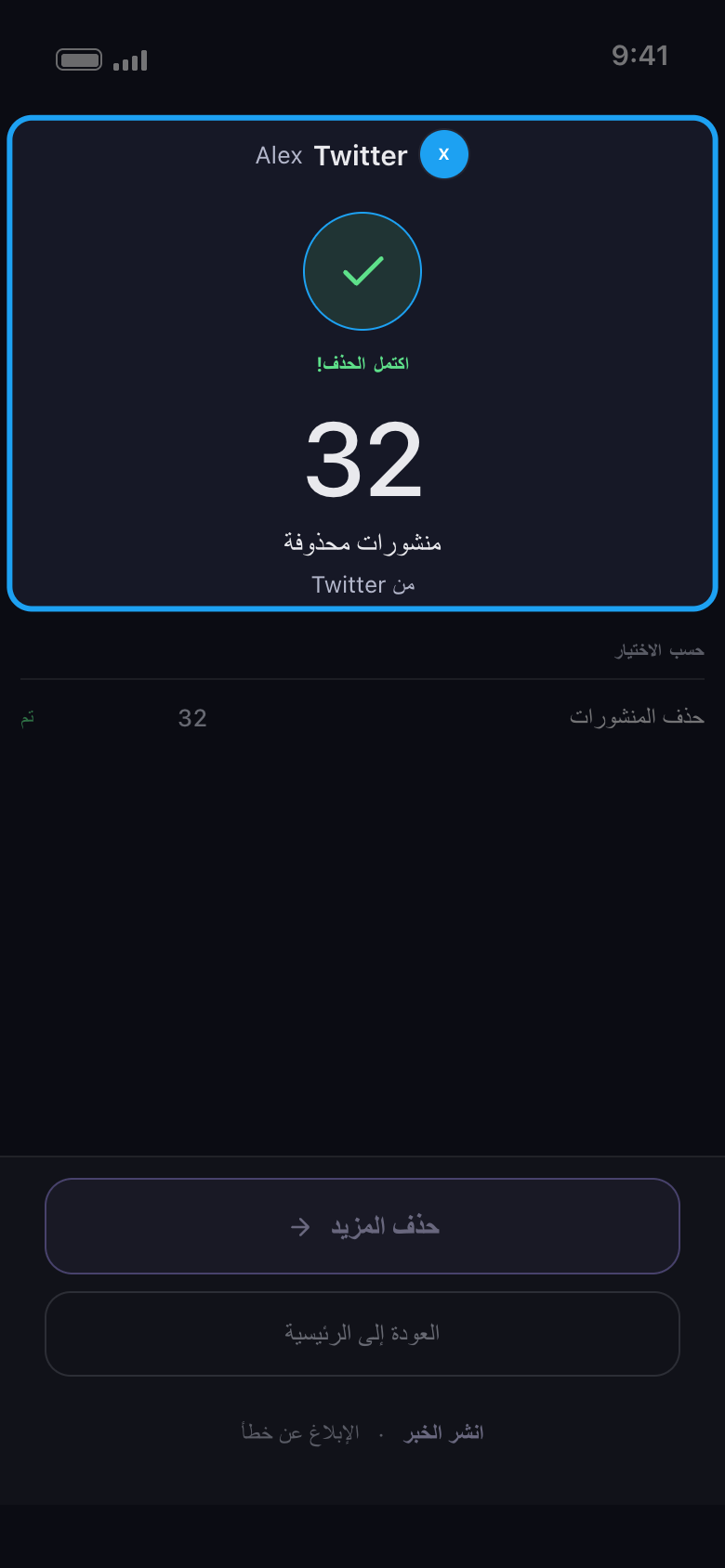
اقرأ النتيجة
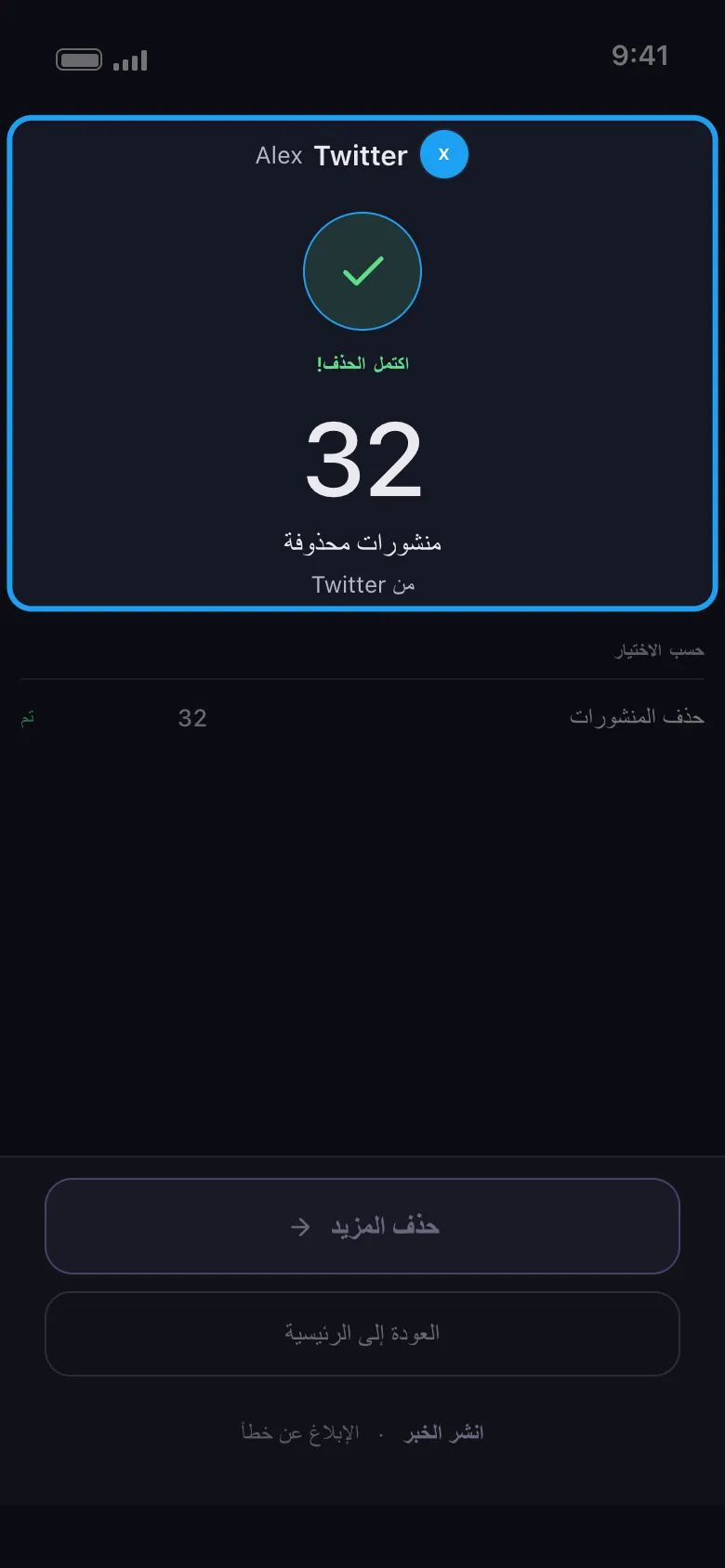
عند انتهاء العملية تذكر شاشة النتيجة المنصة والحساب، وعدد العناصر التي حُذفت، وكيف انتهى كل اختيار. يعيدك زر «حذف المزيد» إلى قائمة الحساب نفسه؛ وإذا توقفت العملية مبكرًا يصبح الزر «حاول مرة أخرى» ويفعل الشيء نفسه. وإذا توقفت لأن عمليات الحذف المجانية الـ50 لهذا اليوم نفدت، يصبح الزر «قم بالترقية الآن» ويفتح تبويب «الاشتراك»؛ وإن أردت انتظار حصة اليوم التالي فاضغط «العودة إلى الرئيسية». وعندما تتوقف عملية لسبب آخر، تذكر النتيجة السبب وما عليك فعله بعد ذلك.
في التطبيق النتيجة
معلومات مفيدة
- الحذف نهائي: لا يمكن التراجع عنه، ولا يحتفظ Unpost بأي نسخة احتياطية.
- على Instagram يُفتح الحساب على تبويب «الرسائل الخاصة»: المنشورات والريلز والكاروسيل والتعليقات والإعجابات موجودة في تبويب «المحتوى» بجانبه، وفيه يحدد زر «تحديد الكل» أيضًا «إلغاء متابعة الجميع» و«إزالة جميع المتابعين». راجع «كيف تختار أنواع المحتوى التي تُحذف».
- لا يوجد حد يومي على Reddit. ولمعرفة كيف تُحتسب عمليات الحذف الـ50 اليومية، راجع «كيف يعمل الحد اليومي المجاني، وما معنى «تم بلوغ الحد اليومي»».
- إذا لم تُغلق صفحة تسجيل الدخول بعد أن تسجّل الدخول، فراجع «كيف تسجّل الدخول، وتحلّ مشكلة تسجيل دخول لا يكتمل».
- إذا قالت النتيجة إن المنصة أوقفت العملية مؤقتًا، أو ظهر «لم يتم حذف شيء»، فراجع «ماذا تفعل عندما توقف منصة عملية التنظيف مؤقتًا» و«لماذا لم يجد التنظيف شيئًا، أو توقف مبكرًا، أو ما زالت المنشورات ظاهرة».
المزيد من الأدلة