
Comment ajouter un compte et lancer votre premier nettoyage
Unpost est une app à part entière, pas une extension d’Instagram ni d’une autre app, et il n’y a aucun compte Unpost à créer : vous connectez chaque plateforme dans Unpost, sur la page de connexion de la plateforme elle-même. Voici tout le parcours sur X, que l’app appelle Twitter. Toutes les plateformes le suivent ; ce qui change, c’est la présence de la fenêtre de l’étape 4, la liste de ce qui peut être supprimé et l’ouverture ou non d’un écran d’options après l’étape 5.
- 01
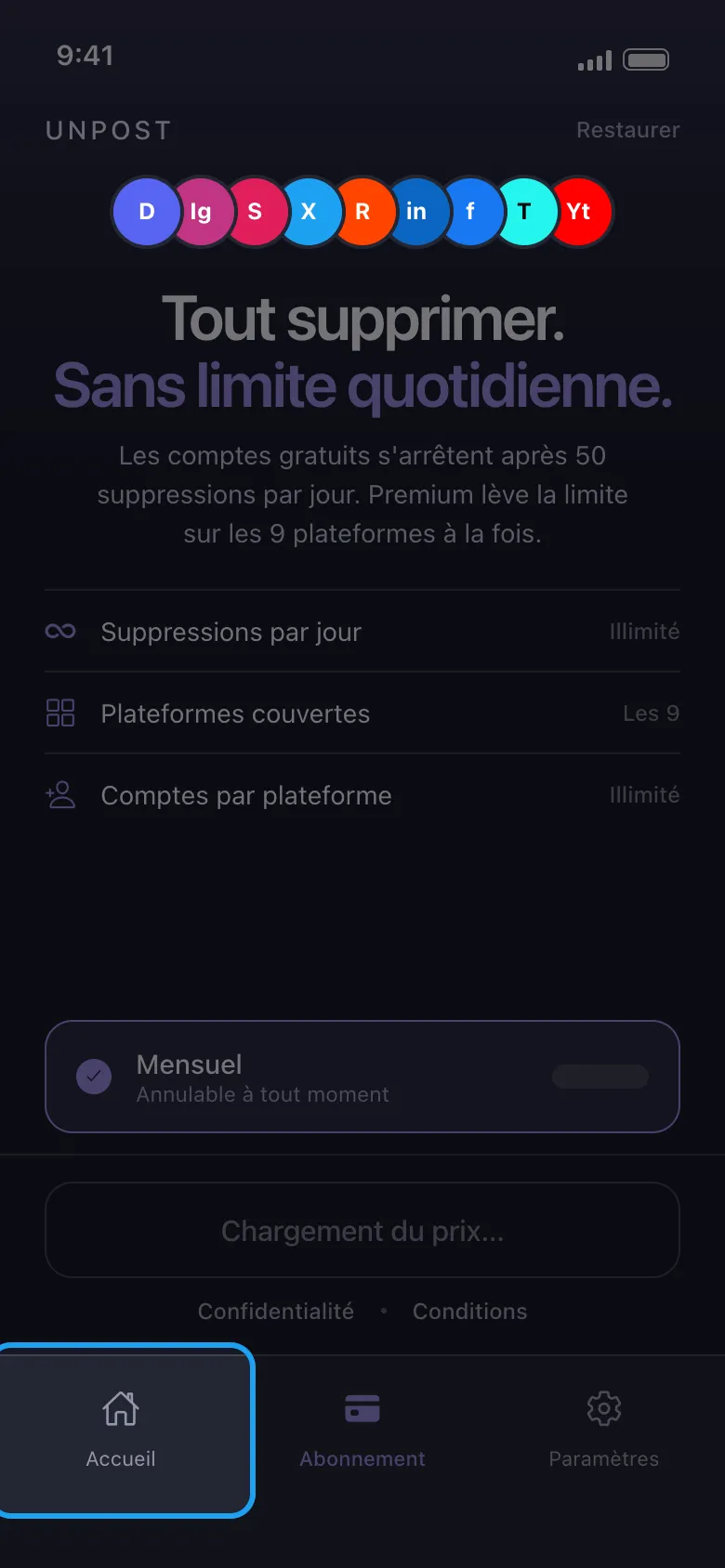
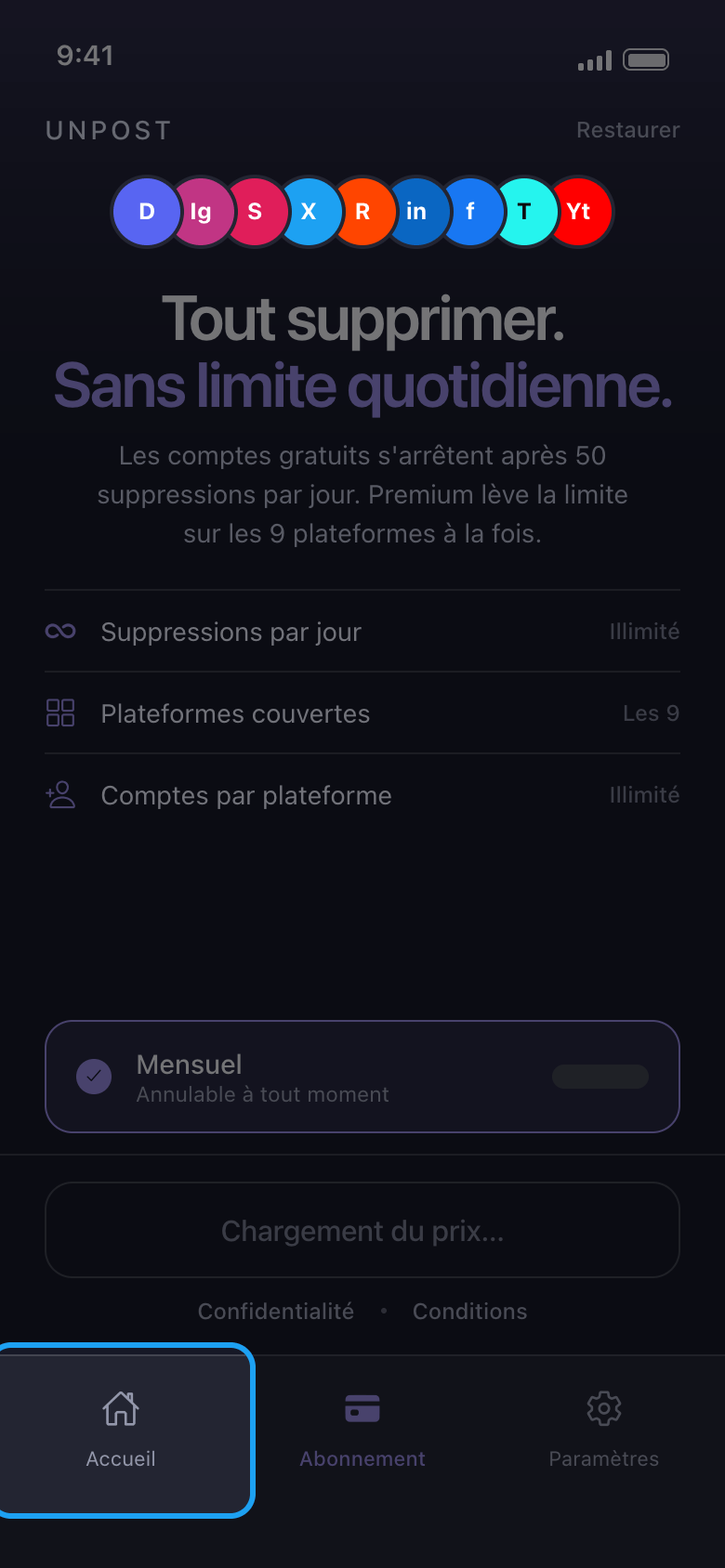
Appuyez sur Accueil, en bas de l’écran
La toute première fois, Unpost vous demande de choisir sa langue (Appliquer la langue ; vous pourrez la changer plus tard dans Paramètres → Changer de langue), puis affiche sa politique de confidentialité : appuyez sur Continuer. Tant que vous n’avez pas Premium, Unpost s’ouvre ensuite sur l’onglet Abonnement. Inutile de vous abonner : vous pouvez d’abord essayer Unpost gratuitement, avec jusqu’à 50 suppressions par jour sur chaque compte. Appuyez sur Accueil pour accéder à vos plateformes.
Dans l'app Abonnement → Accueil
- 02
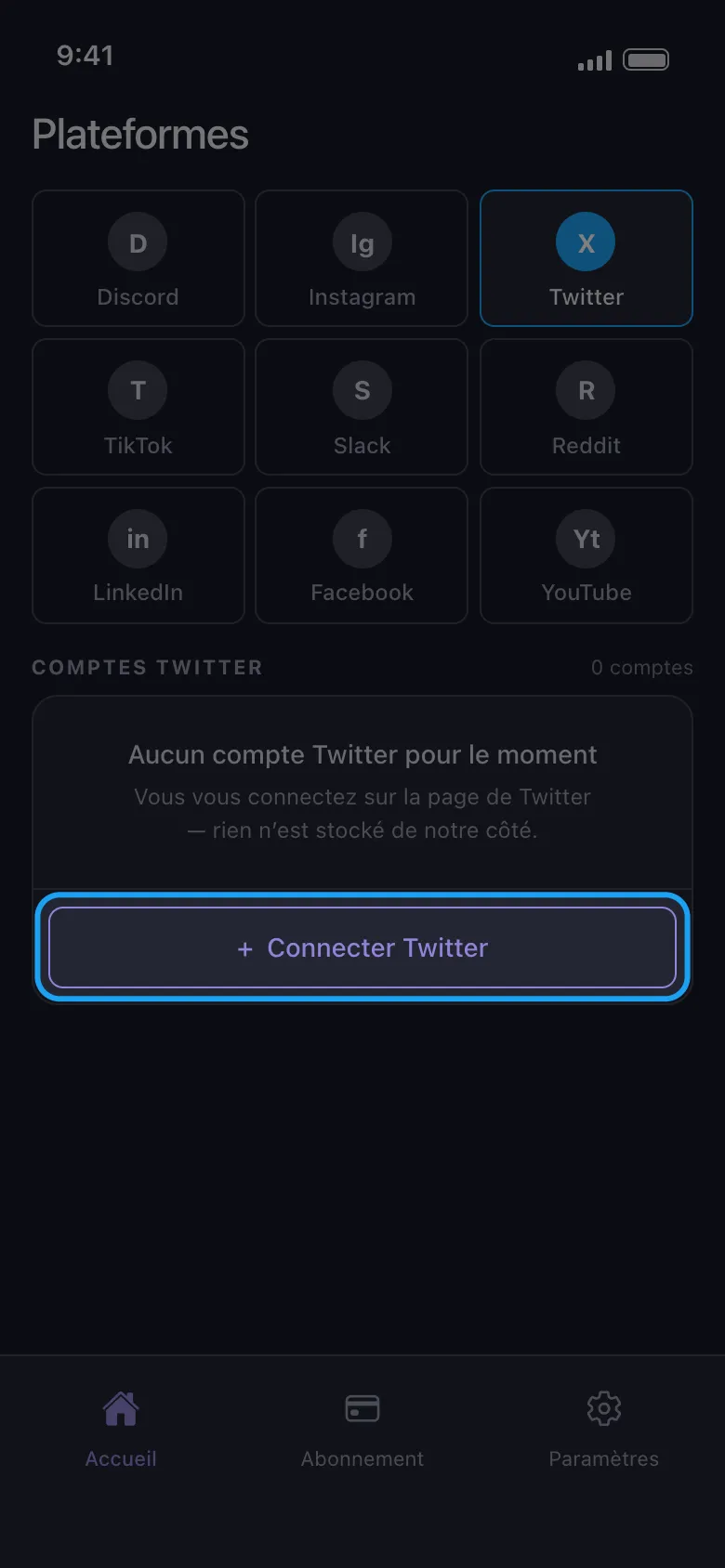
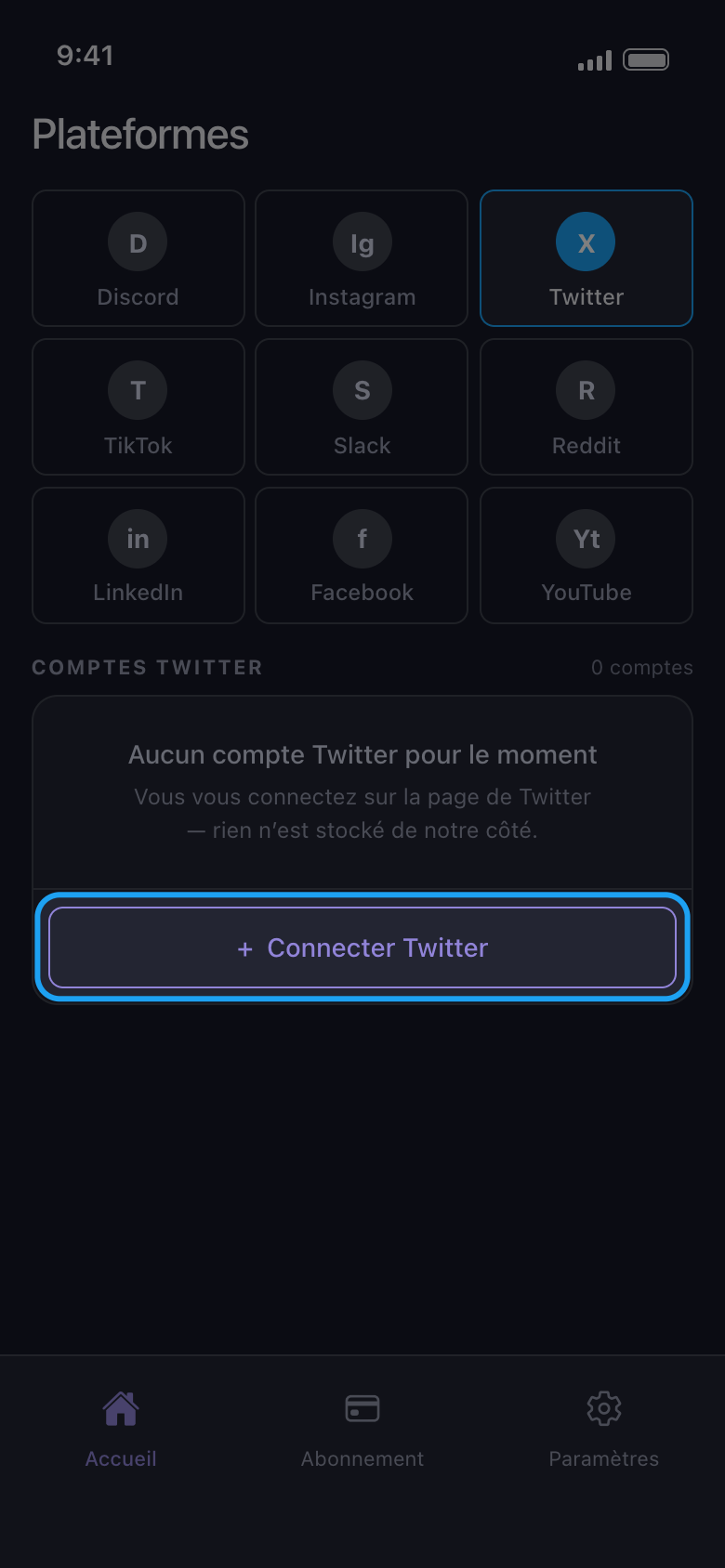
Choisissez la plateforme et appuyez sur son bouton Connecter
Appuyez sur la vignette de la plateforme, puis sur le bouton en dessous, qui affiche Connecter suivi du nom de la plateforme (ici, Connecter Twitter).
Dans l'app Accueil → Twitter → Connecter Twitter
- 03
Connectez-vous sur la page de la plateforme
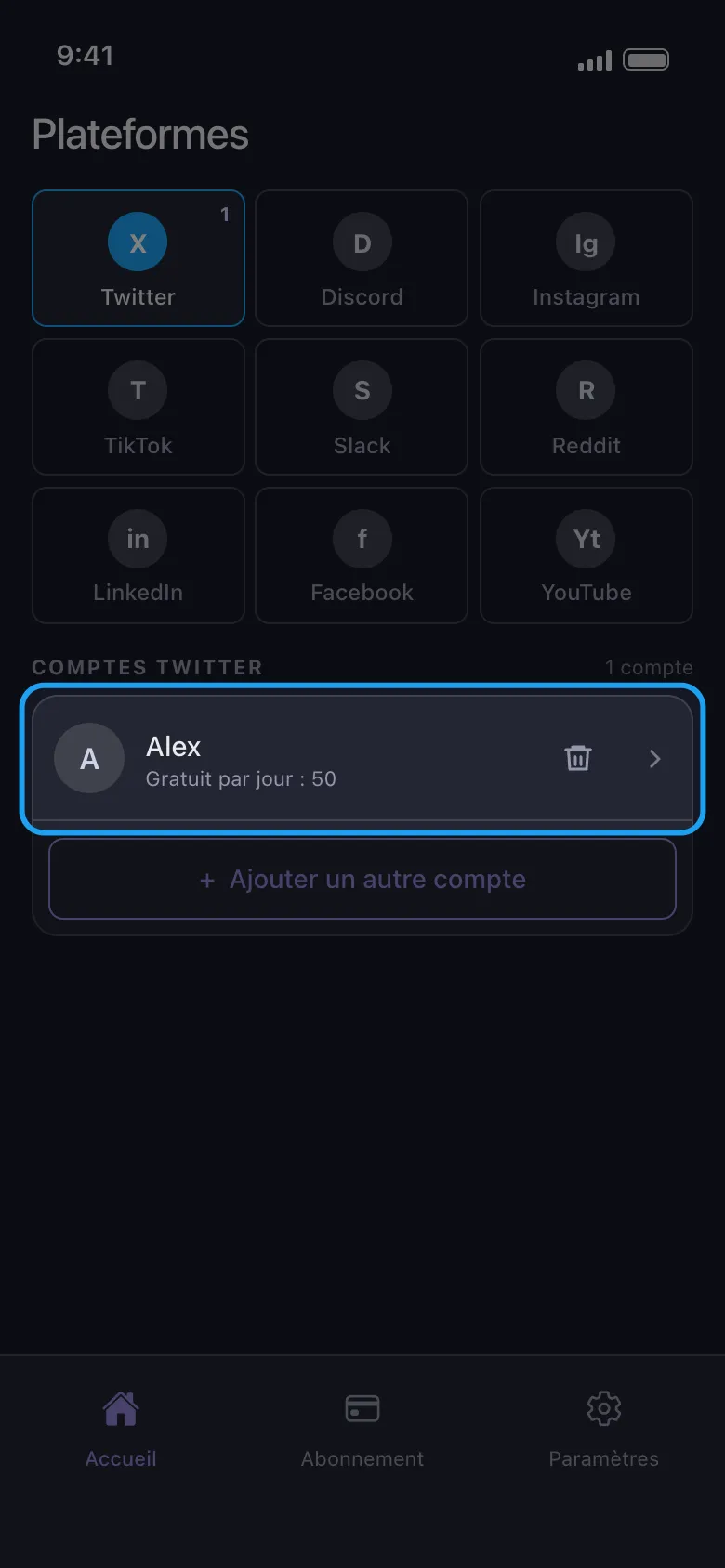
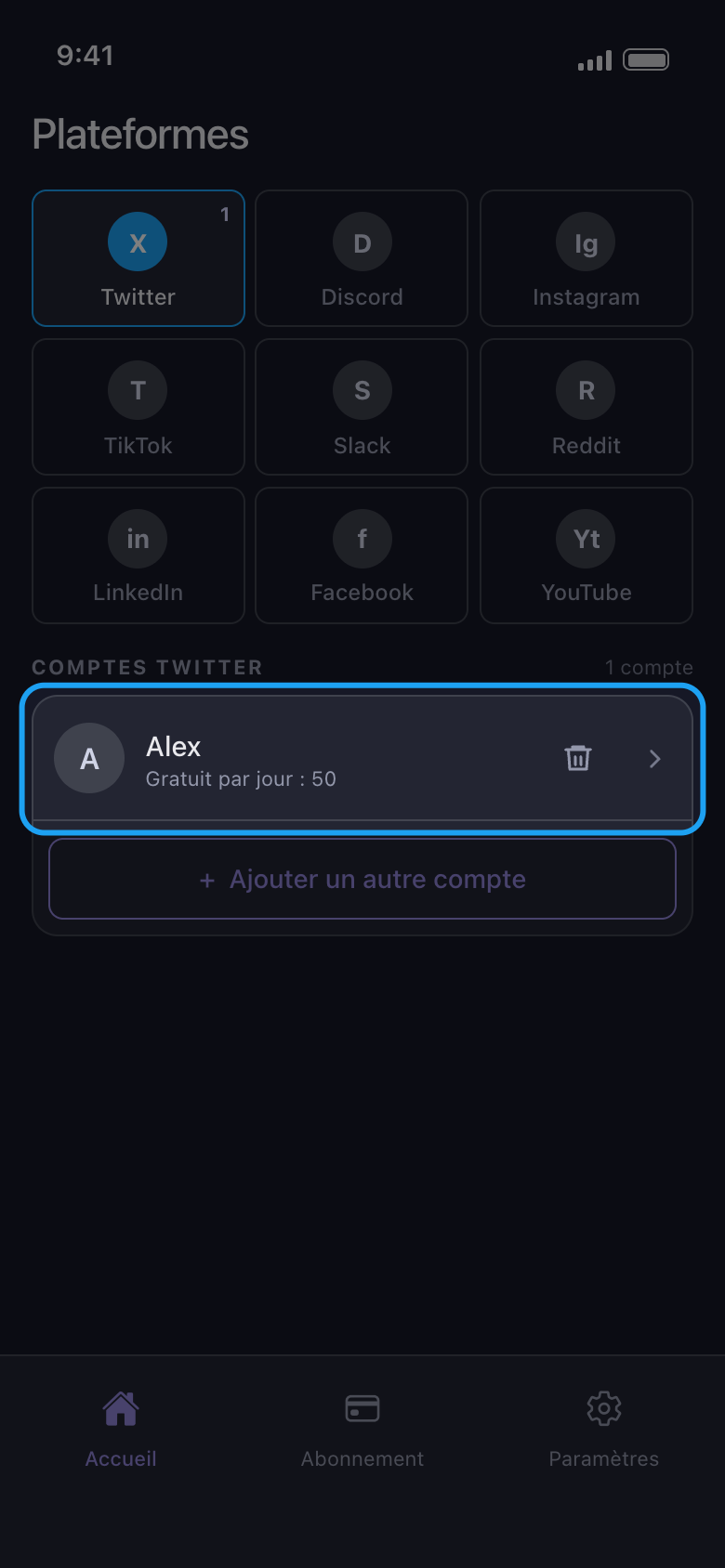
Connectez-vous avec votre nom d’utilisateur ou votre e-mail et votre mot de passe, plus tout code demandé par la plateforme. Utilisez le formulaire avec mot de passe : sur Android, les boutons de connexion Google et Apple ouvrent votre navigateur, et une connexion terminée là-bas n’arrive jamais dans Unpost. Une fois la connexion terminée, la page se ferme d’elle-même et le compte apparaît dans la liste, avec sous son nom ce qu’il peut encore supprimer aujourd’hui. Personne chez Unpost ne vous demandera jamais votre mot de passe ni un code de connexion.
Dans l'app Connecter Twitter → page de connexion de Twitter
- 04
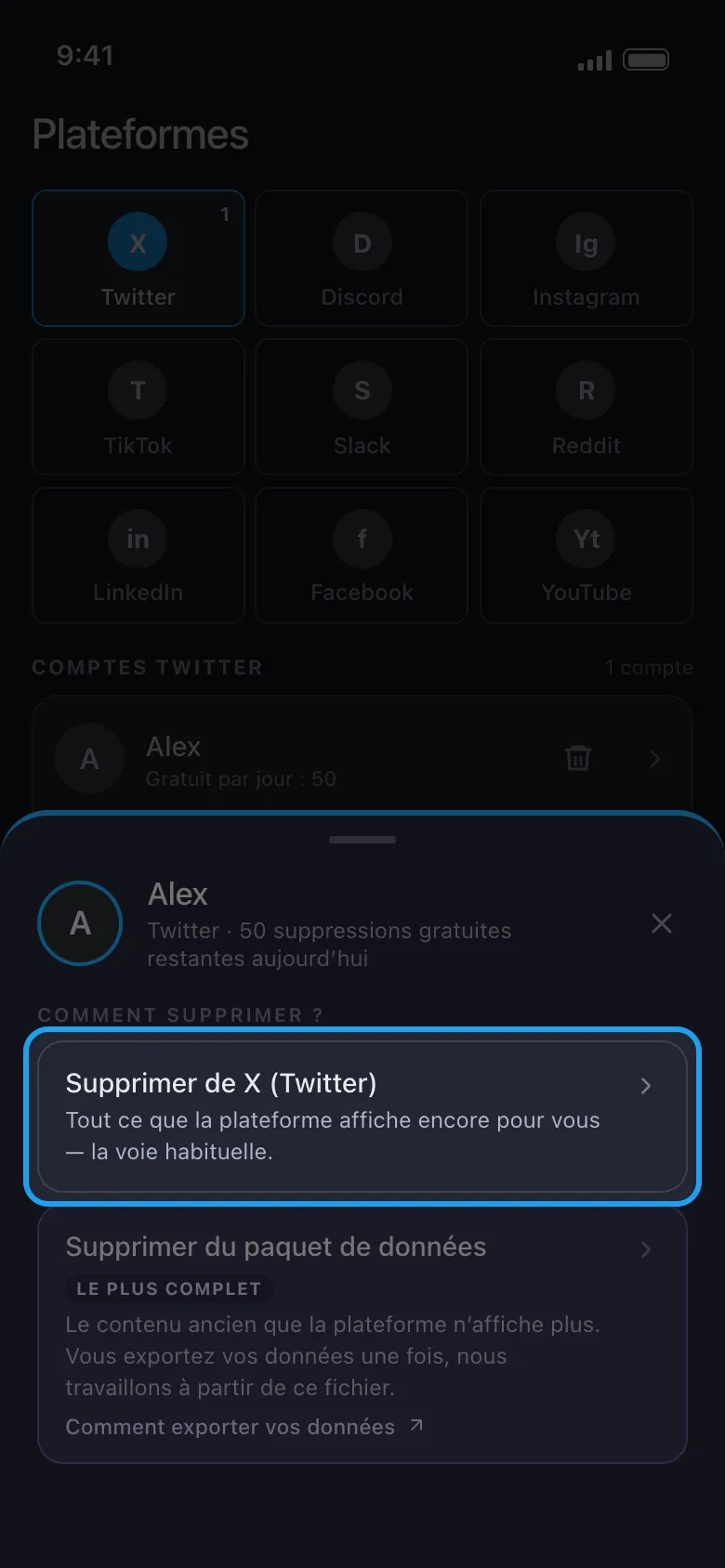
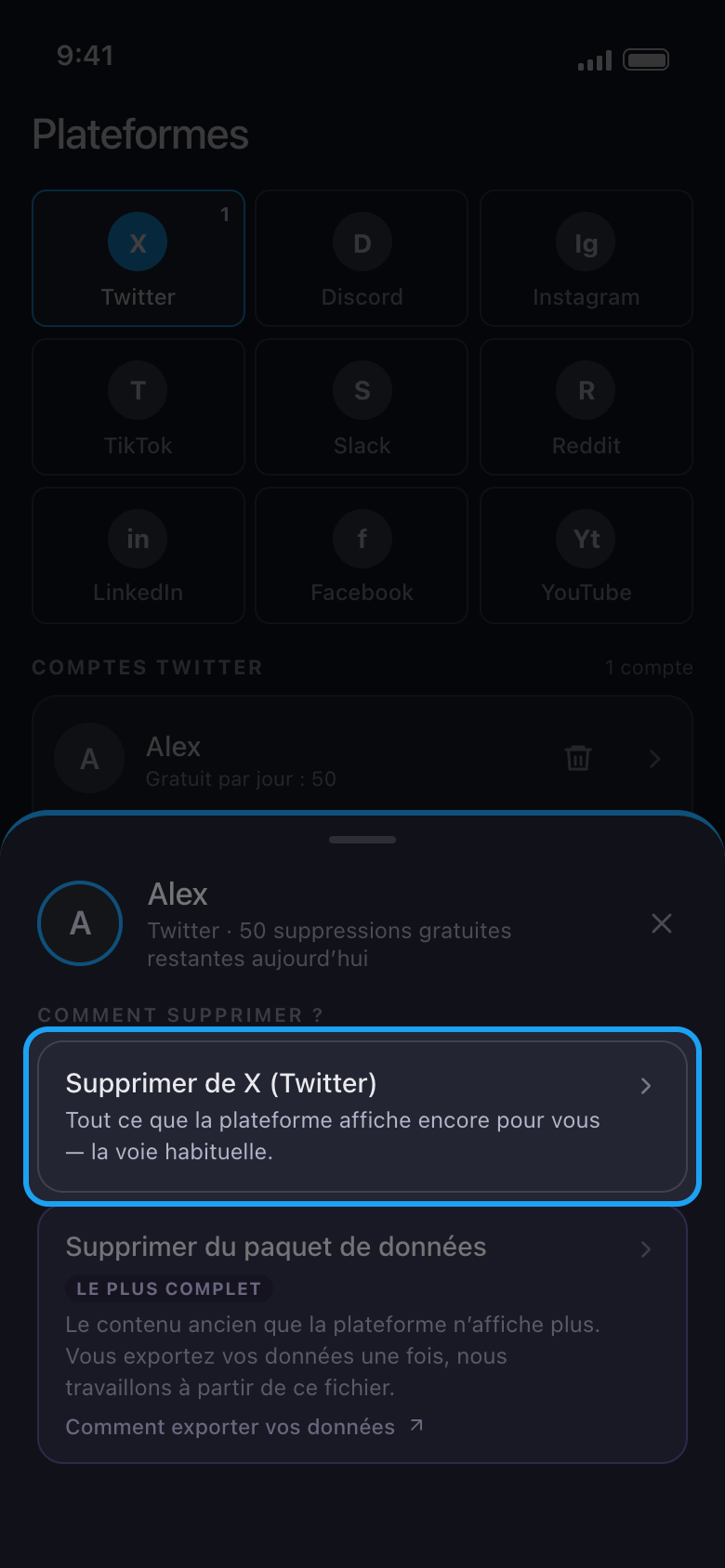
Appuyez sur le compte et choisissez Supprimer de X (Twitter)
Sur X, Discord, Slack et Reddit, une fenêtre vous demande comment supprimer. Pour une première suppression, choisissez la première option, qui supprime ce que la plateforme affiche encore pour vous. Sur X, Discord et Reddit, Supprimer du paquet de données sert aux anciens contenus que la plateforme n’affiche plus.
Dans l'app Accueil → Twitter → compte → Supprimer de X (Twitter)
- 05
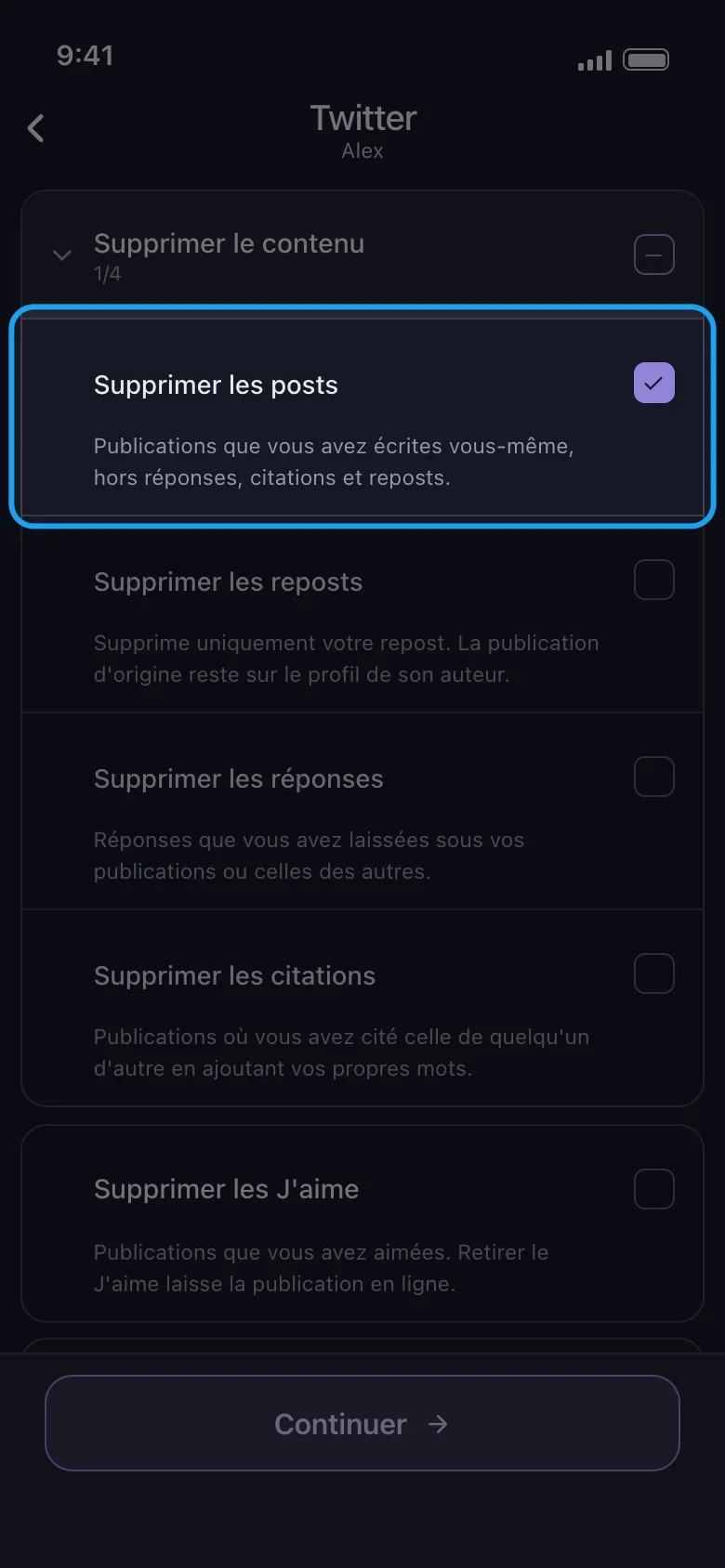
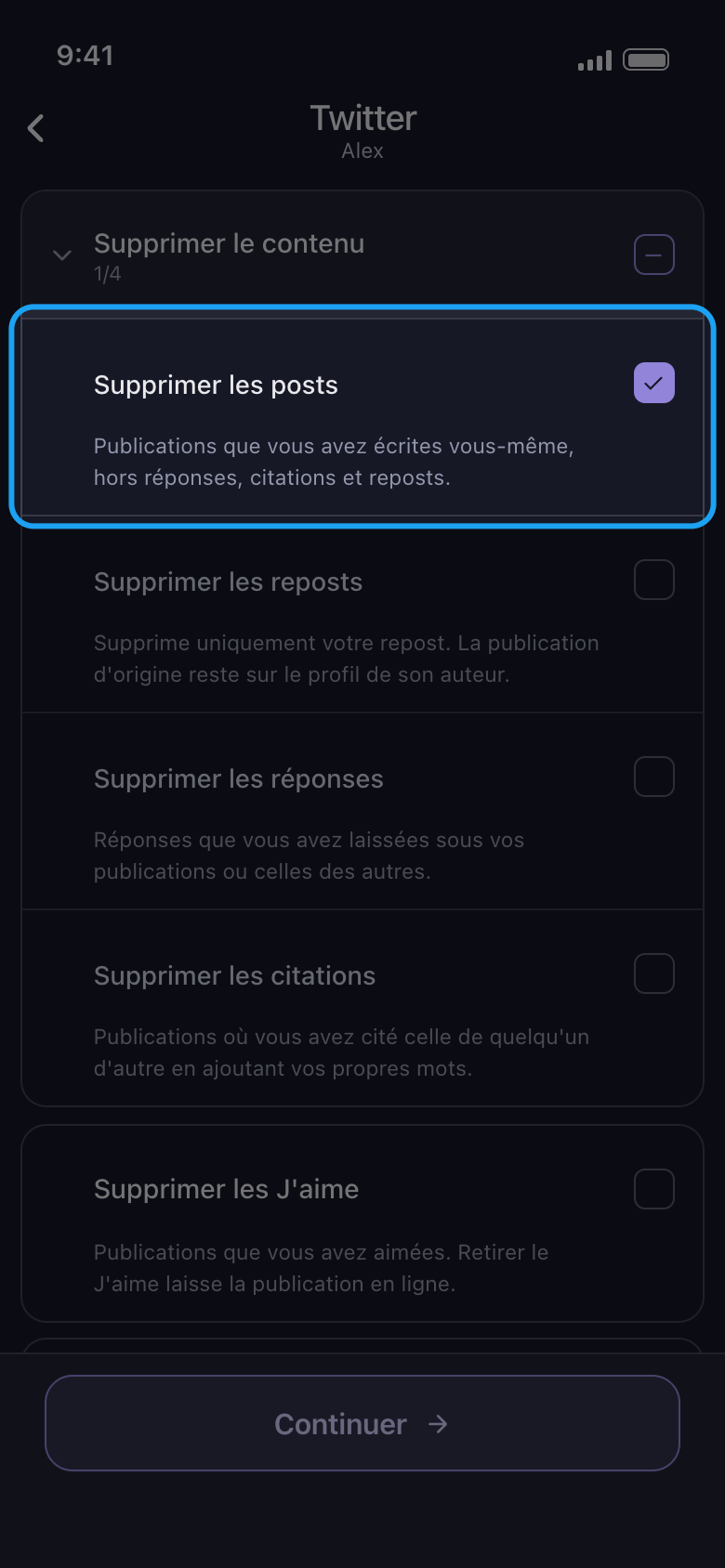
Cochez ce qu’il faut supprimer, puis appuyez sur Continuer
Chaque ligne correspond à un type de contenu ; sur X, le texte en dessous indique ce qu’elle retire et ce qui reste en ligne. Supprimer le contenu est un groupe : appuyez sur son nom pour l’ouvrir, puis cochez seulement les types voulus, ici Supprimer les posts. La case du groupe lui-même coche les quatre types qu’il contient, réponses, reposts et citations compris. Quand une option s’applique à ce que vous avez coché, comme une période ou des mots-clés, l’écran des options, Avant de supprimer, s’ouvre ensuite : réglez ce qu’il vous faut, laissez le reste tel quel (un champ vide signifie aucune limite, alors que 0 compte comme une limite), puis appuyez de nouveau sur Continuer. Sur X, seul Supprimer les J'aime a une option : ici, la fenêtre Vérification s’ouvre donc directement.
Dans l'app Supprimer le contenu → Supprimer les posts → Continuer
- 06
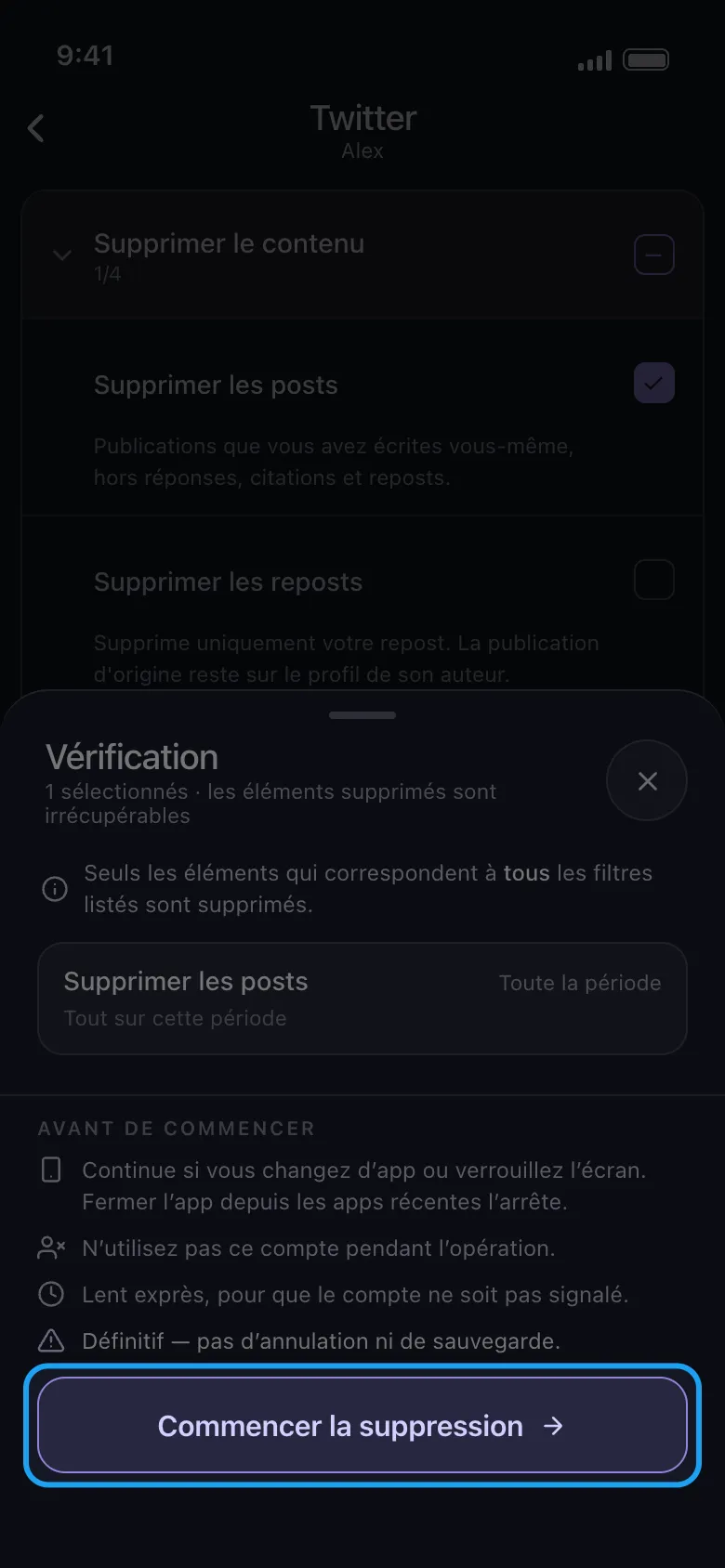
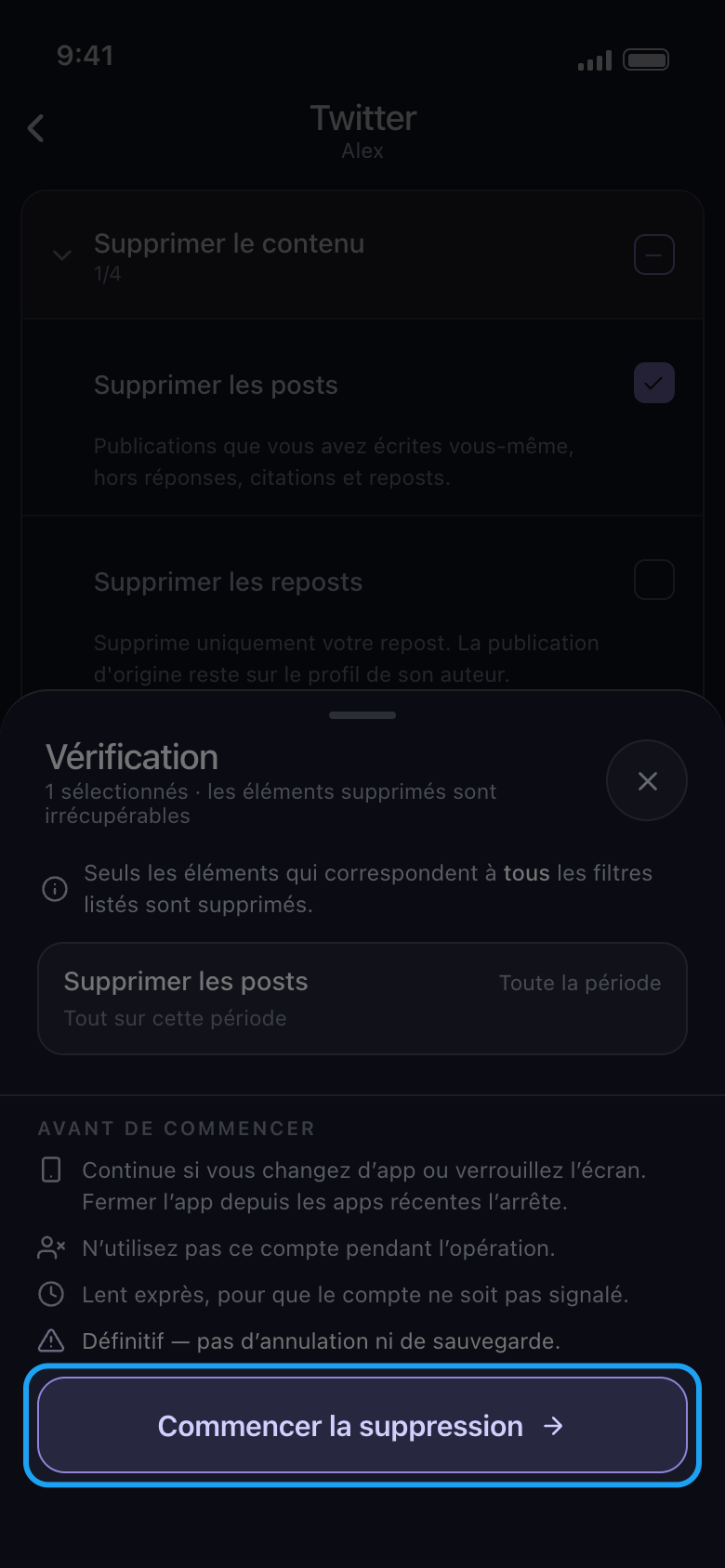
Contrôlez la fenêtre Vérification et appuyez sur Commencer la suppression
La fenêtre liste ce qui va partir : un encadré par type coché, avec sa période (ici Toute la période) et les filtres qui s’y appliquent. Sous Avant de commencer figurent les règles d’une suppression. Rien n’est supprimé tant que vous n’avez pas appuyé sur Commencer la suppression. Sur Android, la suppression continue si vous changez d’app ou verrouillez l’écran, mais s’arrête si vous fermez Unpost depuis les apps récentes ; gardez une suppression TikTok à l’écran. Sur iPhone, gardez Unpost ouvert à l’écran. N’utilisez le compte nulle part ailleurs pendant la suppression.
Dans l'app Continuer → Vérification → Commencer la suppression
- 07
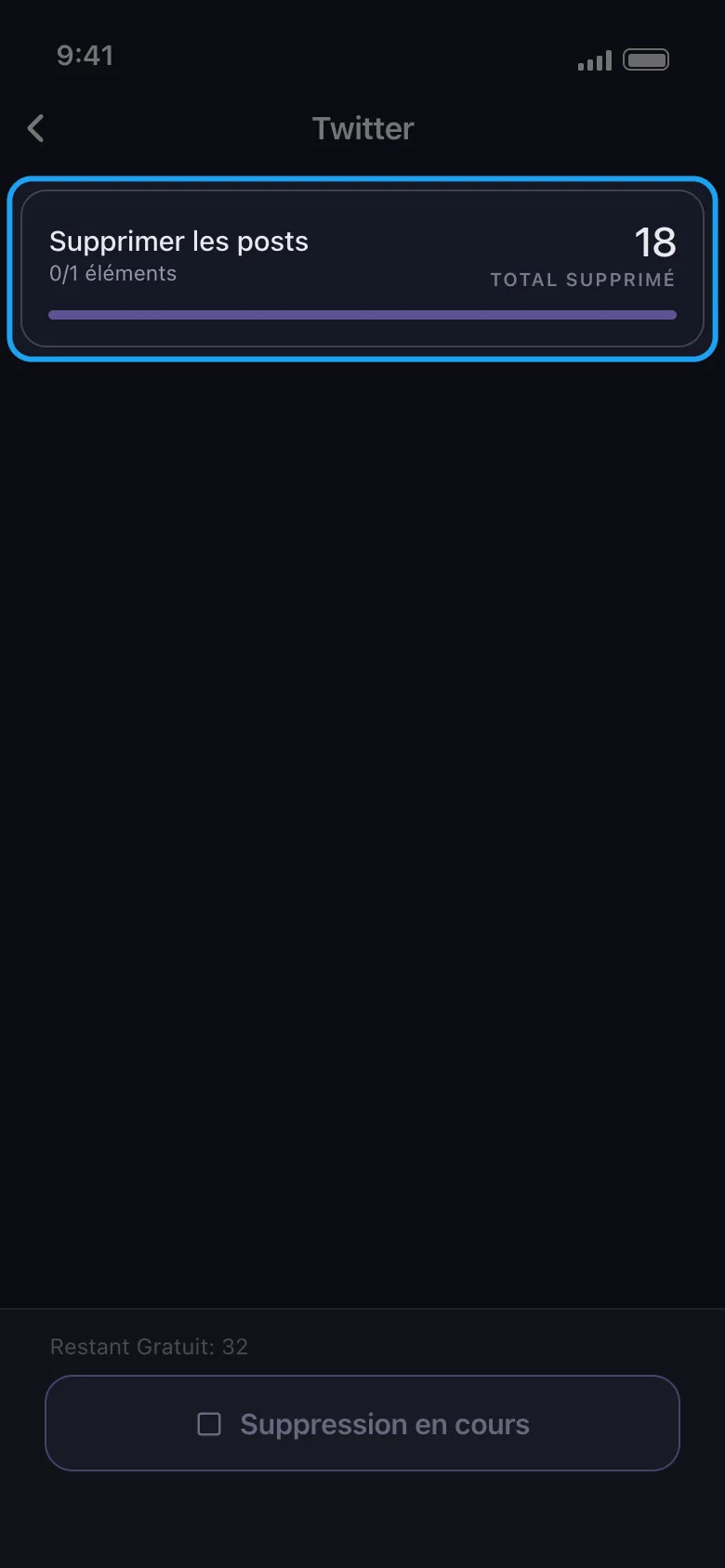
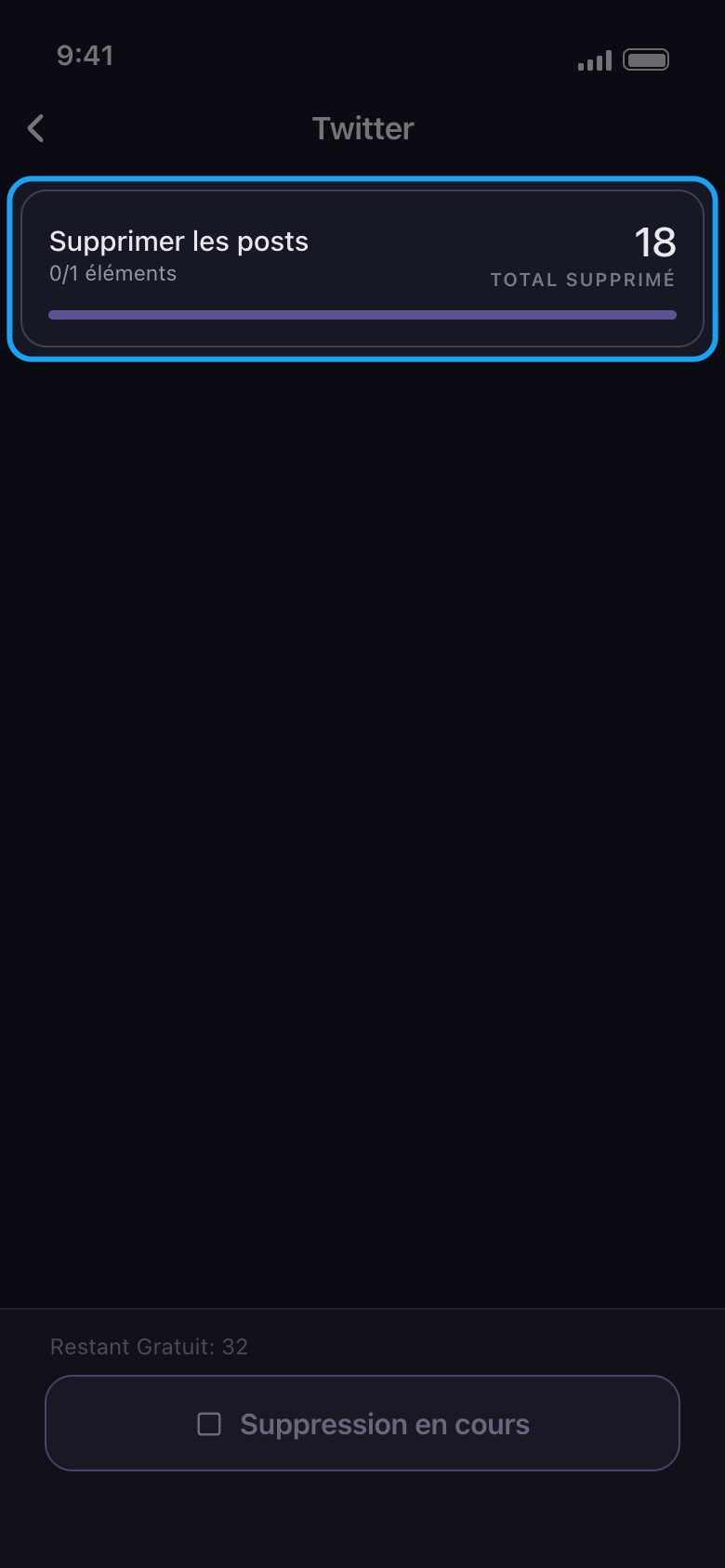
Laissez la suppression se dérouler
La carte affiche ce qui est en cours de suppression et le total jusqu’ici ; le petit « 0/1 éléments » sous le nom compte en réalité vos sélections, pas les éléments supprimés. Restant Gratuit décompte ce qui reste du quota du jour. La suppression est lente exprès. Pour arrêter avant la fin, appuyez sur le bouton Suppression en cours, en bas.
Dans l'app Écran de suppression
- 08
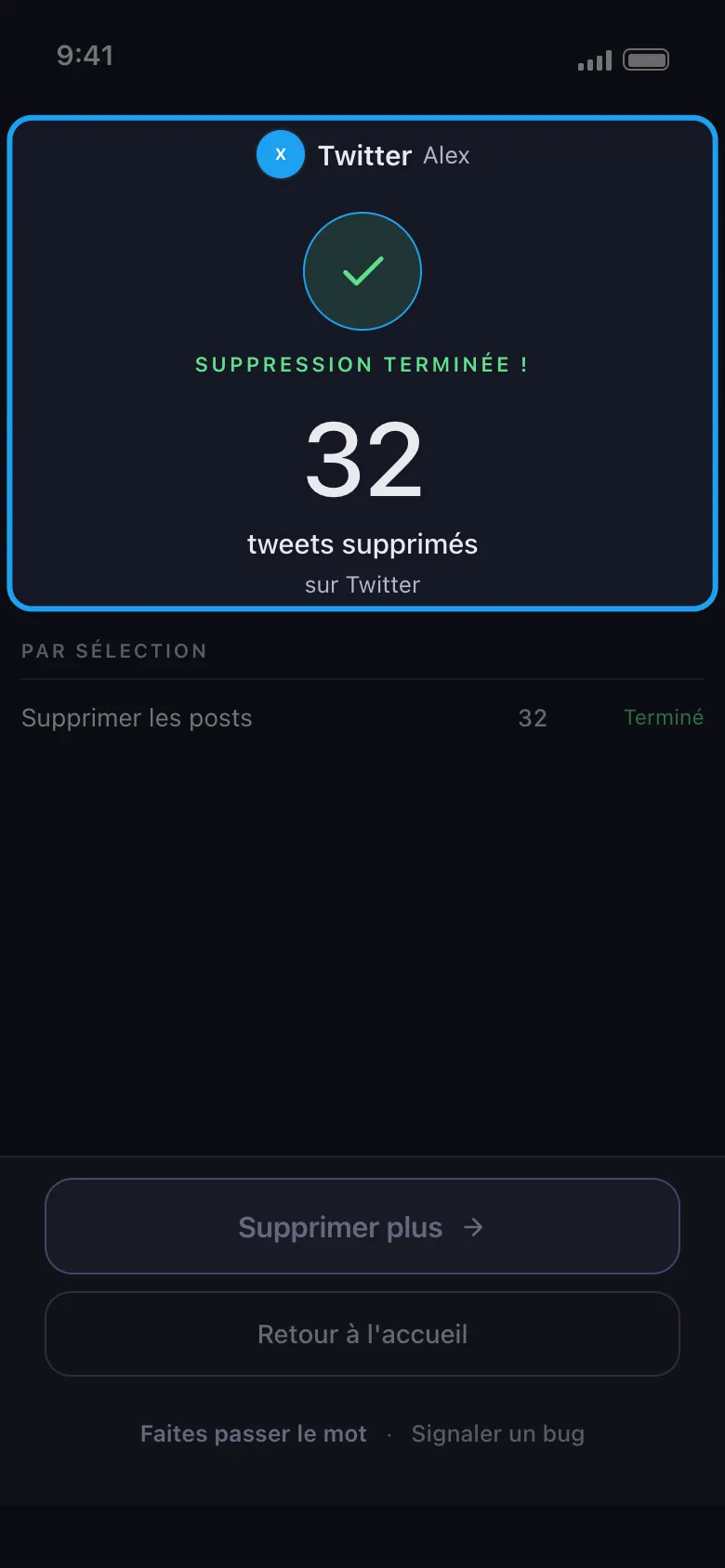
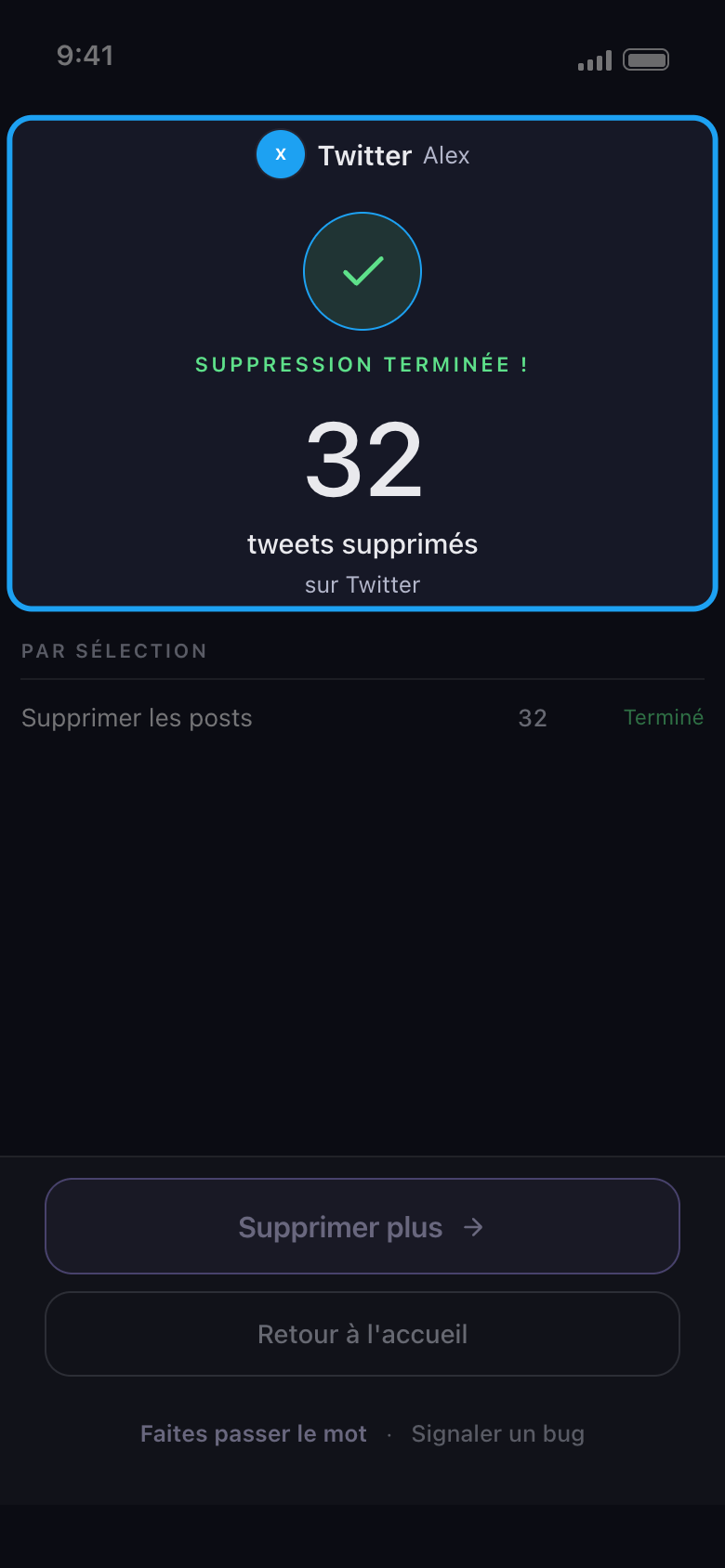
Lisez le résultat
À la fin, l’écran de résultat indique la plateforme et le compte, le nombre d’éléments supprimés et l’issue de chaque sélection. Supprimer plus vous ramène à la liste du même compte ; si la suppression s’est arrêtée avant la fin, le bouton affiche Réessayer et fait la même chose. Si elle s’est arrêtée parce que les 50 suppressions gratuites du jour sont épuisées, il affiche Passer au Premium et ouvre l’onglet Abonnement ; pour attendre plutôt le quota du lendemain, appuyez sur Retour à l'accueil. Quand une suppression s’arrête pour une autre raison, le résultat dit pourquoi et que faire ensuite.
Dans l'app Résultat
Bon à savoir
- La suppression est définitive. Il n’y a pas d’annulation, et Unpost ne garde aucune sauvegarde.
- Sur Instagram, le compte s’ouvre sur l’onglet Messages privés : publications, reels, carrousels, commentaires et likes se trouvent dans l’onglet Contenu, juste à côté, où Tout sélectionner coche aussi Ne plus suivre tout le monde et Supprimer tous les abonnés. Voir Comment choisir les types de contenu à supprimer.
- Reddit n’a pas de limite quotidienne. Pour savoir comment les 50 par jour sont comptés, voir Comment fonctionne la limite quotidienne gratuite, et ce que signifie « Limite quotidienne atteinte ».
- Si la page de connexion reste ouverte une fois vos identifiants saisis, voir Comment se connecter et résoudre un problème de connexion.
- Si le résultat indique que la plateforme a interrompu la suppression, ou affiche Rien supprimé, voir Que faire quand une plateforme interrompt votre nettoyage, et Pourquoi un nettoyage ne trouve rien, s’arrête avant la fin ou laisse des publications visibles.
Plus de guides