
So fügst du ein Konto hinzu und startest deine erste Bereinigung
Unpost ist eine eigenständige App, kein Plug-in in Instagram oder einer anderen App, und du musst kein Unpost-Konto anlegen: Du verbindest jede Plattform direkt in Unpost, auf ihrer eigenen Anmeldeseite. Hier der ganze Ablauf am Beispiel von X, das in der App Twitter heißt. Er gilt für jede Plattform; anders ist nur, ob das Fenster aus Schritt 4 erscheint, was die Liste zum Löschen anbietet und ob sich nach Schritt 5 ein Optionsbildschirm öffnet.
- 01
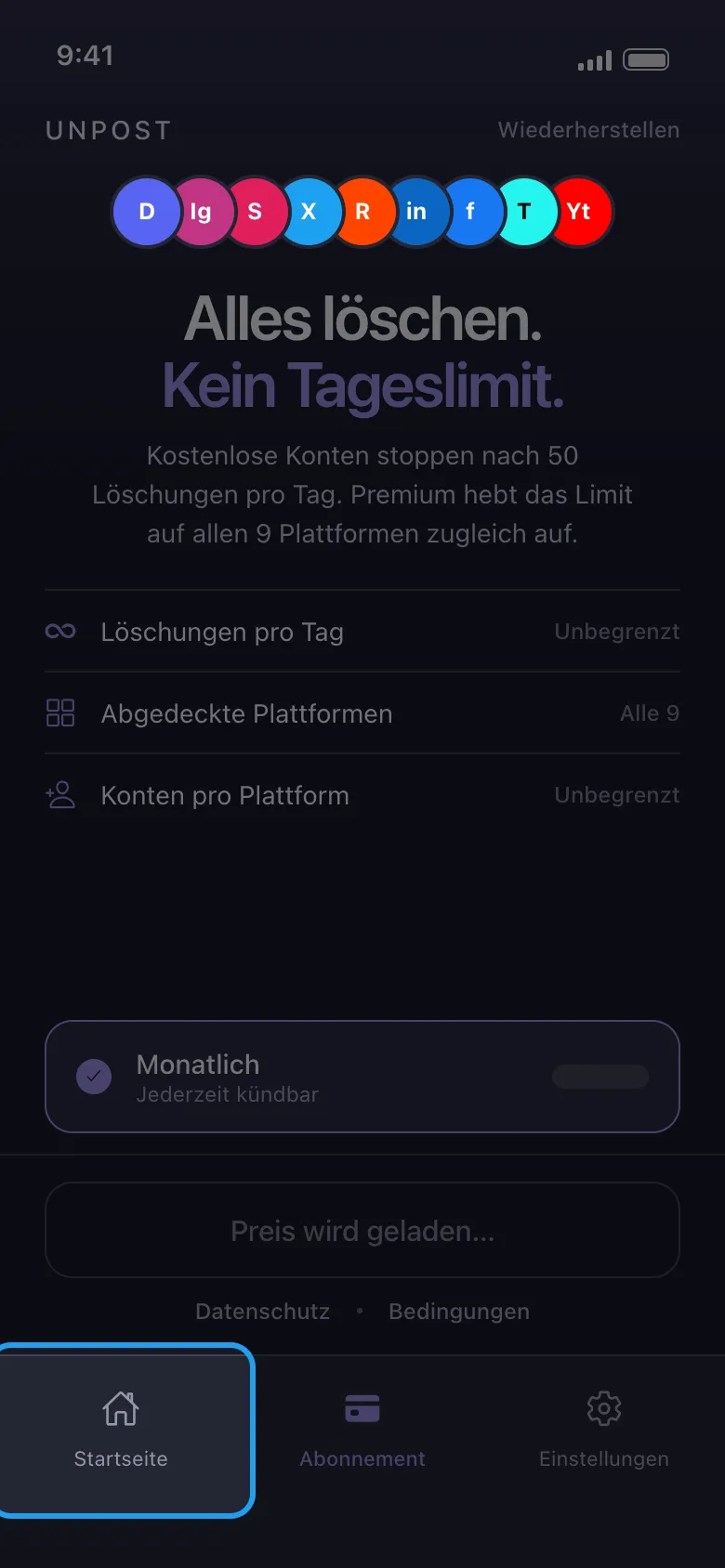
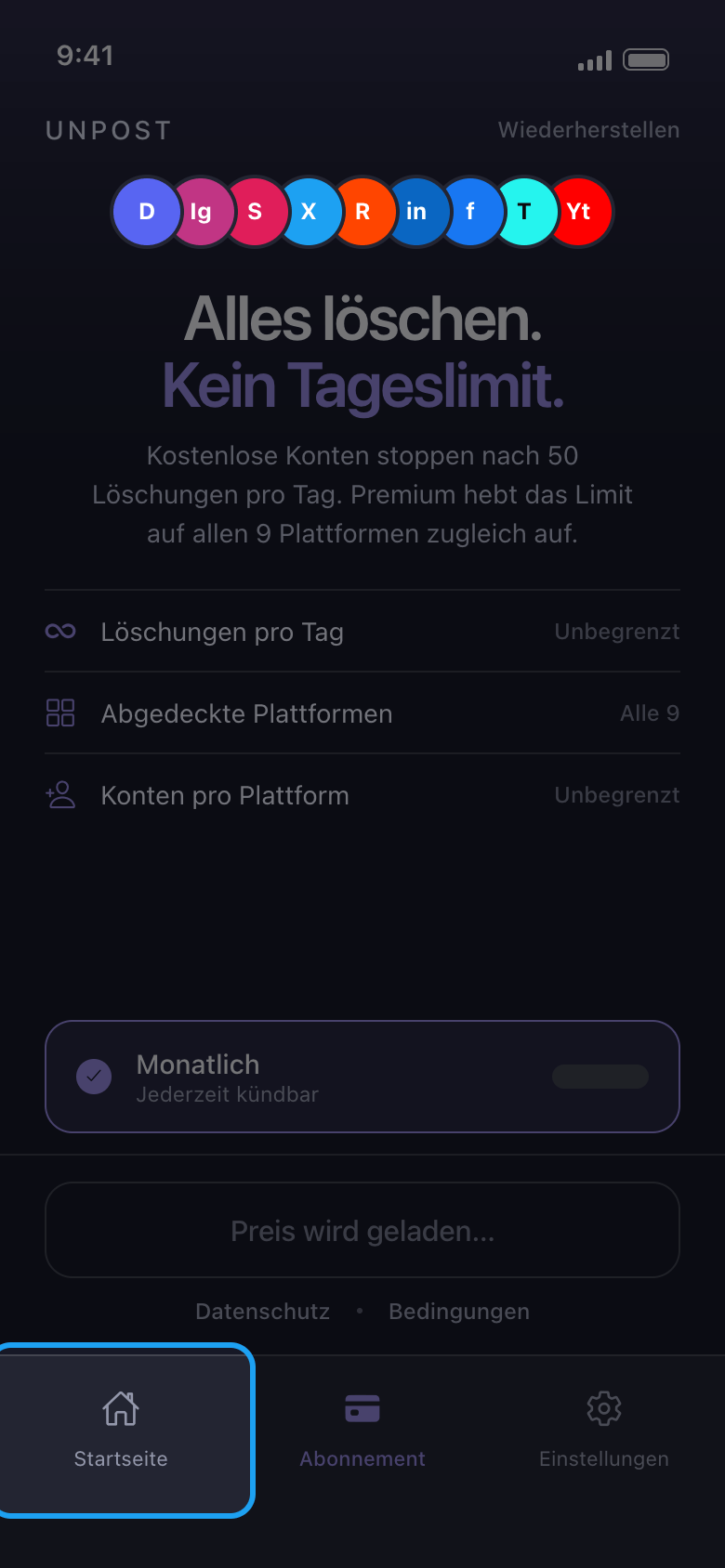
Tippe unten auf „Startseite“
Beim allerersten Start fragt Unpost nach der Sprache der App („Sprache anwenden“; ändern kannst du sie später unter „Einstellungen“ → „Sprache ändern“) und zeigt dann seine Datenschutzrichtlinie: Tippe auf „Weiter“. Solange du kein Premium hast, öffnet Unpost danach den Tab „Abonnement“. Ein Abo brauchst du nicht: Du kannst Unpost zuerst kostenlos testen, mit bis zu 50 Löschungen pro Tag und Konto. Tippe auf „Startseite“, um zu deinen Plattformen zu kommen.
In der App Abonnement → Startseite
- 02
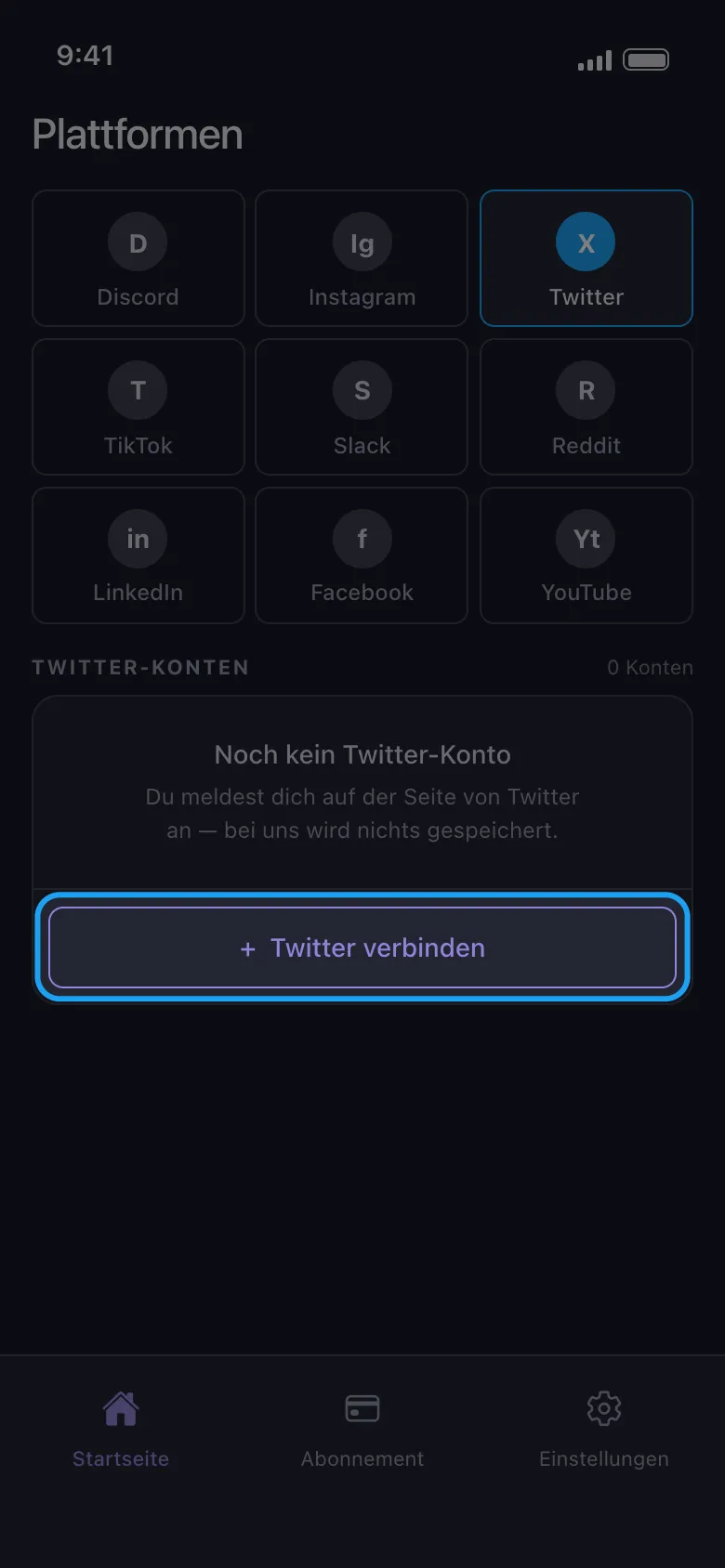
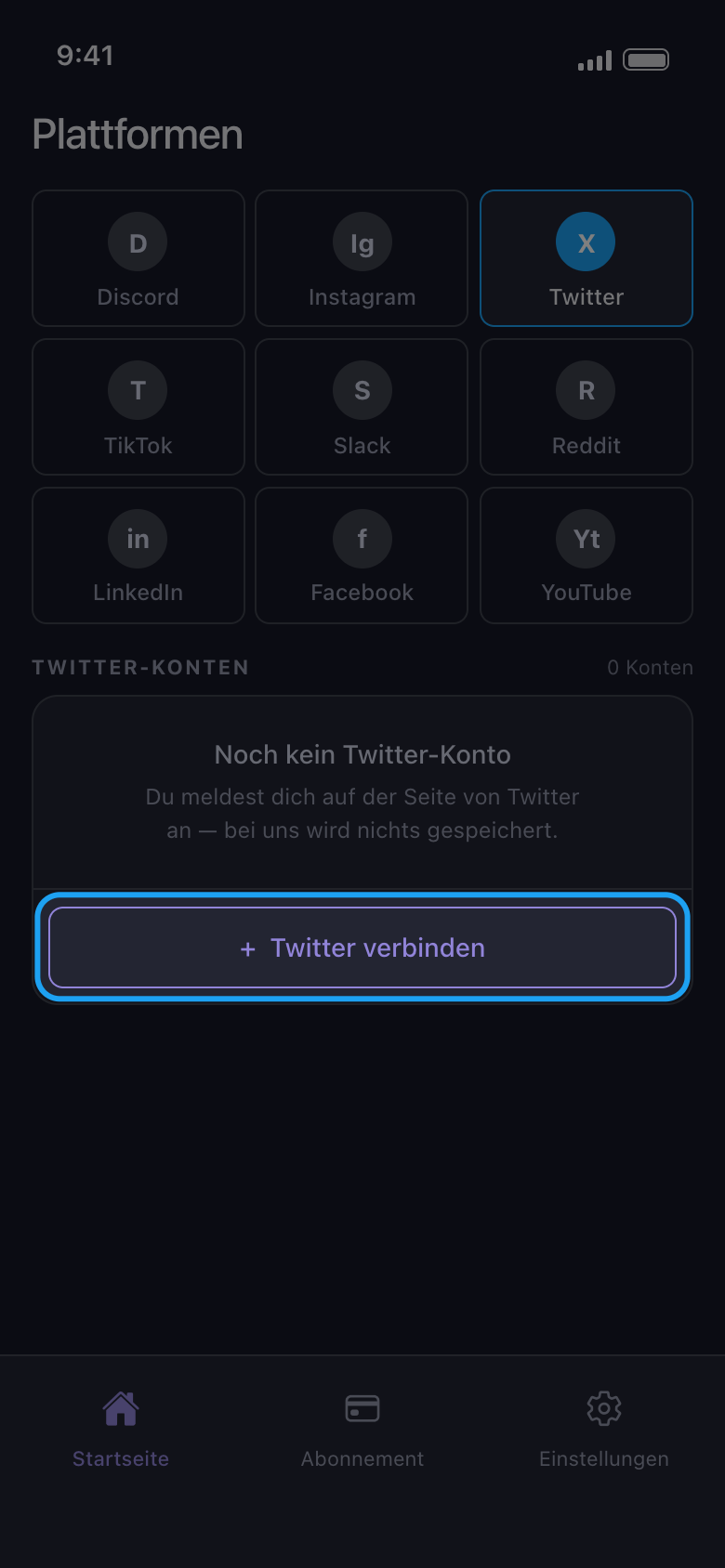
Wähle die Plattform und tippe auf die Schaltfläche zum Verbinden
Tippe auf die Kachel der Plattform und dann auf die Schaltfläche darunter, auf der der Name der Plattform und „verbinden“ steht (hier „Twitter verbinden“).
In der App Startseite → Twitter → Twitter verbinden
- 03
Melde dich auf der Seite der Plattform an
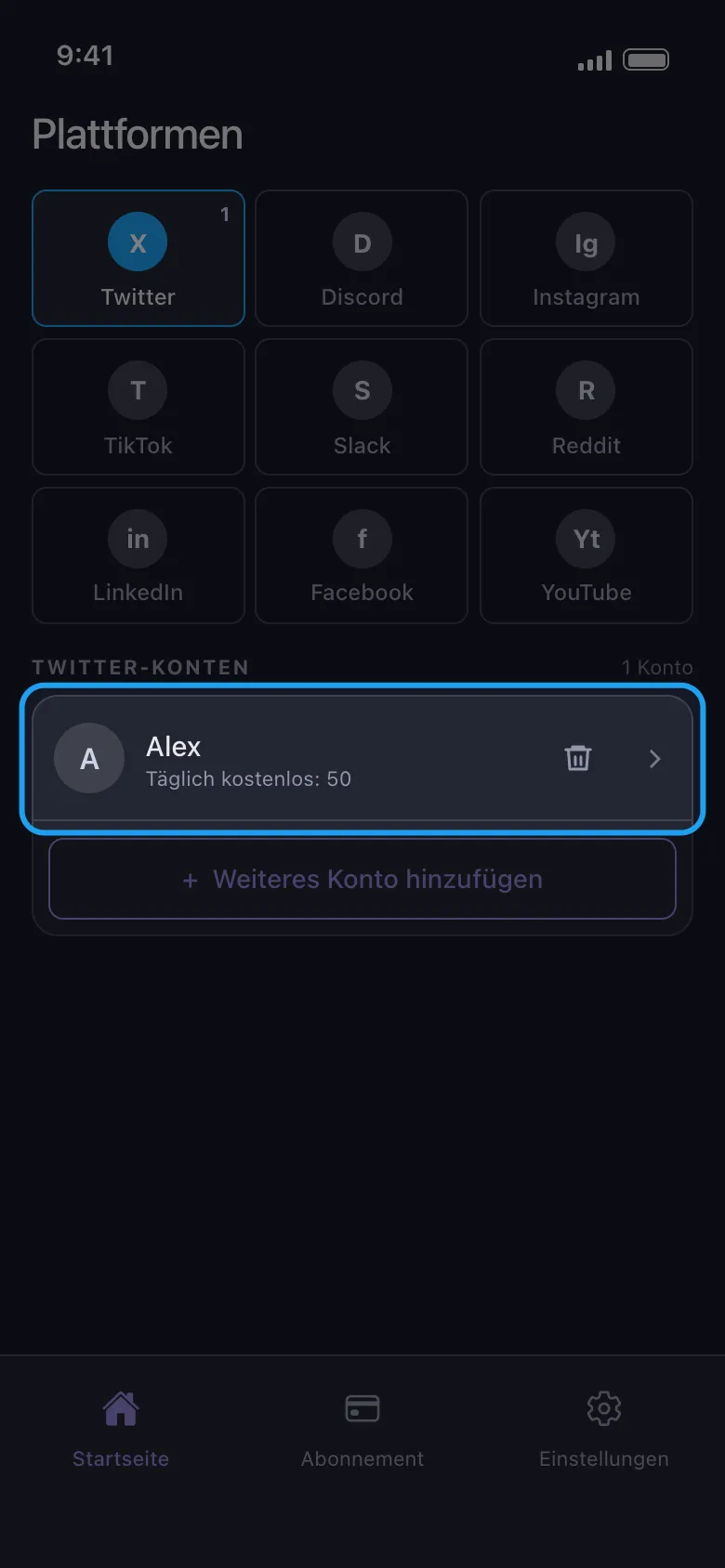
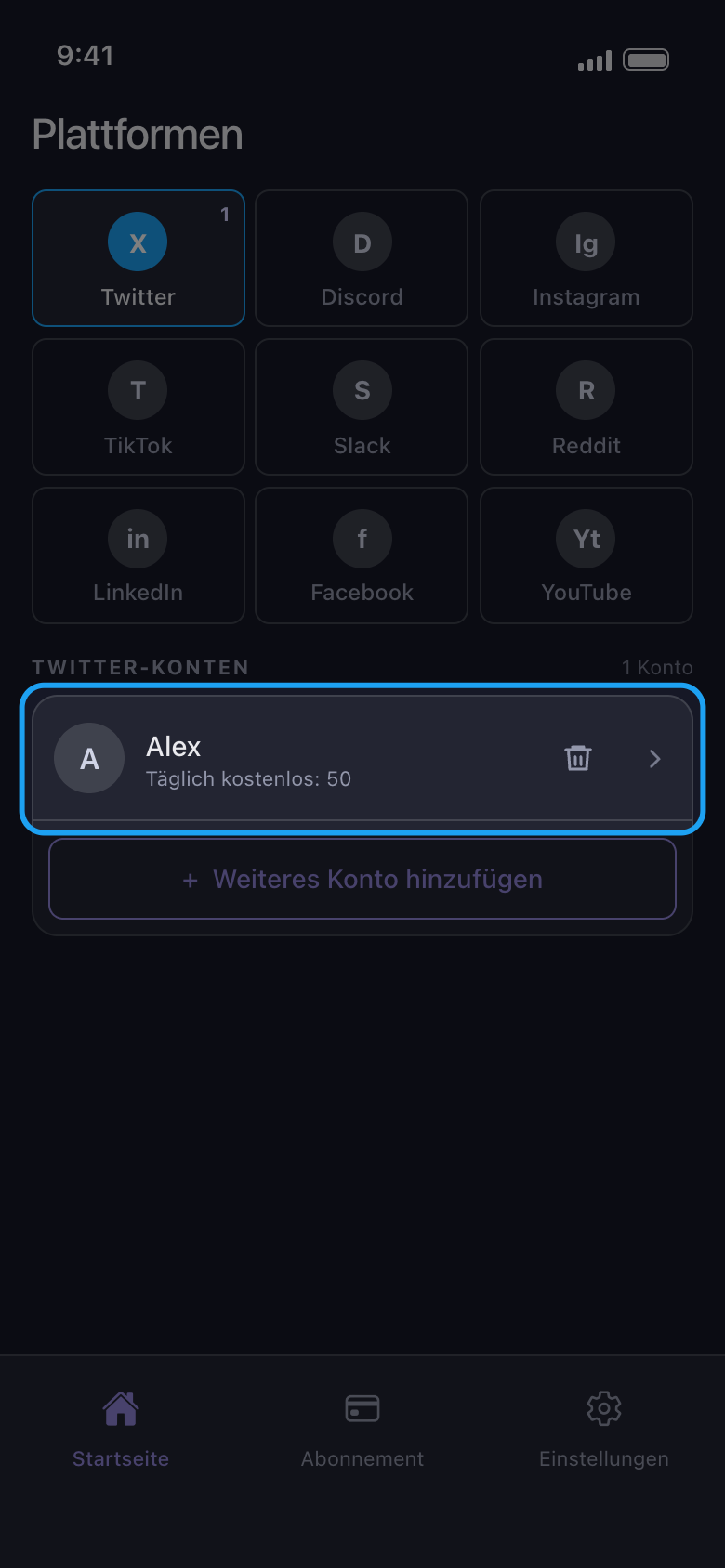
Melde dich mit Benutzername oder E-Mail und Passwort an und gib jeden Code ein, den die Plattform verlangt. Nutze das Passwort-Formular: Auf Android öffnen die Schaltflächen für die Anmeldung mit Google oder Apple deinen Browser, und eine Anmeldung, die dort endet, kommt nie bei Unpost an. Ist die Anmeldung fertig, schließt sich die Seite von selbst, und das Konto erscheint in der Liste; unter seinem Namen steht, wie viel es heute noch löschen kann. Niemand von Unpost wird dich jemals nach deinem Passwort oder einem Anmeldecode fragen.
In der App Twitter verbinden → Anmeldeseite von Twitter
- 04
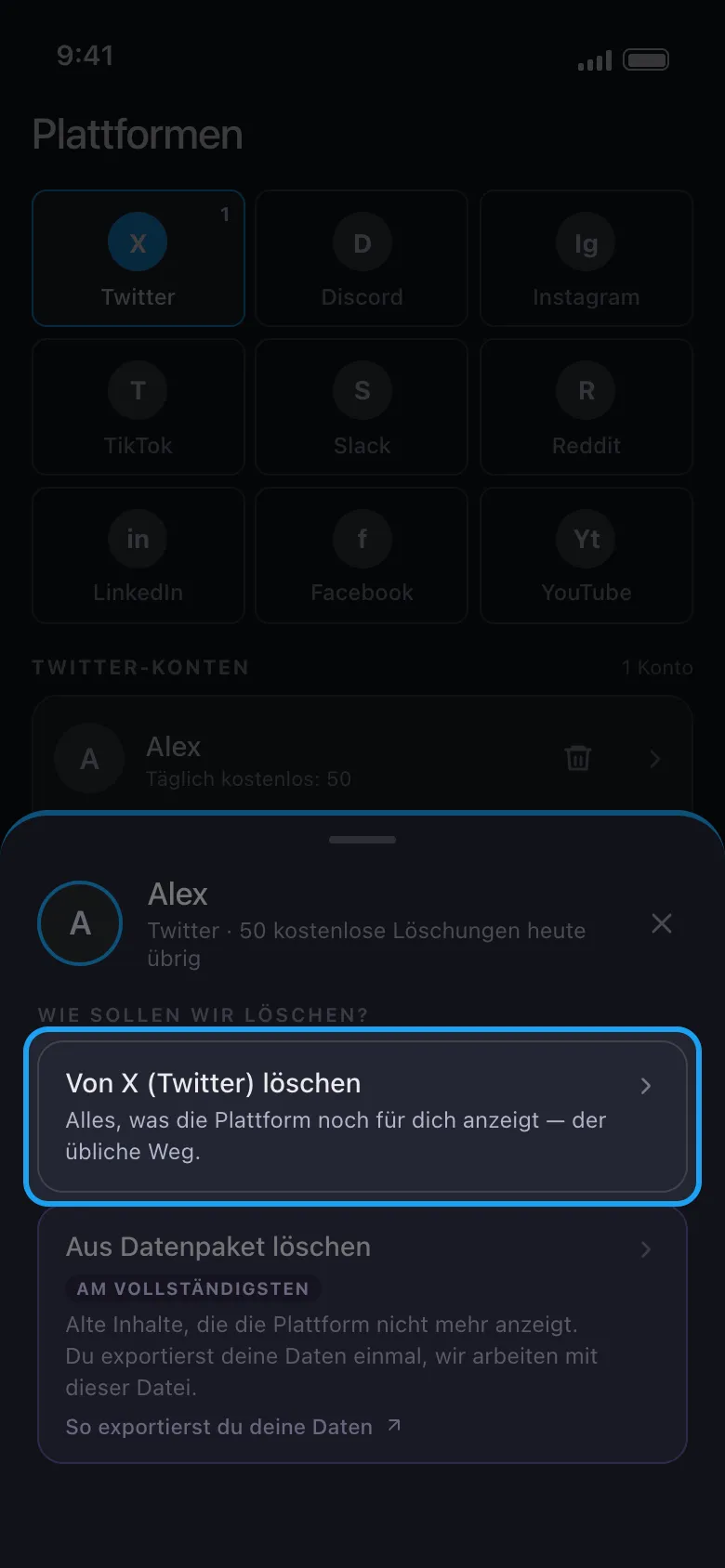
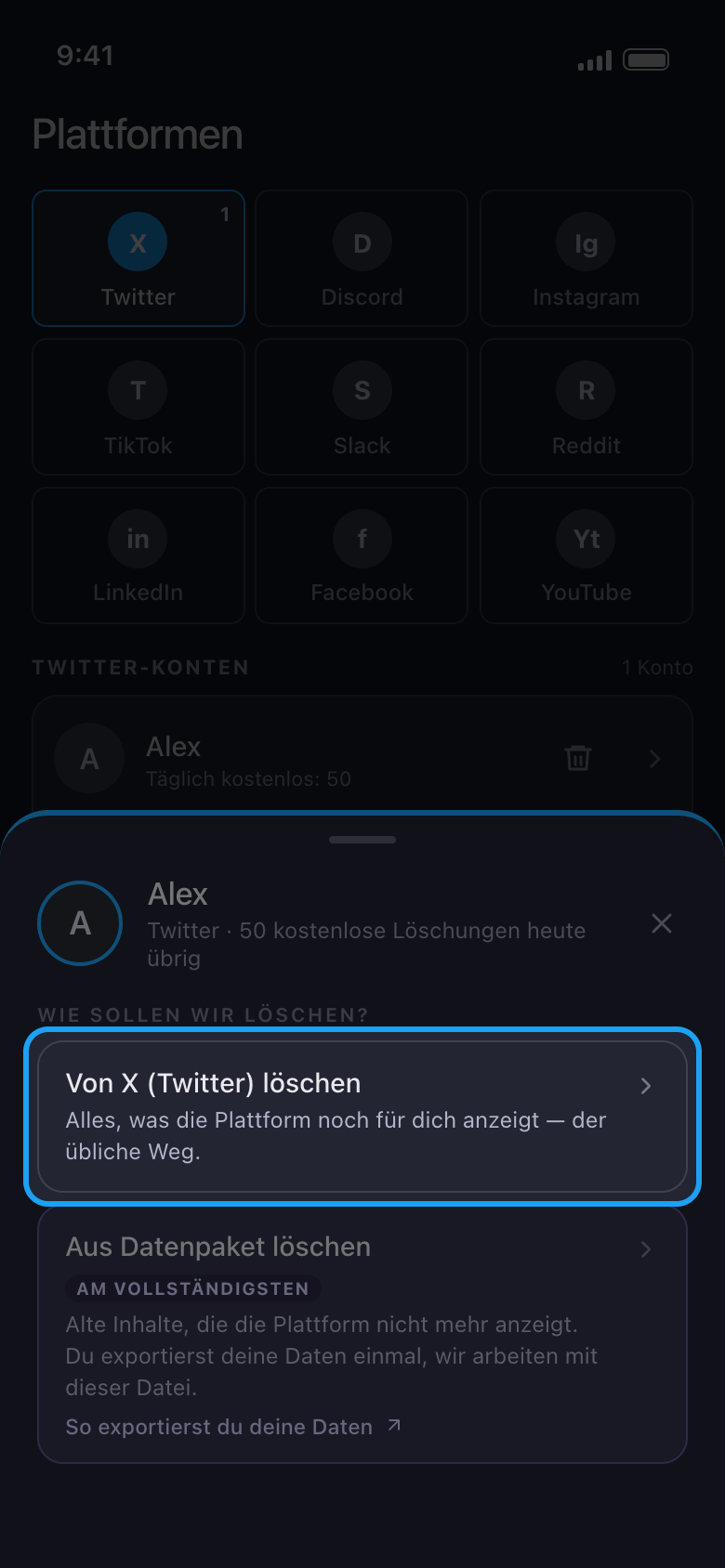
Tippe auf das Konto und wähle „Von X (Twitter) löschen“
Auf X, Discord, Slack und Reddit fragt ein Fenster, wie gelöscht werden soll. Nimm beim ersten Durchlauf die erste Option: Sie löscht, was die Plattform dir noch anzeigt. Auf X, Discord und Reddit ist „Aus Datenpaket löschen“ für alte Inhalte gedacht, die die Plattform nicht mehr zeigt.
In der App Startseite → Twitter → Konto → Von X (Twitter) löschen
- 05
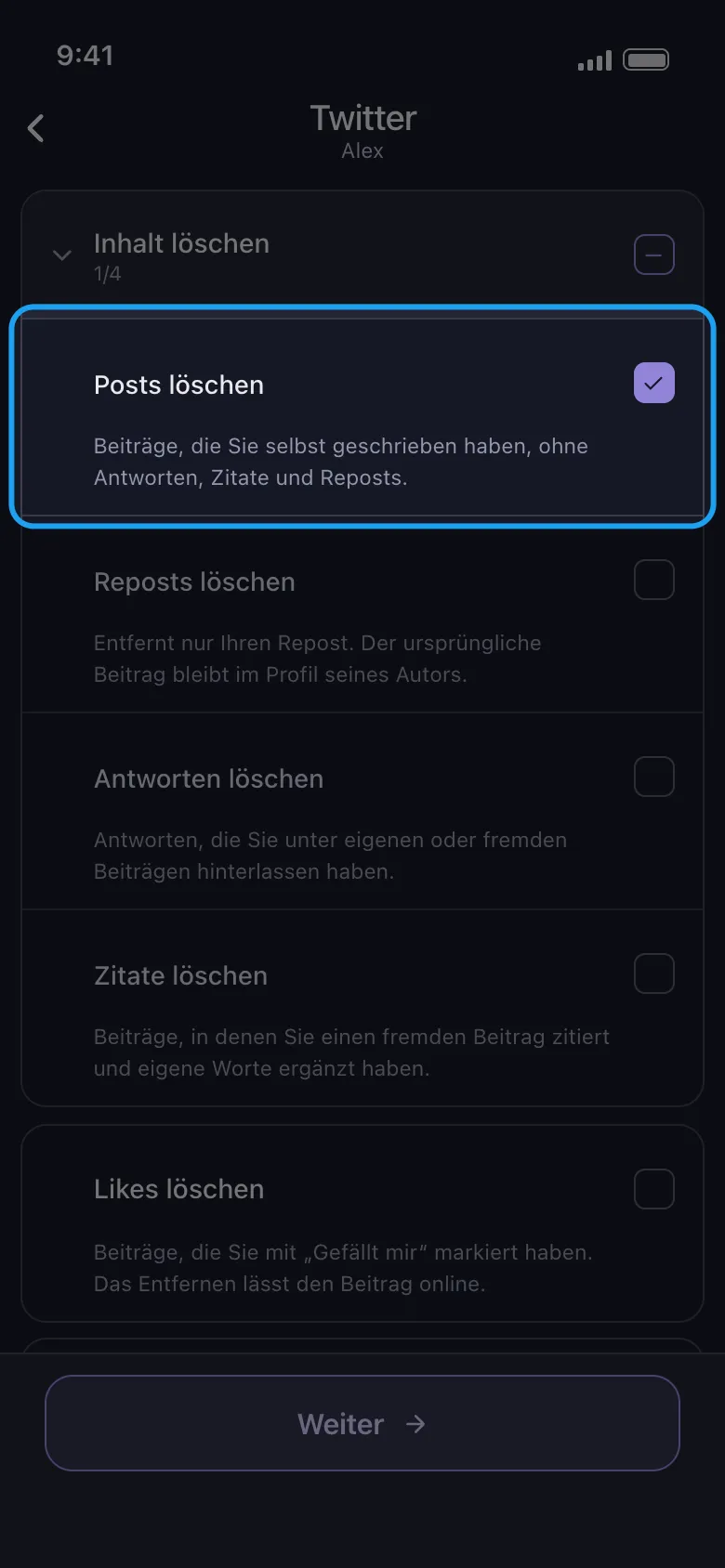
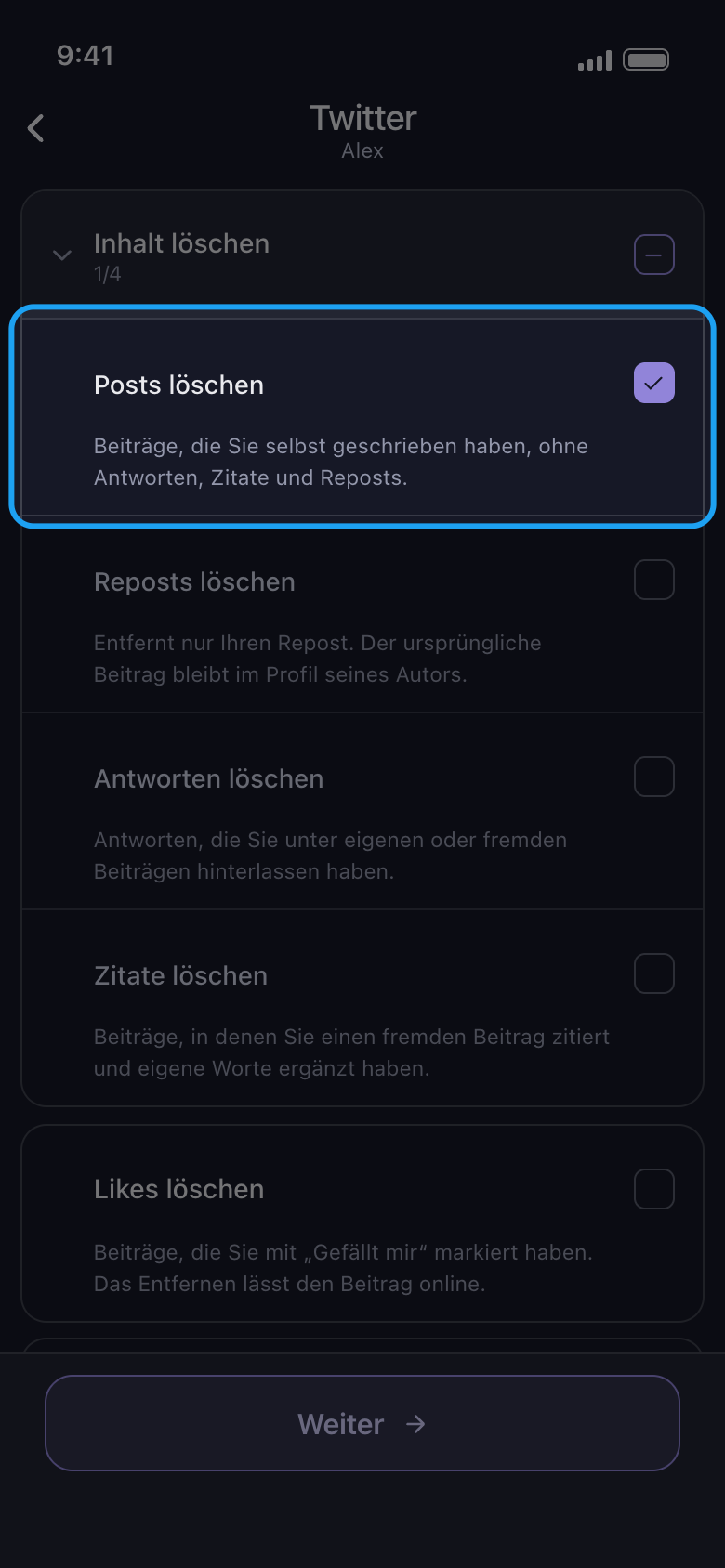
Wähle aus, was gelöscht wird, und tippe auf „Weiter“
Jede Zeile ist eine Art von Inhalt; auf X sagt eine Zeile darunter, was entfernt wird und was online bleibt. „Inhalt löschen“ ist eine Gruppe: Tippe auf ihren Namen, um sie zu öffnen, und wähle dann nur die Arten aus, die du willst, hier „Posts löschen“. Das Kästchen der Gruppe selbst wählt alle vier Arten darin aus, auch Antworten, Reposts und Zitate. Gilt eine Option für deine Auswahl, etwa ein Zeitraum oder Schlüsselwörter, öffnet sich als Nächstes der Optionsbildschirm „Bevor wir löschen“: Stell ein, was du brauchst, und lass den Rest, wie er ist (ein leeres Feld bedeutet kein Limit, 0 dagegen ist ein Limit). Tippe dann wieder auf „Weiter“. Auf X hat nur „Likes löschen“ eine Option, deshalb öffnet sich hier direkt die Übersicht „Überprüfen“.
In der App Inhalt löschen → Posts löschen → Weiter
- 06
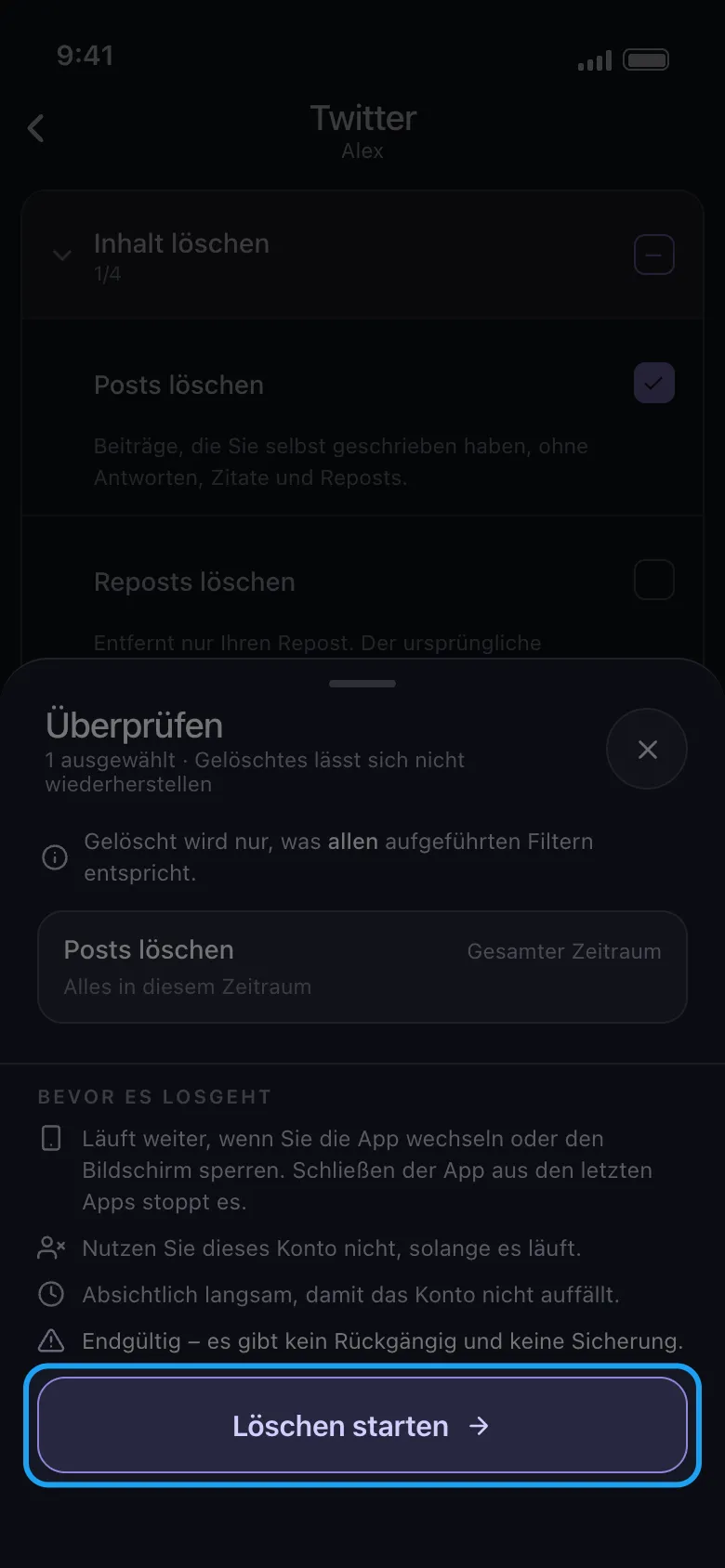
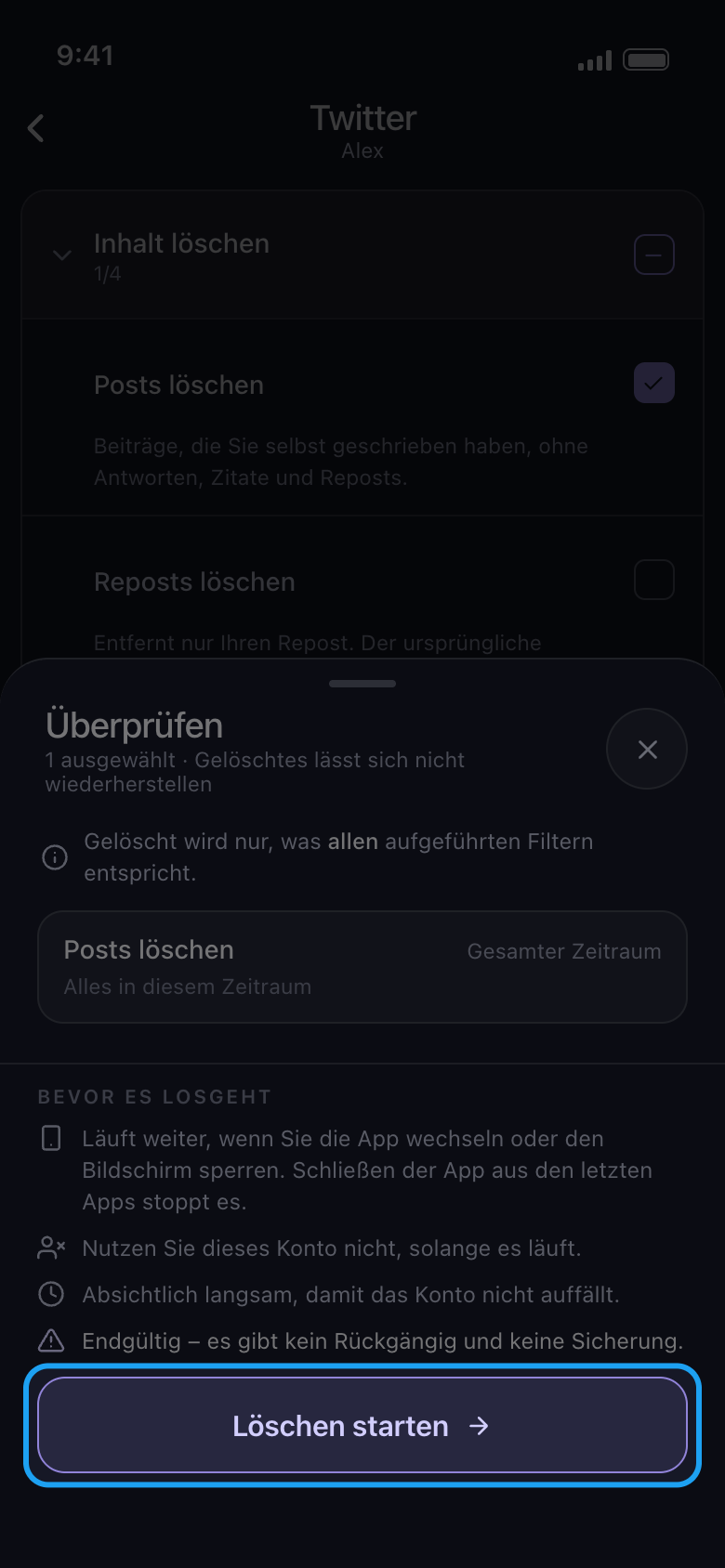
Sieh dir die Übersicht „Überprüfen“ an und tippe auf „Löschen starten“
Die Übersicht zeigt, was gelöscht wird: eine Kachel für jede ausgewählte Art, mit ihrem Zeitraum (hier „Gesamter Zeitraum“) und den Filtern, die greifen. Unter „Bevor es losgeht“ stehen die Regeln für einen Durchlauf. Gelöscht wird erst, wenn du auf „Löschen starten“ tippst. Auf Android läuft der Durchlauf weiter, wenn du die App wechselst oder den Bildschirm sperrst, stoppt aber, wenn du Unpost aus den letzten Apps schließt; einen TikTok-Durchlauf lässt du im Vordergrund laufen. Auf dem iPhone muss Unpost geöffnet auf dem Bildschirm bleiben. Nutze das Konto nirgendwo sonst, solange der Durchlauf läuft.
In der App Weiter → Überprüfen → Löschen starten
- 07
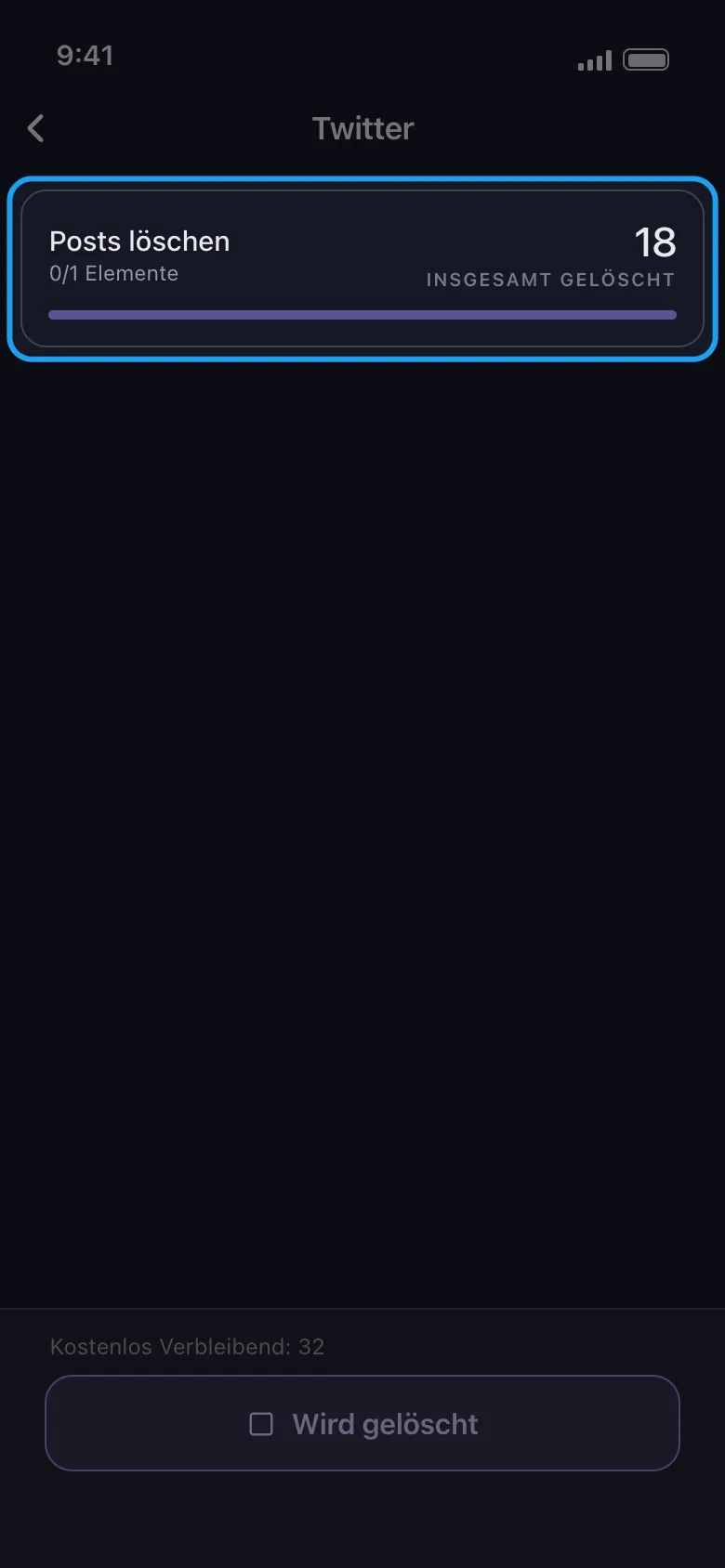
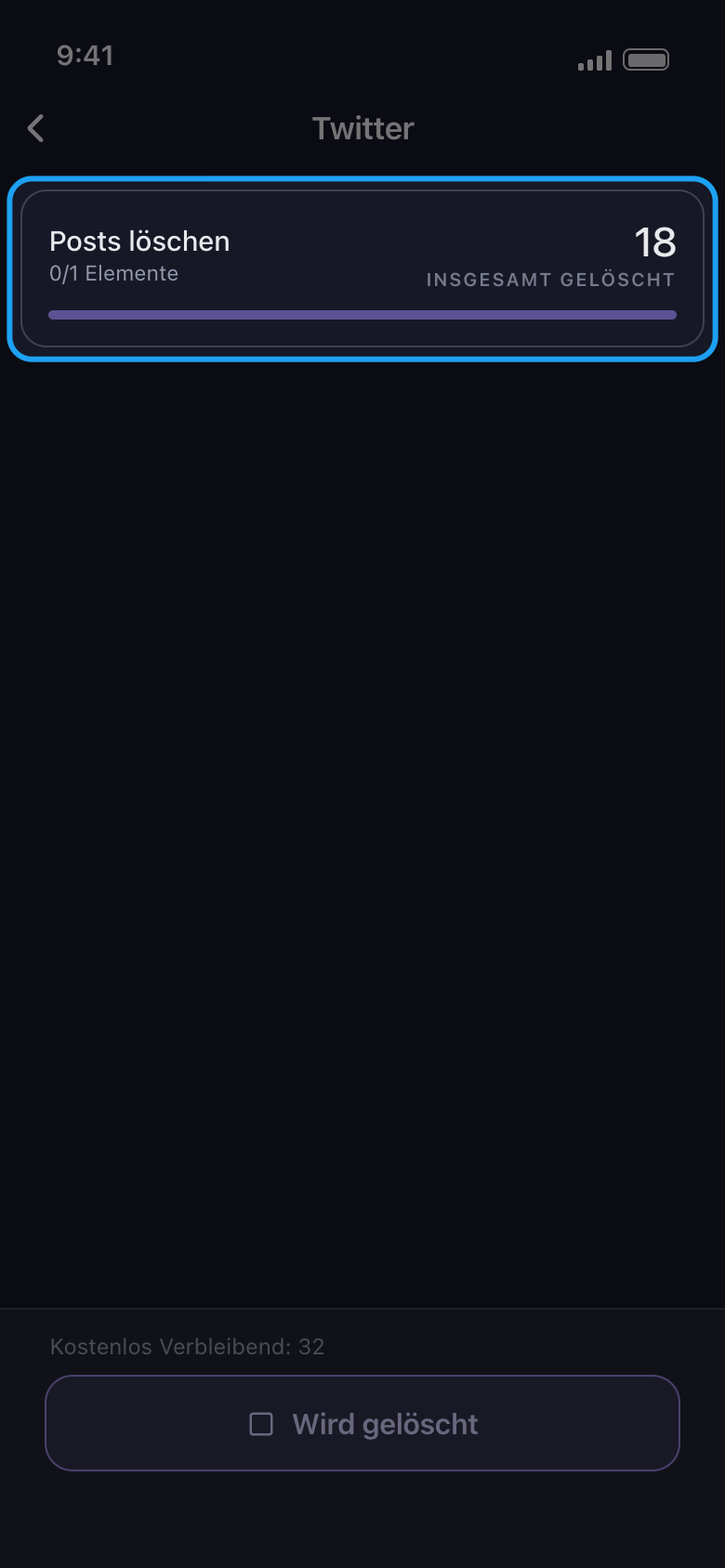
Lass Unpost arbeiten
Die Karte zeigt, was gerade gelöscht wird, und die bisherige Gesamtzahl; das kleine „0/1 Elemente“ unter dem Namen zählt deine Auswahlen, nicht die gelöschten Einträge. „Kostenlos Verbleibend“ zählt herunter, was vom heutigen Kontingent übrig ist. Das Löschen ist absichtlich langsam. Um früher aufzuhören, tippe unten auf die Schaltfläche „Wird gelöscht“.
In der App Löschbildschirm
- 08
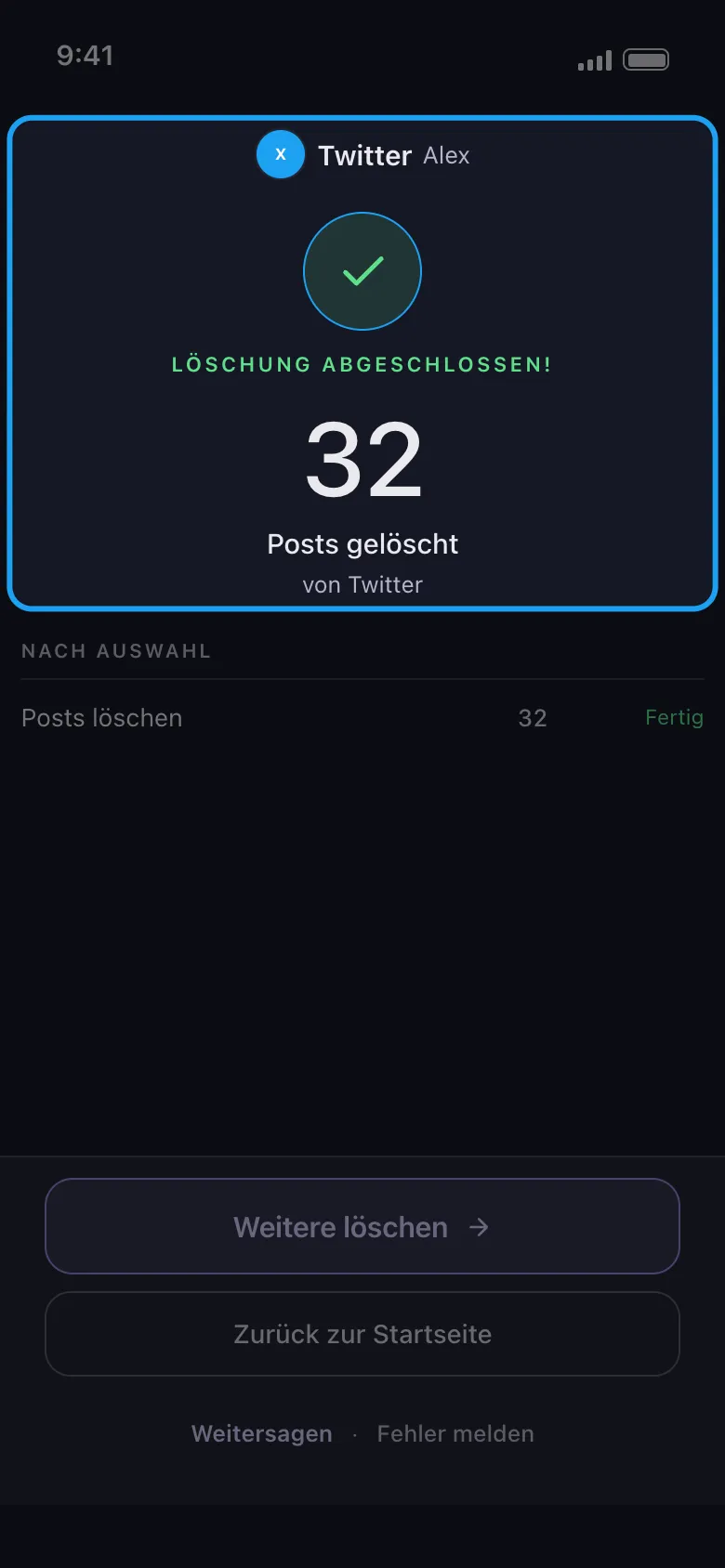
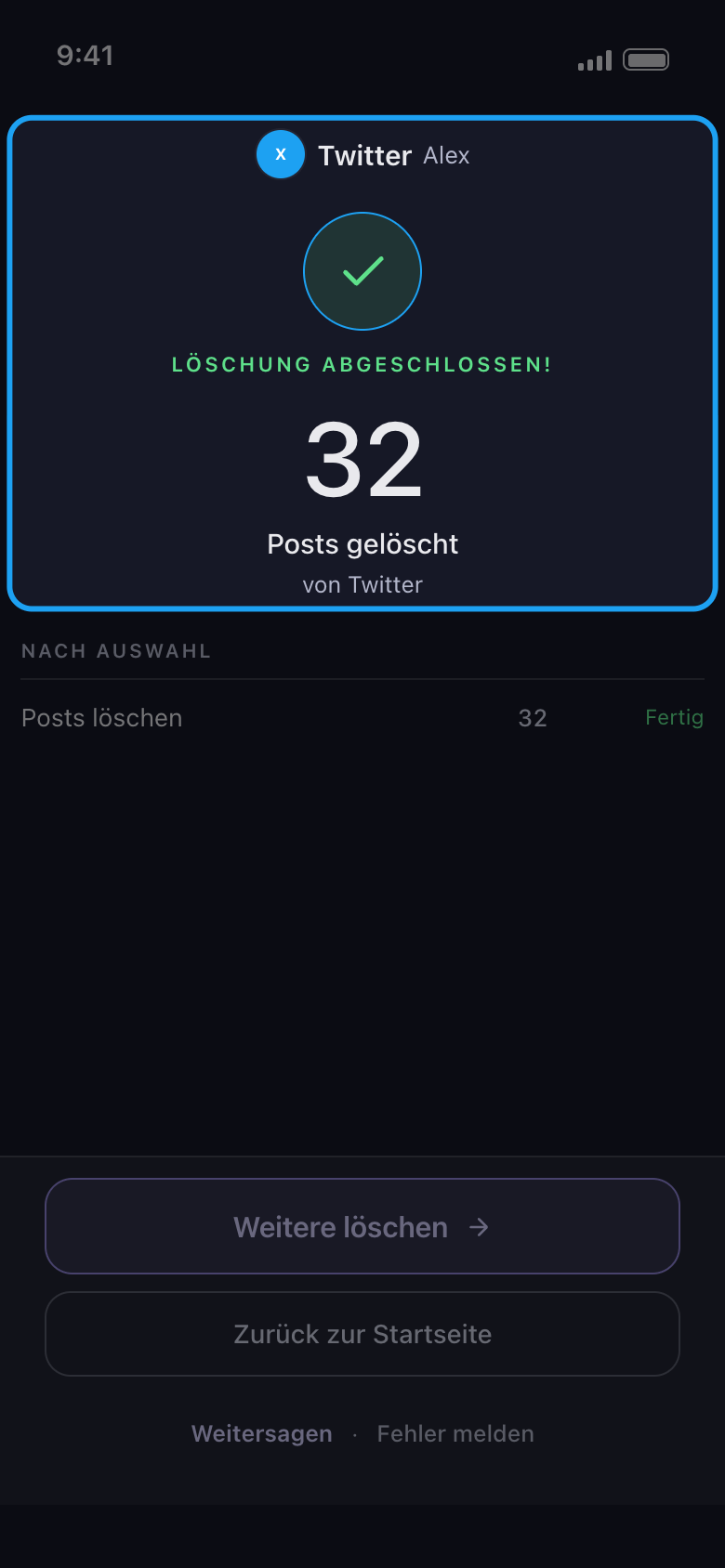
Lies das Ergebnis
Am Ende nennt der Ergebnisbildschirm die Plattform und das Konto, wie viele Einträge gelöscht wurden und wie jede Auswahl geendet hat. „Weitere löschen“ bringt dich zurück zur Liste desselben Kontos; hat der Durchlauf vorzeitig gestoppt, heißt die Schaltfläche „Erneut versuchen“ und tut dasselbe. Hat er gestoppt, weil die 50 kostenlosen Löschungen von heute verbraucht sind, heißt sie „Jetzt upgraden“ und öffnet den Tab „Abonnement“; willst du lieber auf das Kontingent des nächsten Tages warten, tippe auf „Zurück zur Startseite“. Stoppt ein Durchlauf aus einem anderen Grund, nennt das Ergebnis den Grund und was als Nächstes zu tun ist.
In der App Ergebnis
Gut zu wissen
- Löschen ist endgültig. Es lässt sich nicht rückgängig machen, und Unpost legt keine Sicherungskopie an.
- Auf Instagram öffnet sich das Konto im Tab „Direktnachrichten“: Beiträge, Reels, Karussells, Kommentare und Likes findest du im Tab „Inhalte“ daneben, wo „Alle … auswählen“ auch „Allen entfolgen“ und „Alle Follower entfernen“ auswählt. Siehe „So wählst du aus, welche Inhaltstypen gelöscht werden“.
- Reddit hat kein Tageslimit. Wie die 50 pro Tag gezählt werden, steht in „So funktioniert das kostenlose Tageslimit – und was ‚Tageslimit erreicht‘ bedeutet“.
- Schließt sich die Anmeldeseite nach dem Anmelden nicht, siehe „So meldest du dich an – und was hilft, wenn die Anmeldung nicht klappt“.
- Meldet das Ergebnis, dass die Plattform den Durchlauf pausiert hat, oder „Nichts gelöscht“, siehe „Was tun, wenn eine Plattform deine Bereinigung pausiert“ und „Warum eine Bereinigung nichts gefunden hat, vorzeitig gestoppt wurde oder noch Beiträge zeigt“.
Weitere Anleitungen