
Cara menambahkan akun dan menjalankan pembersihan pertama
Unpost adalah aplikasi tersendiri, bukan plug-in di dalam Instagram atau aplikasi lain, dan tidak ada akun Unpost yang perlu dibuat: Anda menghubungkan setiap platform di dalam Unpost, lewat halaman login milik platform itu sendiri. Berikut seluruh alurnya di X, yang di aplikasi disebut Twitter. Semua platform mengikuti alur yang sama; yang berbeda hanyalah apakah lembar di langkah 4 muncul, daftar apa saja yang bisa dihapus, dan apakah layar opsi terbuka setelah langkah 5.
- 01
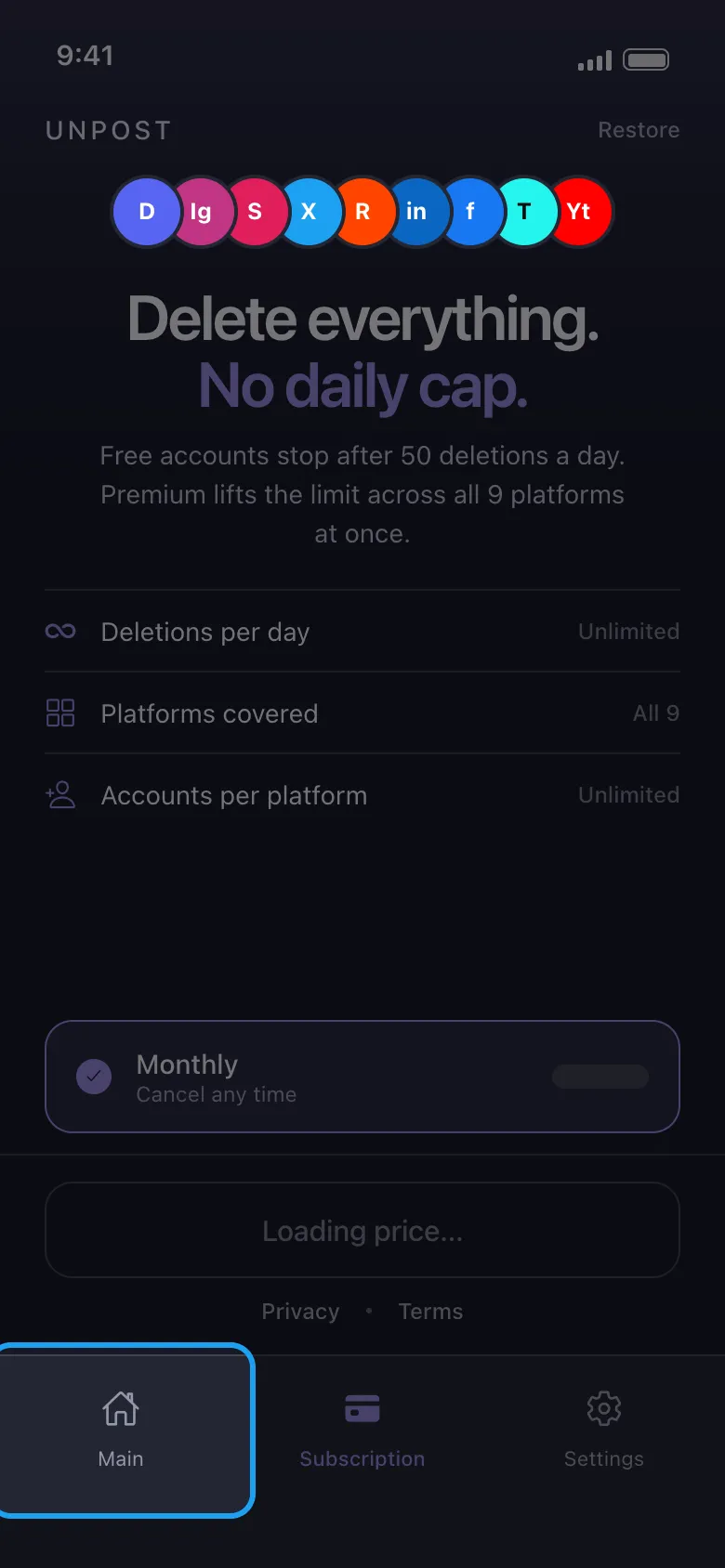
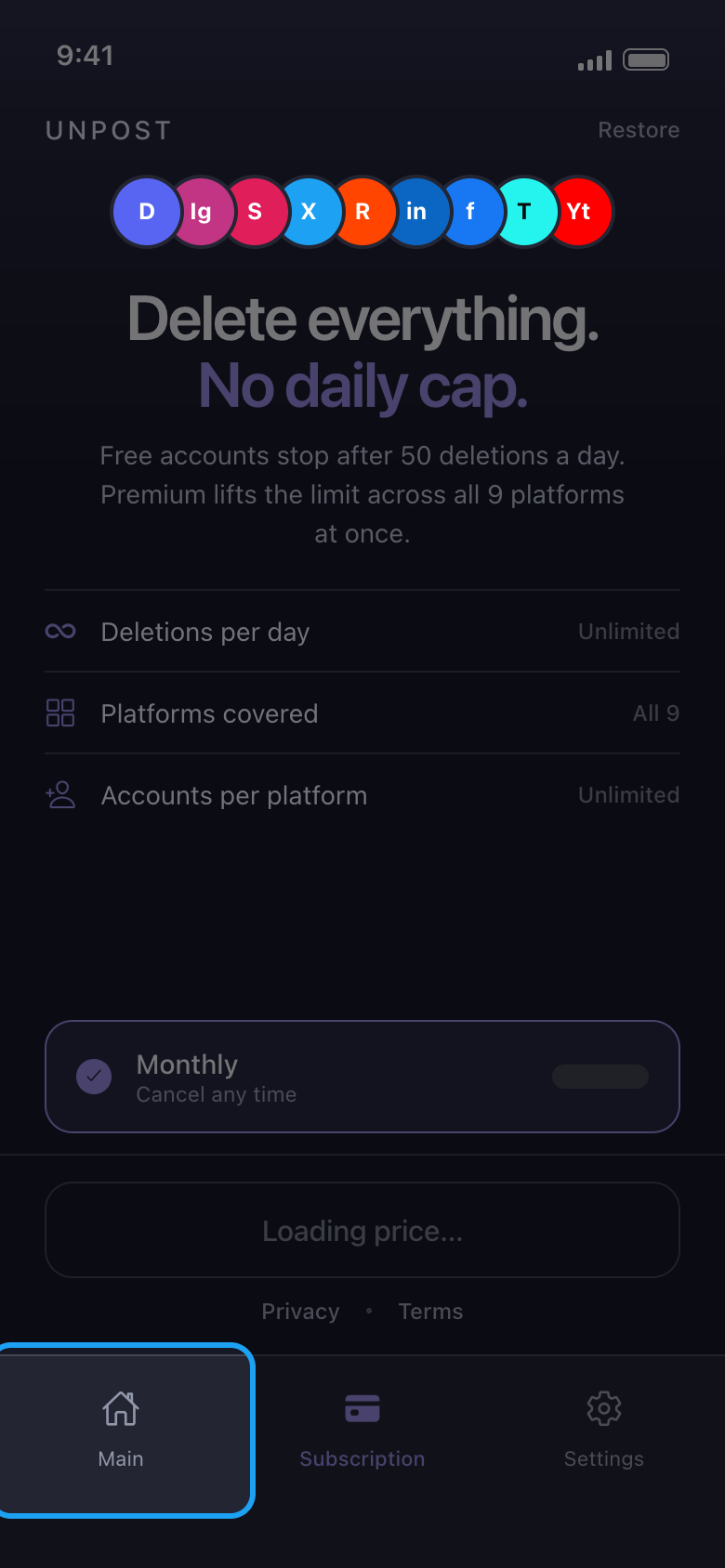
Ketuk Main di bagian bawah
Saat pertama kali dibuka, Unpost meminta Anda memilih bahasa aplikasinya lalu mengetuk Apply Language (bisa diubah nanti di Settings → Change Language). Bahasa Indonesia tidak ada di daftar: pilih English agar nama tombolnya sama dengan panduan ini. Setelah itu Unpost menampilkan kebijakan privasinya: ketuk Continue. Selama Anda belum punya Premium, Unpost lalu terbuka di tab Subscription. Anda tidak perlu berlangganan: Anda bisa mencoba Unpost gratis lebih dulu, dengan hingga 50 penghapusan per hari untuk setiap akun. Ketuk Main untuk membuka daftar platform.
Di aplikasi Subscription → Main
- 02
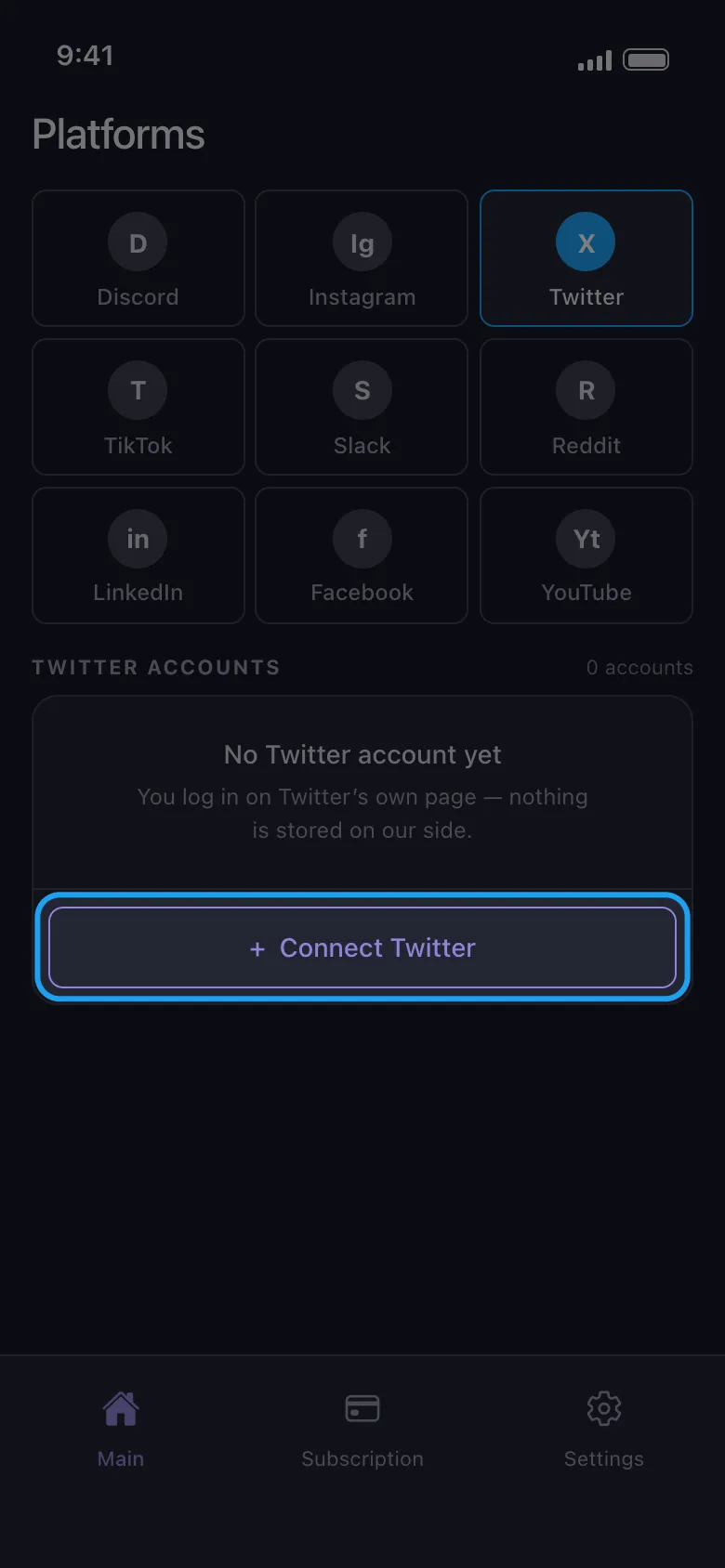
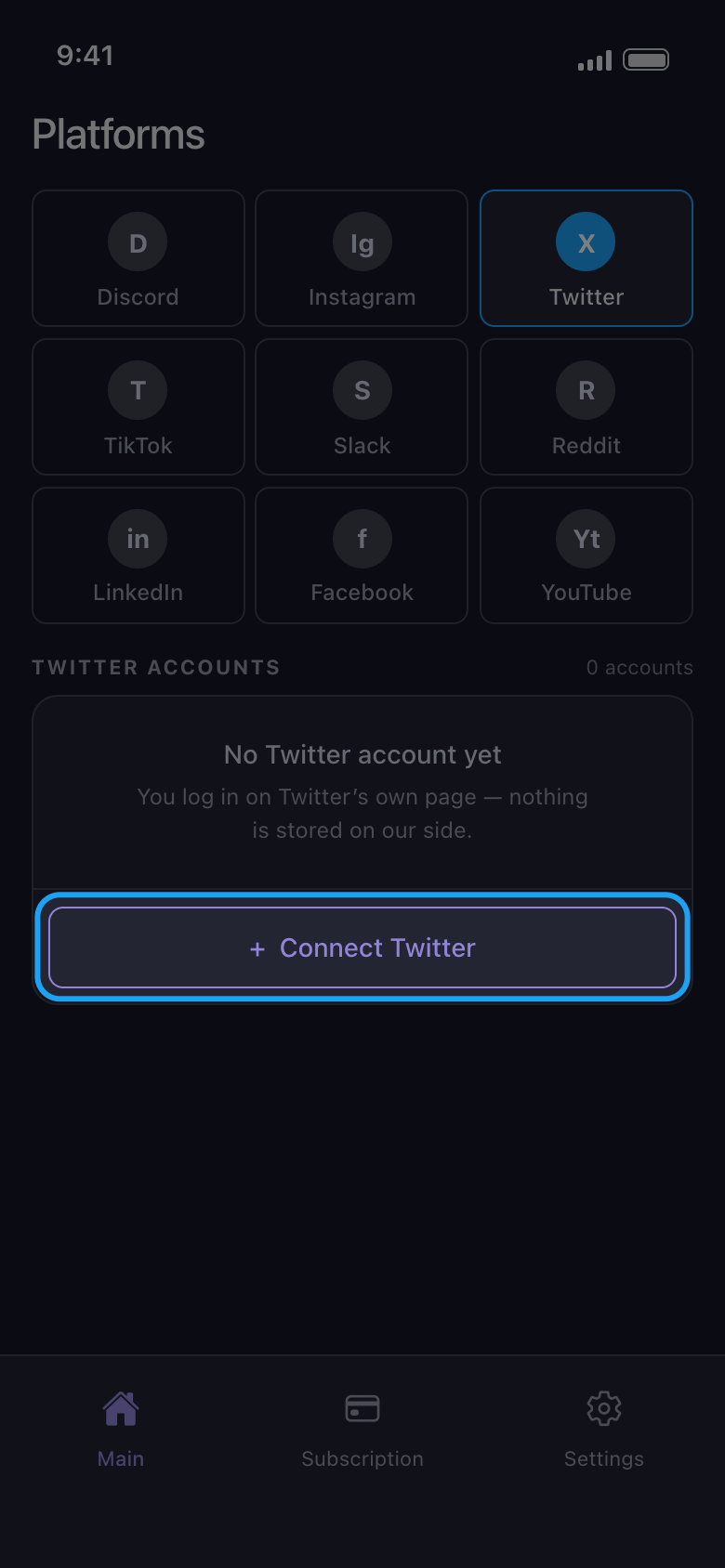
Pilih platform lalu ketuk tombol Connect
Ketuk ikon platformnya, lalu tombol di bawahnya yang bertuliskan Connect diikuti nama platform (di sini, Connect Twitter).
Di aplikasi Main → Twitter → Connect Twitter
- 03
Login di halaman platform
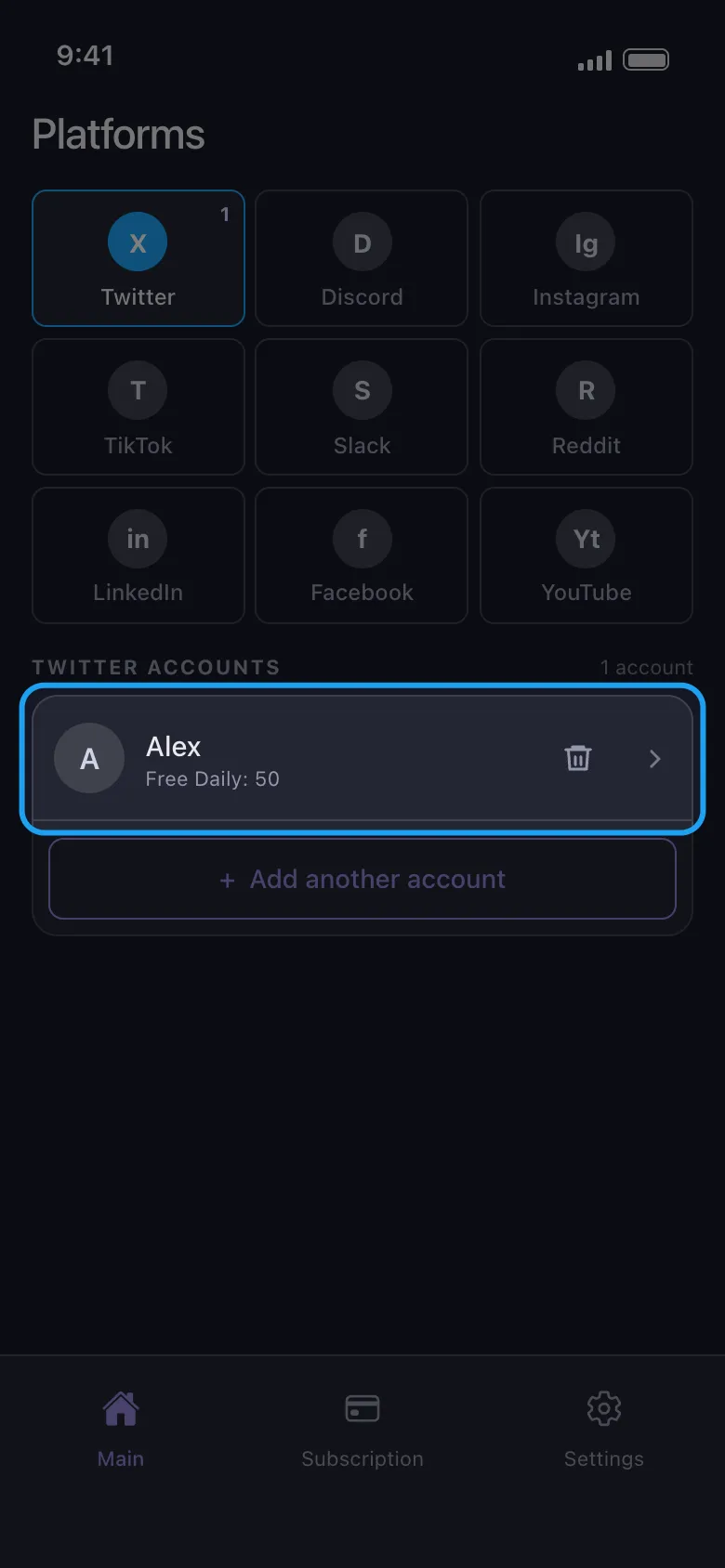
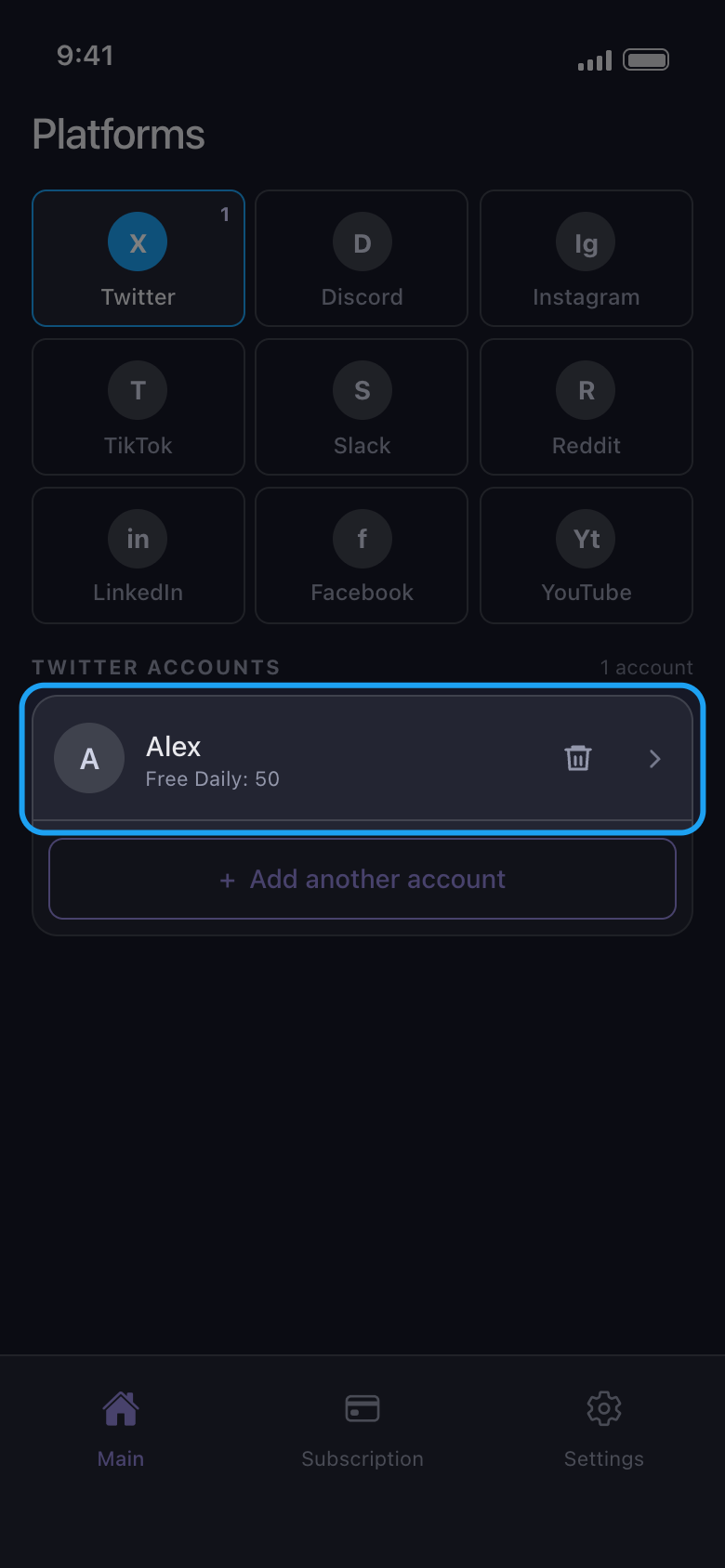
Login dengan username atau email dan kata sandi Anda, serta kode apa pun yang diminta platform. Gunakan formulir kata sandi: di Android, tombol login dengan Google dan Apple membuka browser Anda, dan login yang diselesaikan di sana tidak pernah sampai ke Unpost. Setelah login selesai, halaman itu tertutup sendiri dan akun muncul di daftar, dengan sisa penghapusan hari ini tertera di bawah namanya. Pihak Unpost tidak akan pernah meminta kata sandi atau kode login Anda.
Di aplikasi Connect Twitter → halaman login Twitter
- 04
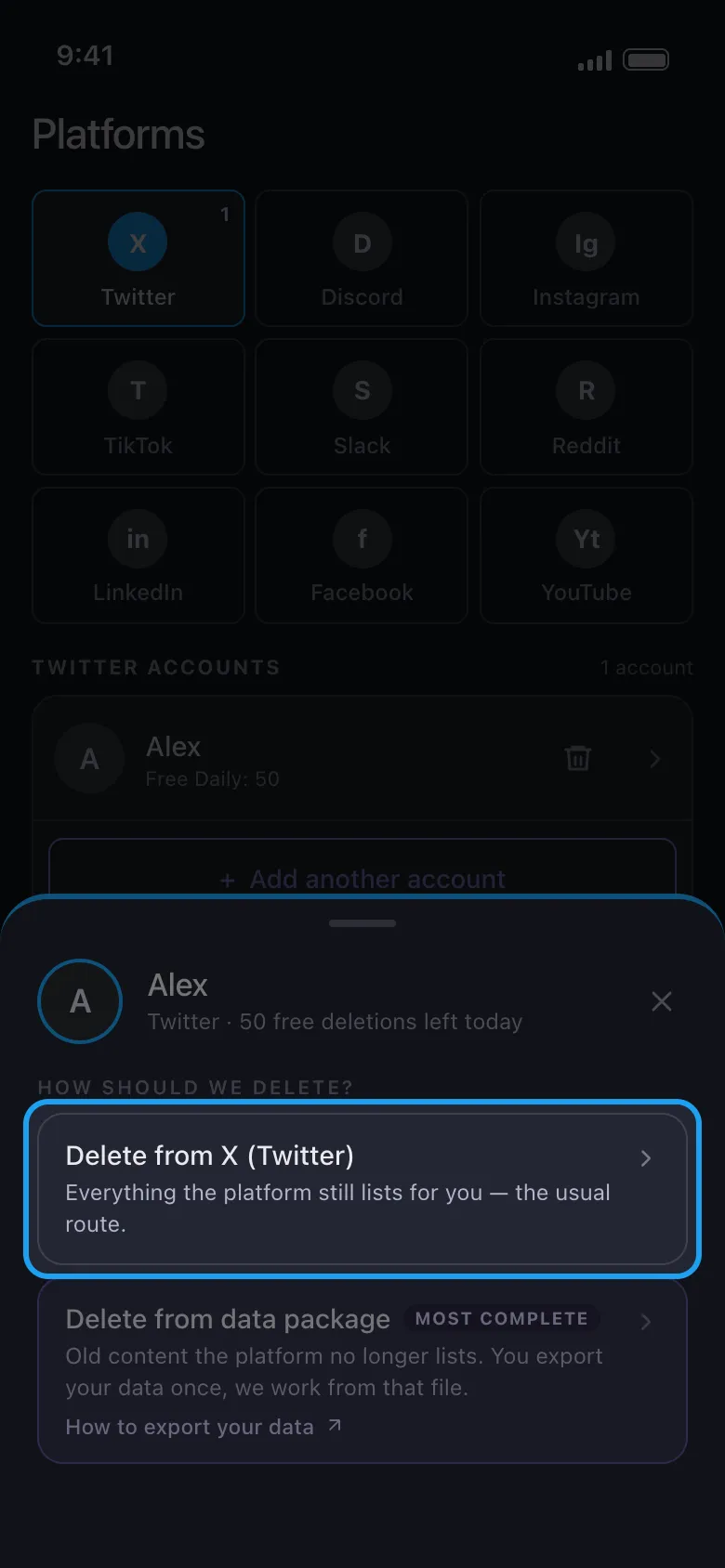
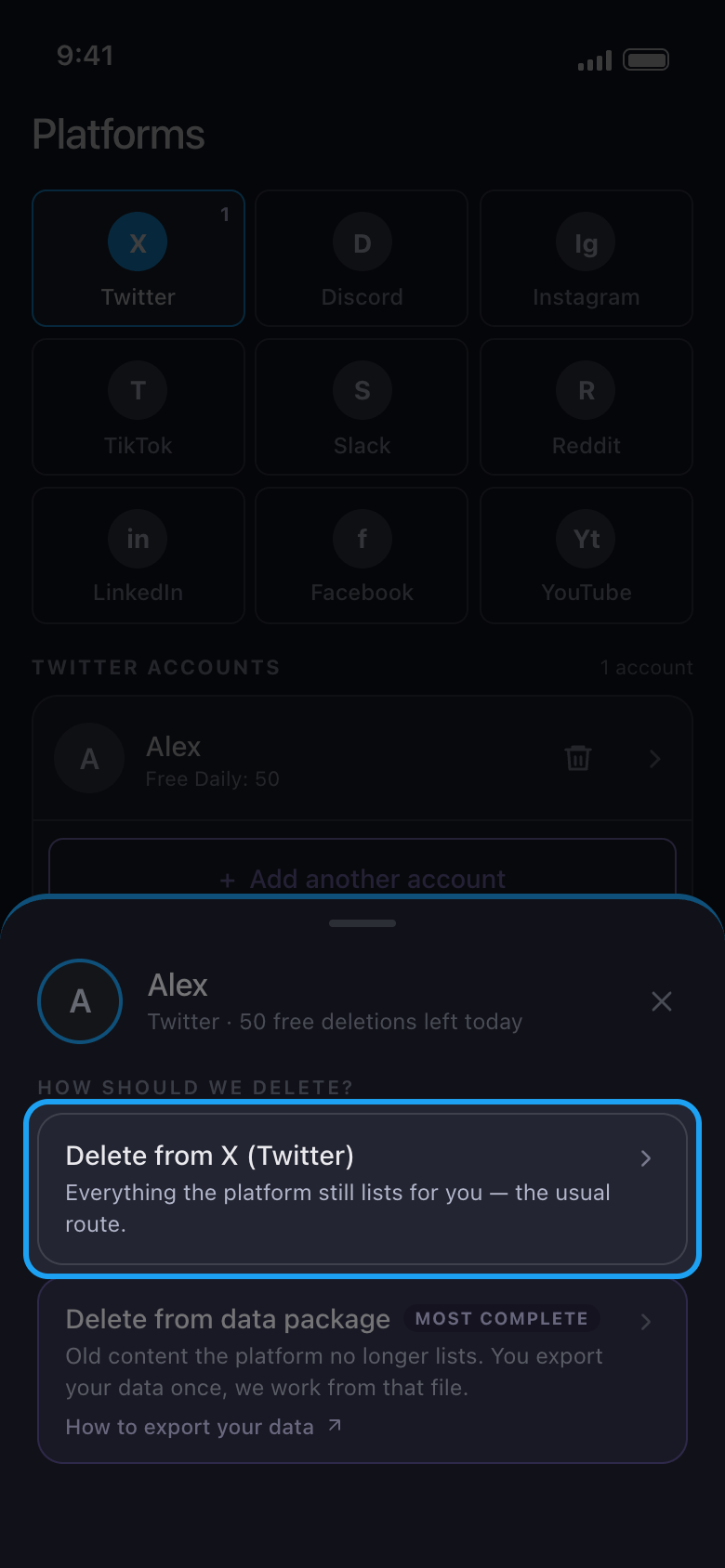
Ketuk akun lalu pilih Delete from X (Twitter)
Di X, Discord, Slack, dan Reddit, sebuah lembar menanyakan cara menghapus. Untuk proses pertama, pilih opsi pertama, yang menghapus apa yang masih ditampilkan platform untuk Anda. Di X, Discord, dan Reddit, Delete from data package digunakan untuk konten lama yang tidak lagi ditampilkan platform.
Di aplikasi Main → Twitter → akun → Delete from X (Twitter)
- 05
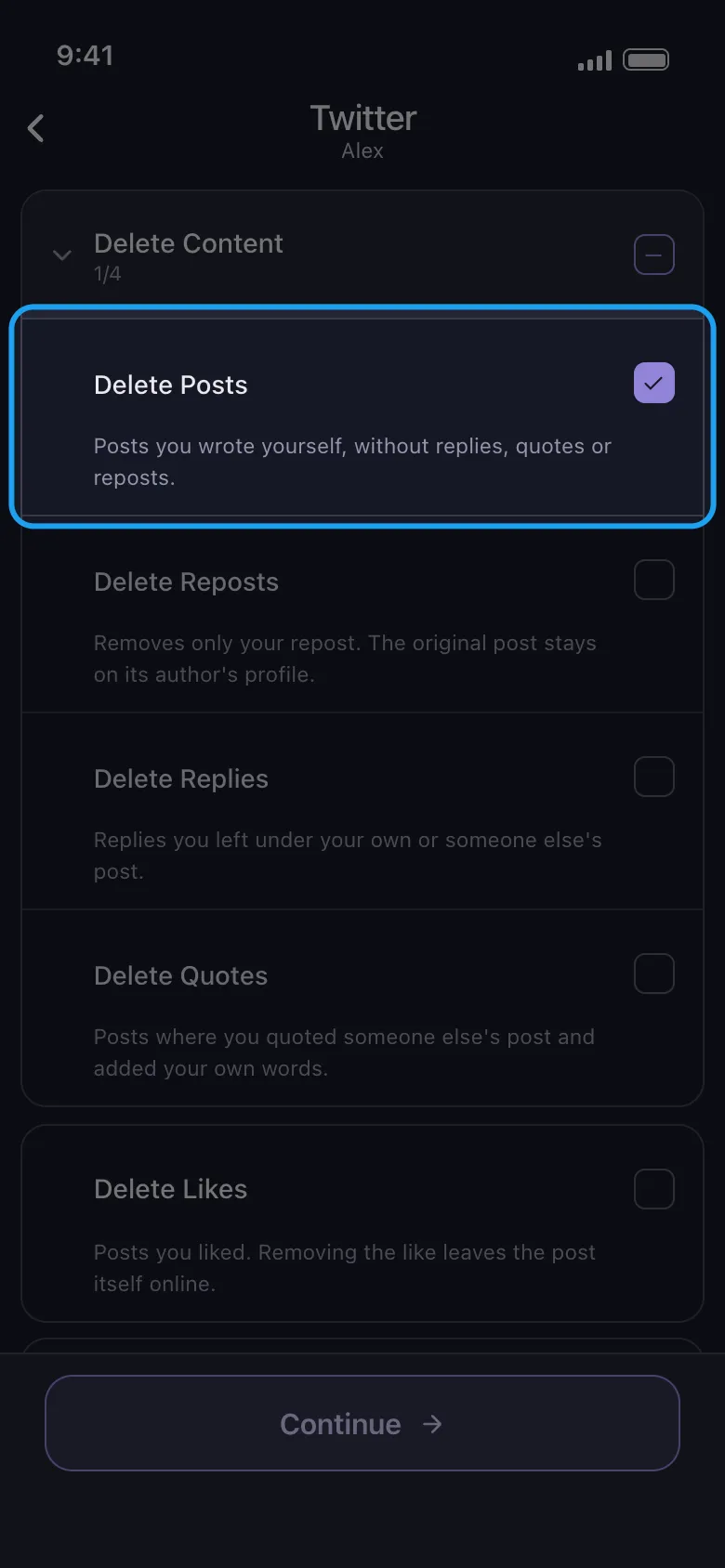
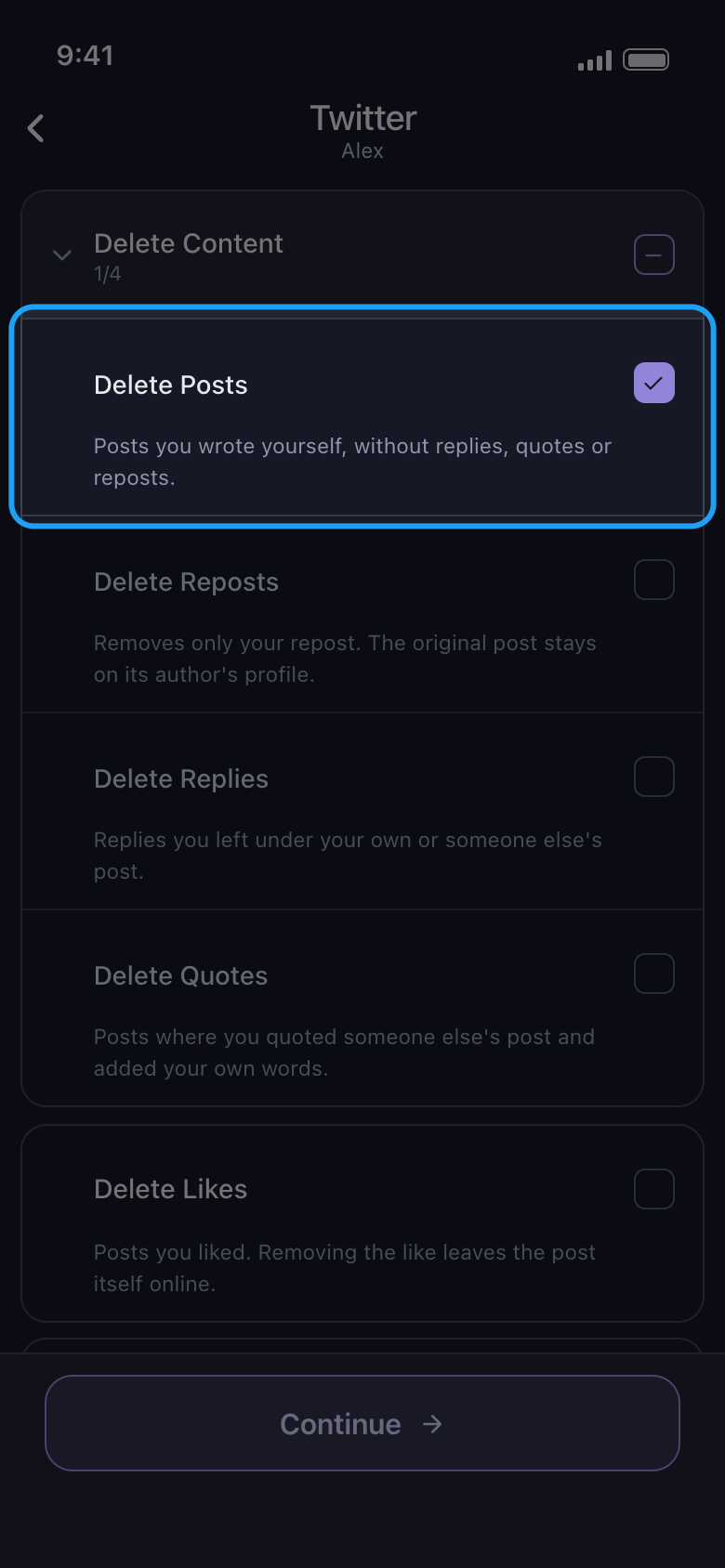
Centang yang ingin dihapus, lalu ketuk Continue
Setiap baris adalah satu jenis konten; di X, keterangan di bawahnya menjelaskan apa yang dihapus dan apa yang tetap online. Delete Content adalah sebuah grup: ketuk namanya untuk membukanya, lalu centang hanya jenis yang Anda inginkan, di sini Delete Posts. Kotak centang grup itu sendiri mencentang keempat jenis di dalamnya, termasuk balasan, repost, dan kutipan. Jika ada opsi yang berlaku untuk yang Anda centang, misalnya rentang tanggal atau kata kunci, layar opsi Before we delete terbuka berikutnya: atur yang Anda perlukan, biarkan sisanya apa adanya (kolom kosong berarti tanpa batas, sedangkan 0 dihitung sebagai batas), lalu ketuk Continue lagi. Di X, hanya Delete Likes yang punya opsi, jadi di sini lembar Review langsung terbuka.
Di aplikasi Delete Content → Delete Posts → Continue
- 06
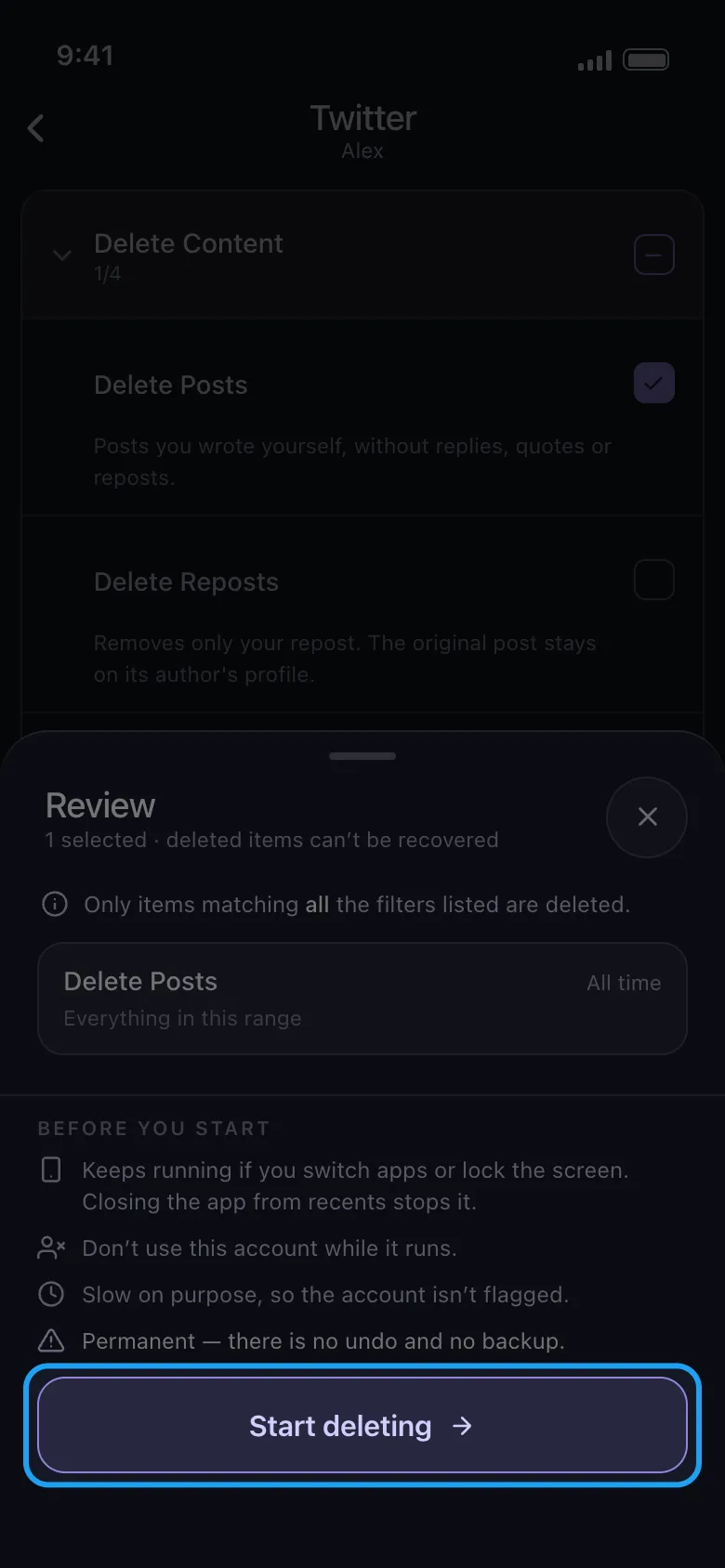
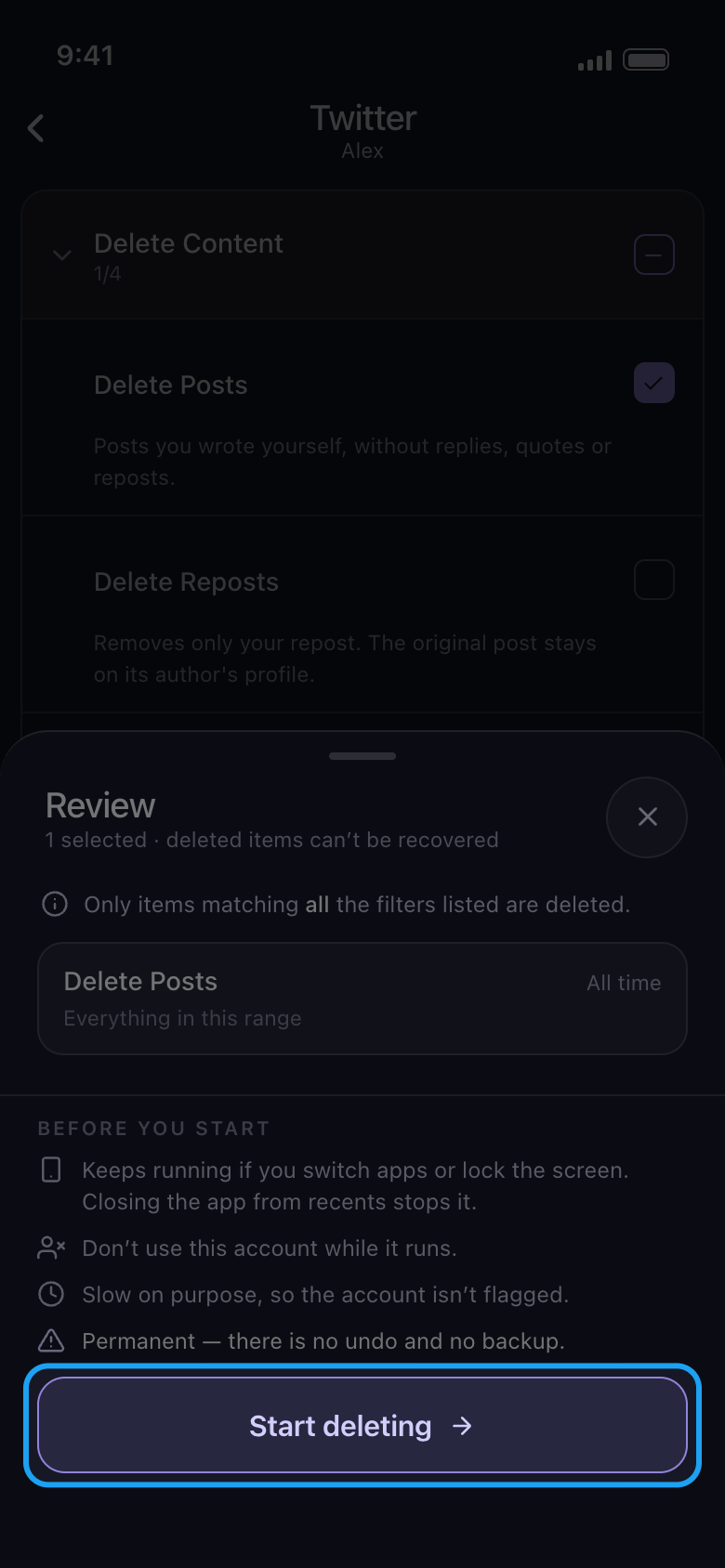
Periksa lembar Review lalu ketuk Start deleting
Lembar ini mencantumkan apa yang akan dihapus: satu kotak untuk setiap jenis yang Anda centang, dengan rentang tanggalnya (di sini All time) dan filter yang berlaku. Di bawah Before you start tercantum aturan selama proses berjalan. Tidak ada yang dihapus sebelum Anda mengetuk Start deleting. Di Android, proses tetap berjalan jika Anda berpindah aplikasi atau mengunci layar, tetapi berhenti jika Anda menutup Unpost dari daftar aplikasi terbaru; untuk proses TikTok, biarkan tetap tampil di layar. Di iPhone, biarkan Unpost tetap terbuka di layar. Jangan gunakan akun itu di tempat lain selama proses berjalan.
Di aplikasi Continue → Review → Start deleting
- 07
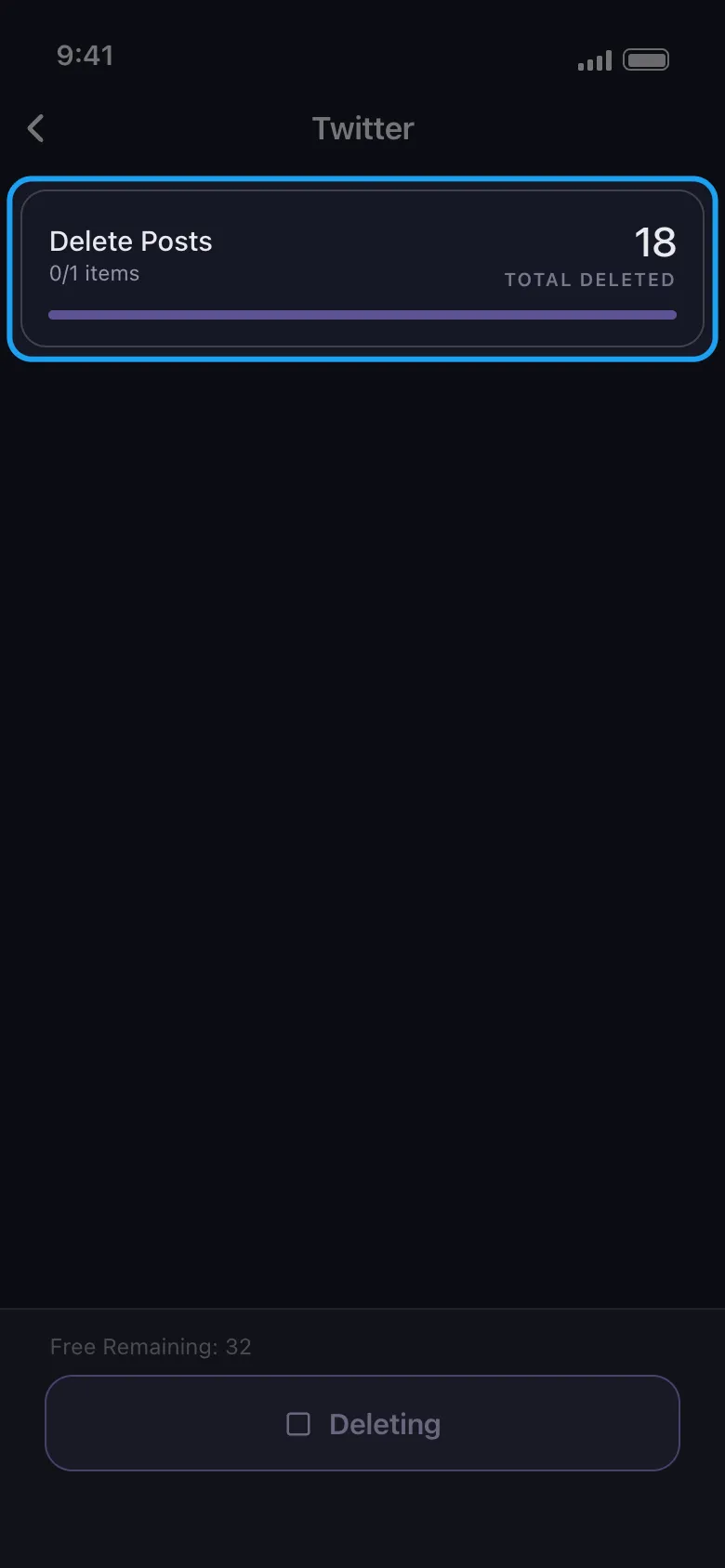
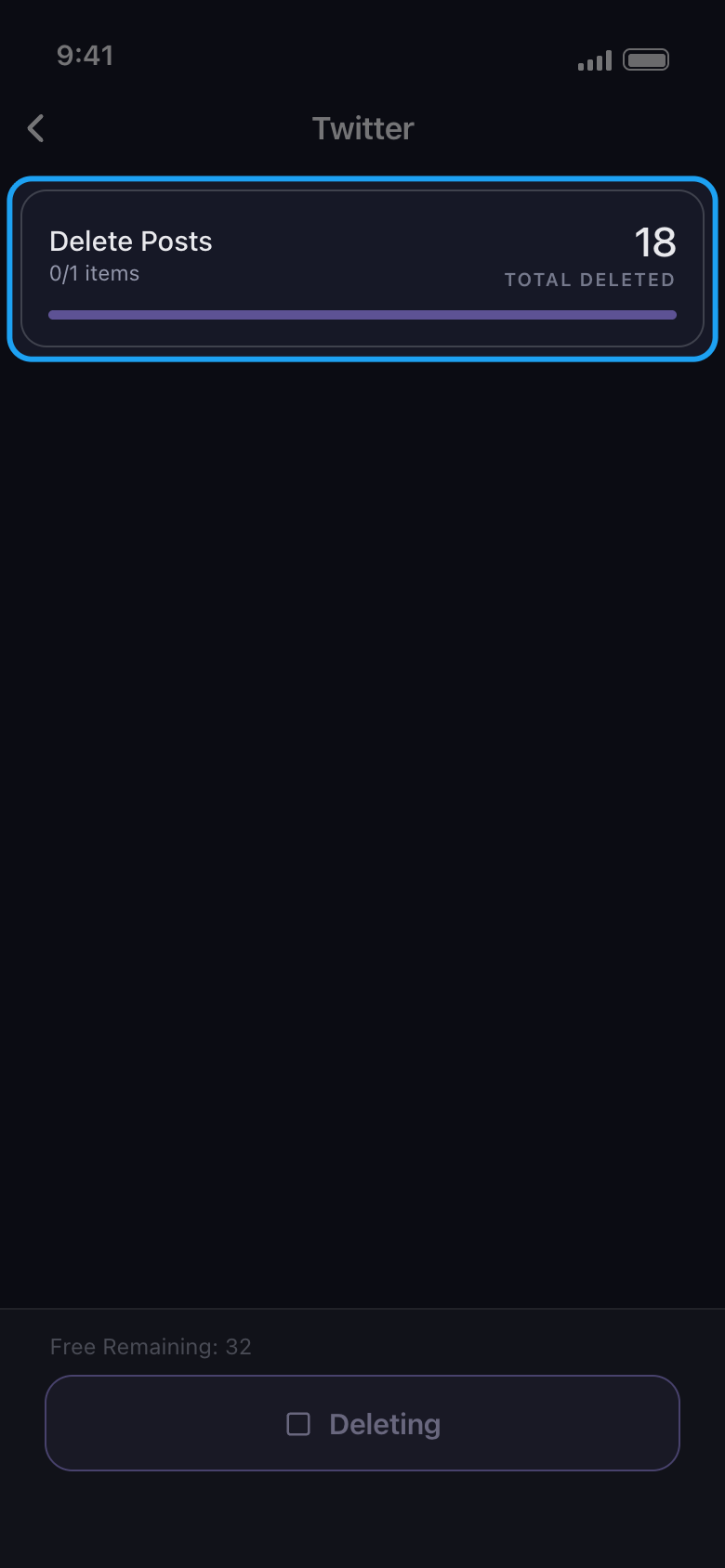
Biarkan prosesnya berjalan
Kartu proses menampilkan apa yang sedang dihapus dan totalnya sejauh ini; angka kecil 0/1 di bawah nama menghitung pilihan Anda, bukan item. Free Remaining menghitung mundur sisa jatah hari ini. Penghapusan memang sengaja lambat. Untuk berhenti lebih awal, ketuk tombol Deleting di bagian bawah.
Di aplikasi Layar penghapusan
- 08
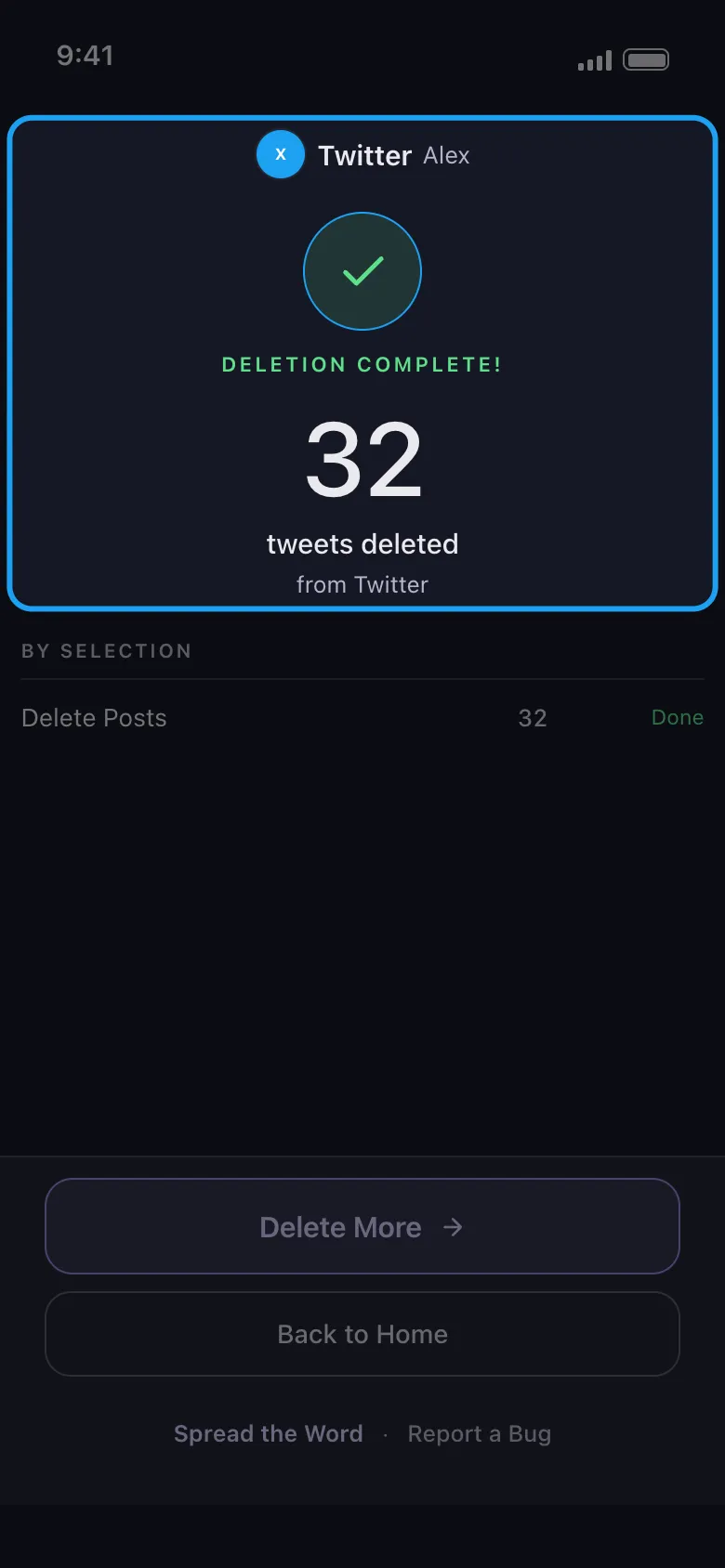
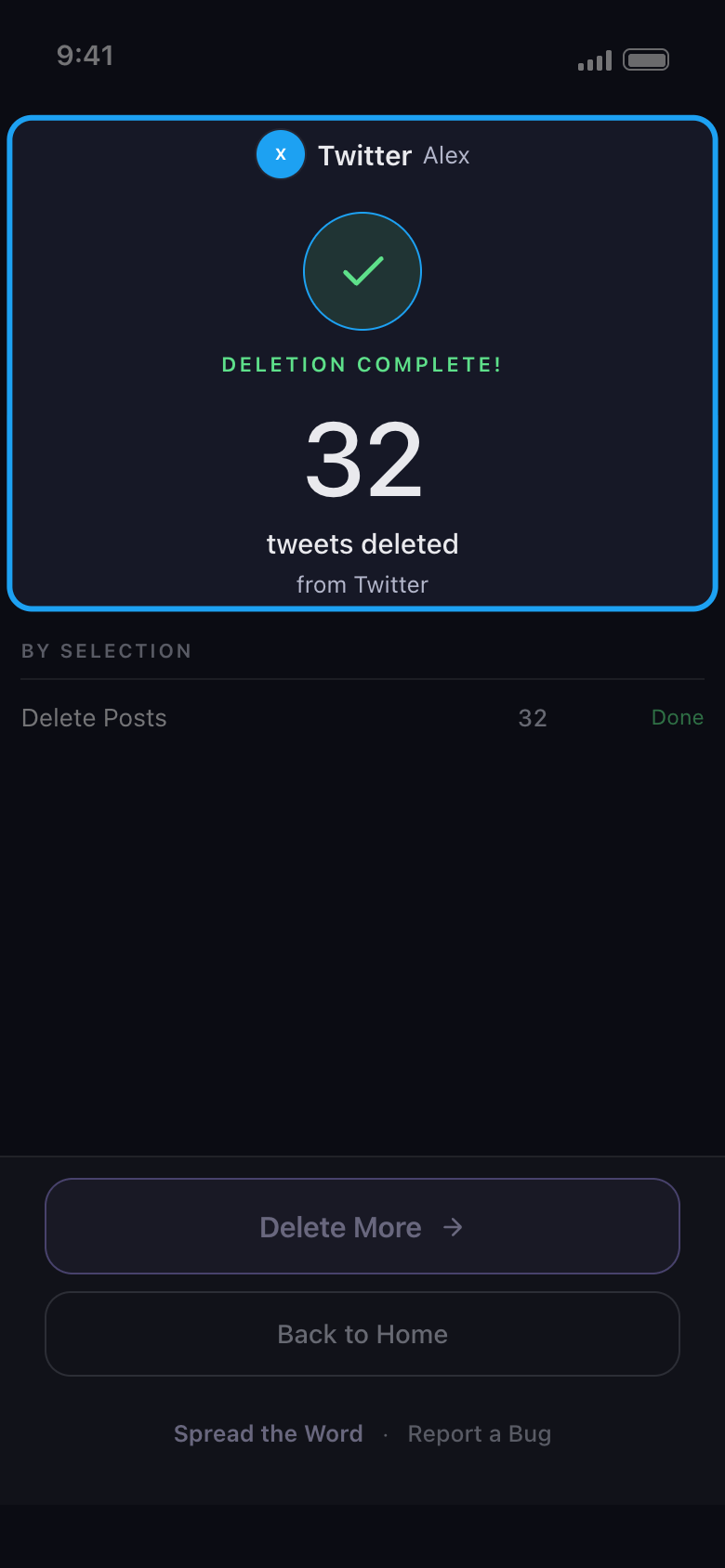
Baca hasilnya
Saat proses selesai, layar hasil menyebutkan platform dan akunnya, berapa item yang terhapus, dan bagaimana setiap pilihan berakhir. Delete More membawa Anda kembali ke daftar untuk akun yang sama; jika proses berhenti lebih awal, tombolnya bertuliskan Try again dan fungsinya sama. Jika proses berhenti karena 50 penghapusan gratis hari ini sudah habis, tombolnya bertuliskan Upgrade Now dan membuka tab Subscription; jika Anda memilih menunggu jatah hari berikutnya, ketuk Back to Home. Jika proses berhenti karena alasan lain, layar hasil menjelaskan penyebabnya dan apa yang harus dilakukan selanjutnya.
Di aplikasi Layar hasil
Perlu diketahui
- Penghapusan bersifat permanen: tidak bisa dibatalkan, dan Unpost tidak menyimpan cadangan.
- Di Instagram, akun terbuka di tab Dms: postingan, reel, carousel, komentar, dan suka ada di tab Content di sebelahnya, tempat Select all juga mencentang Unfollow All dan Remove All Followers. Lihat Cara memilih jenis konten yang akan dihapus.
- Reddit tidak punya batas harian. Untuk cara menghitung jatah 50 per hari, lihat Cara kerja batas harian gratis, dan arti “Daily limit reached”.
- Jika halaman login tidak tertutup setelah Anda login, lihat Cara login, dan mengatasi login yang tidak mau terhubung.
- Jika hasilnya menyebut platform menjeda proses, atau Nothing deleted, lihat Yang harus dilakukan saat platform menjeda pembersihan Anda, dan Mengapa pembersihan tidak menemukan apa pun, berhenti lebih awal, atau postingan masih terlihat.
Panduan lainnya