
كيف تحذف رسائل الآخرين بصفتك مشرفًا
إذا كنت تشرف على خادم Discord أو مساحة عمل Slack، فإن وضع المشرف يحذف ما نشره الآخرون في قنواتها: رسائل جميع الأعضاء، أو رسائل الأعضاء الذين تختارهم فقط. ولا يصل أبدًا إلى الرسائل الخاصة، فهناك لا يمكن حذف إلا الرسائل التي أرسلتها أنت.
- 01
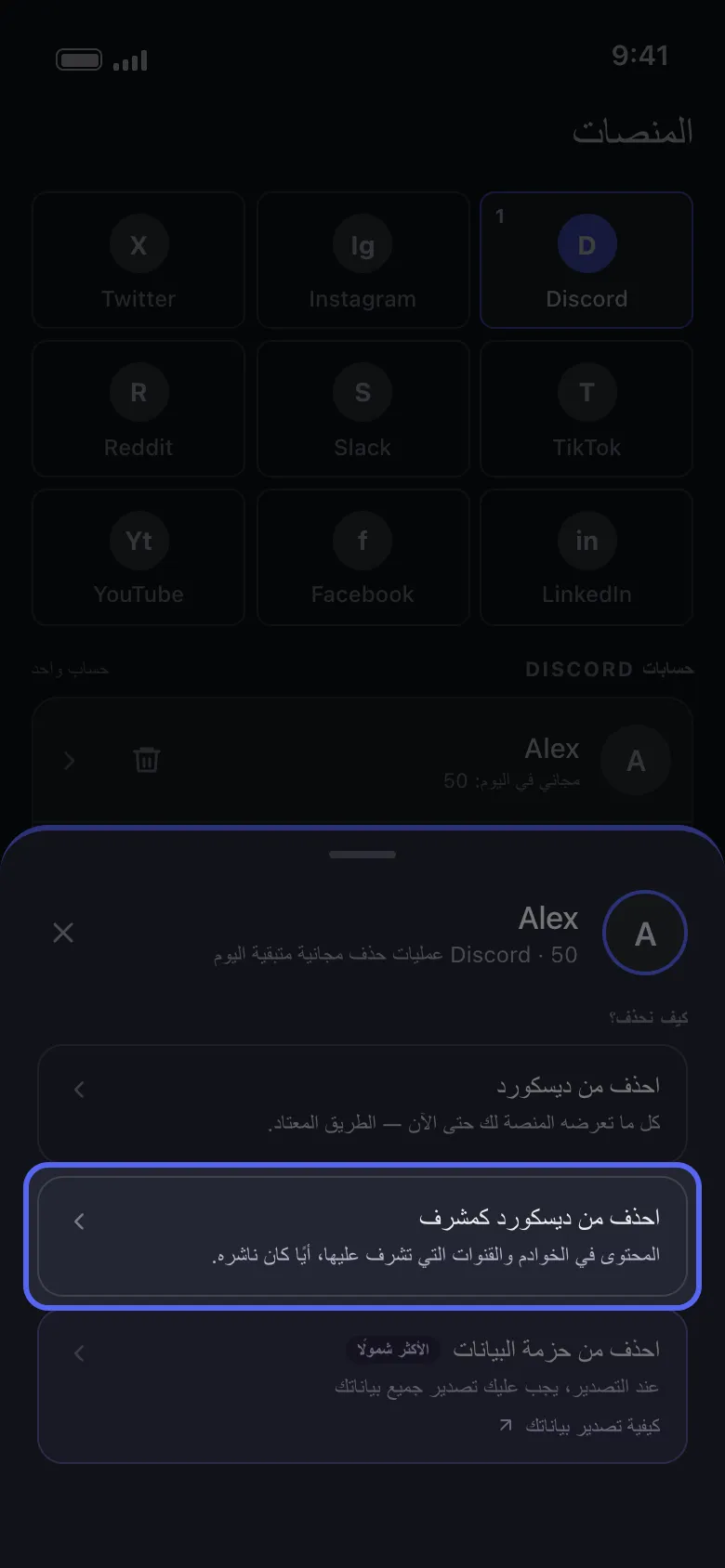
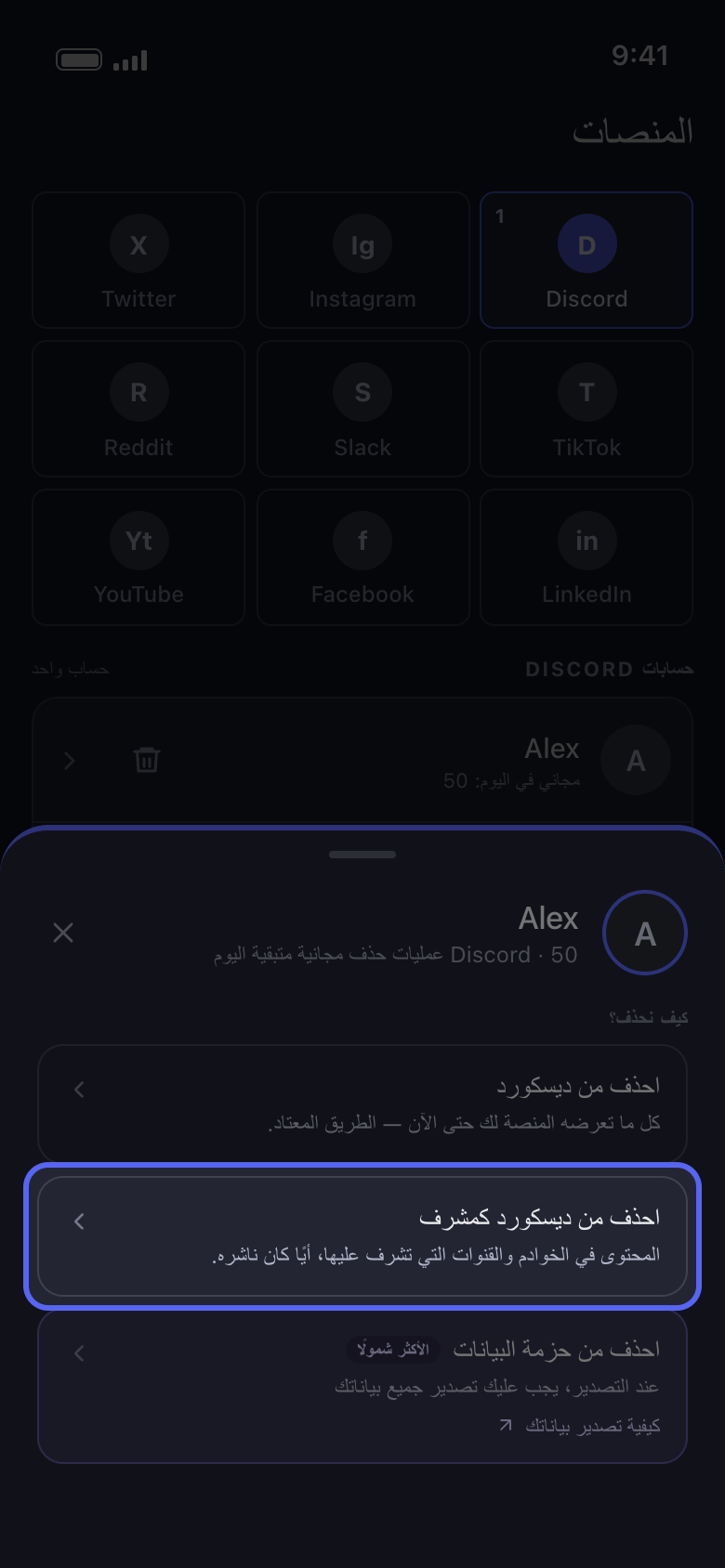
اختر «احذف من ديسكورد كمشرف»
اضغط على حسابك في تبويب «الرئيسية». في نافذة «كيف نحذف؟» اختر «احذف من ديسكورد كمشرف» (وعلى Slack «احذف من سلاك كمشرف») بدل الخيار الأول.
في التطبيق الرئيسية ← Discord ← الحساب ← احذف من ديسكورد كمشرف
- 02
اختر القنوات
على Discord لا تضم القائمة إلا الخوادم التي تملكها أو التي لديك فيها صلاحية «Administrator» (مسؤول) أو «Manage Messages» (إدارة الرسائل): اضغط على أحدها، ثم حدّد قنواته، واحدة تلو الأخرى أو كلها دفعة واحدة. أما على Slack فوضع المشرف مخصص لمشرفي مساحة العمل: حدّد القنوات. ثم اضغط «متابعة».
في التطبيق احذف من ديسكورد كمشرف ← الخادم ← القنوات ← متابعة
- 03
اختر رسائل من تُحذف
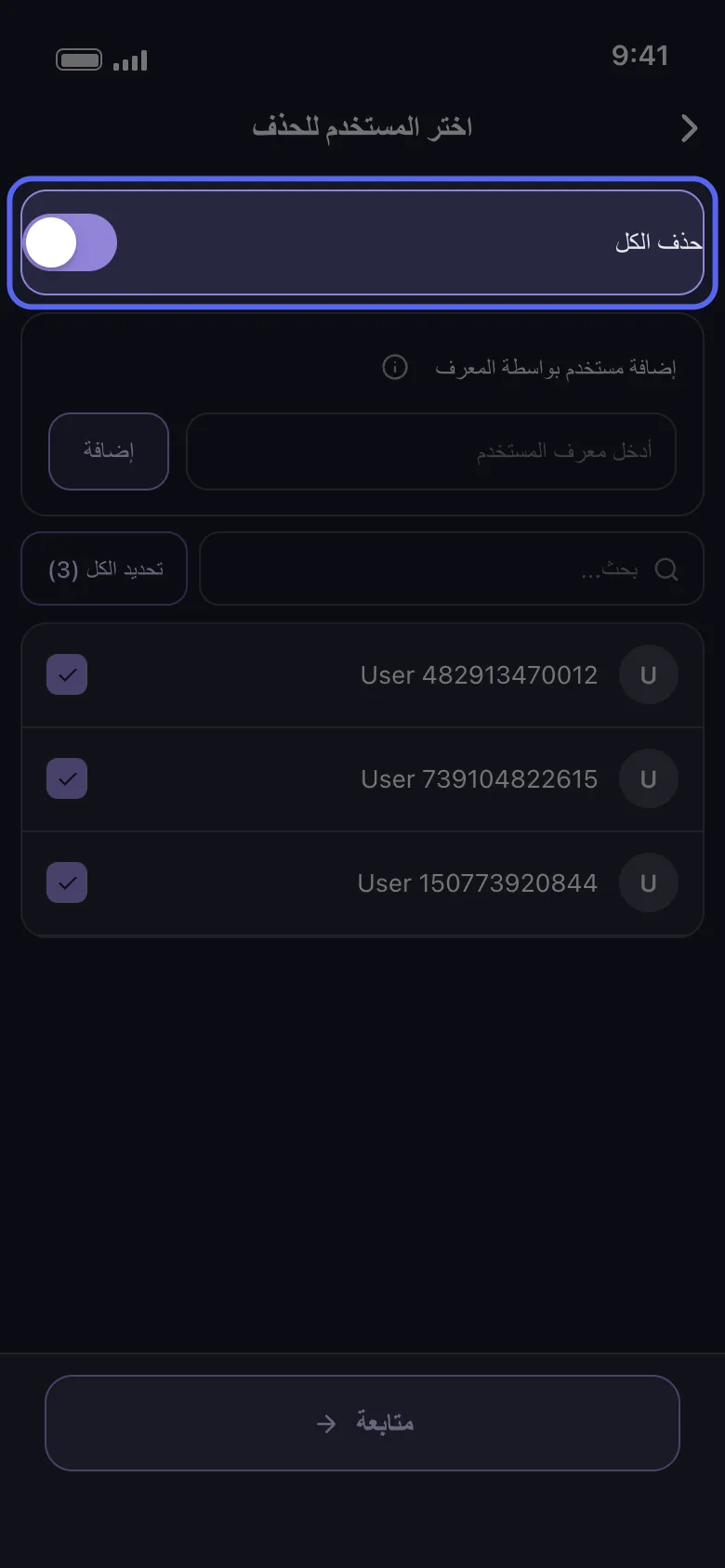
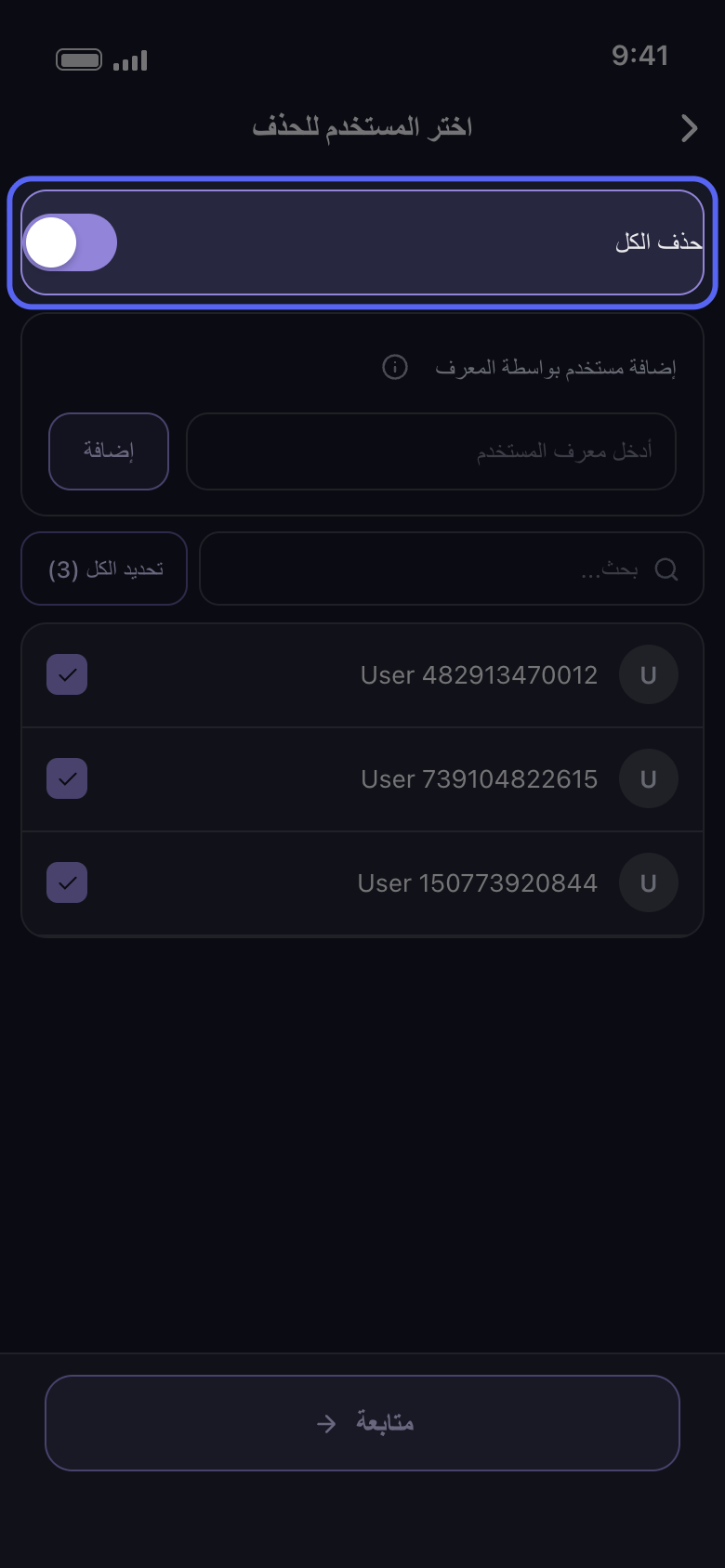
في شاشة «اختر المستخدم للحذف» فعّل «حذف الكل» لحذف رسائل جميع الأعضاء في تلك القنوات، أو حدّد فقط الأعضاء الذين تريد حذف رسائلهم. وعلى Discord يتيح لك «إضافة مستخدم بواسطة المعرف» إضافة شخص غير موجود في القائمة: اكتب معرّفه في حقل «أدخل معرف المستخدم» واضغط «إضافة». ثم اضغط «متابعة».
في التطبيق اختر المستخدم للحذف
- 04
اختر ما يُحذف في «قبل أن نحذف»
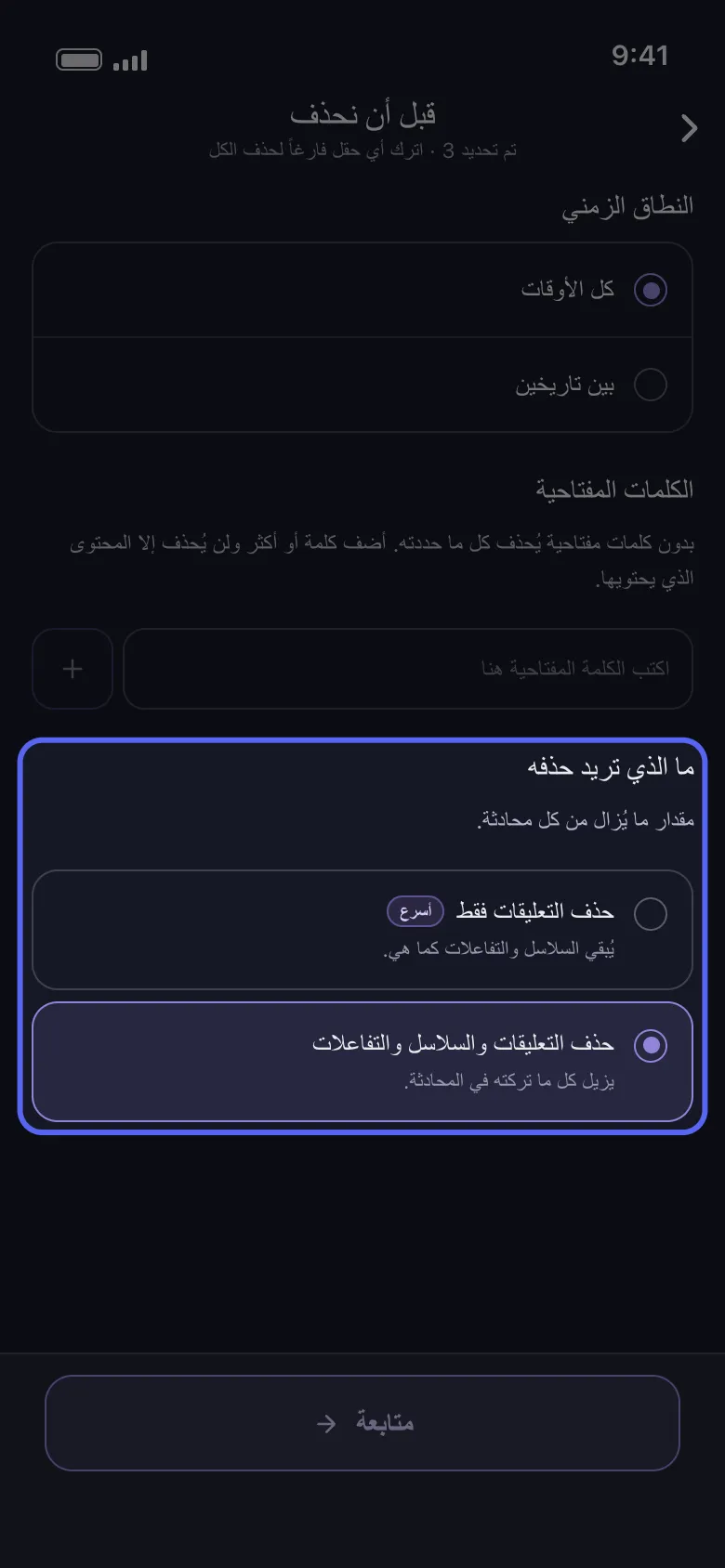
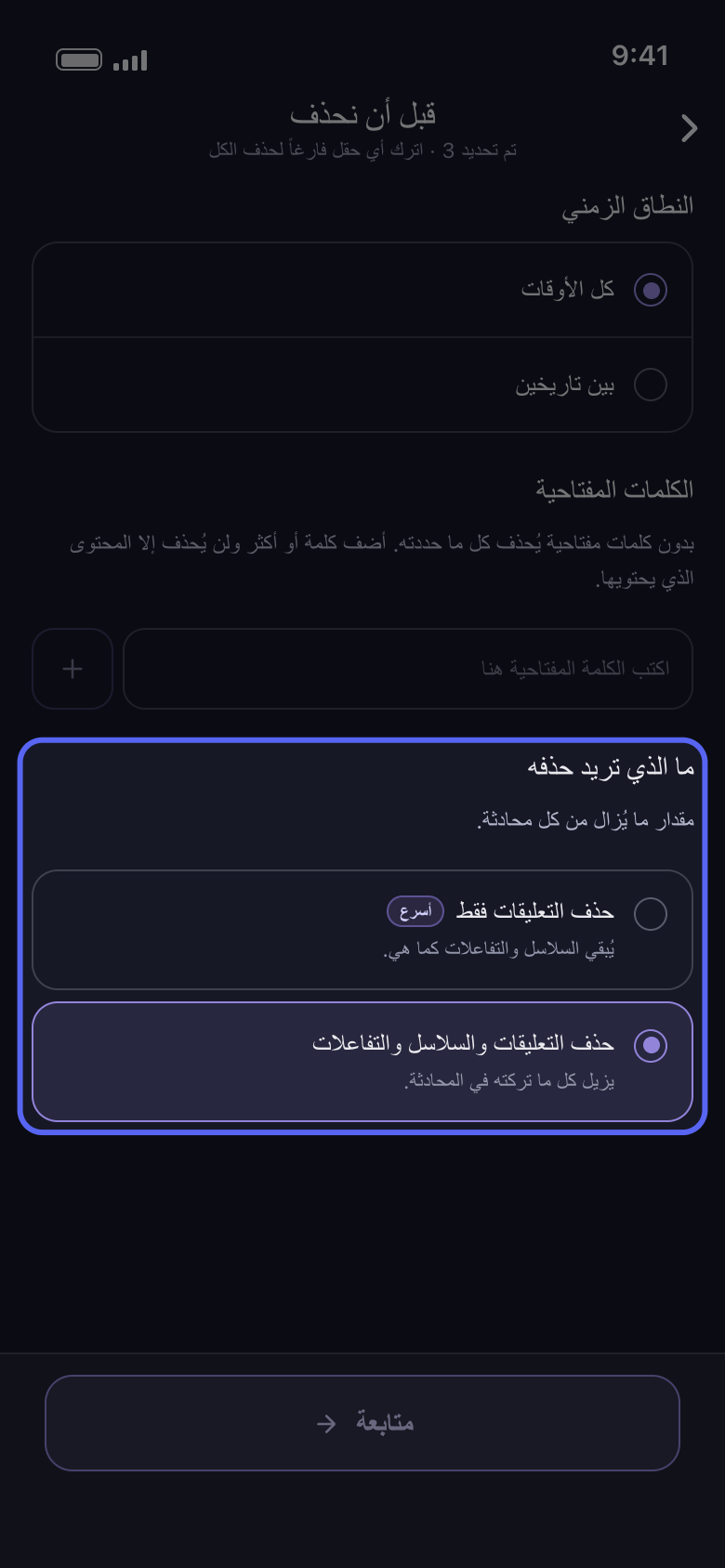
يضيّق «النطاق الزمني» و«الكلمات المفتاحية» عملية المشرف كما يضيّقان أي عملية أخرى. وعلى Discord يهمّ قسم «ما الذي تريد حذفه» أيضًا: «حذف التعليقات فقط» يُبقي السلاسل والتفاعلات كما هي، فتبقى الردود في السلاسل. ولمسح السلاسل كذلك اختر «حذف التعليقات والسلاسل والتفاعلات»، وهو يزيل تفاعلاتك أيضًا. وعلى Slack ألغِ تحديد «حذف الرسائل» أو «حذف المواضيع» أو «حذف التفاعلات» للاحتفاظ بها.
في التطبيق قبل أن نحذف ← ما الذي تريد حذفه
- 05
تحقق من «المراجعة»، ثم اضغط «ابدأ الحذف»
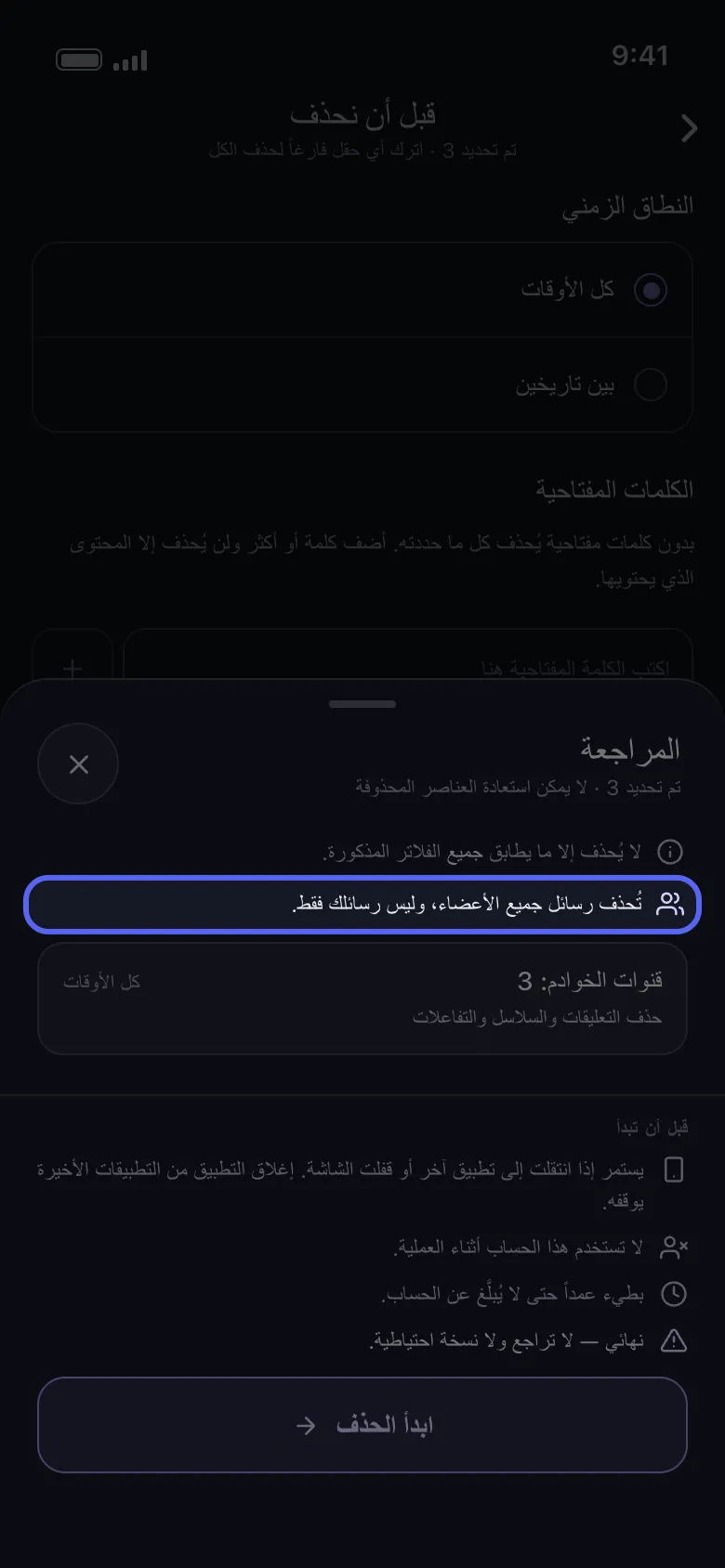
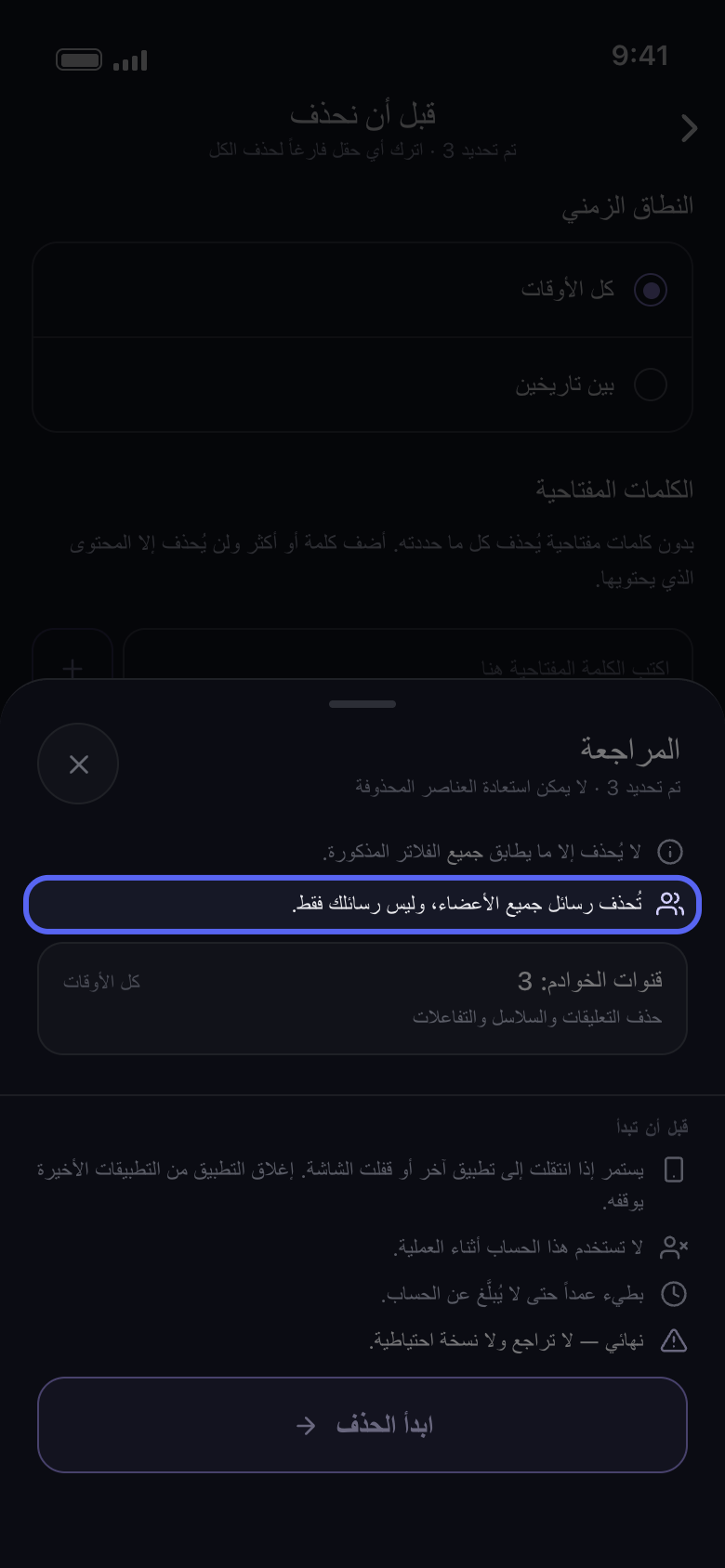
فوق البطاقات تذكر «المراجعة» رسائل من ستُحذف: «تُحذف رسائل جميع الأعضاء، وليس رسائلك فقط.»، أو عدد الأعضاء الذين اخترتهم. لا يُحذف شيء قبل أن تضغط «ابدأ الحذف».
في التطبيق متابعة ← المراجعة ← ابدأ الحذف
معلومات مفيدة
- الرسالة التي يرفض Discord حذفها تُتخطى، وتستمر العملية.
- للتعليقات التي تركها الآخرون تحت منشوراتك خيارات خاصة بها: «حذف التعليقات على مقاطع الفيديو الخاصة بي» على TikTok، و«حذف التعليقات على منشوراتك» على Facebook، و«حذف التعليقات على فيديوهاتك وShorts» على YouTube.
- الحذف نهائي، ورسائل الآخرين أيضًا لا يمكن استعادتها.
المزيد من الأدلة