
كيف تحذف الرسائل القديمة باستخدام حزمة البيانات
تتوقف المنصات عن عرض المحتوى الأقدم، لكن ملف تصدير بياناتك لا يزال يحتويه. على Discord وX (Twitter) وReddit يعمل «احذف من حزمة البيانات» من ذلك الملف، الذي يقرؤه Unpost على هاتفك.
- 01
اطلب تصدير بياناتك مع تحديد كل شيء
اطلب من المنصة نسخة من كل بياناتك، كما يذكّرك التطبيق: «عند التصدير، يجب عليك تصدير جميع بياناتك». انتظر حتى يجهز التصدير، ثم نزّل ملف .zip إلى هاتفك. وتحت الخيار في Unpost يشرح «كيفية تصدير بياناتك» الطريقة.
في التطبيق الرئيسية ← المنصة ← الحساب ← كيفية تصدير بياناتك
- 02
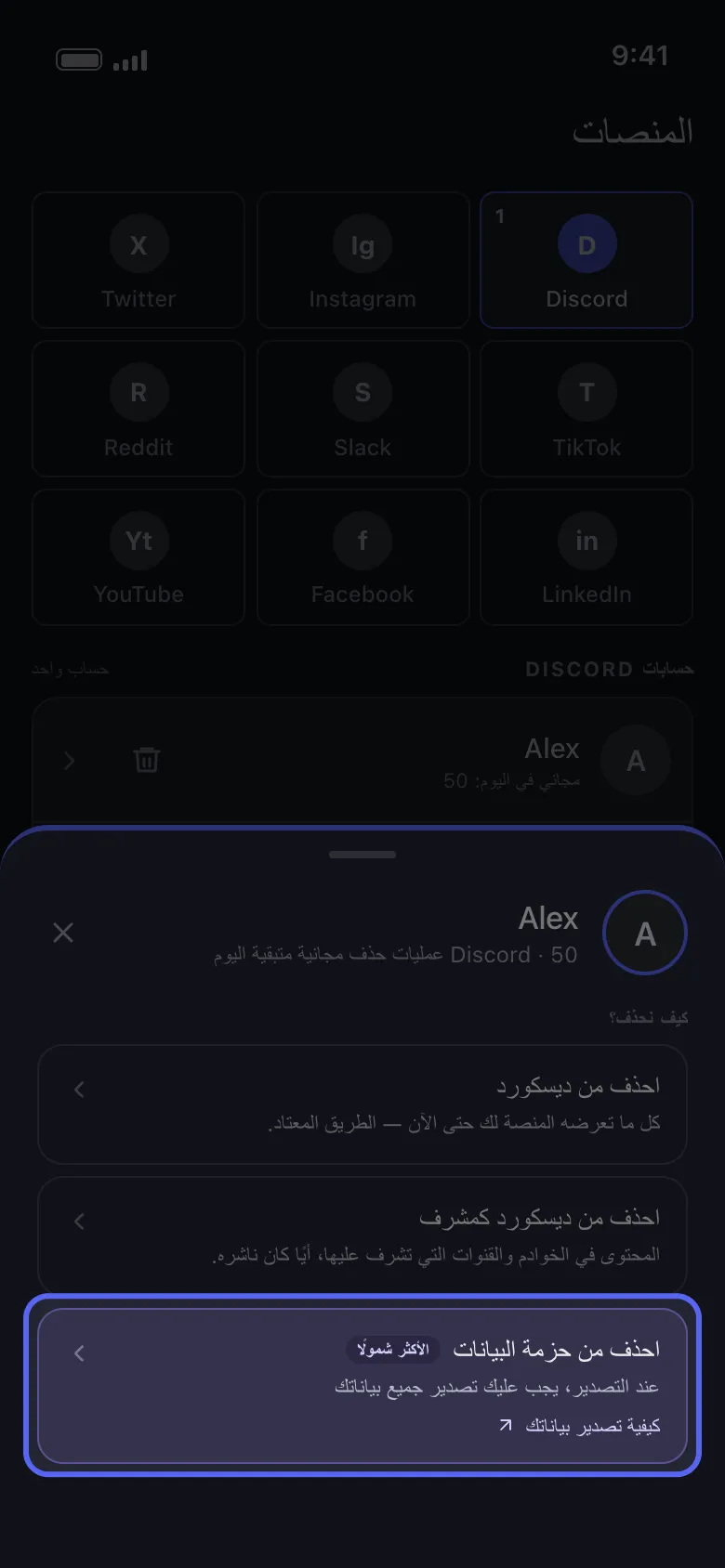
اختر «احذف من حزمة البيانات»
اضغط على حسابك في تبويب «الرئيسية». في نافذة «كيف نحذف؟» يكون «احذف من حزمة البيانات» هو الخيار الموسوم «الأكثر شمولًا».
في التطبيق الرئيسية ← Discord ← الحساب ← احذف من حزمة البيانات
- 03
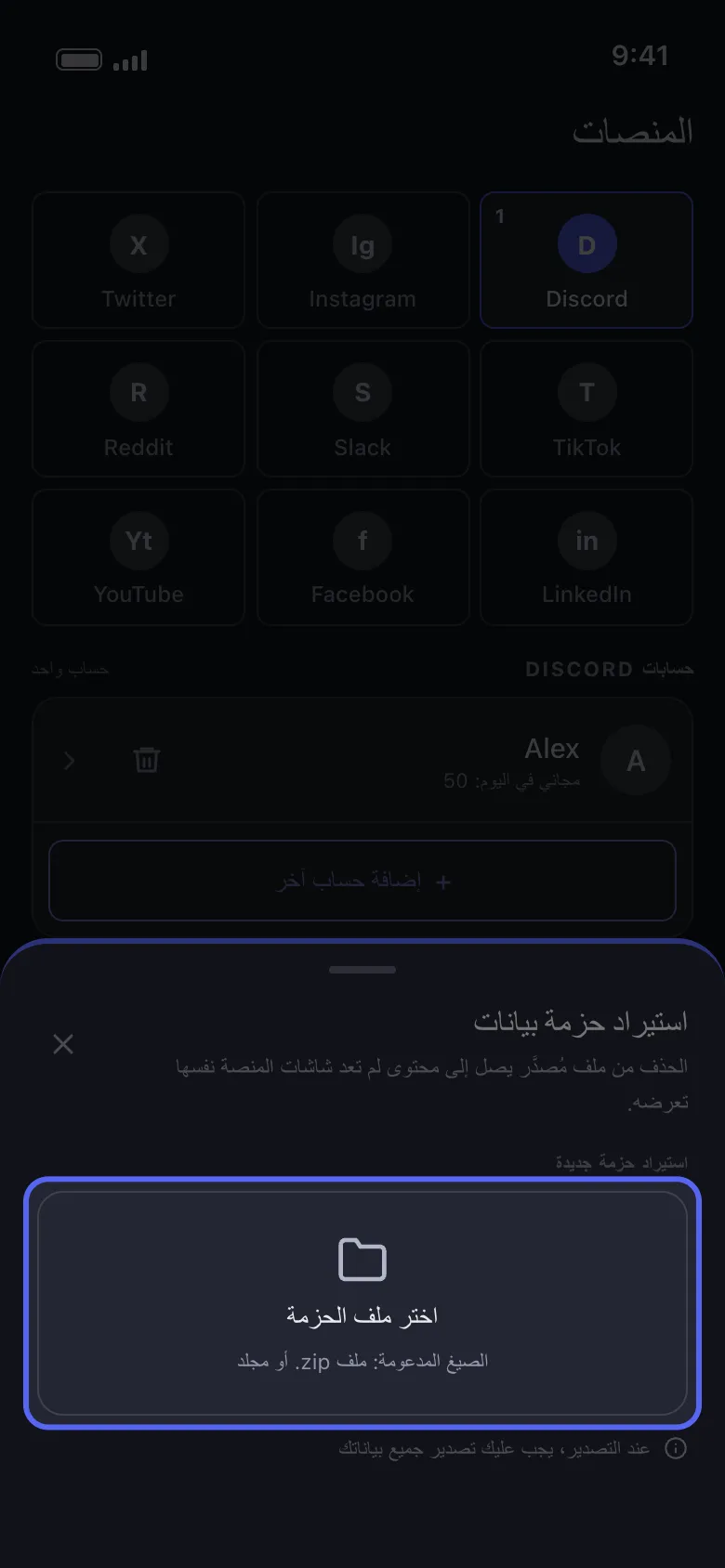
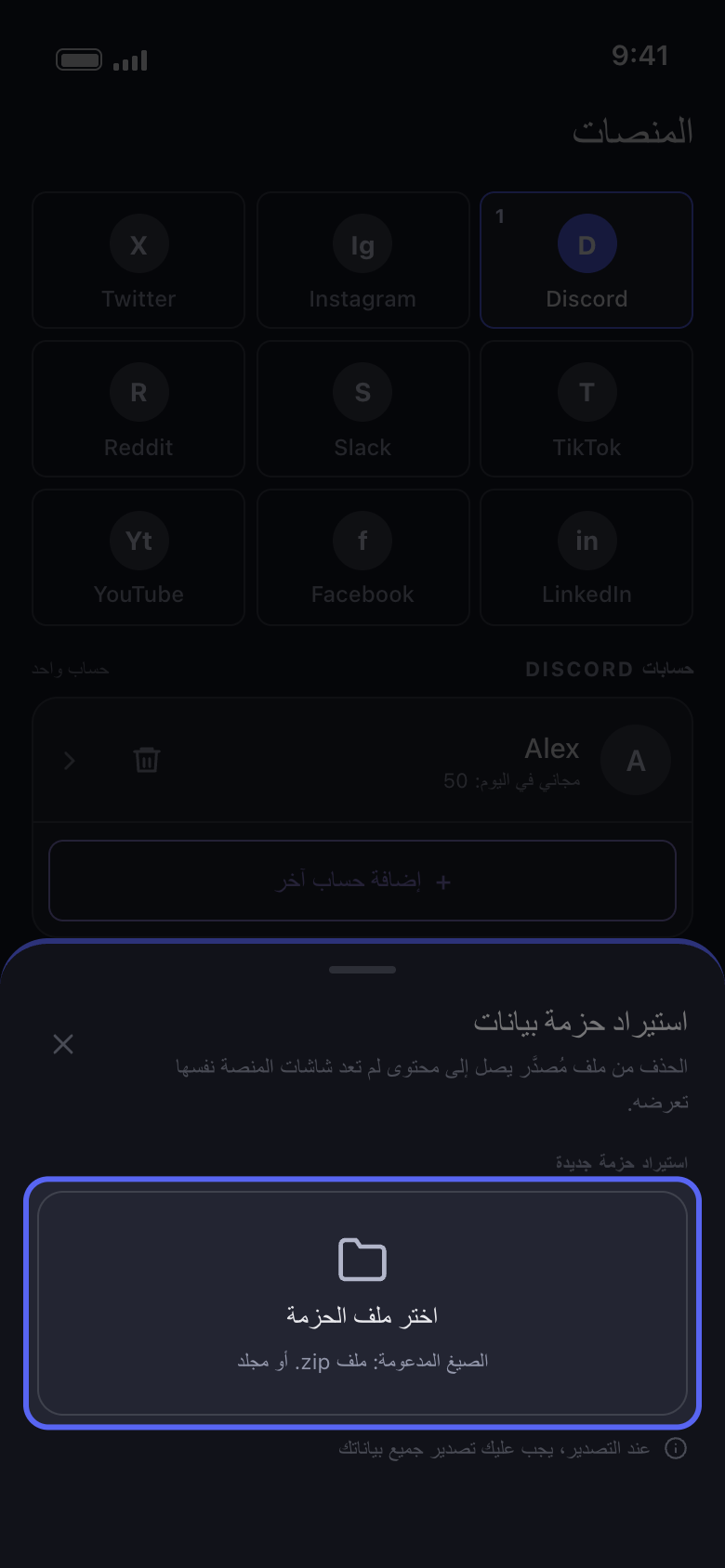
اضغط «اختر ملف الحزمة» واختر ملف .zip كاملًا
اختر ملف .zip كما نزّلته تمامًا، ولا تختر أبدًا ملفًا من داخله مثل tweets.js. إذا كنت قد استوردت حزمة من قبل، فستظهر تحت «حزمة البيانات الحالية»: اضغط عليها لاستخدامها مرة أخرى وتجاوز الاستيراد. أما «اختر ملف الحزمة» فيستبدلها، وتُحذف القديمة فورًا، حتى لو ألغيت بعد ذلك.
في التطبيق استيراد حزمة بيانات ← اختر ملف الحزمة
- 04
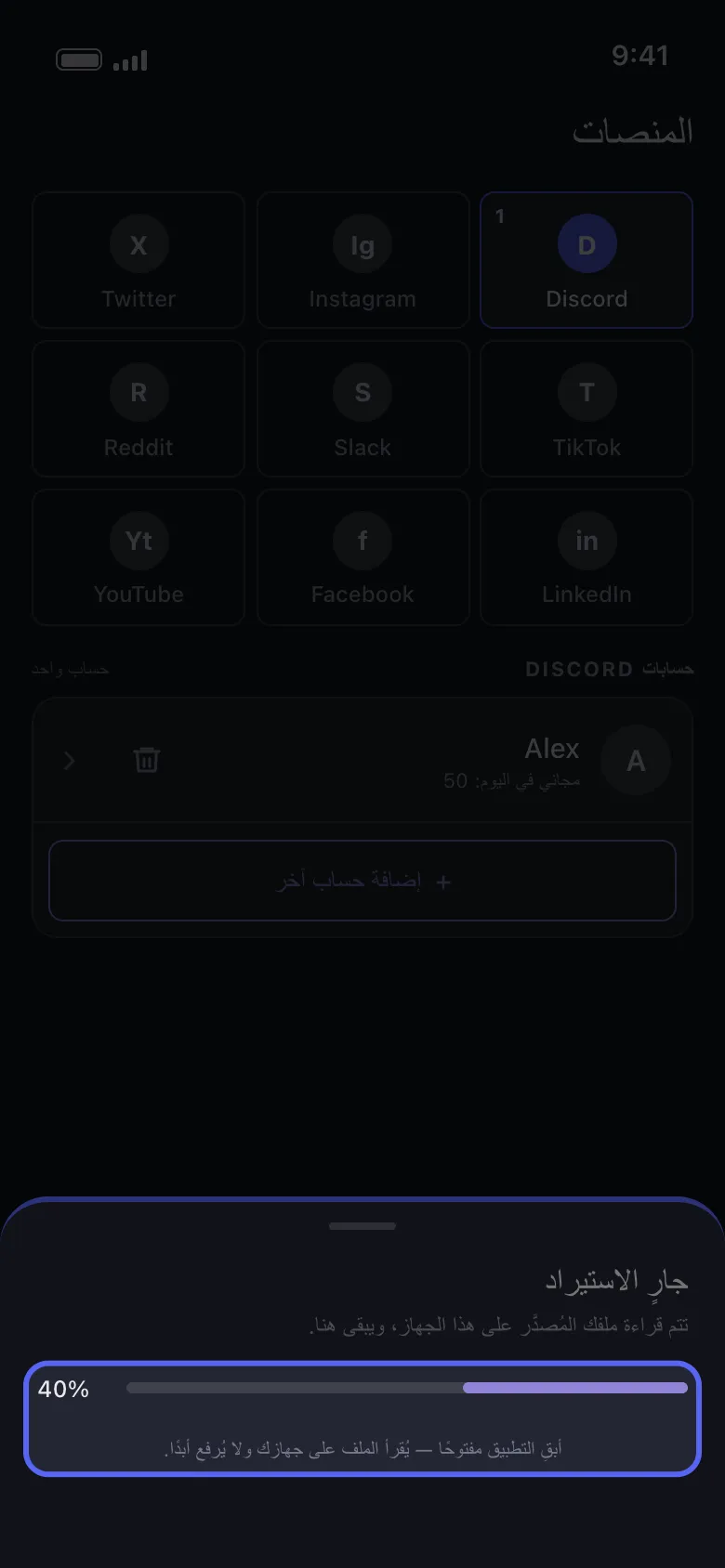
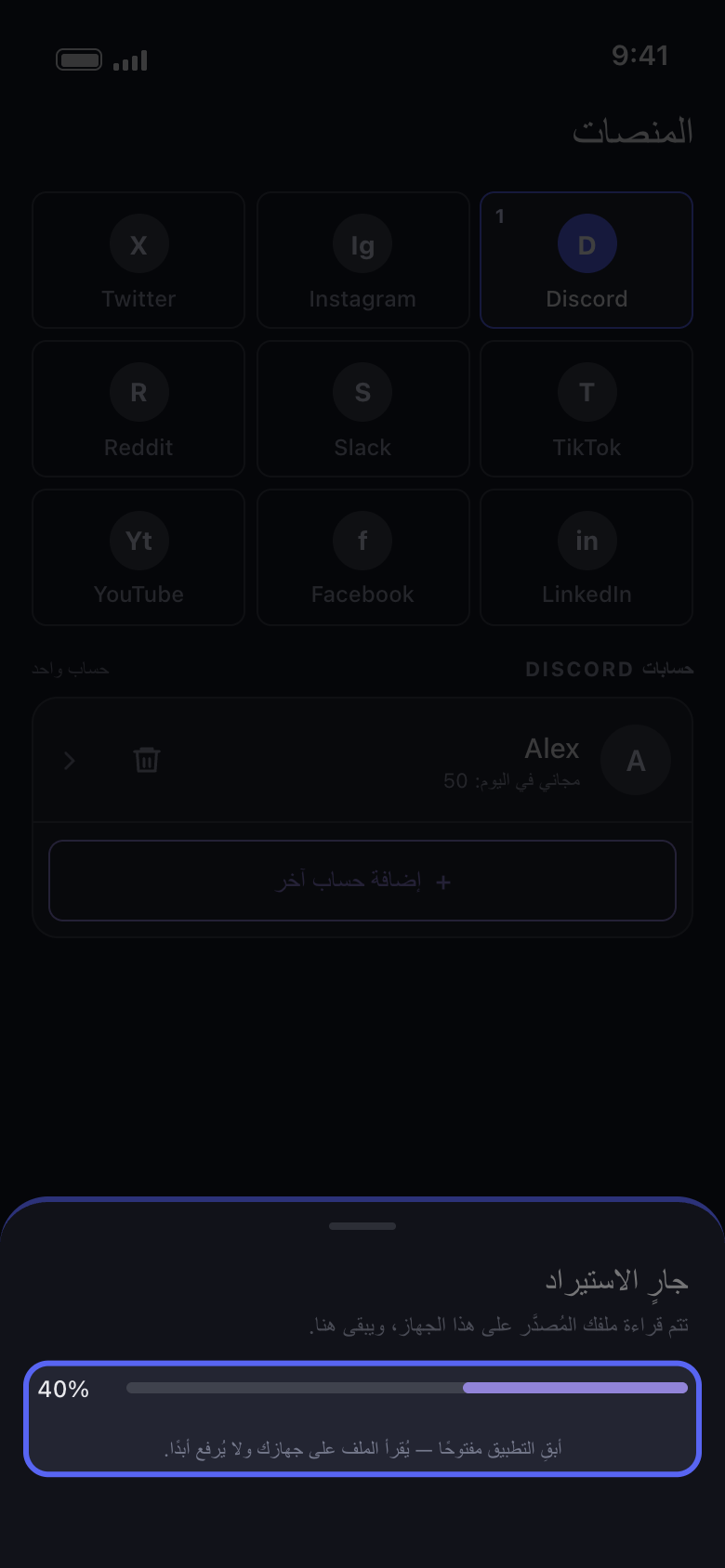
أبقِ Unpost مفتوحًا أثناء الاستيراد
يظهر في النافذة «جارٍ الاستيراد» مع شريط تقدم. يستغرق التصدير الكبير بعض الوقت ويحتاج إلى مساحة فارغة على الهاتف.
في التطبيق جارٍ الاستيراد
- 05
حدّد ما تريد حذفه وشغّل العملية كالمعتاد
على Discord حدّد المحادثات؛ وعلى Reddit «حذف المنشورات» و«حذف التعليقات» في تبويب «المحتوى»؛ وعلى X «حذف المنشورات» و«حذف الردود». اضغط «متابعة»، واضبط ما ينطبق في «قبل أن نحذف»، وتحقق من «المراجعة»، ثم اضغط «ابدأ الحذف».
في التطبيق متابعة ← المراجعة ← ابدأ الحذف
معلومات مفيدة
- إذا ظهر في النافذة «توقّف الاستيراد»، فلم يتغير شيء في حسابك. وغالبًا ما يكون السبب أن التصدير كان لا يزال قيد الإعداد حين نزّلته، أو أنك اخترت ملفًا واحدًا بدل ملف .zip كاملًا، أو أن الفئات لم تكن كلها محددة: وتذكر قائمة «يستحق التحقق» ما عليك فحصه. اضغط «اختيار ملف آخر» للمحاولة مرة أخرى، بتصدير جديد إن لزم. وإذا استمر التوقف، فحدّث Unpost إلى أحدث إصدار (رقم الإصدار في أسفل «الإعدادات»)؛ وإذا ظل يتوقف، فراجع «كيف تحدّث Unpost وتبلغ عن مشكلة».
- استخدم تصدير الحساب الذي أضفته في Unpost: فاستيراد تصدير حساب آخر يتوقف وتظهر رسالة «تنتمي حزمة البيانات المحددة إلى حساب مختلف.»
- على X لا تُستورد الإعجابات: لا يجد «حذف الإعجابات» و«حذف إعادة النشر» شيئًا في هذا الوضع، ويحذف «حذف المنشورات» أيضًا إعادات النشر والاقتباسات الموجودة في ملف التصدير. وإذا ظلت المنشورات ظاهرة بعد العملية، فراجع «يقول Unpost إنه لم يبقَ شيء على X، لكن منشوراتي ما زالت موجودة».
- التصدير لقطة ثابتة: ما نُشر بعد طلبه لا يكون فيه، لذا اطلب تصديرًا جديدًا للمحتوى الأحدث.
- إزالة الحساب من Unpost تزيل أيضًا الحزمة التي استوردتها له، و«الإعدادات» ← «تسجيل الخروج من جميع الحسابات» يمسح كل الحزم: استوردها مرة أخرى بعد ذلك.
- في الخطة المجانية يُحتسب الحذف من الحزمة ضمن عمليات الحذف الـ50 اليومية للحساب. لا يوجد حد يومي على Reddit، لكن في الخطة المجانية يُستبدل نص منشوراته وتعليقاته ولا تُحذف: راجع «Reddit: التحويل العشوائي أو الحذف، وما يفعله كل خيار».
المزيد من الأدلة