
Cómo borrar mensajes antiguos con un paquete de datos
Las plataformas dejan de mostrar el contenido antiguo, pero tu exportación de datos todavía lo tiene. En Discord, X (Twitter) y Reddit, Eliminar del paquete de datos trabaja a partir de esa exportación, que Unpost lee en tu teléfono.
- 01
Pide tu exportación de datos con todo seleccionado
Pide a la plataforma una copia de todos tus datos, como te recuerda la app: Al exportar, necesitas exportar todos tus datos. Espera a que la exportación esté lista y descarga el .zip en tu teléfono. Debajo de la opción, en Unpost, Cómo exportar tus datos te explica cómo hacerlo.
En la app Principal → plataforma → cuenta → Cómo exportar tus datos
- 02
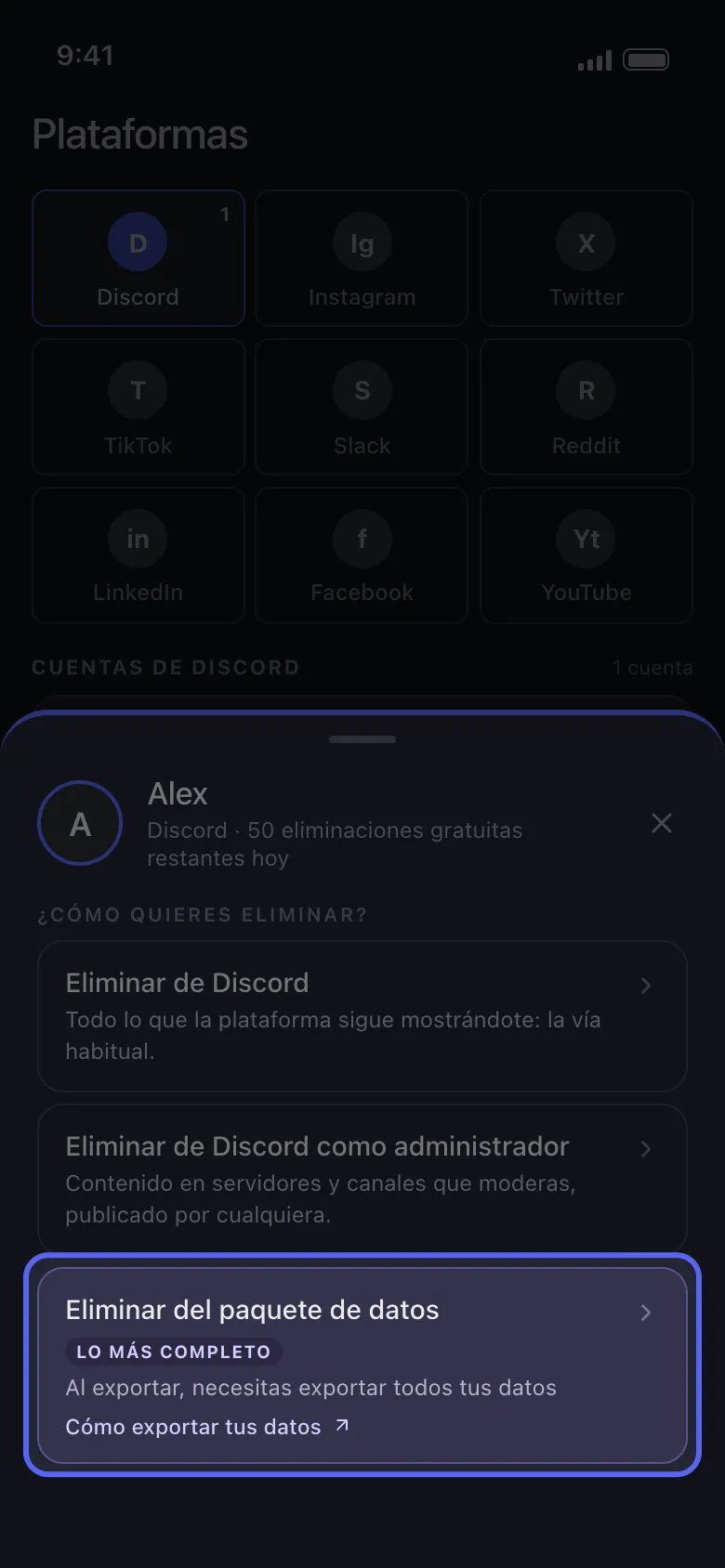
Elige Eliminar del paquete de datos
Toca tu cuenta en Principal. En el panel ¿Cómo quieres eliminar?, Eliminar del paquete de datos es la opción con la etiqueta Lo más completo.
En la app Principal → Discord → cuenta → Eliminar del paquete de datos
- 03
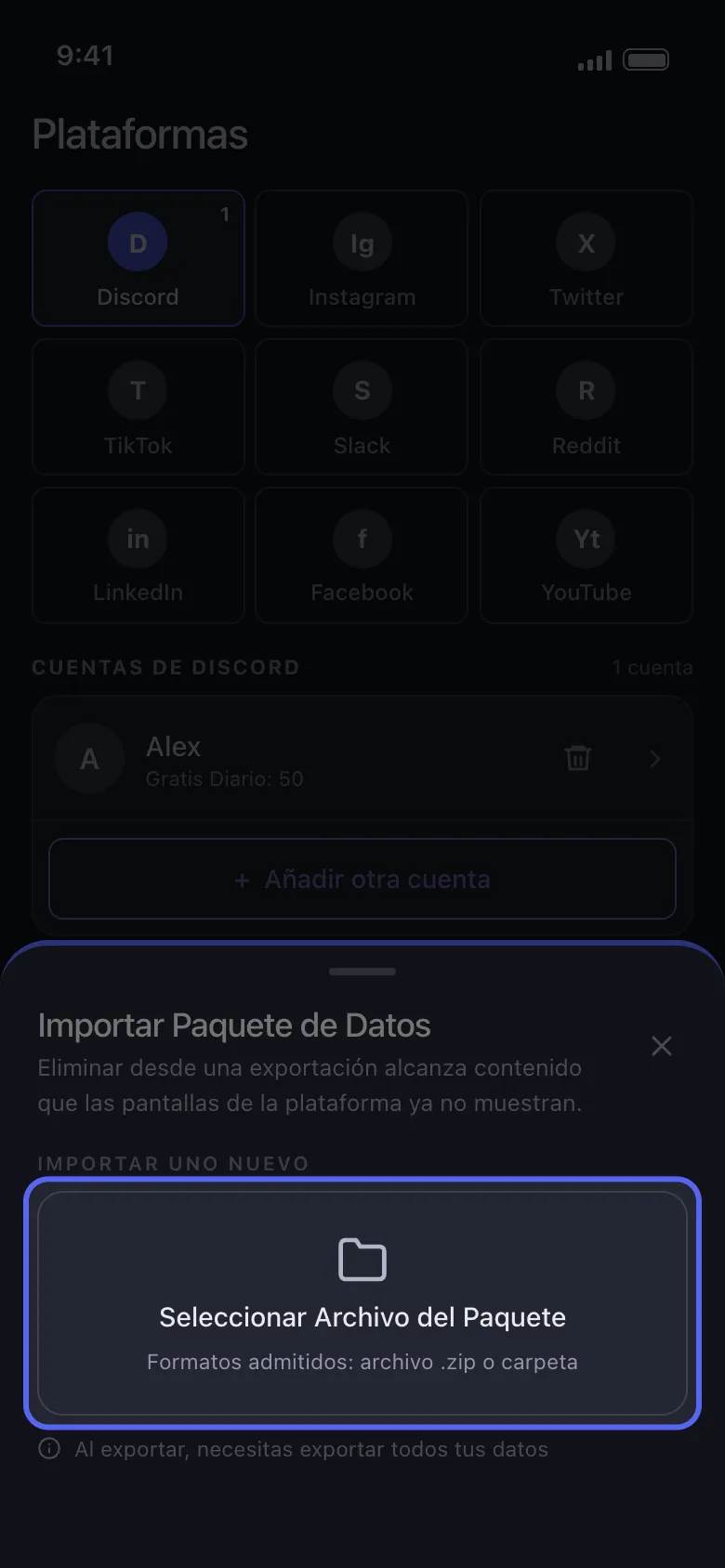
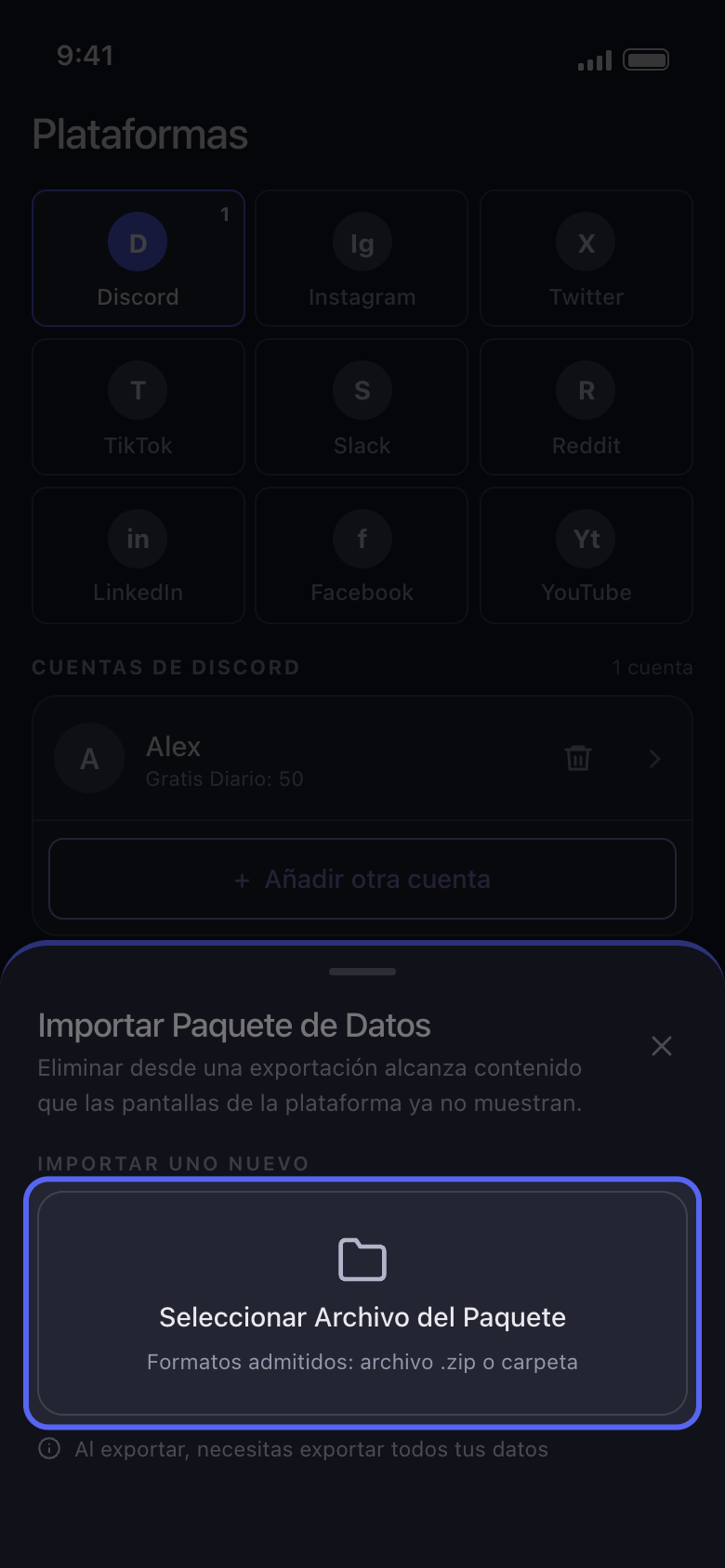
Toca Seleccionar Archivo del Paquete y elige el .zip completo
Elige el .zip tal como lo descargaste, nunca un archivo de su interior como tweets.js. Si ya importaste uno antes, aparece bajo Paquete de datos actual: tócalo para volver a usarlo y saltarte la importación. Seleccionar Archivo del Paquete lo sustituye, y el anterior se borra al instante, aunque después canceles.
En la app Importar Paquete de Datos → Seleccionar Archivo del Paquete
- 04
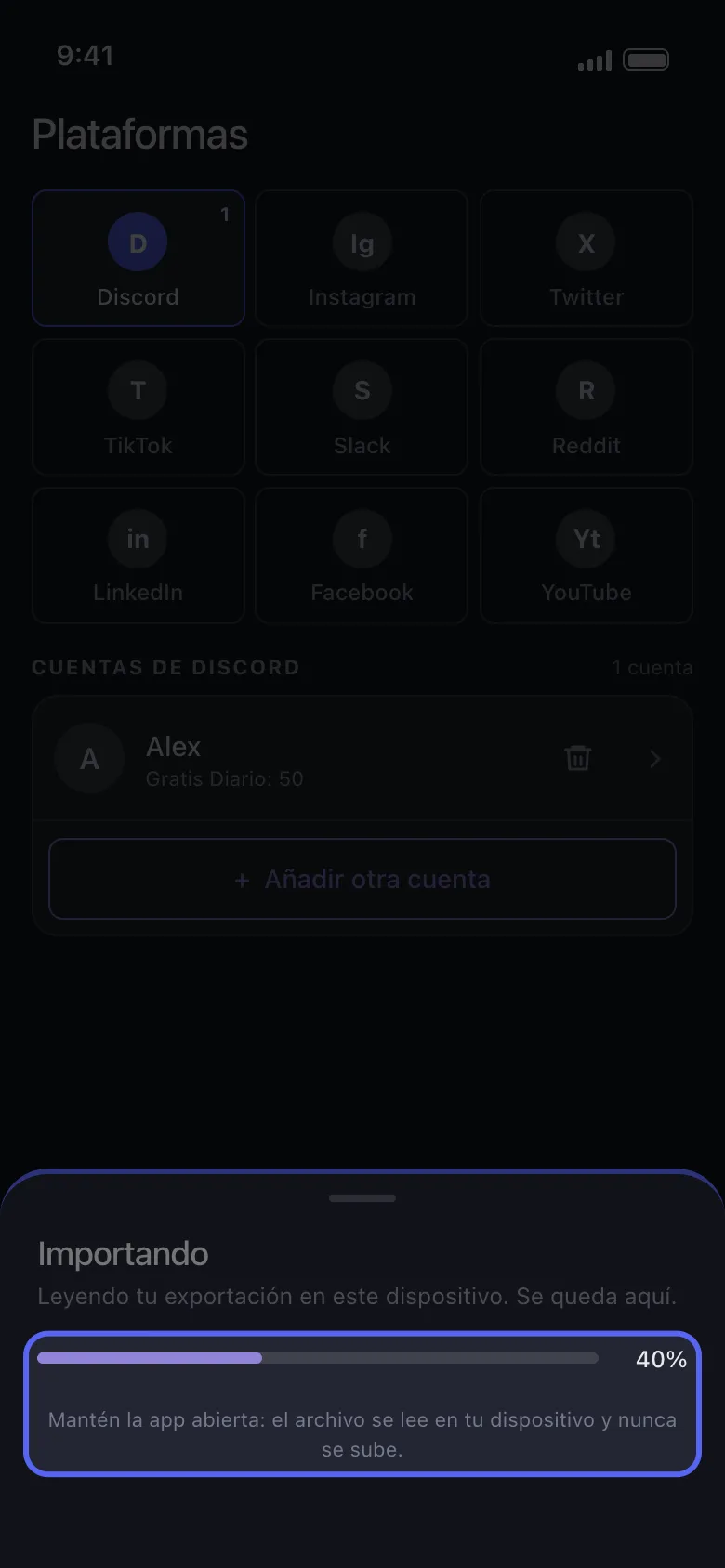
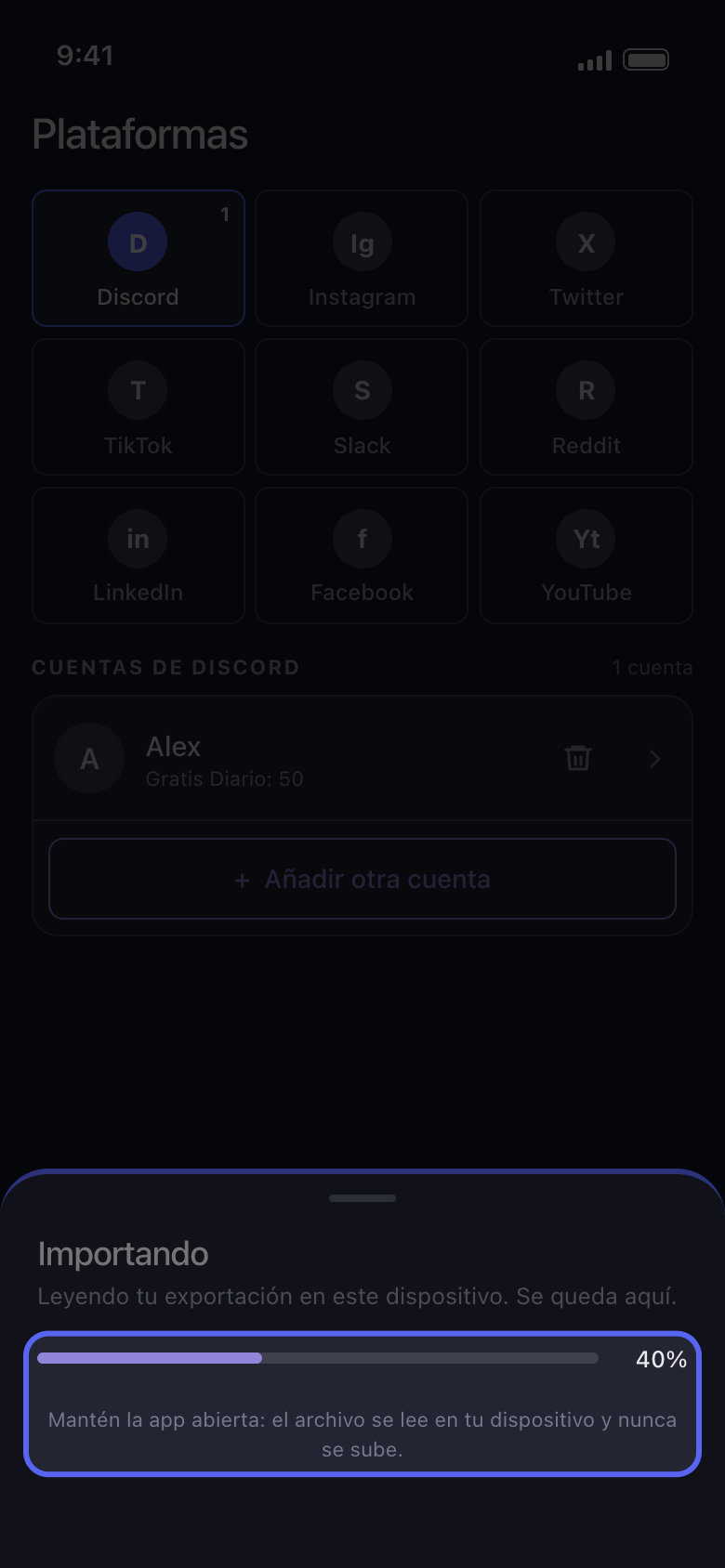
Mantén Unpost abierto mientras importa
El panel dice Importando, con una barra de progreso. Una exportación grande tarda un rato y necesita espacio libre en el teléfono.
En la app Importando
- 05
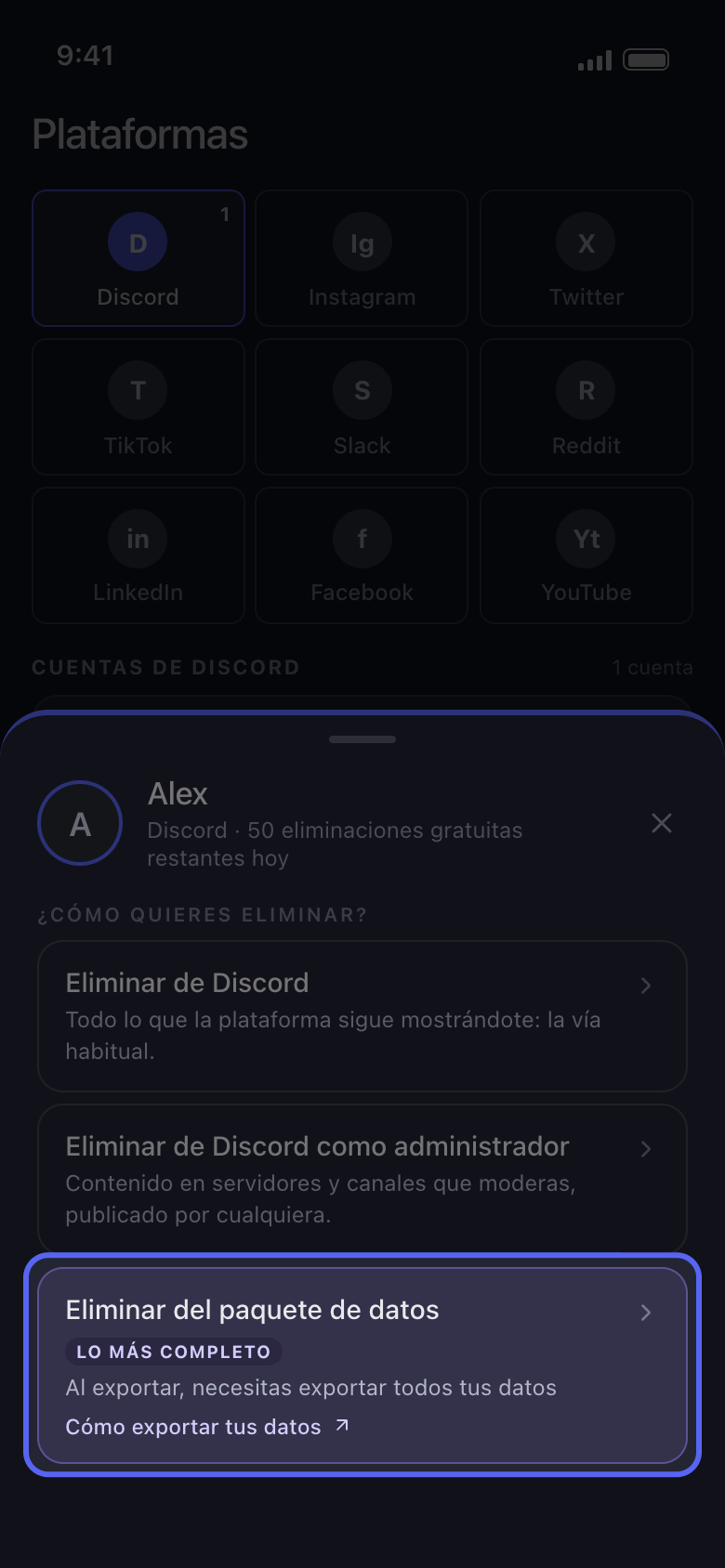
Marca qué borrar y lanza la limpieza como siempre
En Discord, marca las conversaciones; en Reddit, Eliminar Publicaciones y Eliminar Comentarios en la pestaña Contenido; en X, Eliminar Posts y Eliminar Respuestas. Toca Continuar, ajusta lo que corresponda en Antes de eliminar, comprueba la Revisión y toca Empezar a eliminar.
En la app Continuar → Revisión → Empezar a eliminar
Bueno saberlo
- Si el panel dice Importación detenida, no se cambió nada en tu cuenta. Normalmente la exportación aún se estaba preparando cuando la descargaste, se eligió un solo archivo en lugar del .zip completo o no estaban seleccionadas todas las categorías: su lista Conviene revisar te dice qué mirar. Toca Elegir otro archivo para intentarlo de nuevo, con una exportación nueva si hace falta. Si se sigue deteniendo, actualiza Unpost a la última versión (la versión aparece al final de Ajustes); si aun así se detiene, consulta Cómo actualizar Unpost y reportar un problema.
- Usa la exportación de la cuenta que añadiste en Unpost: la exportación de otra cuenta se detiene con El paquete de datos seleccionado pertenece a otra cuenta.
- En X, los me gusta no se importan: Eliminar Me gusta y Eliminar Reposts no encuentran nada en este modo, y Eliminar Posts también se lleva los reposts y las citas de la exportación. Si después de una limpieza siguen viéndose posts, consulta Unpost dice que no queda nada en X, pero mis posts siguen ahí.
- Una exportación es una foto fija: lo que publicaste después de pedirla no está en ella, así que pide una nueva para el contenido más reciente.
- Quitar la cuenta de Unpost también quita su paquete importado, y Ajustes → Cerrar sesión de todas las Cuentas borra todos los paquetes: vuelve a importarlo después.
- En el plan gratuito, borrar desde un paquete cuenta para las 50 eliminaciones diarias de la cuenta. Reddit no tiene límite diario, pero en el plan gratuito sus publicaciones y comentarios se sobrescriben, no se borran: consulta Reddit: aleatorizar o eliminar, qué hace cada opción.
Más guías