
Cara menghapus pesan orang lain sebagai admin
Jika Anda memoderasi server Discord atau workspace Slack, mode admin menghapus apa yang diposting orang lain di channel-channelnya: pesan setiap anggota, atau hanya pesan anggota yang Anda pilih. Mode ini tidak pernah menjangkau DM, tempat hanya pesan yang Anda kirim yang bisa dihapus.
- 01
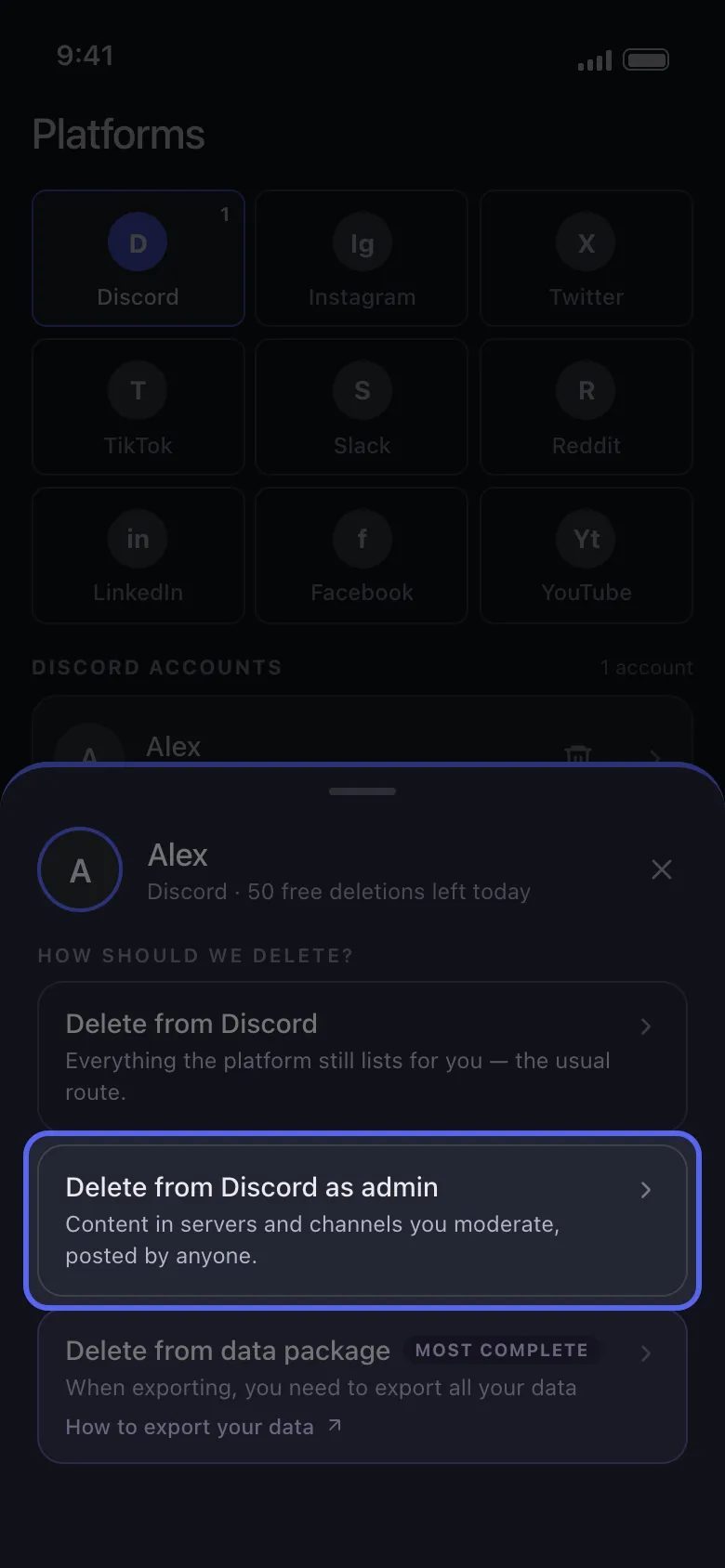
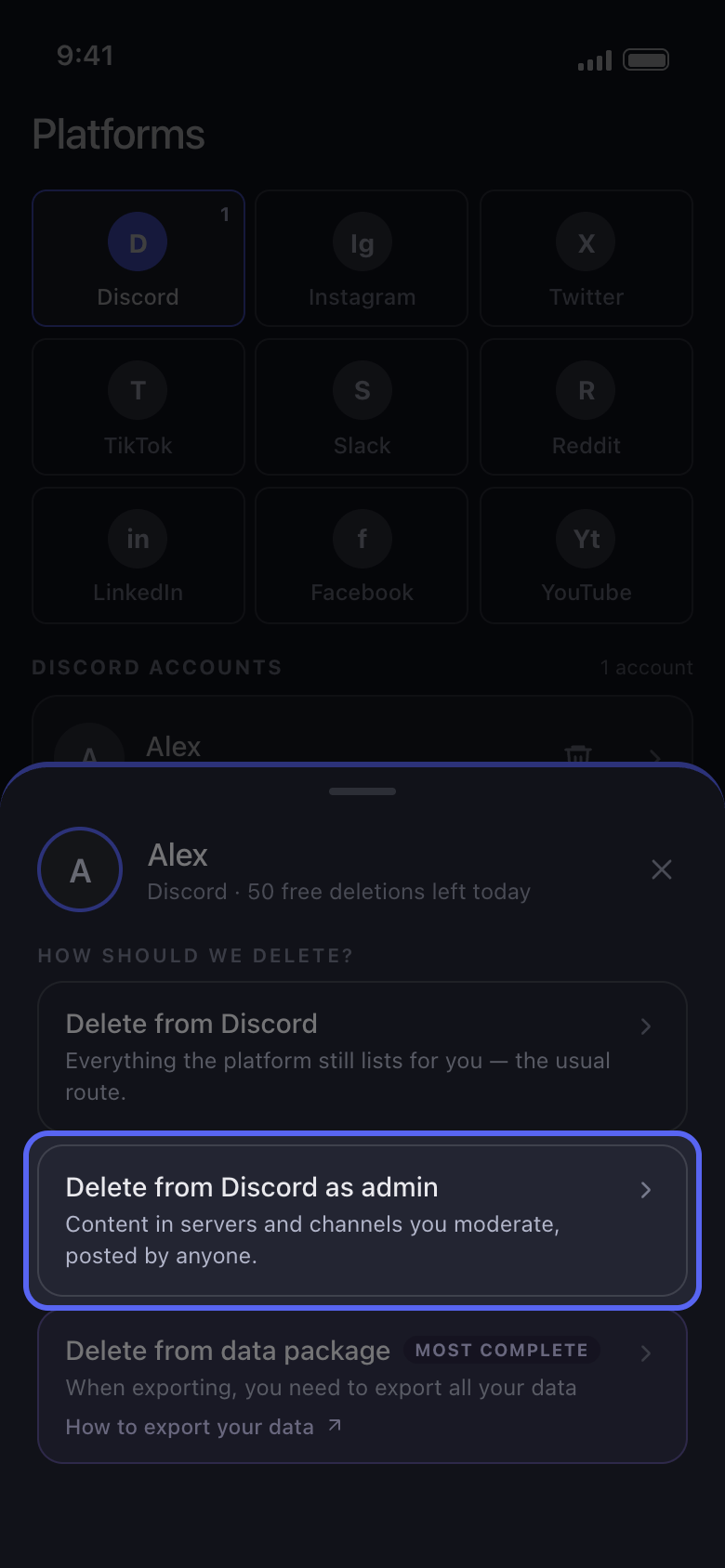
Pilih Delete from Discord as admin
Ketuk akun Anda di Main. Di lembar How should we delete?, pilih Delete from Discord as admin (di Slack, Delete from Slack as admin), bukan opsi pertama.
Di aplikasi Main → Discord → akun → Delete from Discord as admin
- 02
Pilih channel-nya
Di Discord, daftarnya hanya berisi server milik Anda atau server tempat Anda punya izin Administrator atau Manage Messages (Kelola Pesan): ketuk salah satunya, lalu centang channel-nya, satu per satu atau sekaligus. Di Slack, mode admin ditujukan untuk admin workspace: centang channel-nya. Lalu ketuk Continue.
Di aplikasi Delete from Discord as admin → server → channel → Continue
- 03
Pilih pesan siapa yang dihapus
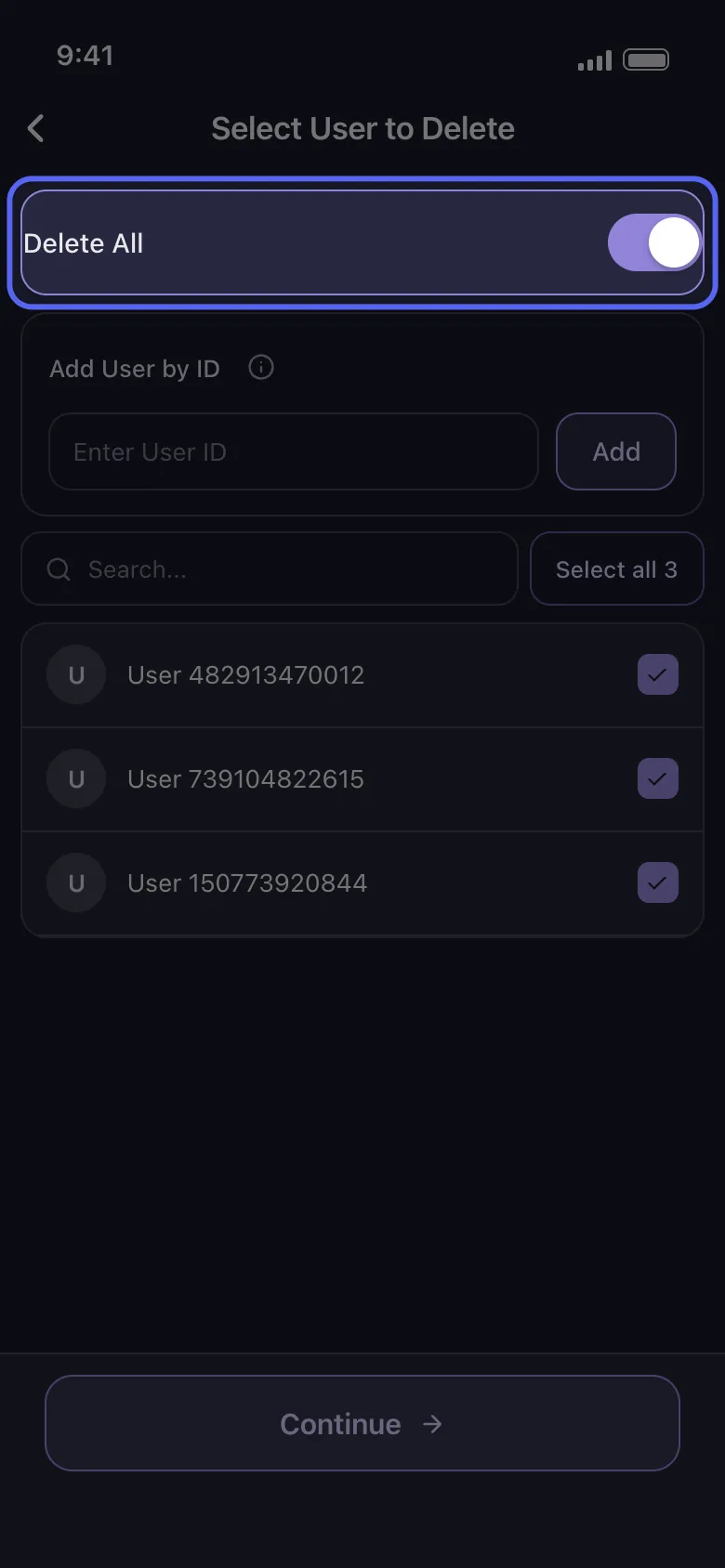
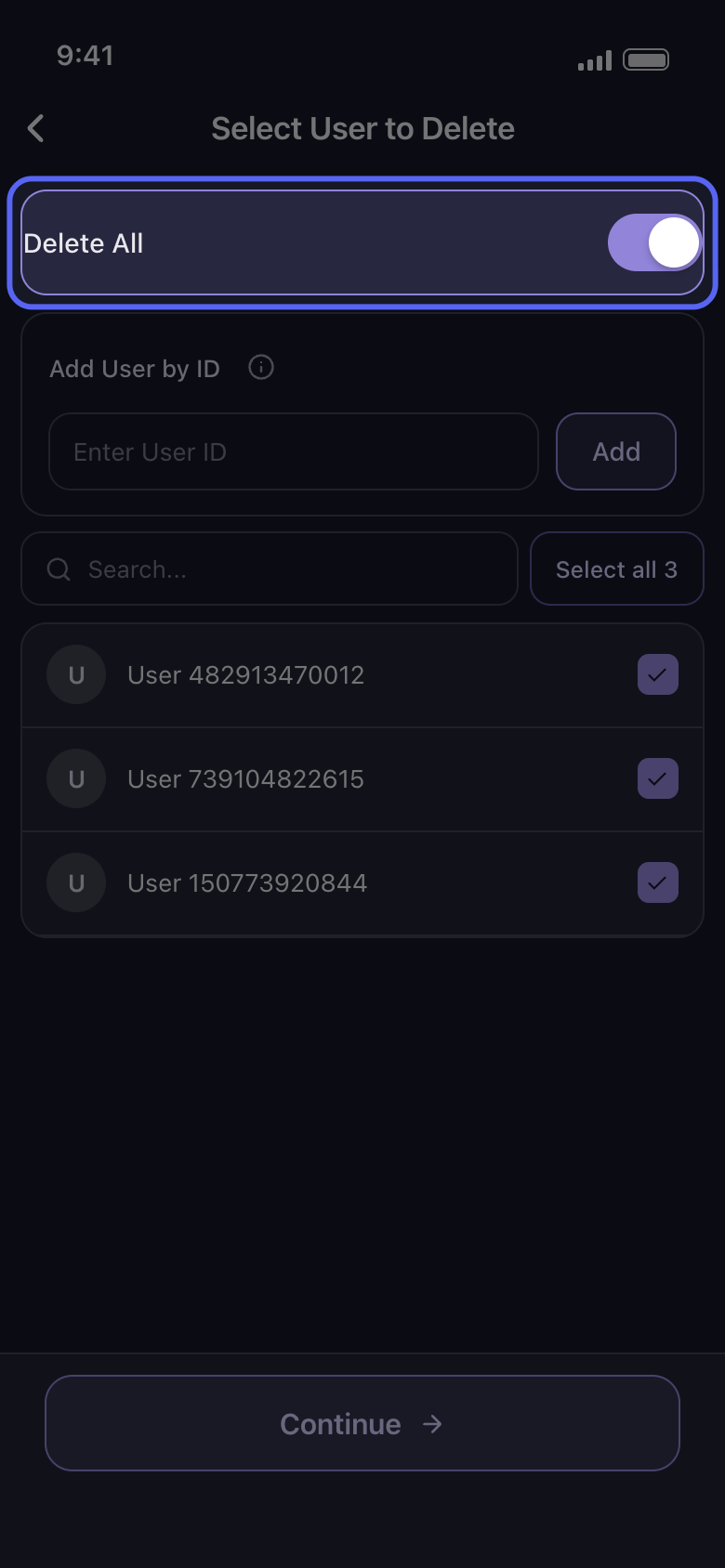
Di Select User to Delete, aktifkan Delete All untuk menghapus pesan setiap anggota di channel tersebut, atau centang hanya anggota yang pesannya harus dihapus. Di Discord, Add User by ID berguna untuk orang yang tidak ada di daftar: ketik ID mereka di Enter User ID lalu ketuk Add. Setelah itu, ketuk Continue.
Di aplikasi Select User to Delete
- 04
Pilih apa yang dihapus di Before we delete
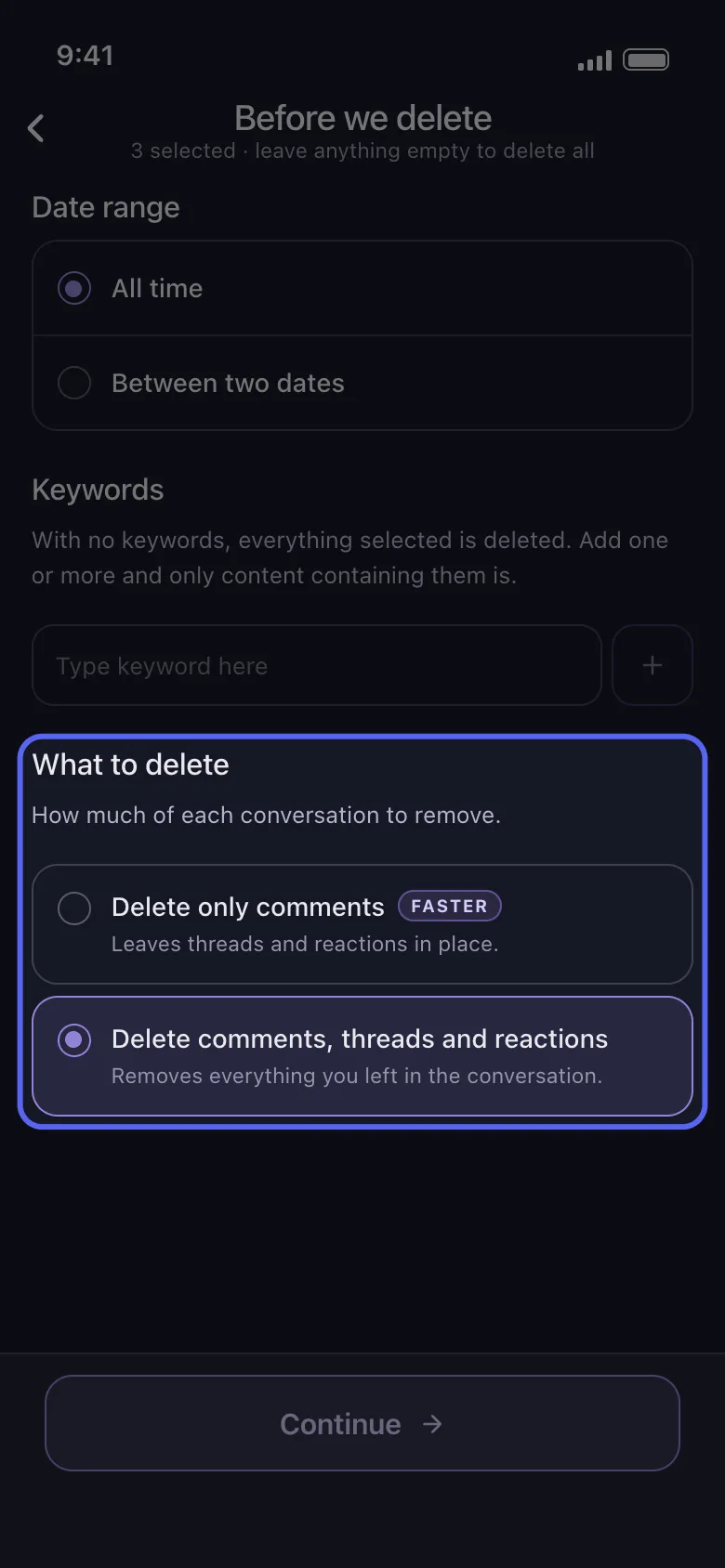
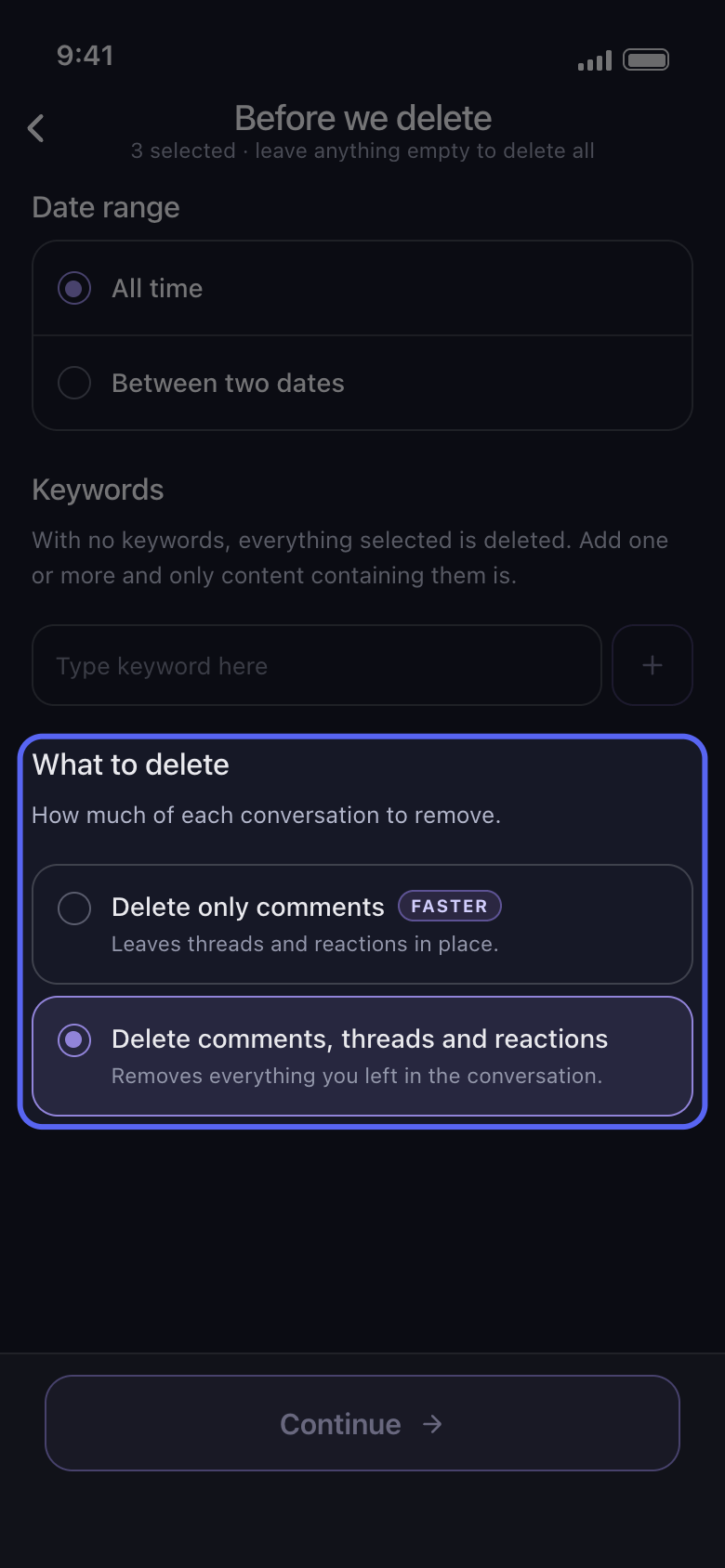
Date range dan Keywords mempersempit proses admin seperti proses lainnya. Di Discord, What to delete juga berpengaruh: Delete only comments membiarkan thread dan reaksi tetap ada, jadi balasan di thread tidak terhapus. Untuk ikut membersihkan thread, pilih Delete comments, threads and reactions, yang juga menghapus reaksi Anda. Di Slack, hapus centang Delete Messages, Delete Threads, atau Delete Reactions untuk mempertahankannya.
Di aplikasi Before we delete → What to delete
- 05
Periksa Review, lalu ketuk Start deleting
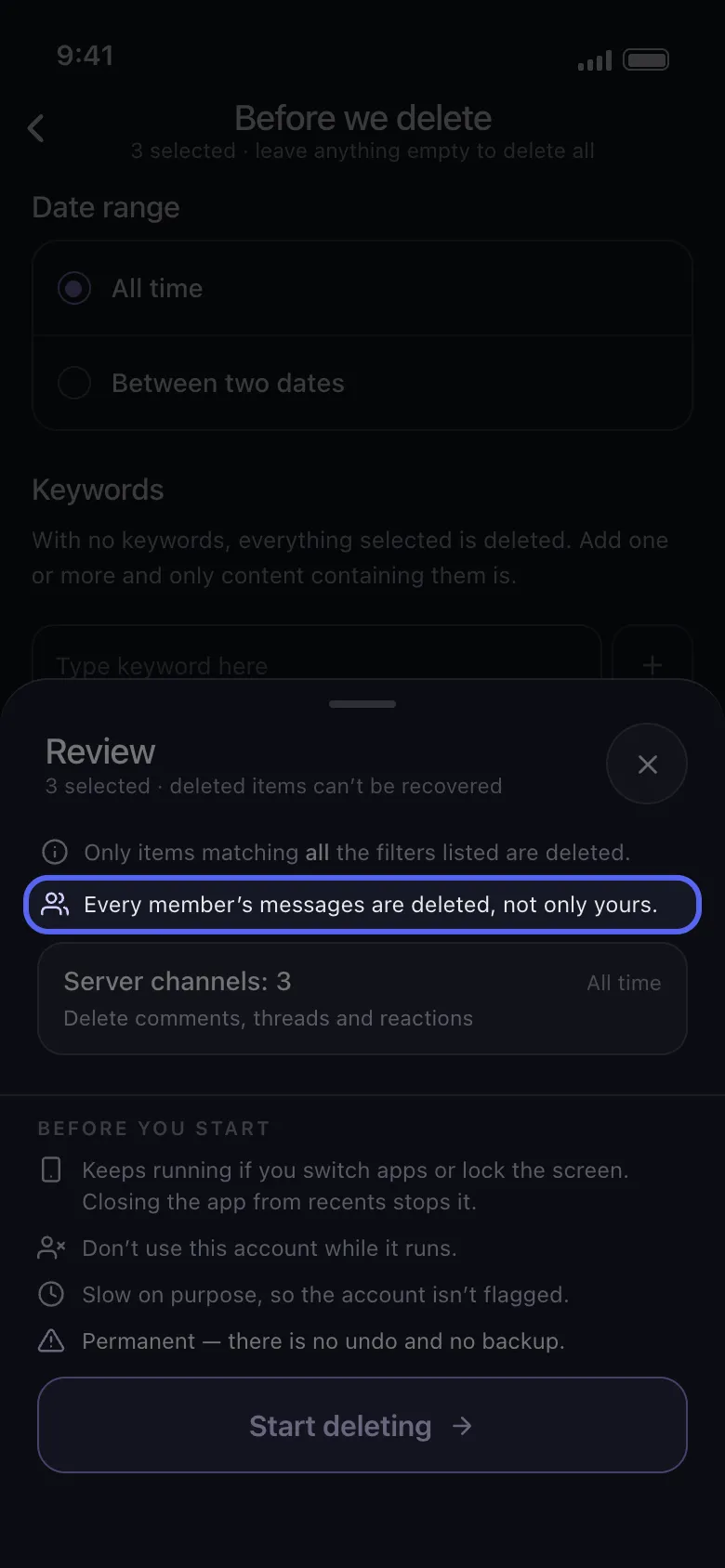
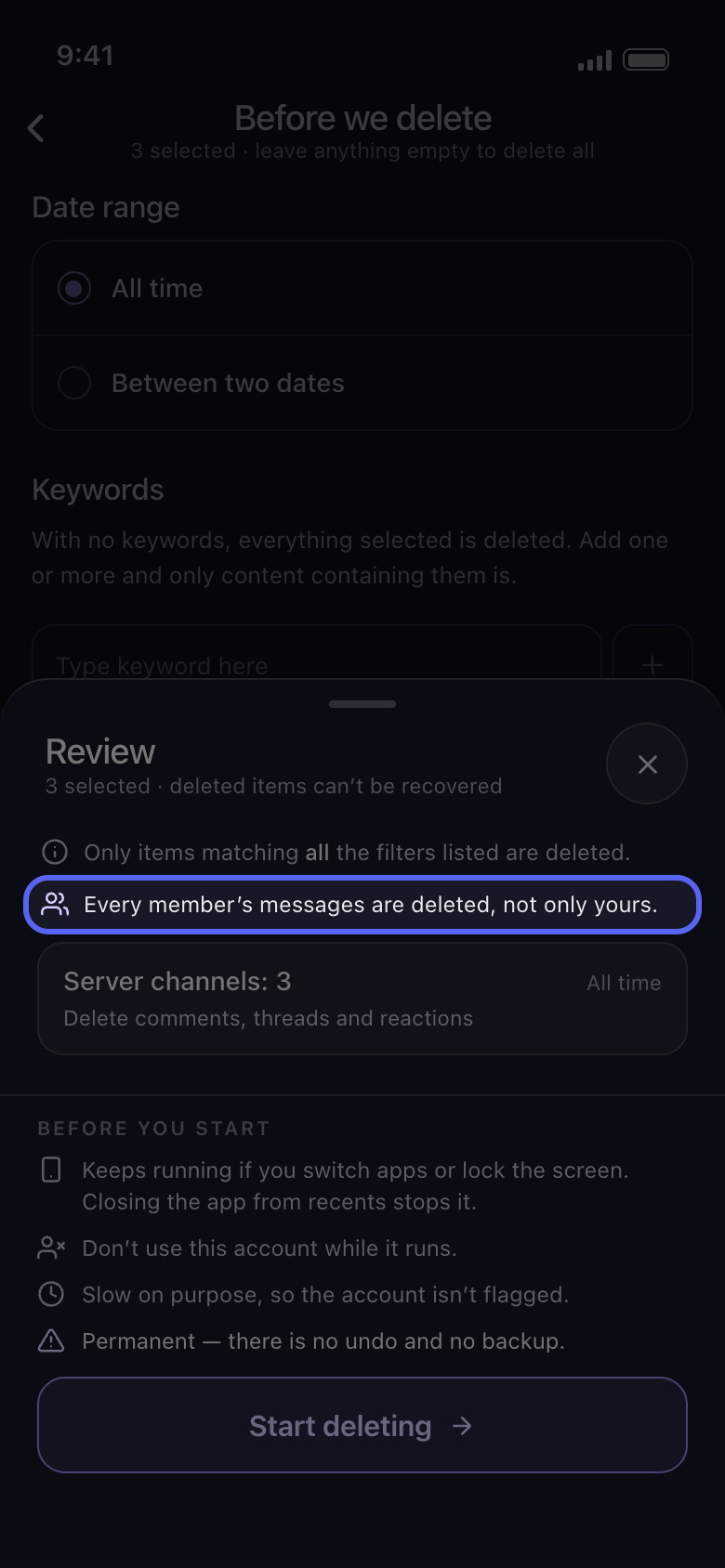
Di atas kotak-kotaknya, Review menyebutkan pesan siapa yang dihapus: Every member’s messages are deleted, not only yours, atau berapa anggota yang Anda pilih. Tidak ada yang dihapus sebelum Anda mengetuk Start deleting.
Di aplikasi Continue → Review → Start deleting
Perlu diketahui
- Pesan yang ditolak Discord untuk dihapus akan dilewati, dan proses tetap berlanjut.
- Komentar orang lain di postingan Anda sendiri punya opsi tersendiri: Delete Comments On My Videos di TikTok, Delete Comments Left On Your Posts di Facebook, dan Delete Comments on Your Videos and Shorts di YouTube.
- Penghapusan bersifat permanen: pesan orang lain juga tidak bisa dikembalikan.
Panduan lainnya