
Comment supprimer les messages des autres en tant qu’admin
Si vous modérez un serveur Discord ou un espace de travail Slack, le mode admin supprime ce que les autres ont publié dans ses salons ou ses canaux : les messages de tous les membres, ou seulement ceux des membres que vous choisissez. Il n’atteint jamais les MP, où seuls les messages que vous avez envoyés peuvent être supprimés.
- 01
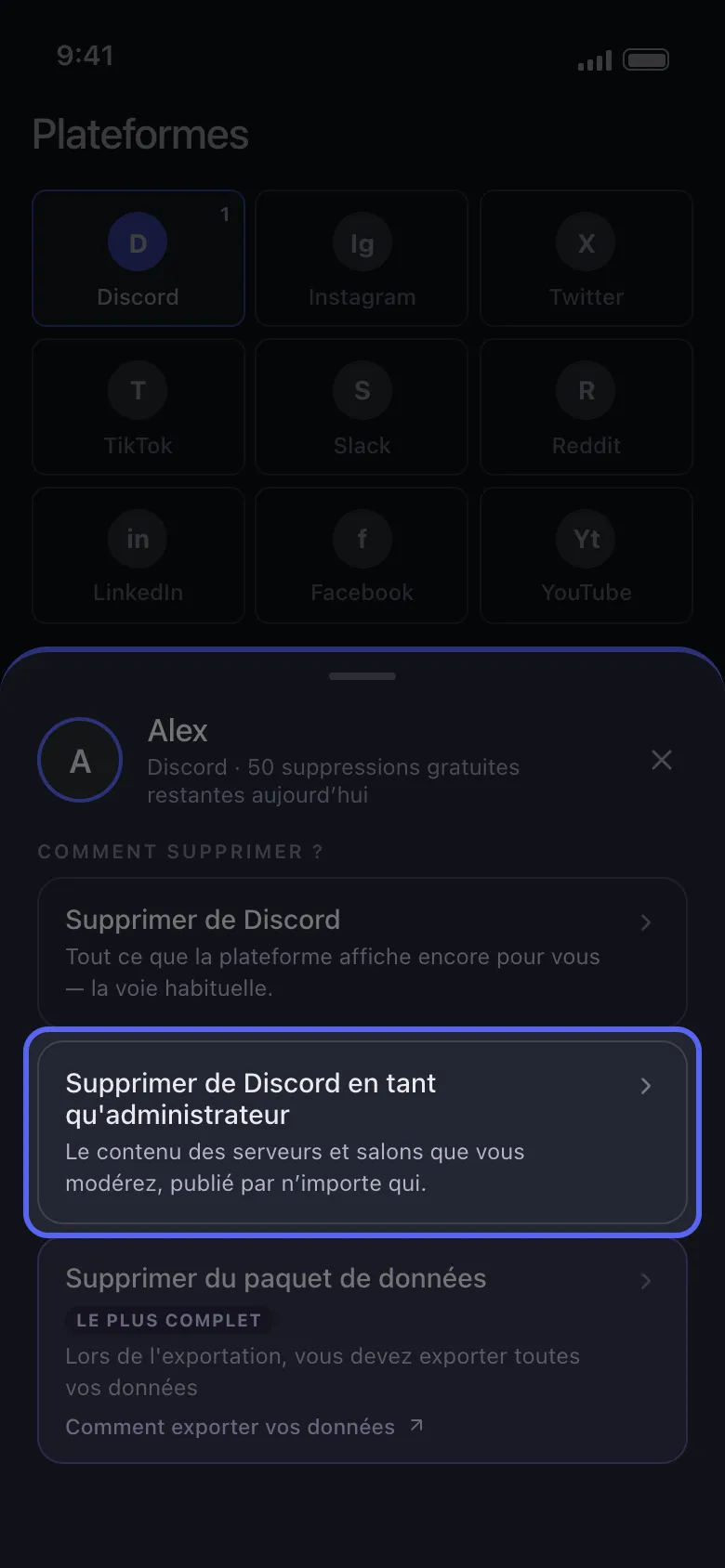
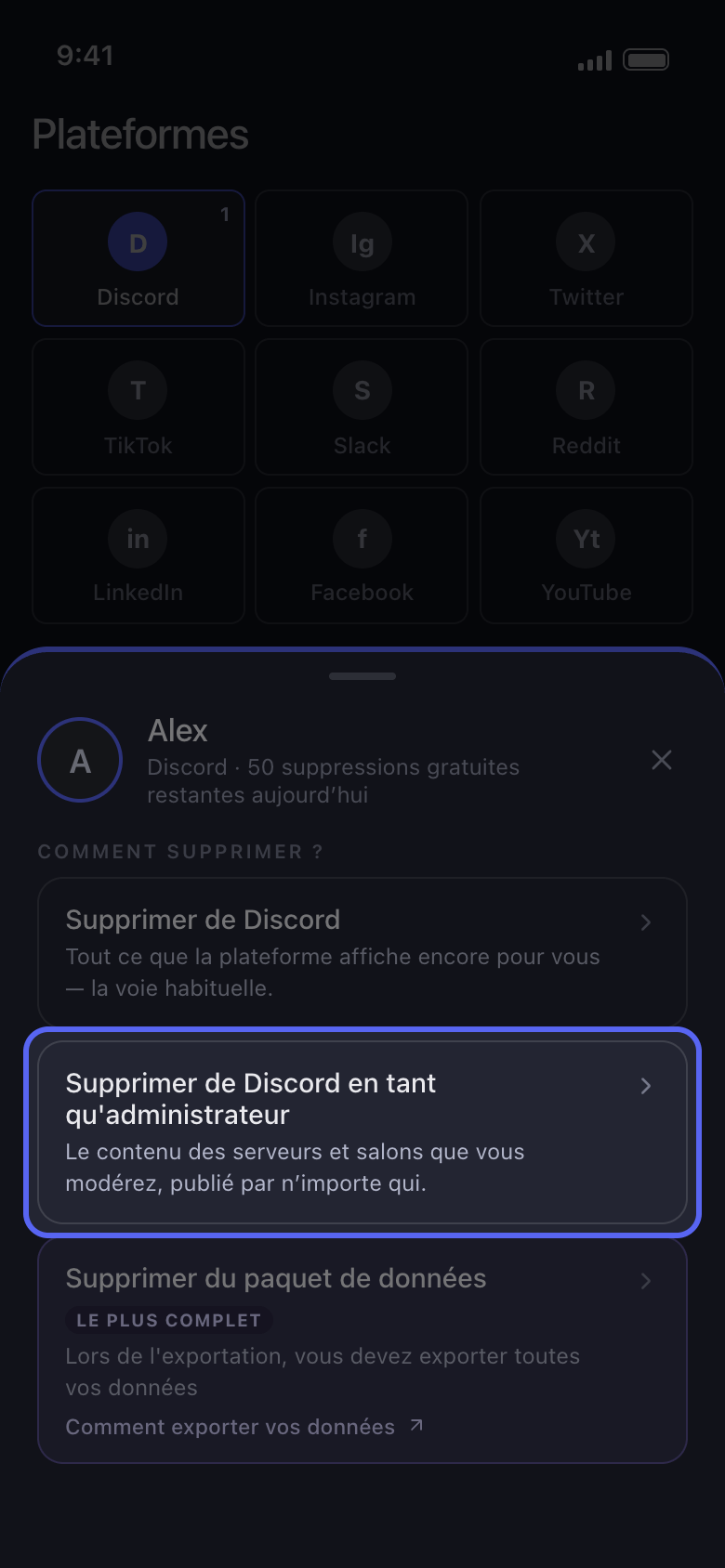
Choisissez Supprimer de Discord en tant qu'administrateur
Appuyez sur votre compte dans Accueil. Dans la fenêtre « Comment supprimer ? », choisissez Supprimer de Discord en tant qu'administrateur (sur Slack, Supprimer de Slack en tant qu'administrateur) au lieu de la première option.
Dans l'app Accueil → Discord → compte → Supprimer de Discord en tant qu'administrateur
- 02
Choisissez les salons
Sur Discord, la liste ne contient que les serveurs qui vous appartiennent ou sur lesquels vous avez la permission Administrateur ou Gérer les messages : appuyez sur l’un d’eux, puis cochez ses salons, un par un ou tous d’un coup. Sur Slack, le mode admin est réservé aux admins de l’espace de travail : cochez les canaux. Puis appuyez sur Continuer.
Dans l'app Supprimer de Discord en tant qu'administrateur → serveur → salons → Continuer
- 03
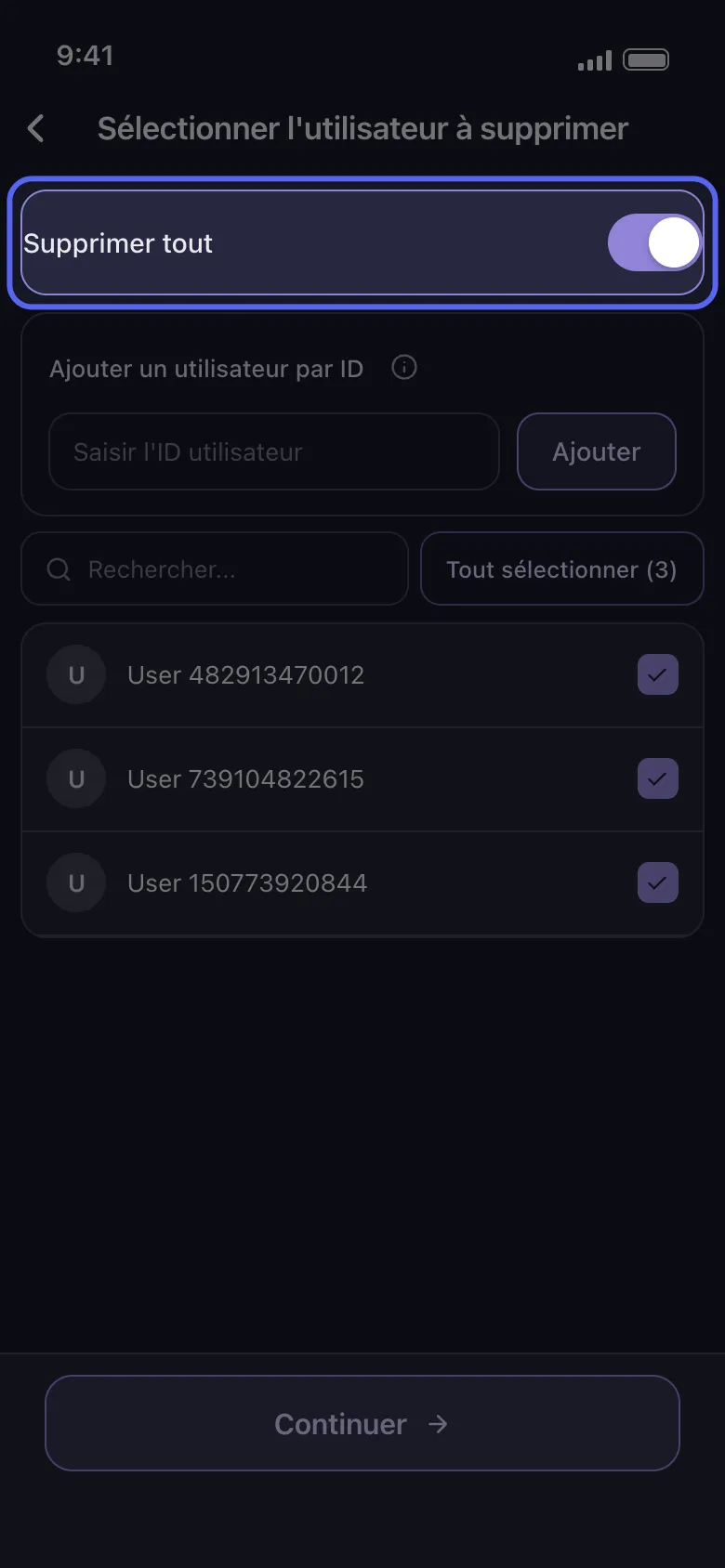
Choisissez de qui supprimer les messages
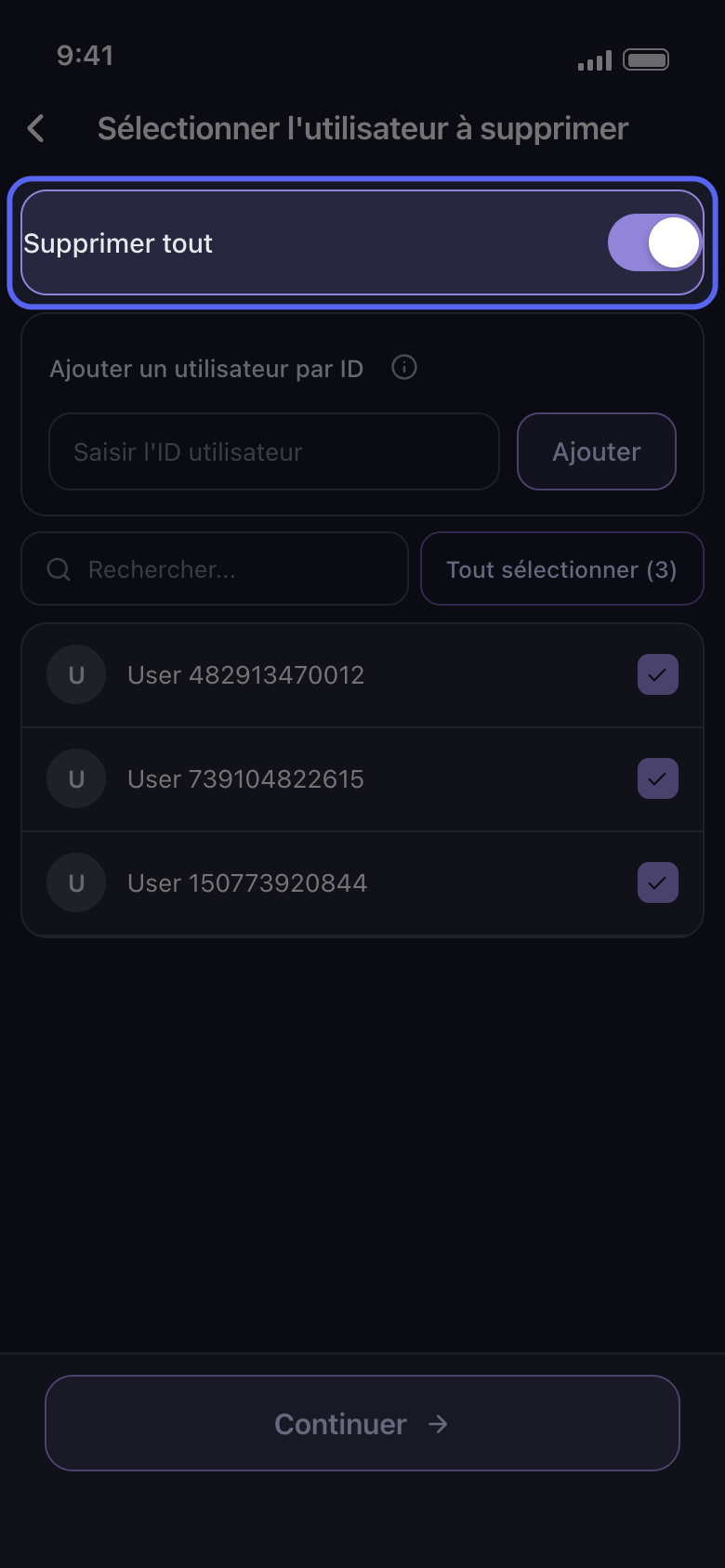
Sur l’écran Sélectionner l'utilisateur à supprimer, activez Supprimer tout pour supprimer les messages de tous les membres dans ces salons, ou cochez seulement les membres dont les messages doivent partir. Sur Discord, Ajouter un utilisateur par ID permet d’atteindre quelqu’un qui n’est pas dans la liste : tapez son ID dans le champ Saisir l'ID utilisateur et appuyez sur Ajouter. Puis appuyez sur Continuer.
Dans l'app Sélectionner l'utilisateur à supprimer
- 04
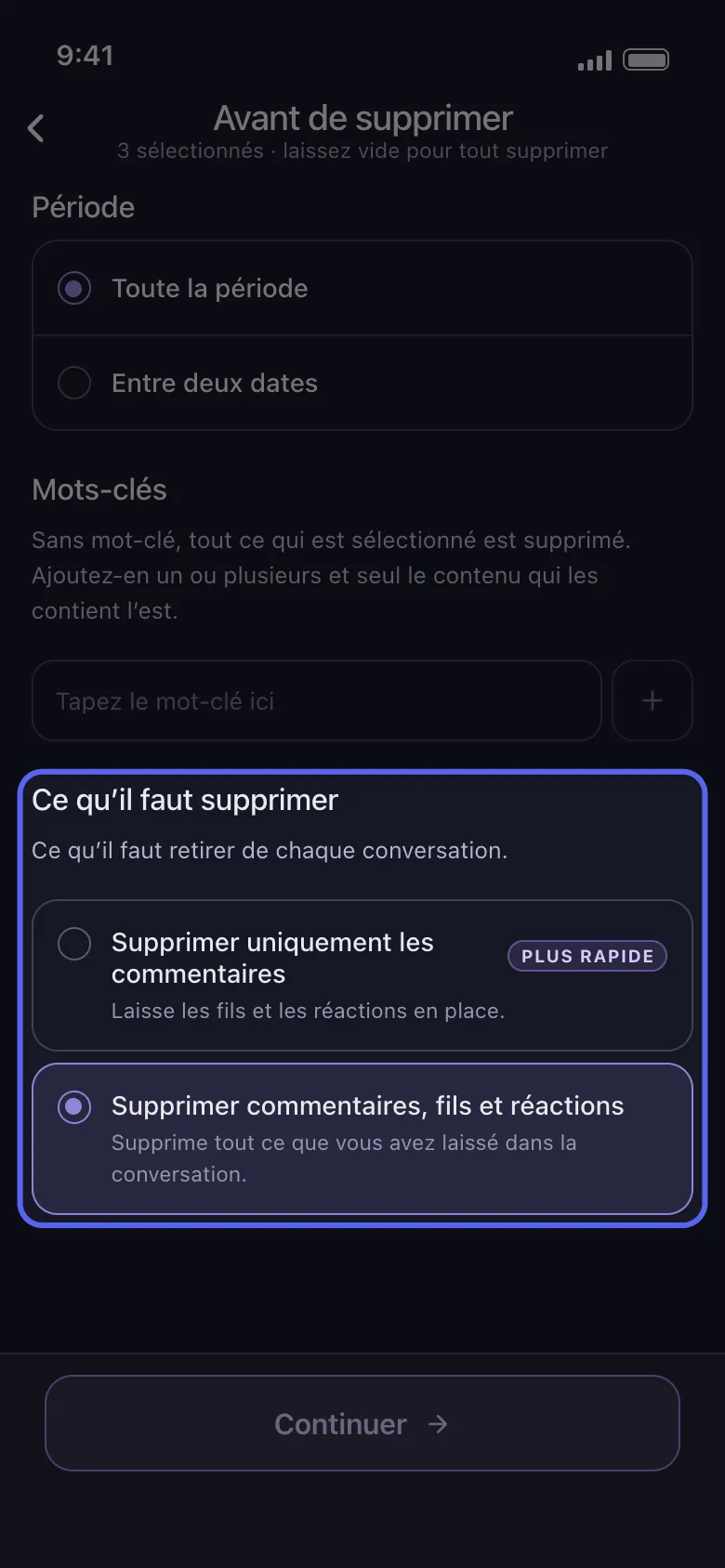
Choisissez ce qui part dans Avant de supprimer
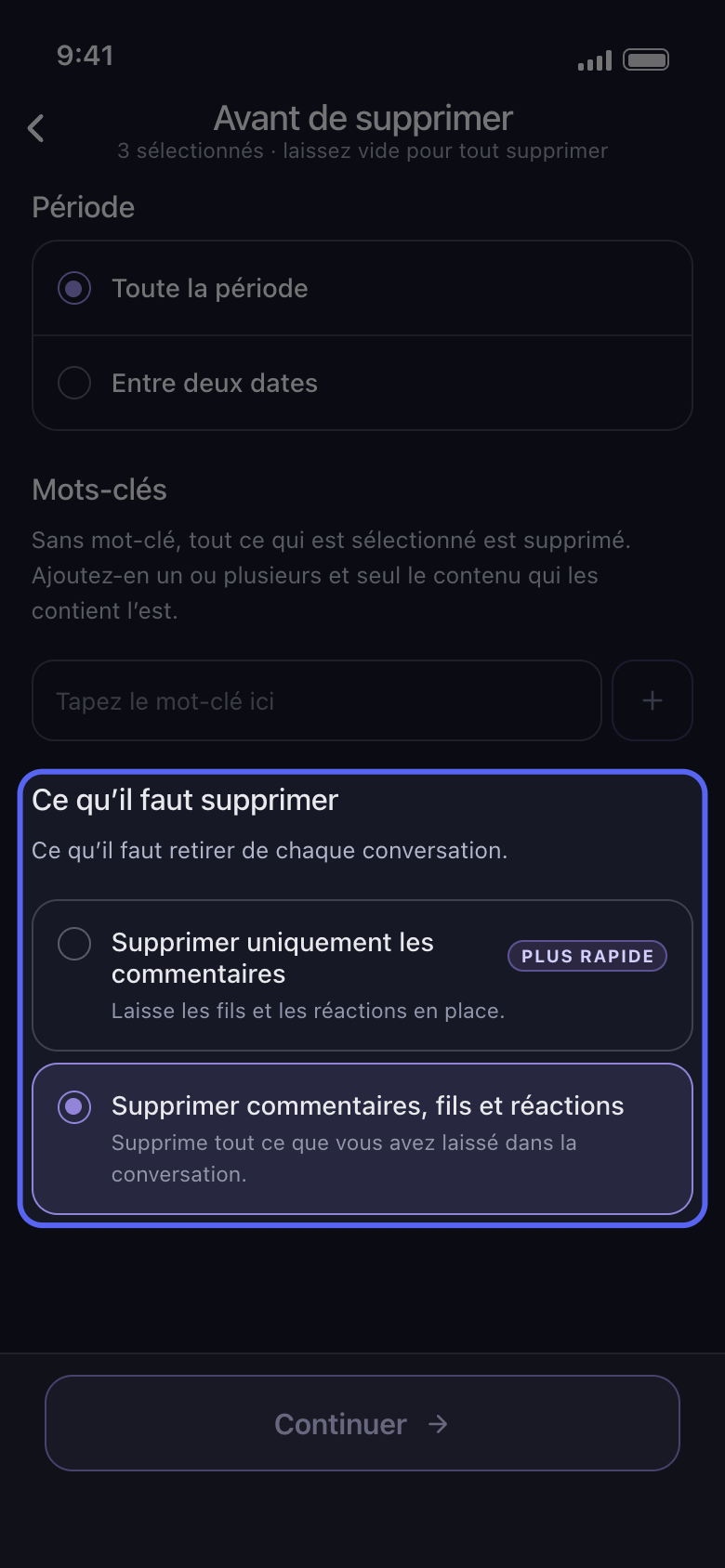
Période et Mots-clés restreignent une suppression admin comme n’importe quelle autre. Sur Discord, Ce qu’il faut supprimer compte aussi : Supprimer uniquement les commentaires laisse les fils et les réactions en place, donc les réponses dans les fils restent. Pour effacer les fils également, choisissez Supprimer commentaires, fils et réactions, qui retire aussi vos réactions. Sur Slack, décochez Supprimer les messages, Supprimer les fils de discussion ou Supprimer les réactions pour les garder.
Dans l'app Avant de supprimer → Ce qu’il faut supprimer
- 05
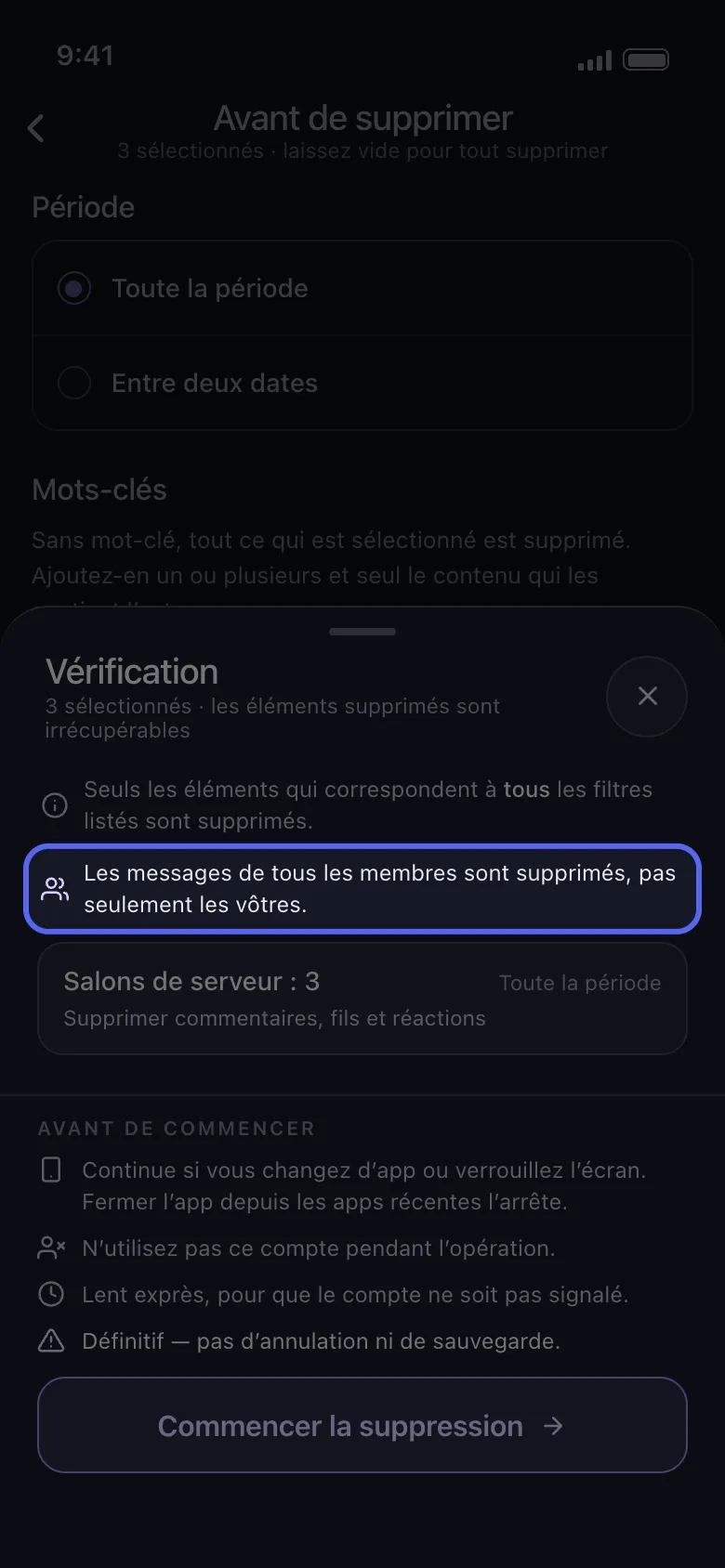
Contrôlez la Vérification, puis appuyez sur Commencer la suppression
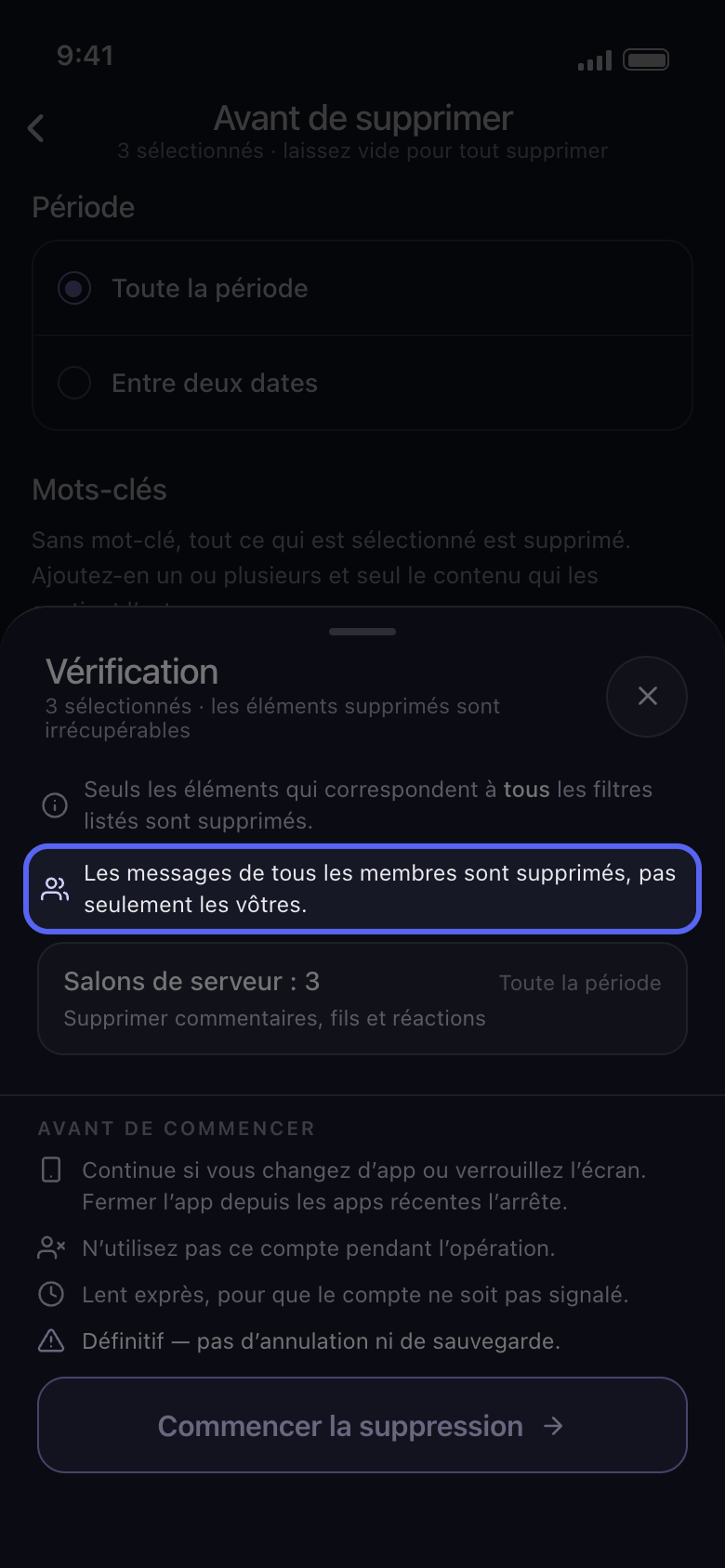
Au-dessus des encadrés, la Vérification indique quels membres sont concernés : « Les messages de tous les membres sont supprimés, pas seulement les vôtres. », ou le nombre de membres choisis. Rien n’est supprimé tant que vous n’avez pas appuyé sur Commencer la suppression.
Dans l'app Continuer → Vérification → Commencer la suppression
Bon à savoir
- Un message que Discord refuse de supprimer est ignoré, et la suppression continue.
- Les commentaires que d’autres ont laissés sous vos propres publications ont leurs propres options : Supprimer les commentaires sur mes vidéos sur TikTok, Supprimer les commentaires laissés sur vos publications sur Facebook, et Supprimer les commentaires de vos vidéos et Shorts sur YouTube.
- La suppression est définitive : les messages des autres ne peuvent pas non plus être récupérés.
Plus de guides