
So löschst du als Admin die Nachrichten anderer
Moderierst du einen Discord-Server oder einen Slack-Workspace, löscht der Admin-Modus, was andere in dessen Kanälen gepostet haben: die Nachrichten aller Mitglieder oder nur die der Mitglieder, die du auswählst. DMs erreicht er nie; dort lassen sich nur die Nachrichten löschen, die du gesendet hast.
- 01
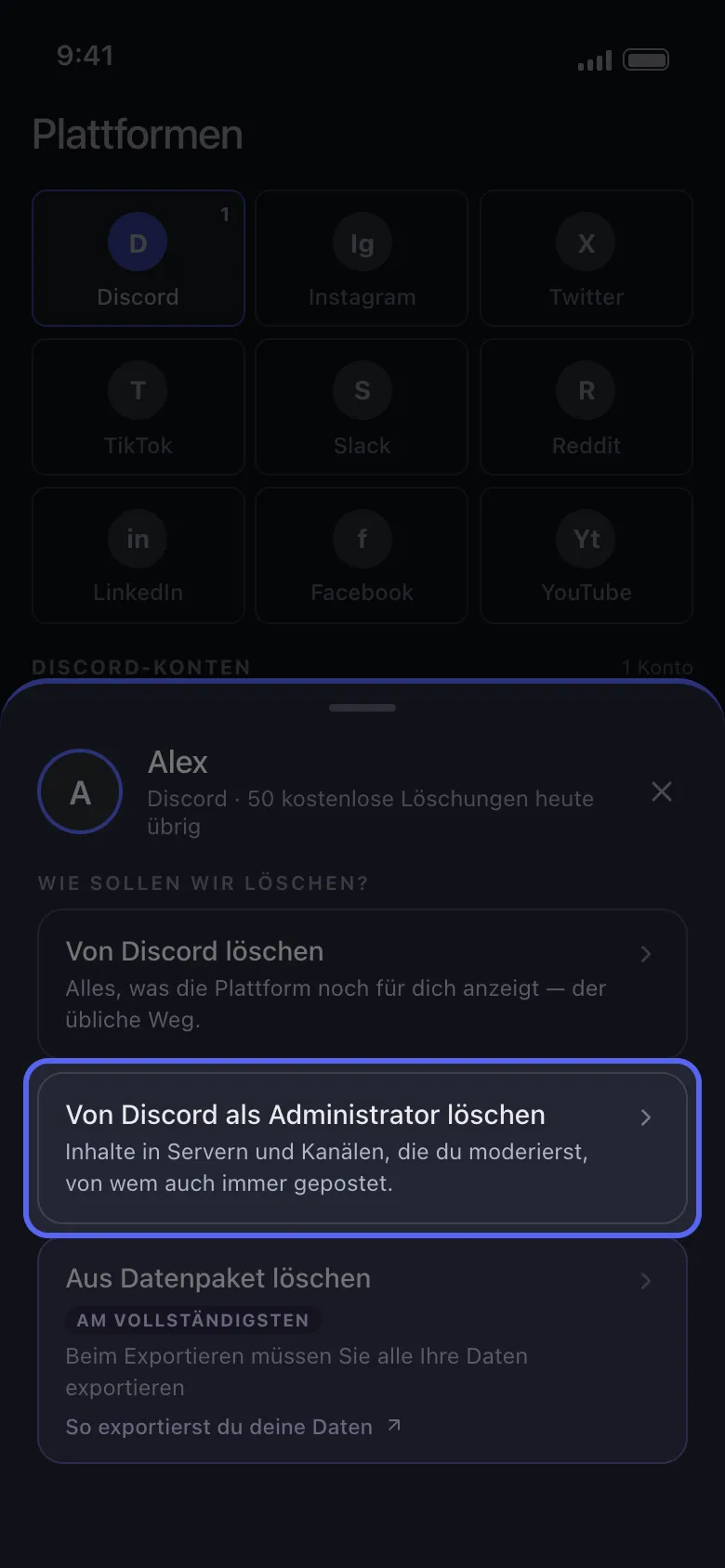
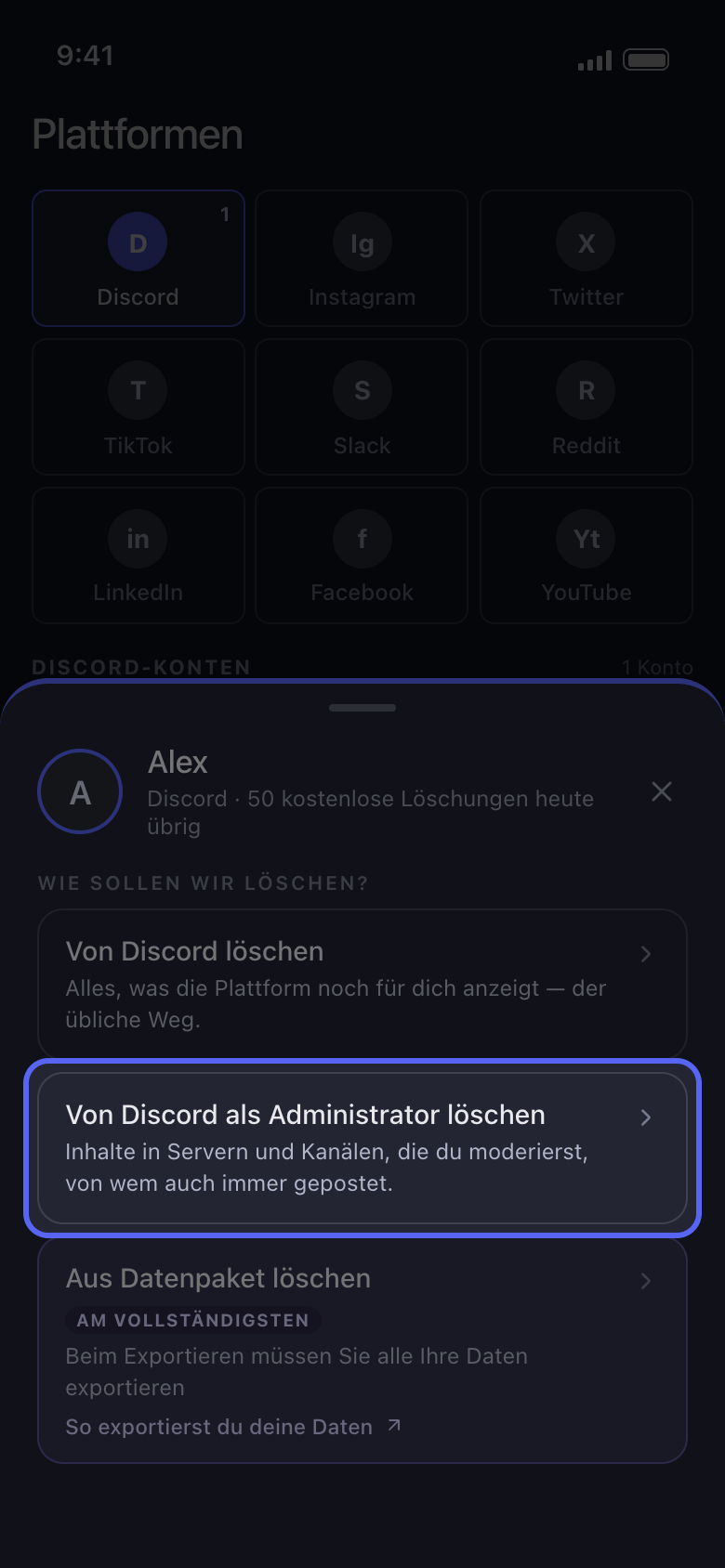
Wähle „Von Discord als Administrator löschen“
Tippe auf der Startseite auf dein Konto. Wähle im Fenster „Wie sollen wir löschen?“ statt der ersten Option „Von Discord als Administrator löschen“ (auf Slack „Von Slack als Administrator löschen“).
In der App Startseite → Discord → Konto → Von Discord als Administrator löschen
- 02
Wähle die Kanäle
Auf Discord stehen in der Liste nur die Server, die dir gehören oder auf denen du die Berechtigung „Administrator“ oder „Nachrichten verwalten“ hast: Tippe auf einen und wähle dann seine Kanäle aus, einzeln oder alle auf einmal. Auf Slack ist der Admin-Modus für Workspace-Admins: Wähle die Kanäle aus. Tippe dann auf „Weiter“.
In der App Von Discord als Administrator löschen → Server → Kanäle → Weiter
- 03
Wähle, wessen Nachrichten gelöscht werden
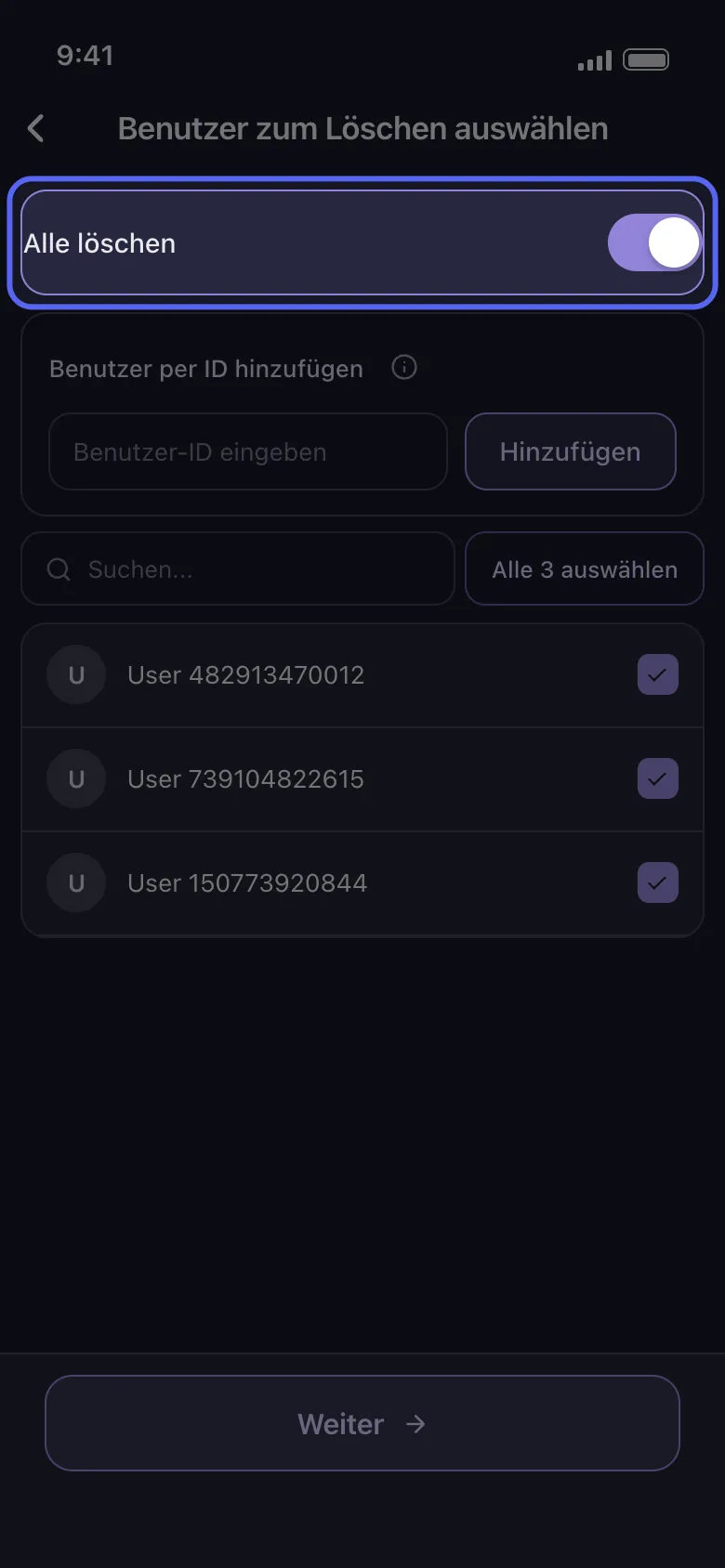
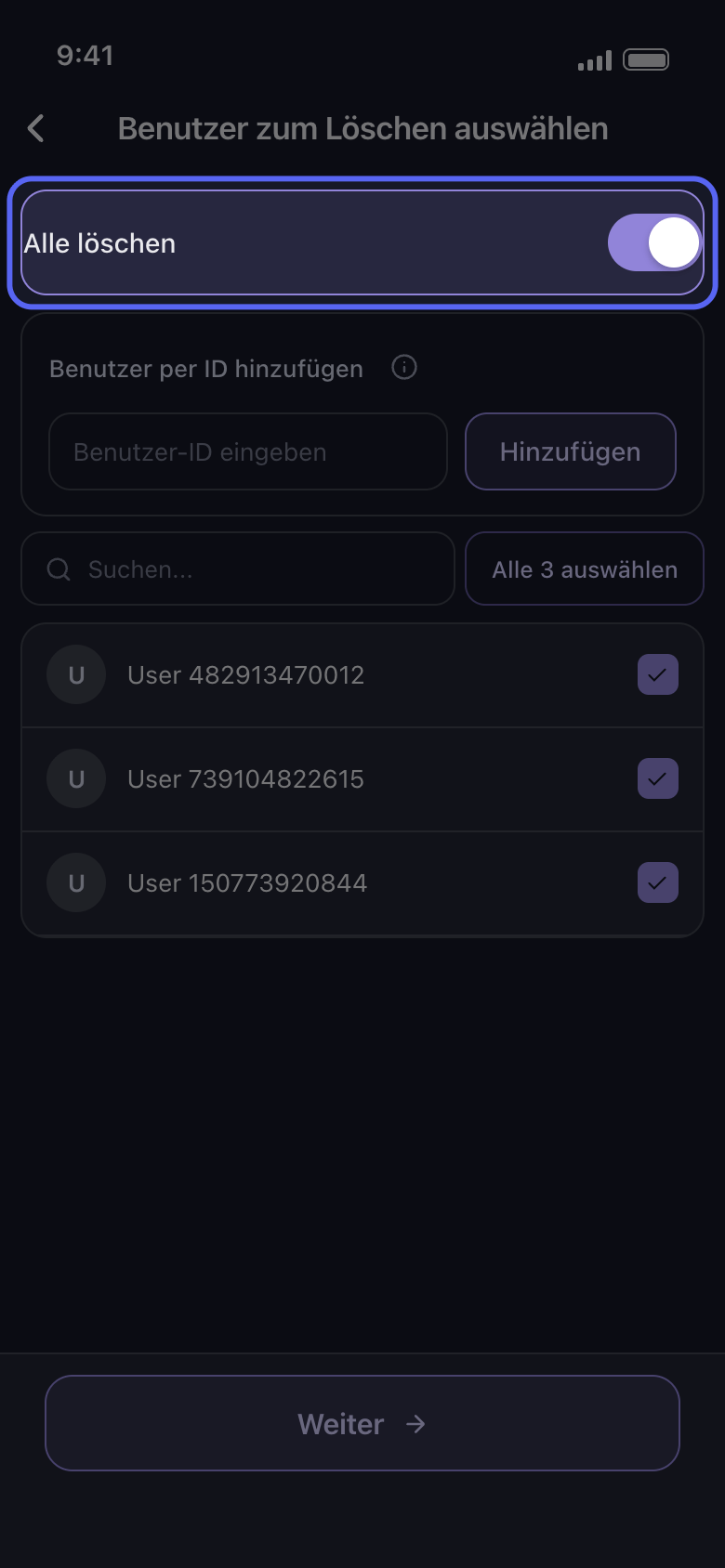
Aktiviere auf dem Bildschirm „Benutzer zum Löschen auswählen“ den Schalter „Alle löschen“, um die Nachrichten aller Mitglieder in diesen Kanälen zu löschen, oder wähle nur die Mitglieder aus, deren Nachrichten gelöscht werden sollen. Auf Discord erreichst du mit „Benutzer per ID hinzufügen“ jemanden, der nicht in der Liste steht: Gib die ID der Person in das Feld „Benutzer-ID eingeben“ ein und tippe auf „Hinzufügen“. Tippe dann auf „Weiter“.
In der App Benutzer zum Löschen auswählen
- 04
Wähle auf „Bevor wir löschen“, was gelöscht wird
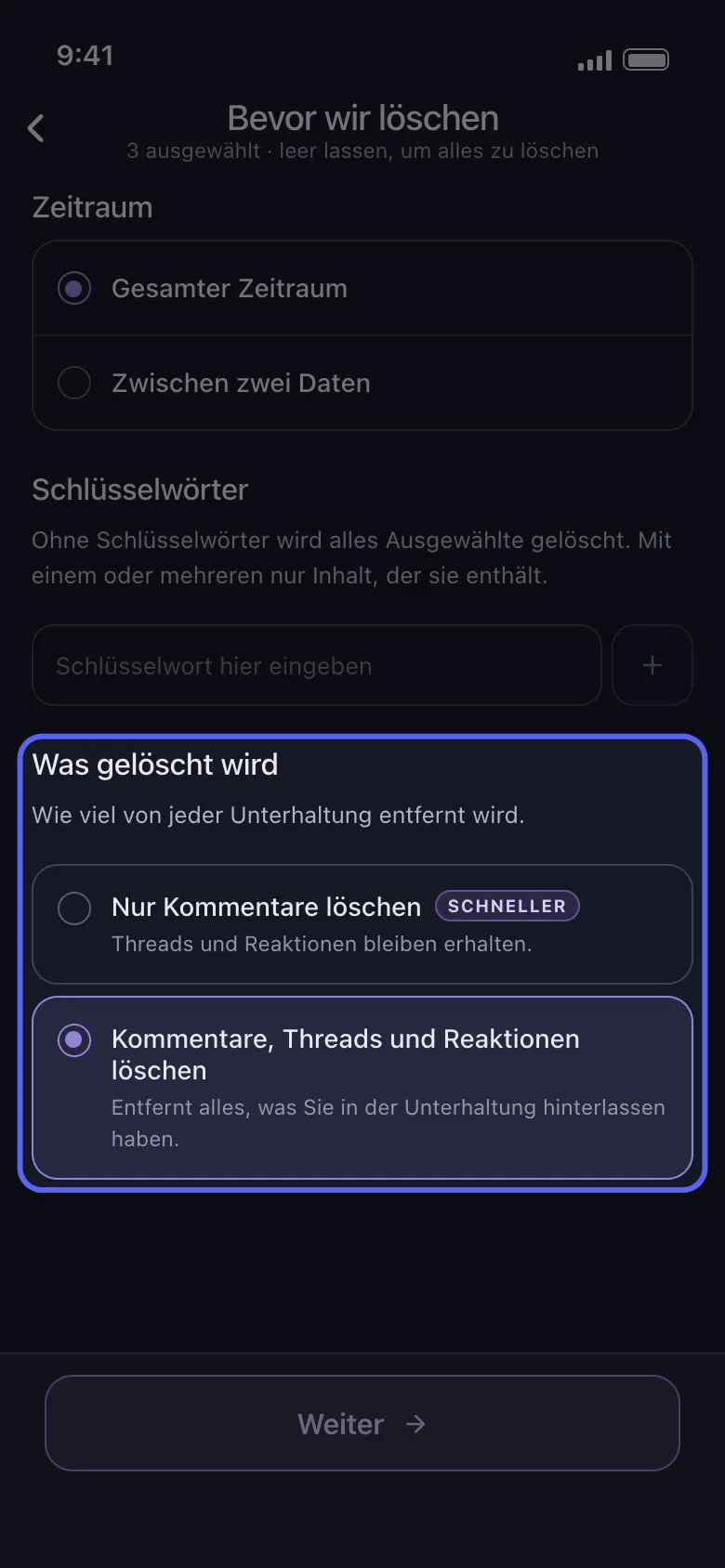
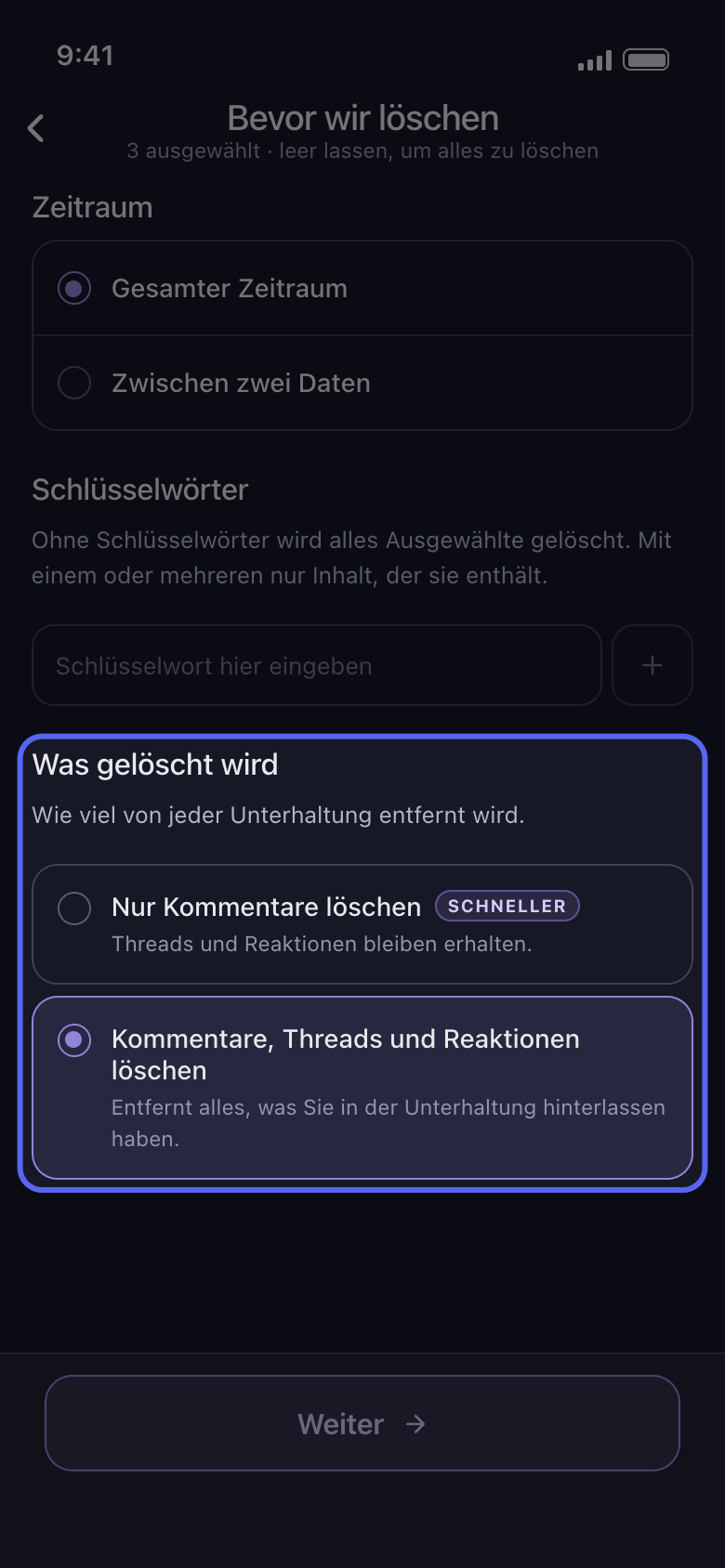
„Zeitraum“ und „Schlüsselwörter“ grenzen einen Admin-Durchlauf genauso ein wie jeden anderen. Auf Discord zählt auch „Was gelöscht wird“: „Nur Kommentare löschen“ lässt Threads und Reaktionen stehen, die Antworten in Threads bleiben also. Um auch die Threads zu leeren, wähle „Kommentare, Threads und Reaktionen löschen“, das auch deine Reaktionen entfernt. Auf Slack wähle „Nachrichten löschen“, „Threads löschen“ oder „Reaktionen löschen“ ab, um sie zu behalten.
In der App Bevor wir löschen → Was gelöscht wird
- 05
Sieh dir die Übersicht an und tippe auf „Löschen starten“
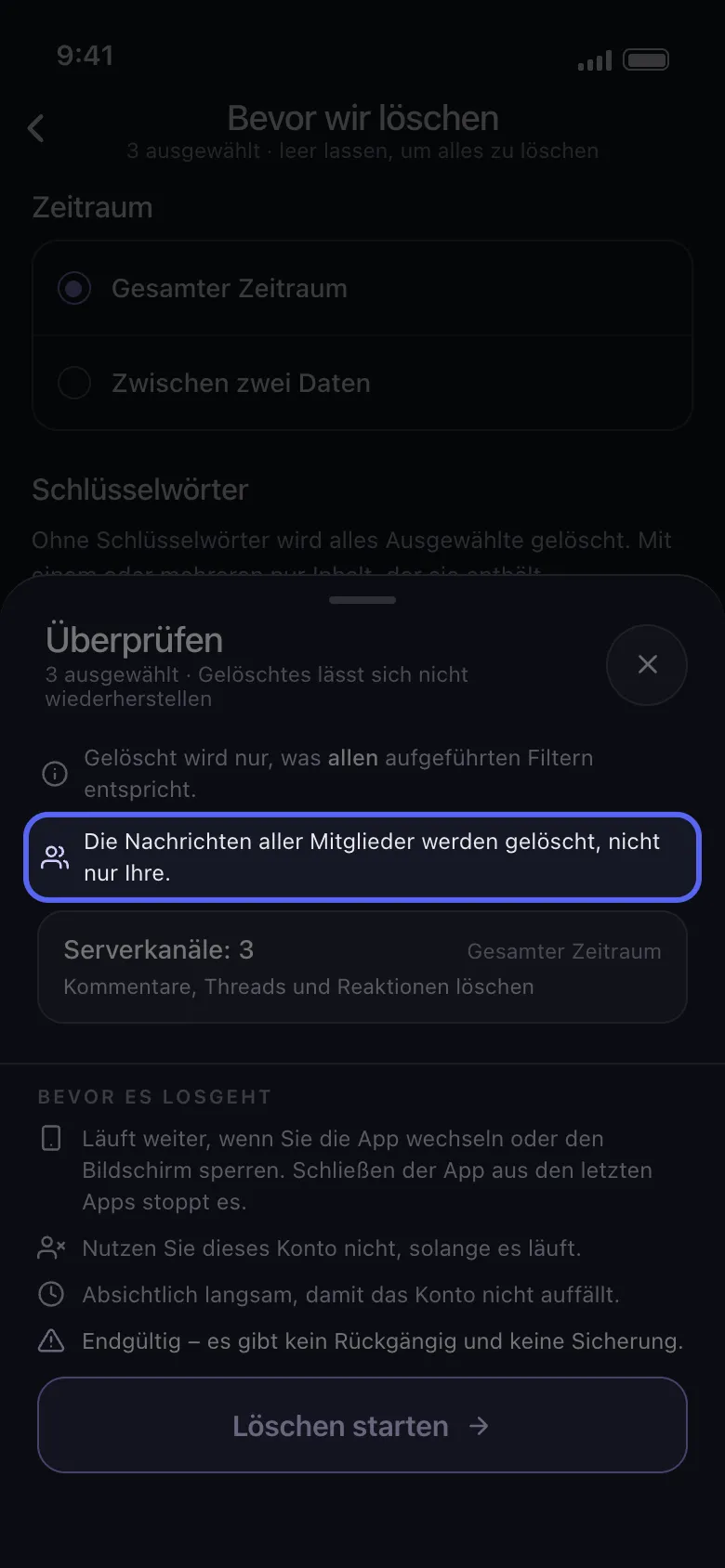
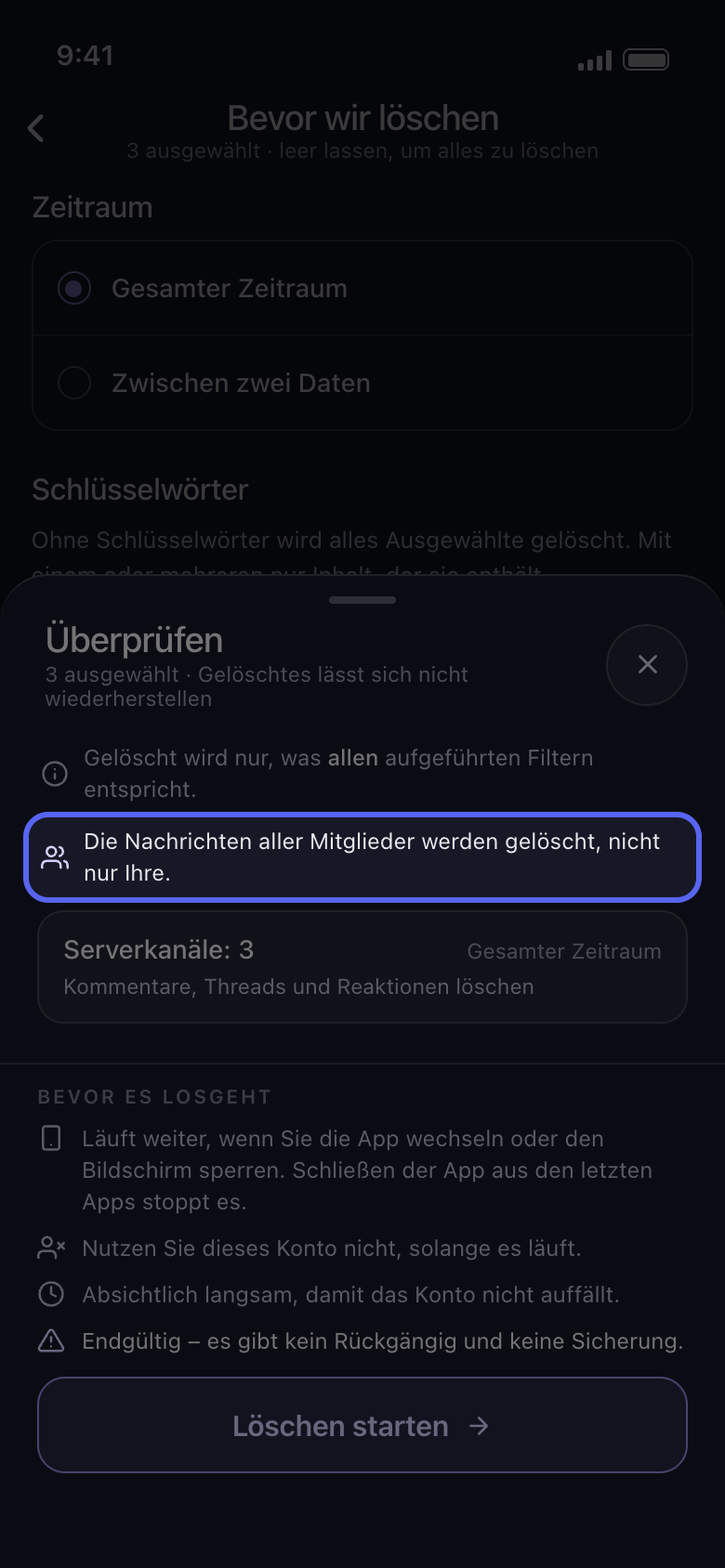
Über den Kacheln sagt die Übersicht „Überprüfen“, wessen Nachrichten gelöscht werden: entweder „Die Nachrichten aller Mitglieder werden gelöscht, nicht nur Ihre.“ oder wie viele Mitglieder du ausgewählt hast. Gelöscht wird erst, wenn du auf „Löschen starten“ tippst.
In der App Weiter → Überprüfen → Löschen starten
Gut zu wissen
- Eine Nachricht, deren Löschung Discord verweigert, wird übersprungen, und der Durchlauf geht weiter.
- Für Kommentare, die andere unter deinen eigenen Beiträgen hinterlassen haben, gibt es eigene Optionen: „Kommentare unter meinen Videos löschen“ auf TikTok, „Kommentare unter Ihren Beiträgen löschen“ auf Facebook und „Kommentare unter deinen Videos und Shorts löschen“ auf YouTube.
- Löschen ist endgültig: Auch die Nachrichten anderer lassen sich nicht zurückholen.
Weitere Anleitungen