
Yönetici olarak başkalarının mesajlarını silme
Bir Discord sunucusunu veya bir Slack çalışma alanını yönetiyorsanız yönetici modu, kanallarında başkalarının paylaştıklarını siler: tüm üyelerin mesajlarını ya da yalnızca seçtiğiniz üyelerinkini. DM’lere hiçbir zaman ulaşmaz; orada yalnızca sizin gönderdiğiniz mesajlar silinebilir.
- 01
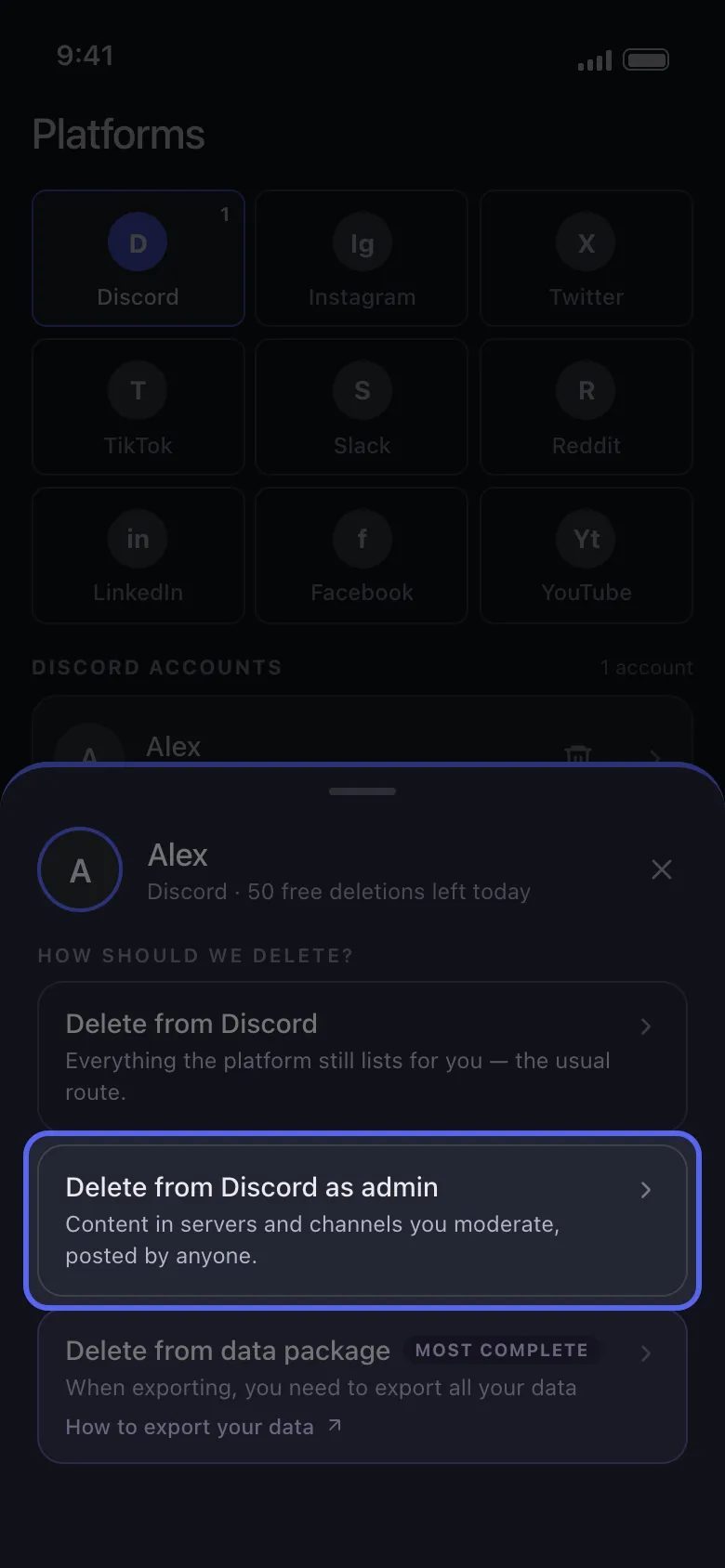
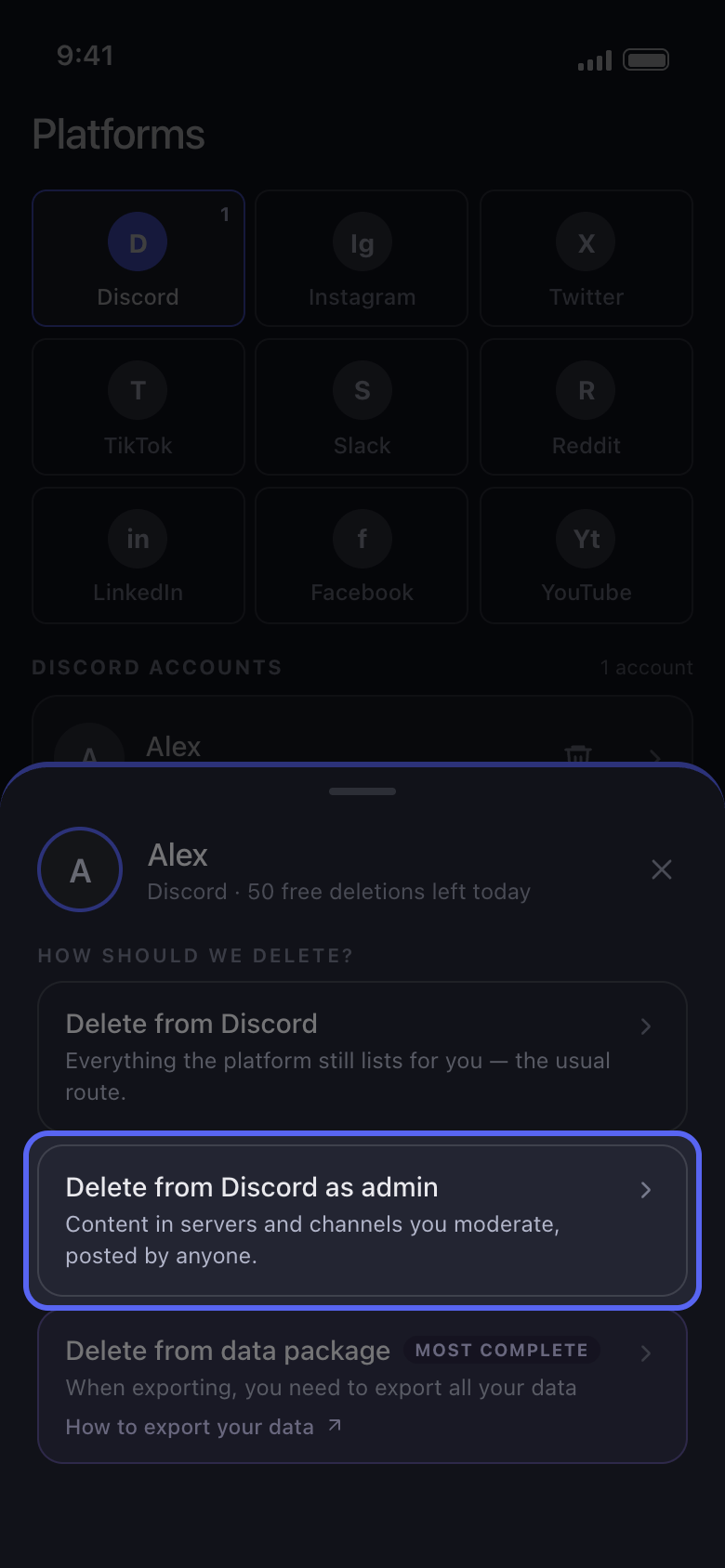
Delete from Discord as admin seçeneğini seçin
Main sekmesinde hesabınıza dokunun. How should we delete? penceresinde ilk seçenek yerine Delete from Discord as admin seçeneğini seçin (Slack’te Delete from Slack as admin).
Uygulamada Main → Discord → hesap → Delete from Discord as admin
- 02
Kanalları seçin
Discord’da listede yalnızca sahibi olduğunuz ya da Yönetici veya Mesajları Yönet iznine sahip olduğunuz sunucular bulunur: birine dokunun, sonra kanallarını tek tek ya da hepsini birden işaretleyin. Slack’te yönetici modu çalışma alanı yöneticileri içindir: kanalları işaretleyin. Ardından Continue düğmesine dokunun.
Uygulamada Delete from Discord as admin → sunucu → kanallar → Continue
- 03
Kimin mesajlarının silineceğini seçin
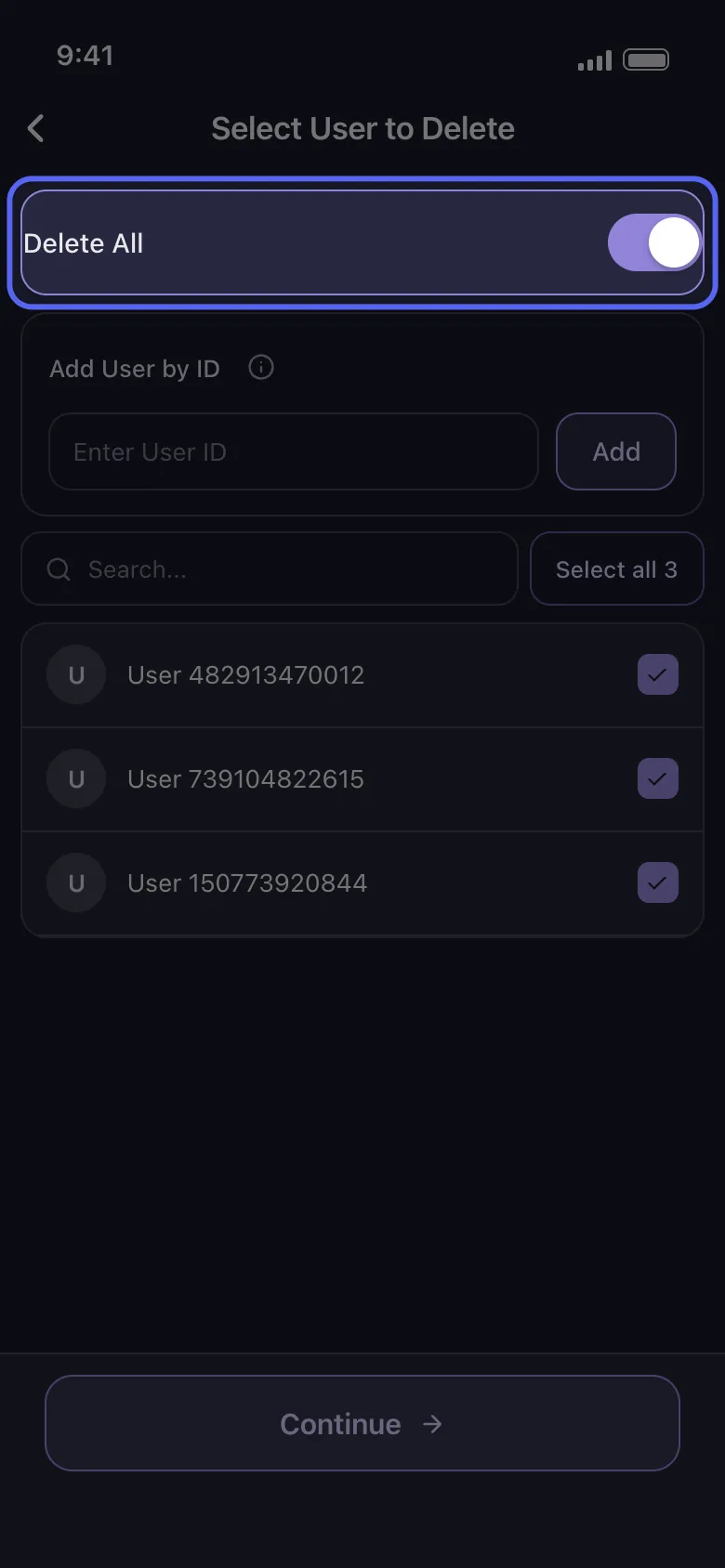
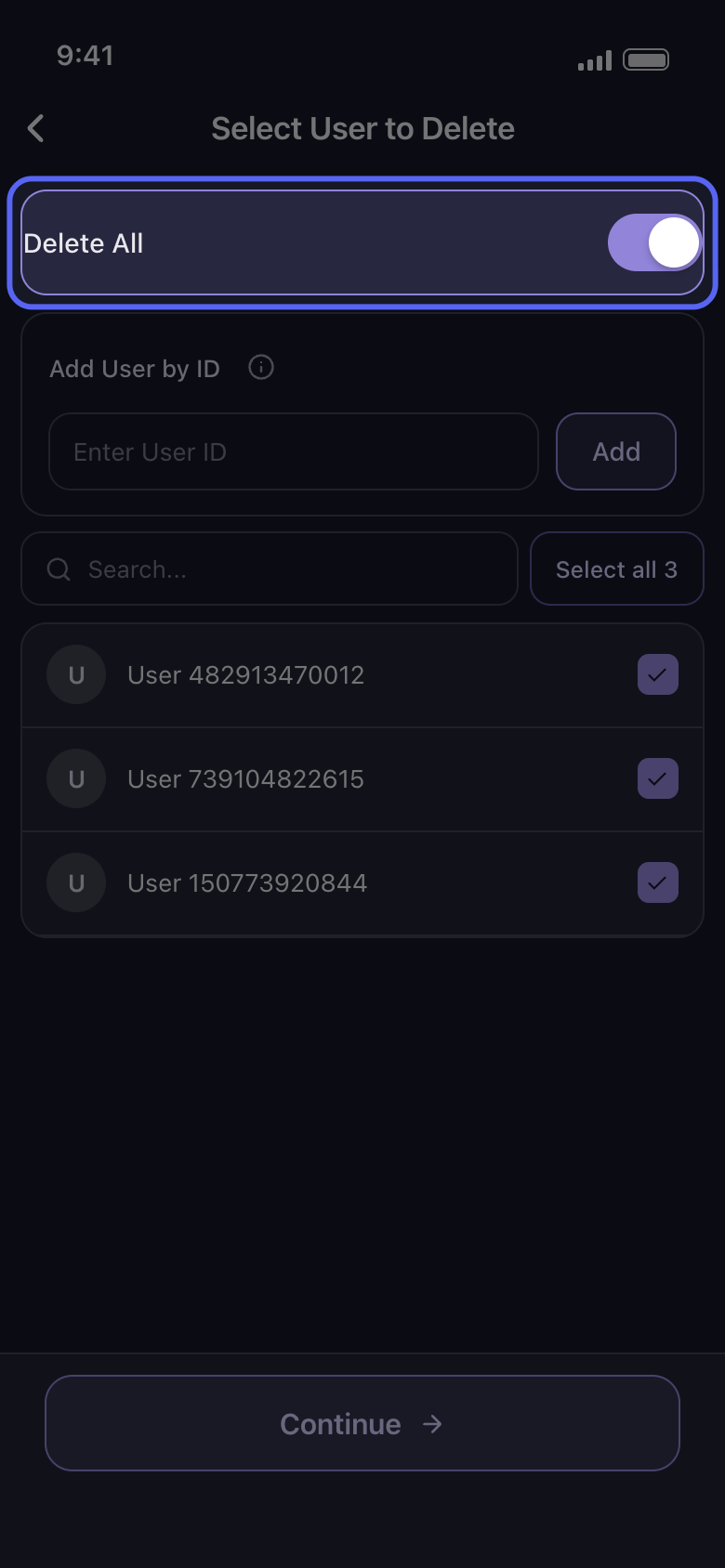
Select User to Delete ekranında, o kanallardaki tüm üyelerin mesajlarını silmek için Delete All anahtarını açın ya da yalnızca mesajları silinecek üyeleri işaretleyin. Discord’da Add User by ID, listede olmayan birine ulaşmanızı sağlar: kişinin kimliğini (ID) Enter User ID kutusuna yazın ve Add düğmesine dokunun. Ardından Continue düğmesine dokunun.
Uygulamada Select User to Delete
- 04
Before we delete ekranında silinecekleri seçin
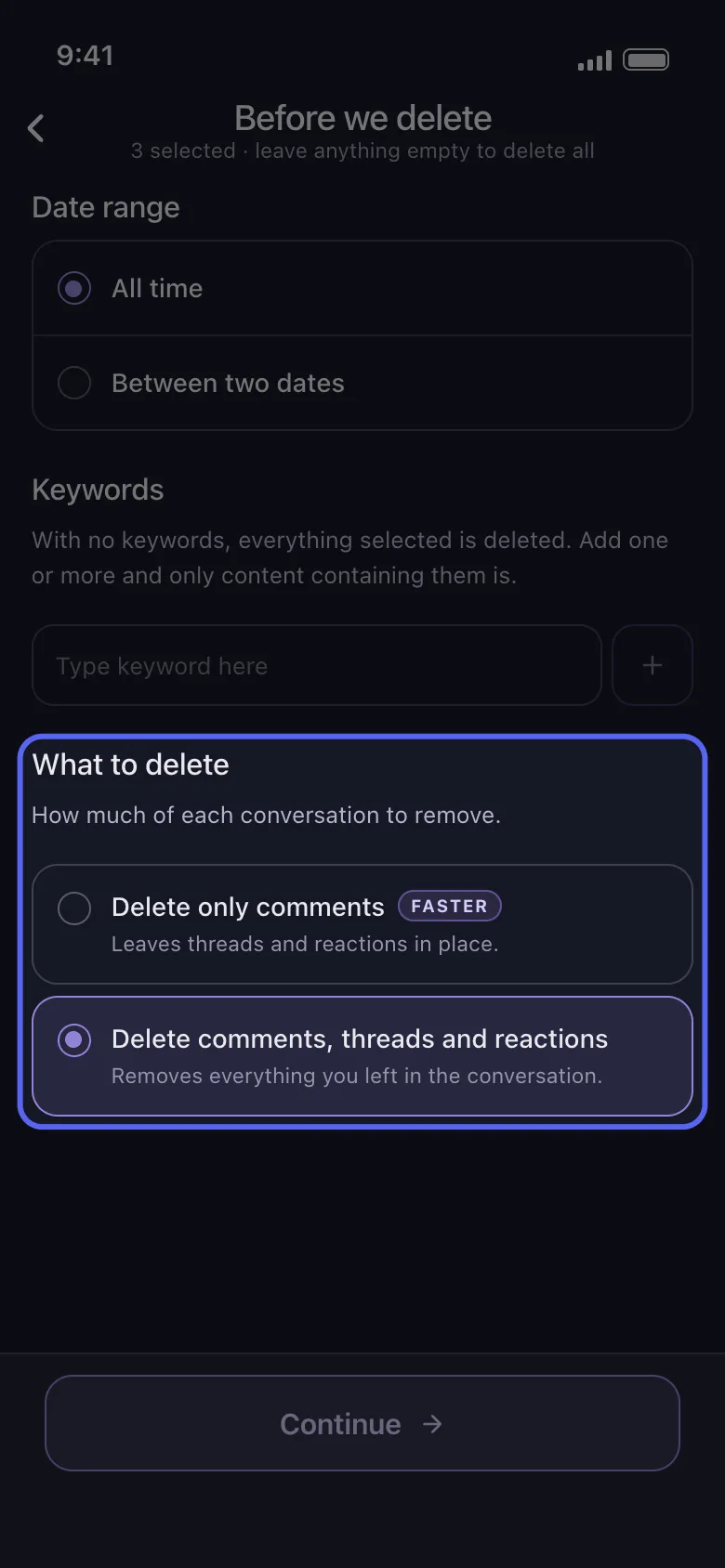
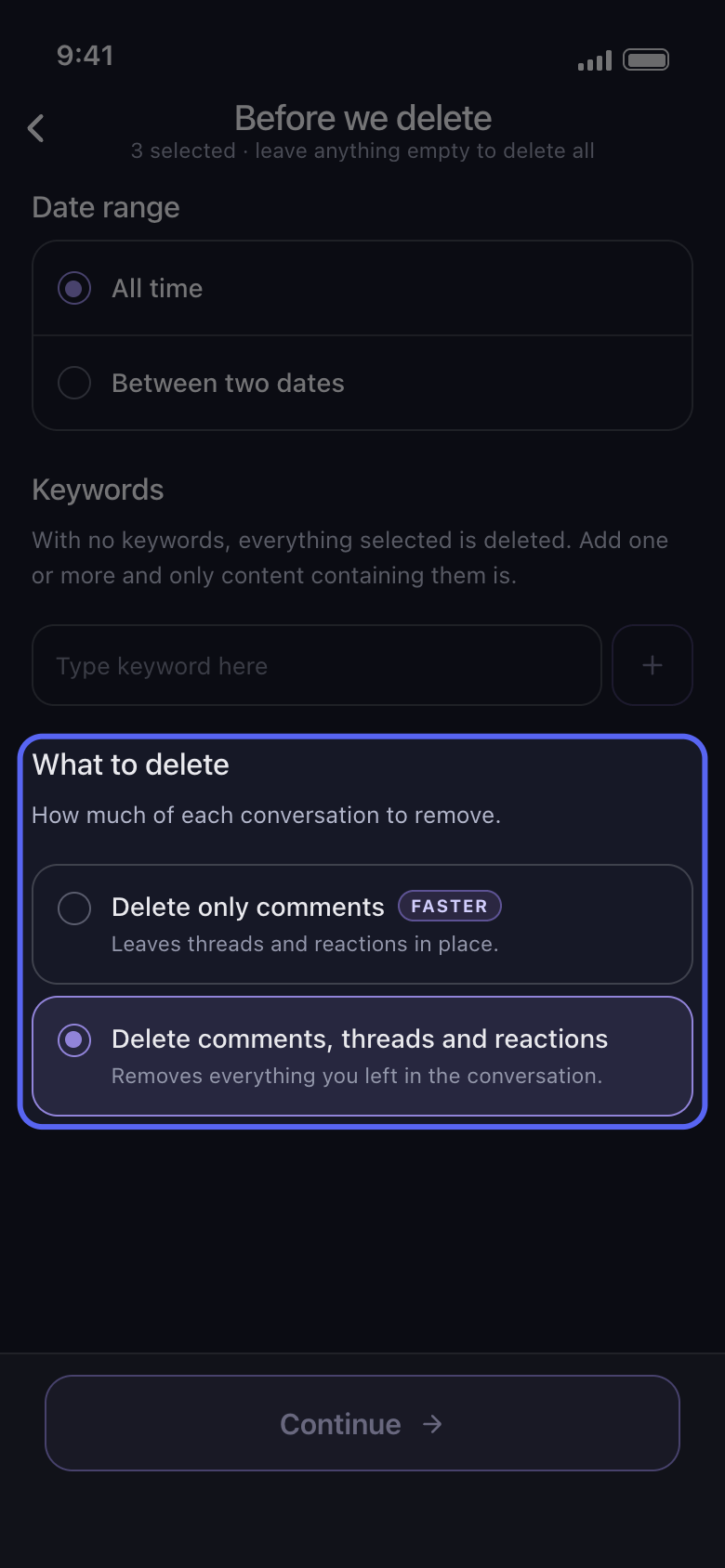
Date range ve Keywords, yönetici işlemini de diğer işlemler gibi daraltır. Discord’da What to delete de önemlidir: Delete only comments thread’lere ve tepkilere dokunmaz, bu yüzden thread’lerdeki yanıtlar kalır. Thread’leri de temizlemek için Delete comments, threads and reactions seçeneğini seçin; bu sizin tepkilerinizi de kaldırır. Slack’te korumak istediğiniz Delete Messages, Delete Threads veya Delete Reactions seçeneğinin işaretini kaldırın.
Uygulamada Before we delete → What to delete
- 05
Review penceresini kontrol edin, sonra Start deleting düğmesine dokunun
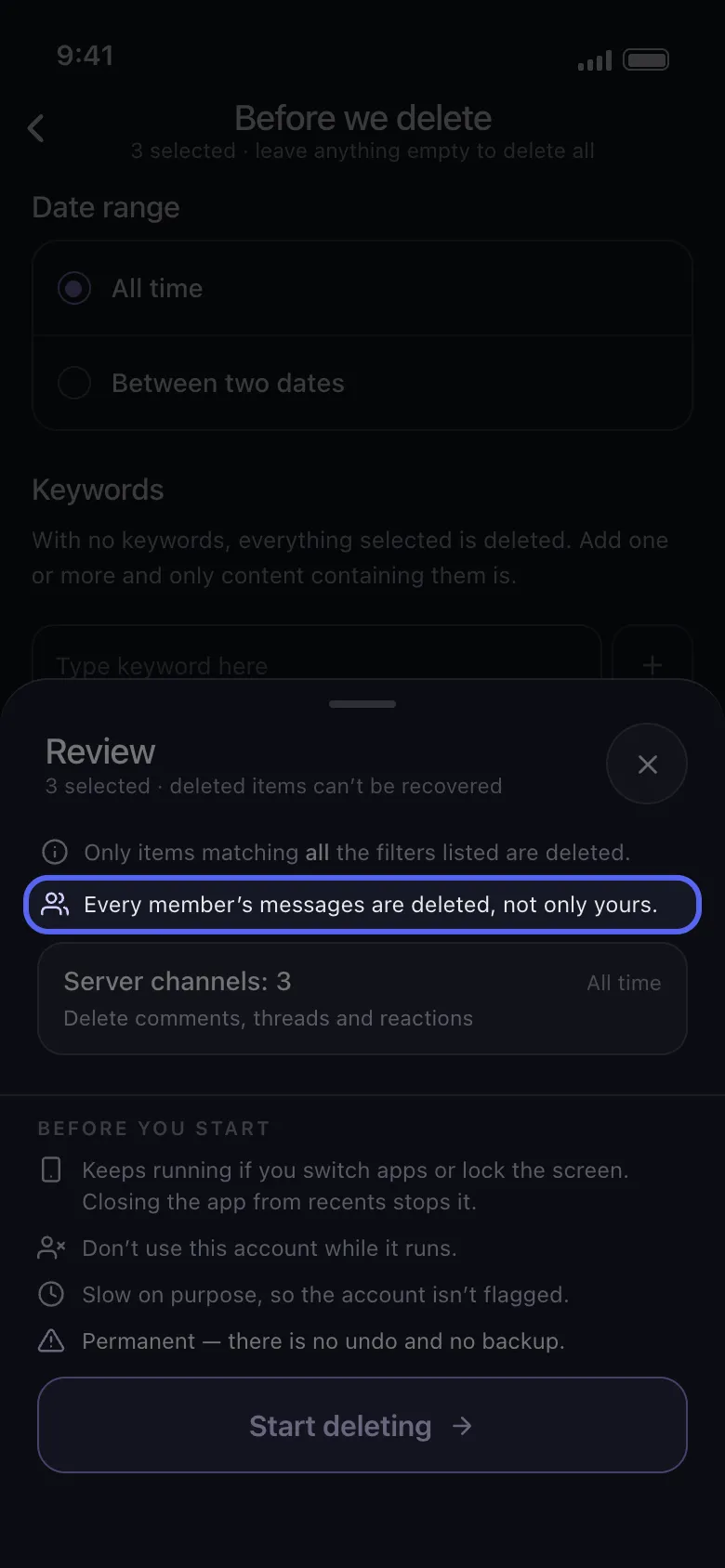
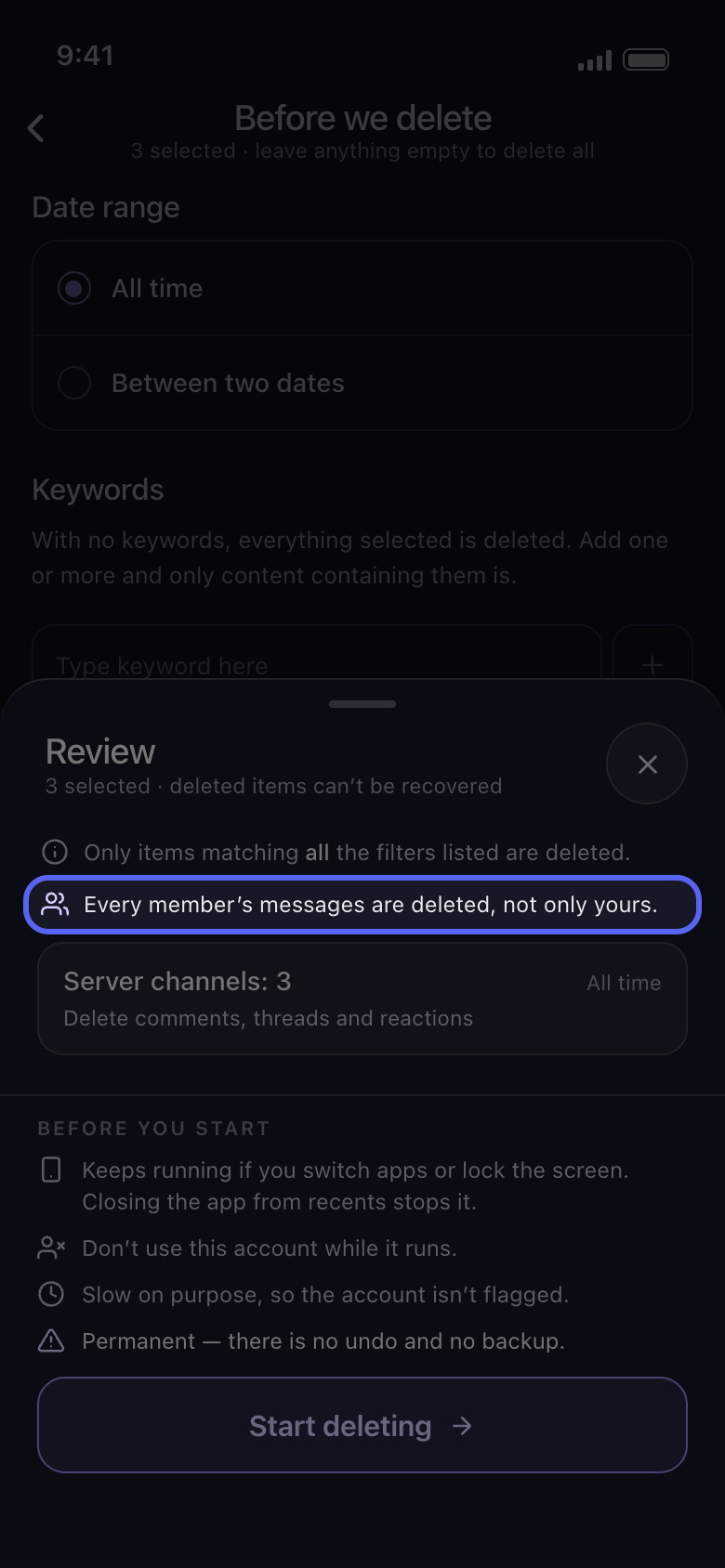
Review penceresi, kartların üstünde kimin mesajlarının silineceğini yazar: “Every member’s messages are deleted, not only yours.” ya da kaç üye seçtiğiniz. Start deleting düğmesine dokunana kadar hiçbir şey silinmez.
Uygulamada Continue → Review → Start deleting
Bilmekte fayda var
- Discord’un silmeyi reddettiği bir mesaj atlanır ve işlem devam eder.
- Başkalarının sizin gönderilerinizin altına bıraktığı yorumların kendi seçenekleri vardır: TikTok’ta Delete Comments On My Videos, Facebook’ta Delete Comments Left On Your Posts ve YouTube’da Delete Comments on Your Videos and Shorts.
- Silme kalıcıdır: başkalarının mesajları da geri getirilemez.
Daha fazla kılavuz