
How to Delete All Your Reddit Comments (One by One or in Bulk)
Deleting a single Reddit comment takes about ten seconds. Deleting your entire comment history is a completely different job, because Reddit gives you no way to do it: there is no “delete all comments” button, no multi-select on your profile, and nothing in settings that clears your history for you. That is the honest landscape — one comment is easy, a handful is tedious, and wiping years of comments by hand is impractical enough that you will need a bulk tool to finish the job.
This guide covers the whole range: the exact steps to delete one comment in the app and on the web, what deletion actually removes (and what it leaves behind), why the famous “edit to gibberish first” trick does not do what people think, and how to pick a Reddit comment deleter that will not put your account at risk. Comments are usually only one part of the cleanup, though — if you also want posts, saved items, and the rest of your activity gone, start with the full guide on how to delete your Reddit history and use this page for the comment-specific details.
How to Delete a Comment on Reddit (One at a Time)
For a single comment, Reddit’s built-in delete is all you need. Here is how to delete a comment on Reddit on both platforms.
In the mobile app (iOS and Android):
- Tap your avatar, then tap Profile.
- Open the Comments tab.
- Find the comment you want to remove.
- Tap the three-dot menu on the comment.
- Tap Delete, then confirm.
On the web (reddit.com):
- Click your avatar, then Profile.
- Switch to the Comments tab.
- Click the three dots under the comment.
- Click Delete and confirm.
That is the entire native toolkit. Reddit deletes the comment immediately — there is no trash folder and no undo — so make sure you picked the right one. The problem starts when “one comment” becomes “every comment since 2017”: at five to ten seconds each, a thousand comments means two to three hours of repetitive tapping, with no select-all anywhere to speed it up.
What Deleting a Reddit Comment Actually Does
Deletion on Reddit is narrower than most people expect. When you delete a comment:
- The comment body is removed from the thread for everyone.
- A [deleted] placeholder appears where your comment used to be.
- Your username is detached — the comment no longer points back to your profile.
- The comment’s score disappears with it — its upvotes and downvotes are no longer displayed anywhere.
- Replies stay — other people’s responses remain in the thread, which is why you sometimes see whole conversations hanging under a [deleted] stub.
Two honest caveats. First, deletion changes Reddit’s live site, not the rest of the internet: if a comment was quoted in a reply, screenshotted, or copied by a third-party archive or cache before you deleted it, that copy sits outside Reddit’s control and outside yours. Second, deleting does not retroactively un-send notifications people already received. None of this is a reason to skip deleting — removing the live, searchable, profile-linked copy is exactly what most people need — but it is the realistic boundary of what the delete button does.
The “Edit Before You Delete” Myth
A persistent piece of Reddit folklore says you should overwrite every comment with gibberish, wait a few days, and only then delete — the theory being that the random text “poisons” whatever copies exist. It is a comforting ritual, but it does not hold up:
- Reddit keeps edit history server-side. Editing a comment changes the public version, but earlier revisions still exist on Reddit’s systems. Overwriting hides nothing from Reddit itself.
- Third-party scrapers usually copy comments within minutes of posting. An edit you make months or years later never reaches the copy that was already taken; archives typically show the comment as it was first captured.
- Mass-editing can look like spam. Rewriting hundreds of comments to random strings in a short burst is exactly the pattern automated systems are built to flag, which can get an account rate-limited.
The honest conclusion: deleting is the action that matters. Overwriting first adds hours of extra work and a false sense of security, not extra privacy. If you want the content gone, delete it.
Reddit Comment Deleter Options: Scripts, Extensions, and Apps
Because Reddit has no bulk delete, a small ecosystem of tools exists to fill the gap when you need to mass delete Reddit comments. They fall into three broad groups.
Browser scripts and extensions. These run inside your logged-in browser session and click through your comments for you. They are free, but fragile: they break whenever Reddit changes its page layout, they often stall partway through long histories, and you are granting third-party code access to your active Reddit session — worth taking seriously on an account you care about.
API-based tools. Standalone scripts (often Python) that talk to Reddit’s API directly. They are more reliable than page-clicking scripts, but they require creating API credentials, some command-line comfort, and attention to Reddit’s API rules and rate limits, which tightened significantly after the 2023 API changes. Pushing deletions too fast is a classic way to get requests throttled.
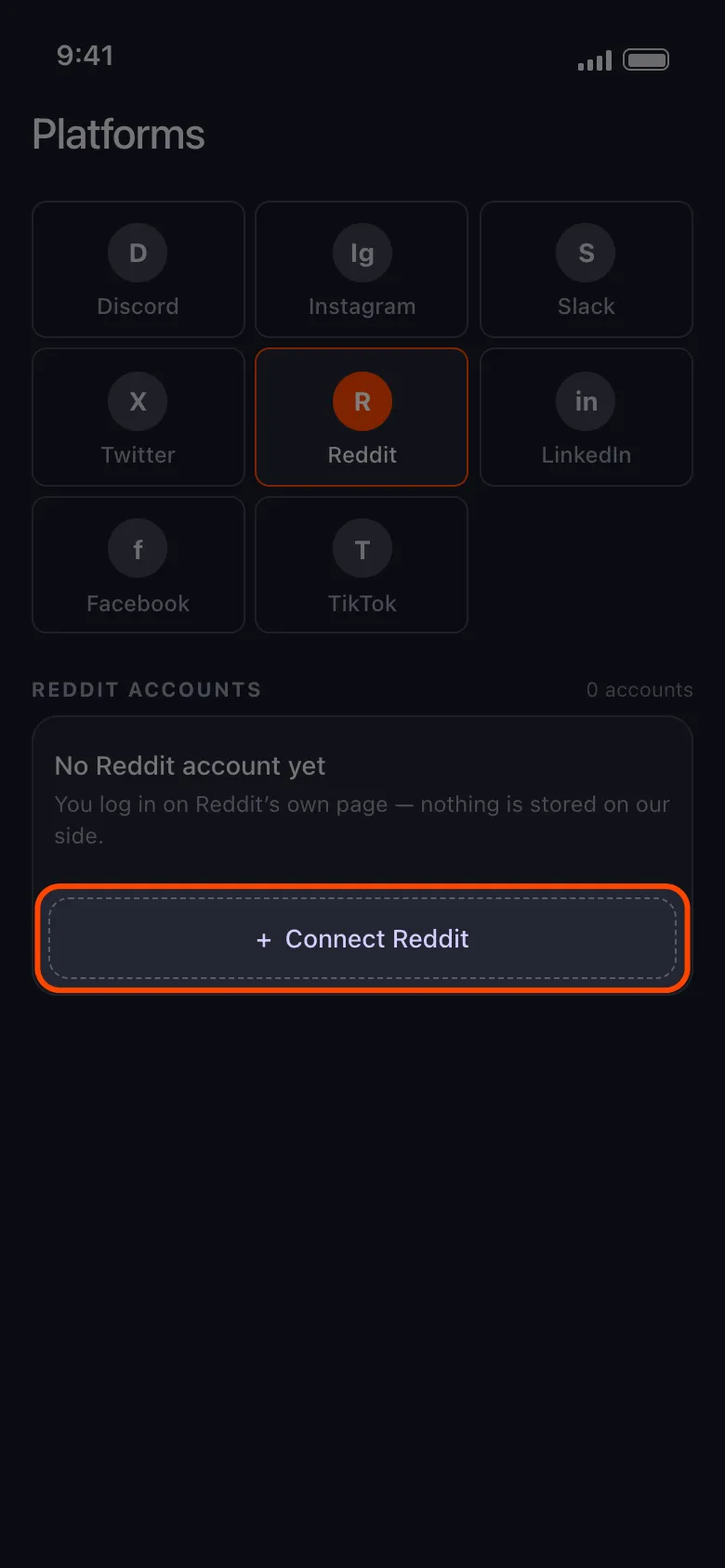
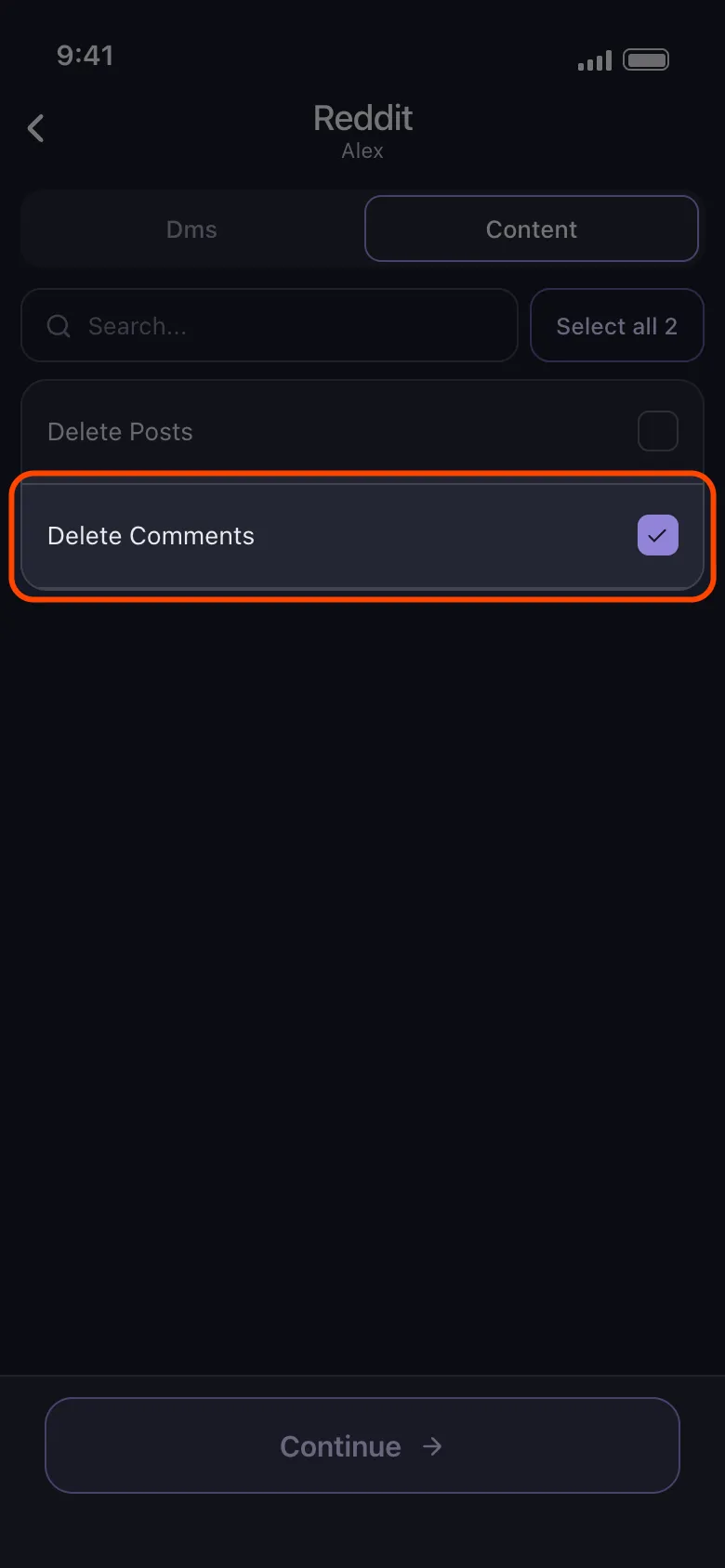
Unpost. Unpost takes a different approach: it is a mobile app for iOS and Android, and everything runs on your own device. You sign in to Reddit inside the app yourself — your credentials and session are never sent to anyone’s server — then select your comment history, filter by date or keyword if you only want a slice removed, and let it work through the list at a pace that respects Reddit’s limits. The same app also covers your posts, plus cleanup on Discord, Slack, Instagram, and Twitter/X.
Start Reddit Cleanup
Use Unpost on mobile to bulk delete Reddit comments and posts with date and keyword filters.
Whichever route you choose, two rules apply: never type your Reddit password into a random website, and prefer tools that delete at a human pace instead of hammering the API.
Can You Delete Old and Archived Comments?
Yes — and this surprises people. In subreddits that archive old threads, posts older than six months are locked: nobody can vote or reply anymore. But archiving freezes other people’s interaction with the thread, not your ownership of your content. You can still delete your own comment inside an archived thread, and it is replaced by the same [deleted] placeholder. The thread itself stays up; your words leave it.
The harder problem with old comments is reaching them at all. Reddit profile listings only go back so far — beyond roughly the last 1,000 items, scrolling simply stops — so your oldest comments can be effectively invisible from your own profile even though they still sit in the threads where you wrote them. Bulk tools that walk your history systematically, or that work from your official Reddit data export, are the practical way to reach what scrolling cannot.

Manual vs. Script vs. Unpost
| Manual deletion | Browser scripts | Unpost | |
|---|---|---|---|
| Coverage | Recent comments your profile still lists | Often partial; can stall or miss older items | Full comment history, with date and keyword filters |
| Effort | Very high — one comment at a time | Medium — setup plus babysitting each run | Low — sign in, select, run |
| Safety | Safe; it is Reddit’s own button | Mixed — third-party code in your session, rate-limit risk | High — runs on your device, paced deletions |
A Realistic Cleanup Plan
For one embarrassing comment, use the steps at the top of this page and be done in ten seconds. For a whole history, accept what Reddit does not offer — there is no native way to delete all Reddit comments at once — and use a tool that handles volume safely; that is exactly the job a Reddit comment deleter like Unpost exists for. And if your cleanup reaches further back than your profile can scroll, request your Reddit data export first: our guide to deleting messages and history using your data package explains how an export turns even your oldest activity into a deletable list. Delete the comment, or delete them all — either way, you now know exactly what happens when you press the button.
Frequently Asked Questions

Get Started
Delete Old Content Across Your Accounts
Bulk delete messages, posts, likes, comments, DMs, reactions, bookmarks, followers, and more — all from one app.
No password storage • Free to start • iOS & Android
 Download for iOS
  Download for Android