
How to Delete Your Reddit History: Posts, Comments & Searches
Your Reddit history is bigger than most people realize. It includes the posts you submitted, the comments you left, your search history, the things you upvoted, saved, or hid, and the local browsing trail the app keeps of communities and threads you recently opened. Each layer is stored differently, which is why there is no single “delete history” button anywhere in Reddit’s apps or on the website.
Here is the honest short version: your search and browsing history can be cleared from Reddit’s settings in seconds, but posts and comments must be deleted one by one — Reddit offers no bulk option. If years of activity need to go, you either work through your profile manually or use a cleanup tool like Unpost that automates the same one-by-one deletion from your phone. This guide walks through every method, explains what each one actually removes, and flags the trap most people fall into: deleting your account does not delete what you wrote.
How to clear your Reddit search history (quick steps)
In the Reddit app for iOS or Android:
- Tap your profile picture in the top corner.
- Open Settings.
- Scroll down to the Advanced section.
- Tap Clear local history and confirm.
- On the web, remove recent searches from the search bar dropdown.
That is the fastest piece of the cleanup, and the only one Reddit handles natively in bulk. Clearing local history wipes your recent searches and the record of posts and communities you recently viewed on that device. It does nothing to your public posts and comments — those need the sections below.
How to delete your Reddit posts
Every post you have ever submitted sits on your profile, and Reddit lets you delete any of them — one at a time.
- Open Reddit and go to your profile.
- Switch to the Posts tab.
- Find the post you want to remove.
- Tap the three-dot menu on the post.
- Choose Delete post and confirm.
The same flow works on the website: open your profile, locate the post, click the three dots, and delete. A few honest details worth knowing before you start:
- Deleting a post removes its title and body and detaches your username, but the discussion under it stays. Other people’s comments remain in the thread, now hanging under a
[deleted]post. - Deleting does not reset the karma the post earned.
- Profile feeds only reach so far back. Reddit’s listings cap out at roughly 1,000 items, so on an old account the earliest posts can be hard to reach by scrolling alone.
For a handful of regrettable posts, manual deletion is fine. For hundreds, it becomes an evening-long chore — the bulk section later in this guide covers the faster route.
How to delete your Reddit comments
Comments work exactly like posts: open your profile, switch to the Comments tab, tap the three-dot menu next to a comment, and choose Delete comment. Two things to know. First, if a comment already has replies, the thread will show a [deleted] placeholder where your text used to be — the words are gone, but the gap is visible. Second, comments are usually the largest part of a Reddit history by far, and they come with more edge cases than posts: archived threads, banned or quarantined subreddits, and reply chains that quoted you.
Comment cleanup is a big enough job that we wrote a dedicated walkthrough for it, including how to handle thousands of comments at scale: see how to delete all Reddit comments.
How to clear your Reddit search and browsing history
“History” on Reddit actually means three separate trails, and each clears differently:
- Recent searches. These appear in the dropdown when you tap the search bar. On the web you can remove them individually with the X next to each entry. In the app, they are wiped by the Clear local history action shown in the quick steps above.
- Recently viewed posts and communities. The app keeps a local record of what you opened — it powers the “History” feed and the recently-visited suggestions. Clear local history empties this too, on that device.
- Upvotes, saves, and hidden posts. These are not technically history, but they are part of your footprint. You can review them on your profile under the Upvoted, Saved, and Hidden tabs and undo each one individually — there is no bulk clear here either.
One important distinction: clearing search and browsing history is a convenience and privacy feature on your own account and device. It stops Reddit suggesting old searches and tidies your profile tabs, but it has no effect on the public posts and comments other people can see.
What deleting your Reddit account does (and does not) remove
This is the single most misunderstood part of deleting a Reddit history, so it deserves plain language. When you delete your Reddit account:
- Your username is disconnected from everything and the account cannot be restored.
- Your profile page disappears, along with your saved items, preferences, and follows.
- Your posts and comments stay on Reddit. They remain fully readable in the threads where you wrote them — only the author name changes to
[deleted].
Reddit says this openly in its own help pages, and it surprises people constantly. If your goal is to remove what you wrote, the order matters: delete your posts and comments first, then delete the account if you still want to. Closing the account first locks you out of cleaning up, because you can no longer sign in to delete anything.
Can people still see your deleted Reddit history?
On Reddit itself, deletion works: once you delete a post or comment, other users can no longer open it on the site, and it stops appearing on your profile. But it is worth being honest about what deletion cannot do:
- Search engines lag. A result for your deleted post may keep showing in Google or Bing until the page is recrawled. The link will lead to a removed post, but the title or snippet can linger for a while.
- Archives keep copies. Third-party services have scraped Reddit for years. If an archive copied your post before you deleted it, that copy lives outside Reddit’s control. This is also why the popular trick of editing comments to gibberish before deleting them adds little — archives that captured the original keep the original.
- People keep copies. Screenshots and replies that quoted your text survive your deletion.
None of this is a reason to skip the cleanup — it is a reason to do it sooner. Deleting removes your content from Reddit itself, the place where it is most visible, most searchable, and most tied to your username. What it cannot do is recall copies that were already taken, and the longer content stays up, the more copies exist.
How to delete your whole Reddit history at once
First, the manual reality. Reddit gives you no select-all, no date filter, and no “delete everything” option. Wiping a ten-year-old account by hand means opening your profile and tapping through every post and comment individually — often thousands of items, made slower by the roughly 1,000-item ceiling on profile feeds that keeps the oldest content out of reach by scrolling. People who do this manually usually spread it over days.
This is the job Unpost was built for. Unpost is a mobile app for iOS and Android that bulk-deletes your own content on Reddit — and on Discord, Slack, Instagram, and Twitter — by doing exactly what you would do manually, just automatically:
- It runs on your device. You sign in through Reddit’s own login screen inside the app; your password is never stored and nothing is sent to a third-party server.
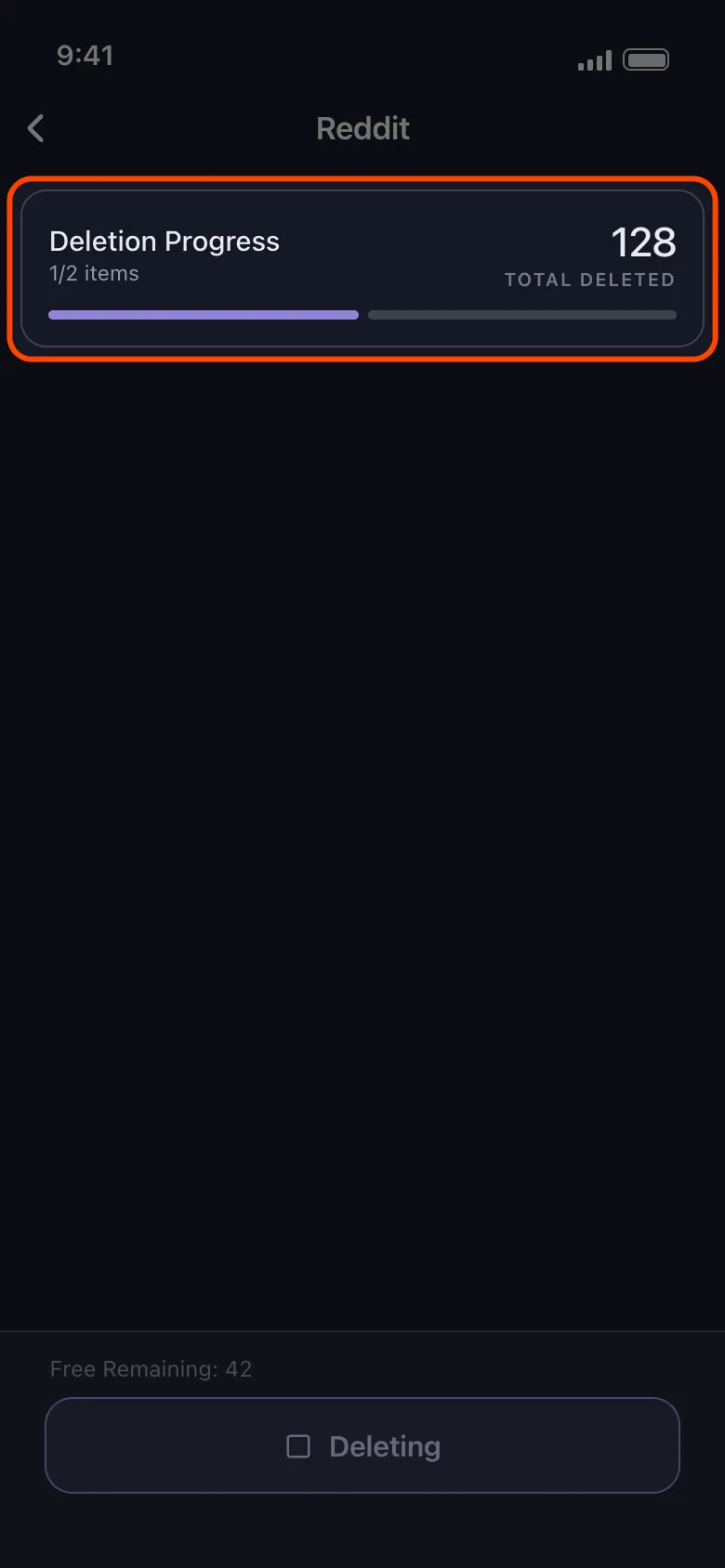
- It deletes your own posts and comments one at a time, pacing itself to respect Reddit’s limits, with live progress as the job runs.
- Date and keyword filters let you target the cleanup: delete only 2019, only mentions of your ex-employer, or only one topic — instead of wiping everything blindly.
The workflow takes a few minutes to set up:
-
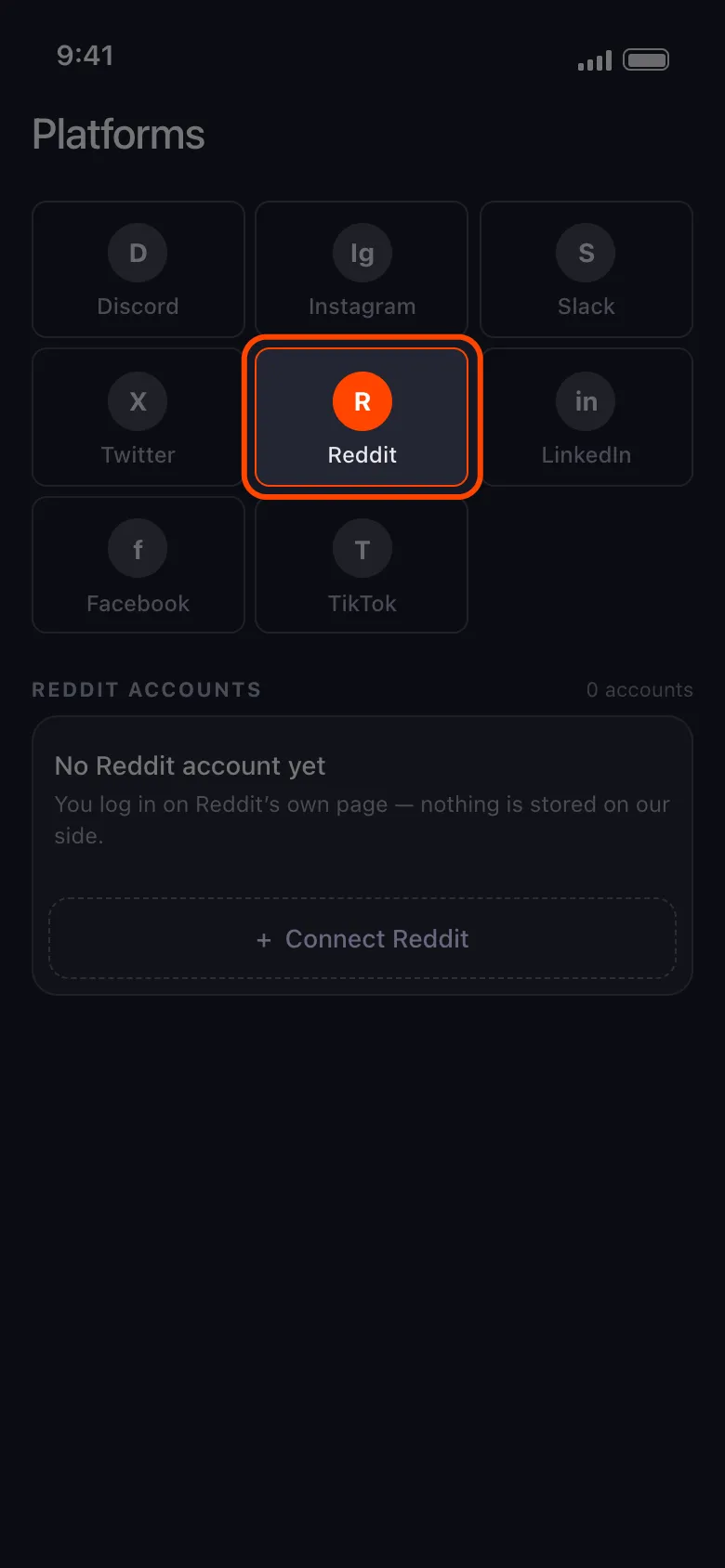
Install Unpost and choose Reddit.
-
Sign in through Reddit’s login screen inside the app.
-
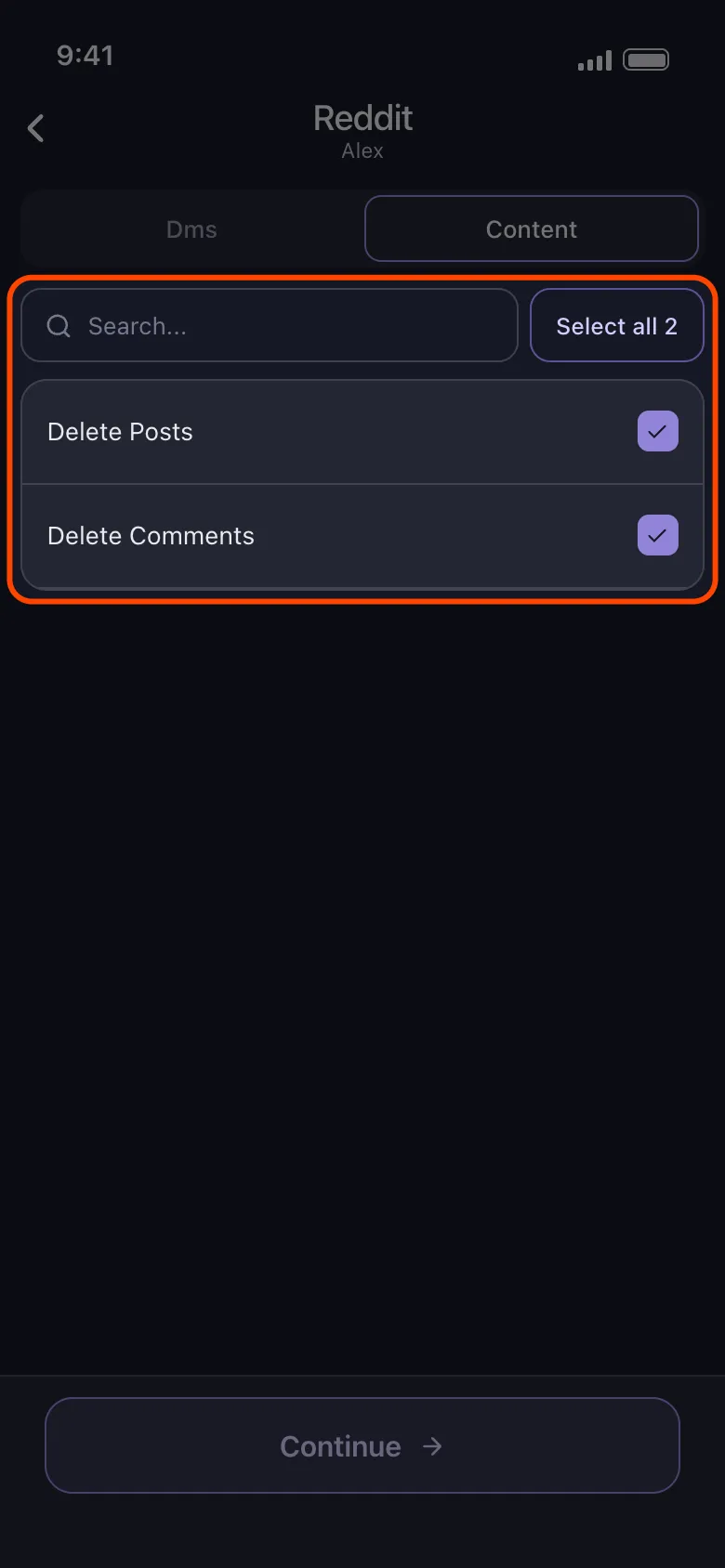
Select what to clean: posts, comments, or both.
-
Optionally add a date range or keywords.
-
Start the deletion and keep the app open until it finishes.
Start Reddit Cleanup
Use Unpost on mobile to bulk delete your Reddit posts and comments with date and keyword filters.
Reddit history deletion methods compared
| Method | What it removes | Effort | Reversible |
|---|---|---|---|
| Clear search history in settings | Recent searches and the recently-viewed trail on your device | Under a minute | No, but a new trail simply builds as you browse |
| Manual post and comment deletion | Each post or comment you select, one at a time | Minutes for a few items, days for an old account | No — deleted content cannot be restored |
| Account deletion | Your username, profile, saves, and follows — not your posts and comments | A few minutes | No — the account is gone permanently |
| Unpost bulk cleanup | All posts and comments you select, with date and keyword filters | A few minutes of setup, then it runs on its own | No — the same permanent deletion as manual, just automated |
The takeaway from the table: no single method covers everything. A real “delete my Reddit history” usually means clearing search history in settings, bulk-deleting posts and comments, and only then deciding whether the account itself should go.
Where to go from here
Start with the free, instant win — clear your search and browsing history in settings today. Then deal with the part that actually represents you publicly: the posts and comments. Whether you delete a handful by hand or run a full sweep with Unpost, your username stops being a searchable archive of everything you have said for the past decade. If you want the bigger picture of why this kind of cleanup pays off across all your accounts, read our guide to the practical privacy benefits of cleaning up your online history.
Reddit makes deleting history more tedious than it should be — but it is entirely doable, and the sooner the content comes down, the less of it ends up copied somewhere you cannot reach.
Frequently Asked Questions

Get Started
Delete Old Content Across Your Accounts
Bulk delete messages, posts, likes, comments, DMs, reactions, bookmarks, followers, and more — all from one app.
No password storage • Free to start • iOS & Android
 Download for iOS
  Download for Android