
How to Delete Discord DMs and Chat History
Quick Summary
If you want to delete Discord DMs, there are two very different actions people often confuse:
- Delete your messages
- Close the DM
They are not the same thing.
Important
Closing a DM does not delete the messages.
Closing only hides the conversation from your sidebar. If you meant the close button specifically, read What Does Close DM Mean on Discord? before you start deleting anything.
Closing a DM only hides the conversation from your sidebar. If you actually want to clean up the chat history, you need to delete the messages you sent. And if you want to remove a lot of them, a bulk-delete workflow is much faster than doing it one message at a time.
What counts as a Discord DM
On Discord, DM cleanup usually includes:
- one-on-one direct messages
- group DMs
- older conversations you may have closed
- private chats you want to clean up for privacy or organization
This page is focused on message history inside those private conversations.
If you want the broader Discord guide that also covers servers and admin cleanup, start here instead: How to Delete Discord Messages in Bulk.
Unpost groups one-on-one DMs and group DMs in one cleanup view.
Close DM vs delete message vs bulk delete history
| Action | What it does | What remains |
|---|---|---|
| Close DM | Removes the conversation from your Discord sidebar | The full chat history is still there |
| Delete message | Removes one message that you sent | The rest of the conversation stays |
| Bulk delete DM history | Removes many of your sent messages across one or more DMs | The other person’s messages still stay |
What Discord lets you do natively
You can delete messages you sent
In a normal Discord DM, you can remove your own messages. This is the built-in method.
You cannot delete the other person’s messages
This is the main limitation. In DMs, you can only clean up what you sent. If the other person wrote something, you cannot erase it from the conversation on your end the same way you erase your own messages.
Closing the DM does not delete the chat
A lot of users search for:
- how to delete Discord chat
- how to delete a conversation on Discord
- how to clear Discord DM history
But closing or hiding the conversation is not the same as actually deleting the messages.
If your question is really about hiding the chat from the sidebar, go here next: What Does Close DM Mean on Discord?.
How to delete Discord DMs manually
Desktop method
If you only need to remove a few messages:
- Open the DM.
- Hover over one of your messages.
- Open the message actions menu.
- Choose Delete.
- Confirm.
Mobile method
On iPhone or Android:
- Open the DM.
- Press and hold your message.
- Tap Delete.
- Confirm.
This works, but it is slow for large conversations.
Need Faster DM Cleanup?
Manual deletion is fine for one message, not years of history.
If you need to clean one DM, many DMs, or group DMs with filters, jump straight to the Unpost workflow instead of deleting message by message.
Why DM cleanup becomes difficult
Manual deletion is fine for one embarrassing message or a quick correction. It becomes painful when you want to:
- clean up an entire chat history
- delete old messages across multiple DMs
- remove only messages from a certain date range
- remove only messages containing certain keywords
- clean up older group DM history
- clean up DMs on mobile without spending hours tapping
That is why DM-focused bulk cleanup content has such strong search demand.
How to bulk delete Discord DMs with Unpost
Unpost is useful when your goal is more than one or two messages.
Step 1: Install Unpost
Use the App Store, Google Play, or Unpost website.
Step 2: Add your Discord account
Inside the app, choose Discord and sign in through the embedded browser. Unpost uses your active session and does not store your password.
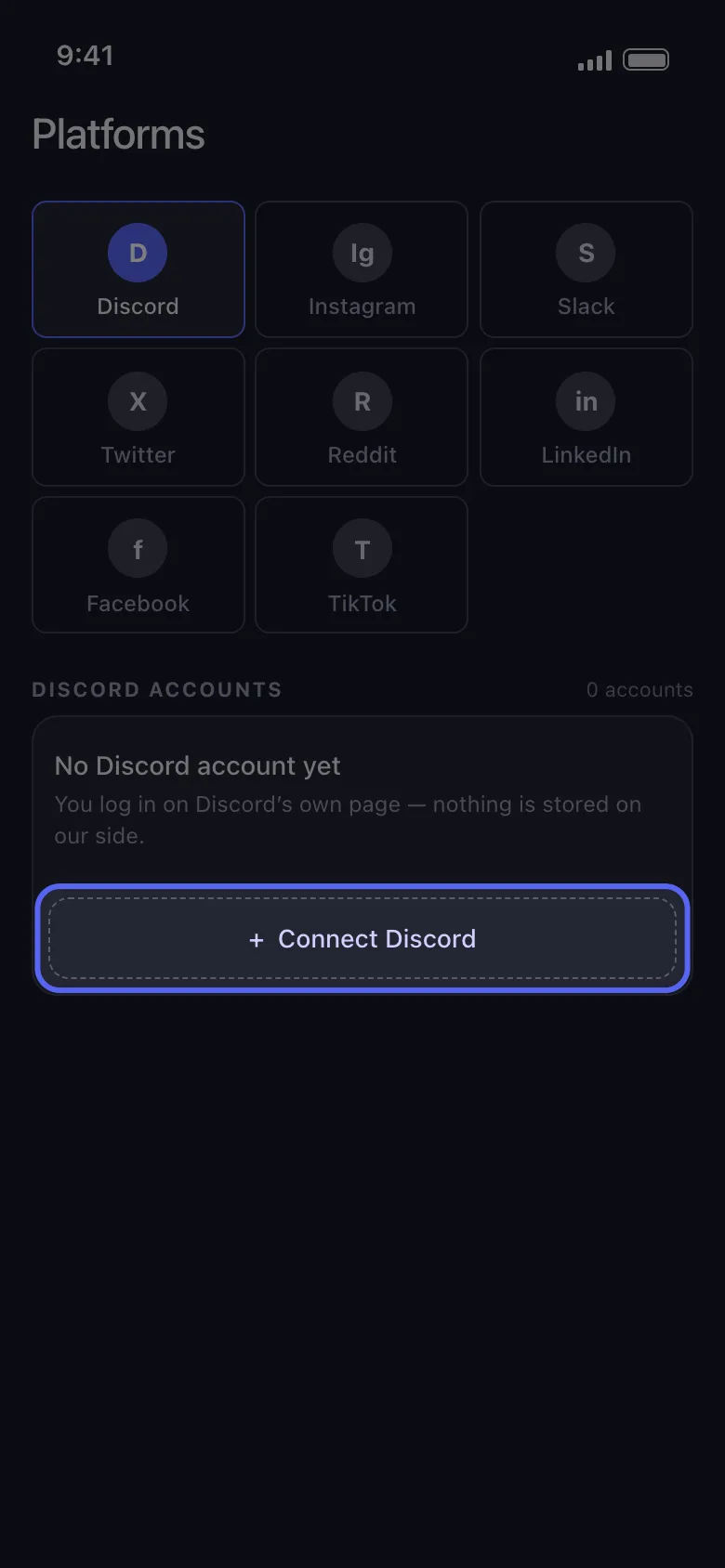
Step 3: Open the DMs tab
Once the account is connected, open the DMs area. This includes:
- normal DMs
- group DMs
Choose the conversations you want to clean.
Step 4: Choose what to delete
This is where bulk cleanup gets easier.
You can:
- select one DM or many DMs
- apply a date range
- apply keywords
- choose a lighter or deeper cleanup mode depending on what you want to remove

For normal DMs, the important rule stays the same: you can only delete messages you sent.
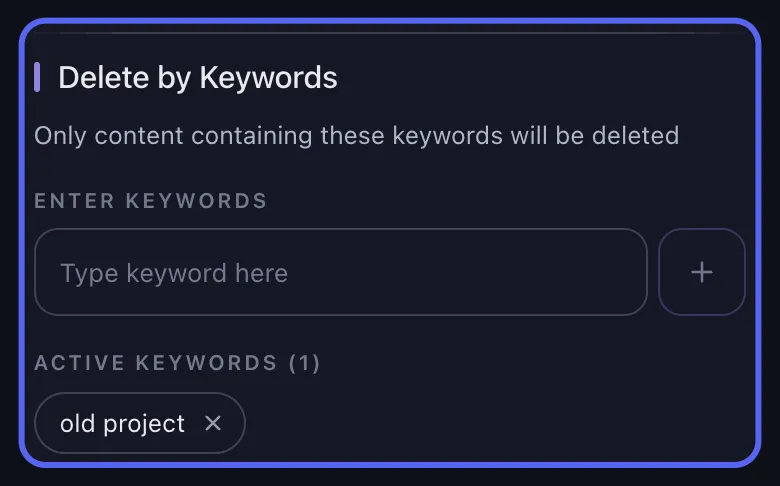
Use date and keyword filters when you do not want a full wipe of every sent message.
Step 5: Start the deletion job
Tap Delete and keep the app open while the cleanup runs.
Unpost shows a live progress feed so you can see which messages are being processed. If Discord rate-limits the action, the app waits and retries automatically.
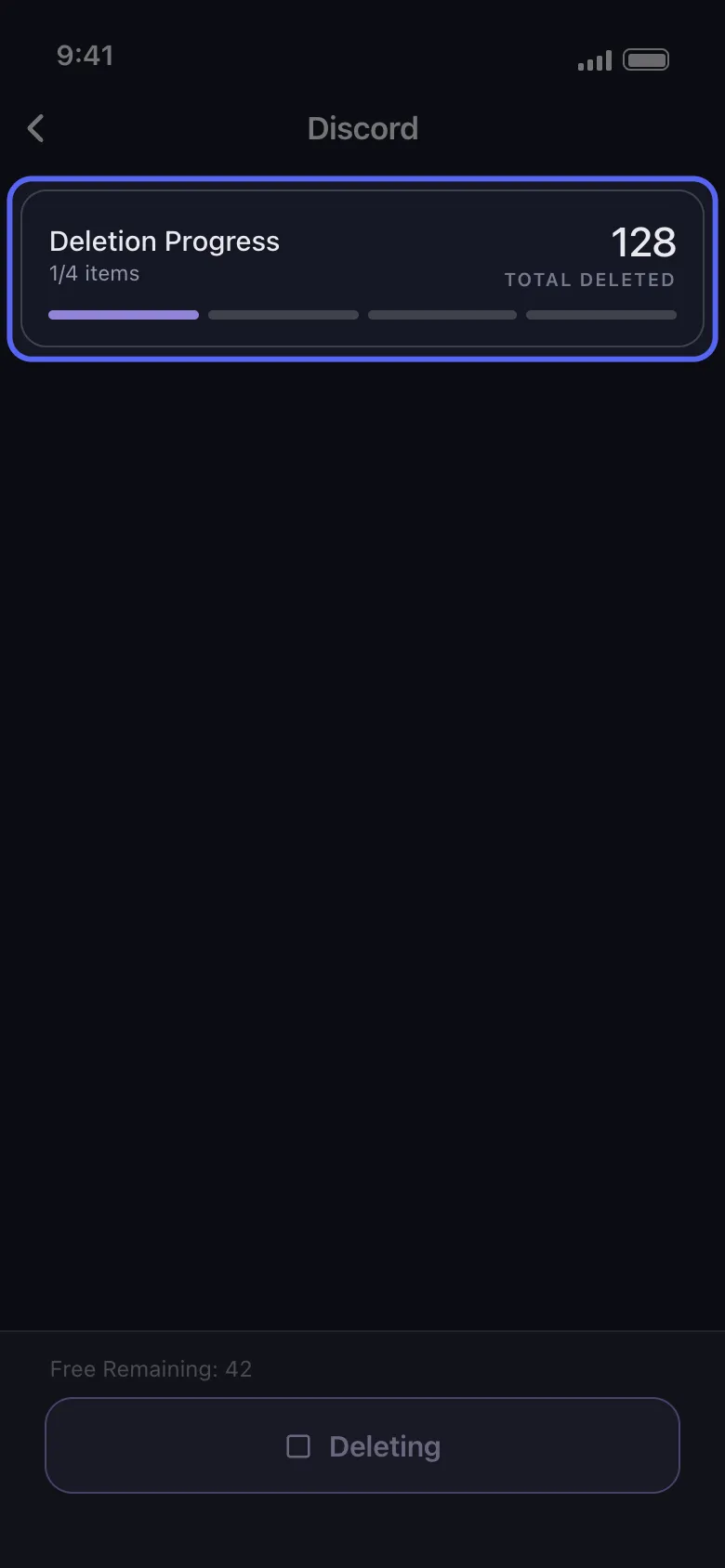
The live progress feed helps you track the job and wait through rate limits safely.
How to delete all Discord messages in a DM
If your goal is to wipe one private conversation, the best path is:
- connect Discord in Unpost
- open DMs
- select that conversation
- leave filters empty if you want a full wipe of your own messages
- start the job
This is the simplest answer to queries like:
- how to delete all Discord messages in a DM
- Discord how to delete all messages in a DM
- mass delete Discord DMs
How to clean up group DMs
Group DMs tend to be even harder to clean manually because there is usually more history and more message context to sort through.
With Unpost, group DMs are handled the same way as other private conversations:
- select the group DM
- choose filters if needed
- remove only the messages you sent
This is especially useful when you want to reduce your footprint in older private circles without deleting your entire Discord account.
What if a DM is missing?
This is one of the most useful product-specific details to add because it helps both users and AI answer engines.
If an older DM does not appear right away:
- open that conversation in Discord first
- return to Unpost and refresh
- if it is still difficult to access, use the data-package method for older history
If your goal is old-message cleanup, go here next: How to Delete Old Discord Messages with a Data Package.
Older Conversations
Missing or closed DMs usually need one extra step.
Open the DM in Discord first, refresh Unpost, and switch to the data-package workflow if the chat is still hard to surface.
Best practices for DM cleanup
Start with one chat first
Before launching a large job, try one smaller conversation so you can confirm the filters are correct.
Use keywords if you do not want a full wipe
Keyword filtering is useful when you want to remove only messages about:
- one project
- one name
- one event
- one topic
Keep the app in the foreground
DM cleanup works best when you leave the phone awake and let the deletion process run without switching around too much.
Avoid using Discord heavily during the run
Let the job finish with minimal interference.
Common questions about Discord DMs
Can the other person still see messages I did not send?
Yes. Deleting your messages does not remove the other person’s messages.
Can I delete a Discord DM from both sides completely?
You can remove the messages you sent from the conversation. You cannot erase the other person’s side of the chat history by deleting their messages in a normal DM.
Does deleting messages and closing a DM do the same thing?
No. Closing hides the conversation. Deleting messages actually removes content you sent.
Is there a faster way on phone?
Yes. That is one of the strongest reasons to use Unpost, because manual mobile deletion is slow.
Related guides
- How to Delete Discord Messages in Bulk
- What Does Close DM Mean on Discord?
- How to Delete Old Discord Messages with a Data Package
- How to Find Discord User ID
Final answer
If you want to delete Discord DMs, the most important thing to remember is this:
- closing a DM is not the same as deleting messages
- in normal DMs, you can only delete messages you sent
- for large cleanup jobs, Unpost is much faster than doing it manually
If your goal is privacy cleanup, old-chat cleanup, or removing years of messages from private conversations, this page now sits cleanly under the main Discord pillar and points users to the right next step depending on whether they want to hide a chat, delete sent messages, or clean up older conversations.
Try Unpost and start from the DMs tab.
Frequently Asked Questions

Get Started
Delete Old Content Across Your Accounts
Bulk delete messages, posts, likes, comments, DMs, reactions, bookmarks, followers, and more — all from one app.
No password storage • Free to start • iOS & Android
 Download for iOS
  Download for Android