
How the free daily limit works, and what “Daily limit reached” means
Without Premium, each connected account can delete up to 50 items a day. It’s Unpost’s own allowance, not a limit from the platform: when it runs out, Unpost stops the run, and your account is fine. Premium removes this cap on every account at once, but not the platforms’ own limits.
- 01
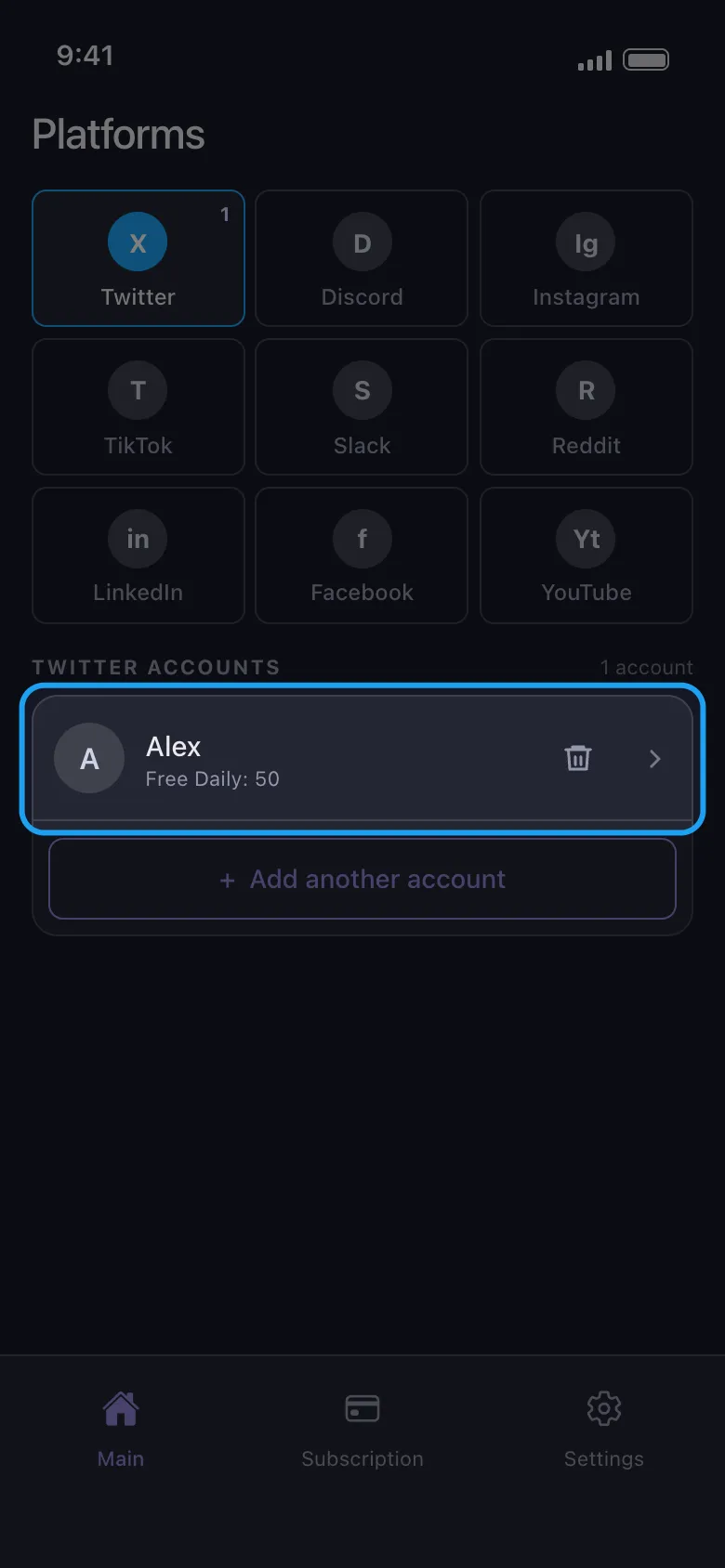
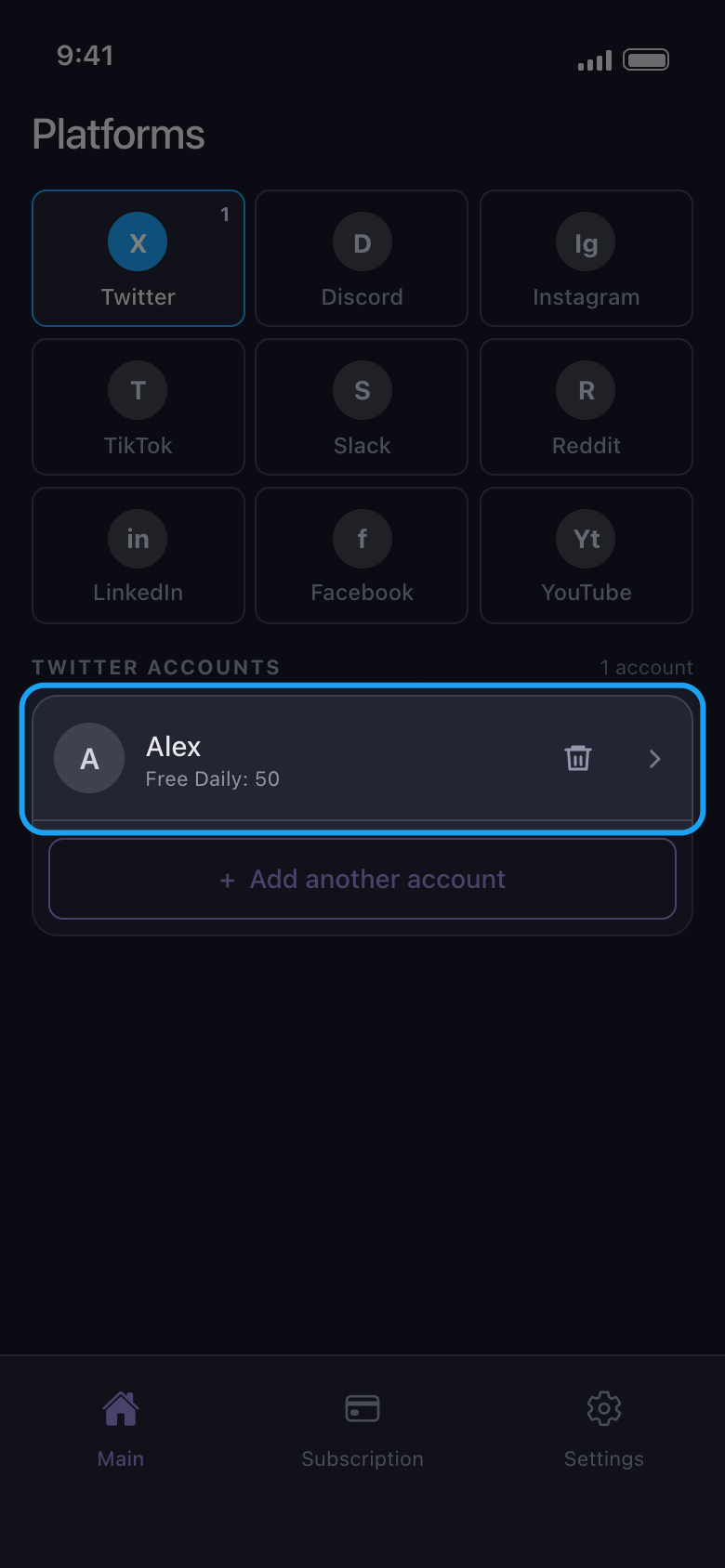
See what’s left on the account row
The line under each account name, such as Free Daily: 50, is what that account can still delete today. Every account has its own 50, a second account on the same platform included.
In the app Main → platform
- 02
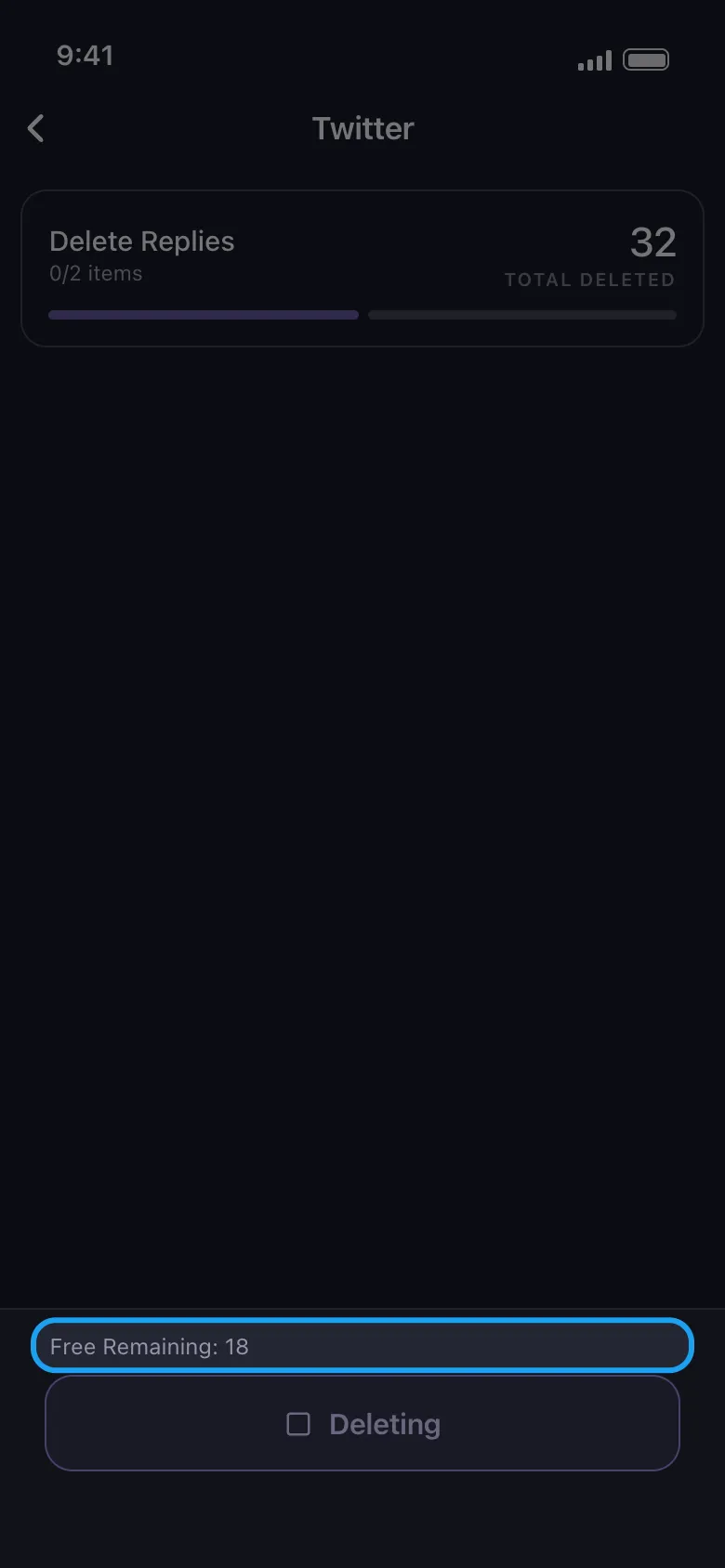
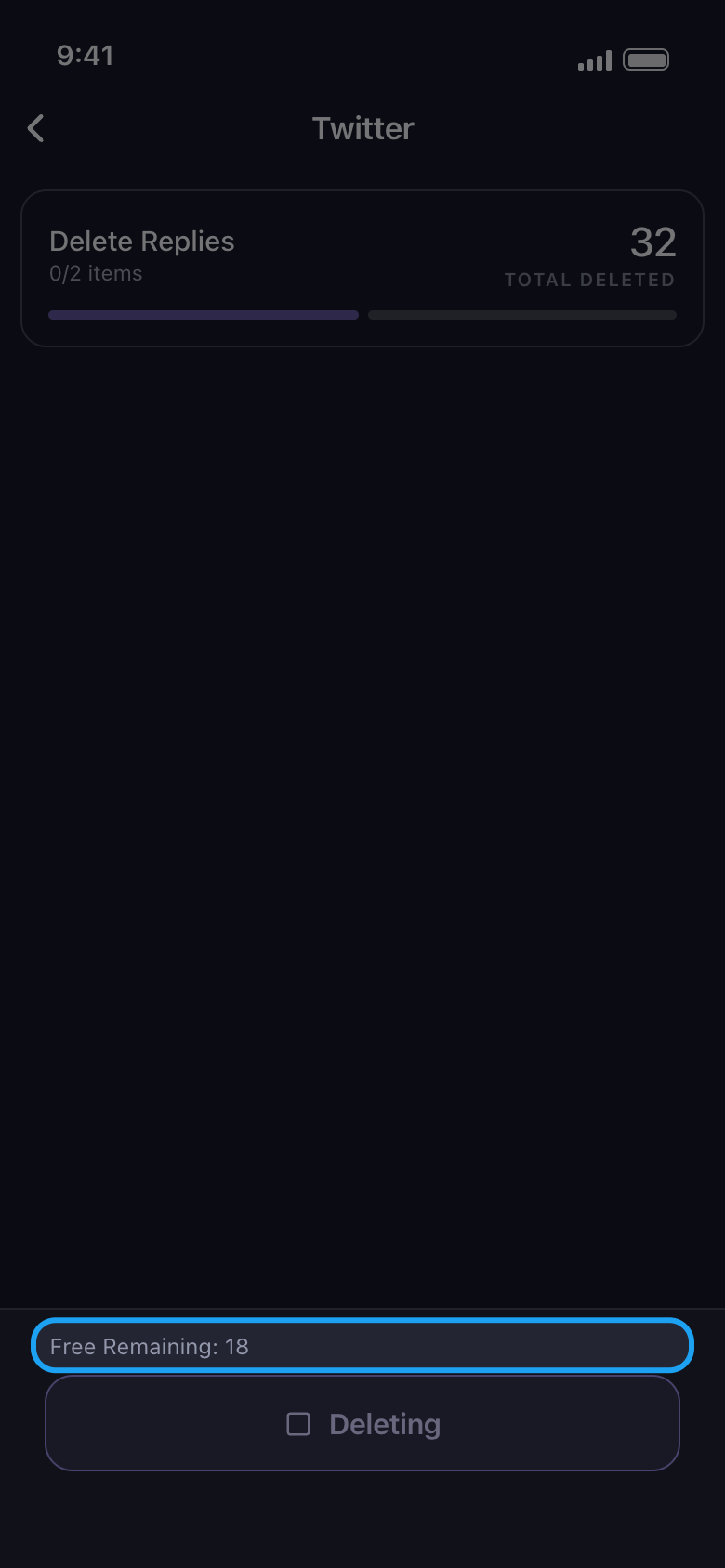
Watch Free Remaining during a run
Above the Deleting button, Free Remaining counts down as Total Deleted goes up. What your date range, keywords or other filters skip costs nothing, and deleting from a data package counts the same way.
In the app Delete screen
- 03
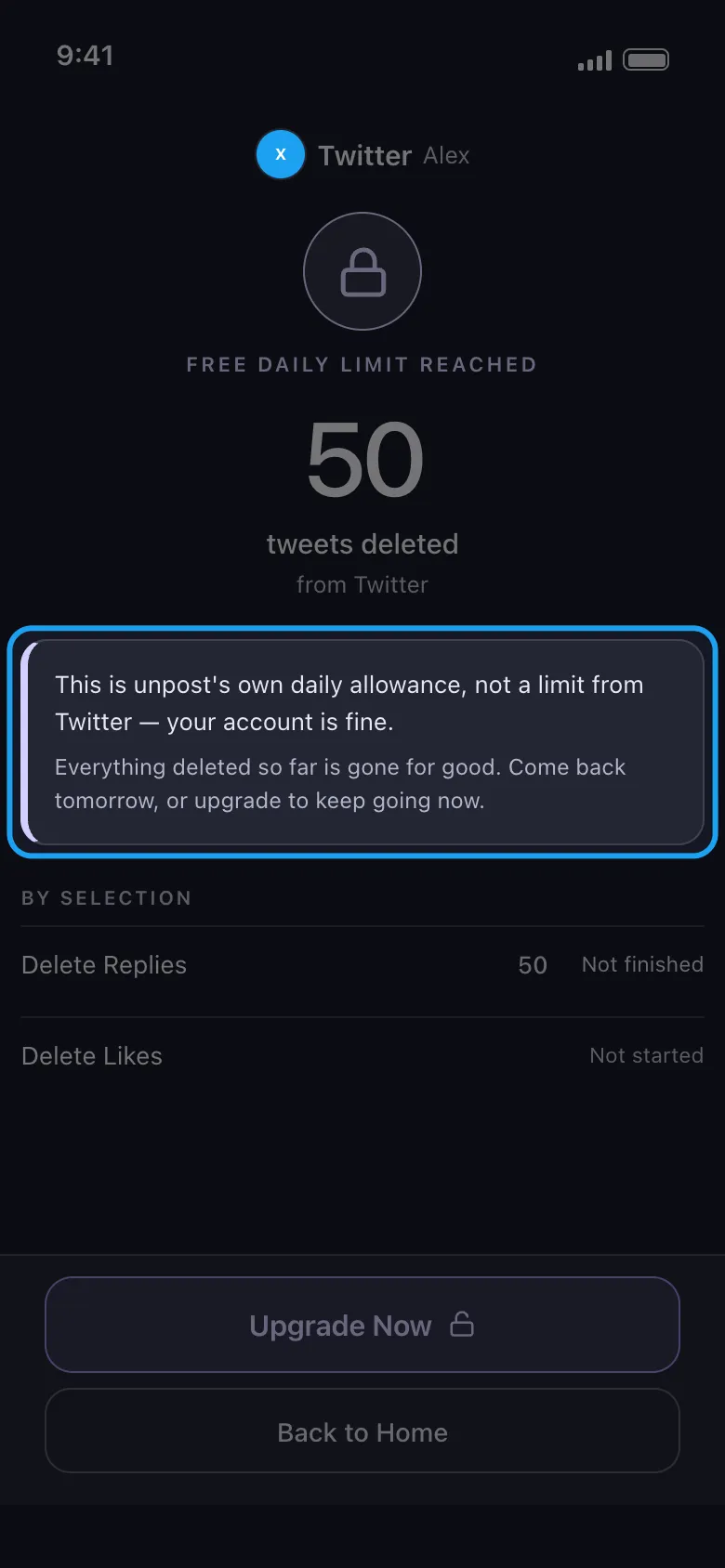
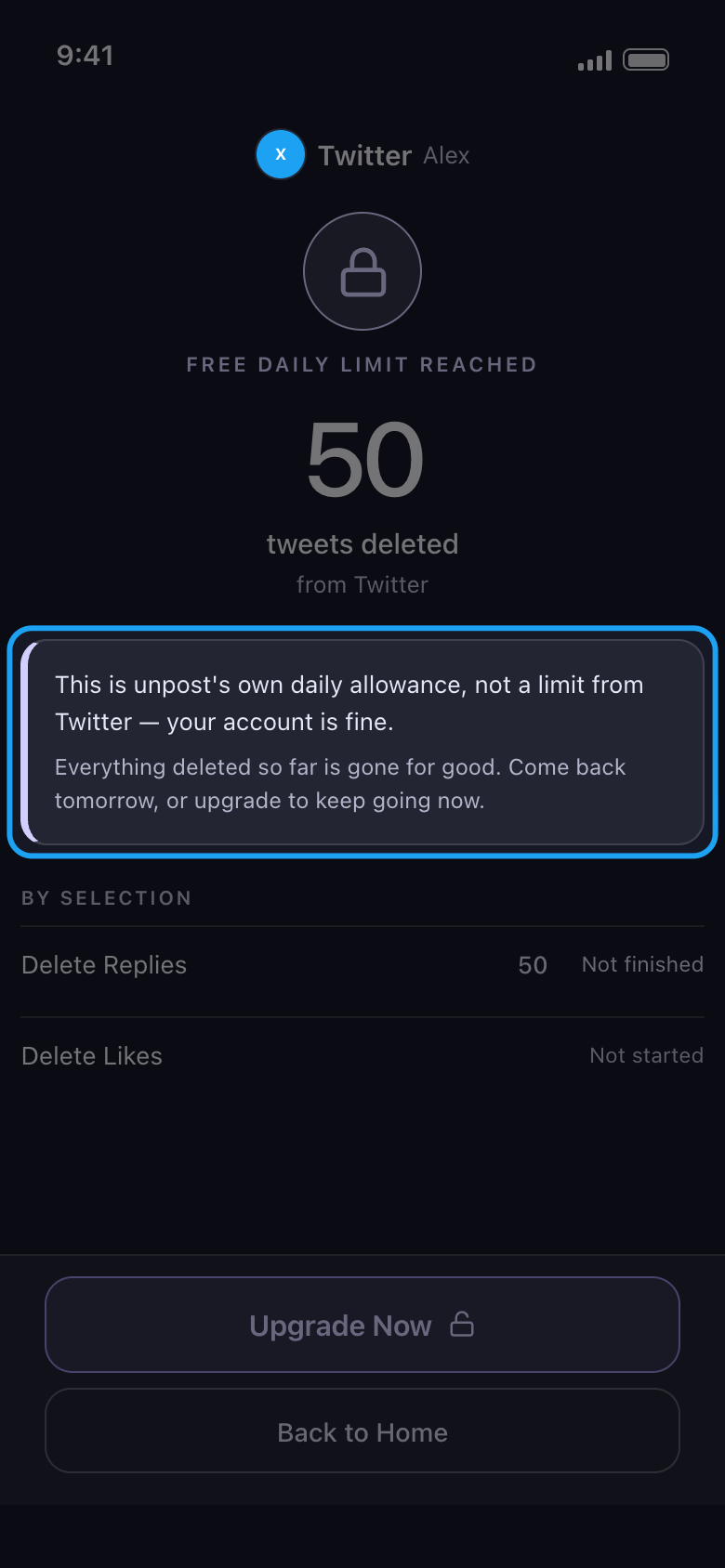
When a run uses up the last of the 50
The run stops and the result reads Free daily limit reached. Everything deleted so far stays deleted, and under By selection, Not finished and Not started show what is left for another day. Upgrade Now opens the Subscription tab.
In the app Result
- 04
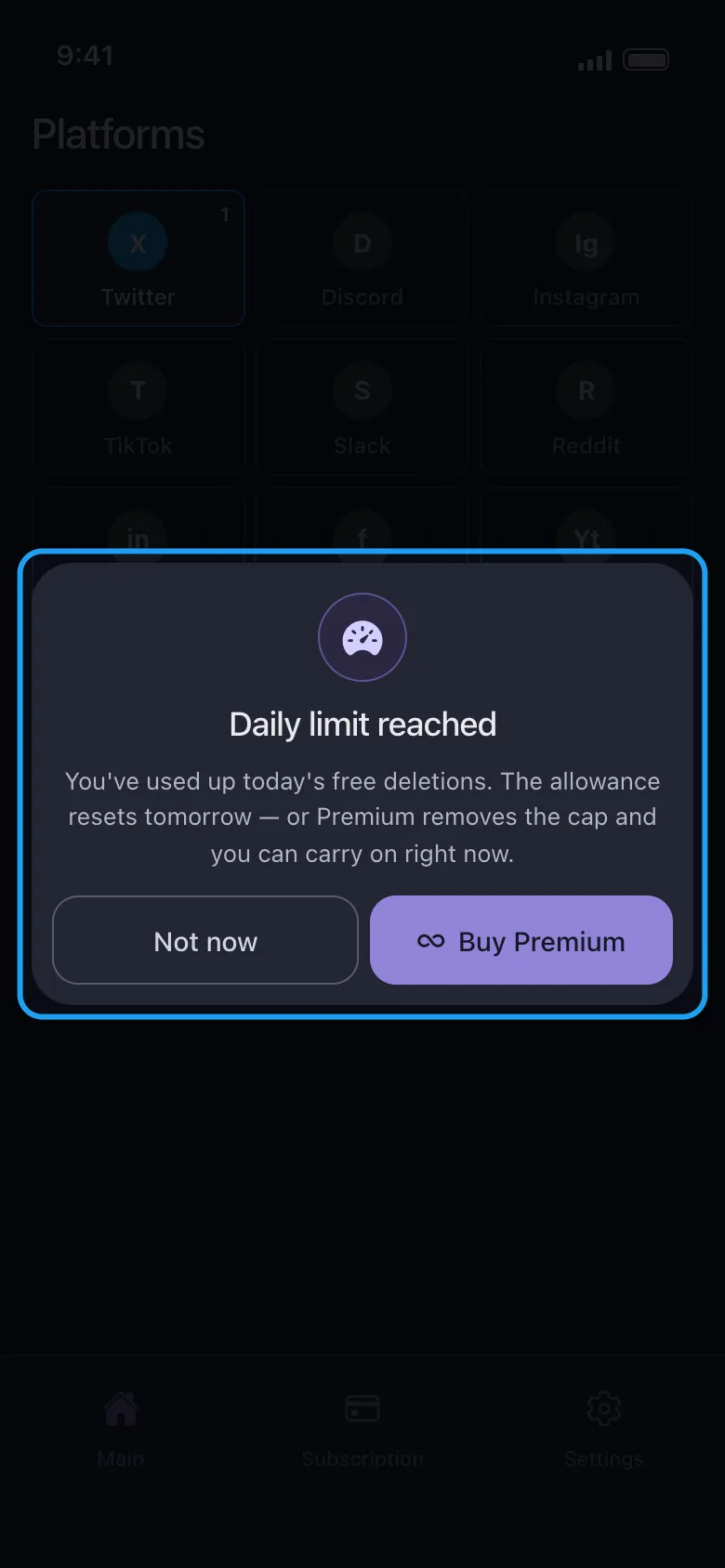
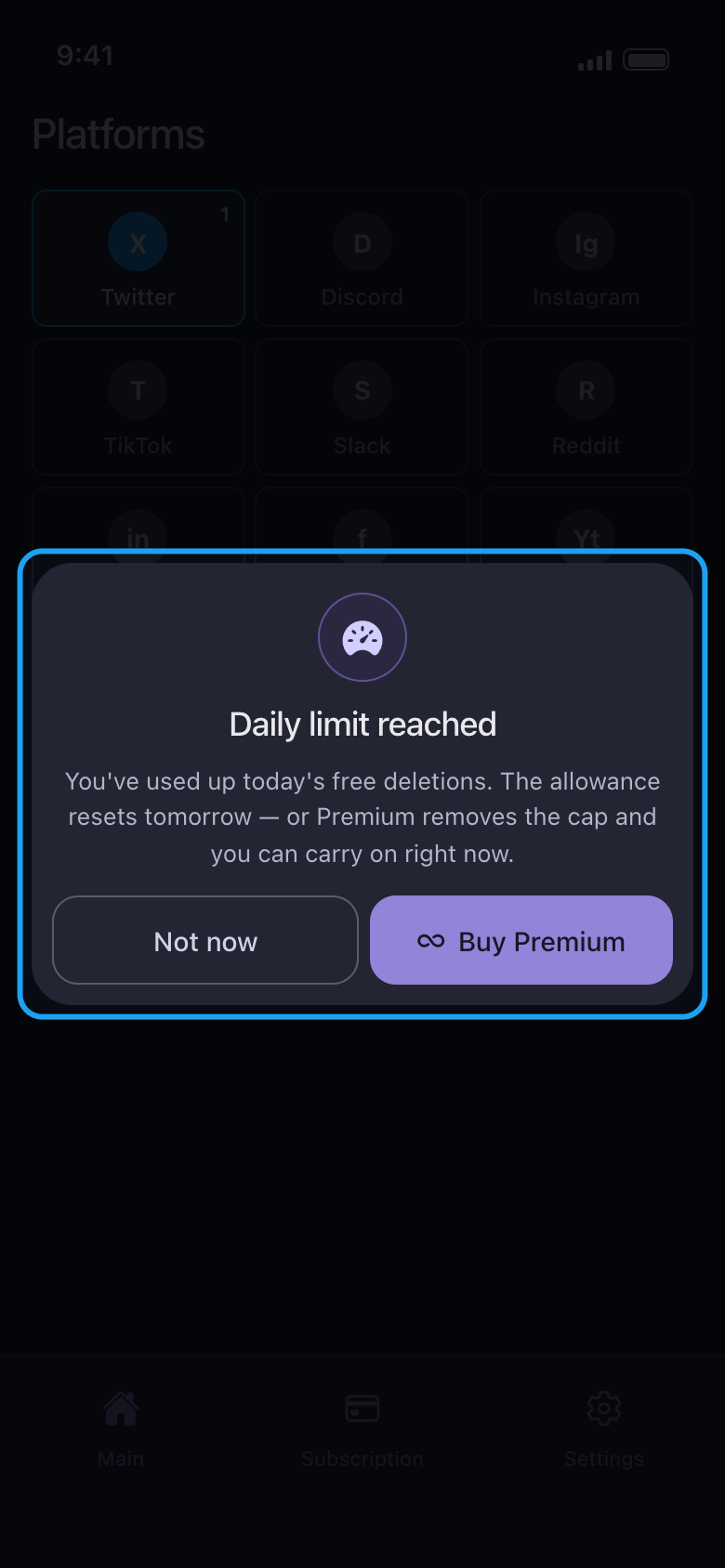
Tapping an account that has none left
Until the count resets, tapping that account opens Daily limit reached. Not now closes it; Buy Premium opens the Subscription tab if you want to carry on today.
In the app Main → account → Daily limit reached
- 05
When it resets
The allowance is back to 50 the next day. The day changes at midnight UTC: the afternoon or evening in the Americas, the small hours in Europe and the Middle East, the morning in Asia. If Unpost was open at that moment, close it completely and open it again to load the new count. The count belongs to the account, not to your phone, so removing the account and adding it again, or reinstalling Unpost, doesn’t reset it.
- 06
Try your platform free before you pay
Premium doesn’t change what the platforms allow. A platform can still pause a run, and the result then reads Paused by and the platform’s name: see What to do when a platform pauses your cleanup. On X, older posts that X no longer lists need your X archive: see Unpost says nothing is left on X, but my posts are still there. A free run on the platform you care about shows what to expect before you pay.
Good to know
- Reddit has no daily cap: a Reddit run is never stopped by the allowance, even though Reddit accounts show one, and Daily limit reached never opens for Reddit.
- Already Premium and still see Daily limit reached? Open the Subscription tab and tap Restore: see How to upgrade to Premium, or restore it on a new phone.
- Until you have Premium, Unpost opens on its Subscription tab. You don’t need to subscribe to use the free allowance: tap Main in the bottom bar.
More guides