
Bir platform temizliğinizi duraklatırsa ne yapmalı?
Platformlar bir hesabın ne kadar hızlı silebileceğini sınırlar. Bir platform direnç gösterdiğinde Unpost kendiliğinden bekler ve yeniden dener; platform reddetmeyi sürdürürse işlem durur ve sonuç ekranı ne kadar beklemeniz gerektiğini söyler. Bu sınırlar platformların kendi sınırlarıdır, bu yüzden Premium onları kaldırmaz.
- 01
İşlemin devam etmesine izin verin
Unpost, hesap şüpheli görünmesin diye öğeleri bilerek yavaşça, tek tek siler: yavaş bir işlemi durdurup yeniden başlatmak yerine devam etmesine izin verin. iPhone’da Unpost’u ekranda açık tutun; Android’de işlem arka planda sürer, ama TikTok’ta silerken uygulamayı ekranda tutun. İşlem bitene kadar hesabı hiçbir yerde kullanmayın.
Uygulamada Review → Before you start
- 02
İşlem sırasında bir geri sayım çıkar
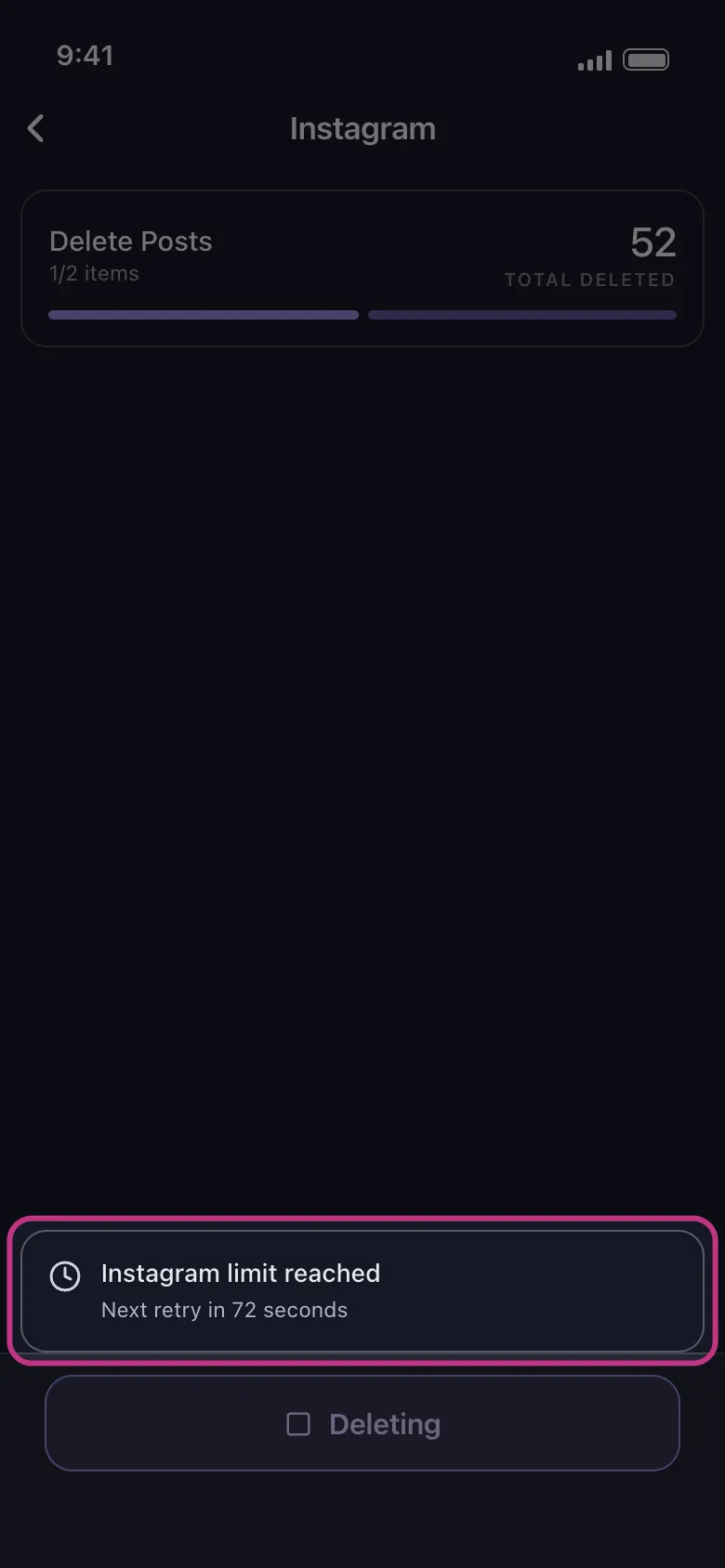
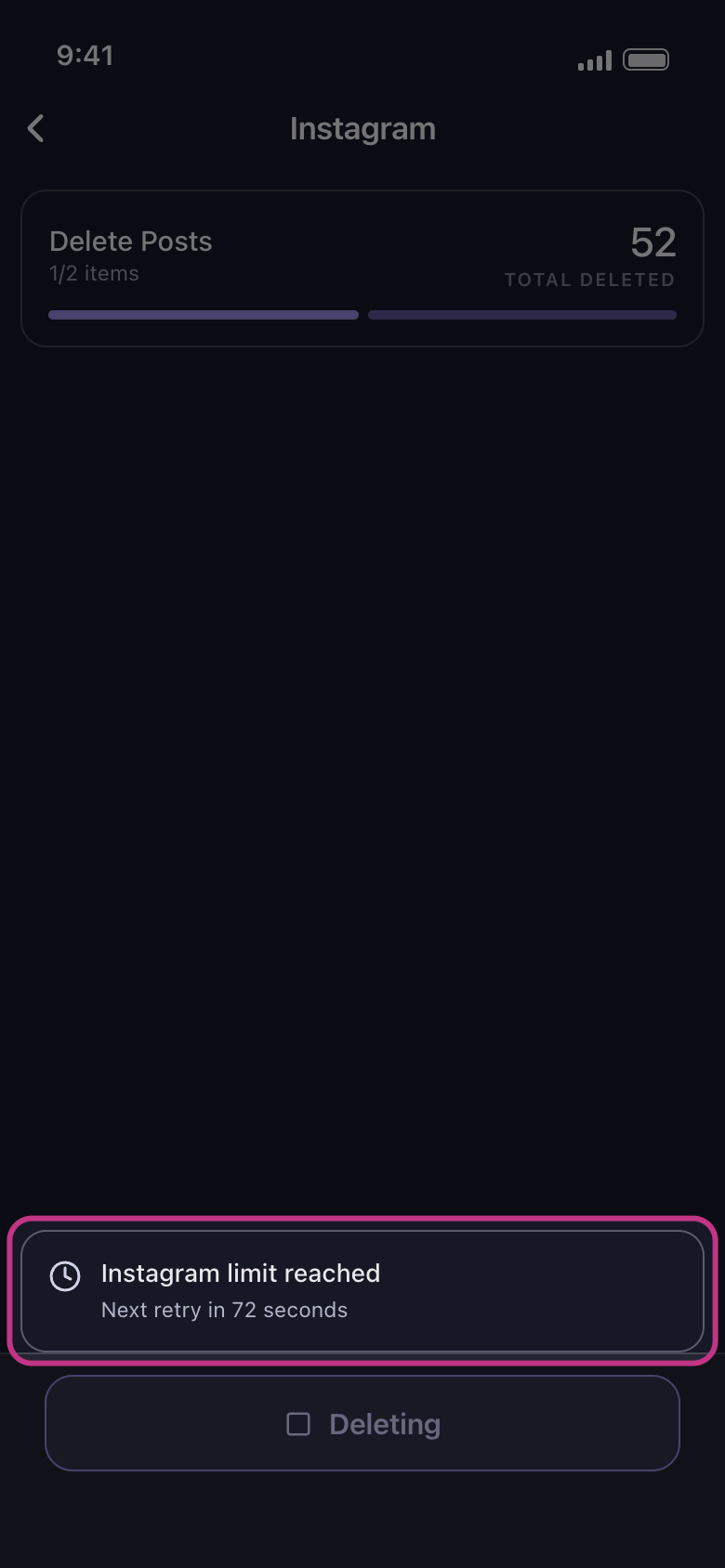
“Instagram limit reached, Next retry in 72 seconds” gibi bir uyarı genellikle platformun Unpost’tan yavaşlamasını istediği anlamına gelir. Dokunmayın: geri sayım bitince işlem kendiliğinden devam eder ve geri sayım birkaç kez yeniden çıkabilir. Bunun yerine durdurmak isterseniz geri okuna değil Deleting düğmesine dokunun: sonuç ekranında o zaman “Stopped early” yazar ve daha önce silinen her şey silinmiş kalır.
Uygulamada Silme ekranı
- 03
Platform reddetmeyi sürdürürse sonuç ekranı nedenini söyler
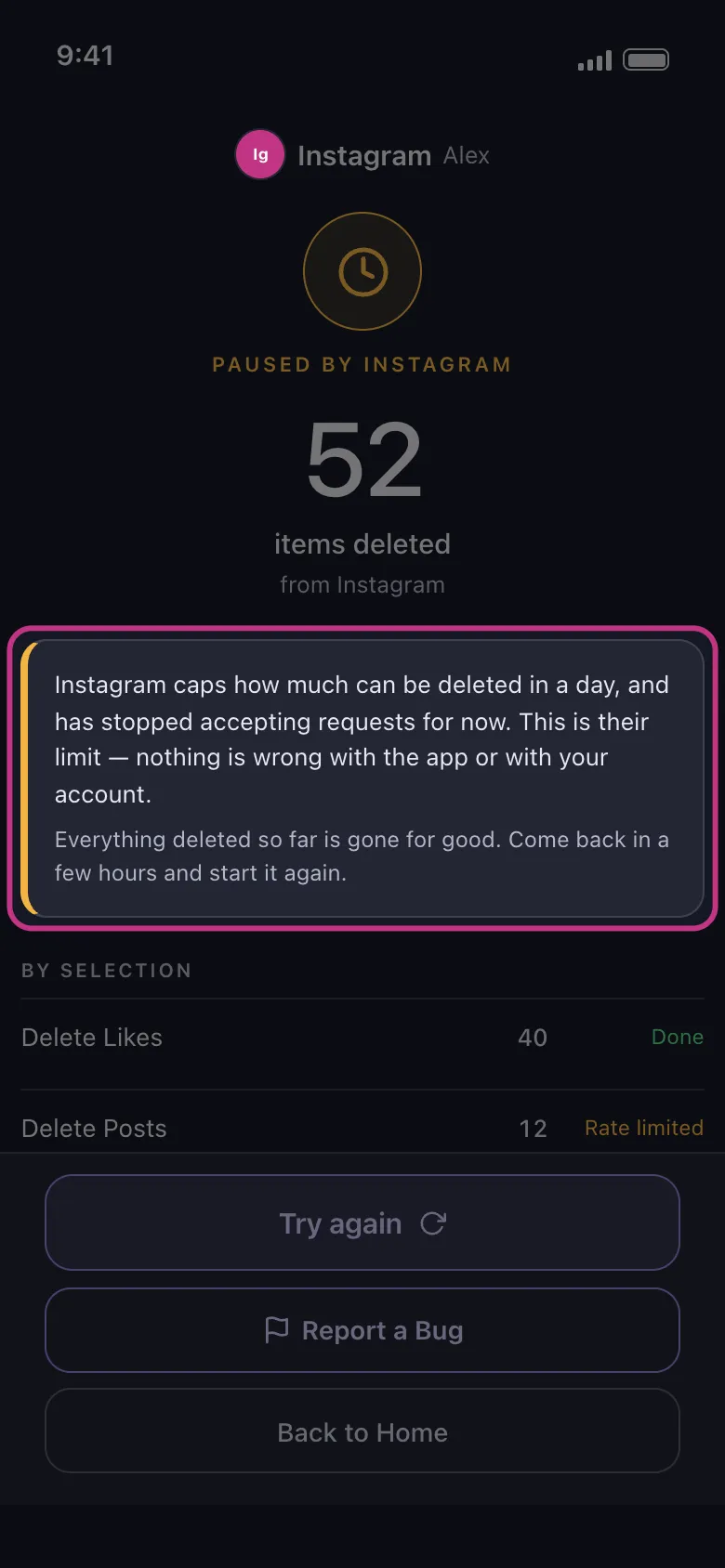
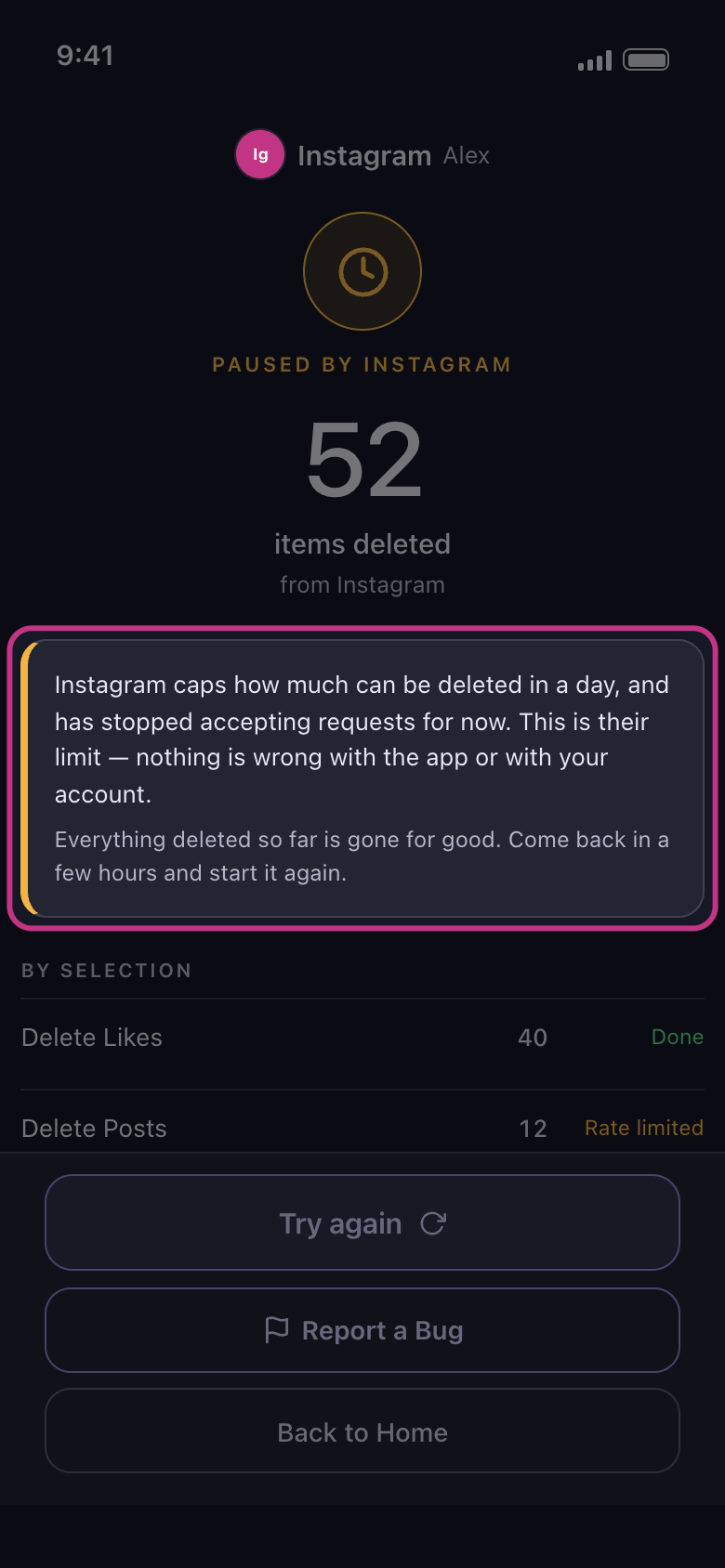
İşlem “Paused by” ve platformun adıyla bitebilir, örneğin “Paused by Instagram”. Ekranın da söylediği gibi bu platformun sınırıdır; uygulamada veya hesabınızda bir sorun yoktur ve o ana kadar silinen her şey silinmiş kalır. Instagram hesapta silmeyi geçici olarak engellediyse sonuç ekranı sınırın yerine bu engeli bildirir. Platform art arda birkaç öğeyi silmeyi reddettiğinde işlem “Couldn’t finish” ile de bitebilir (“Temizlik neden hiçbir şey bulamadı, erken durdu veya gönderiler hâlâ görünüyor?” kılavuzuna bakın).
Uygulamada Sonuç ekranı
- 04
Nelerin bittiğini kontrol edin
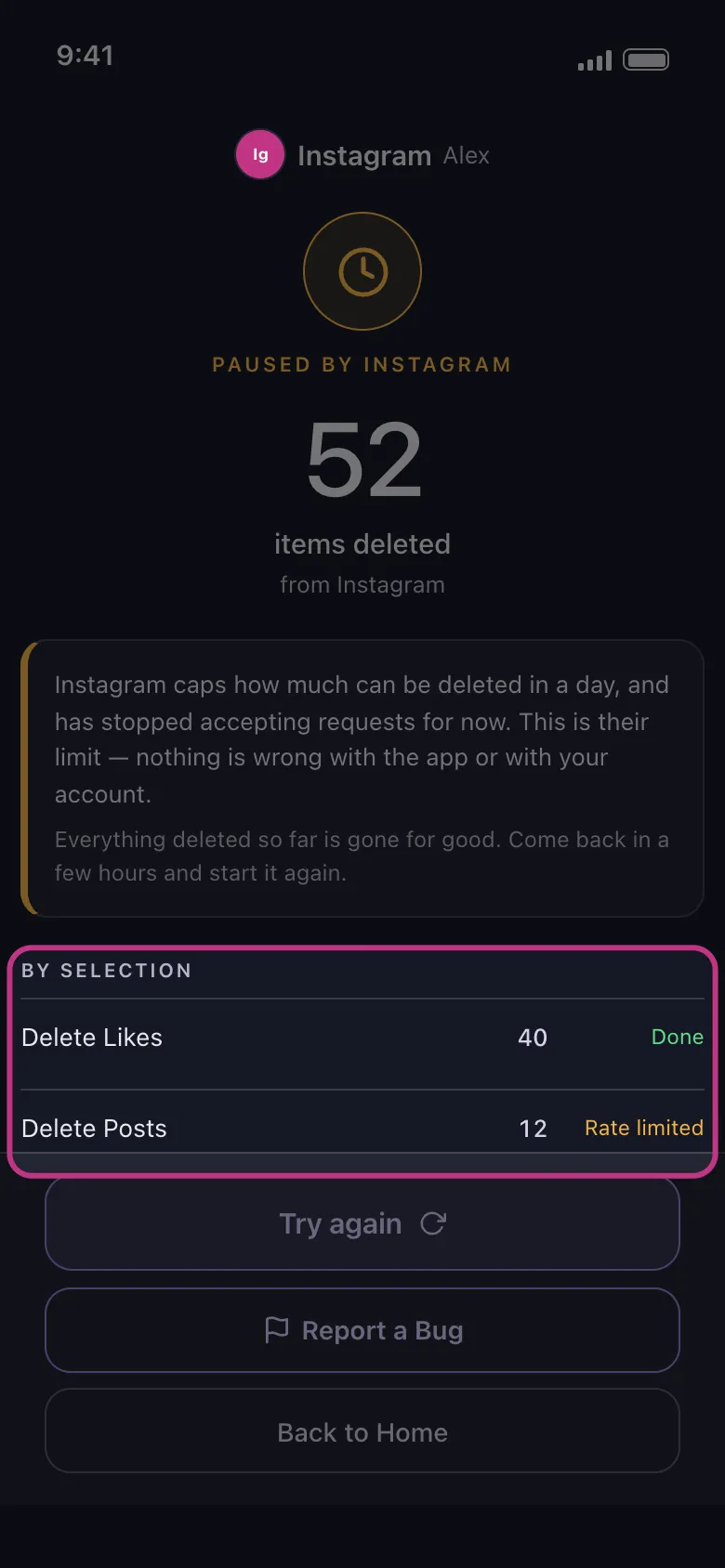
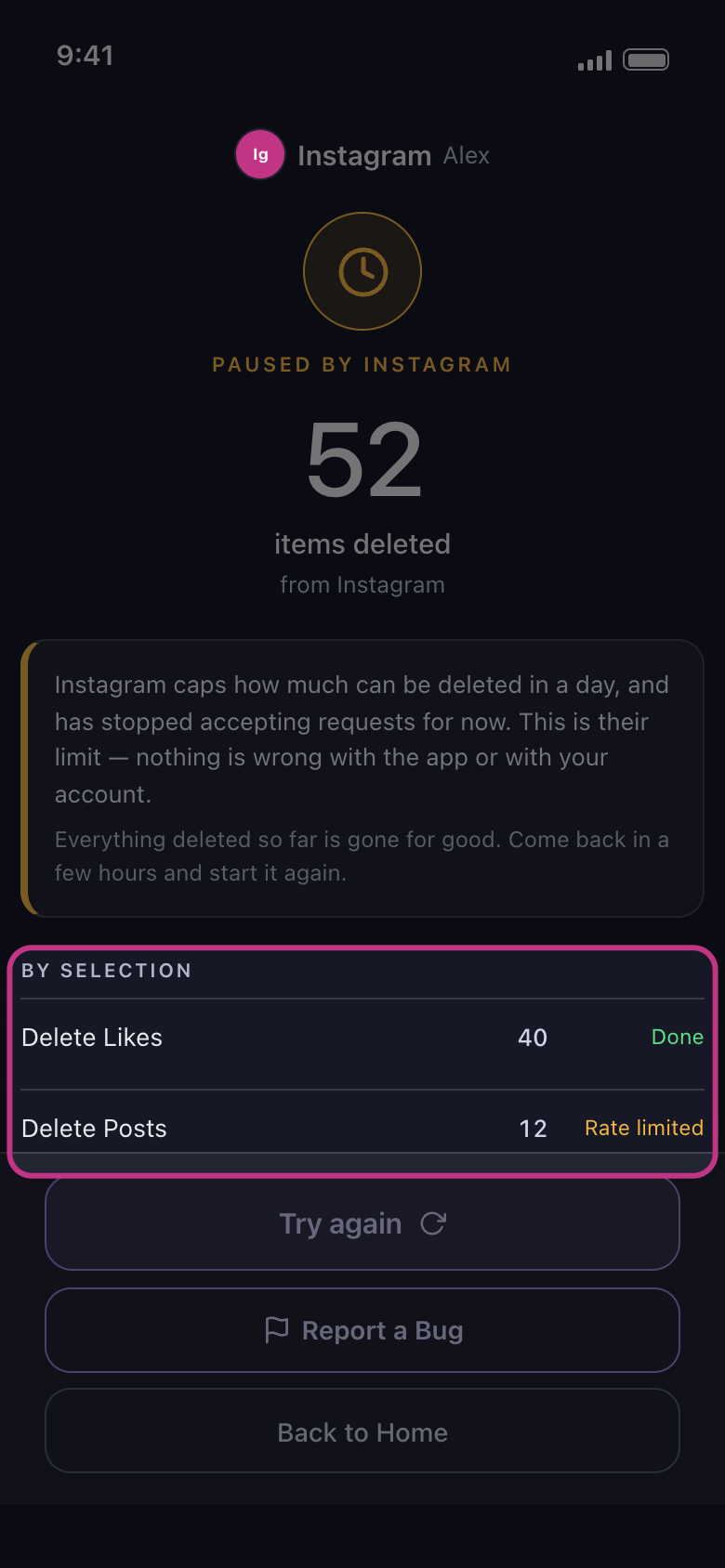
By selection altında Done o seçimin tamamlandığını, Rate limited ise onu platformun sınırının durdurduğunu gösterir. Not finished, seçimin başka bir nedenle, örneğin sizin Deleting düğmesine dokunmanızla yarıda kaldığını; Failed, işlemin o seçimde bir sorunla karşılaştığını; Not started ise işlemin ona hiç ulaşmadığını gösterir.
Uygulamada Sonuç ekranı → By selection
- 05
Bekleyin, sonra yeniden başlatın
Sonuç ekranının söylediği kadar bekleyin: “Paused by” sonrasında birkaç saat, Instagram silmeyi engellediğinde 24 saat (daha erken denerseniz Instagram büyük olasılıkla yine reddeder). Platform birkaç öğeyi reddettiği için gelen “Couldn’t finish” sonrasında ya da LinkedIn sizi sınırladığında bir süre bekleyin. Sonra sonuç ekranındaki Try again düğmesine dokunun ya da hesabı Main sekmesinden açın ve işlemi yeniden başlatın: işlem yalnızca kalanları bulur.
Uygulamada Sonuç ekranı → Try again
- 06
LinkedIn oturumunuzu kapatırsa
LinkedIn zaman zaman yeniden giriş yapmanızı isteyebilir. Sonuç ekranı o zaman LinkedIn’in bu hesabın oturumunu kapattığını söyler ve Main sekmesinde hesap satırında “Not connected — tap to log in” yazar: ona dokunun, LinkedIn’in kendi sayfasında giriş yapın ve işlemi yeniden başlatın.
Uygulamada Main → LinkedIn → Not connected — tap to log in
Bilmekte fayda var
- Ne kadar silebileceğinize dair bir sınır var mı? Unpost’un tek sınırı, Premium’un kaldırdığı ücretsiz günlük haktır: “Ücretsiz günlük limit nasıl işler, ‘Daily limit reached’ ne demek?” kılavuzuna bakın. X için “Unpost X’te hiçbir şey kalmadığını söylüyor ama gönderilerim hâlâ orada” kılavuzuna bakın.
- Instagram sizden siz olduğunuzu doğrulamanızı isterse “Temizlik sırasında Instagram’ın hesabınızı kilitleme riskini azaltma” kılavuzuna bakın.
- Unpost’tan hiç kimse sizden şifrenizi veya giriş kodunuzu istemez.
Daha fazla kılavuz