
Delete All Instagram DMs at Once: Bulk and Manual Ways
No, you cannot delete all Instagram DMs at once inside Instagram: there is no button that clears the whole inbox or unsends every message you sent. You delete one conversation at a time, or unsend one message at a time. To empty an inbox of hundreds of threads, you either repeat that by hand or use an app that works through the conversations for you.
This page covers the bulk job. For the rest of an account reset, posts, comments, likes and followers included, start from the Instagram cleanup guide.
Delete vs unsend: what the other person keeps
The two actions do different things, and mixing them up is the most common surprise after a cleanup:
| Action | What it removes | What the other person still has |
|---|---|---|
| Delete a conversation | The thread from your inbox | The whole chat, your messages included |
| Unsend a message | That message you sent, for everyone in the chat | Their own messages, and any screenshot they took |
So clearing your inbox hides the history from you only. If the goal is that your words are gone from their side too, the messages you sent have to be unsent — one by one in Instagram, or across the chats you pick (walkthrough below). The guide to deleting Instagram messages from both sides goes through that difference in detail.
Before you start: download what you want to keep
Request a copy first through Instagram’s Download your information tool, in Accounts Center under your information and permissions. Instagram prepares the file and tells you when it is ready, which can take a while, so ask for it before the cleanup, not after.
A bulk run cannot be undone, by any tool: no undo, no backup, and the app warns you of that before every run.
The manual way, as fast as it gets
For a dozen threads, Instagram’s own tools are enough:
- iPhone: in your inbox, swipe left on a chat and tap Delete.
- Android: press and hold the chat, then tap Delete.
- Web (instagram.com): open the chat, tap the info icon at the top right, then Delete chat.
- To unsend instead: open the chat, press and hold a message you sent, tap Unsend.
Recent versions also let you press and hold a chat, select several and delete them together. It is still the inbox-only delete from the table above, and unsending stays one message per press.
The arithmetic is what breaks the manual route. Three hundred threads is three hundred deletes; unsending a year of messages in one busy chat can mean thousands of presses, and Instagram’s action limits kick in when you go fast.
Group chats and message requests
In a group chat, deleting the thread only removes it from your inbox. Leaving the group is a separate step, in the chat’s details; the guide to deleting an Instagram group chat covers the rest.
Message requests you never accepted sit in their own Requests folder, apart from your main inbox. Clear those there, in Instagram; the folder takes a minute.
Delete all Instagram DMs at once with Unpost
Unpost is a phone app that can bulk delete messages on Instagram and on Discord, Slack and Reddit. It lists your account’s real conversations, you pick the ones to clear, and it unsends, item by item, the messages you sent in each of them — the second row of the table, not the inbox-only delete — so they go for everyone, while the conversation and the other people’s messages stay. Without Premium you get 50 deletions per connected account per day; the monthly Premium subscription removes that cap, which is what an inbox of several years needs.
-
Install the app from the App Store or Google Play.
-
Open it, pick the app’s language, then tap Continue under the privacy policy.
-
Without Premium the app opens on its Subscription tab: tap Main in the bottom bar.
-
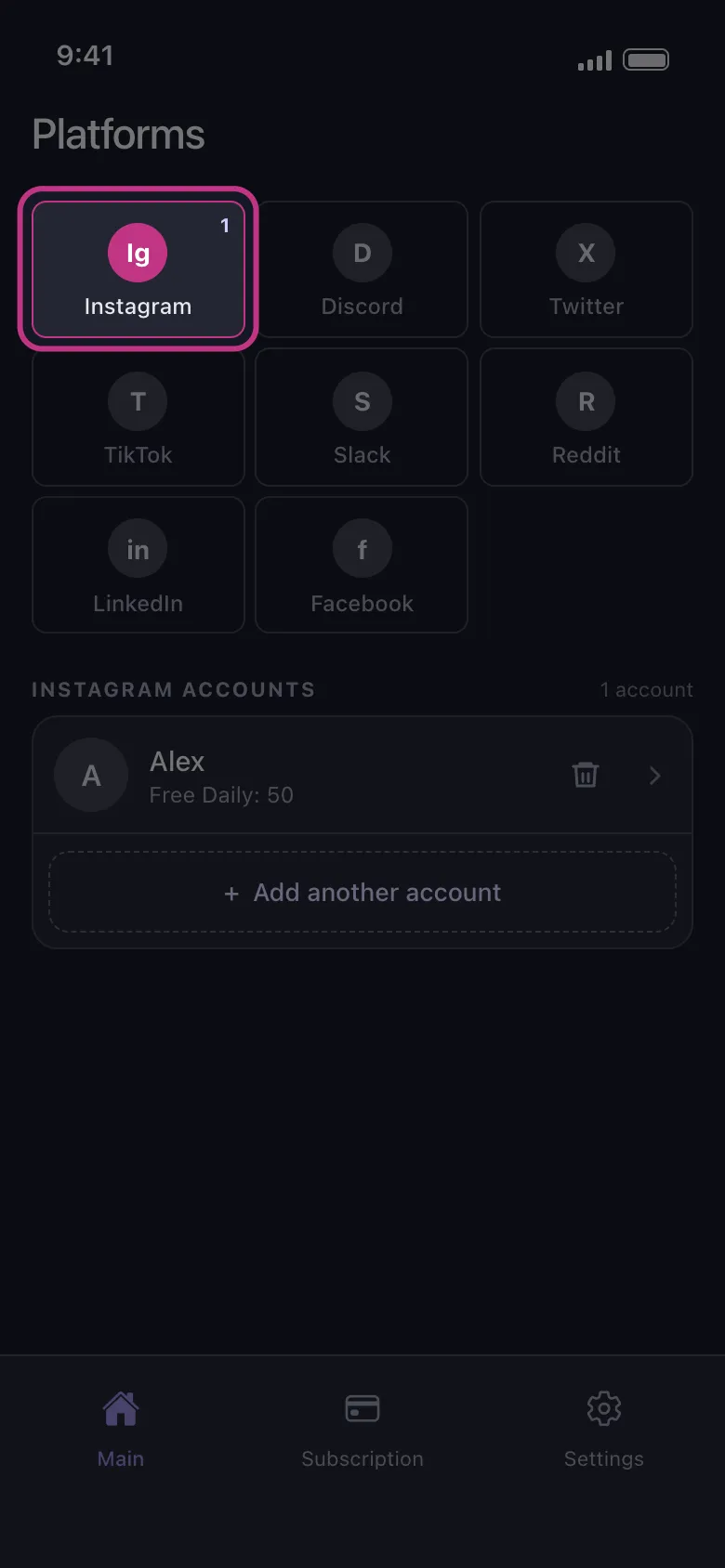
Tap the Instagram tile, then the connect button under it, and log in on Instagram’s own page, which opens inside the app.
-
Tap your connected account.
-
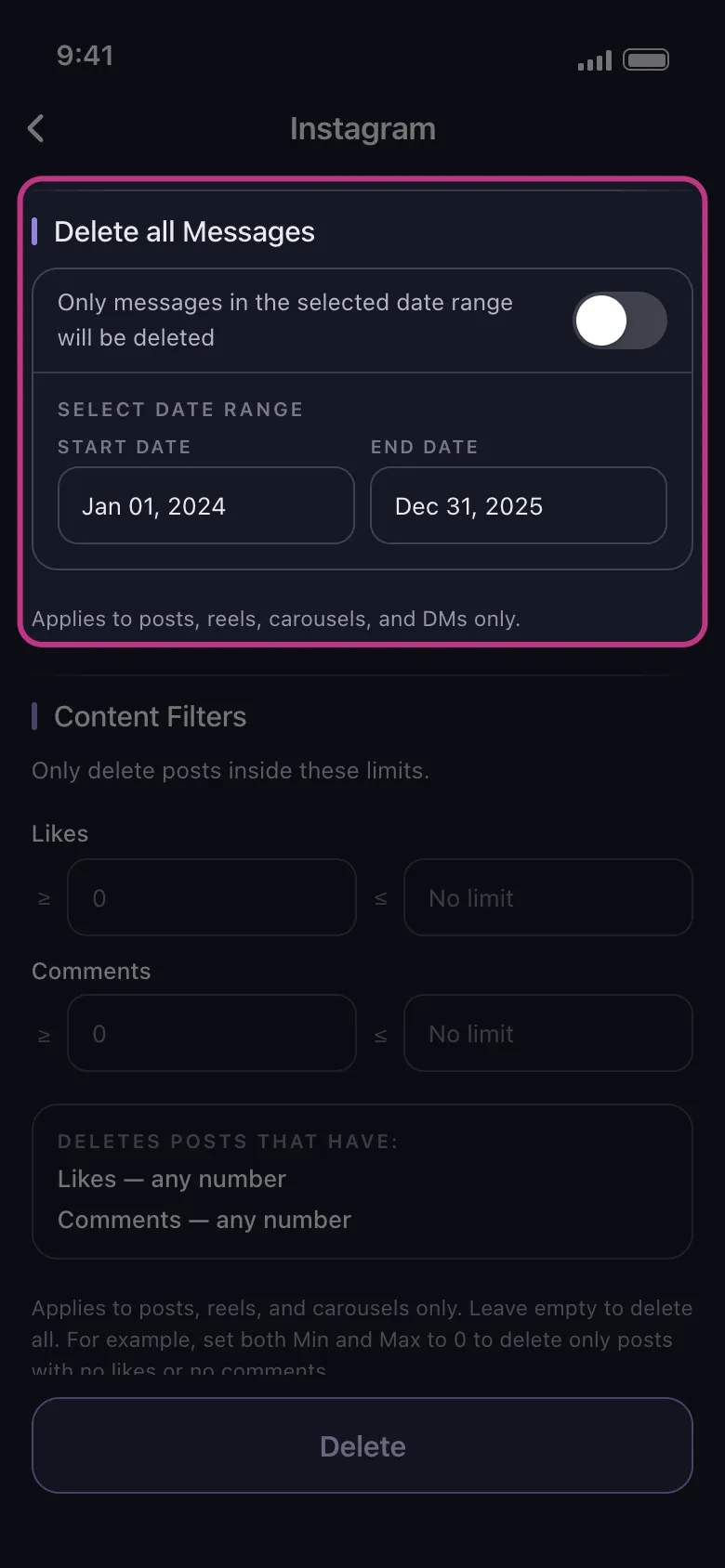
Pick the conversations to clear. To keep recent messages, use Select Date Range to limit the run to a period. Then tap Delete.
-
Read the rules the app shows and tap Got it. The run starts.
While it runs, keep the app open. On Android the run continues in the background and with the screen locked, but not if you close the app; on an iPhone the app has to stay in the foreground. Do not open Instagram meanwhile, as using it can interfere with the run.
Deleting is slow on purpose, to protect the account from a ban. If Instagram rate-limits you, wait a couple of hours before trying again. On the free allowance, the run stops when the 50 deletions are used, and they come back the next day (counted in UTC, from server time).
Ready to clear the inbox? Get Unpost and test it on a few threads with the free daily deletions first.
Frequently Asked Questions

Get Started
Delete Old Content Across Your Accounts
Bulk delete messages, posts, likes, comments, DMs, reactions, bookmarks, followers, and more — all from one app.
No password storage • Free to start • iOS & Android
 Download for iOS
 Download for Android