
How to Delete Discord Messages Fast on Keyboard
Quick Summary
If you are searching for a Discord keybind to delete messages fast, the honest answer is:
- Discord does have useful keyboard shortcuts on desktop and browser
- Discord also documents
Backspaceto delete one focused message in Keyboard Navigation mode - Discord does not provide a native bulk-delete hotkey for your full message history
- for one or two messages, a keyboard workflow is fine
- for larger cleanup, a bulk tool is the real time-saver
Direct answer
No native bulk-delete hotkey.
Discord's official docs cover navigation, search, editing, and message-level keyboard actions. They do not offer a one-key shortcut to bulk delete your full Discord history.
Discord’s official desktop shortcut docs help you move faster, but they do not replace a bulk cleanup workflow.
What Discord officially supports on keyboard
Discord’s current Commands, Shortcuts, and Navigation Guide covers the main desktop and browser shortcuts, and the Keyboard Navigation FAQ explains message-level actions once a message is focused.
Here are the shortcuts most relevant to this query:
| Action | Windows | Mac |
|---|---|---|
| Open keyboard shortcuts menu | Ctrl + / | Cmd + / |
| Quick switcher for channels and DMs | Ctrl + K | Cmd + K |
| Edit your last message | Shift + Up Arrow | Option + Up Arrow |
| Delete one focused message in Keyboard Navigation mode | Backspace | Backspace |
The last row is the one most people miss. Discord does document a keyboard delete action, but it works for one focused message in Keyboard Navigation mode. That is very different from a native bulk-delete hotkey.
Is there a built-in Discord delete-message hotkey?
Yes, for one message at a time.
If you press Tab to enter Keyboard Navigation mode, move focus to a specific message, and then use the message shortcuts Discord documents, you can delete that focused message with Backspace.
What Discord does not give you is a built-in shortcut to:
- delete your full DM history
- bulk delete across multiple DMs
- bulk delete across multiple servers
- filter by date range or keyword
- remove older hidden or hard-to-find messages in one run
That is why this keyword usually has strong intent. Users are not really asking for trivia. They are trying to solve a repetitive cleanup problem.
Fastest manual workflow on desktop
If you want the fastest native keyboard-friendly path, do this:
- Use
Ctrl + KorCmd + Kto jump to the right DM or channel. - Press
Tabto enter Keyboard Navigation mode. - Use the arrow keys to focus the message you want to remove.
- Press
Backspaceto delete that focused message. - Confirm, then repeat.
If the message is your most recent one and you only need to fix a typo, editing may be faster than deleting. Discord’s official shortcut guide lists Shift + Up Arrow on Windows and Option + Up Arrow on Mac to edit your last message.
When manual keyboard workflows are enough
Manual keyboard deletion is fine when:
- the messages are recent
- you only need to remove a handful
- you already know exactly where the messages are
- you are staying inside one DM or one server channel
If that is your case, Discord’s built-in shortcuts are enough.
When a keyboard workflow is not enough
Manual deletion breaks down when you want to:
- delete messages across multiple DMs
- delete messages across multiple servers
- target a date range
- target specific keywords
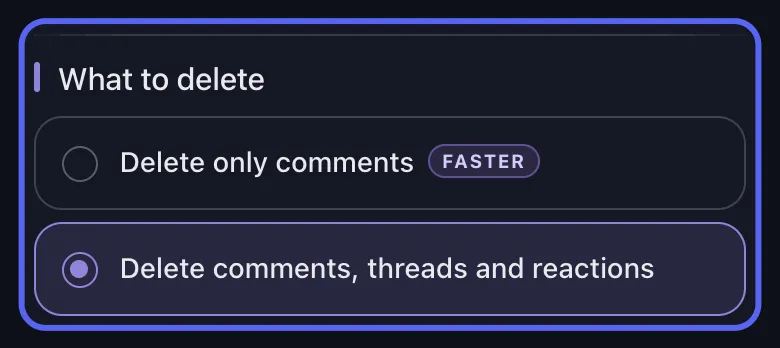
- remove threads and reactions
- clean up old or closed conversations
- avoid spending an hour repeating the same confirmation flow
Keyboard shortcuts help with one-message cleanup. Bulk jobs need a different workflow.
Need More Than One-Off Deletion?
Stop chasing the perfect hotkey.
Once your cleanup job spans multiple chats, filters, or old history, the better answer is a bulk workflow instead of more keyboard repetition.
The better option: bulk delete with Unpost
Unpost is the better answer for this keyword cluster once the job is bigger than a few messages.
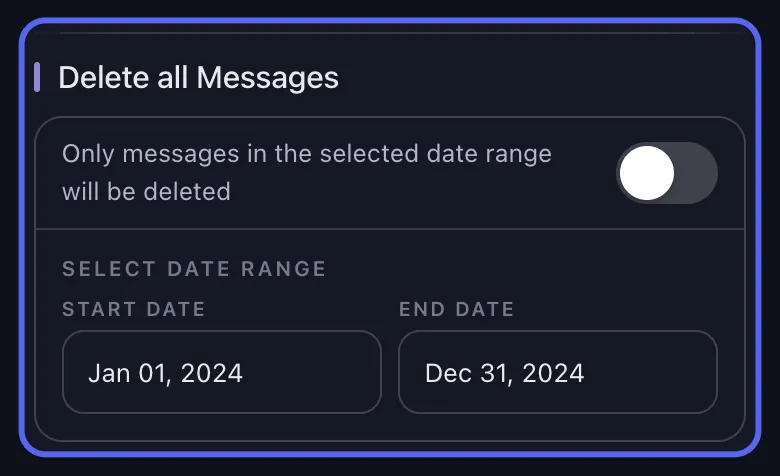
With Unpost, you can:
-
connect Discord in a mobile-first app
-
choose DMs or Servers
-
apply date and keyword filters
-
delete messages in bulk
-
optionally include threads and reactions
-
watch live progress instead of repeating the same manual step
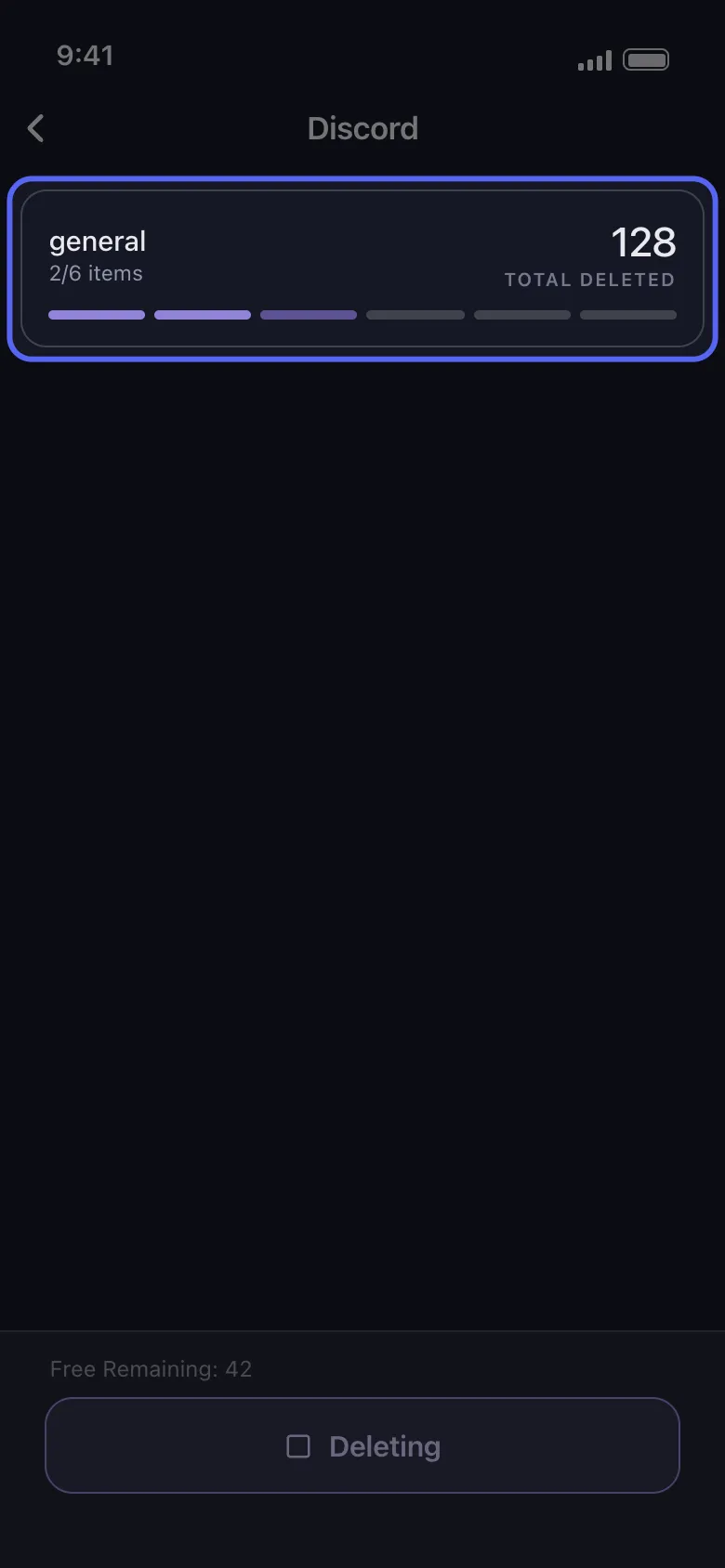
That is the real fast path once you are no longer deleting one message at a time.
Best next guides from here
If you want the broader cleanup hub, go next to How to Delete Discord Messages in Bulk.
If your problem is specifically private conversations, go next to How to Delete Discord DMs and Chat History.
Final answer
If you want to delete Discord messages fast on keyboard, the practical answer is:
- Discord’s official shortcuts help with navigation and one-message actions
- Discord documents
Backspaceto delete one focused message in Keyboard Navigation mode - Discord does not provide a native bulk-delete hotkey for your full history
- the fastest real solution for large cleanup is a bulk workflow like Unpost
Try Unpost when manual deletion stops being practical.
Frequently Asked Questions

Get Started
Delete Old Content Across Your Accounts
Bulk delete messages, posts, likes, comments, DMs, reactions, bookmarks, followers, and more — all from one app.
No password storage • Free to start • iOS & Android
 Download for iOS
  Download for Android