
Does Deleting Your Discord Account Delete Messages? What to Do First
Quick Summary
No. Deleting your Discord account is not the same thing as deleting your whole message history.
If you only remember one thing from this page, make it this: clean up the messages you care about before you delete the account.
Order Matters
Delete content first, delete account second.
Delete Account
Removes account access and identity
This is about the account itself. It is not the safest way to handle message-history privacy because you lose direct access to the chats and cleanup tools afterward.
Delete Messages
Removes the content you actually care about
This is the cleanup step that affects DMs, server posts, threads, and reactions while you still have access to find them and remove them properly.
That difference is the reason so many users get the order wrong.
What Discord says happens after account deletion
Discord says deleted accounts go into a pending deletion state first. After that period, the account is deleted and anonymized across servers and messages.
That sounds reassuring at first, but it is not the same as saying every message you ever sent disappears from every place it was shared.
For most privacy-minded users, the crucial detail is this: Discord tells users to delete specific content before deleting the account if they want that content removed.
That means the safest interpretation is:
- deleting the account affects the account identity
- it does not automatically act as a universal “erase all my conversations everywhere” button
- you should handle message cleanup first, then handle account deletion second
Why this matters for privacy
This question matters because Discord is not just one inbox.
Your history can be spread across:
- one-on-one DMs
- group DMs
- public and private servers
- many different channels
- threads inside channels
- message reactions
- older chats you forgot about years ago
Once you delete the account, you lose access to the normal cleanup tools you would otherwise use inside Discord and Unpost. So the wrong order creates the worst possible outcome:
- you delete the account first
- you realize old content is still what you cared about
- you no longer have the easiest way to find and remove it
That is why the right sequence is so important.
The better order: clean first, delete second
Here is the order I recommend for Unpost’s Discord content cluster.
Step 1: Decide whether you really need account deletion
Some users do not need to delete the account at all.
Sometimes the real goal is:
- remove old DMs
- clean up server history
- delete messages tied to one project, username, or relationship
- wipe only one time period
- keep the account, friends, and servers, but remove the old footprint
If that is your goal, a cleanup workflow is better than full account deletion.
The best starting page is the main pillar: How to Delete Discord Messages in Bulk.
Step 2: Search for the content you care about
Before deleting anything, find the messages that matter most.
Use Discord’s native search to narrow by:
- user
- date
- channel
- content type
- keywords
The point is not to search forever. It is to identify the parts of your history that matter most before you lose account access.
Step 3: Clean up recent content directly
If the messages are recent and easy to find, use normal Discord cleanup or standard Unpost cleanup.
This is best for:
- active DMs
- group chats
- server channels you still use
- current projects or communities
For private conversations specifically, use: How to Delete Discord DMs and Chat History.
Step 4: Use filters for selective cleanup
Many users do not want a total wipe. They want a targeted cleanup.
That is where Unpost’s Discord options help:
- date range filtering if you want to remove messages from one year, project, or period
- keyword filtering if you want to remove messages containing names, brands, topics, or phrases
- comments only if you want a lighter cleanup
- comments, threads, and reactions if you want a deeper cleanup
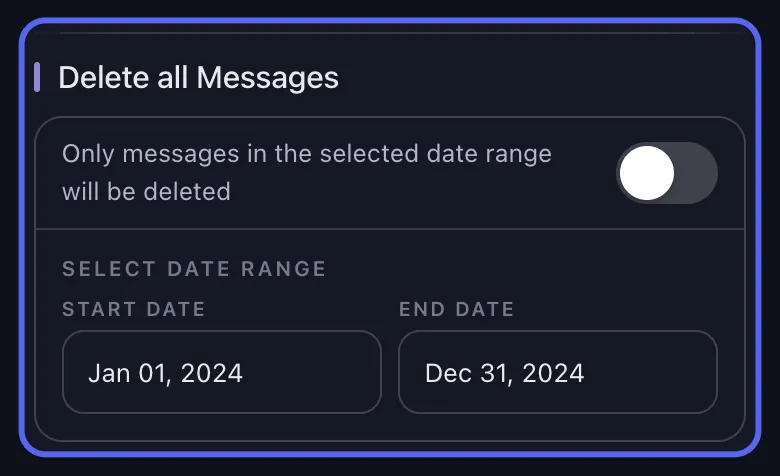
Useful guides:
- How to Delete Discord Messages in Bulk
- How to Delete Discord DMs and Chat History
- How to Delete Old Discord Messages with a Data Package
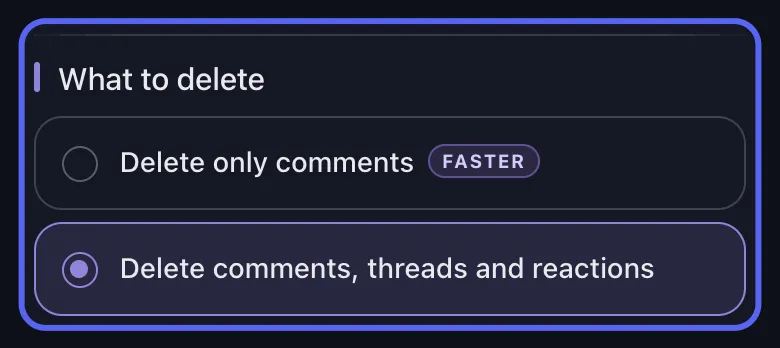
Selective cleanup is often safer than deleting an account and hoping the message problem is solved automatically.
Step 5: Use a data package for old or hard-to-find history
If your biggest concern is older Discord content, or DMs that are closed, missing, or hard to reopen, the data-package route is often the better path.
Unpost supports Discord data-package imports so older message histories can be indexed locally and matched against deletion jobs.
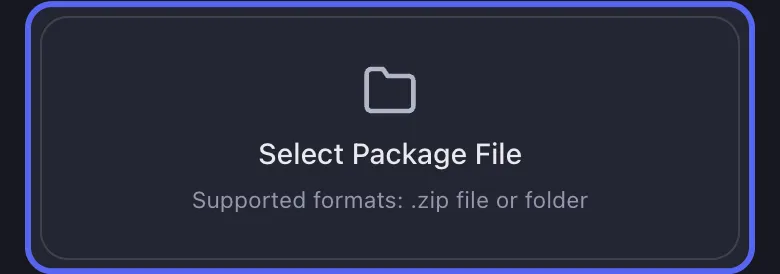
If that is your case, read these next:
- How to Delete Old Discord Messages with a Data Package
- Delete Messages Using Data Packages: Unpost Guide
Step 6: Only then delete the Discord account
After your content cleanup is done:
- transfer ownership of any servers you own or delete those servers
- make sure you no longer need access to DMs, purchases, or subscriptions
- then start Discord account deletion
This keeps the message-privacy part under your control instead of hoping account deletion solves it automatically.
Best Workflow
Clean the footprint while you still control the account.
If your real goal is privacy, reputation cleanup, or leaving Discord without your old history hanging around, use a message-cleanup workflow first and account deletion second.
What Unpost is useful for in this workflow
Unpost is a mobile app for iPhone and Android that supports Discord cleanup across:
- DMs and group DMs
- servers
- threads
- reactions
- admin cleanup in servers
- data-package-based cleanup for older messages
The app uses a WebView login flow, does not store your password, and paces deletion jobs to reduce rate-limit problems. It also supports:
- date-range filters
- keyword filters
- real-time progress
- retry handling when rate-limited
- encrypted local token storage on the device
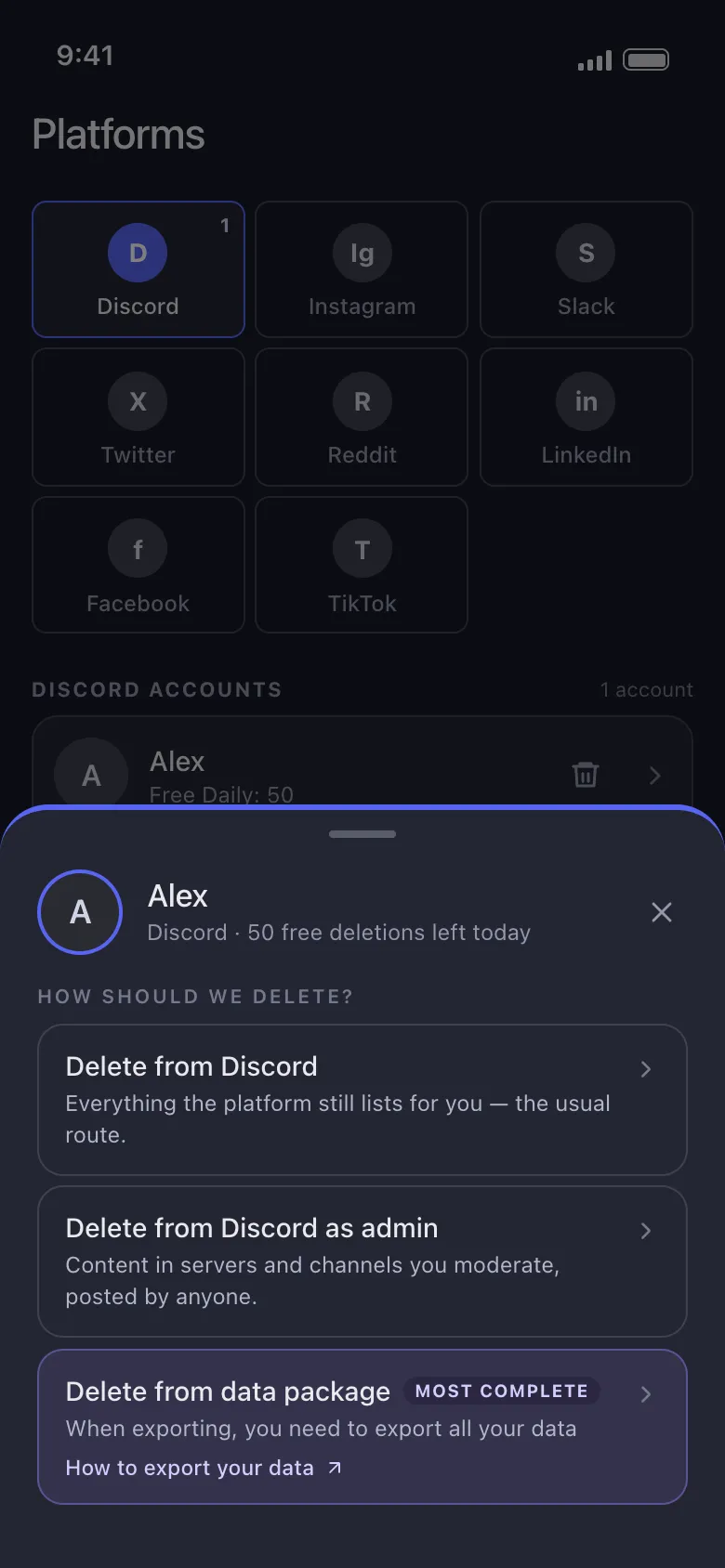
Use standard cleanup for live history, admin mode for server moderation, and the data-package route for older or buried messages.
Unpost for Discord Cleanup
Use Unpost before account deletion when you need to clean DMs, server history, threads, reactions, or older archive-based content.
Trust note: data-package imports are processed locally, your password is not stored, and the app works on iPhone and Android.
Common cases and the best next article
”I want to delete my DMs before I leave Discord”
Read: How to Delete Discord DMs and Chat History
”I want to remove messages from servers I posted in”
Read: How to Delete Discord Messages in Bulk
”I need to clean up old messages I forgot about”
Read: How to Delete Old Discord Messages with a Data Package
”I think my older DMs are missing”
Read: How to Delete Old Discord Messages with a Data Package
”I moderate a server and need to remove one user’s posts”
Read: Can You Delete Someone Else’s Discord Messages? Admin Guide
FAQ
Does deleting a Discord account delete DMs for both people?
Do not rely on account deletion for that. If you care about the message history itself, the safer approach is to remove the messages you want gone before deleting the account.
Will deleting my account remove server posts?
The account itself will be anonymized, but that is not the same as actively cleaning up every message before you leave. If the server content matters to you, clean it up first.
Can I still request my data after deleting the account?
You should not plan on that. Discord says your data request can be canceled if you disable or delete the account before receiving the download link. Request early.
What if I own servers?
Discord requires you to transfer ownership of servers you own before deleting your account. Handle that before the final deletion step.
Is deleting messages without deleting the account possible?
Yes, and for many people that is the smarter solution. Clean the footprint you care about while keeping the account itself.
Related Discord Guides
Final recommendation
If you are worried about privacy, reputation, old conversations, or forgotten posts, do not treat Discord account deletion as your first move.
Treat it as the last move.
The safer sequence is:
- find the history you care about
- delete the messages, threads, and reactions you want removed
- use data packages for older content
- then decide whether you still want to delete the account
If you want the practical message-removal workflow, go to the main guide now: How to Delete Discord Messages in Bulk.
Frequently Asked Questions

Get Started
Delete Old Content Across Your Accounts
Bulk delete messages, posts, likes, comments, DMs, reactions, bookmarks, followers, and more — all from one app.
No password storage • Free to start • iOS & Android
 Download for iOS
  Download for Android