
How to Delete Discord Messages by Date Range
Quick Summary
If you only want to delete Discord messages from one period of time, do not wipe everything.
Use a date-range cleanup instead.
Best Use Case
Best for one time period, not a full wipe.
This is the right workflow when you want to remove messages from:
- one month
- one semester
- one job or client period
- one relationship or project
- one old phase of your Discord history
Discord search can help you find messages by date. But if you want to delete an entire period across multiple chats or channels, the faster workflow is Unpost’s Discord date-range filter.
For the general hub, use How to Delete Discord Messages in Bulk.
Why date-range cleanup is one of the highest-value workflows
A lot of users do not want a total Discord wipe.
They want a smarter cleanup:
- remove everything from before a job change
- clear messages from 2020 to 2021
- delete a single project period
- clean up one server’s history during a certain time window
- keep current conversations but remove older ones
That is exactly what date-based cleanup is good at.
It gives you control without forcing you to delete your full history.
What Discord can do natively
Discord itself can help you find messages by date.
You can search:
- messages sent on a date
- messages before a date
- messages after a date
That is useful for reviewing history or locating messages in one chat.
But native Discord has one big limitation:
finding by date is not the same as deleting a whole date range efficiently.
If you only have a few messages to remove, manual deletion is fine. If you want to clean up a long period across multiple DMs or server channels, manual deletion gets slow very quickly.
Discord search is useful for finding the window. It is not the same as batch deletion.
| Task | Manual Discord date search | Unpost date-range deletion |
|---|---|---|
| Find messages before or after a date | Useful for reviewing history | Also possible as part of the delete setup |
| Delete a few messages in one chat | Fine for one-off cleanup | Possible, but usually unnecessary |
| Remove one full time period across many chats | Very slow and repetitive | Built for this use case |
| Separate DMs and servers | Mostly manual navigation | Handled as separate cleanup scopes |
| Combine a date range with keywords | Search can narrow, but deletion stays manual | Built-in selective cleanup workflow |
When to use a date-range deletion workflow
Date-range deletion makes the most sense when:
- you know the time window, but not every message
- you want to keep current messages
- you want to clean up several chats in one session
- you are preparing for a reputation or privacy reset
- you want to combine date limits with keyword targeting
Some strong real-world examples:
Remove a school-year period
Delete only messages from one academic year while keeping current conversations.
Remove a project archive
Clean up everything from a freelance contract, gaming clan, or volunteer role.
Remove messages before deleting your account
If you are considering deleting Discord entirely, date-based cleanup is one of the easiest ways to remove the oldest material first.
If that is your use case, also read Does Deleting Your Discord Account Delete Messages? What to Do First.
How to delete Discord messages by date range with Unpost
This is the practical workflow that turns Discord date search into actual cleanup.
Step 1: Download Unpost
Install Unpost on:
- iPhone
- Android
- or start from unpost.app
Install Unpost
Use the mobile app if you want the full Discord cleanup flow with DMs, servers, date filters, and live progress.
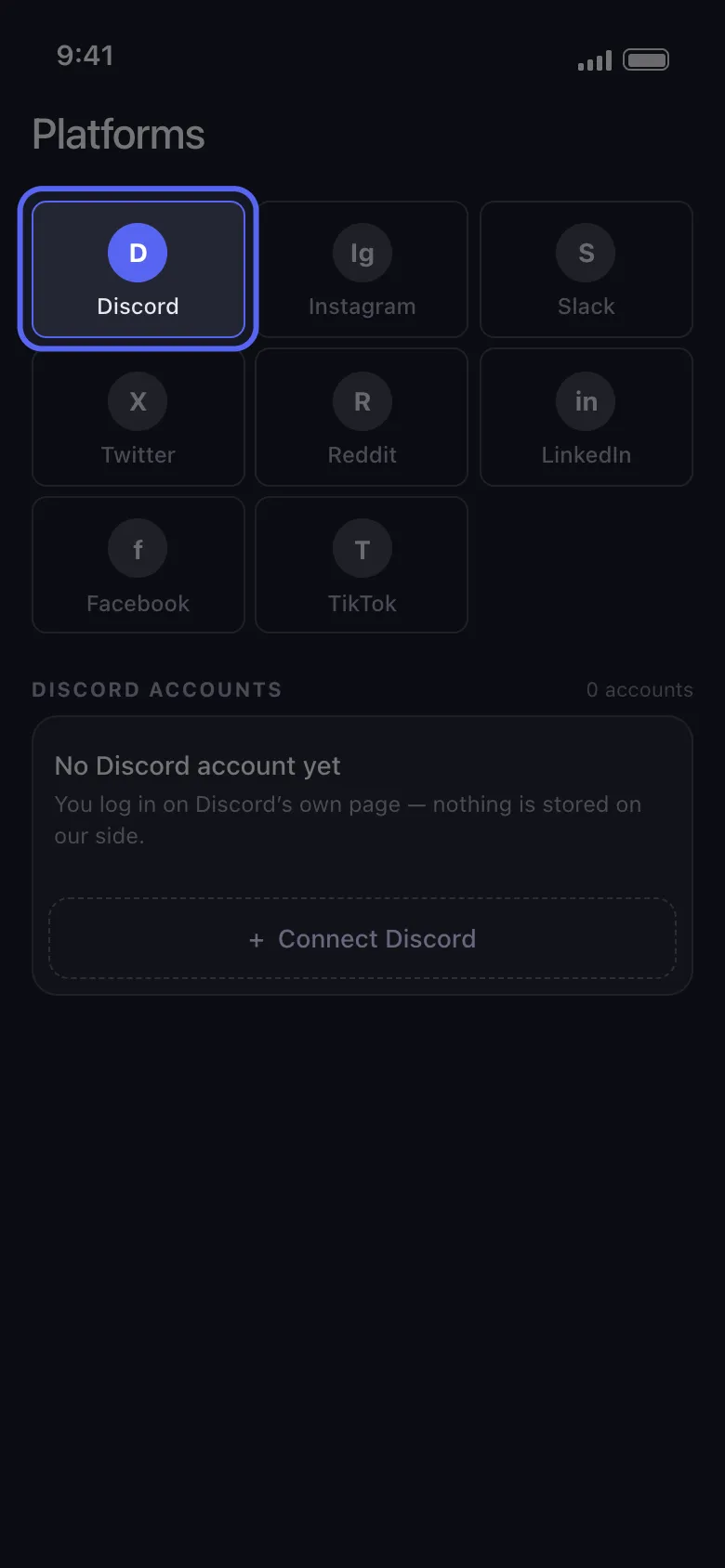
Step 2: Add your Discord account
Open Unpost and choose Discord.
The app uses a browser-based login flow so you can authenticate with your real Discord session. Your password is not stored by the app.
Step 3: Choose the right Discord cleanup mode
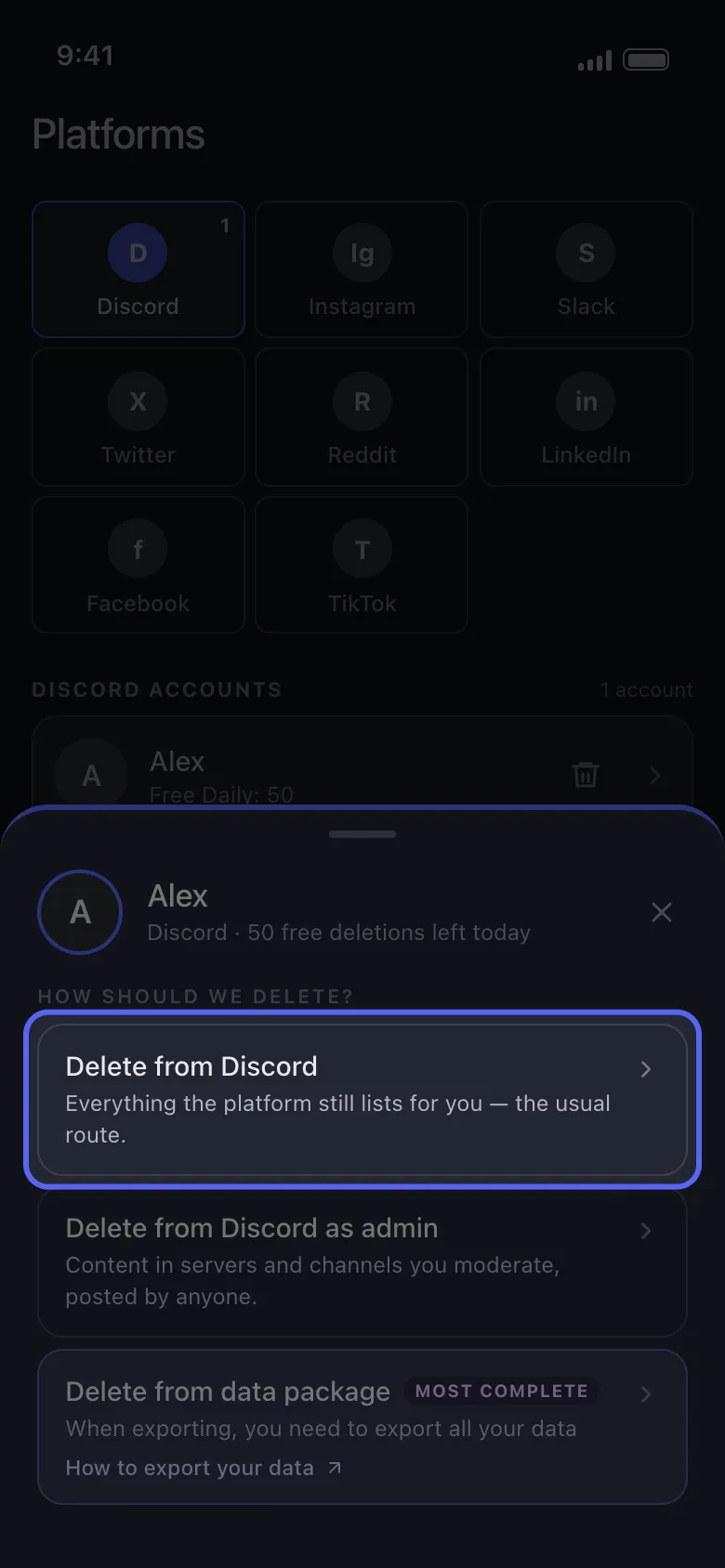
For most date-range cleanups, start with Delete from Discord.
If you are a moderator cleaning a server, use Delete from Discord as Admin.
If the history is older and harder to find, use Delete from Data Package instead.
Step 4: Choose DMs or Servers
Unpost splits Discord cleanup into:
- DMs for one-on-one and group conversations
- Servers for guilds, channels, and threads
This is useful because many users want different date windows for DMs versus server activity.
Choose the cleanup scope first, then narrow it down with time-based rules.
Step 5: Turn on the date-range filter
Inside the Discord cleanup options:
- switch from Delete all messages to a specific date range
- pick the start date
- pick the end date
Only messages inside that window will be targeted. Messages outside the window are skipped.
That means you can clean selectively instead of starting over from scratch.
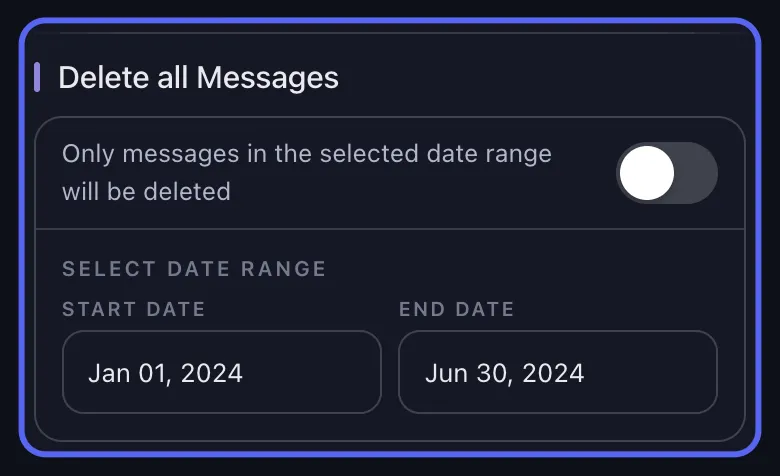
The date-range filter is the fastest way to remove one period without wiping everything.
Step 6: Add more filters if needed
Date-range cleanup is even better when combined with:
- keyword filters for one topic or phrase
- comments only if you want a lighter cleanup
- comments, threads, and reactions if you want a deeper cleanup
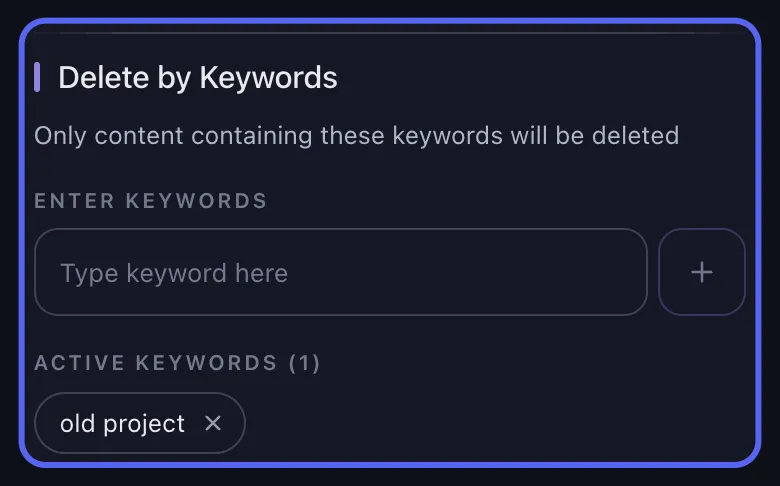
If your real target is one topic inside one time window, combine this page with How to Delete Discord Messages by Keyword and the filters section in How selective cleanup works in Unpost.
Step 7: Start deletion and keep the app open
When you start the job, Unpost processes items one by one and shows live progress.
Keep the app in the foreground until the job finishes.
That matters because Discord cleanup is intentionally paced to work around rate limits more safely.
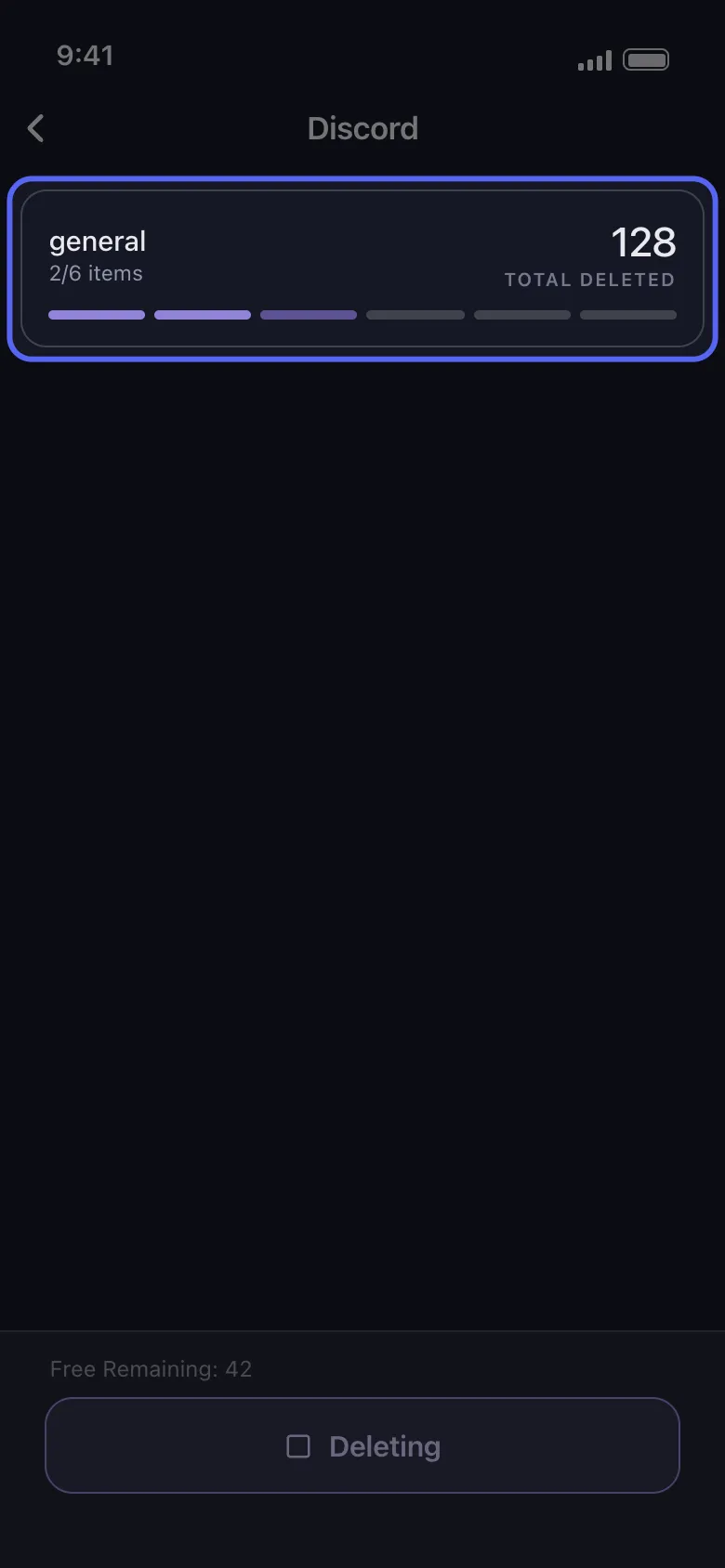
Foreground-only cleanup and retry handling matter more than raw speed.
Safety Note
Keep the app open and expect retries on longer jobs.
Discord cleanup is paced on purpose. Unpost shows progress, waits through rate limits, and retries when needed, but the app should stay in the foreground until the run is complete.
Continue The Cleanup
Need the bigger workflow around date-based deletion?
Use the main bulk-delete guide for the full Discord cleanup flow, then jump straight to filters if you also want keyword targeting.
What if I only know the year, not the exact dates?
That is common.
In that case, use Discord search first to estimate the rough window. Once you know the period, switch to Unpost and set a practical start and end date.
You can also narrow the cleanup with keywords if you want more control.
For message-finding help, read How to Find Old Discord Messages.
What if the messages are very old or missing?
Older Discord history can be harder to surface through the live interface.
If you suspect the messages are:
- in old or closed DMs
- buried in old servers
- harder to locate through current search
- outside what you can comfortably navigate live
then the better route is a Discord data package.
Use:
Best date-range cleanup strategies
Strategy 1: Start narrow
Run one time period first instead of trying to clean everything in one pass.
Strategy 2: Separate DMs and servers
DM cleanup and server cleanup often have different goals. Treat them separately.
Strategy 3: Combine date and keyword
If you are cleaning a sensitive topic, date plus keyword is usually the safest combination.
Strategy 4: Clean before major life changes
Date-range cleanup is ideal before:
- changing jobs
- deleting an account
- leaving old communities
- merging personal and professional identities
FAQ
Can I delete messages before a certain date?
Yes. The simplest way is to identify the period with Discord search, then set a date window in Unpost.
Can I delete messages after a certain date?
Yes. Pick a start date that begins when the unwanted period starts.
Will this delete messages outside the range?
No. Unpost’s date filter is meant to skip messages outside your selected window.
Does this work for group DMs?
Yes. Group DMs are part of the DMs side of Discord cleanup.
Can I use date cleanup without deleting my account?
Yes, and for many users that is the better solution.
Final recommendation
If your cleanup goal is tied to time, use time as the main filter.
That means:
- find the rough date window
- choose DMs or servers
- set a start and end date
- optionally add keywords
- run the deletion job
It is cleaner, faster, and less destructive than wiping everything.
Frequently Asked Questions

Get Started
Delete Old Content Across Your Accounts
Bulk delete messages, posts, likes, comments, DMs, reactions, bookmarks, followers, and more — all from one app.
No password storage • Free to start • iOS & Android
 Download for iOS
  Download for Android