
How to Delete Your Twitter (X) Likes — One by One or All
Removing a like on Twitter (X) takes two taps: open the post, tap the red heart, done. That is the entire native toolkit — no select-all option, no clear-likes switch in the settings, and no official way to unlike everything at once. So clearing years of likes comes down to the same two paths as every X cleanup: work through your Likes tab one heart at a time, which is fine for a few dozen, or hand the repetitive part to a bulk tool.
There is also a twist that makes likes different from tweets. In June 2024, X made likes private: other users can no longer open your profile and browse what you liked, and the Likes tab is now visible only to its owner. That removed the most famous reason for a like purge — strangers scrolling your Likes tab and screenshotting what they found. It did not remove the likes. The complete list still sits on your account, every data archive you download from X includes it, and the author of any post you liked can still see your like on their side. Private to others is not the same as gone, which is why this guide covers unliking a single post, finding everything you have ever liked, clearing thousands in bulk, and whether private likes are worth clearing at all.
How to Unlike a Tweet: The Quick Steps
Every method below is this one action, repeated.
In the X app (iOS or Android):
- Tap your profile picture, then open your profile.
- Open the Likes tab.
- Find the post you want to remove.
- Tap the red heart. It flips back to an outline and the post drops off your Likes tab.
On the web:
- Go to x.com and open your profile.
- Click the Likes tab.
- Click the red heart on any post you want gone.
Three properties worth knowing. Unliking is instant, with no confirmation and no undo — though you can always like the post again. It is silent: the author gets no notification when a like is removed. And it is rate-limited: X caps how many like actions an account can perform in a stretch, so a furious unliking sprint can earn a temporary block. At a few seconds per heart, a few dozen likes are a coffee break; a few thousand are the reason the bulk section below exists.
Finding Everything You’ve Ever Liked
Two places hold the full picture, and they do not show the same amount of it.
Your Likes tab. Profile, then Likes, lists everything you have liked, newest first. Since the 2024 change, you are the only person who can open it. Scroll for a minute and you will probably find more than you expected — likes accumulate silently, and an account that rarely tweets can still carry years of them. One catch: like the main timeline, the tab eventually stops serving very old entries, so scrolling alone may never reach what you liked in 2014.
Your X archive. Request it under Settings and privacy, then Your account, then Download an archive of your data. It arrives within a day or two and includes a file listing every post you ever liked, with no depth limit. It is the honest census of your like history — and proof that this list travels with every export of your data, a point that matters again two sections down.
Unliking in Bulk: The Manual Reality vs Unpost
The manual route scales exactly as badly as it sounds. The work is pure mechanics — open the Likes tab, tap, tap, tap — and at about five seconds per unlike, a 5,000-like history is roughly seven hours of tapping, stretched out further by X’s rate limits interrupting any sprint. Under about fifty likes, manual is genuinely the right call: do it today and skip the tooling question. Keep in mind that likes are rarely the whole job — they are usually chore number two of an account cleanup, right after the timeline itself, and our guide to deleting all your tweets covers chore number one.
Unpost does the same mechanical work from your phone. It is a mobile app for iOS and Android that bulk-removes your likes — and your tweets, replies, and retweets — directly on your device: it signs in through the regular X web login, keeps the encrypted session on your phone, and unlikes posts exactly the way you would manually, one at a time, at a pace that respects X’s rate limits. Date-range and keyword filters decide what goes, and the same app also cleans up Reddit, Discord, Instagram, and Slack. The whole job:
-
Install Unpost on your iPhone or Android phone from the App Store or Google Play.
-
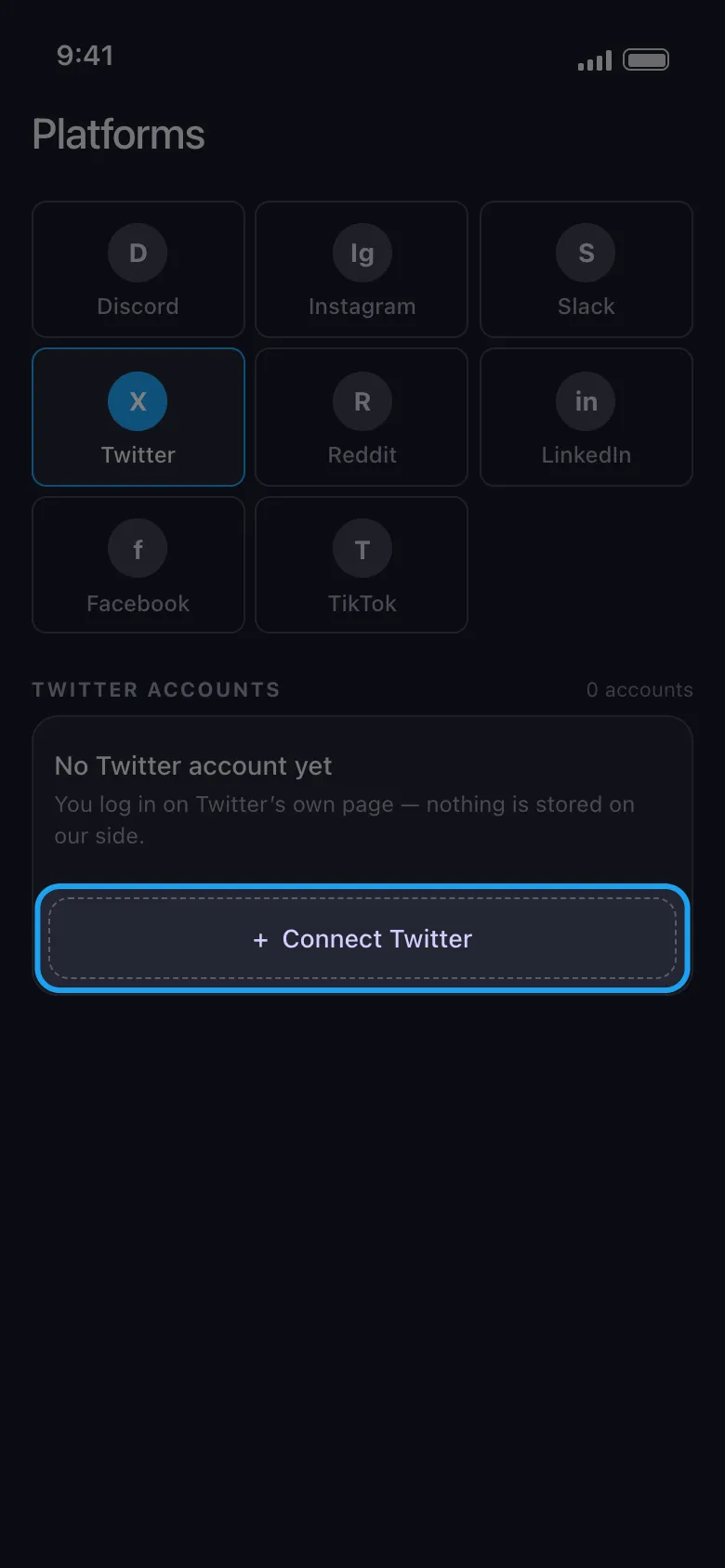
Connect your Twitter (X) account through the normal X web login inside the app — no password shared, no API key.
-
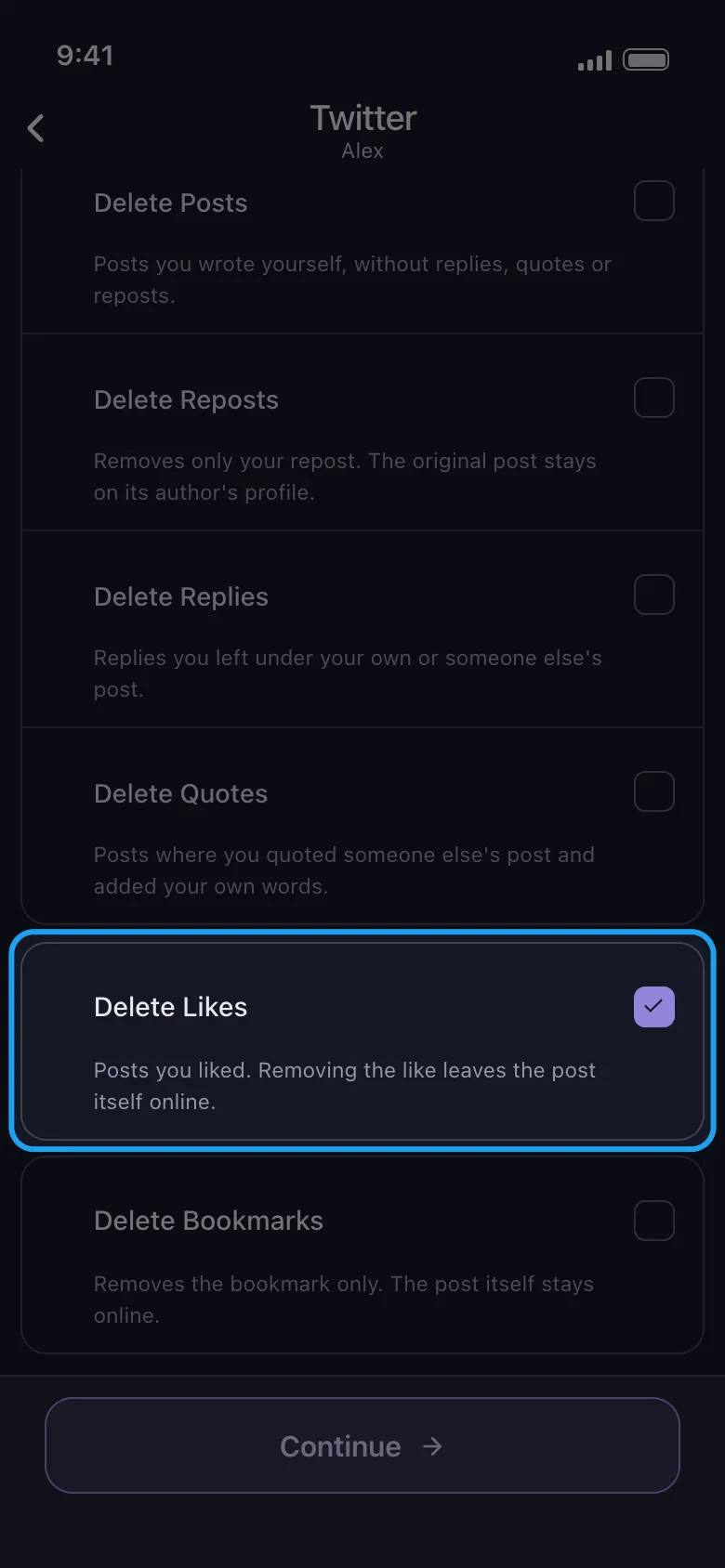
Point it at your likes and set the scope: everything, or a slice filtered by date or keyword.
-
Review the selection and deselect any likes you want to keep.
-
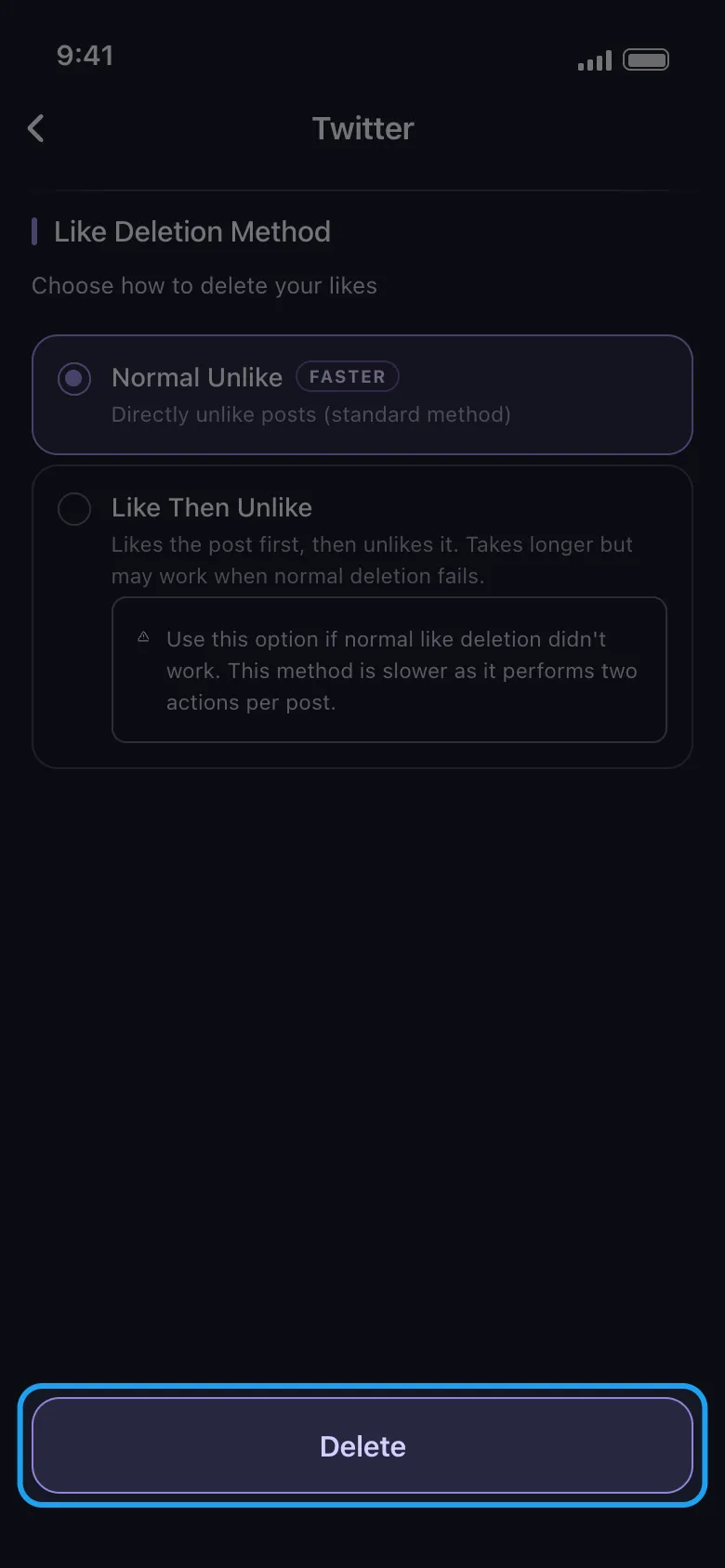
Start the cleanup and keep Unpost open in the foreground while it works through the list at a safe, manual-speed pace.
Clear Your Likes
Delete your Twitter likes without handing over your password.
Unpost signs in on your device through the regular X web login and removes your likes the way you would manually — with date and keyword filters for anything you want to keep.
The free plan includes a daily allowance — enough to clear a modest like history over a few days and see the workflow end to end; premium removes the cap for the ten-thousand-like backlogs.
Do Private Likes Still Matter?
Fair question: if nobody can browse your Likes tab anymore, why clear it? Four reasons, in rising order of seriousness.
The author still sees your like. Private has a footnote. The person whose post you liked can still see that you liked it — your name stays attached to that 2016 post on their side of the fence.
Data exports carry your full history. Every archive you download from X includes the complete like list. Hand that archive to any service — a deletion tool, an analytics dashboard, a year-in-review toy — and years of likes go with it.
Account access means likes access. A leaked password, a hijacked session, a borrowed laptop: anyone inside your account sees the Likes tab exactly as you do. Privacy settings protect you from strangers, not from compromise.
Policy is one decision away. Likes were public for over a decade, then private overnight in June 2024, because the platform decided so. Nothing guarantees the next decision points the same direction, and old likes have a habit of feeding new features in ways nobody announced. A removed like is the only kind no future policy can resurface.
None of that is alarmism — just honest accounting. Your like history is data about you that you are allowed to delete, and the part that no longer represents you costs nothing to remove.
Manual vs Unpost
| Manual unliking | Unpost | |
|---|---|---|
| Realistic coverage | Up to ~50 likes | Full like history from your phone |
| Time cost | Seconds per like, hours for thousands | Works through the list while the app is open |
| Rate limits | Easy to trip with fast tapping | Paced automatically to stay inside them |
| Credentials | Nothing to connect | On-device login; encrypted session never leaves your phone |
| Filters | You, scrolling | Date-range and keyword filters with a review step |
Before You Clear Your Likes
A short order of operations: download your archive first if you want a record, decide between a full clear and a filtered pass, and remember that unliking has no undo — there is no list to restore from afterward. If likes are step one of a bigger cleanup, our guide to choosing a tweet deleter compares the tools for everything else. Under fifty likes: open your Likes tab and do it by hand today. Thousands: get Unpost and let your phone do the tapping.
Frequently Asked Questions

Get Started
Delete Old Content Across Your Accounts
Bulk delete messages, posts, likes, comments, DMs, reactions, bookmarks, followers, and more — all from one app.
No password storage • Free to start • iOS & Android
 Download for iOS
  Download for Android