
Tweet Deleter: How to Pick One and Delete Tweets in Bulk
A tweet deleter is a tool that removes your own tweets in bulk, so you do not have to open every old post and hit Delete a few thousand times by hand. Twitter (X) still has no built-in bulk-delete option: natively, you can delete tweets one at a time, and that is it. Anyone with years of history eventually goes looking for a tool, which is why searches like tweet deleter, tweet delete, and free tweet deleter never go out of style.
Here is the part most tool roundups skip: this market broke in 2023. When X moved its API behind expensive paid tiers, the free web deleters that had been built on cheap API access either shut down, disappeared behind subscriptions, or quietly capped their free plans at a small batch of recent tweets. If the “best free tweet deleter” list you found was written before that change, much of it no longer works as described.
That leaves two realistic options today. The first is web-based deleters that still connect through X’s paid API: they run in your browser, but they inherit X’s API costs and technical limits, which is why the genuinely useful features now sit behind paywalls and batch caps. The second is an on-device app like Unpost, which skips the API entirely. It signs in on your phone the same way you do and deletes tweets the way you would manually, just much faster. If your end goal is wiping the whole timeline rather than choosing software, the step-by-step guide on how to delete all your tweets covers that job from start to finish. This page stays on the tool question: what to look for, what free really means now, and how to run a bulk cleanup without handing your account to a stranger.
What to Look for in a Tweet Deleter
Every tweet delete app makes roughly the same promise, so the real differences live in the details. Run any tool you are considering through this checklist before you connect anything.
- A date filter that actually selects tweets. Bulk deletion is rarely “everything must go”. The more common job is “everything before 2021” or “that one messy year”. A real date-range filter is the difference between a targeted cleanup and a blunt wipe.
- Keyword and media filters. Sometimes the goal is narrower than a date: every tweet mentioning an ex-employer, replies from one long-dead argument, or only posts with photos attached. Keyword filtering keeps those jobs surgical instead of scorched-earth.
- A free tier with honest limits. “Free tweet deleter” now usually means a capped batch — often a few dozen to a few hundred recent tweets — or a short trial. A cap is not a scam by itself, but it should be stated before you connect your account, not discovered after.
- No password, token, or API-key sharing. If a website asks you to paste your X password, a session token, or an API key, close the tab. The next section explains why this one point outweighs every feature on the box.
- Multi-platform support. Old tweets are rarely the only cleanup job. A tool that also covers Reddit, Discord, Instagram, and Slack means you do this research once instead of five times.
The Safety Question: Who Gets Your Account?
The fastest way to judge a tweet deleter is to ask how it gets access to your account.
Web-based tools authenticate through X’s API: you sign in once and grant a third-party server permission to read and delete your content. Done properly, that is a legitimate model, but it carries structural risk. Your access authorization lives on the company’s servers, the deletion runs on infrastructure you cannot inspect, and if the service is breached, sold, or quietly abandoned, that access goes with it. The sketchy corner of the market is worse: sites that tell you to paste in your account password, your session token, or a developer API key. Any one of those is the master key to your account, and pasting it into an unknown website is exactly how accounts get hijacked.
There is also a terms-of-service angle. Deleting your own tweets is allowed: they are your posts, and removing them is a normal account action no matter the volume. What X’s rules go after is abusive automation — spam, fake engagement, and self-bot scripts hammering the platform through unofficial access. That puts random scripts running on your session token in murky territory, while careful, paced deletion of your own content remains an ordinary use of your own account.
The on-device approach sidesteps most of this. Unpost runs entirely on your phone: you sign in through the regular X web login inside the app, the encrypted session is stored locally on your device, and deletions happen like your own taps — one tweet at a time, with pacing that respects X’s rate limits. It logs in like you do and deletes like you would manually. No password pasted into a website, no API key, and no third-party server holding your account while you tweet and delete your way to a cleaner timeline.
Clean Up Your Timeline
Bulk delete tweets without handing over your password.
Unpost signs in on your device through the regular X web login and deletes tweets the way you would manually, with date and keyword filters to keep the cleanup targeted.
How to Bulk Delete Tweets with Unpost
Unpost is a mobile app for iOS and Android that bulk-deletes your own content on Twitter (X), and the same app covers Reddit, Discord, Instagram, and Slack. Here is the whole workflow:
-
Install Unpost on your iPhone or Android phone from the App Store or Google Play.
-
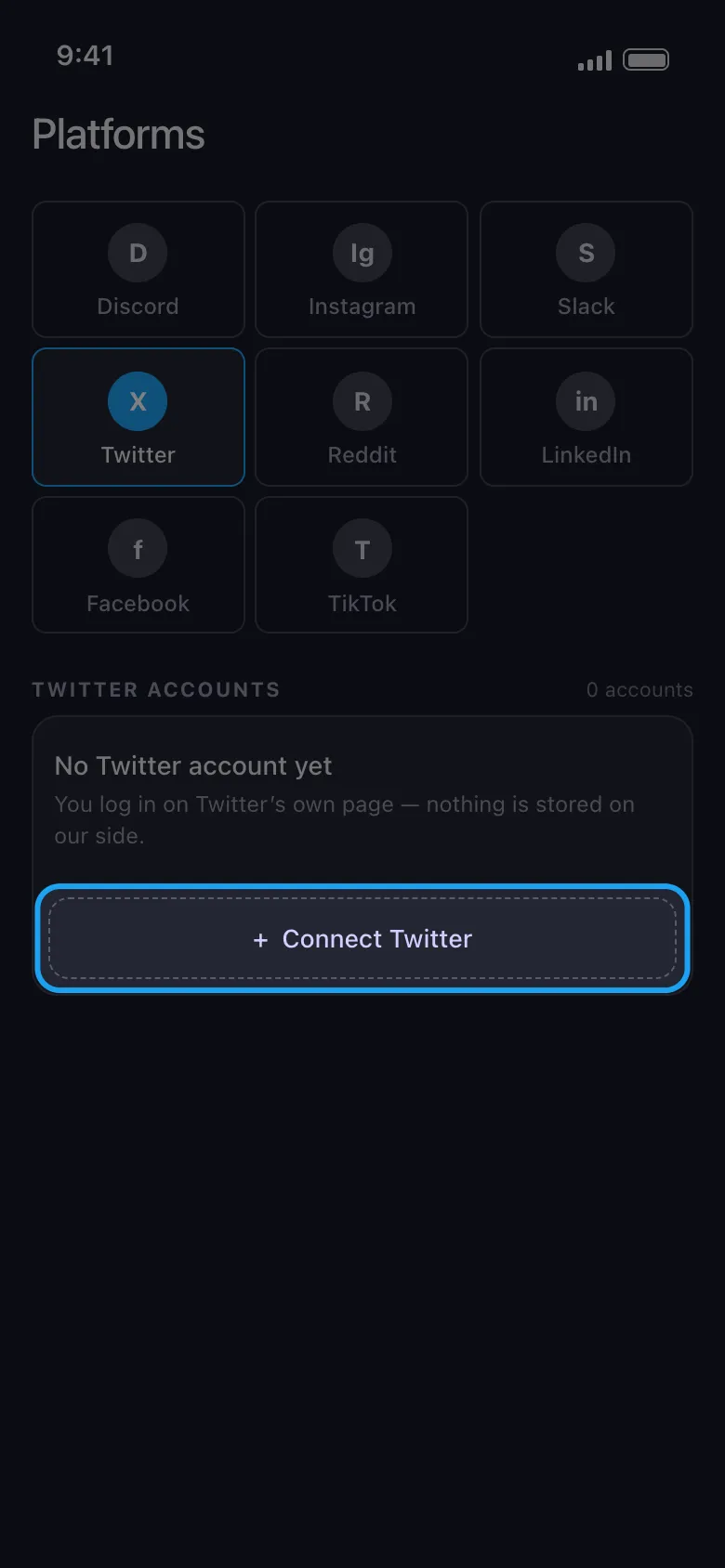
Connect your Twitter (X) account. Unpost opens the normal X web login in an embedded browser. You sign in exactly as you would in Safari or Chrome, and the encrypted session never leaves your device.
-
Pick your filters. Set a date range, add keywords if only certain topics need to go, or leave the filters open for a full-timeline pass.
-
Review the selection. Scan the matching tweets before anything is removed and deselect the ones you want to keep. This is the step that separates a cleanup from a regret.
-
Run the cleanup. Start the deletion and keep Unpost open in the foreground while it works through the list. Big batches take time because each removal is paced like a manual one, and that pacing is what keeps the run safe.
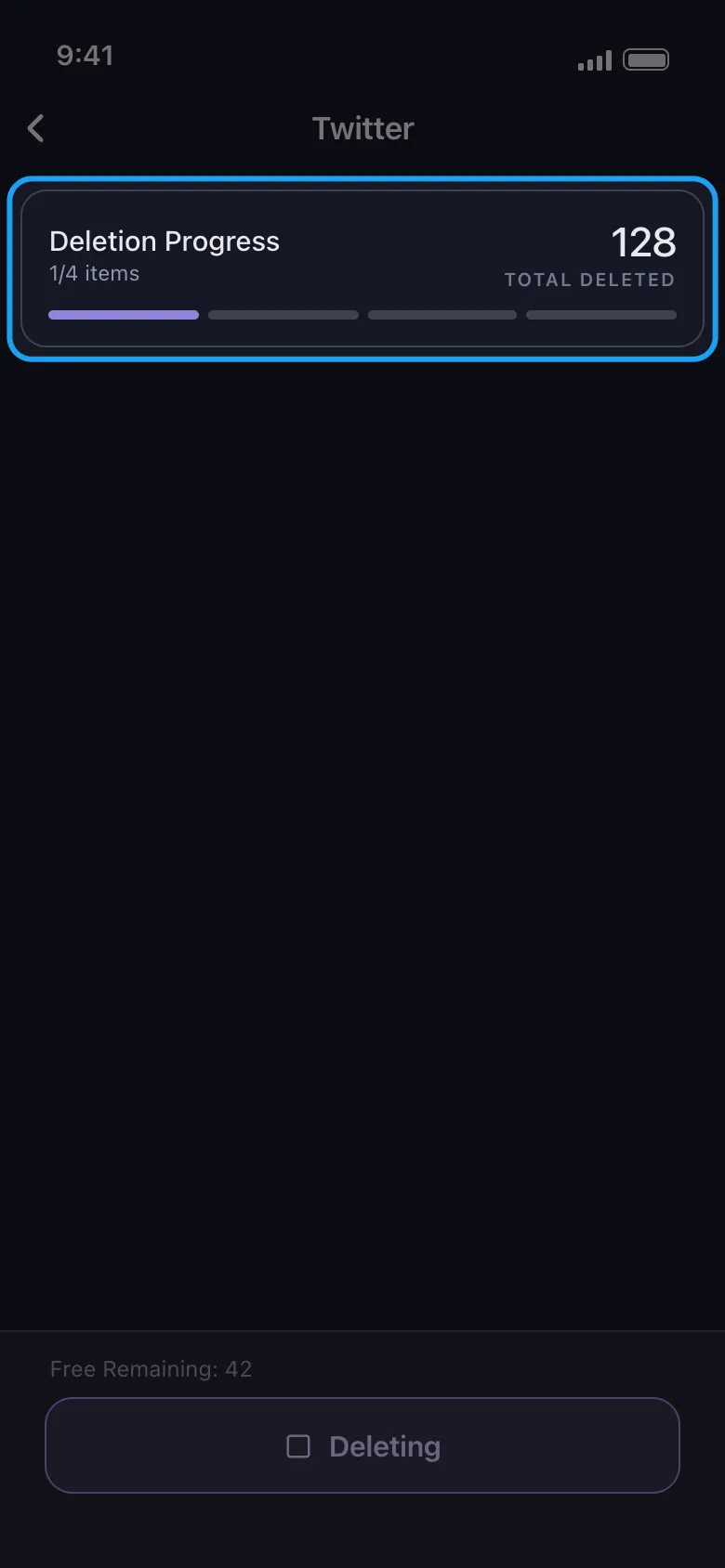
The free plan includes a daily deletion limit, so you can delete tweets free and see the workflow end to end before deciding whether premium, which removes the cap, is worth it for your backlog.
Deleting Tweets by Date
If your search history includes something like best platform to delete tweets by date, you have already found the most useful filter in this category. Most real cleanups are date-shaped: everything older than three years before a job hunt, everything before a rebrand, or one specific era — the old fandom phase, the heated election year, the account’s chaotic college period.
A by-date cleanup has one technical wrinkle worth knowing about: visibility of old tweets. Tools that depend on X’s standard timeline access can typically only reach your most recent few thousand tweets, because the timeline simply stops serving older history at some point. Web deleters work around this by asking you to request your X archive (Settings, then Your account, then Download an archive of your data), wait the day or two it takes to arrive, and upload it so the tool can locate old tweet IDs. It works, but it adds a multi-day detour and means handing your complete posting history to someone’s server.
A few habits make by-date deletion smoother however you run it:
- Work in slices. Clearing 2015 to 2019 as four or five separate date-range passes is easier to review than one giant run.
- Review before each pass. A date filter is blunt; a sixty-second scan catches the one tweet from that era you actually wanted to keep.
- Know what deletion does not touch. Removing a tweet deletes it from X itself. Screenshots other people took and third-party archive sites are outside any tool’s reach, and search-engine caches fade out on their own over the following weeks.
Web Deleters vs Scripts vs Unpost
| Web tweet deleters | DIY scripts | Unpost | |
|---|---|---|---|
| Free tier | Small capped batches or trials; full runs usually paid | Free to write, but X API access now costs money | Free plan with a daily limit; premium removes the cap |
| Delete by date | Often a paid feature; archive upload needed for old tweets | Only if you build it yourself | Date-range filter built in |
| Safety | Account access granted to a third-party server | Token or API-key handling at your own risk; ToS gray zone | Signs in on-device; encrypted session stays on your phone |
| Mobile | Browser-based, desktop-first | No | Native iOS and Android app |
If the goal is to delete Twitter tweets free and in volume, the honest summary reads like this: web tools let you start free and charge you to finish, scripts are free but assume paid API access, comfort with code, and tolerance for gray areas, and Unpost gives you a free daily allowance while keeping the entire process on your phone.
Bottom Line
A tweet deleter earns its keep the moment your backlog outgrows your patience. Since X’s API price hike, the field has split into web tools that meter every batch and on-device apps that work like a faster version of you. Pick based on three questions: can it filter by date, is the free tier honestly labeled, and does it work without your password, token, or API key ever leaving your hands?
Old tweets are rarely the only thing waiting for a cleanup, and the same checklist works across platforms — if Instagram is next on your list, the guide to picking a post deleter for Instagram applies the same logic there. When you are ready to clear your timeline, try Unpost and run your first batch today.
Frequently Asked Questions

Get Started
Delete Old Content Across Your Accounts
Bulk delete messages, posts, likes, comments, DMs, reactions, bookmarks, followers, and more — all from one app.
No password storage • Free to start • iOS & Android
 Download for iOS
  Download for Android