
How to Delete Likes on Instagram
Reviewed by Unpost Team
To delete likes on Instagram, you are really removing likes you previously gave to other posts. The native method is to open a liked post and tap the heart again, or go to Profile > Menu > Your Activity > Interactions > Likes, where Instagram typically lets you review liked posts and, in many current versions, remove likes from multiple posts in one pass. That works well for one-off cleanup and smaller batches. If you want to clean up a much longer history of likes, Unpost is usually the more practical option for bulk cleanup.
If old likes are only one part of the job, the full Instagram cleanup guide covers posts, comments, DMs, followers, and broader account-reset tasks.
| Cleanup need | Native Instagram method | What it does well | When Unpost is better |
|---|---|---|---|
| Remove one recent like | Open the post and tap the heart again | Fast and simple for one item | You have many older likes to remove |
| Review liked posts | Your Activity > Interactions > Likes | Good for checking what you liked before removing it | You want a dedicated bulk-cleanup workflow |
| Remove several likes manually | Multi-select liked posts if Instagram shows the option | Fine for a smaller batch | You are cleaning up a long history of likes |
| Reset old engagement history as part of wider cleanup | Repeat native steps across likes, comments, posts, and more | Works for isolated tasks | You want one mobile workflow for multiple Instagram cleanup jobs |
What This Does and What It Does Not Do
What this does
- Explains how to remove likes you have given on Instagram.
- Shows the current native route for reviewing liked posts in Your Activity.
What this does not do
- It does not claim you can delete likes other people left on your own content.
- It does not treat deleting likes as a way to erase every trace of a post someone already saw.
What “Delete Likes” Means on Instagram
This phrase causes confusion because Instagram does not really use the word delete for likes. In practice, how to delete likes on Instagram means unliking posts you previously liked.
The key distinction is simple: you can remove your own likes from posts you interacted with, but you cannot use this workflow to remove likes other people left on your posts.
If your real task is broader profile cleanup, likes are usually only one layer. Old comments, older posts, reels, and carousels often come next, which is why related guides on how to delete Instagram comments and how to delete Instagram posts, photos, reels, and carousels tend to matter once you start a serious reset.
Native Instagram Method
How to unlike one post manually
If you already know which post you liked, the simplest method is usually:
- Open Instagram and find the post you previously liked.
- Tap the red heart icon again.
- Instagram removes your like from that post.
How to review liked posts in Your Activity
If you need to work through older likes, Instagram typically gives you a review screen through Your Activity. The current flow is usually:
- Open your Instagram profile.
- Tap the menu in the top corner.
- Open Your Activity.
- Open Interactions.
- Open Likes.
- Review your liked posts.
- Use Select, Sort & Filter, or similar controls if Instagram shows them.
- Remove likes from the posts you no longer want associated with your account activity.
Instagram’s current experience may vary a little by app version, but Your Activity is usually the native place to review older likes. In many current versions, Instagram also lets you select multiple liked posts from that screen and unlike them together, which makes moderate cleanup possible without leaving the app.
Native Instagram is usually enough when you only need to remove a few likes and want to review each post manually before you unlike it.
When the Native Method Starts to Feel Slow
Native cleanup usually starts to drag when:
- Your liked posts are spread across a long time period.
- You want to remove likes on Instagram as part of a broader privacy reset.
- You are doing repeated passes instead of one quick session.
- Old likes are tied to rebranding, wellness, or digital-footprint cleanup rather than one accidental tap.
That is why people often start with a small native pass and then realize the real task is larger. One unlike is easy. Cleaning up months or years of activity is not the same job.
Why People Remove Old Likes on Instagram
Most people are not trying to unlike random posts for no reason. There is usually a broader cleanup goal behind the search.
Common reasons include:
- Privacy cleanup: older likes can feel more public than people want, especially on an account they now use differently.
- Digital footprint control: liked posts can reflect older interests, habits, or opinions that no longer fit the account.
- Rebranding: creators, freelancers, and businesses often want older engagement history to align better with a new niche or image.
- Wellness: some people want a cleaner, less reactive relationship with Instagram and remove older likes as part of that reset.
- General activity cleanup: likes are often one piece of a larger effort to clean up older comments, content, and follower lists.
When Unpost Is Better
Unpost becomes useful when the job is not learning where the unlike button is, but actually working through a large batch of old likes in a more practical way.
On Instagram, Unpost supports deleting likes you have placed on other posts. It is a mobile app for iOS and Android built for bulk social-media cleanup, so it fits best when you want to unlike Instagram posts in bulk or handle likes as one part of a broader cleanup project.
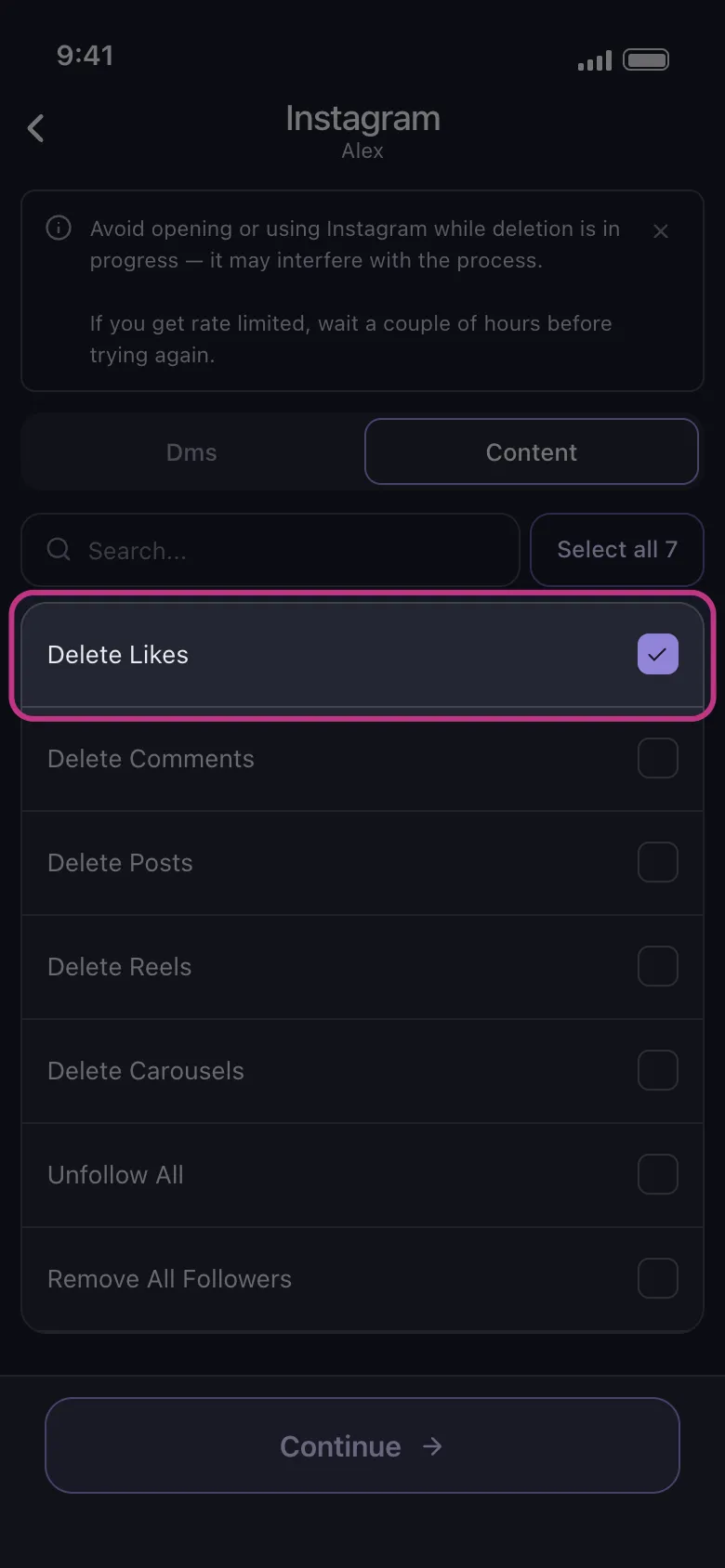
Use Unpost here when:
- You want to remove a long history of likes instead of a few recent ones.
- Likes are only one part of a broader Instagram cleanup.
- You prefer a privacy-first mobile workflow for repeated cleanup sessions.
- You want to avoid bouncing between separate native flows for likes, comments, posts, and other cleanup tasks.
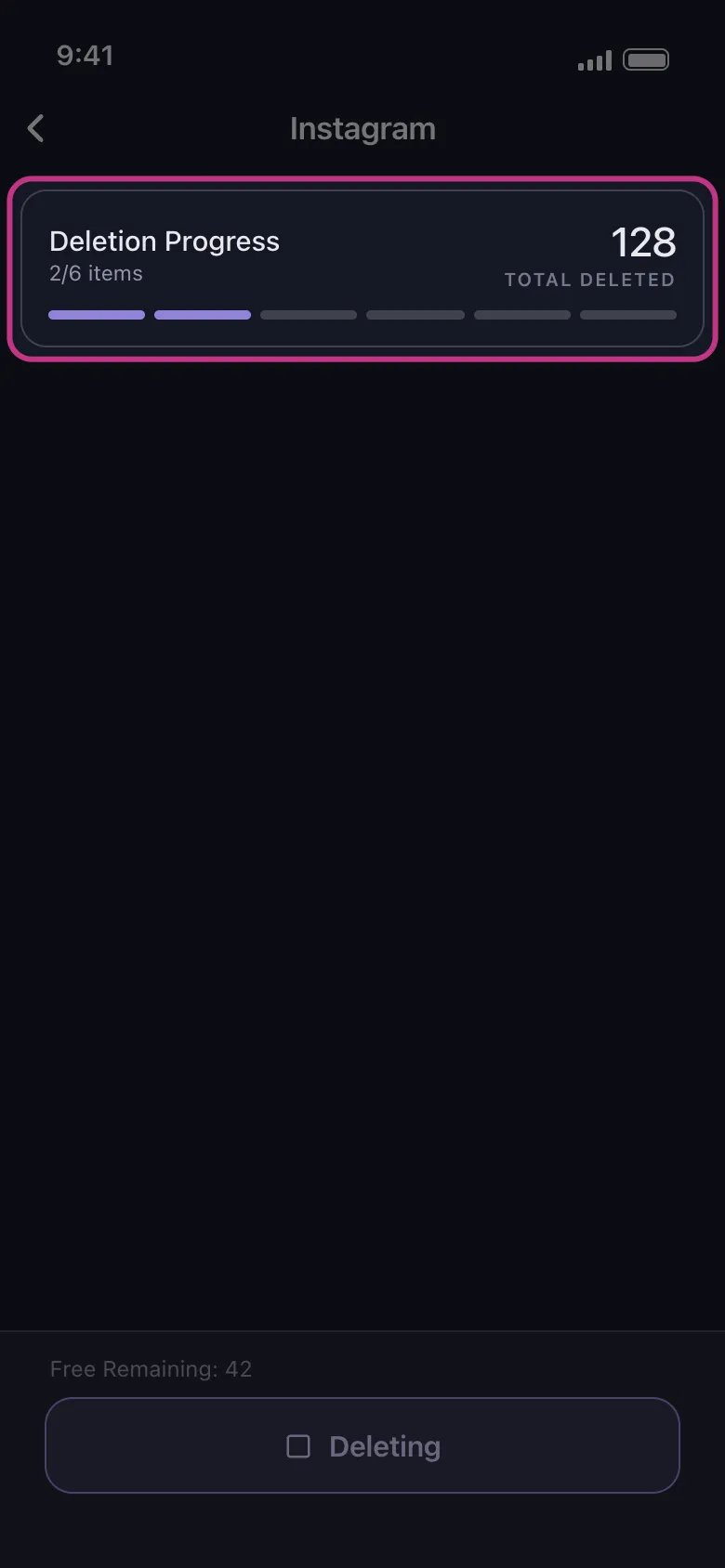
If that sounds closer to your job than manually revisiting liked posts, Try Unpost. Unpost connects through Instagram web login in an embedded browser and stores encrypted session data locally on your device. Keep Unpost in the foreground while deletion runs, and do not actively use Instagram at the same time because that can interfere with the process. If Instagram temporarily slows the action down, the run may need to pause and retry before continuing.
How Unpost Fits a Bigger Instagram Reset
Old likes rarely stay an isolated problem. Once people start cleaning engagement history, they often move on to outdated comments, posts, reels, or follower lists. On Instagram, Unpost supports deleting DMs, posts, reels, carousels, likes, and comments, plus unfollow all and remove all followers, so it fits better when the cleanup expands beyond likes alone. If your reset is moving in that direction, pair this guide with how to delete Instagram comments and how to delete Instagram posts, photos, reels, and carousels.
FAQ
Can you delete likes on Instagram?
Yes, but the action is really unliking posts you previously liked. Instagram typically lets you do that either from the post itself or from Your Activity, where you can review liked posts and, in many current versions, remove multiple likes in one pass.
How do you delete likes on Instagram in bulk?
Instagram’s current experience may let you select multiple liked posts inside Your Activity > Interactions > Likes. That can be enough for a smaller batch. If you want to unlike Instagram posts in bulk across a much larger backlog, Unpost is usually the more practical option.
Can I remove likes on Instagram that other people left on my posts?
No. This workflow is about removing likes you gave to other posts. It does not let you delete likes other people left on your content.
Does Instagram notify someone when I unlike a post?
Instagram does not usually send a separate alert just because you removed a like, but another person may already have seen the original like before you removed it.
Who Should Use Unpost Here?
Unpost is the best fit for this page when your real task looks like one of these:
- You want to clean up a long history of likes, not just one accidental tap.
- You are doing a privacy reset or digital-footprint cleanup.
- You are rebranding an Instagram account and older engagement no longer fits.
- Likes are only one part of a wider cleanup across comments, posts, reels, DMs, followers, or following.
If you only need to unlike one or two posts, native Instagram is simpler. If you are trying to clean up old engagement history at scale, Try Unpost.
Bottom Line
The short answer to how to delete likes on Instagram is simple: removing likes means unliking posts you previously liked. For one-off cleanup, open the post and tap the heart again. For broader manual cleanup, Instagram typically lets you review liked posts through Your Activity > Interactions > Likes, and the current experience may also include multi-select unlike options for smaller batches.
When the backlog gets larger, Unpost is easier to justify. It gives you a dedicated mobile workflow for bulk Instagram cleanup on iOS and Android and supports deleting likes alongside other supported Instagram cleanup actions. If you are cleaning up more than a few likes, start with the Instagram cleanup guide, then Try Unpost when you want a faster way to work through old Instagram activity.

Get Started
Delete Old Content Across Your Accounts
Bulk delete messages, posts, likes, comments, DMs, reactions, bookmarks, followers, and more — all from one app.
No password storage • Free to start • iOS & Android
 Download for iOS
  Download for Android