
Como assinar o Premium ou restaurá-lo em um celular novo
O Premium é uma assinatura mensal, vendida só dentro do app, pela App Store ou pelo Google Play. Ele remove o limite diário do próprio Unpost em todas as contas de uma vez, mas não os limites das plataformas. Ele pertence à Conta Apple (ID Apple) ou à conta do Google que pagou: não existe conta do Unpost para entrar.
- 01
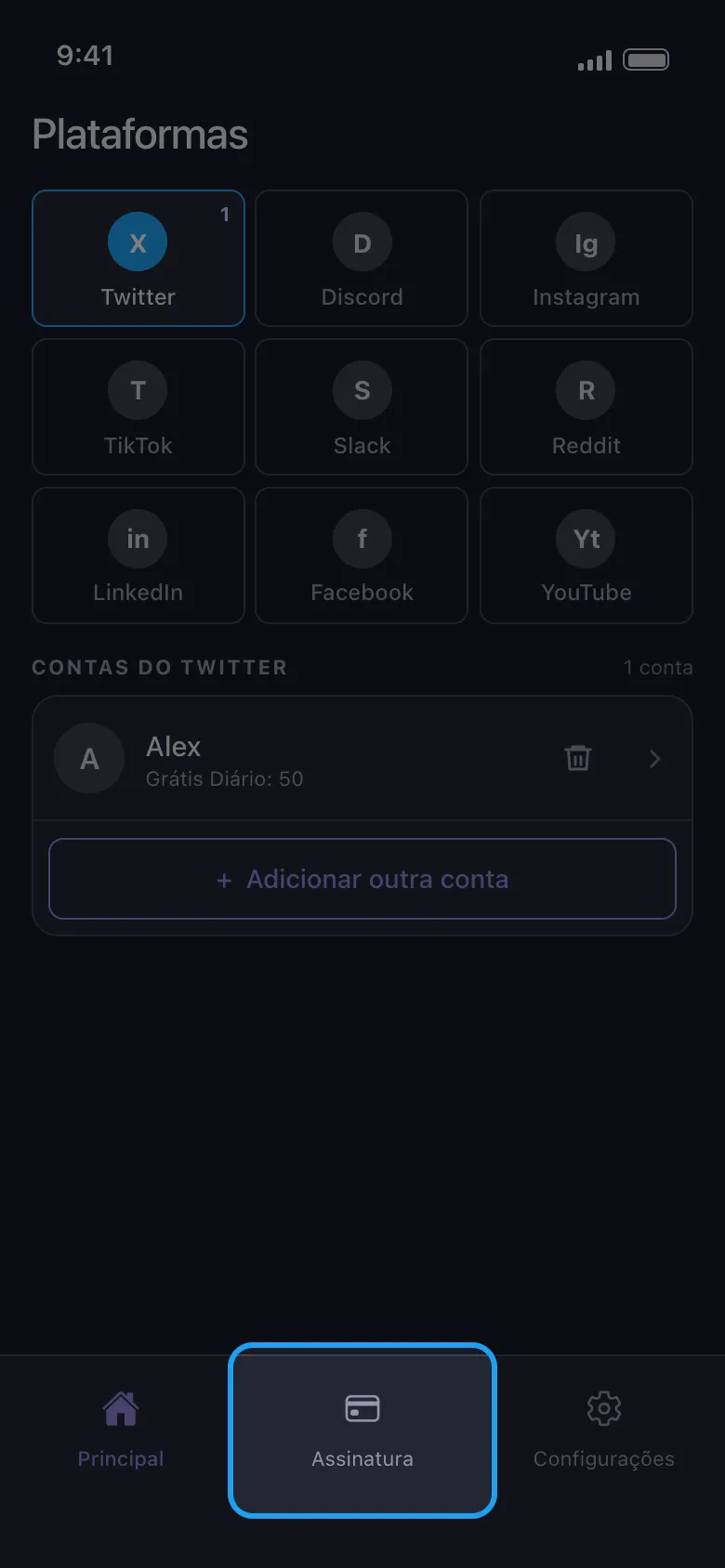
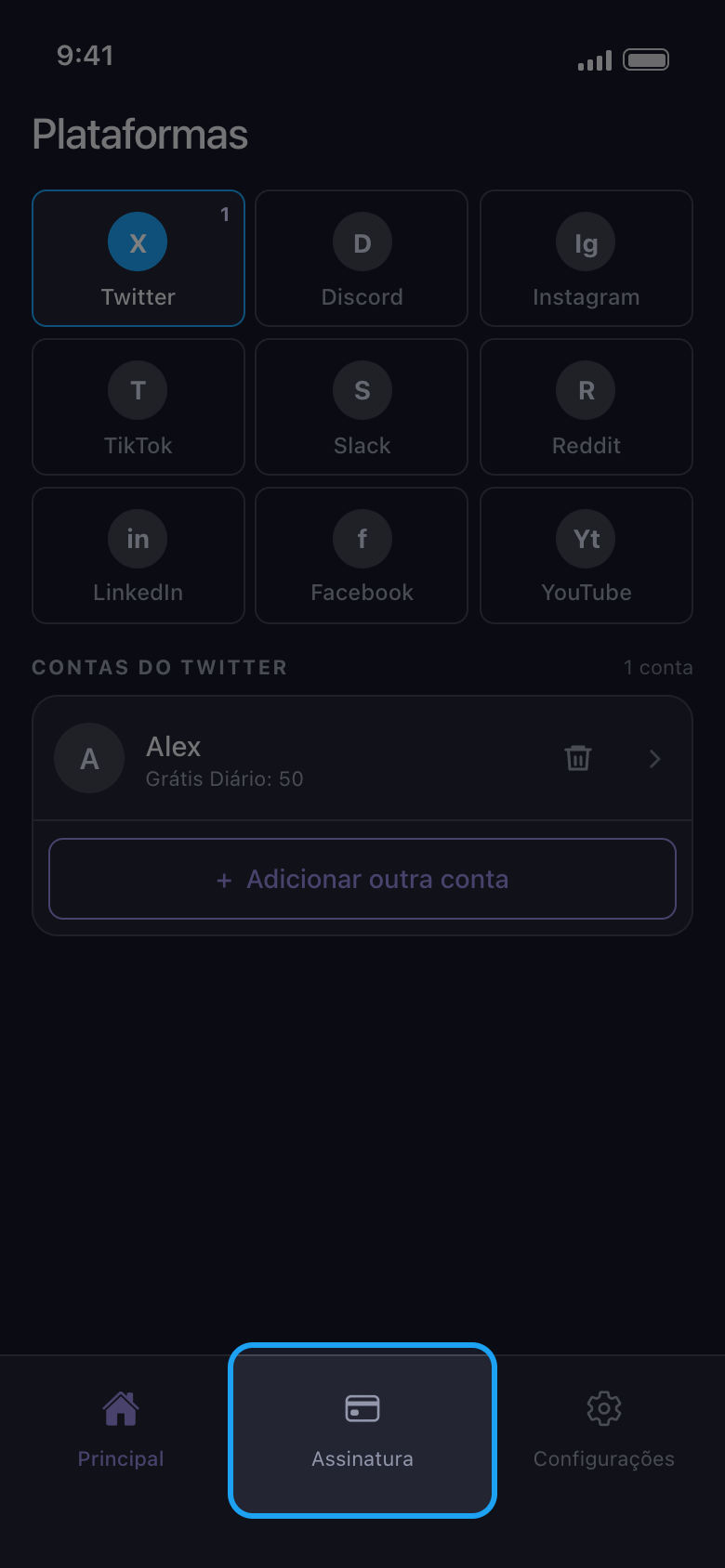
Abra a aba Assinatura
Ela fica na barra inferior, e o Unpost abre nela enquanto você não tiver o Premium. “Comprar Premium”, no aviso “Limite diário atingido”, e “Atualizar Agora”, no resultado depois que a cota gratuita acaba, também abrem essa aba.
No app Assinatura
- 02
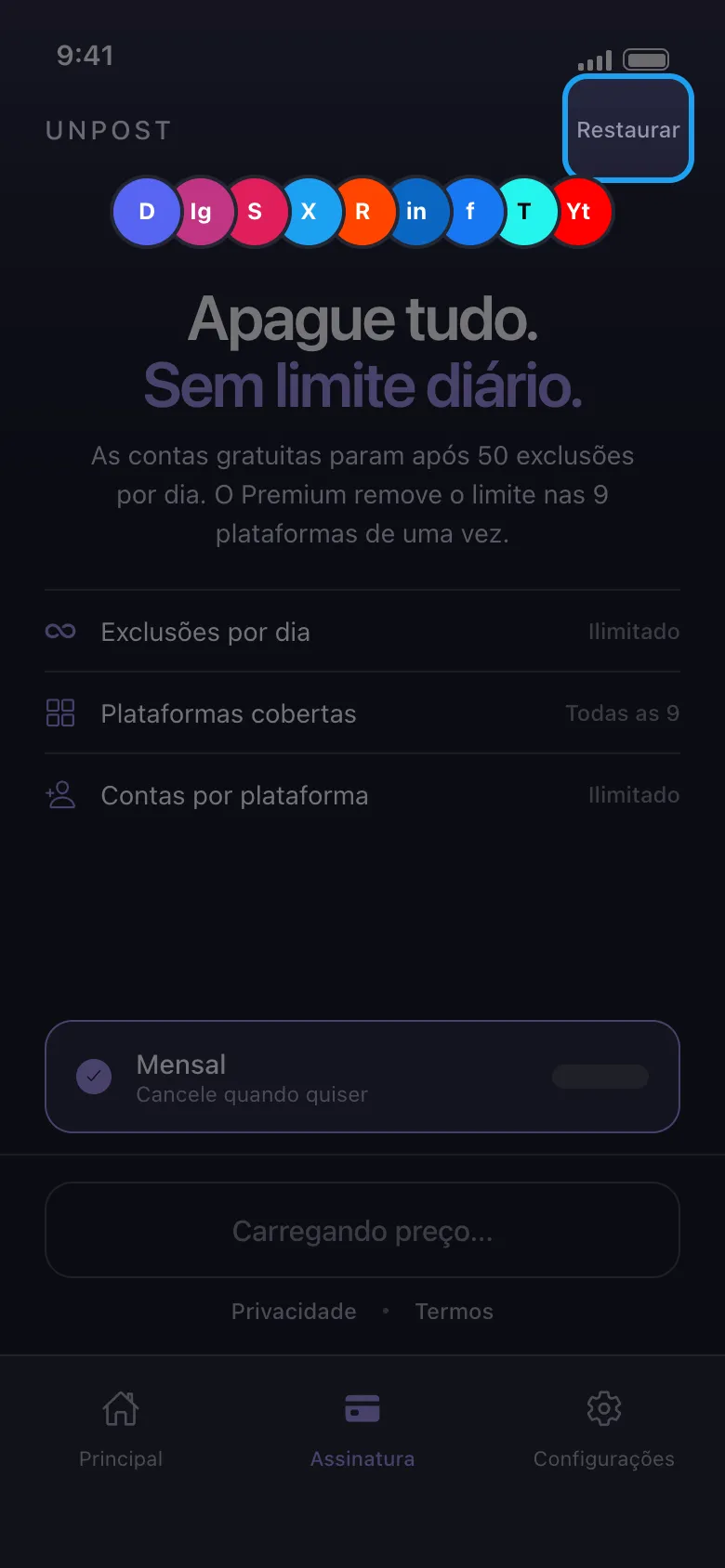
Assine pela loja
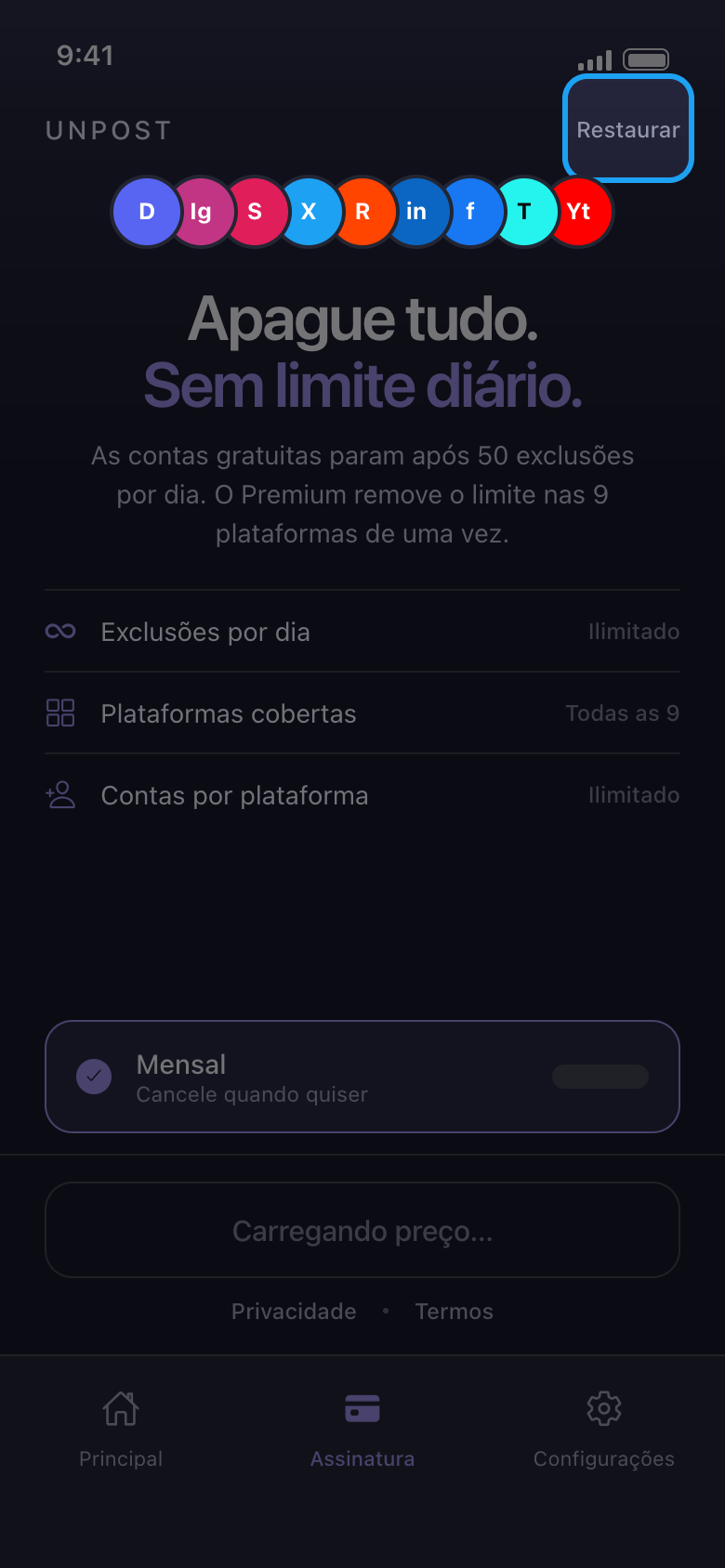
O botão abaixo de Mensal mostra o preço mensal, na sua moeda, de acordo com a sua conta da App Store ou do Google Play. A loja recebe o pagamento, com as formas de pagamento que ela oferece a você, e o Unpost nunca vê seus dados de pagamento. O Premium renova todo mês até você cancelar na loja. Se o botão ficar em “Carregando preço…”, ou se aparecer “Loja indisponível — verifique sua conexão”, toque em “Tentar novamente” quando estiver on-line; se continuar falhando, feche o Unpost por completo e abra de novo.
No app Assinatura
- 03
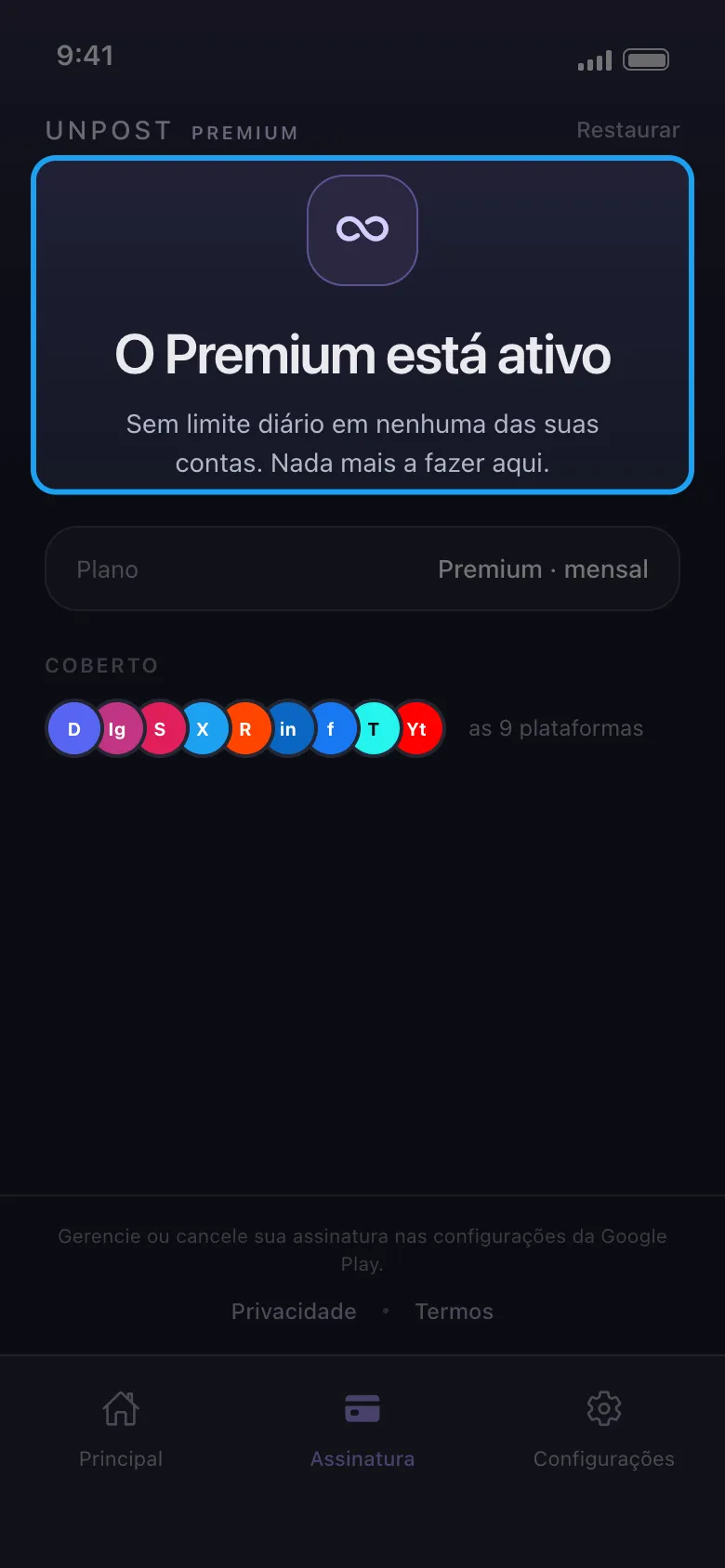
Confira se o Premium está ativo
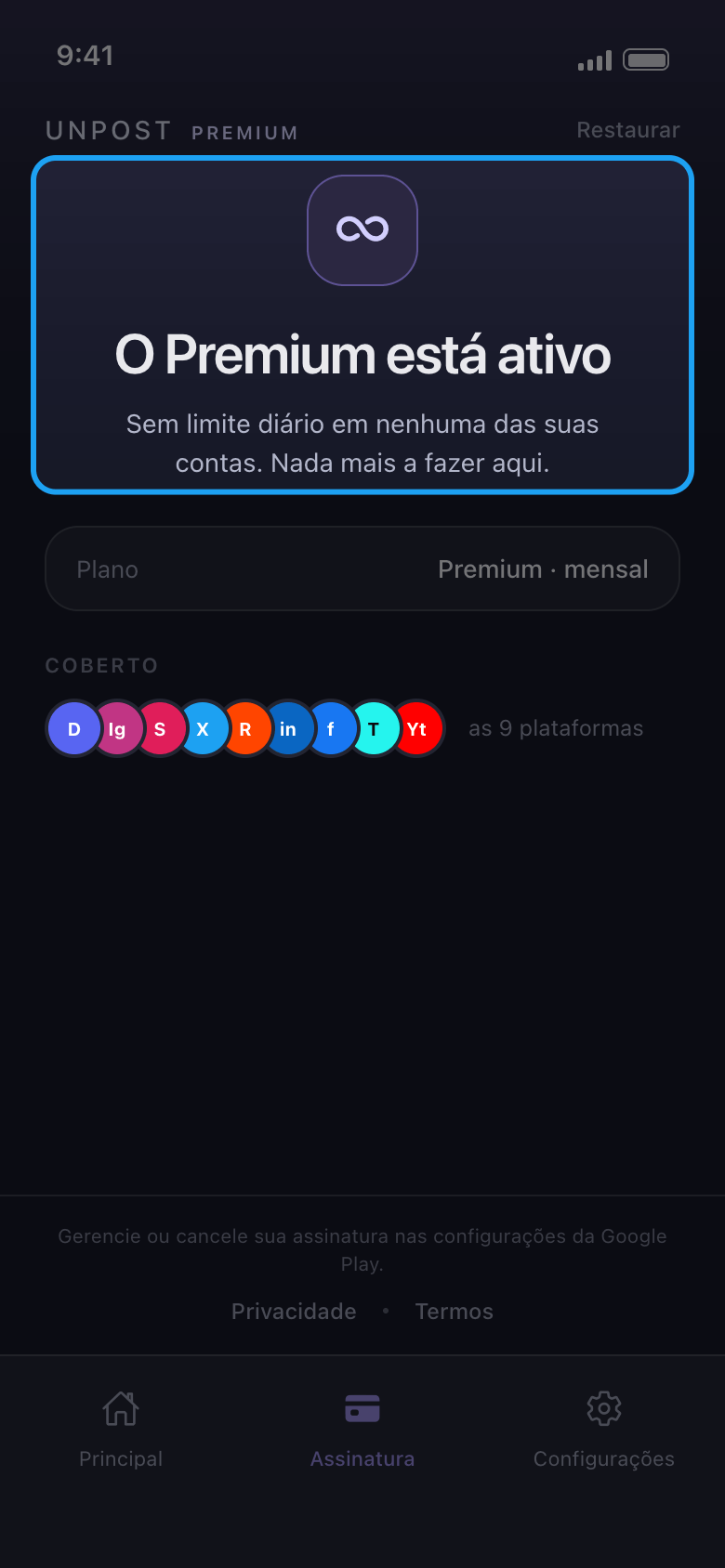
A aba Assinatura agora mostra “O Premium está ativo”, e suas contas não mostram mais uma cota diária.
No app Assinatura
- 04
Restaure em um celular novo ou depois de reinstalar
No celular, entre na Conta Apple ou na conta do Google que pagou, abra a aba Assinatura do Unpost e toque em Restaurar, no canto superior direito. Quando funciona, a aba passa a mostrar “O Premium está ativo”. O Premium não passa de iPhone para Android, nem o contrário: uma compra na App Store só é restaurada em aparelhos Apple com essa Conta Apple, e uma do Google Play só no Android com essa conta do Google.
No app Assinatura → Restaurar
- 05
Várias contas do Google no Android?
Abra a Play Store, toque na sua foto de perfil e mude para a conta do Google que comprou o Premium; depois, toque em Restaurar no Unpost de novo. Só essa conta do Google vale, não o e-mail do seu cartão ou do PayPal.
- 06
Pagou, mas ainda vê “Limite diário atingido”?
A loja pode demorar um pouco para confirmar um pagamento novo, então não pague uma segunda vez. Toque em Restaurar, depois feche o Unpost por completo e abra de novo com o celular on-line. Se o limite continuar, mande um e-mail para contact@unpost.app (Configurações → Contatar Suporte) com o número do pedido que está no recibo da App Store ou do Google Play.
No app Assinatura → Restaurar
Bom saber
- Mesmo com o Premium, uma plataforma ainda pode pausar uma exclusão: veja “O que fazer quando uma plataforma pausa sua limpeza”.
- No Reddit, que não tem limite diário, o Premium libera “Excluir diretamente”, que apaga publicações e comentários de vez, sem sobrescrevê-los, e “Remover afiliado [Unpost]”, que deixa de fora a linha do Unpost no texto sobrescrito.
- Para o Premium parar de renovar, cancele na loja: veja “Como cancelar a assinatura do Unpost Premium e por que você foi cobrado depois de cancelar”. Para pedir reembolso, veja “Como pedir reembolso do Unpost Premium”.
- Ninguém do Unpost jamais pede sua senha ou um código de login.
Mais guias