
How to Clean Up Your Digital Footprint, Platform by Platform
Your digital footprint is everything tied to your name or usernames that can still be found, searched, or scraped: decade-old tweets, Reddit comments, Instagram photos from three jobs ago, Discord messages in servers you forgot joining, Slack threads at companies you no longer work for. Most of it is content you posted yourself, which is bad news and good news at once. Bad, because it is public, timestamped, and attributed to you. Good, because what you posted, you can delete.
Here is the short version of the plan that works: clean up your footprint platform by platform, content first — do not start by nuking accounts. On several platforms, deleting your account leaves your posts online while locking you out of the only login that could remove them; Reddit is the most famous example. The realistic approach is to audit what exists, bulk-delete the old content on each platform, and only then decide which accounts deserve to stay. This guide covers the five platforms where old content piles up the most — Instagram, Discord, Twitter/X, Reddit, and Slack — the workflow that cleans them all, and a checklist table at the end to work through.
Why old posts are the biggest part of your exposure
Digital-footprint advice tends to obsess over cookies and trackers. Those are real, but they are data collected about you — scattered, semi-anonymous, hard for a stranger to act on. The part of your footprint that is unmistakably you is the part you published, and four forces make it more of a liability the longer it stays up:
- Search. Your posts are indexed under your name or under a username that friends, dates, recruiters, and strangers can connect to you. A ten-year-old joke surfaces in seconds.
- Screenshots. Anything visible can be captured and re-shared out of context. The platform’s delete button does not reach a screenshot someone took last year.
- Scraping and AI training. Public posts are harvested at scale into archives, research datasets, and AI training corpora. Every month content stays up is another month of copies being made.
- Hiring and vetting. Recruiters routinely review candidates’ social profiles, and “background check” increasingly includes a search of everything you have ever said in public.
None of this calls for panic. It means the cheapest risk reduction available is deleting old content you no longer stand behind. Platform by platform, here is what accumulates and why it matters.
Instagram: the photo archive tied to your face
Instagram is usually the platform most tightly linked to your real identity: years of photos of you, tagged locations, friends in carousels, Reels, Stories saved to your archive automatically, plus every comment and like you have left on other people’s posts. Old posts stay discoverable on your grid and in search, documenting where you were, who you were with, and what you looked like — exactly the material an identity search starts with. It is also the first profile most people open when they look you up. Start with the posts themselves, then deal with comments and likes; our guide to deleting Instagram posts, photos, Reels, and carousels covers every format step by step.
Discord: years of messages you forgot writing
Discord feels casual and ephemeral, but messages never expire: everything you have written in every server since the day you joined is still there, searchable by anyone with access to the channel. DMs persist on both sides indefinitely, and servers you have left still show your old messages to everyone who stayed. There is no native bulk delete either — Discord only removes messages one at a time. Our guide to deleting Discord messages shows both the manual route and the bulk workflow.
Twitter/X: a timestamped public record of your opinions
Twitter/X is your most quotable surface: short, public, timestamped statements of opinion, indexed by search engines and readable without an account. Old tweets are the classic “resurfaced post” — the format practically invented the genre of a 2014 reply ending up in a 2026 news cycle. Replies and quote tweets keep your words attached to other people’s threads, where you control nothing about the audience. If you have tweeted for years, assume the archive holds something you would not write today; how to delete all your tweets walks through wiping tweets, replies, retweets, and likes.
Reddit: the most personal history under one username
Reddit is where people are most honest — under a pseudonym, users discuss salaries, relationships, health, employers, and opinions they would never attach to their name. The catch is that years of comments aggregate into a profile that can identify you anyway: a city here, a job title there, an age range somewhere else. And Reddit carries the trap mentioned earlier: deleting your account does not delete your posts and comments — they stay up, attributed to [deleted], fully readable. Delete the content first; how to delete your Reddit history covers search history, posts, and comments in detail.
Slack: the workplace record everyone forgets
Slack does not feel like social media, which is exactly why it gets skipped in footprint cleanups. But your messages — channel posts and DMs alike — persist in every workspace you have ever joined, governed by retention settings you do not control, visible to admins and included in workspace exports on some plans. Venting about a manager, sharing something personal in a DM, hot takes in #random: all of it outlives the moment, and sometimes your employment. The weeks before a job change are the ideal time for a sweep; the complete guide to deleting Slack messages explains what you can delete and how.
The cross-platform cleanup workflow
Treat the cleanup as one project with three steps, not five separate chores. The platforms differ, but the loop is identical everywhere: find out what exists, remove what should not be public anymore, and set up a rhythm so the pile never rebuilds.
Step 1: Audit — see what is actually out there
Start by requesting your data export from each platform: Instagram’s “Download your information,” Discord’s data package, the Twitter/X archive, Reddit’s data request, and your Slack history where your plan allows it. Do this on day one — exports can take days to arrive, and they are the only honest inventory of what you have posted. While you wait, search your name and your usernames in a private browser window and note what surfaces on the first pages. Together, the two views tell you which platform is your biggest liability and which keywords — an ex-employer, an old relationship, one regrettable topic — deserve targeted deletion.
Step 2: Bulk-delete with one app instead of five marathons
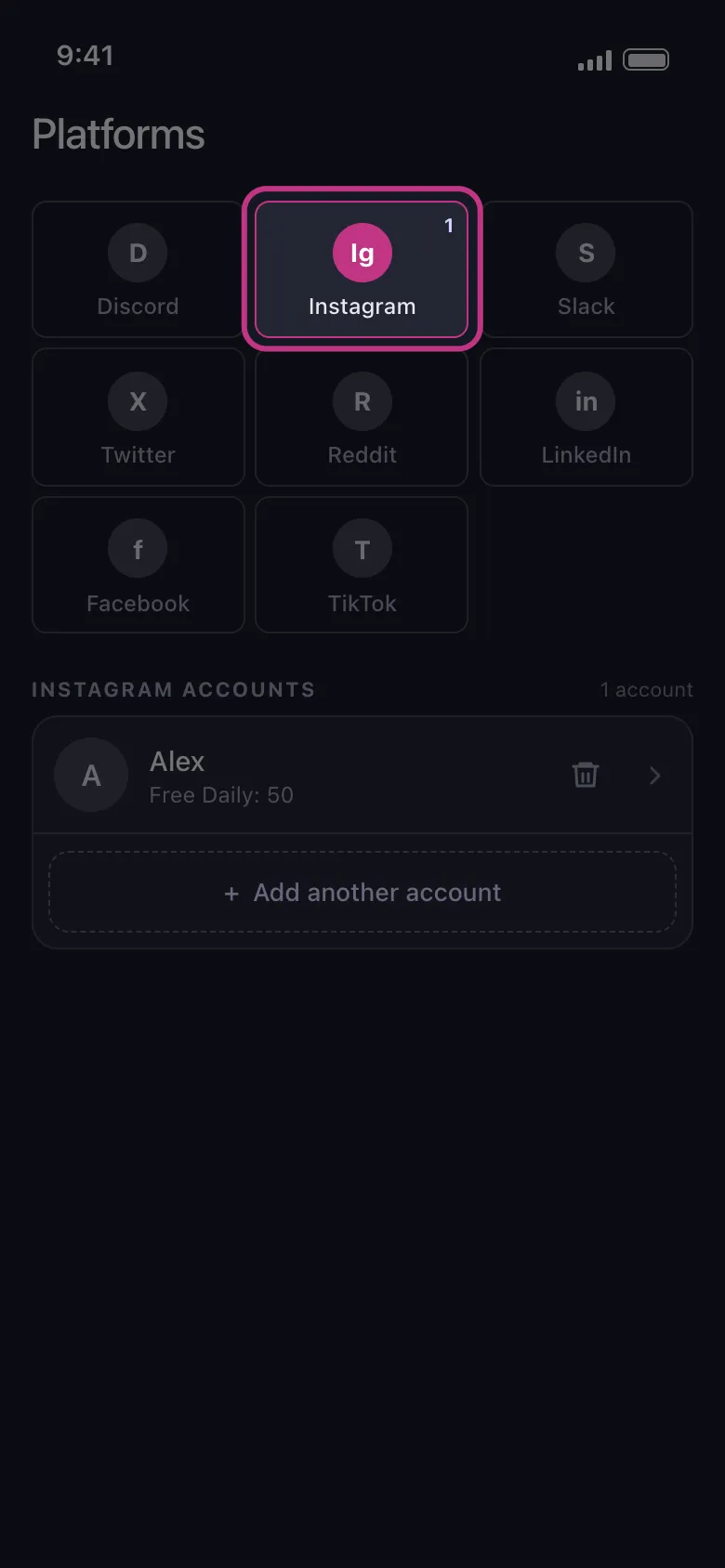
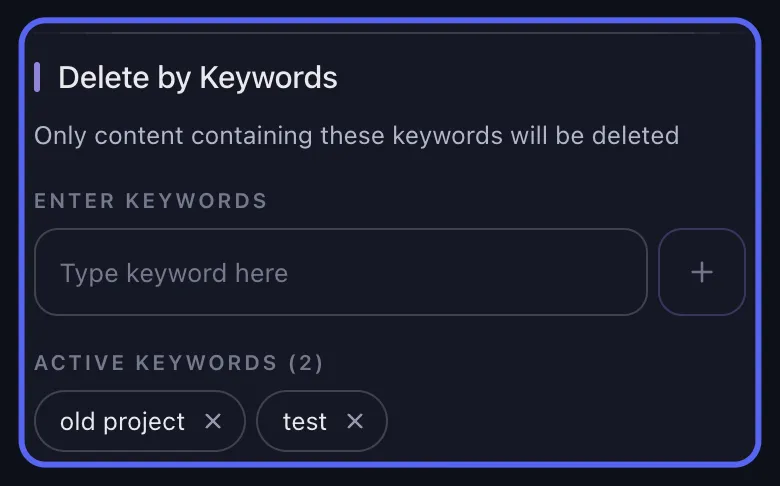
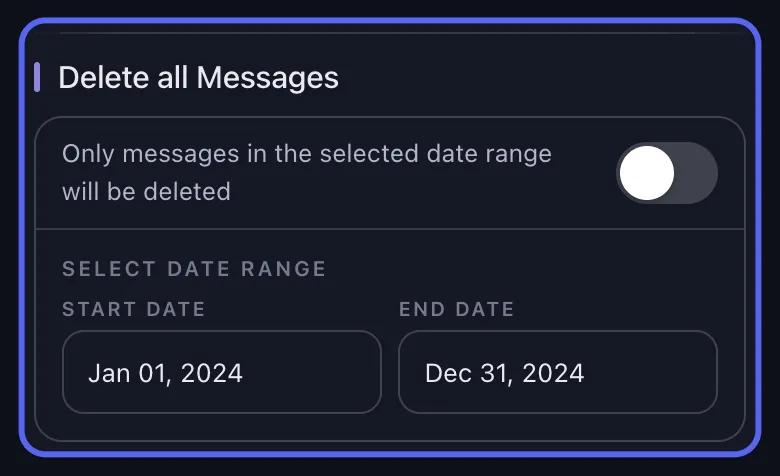
The audit usually reveals the real problem: thousands of items, and none of the five platforms offers a true “select all and delete.” Done manually, that is weeks of tapping. Unpost is a mobile app for iOS and Android built for exactly this job: it bulk-deletes your own posts, comments, and messages on Instagram, Discord, Twitter/X, Reddit, and Slack — all five platforms from one app. It runs on your device and signs you in through each platform’s own login screen, so your passwords are never stored or sent to anyone’s server. It then deletes items one by one at a pace that respects each platform’s limits, with date and keyword filters so you can wipe only 2019, only one topic, or everything older than a year.
Start Your Footprint Cleanup
Use Unpost on mobile to bulk delete your old posts, messages, and comments across Instagram, Discord, Twitter, Reddit, and Slack.
Step 3: Maintain — a quarterly sweep instead of a yearly panic
Footprints grow back. Put a recurring reminder in your calendar — once a quarter is plenty — and repeat a small version of the same loop: skim your recent activity, delete what no longer needs to be public, and run a filtered cleanup for anything older than the horizon you choose. Many people settle on a rolling window — nothing older than a year stays up. Pair the sweep with a quick review of what you post going forward: the cheapest content to clean up is the content you never published. A footprint you prune four times a year never becomes a weekend-eating project again.
What cleanup cannot do — and why it is still worth doing
Honesty matters here, because no tool can promise total erasure:
- Archives keep copies. Services that scraped your public posts before you deleted them — web archives, Reddit mirrors, research datasets — hold those copies outside the platforms’ control.
- Other people’s content is not yours to delete. Screenshots, quote-posts that copied your words, photos of you on someone else’s account: removing those means asking the person, or going through the platform’s reporting tools.
- Data brokers compile profiles separately. People-search sites build dossiers from public records as well as social media, and they require their own opt-out requests.
What deletion does do is remove your content from the place where it is most visible, most searchable, and most directly tied to your name — and it stops new copies from being made. The gap between “findable by anyone in ten seconds” and “possibly preserved in an archive somewhere” is, for practical purposes, most of the risk. The sooner content comes down, the fewer copies exist anywhere. For the bigger picture of what a leaner footprint buys you day to day, read our guide to the practical privacy benefits of cleaning up your online history.
Your platform-by-platform cleanup checklist
| Platform | What piles up | Where to start |
|---|---|---|
| Photos, Reels, carousels, Stories archive, comments, likes | Delete or archive old grid posts, then sweep comments and likes | |
| Discord | Messages in every server and DM since the day you joined | List your servers, then bulk-delete old messages and DMs |
| Twitter/X | Tweets, replies, retweets, likes — public and indexed | Request your archive, then bulk-delete by date and keyword |
| Posts and comments under one searchable username | Clear search history, then bulk-delete posts and comments | |
| Slack | Channel messages and DMs in old workspaces | Sweep DMs and channels before you change jobs |
Work the table top to bottom, or start with whichever platform worried you most while reading. Either way, the order inside each platform stays the same: content first, account decisions later. An afternoon of setup, a few background deletion runs, and your name stops being one search away from everything you have said since 2012.
Frequently Asked Questions

Get Started
Delete Old Content Across Your Accounts
Bulk delete messages, posts, likes, comments, DMs, reactions, bookmarks, followers, and more — all from one app.
No password storage • Free to start • iOS & Android
 Download for iOS
 Download for Android