
Discord Privacy Cleanup Checklist Before Leaving a Server or Deleting Your Account
Quick Summary
If your goal is to reduce your Discord footprint, do not start by randomly deleting things one by one.
Start with a checklist.
This page is for users who want to:
- clean up before deleting the account
- leave one or more servers
- remove old DMs
- reduce older participation traces
- prepare for a fresh start
- protect privacy without losing access by mistake
If you already know this is a broader cleanup job, start with How to Delete Discord Messages in Bulk for the main workflow and Does Deleting Your Discord Account Delete Messages? What to Do First for the account-deletion order.
Clean First
Delete the content first. Delete the account second.
Turn The Checklist Into Action
Use Unpost for Discord DMs, server history, threads, reactions, and older archive-based cleanup once you know what should be removed.
Step 1
Search the history
Step 2
Review DMs
Step 3
Handle server exits
Step 4
Use a data package if needed
Last Step
Delete the account only after cleanup
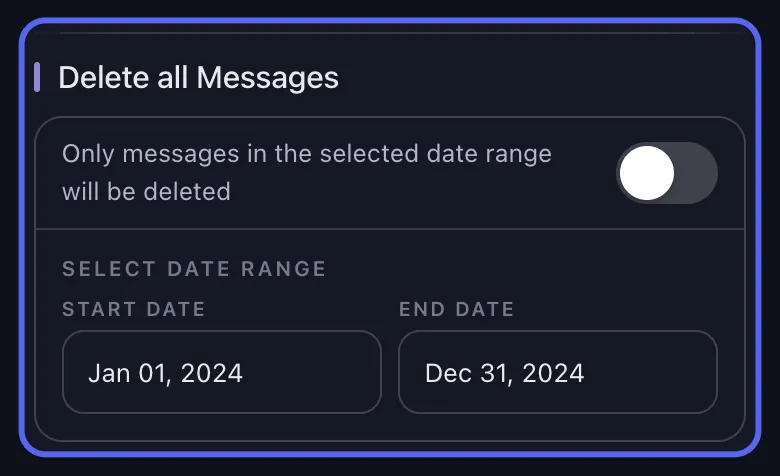
A good Discord privacy cleanup usually starts with finding the history, then deciding how deep the cleanup should go.
The Discord privacy cleanup checklist
Use this checklist from top to bottom.
1. Define the real goal
Before touching anything, ask:
- do I want to keep the account?
- do I only want to clean certain DMs?
- am I leaving specific servers?
- do I want to remove one time period only?
- am I worried about one topic, name, or keyword?
- am I planning to delete the whole account?
This matters because the wrong workflow creates unnecessary damage.
If you only need message cleanup, go to How to Delete Discord Messages in Bulk.
2. List the areas you care about
Your Discord footprint can be spread across:
- one-on-one DMs
- group DMs
- server channels
- threads
- reactions
- older or closed conversations
Many users underestimate how fragmented their history is. Make a short list before you start.
3. Search old messages before deleting anything
Use Discord search to locate older history by:
- user
- channel
- keyword
- date
- content type
This is often the easiest way to remember where the cleanup should happen.
Use How to Find Old Discord Messages.
4. Decide whether you need selective cleanup or a full wipe
A lot of people assume the only serious privacy move is “delete everything.”
Usually that is not true.
You may only need:
- a date-range cleanup
- a keyword cleanup
- a DM cleanup
- a server-only cleanup
- a deeper cleanup that includes threads and reactions
Helpful guides:
- How to Delete Discord Messages by Date Range
- How to Delete Discord Messages by Keyword
- How to Delete Discord DMs and Chat History
- How to Delete Discord Threads and Reactions
5. Check old or closed DMs
If a DM is missing from your sidebar, do not assume the history is gone.
Start with search and reopening if possible. If the older history is still hard to find, plan to use a data package.
Also read:
- What Does Close DM Mean on Discord? Does It Delete Messages?
- How to Request Your Discord Data Package
6. Handle server history before leaving communities
If you plan to leave a server, ask:
- did I post in important channels there?
- did I use threads?
- do I need to clean old messages first?
- should I request a data package before leaving?
This is important because older server history is often where forgotten posts live.
If moderation is involved, read Can You Delete Someone Else’s Discord Messages? Admin Guide.
7. Decide whether you need a data package
Use a data package when:
- older history is hard to access
- you want a deeper archive-driven cleanup
- you are planning account deletion and want to be safer about the order
- you suspect important old messages are not easy to surface live
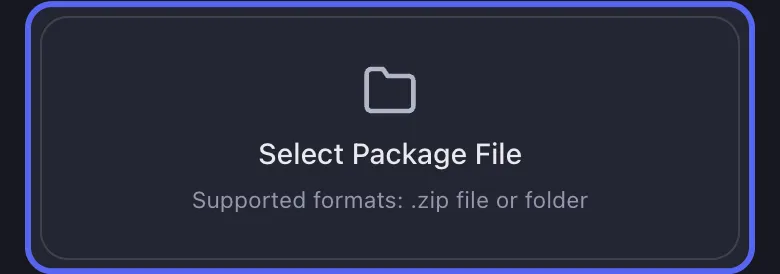
Go to:
8. Clean the messages before deleting the account
This is one of the biggest checklist items.
If you care about message privacy, the order should be:
- identify the history
- clean the content
- then decide whether to delete the account
If you start with account deletion, you lose access to the easiest cleanup workflows.
Read Does Deleting Your Discord Account Delete Messages? What to Do First.
9. Check whether you own any servers
If you own servers, do not forget the account-management side.
Server ownership needs to be handled before final account deletion.
That does not replace content cleanup, but it is part of the exit workflow.
10. Pick the right cleanup depth
Ask whether you only care about messages or whether you also care about:
- reactions
- threads
- broader traces of participation
For some users, comments-only cleanup is enough. For others, a deeper cleanup is the better choice.

11. Keep the cleanup job stable
If you use Unpost, plan for the run properly:
- keep the app in the foreground
- avoid interrupting the job
- expect retries if Discord rate-limits the requests
- use smaller batches if you want more control
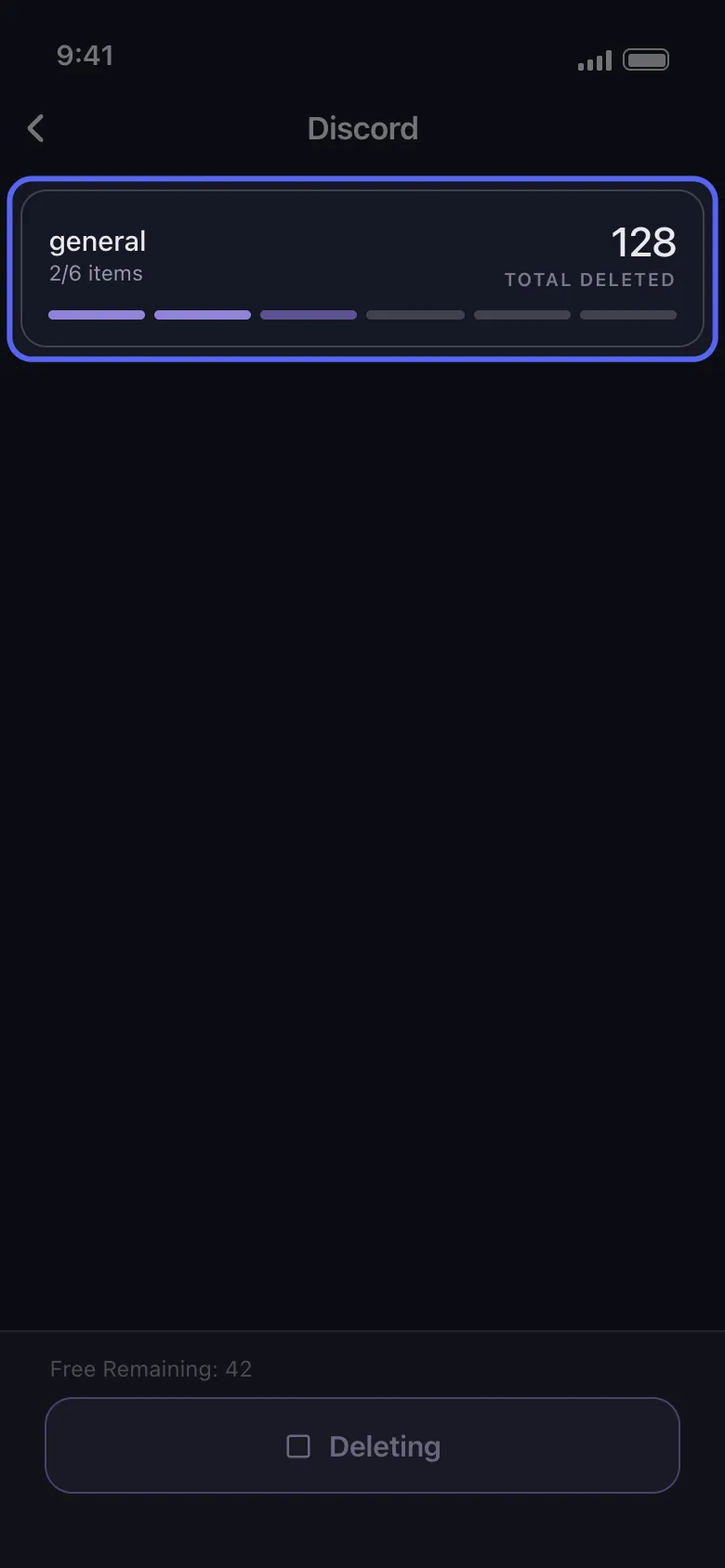
This is a practical step, but it matters because the best plan still fails if the deletion run gets interrupted repeatedly.
12. Re-check the areas you care most about
After the first cleanup pass, review:
- the main DMs you wanted gone
- the server channels you posted in most
- the old time periods you targeted
- the keywords you cared about
- the reactions and threads if you ran a deeper cleanup
A second small pass is often better than one rushed oversized pass.
A simple “best order” version of the checklist
If you want the shortest version, use this:
- search old messages
- choose the cleanup type
- request a data package if older history is involved
- clean DMs, servers, threads, and reactions as needed
- only then delete the account if you still want to
Where Unpost fits into the checklist
Unpost is useful because it covers the exact places where manual Discord privacy cleanup gets difficult.
The app supports Discord cleanup across:
- DMs and group DMs
- server channels
- threads
- reactions
- admin flows in servers
- data-package cleanup for older history
It also supports:
- date-range filters
- keyword filters
- real-time progress
- retry handling
- encrypted local token storage
- iPhone and Android
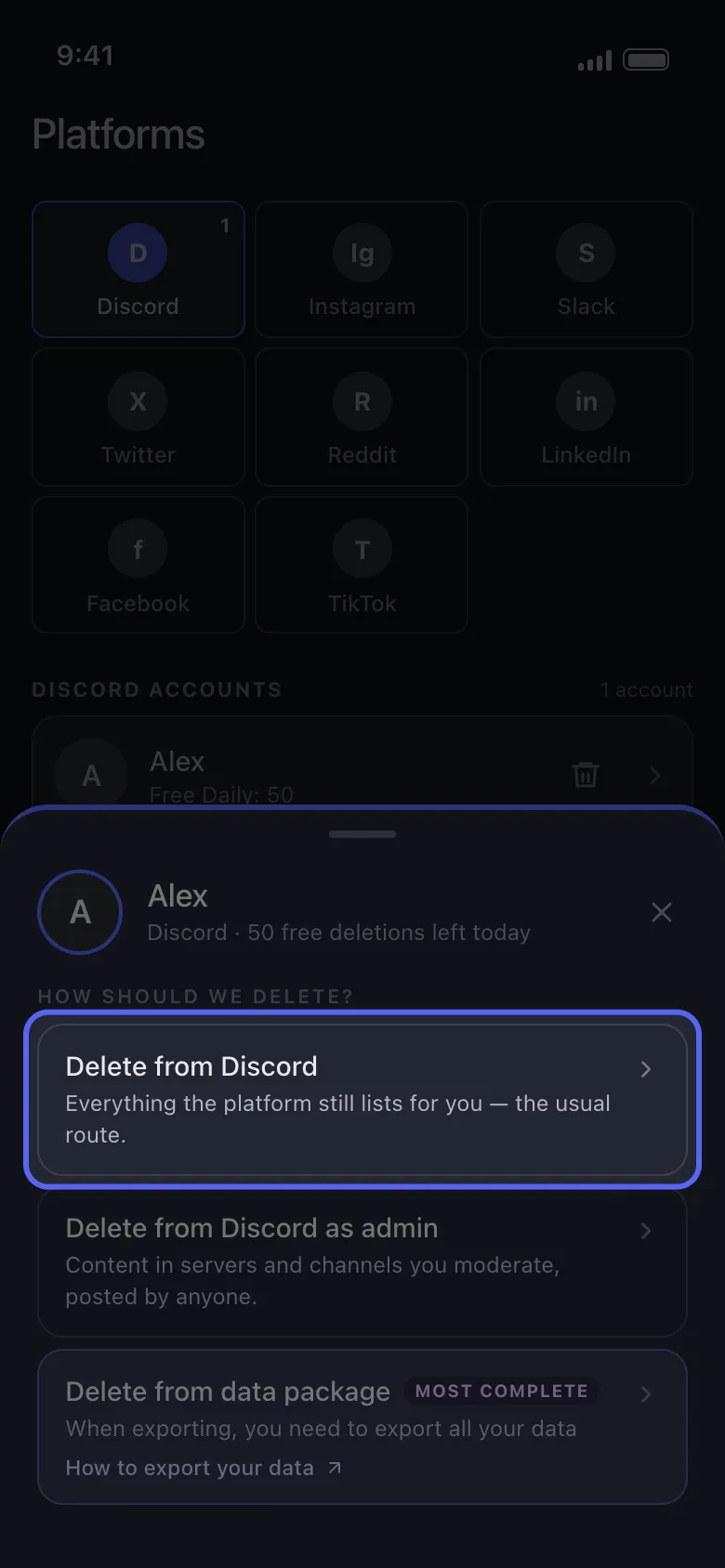
Use live cleanup for visible history, deeper cleanup for threads and reactions, and archive mode for older Discord messages that are harder to reach.
Unpost For Discord Cleanup
Use Unpost after the checklist when you need to turn your plan into a DM, server, thread, reaction, or archive cleanup run.
Trust note: data-package imports are processed locally, your password is not stored, and the app works on iPhone and Android.
Best Reminder
Clean first. Delete account second.
This is the simplest way to avoid losing access before the parts of your Discord footprint you actually care about are handled.
Who this checklist is best for
This page is especially useful for:
- long-time Discord users
- people changing jobs or identities online
- users leaving old communities
- privacy-minded users planning account deletion
- moderators cleaning old public footprints
- anyone who wants a fresh start without blindly deleting everything
Final recommendation
The best Discord privacy cleanup is not the most aggressive one.
It is the most intentional one.
Use this checklist to decide:
- what to remove
- where it lives
- whether you need search or a data package first
- whether you need selective cleanup or a full wipe
- whether account deletion is really the final move
That is how you reduce your Discord footprint without creating new problems.
Frequently Asked Questions

Get Started
Delete Old Content Across Your Accounts
Bulk delete messages, posts, likes, comments, DMs, reactions, bookmarks, followers, and more — all from one app.
No password storage • Free to start • iOS & Android
 Download for iOS
  Download for Android