
How to Delete All Your Reddit Posts (One by One or in Bulk)
Deleting a single Reddit post takes about ten seconds. Deleting every post you have ever made is a different job entirely, because Reddit gives you no way to do it: there is no “delete all posts” button, no multi-select on your profile, and nothing in settings that clears your posting history for you. And one thing needs saying before anything else, because it catches so many people out: deleting your Reddit account does not delete your posts. They stay online, fully readable, attributed to u/[deleted] — account deletion removes you from Reddit, not your content from it. If you want your posts gone, they have to be deleted as posts, one way or another.
This guide covers the practical path: the exact steps to delete one post in the app and on the web, what deletion actually removes (and what it leaves behind), and how to clear an entire posting history without losing a weekend to repetitive tapping. Keep in mind that posts are only one half of a Reddit footprint — if you also want comments, saved items, and the rest of your activity gone, start with the full guide on how to delete your Reddit history and use this page for the post-specific details.
How to Delete a Reddit Post (One at a Time)
For a single post, Reddit’s built-in delete is all you need. Here is how to delete a post on Reddit on both platforms.
In the mobile app (iOS and Android):
- Tap your avatar, then tap Profile.
- Open the Posts tab.
- Find the post you want to remove.
- Tap the three-dot menu on the post.
- Tap Delete, then confirm.
On the web (reddit.com):
- Click your avatar, then Profile.
- Switch to the Posts tab.
- Click the three dots on the post.
- Click Delete and confirm.
That is the entire native toolkit. Reddit deletes the post immediately — there is no trash folder and no undo — so double-check you picked the right one. The pain starts when “one post” becomes “every post since 2016”: at five to ten seconds each, a few hundred posts means hours of repetitive tapping, with no select-all anywhere to speed it up.
What Deleting a Reddit Post Actually Does
Deletion on Reddit is narrower than most people expect, and posts behave slightly differently from comments. When you delete a post:
- The content is removed — the text body, link, image, or video disappears for everyone.
- Your username is detached — the post no longer points back to your profile; [deleted] is shown as the author instead.
- The title can stay visible in some views — anyone following a direct link or a comment permalink may still land on the thread page, with [deleted] placeholders standing where your title and body used to be.
- The comment section survives — every comment other people left under your post stays exactly where it was, which is why Reddit is full of busy conversations hanging under a [deleted] stub.
- Your karma does not change — the post’s score stops being displayed with it, but the karma it earned stays on your account.
Two honest caveats, and one clarification. The caveats: deletion changes Reddit’s live site, not the rest of the internet — a post that was screenshotted, crossposted, or copied by a third-party archive before you deleted it sits outside Reddit’s control and outside yours — and deleting does not un-send notifications people already received. The clarification: everything above applies to posts specifically. The things you wrote in other people’s threads are a separate cleanup with its own quirks, covered in our guide on how to delete all your Reddit comments.
How to Delete All Your Reddit Posts
There are really only two ways to clear a posting history, and only one of them scales.
The manual sweep. Open your profile, switch to the Posts tab, and work down the list: three dots, Delete, confirm, scroll, repeat. It is free and perfectly safe — it is Reddit’s own button — but the arithmetic is brutal. A profile with eight hundred posts is two or more hours of identical taps, and Reddit’s profile listing only goes back roughly 1,000 items, so on an old account your earliest posts may never even appear in the list, no matter how long you scroll.
The shortcut that is not one: deleting your account. Closing your account feels like the nuclear option, but remember what it actually does — your posts stay public, word for word, with u/[deleted] as the author. Anyone can still read them; they have simply stopped pointing at you. If your goal is making the content disappear, deletion has to happen post by post, before any account closure. Want both? Delete the posts first, then close the account.
The bulk option. Unpost exists for exactly this job. It is a mobile app for iOS and Android, and everything runs on your own device: you sign in to Reddit inside the app yourself — your credentials and session are never sent to anyone’s server — select your post history, filter by date or keyword if you only want a slice removed, and let it work through the list at a pace that respects Reddit’s limits. The same app covers your comments too, plus cleanup on Discord, Slack, Instagram, and Twitter/X.

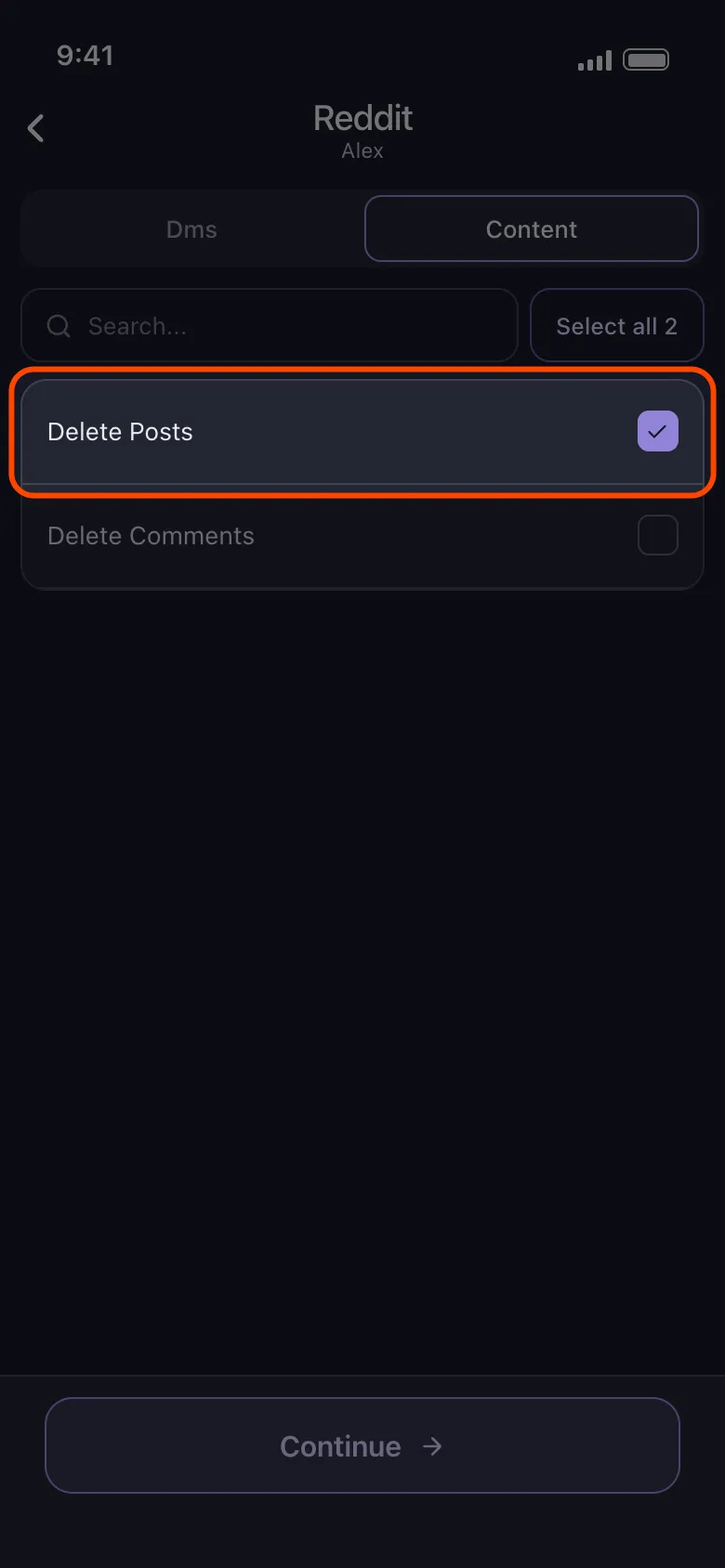
Start Reddit Cleanup
Use Unpost on mobile to bulk delete Reddit posts and comments with date and keyword filters.
Whichever route you choose, two rules apply: never type your Reddit password into a random website, and prefer tools that delete at a human pace instead of hammering the API.
Can You Delete Old and Archived Posts?
Yes — archiving restricts other people, not you. In subreddits that archive old threads, posts older than six months are locked: nobody can vote or reply anymore. But that freeze applies to interaction with the thread, not to your control over your own content. You can still delete your own post inside an archived thread, and it disappears the same way a fresh one does, [deleted] placeholder and all.
The harder problem with old posts is reaching them at all. Reddit profile listings stop after roughly the last 1,000 items, so your earliest posts can be effectively invisible from your own profile even though they still sit in their subreddits, findable through search engines and direct links. Bulk tools that walk your history systematically, or that work from your official Reddit data export, are the practical way to reach what scrolling cannot.

Manual vs. Deleting Your Account vs. Unpost
| Manual deletion | Deleting your account | Unpost | |
|---|---|---|---|
| What happens to your posts | Removed one by one, replaced by [deleted] | Still public, just authored by u/[deleted] | Removed in bulk, replaced by [deleted] |
| Coverage | Recent posts your profile still lists | None — the content stays up | Full post history, with date and keyword filters |
| Effort | Very high — one post at a time | Low, but it does not do the job | Low — sign in, select, run |
For one regrettable post, use the steps at the top of this page and be done in ten seconds. For a whole history, accept the two things Reddit will not give you — there is no native way to delete all your Reddit posts at once, and closing your account will not do it for you — and let a bulk tool handle the volume. Delete the post, or delete them all: either way, you now know exactly what the button does, and what it does not.
Frequently Asked Questions

Get Started
Delete Old Content Across Your Accounts
Bulk delete messages, posts, likes, comments, DMs, reactions, bookmarks, followers, and more — all from one app.
No password storage • Free to start • iOS & Android
 Download for iOS
  Download for Android