
How to delete messages containing a keyword
Keywords is a section of Before we delete, the screen that opens when you tap Continue after ticking what to delete. Left empty, everything you ticked is deleted; with keywords, only what contains one of them. Discord, Slack, LinkedIn, Facebook, TikTok, YouTube and Instagram (for DMs) have it; X and Reddit don’t.
- 01
Tick what to delete, then tap Continue
Keywords appears when it can narrow something you ticked: on Instagram, your DMs; on TikTok, Delete Comments and Delete Comments On My Videos; on Discord, Slack, LinkedIn, Facebook and YouTube, whatever you tick.
In the app Main → platform → account → Continue
- 02
Type a word and tap +
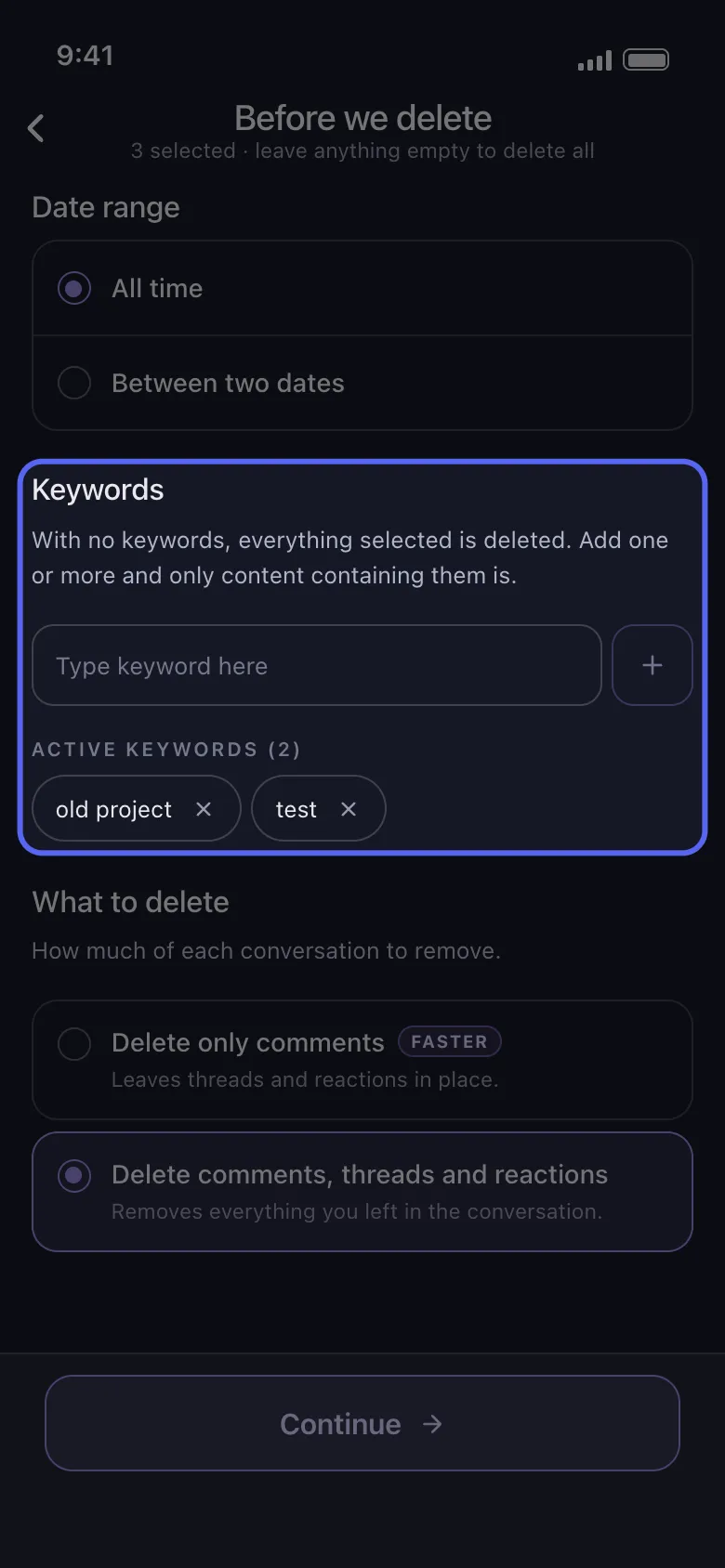
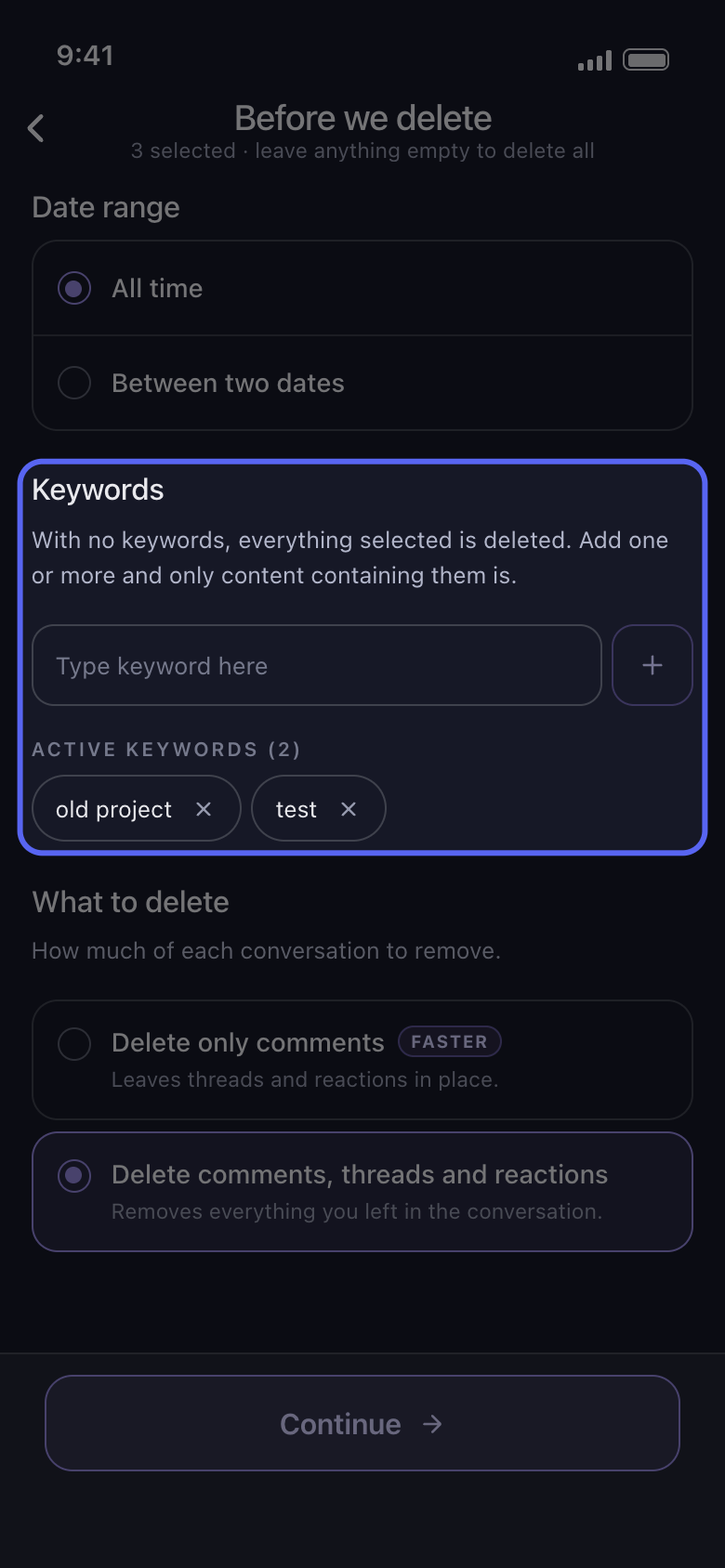
Type a word in the Type keyword here box and tap the + beside it. It becomes a chip under Active Keywords, with an × to remove it. Add as many as you need: anything that contains any one of them is deleted.
In the app Before we delete → Keywords
- 03
Keep keywords short
A keyword matches anywhere in the text, whatever the capitals: invoice also finds Invoices and INVOICE-2023. One distinctive word finds more than a whole sentence, which only matches where it appears word for word.
In the app Before we delete → Keywords
- 04
Know what keywords match
On YouTube, a keyword matches the video title, the channel name or the text you wrote, and an item with none of them is skipped. On Facebook, it matches post and comment text only, and anything without text is skipped (the note below lists what that leaves out). Elsewhere, it matches the text of the messages, posts or comments you ticked, so one with no text, such as a photo on its own, stays.
In the app Before we delete → Keywords
- 05
Tap Continue and check the Review
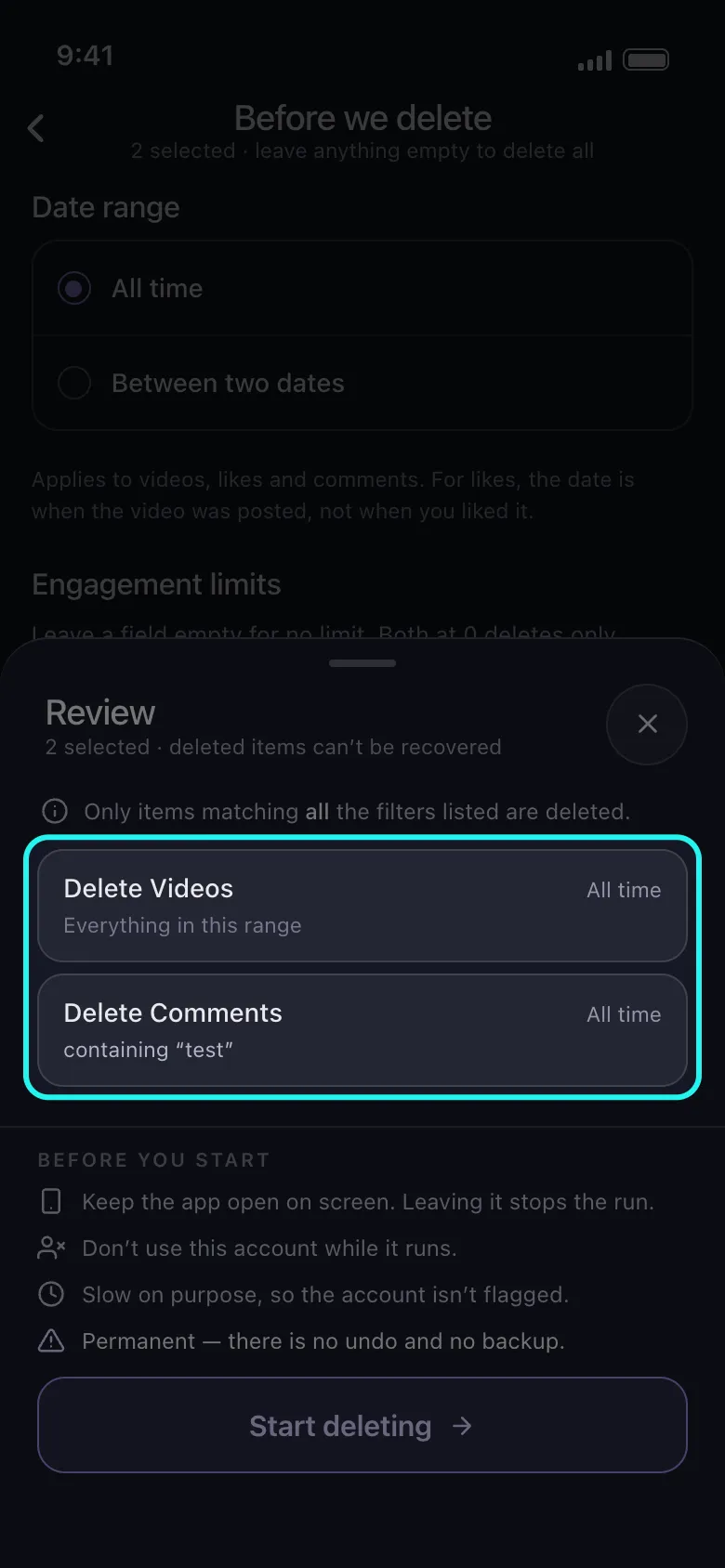
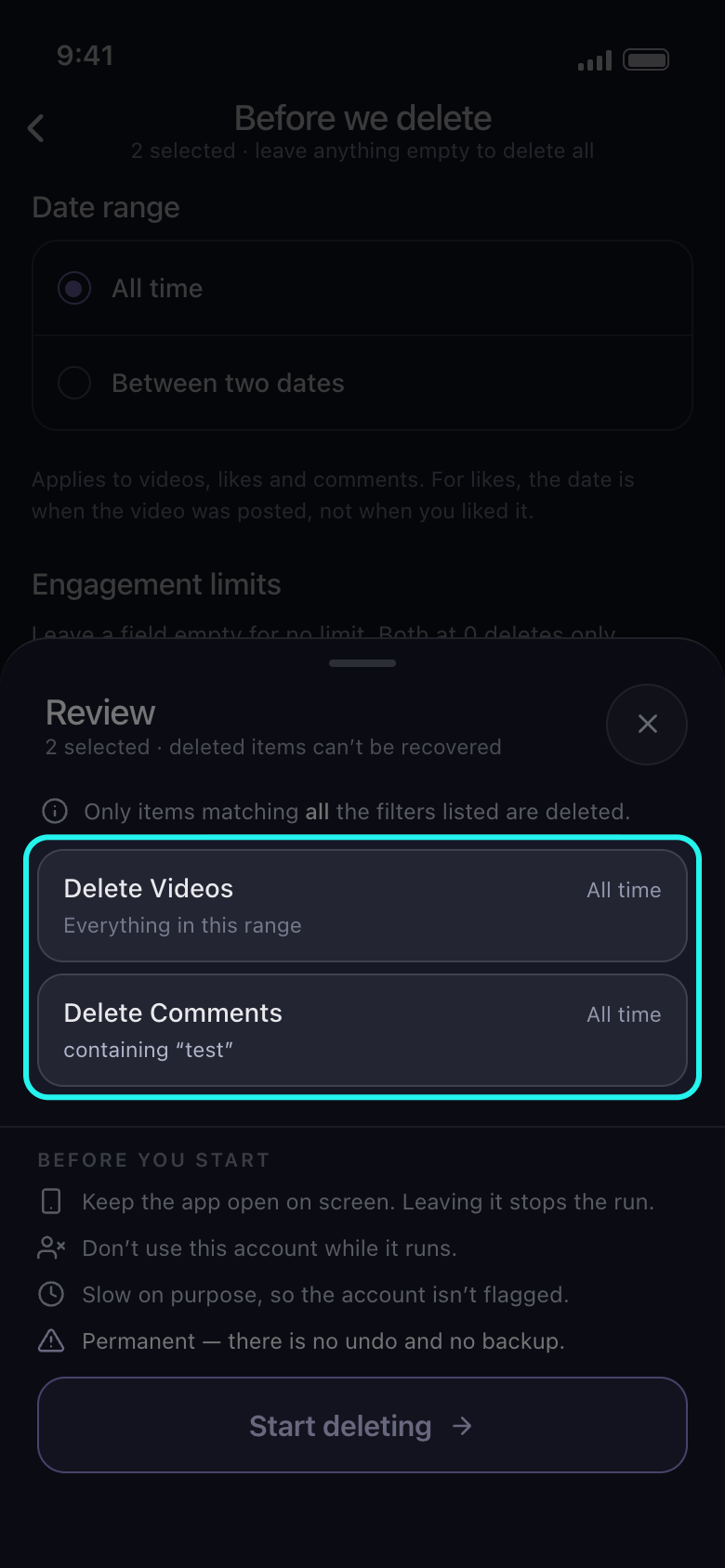
A tile that keywords narrow reads containing, then your words. A tile without that line, such as TikTok’s Delete Videos or Instagram’s Delete Posts, is deleted whatever its text, and one marked Skipped is left alone. Nothing is deleted until you tap Start deleting.
In the app Continue → Review → Start deleting
Good to know
- On Facebook, while keywords are set, nothing is deleted from Delete Archived Posts, Delete Photo Library, Delete Albums, Delete Your Stories, Delete Archived Stories, Delete Story Reactions, Delete Activity You’re Tagged In, Delete Likes, Delete Polls You Voted On, Delete Saved Items and Collections, Delete Events, Delete Other Activity and Empty Your Trash, although the Review marks only Delete Photo Library and Delete Albums Skipped.
- Date range and keywords work together: only what falls inside the range and contains a keyword is deleted. See How to delete only a date range.
More guides