
How to keep your best posts and delete the rest
On Instagram, Facebook, TikTok and YouTube, Before we delete has an Engagement limits section when what you ticked has counts to check. Type the highest number of likes, comments or views to delete: everything above it stays, so your best posts are kept.
- 01
Tick posts or videos, then tap Continue
Engagement limits appears only for what has counts: on Instagram, posts, reels and carousels; on Facebook, your timeline posts and Delete Comments Left On Your Posts; on TikTok, your videos; on YouTube, Delete Videos, Delete Shorts and Delete Comments on Your Videos and Shorts.
In the app Main → platform → account → Continue
- 02
Type the highest count in the ≤ box
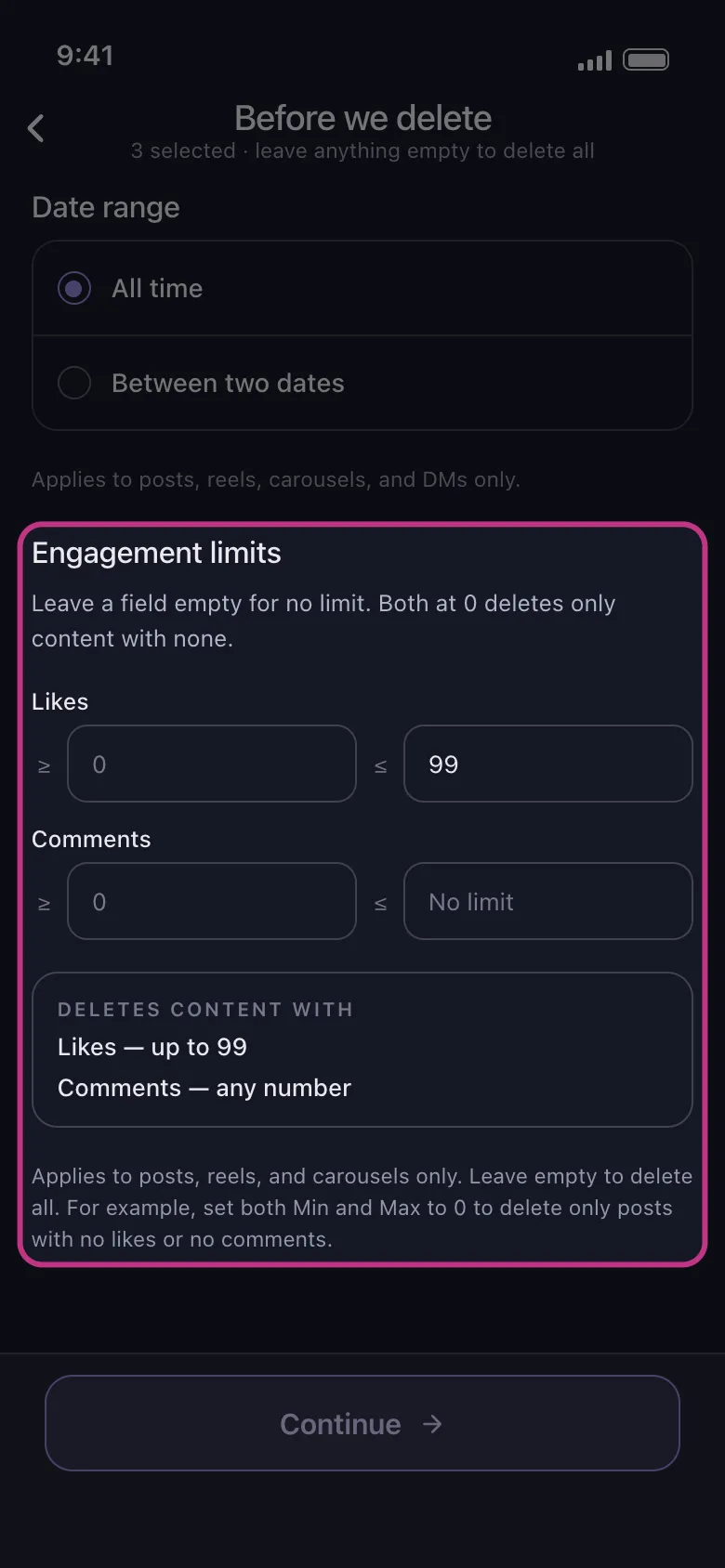
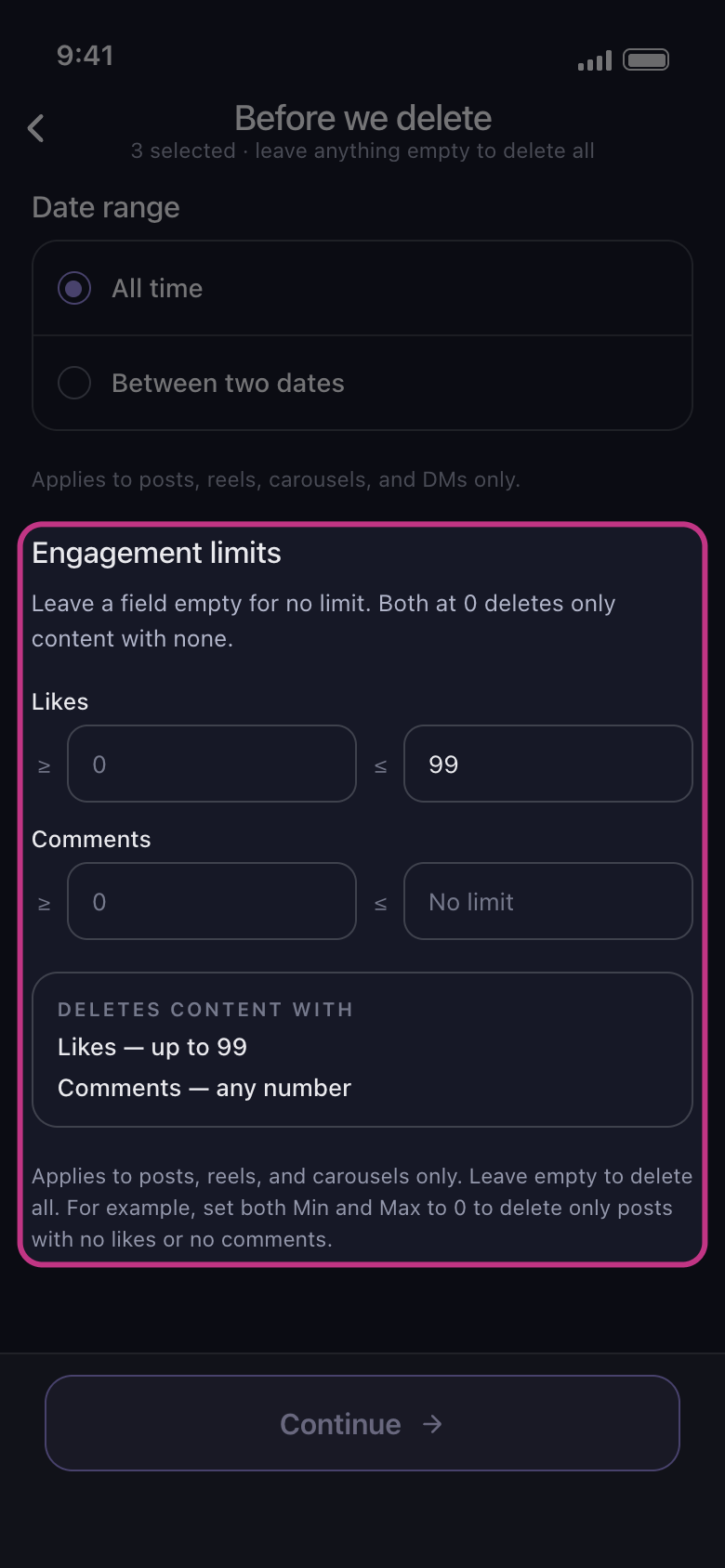
Each line has two boxes: ≥ for the lowest count, ≤ for the highest. To keep every post with 100 likes or more, type 99 in the ≤ box of the Likes line: posts with up to 99 likes are deleted, the rest stay. On TikTok and YouTube, the Views line works the same way, to keep the videos people watched. Under the boxes, Deletes content with spells out the result.
In the app Before we delete → Engagement limits → Likes
- 03
Leave the other boxes empty
An empty box means no limit: an empty ≤ box reads No limit. Never type 0 to mean no limit: 0 in a ≤ box deletes only what has none.
In the app Before we delete → Engagement limits
- 04
Know what the limits leave out
They narrow only your own posts and videos: anything else you tick, such as the likes and comments you left on other people’s posts, goes whatever its counts. On Facebook, photos, albums and activity report no counts, so they are still deleted, and Delete Comments Left On Your Posts clears the comments of the posts within your limits. On TikTok, a video TikTok reports no count for is left alone while a limit is set.
In the app Before we delete → Engagement limits
- 05
Tap Continue and check the Review
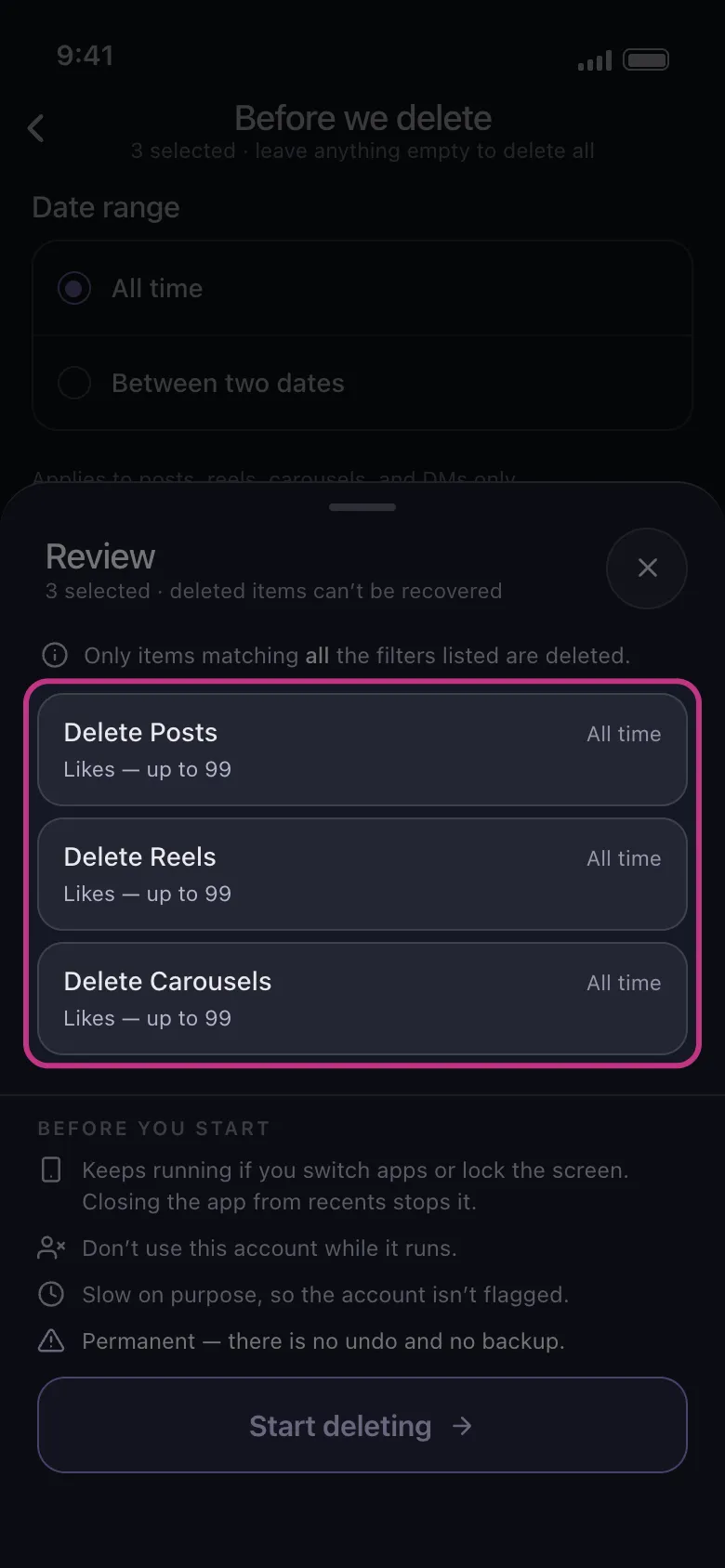
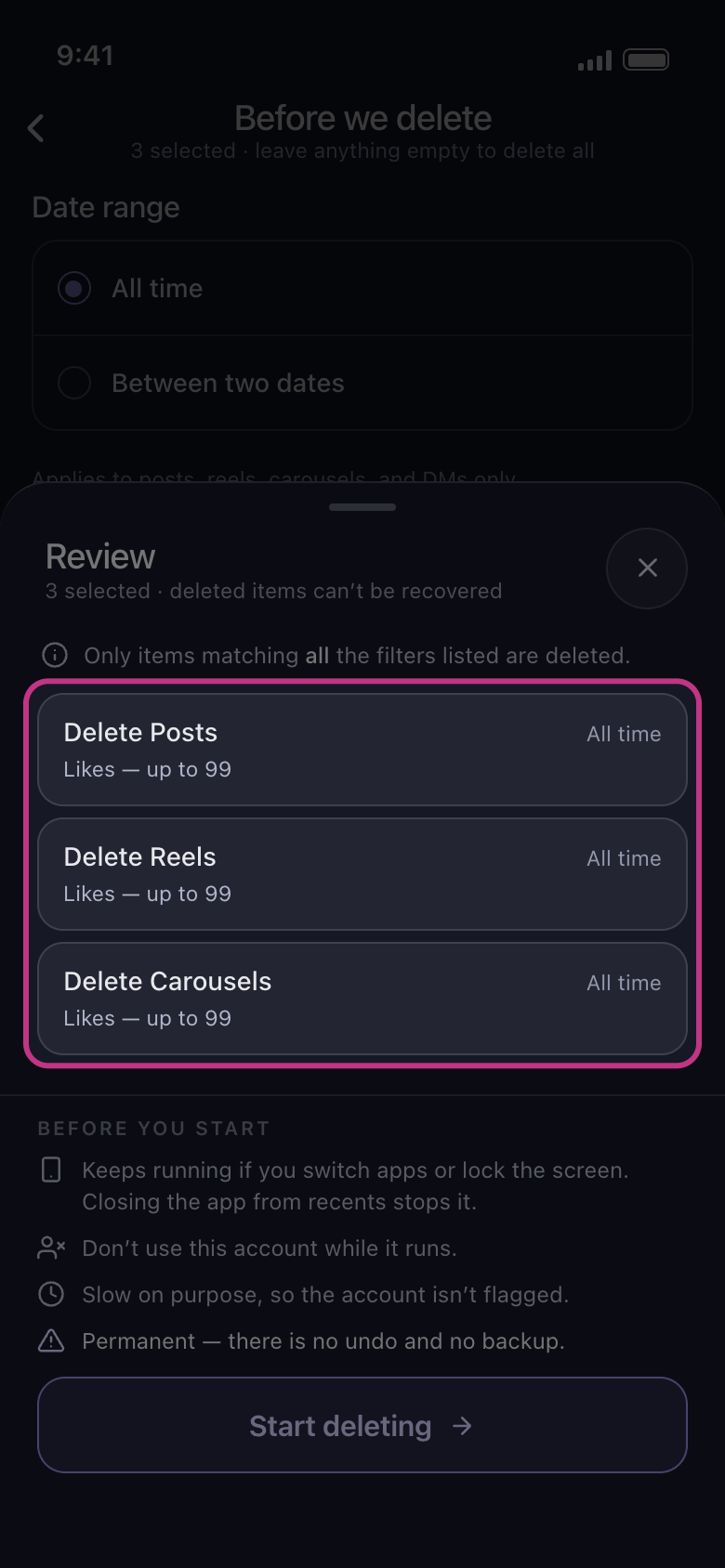
Each tile the limits reach shows them under its name. Nothing is deleted until you tap Start deleting.
In the app Continue → Review → Start deleting
Good to know
- If a lowest count is above the highest, nothing can match, and the section says so: No post can match: the minimum is above the maximum.
More guides