
Yalnızca belirli bir tarih aralığını silme
Yalnızca eski gönderilerinizi ya da yalnızca belirli bir yıla ait olanları silmek için bir tarih aralığı belirleyin. Bu ayar, silinecekleri işaretleyip Continue düğmesine dokunduğunuzda açılan Before we delete ekranının ilk bölümüdür. Discord, Slack, Instagram, Facebook, TikTok, LinkedIn ve YouTube’da vardır; X ve Reddit’te yoktur.
- 01
Silinecekleri işaretleyin, ardından Continue düğmesine dokunun
Before we delete yalnızca işaretlediklerinize uygulanan bölümleri gösterir; yani Date range yalnızca işaretlediğiniz bir şey tarihe göre daraltılabiliyorsa görünür. Hiçbir şey daraltılamıyorsa Continue bu ekranı atlar ve Review penceresini açar.
Uygulamada Main → platform → hesap → Continue
- 02
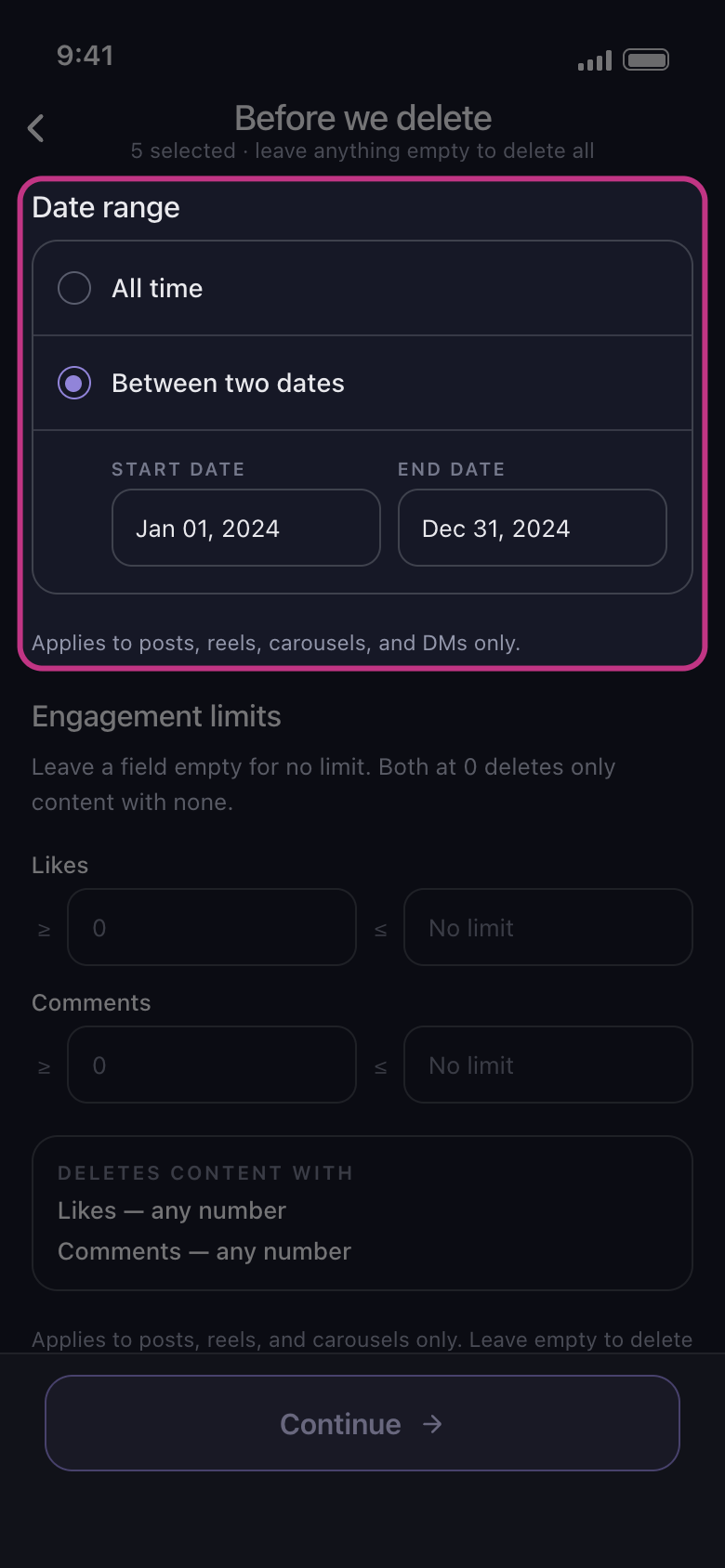
Between two dates seçeneğini seçin
All time, tarihe bakmadan siler. Between two dates seçeneğine dokunun, sonra ilk ve son günü seçin: Start Date ve End Date kutularında görünürler.
Uygulamada Before we delete → Date range → Between two dates
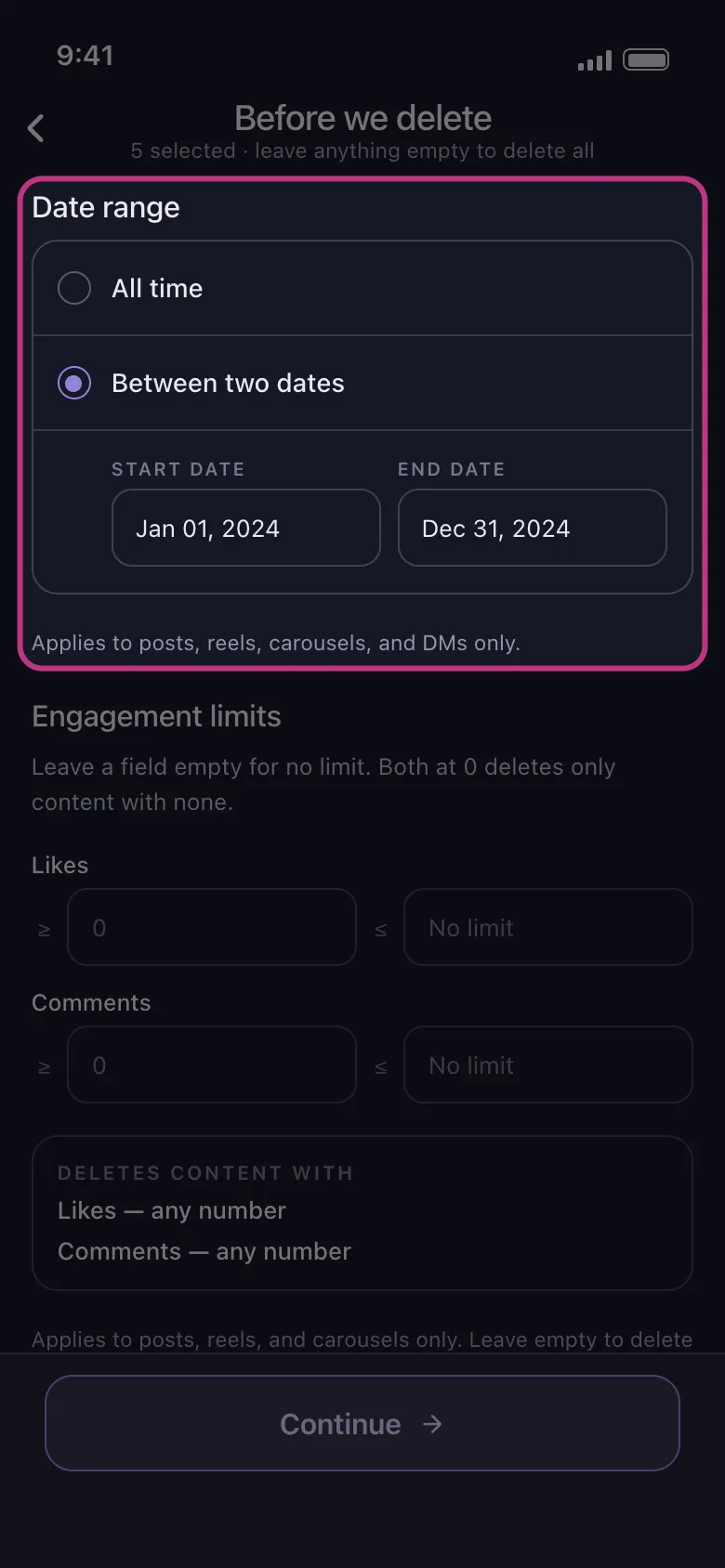
- 03
Aralığın neleri kapsadığını bilin
Discord ve Slack’te işaretlediğiniz her sohbetteki mesajlar. Instagram’da gönderiler, Reels videoları, carousel gönderileri ve DM’ler; beğeniler, yorumlar, Unfollow All ve Remove All Followers tarihten bağımsız gider. LinkedIn’de gönderiler, yeniden paylaşımlar ve yorumlar; tepkiler tarihten bağımsız gider. TikTok’ta işaretlediğiniz her şey; beğenilen videolarda tarih, sizin beğendiğiniz gün değil, videonun paylaşıldığı gündür. Facebook ve YouTube’da tarih taşımayanlar dışında işaretlediğiniz her şey: bir aralık ayarlıyken Facebook’taki Delete Albums seçeneğinden ve YouTube’daki Unsubscribe from Channels seçeneğinden hiçbir şey silinmez.
Uygulamada Before we delete → Date range
- 04
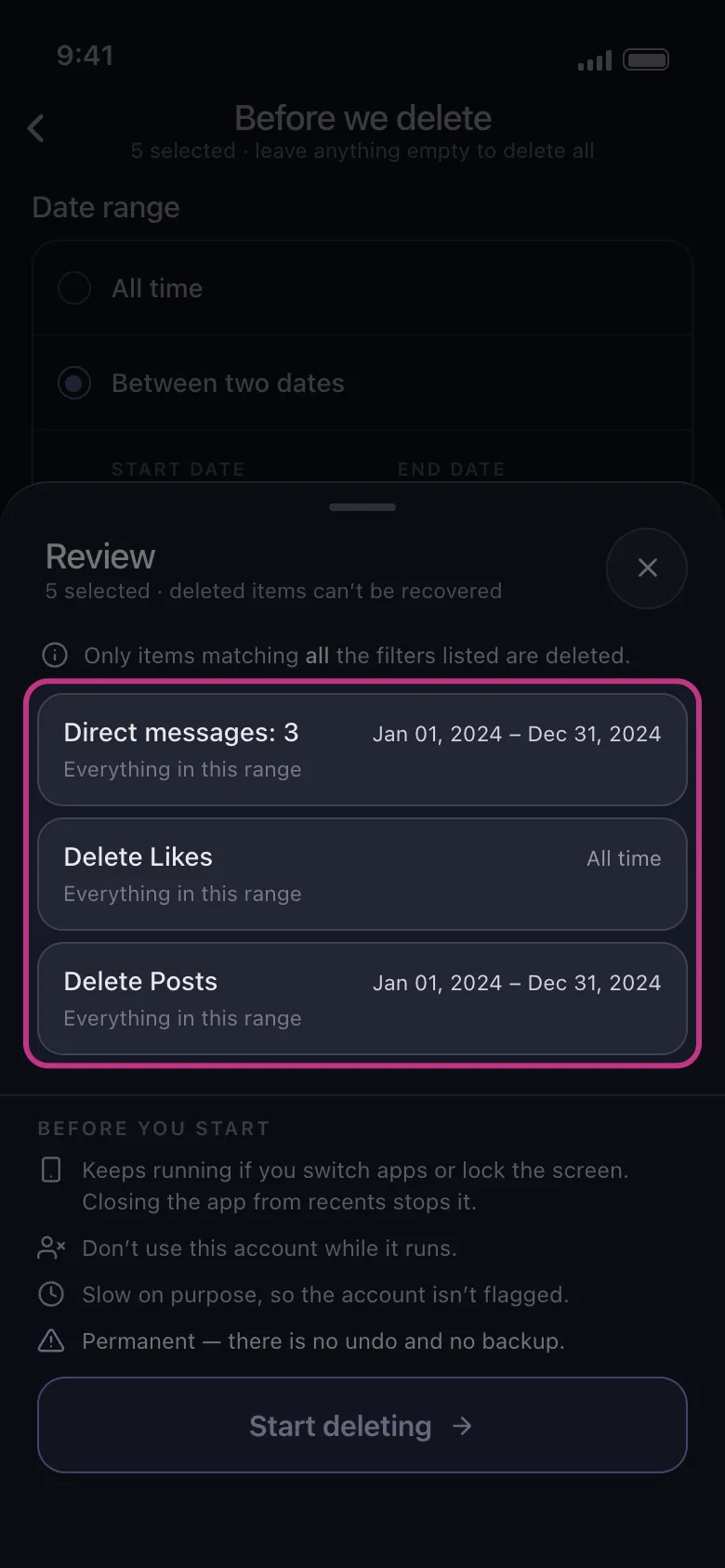
Continue düğmesine dokunun ve Review penceresini kontrol edin
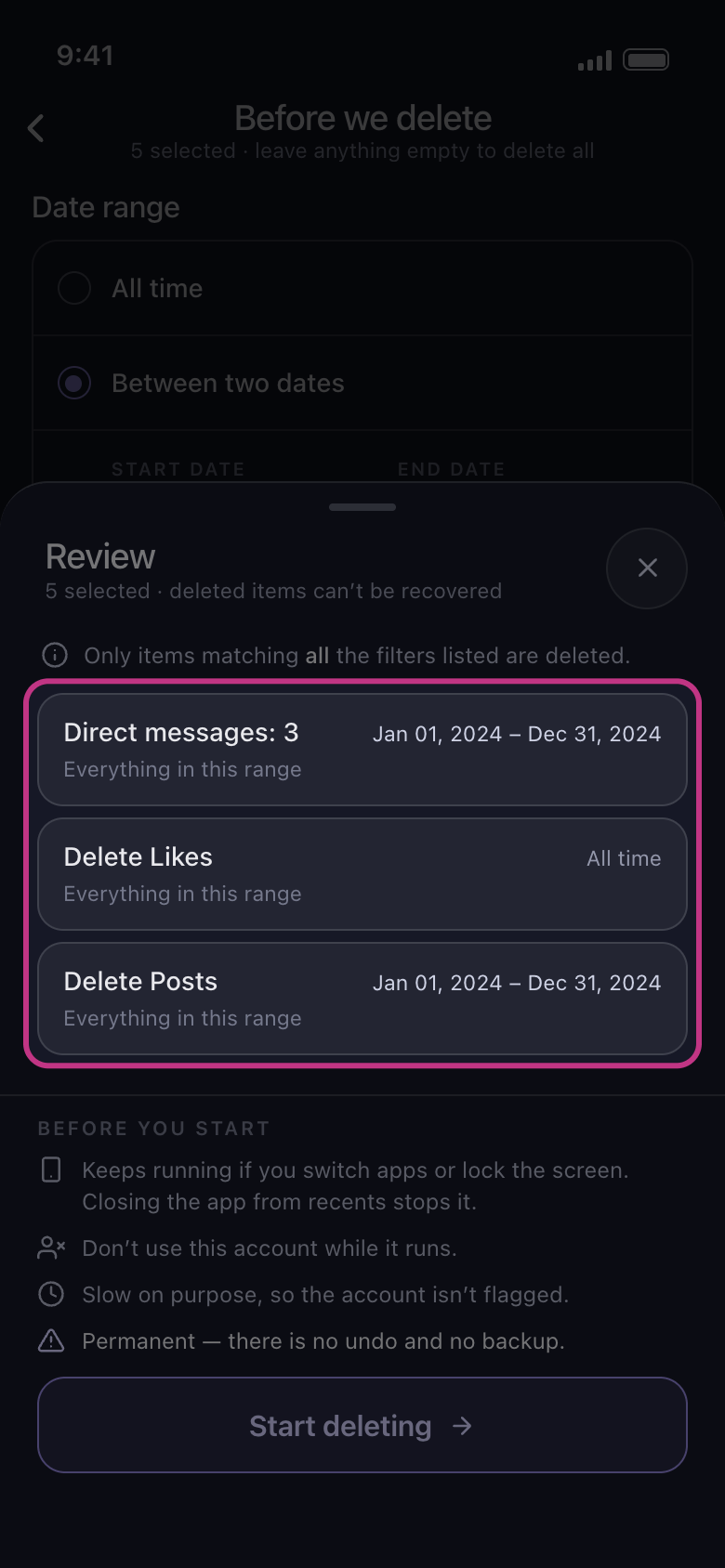
Review penceresinde işaretlediğiniz her şey için bir kart bulunur; kartta tarihleriniz ya da All time yazar. All time yazan kart tarihten bağımsız silinir, Skipped yazan kart ise olduğu gibi bırakılır. Tüm kartlarda All time yazıyorsa aralık ayarlanmamıştır: Review penceresini başlığının yanındaki × ile kapatın ve iki tarihi yeniden seçin. Start deleting düğmesine dokunana kadar hiçbir şey silinmez.
Uygulamada Continue → Review → Start deleting
Bilmekte fayda var
- Date range, Before we delete ekranının diğer bölümleriyle birlikte çalışır: yalnızca aralığa giren ve ayarladığınız diğer tüm filtrelere uyan içerik silinir. “Anahtar kelime içeren mesajları silme” ve “En iyi gönderilerinizi koruyup gerisini silme” kılavuzlarına bakın.
- Önce en eskileri ya da önce en yenileri silmek için bir ayar yoktur.
- Ücretsiz planda her hesap, aralık içinde de günde en fazla 50 öğe silebilir: çok içerik barındıran bir aralık birkaç gün sürer.
Daha fazla kılavuz