
Unpost says nothing is left on X, but my posts are still there
X stops listing your older posts and replies, so a normal run can’t reach them, with or without Premium. It can end with Nothing deleted or Deletion Complete! while your profile still shows posts. Your X archive still has them: delete from it instead.
- 01
Ask X for your archive
In X, go to Settings and privacy → Your account → Download an archive of your data, and ask for an archive of all your data. Wait until it’s ready, then download the .zip to your phone.
- 02
Tap your account and choose Delete from data package
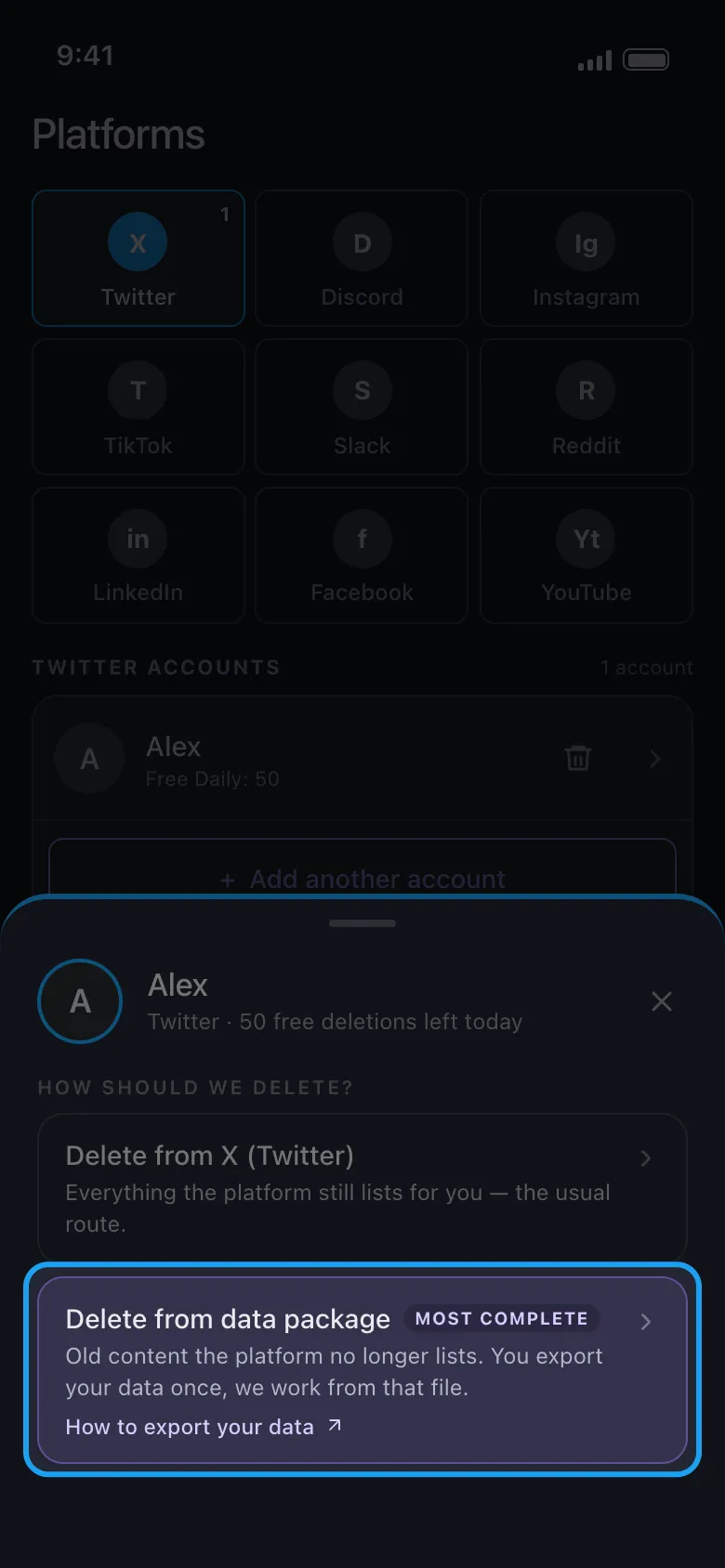
On Main, tap the Twitter tile, then your account. On the How should we delete? sheet, Delete from X (Twitter) is the usual run; Delete from data package, marked Most complete, works from your archive.
In the app Main → Twitter → account → Delete from data package
- 03
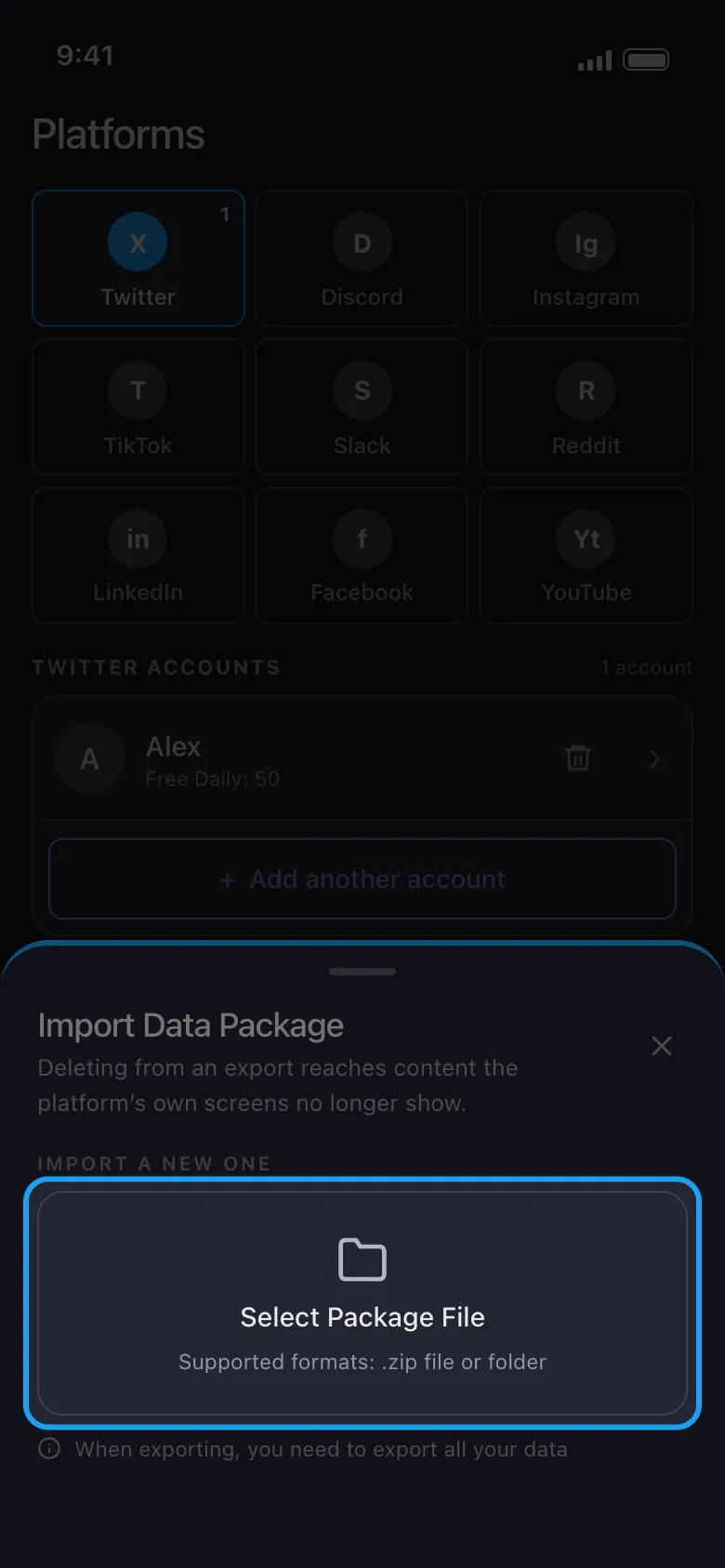
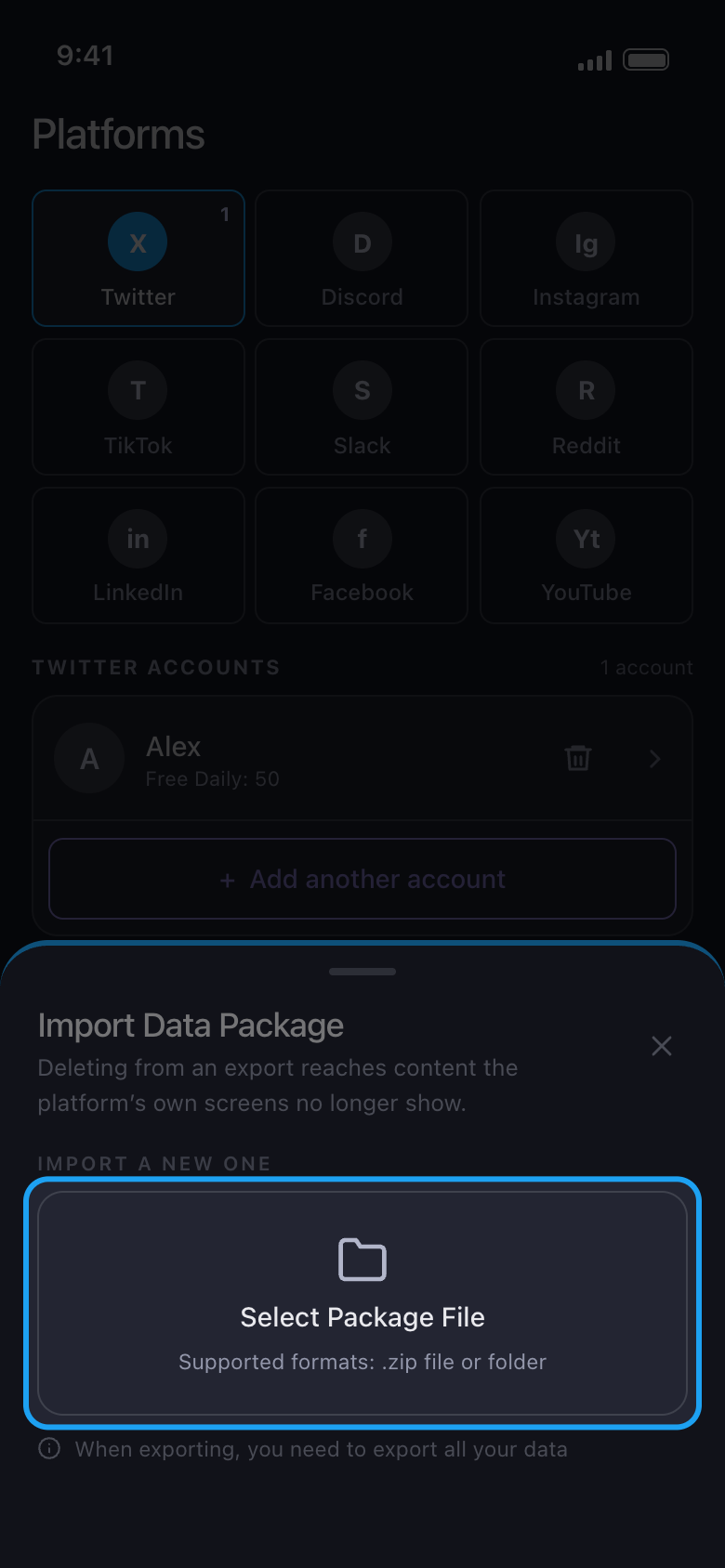
Tap Select Package File and pick the whole .zip
Pick the .zip exactly as you downloaded it, never a file inside it such as tweets.js. Keep Unpost open while it imports: the archive is read on your phone, and a big one takes a while and needs free space.
In the app Import Data Package → Select Package File
- 04
Tick what to delete, then start
When the import is done, tick Delete Posts and Delete Replies, tap Continue, check the Review sheet and tap Start deleting.
In the app Continue → Review → Start deleting
- 05
Check what’s left in a private window
X’s post counter takes a while to catch up, so it can count posts that are already gone. Open your profile in a private (incognito) browser window, or check again later. Posts really still there? Ask X for a new archive and run that one: an archive holds only what was on your account when you asked for it, and it can miss some.
- 06
A big history takes several days
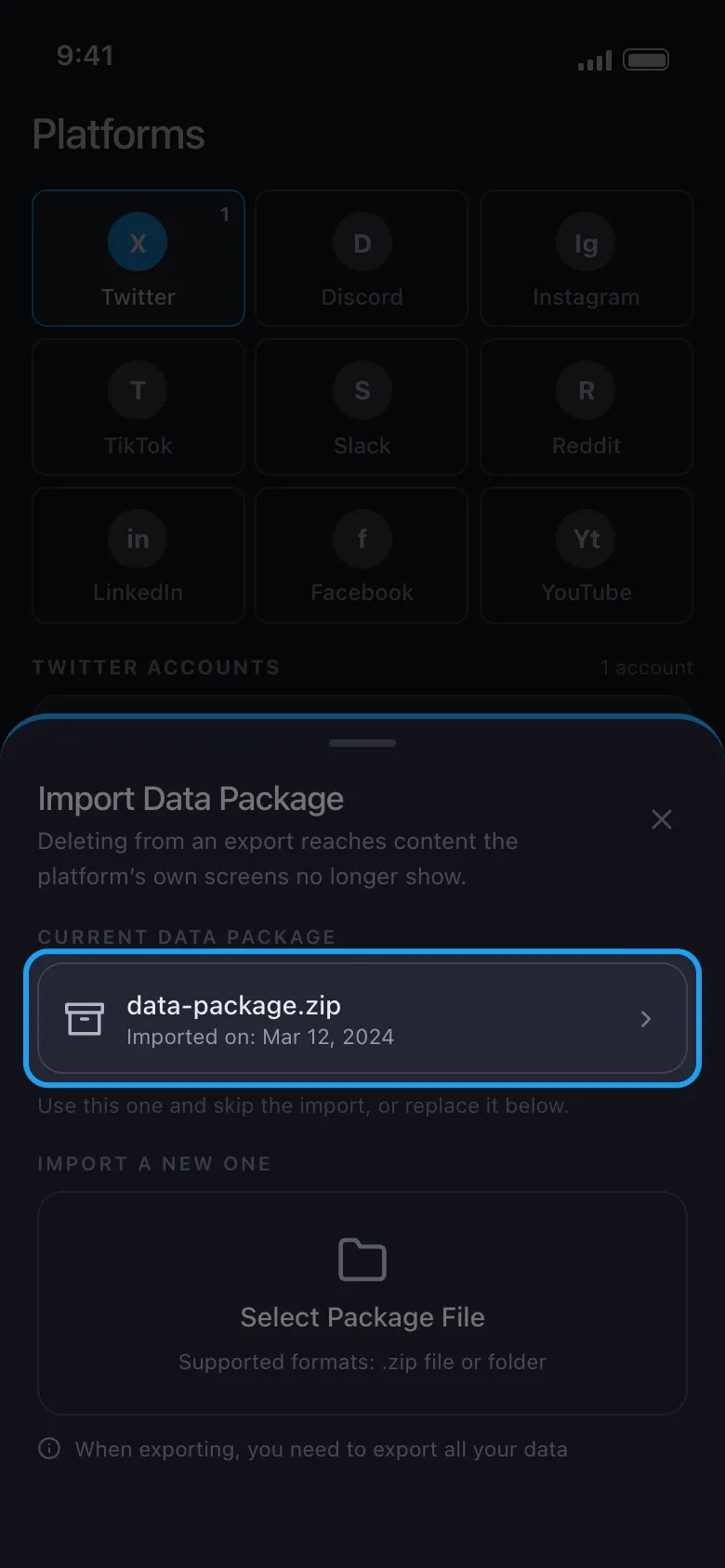
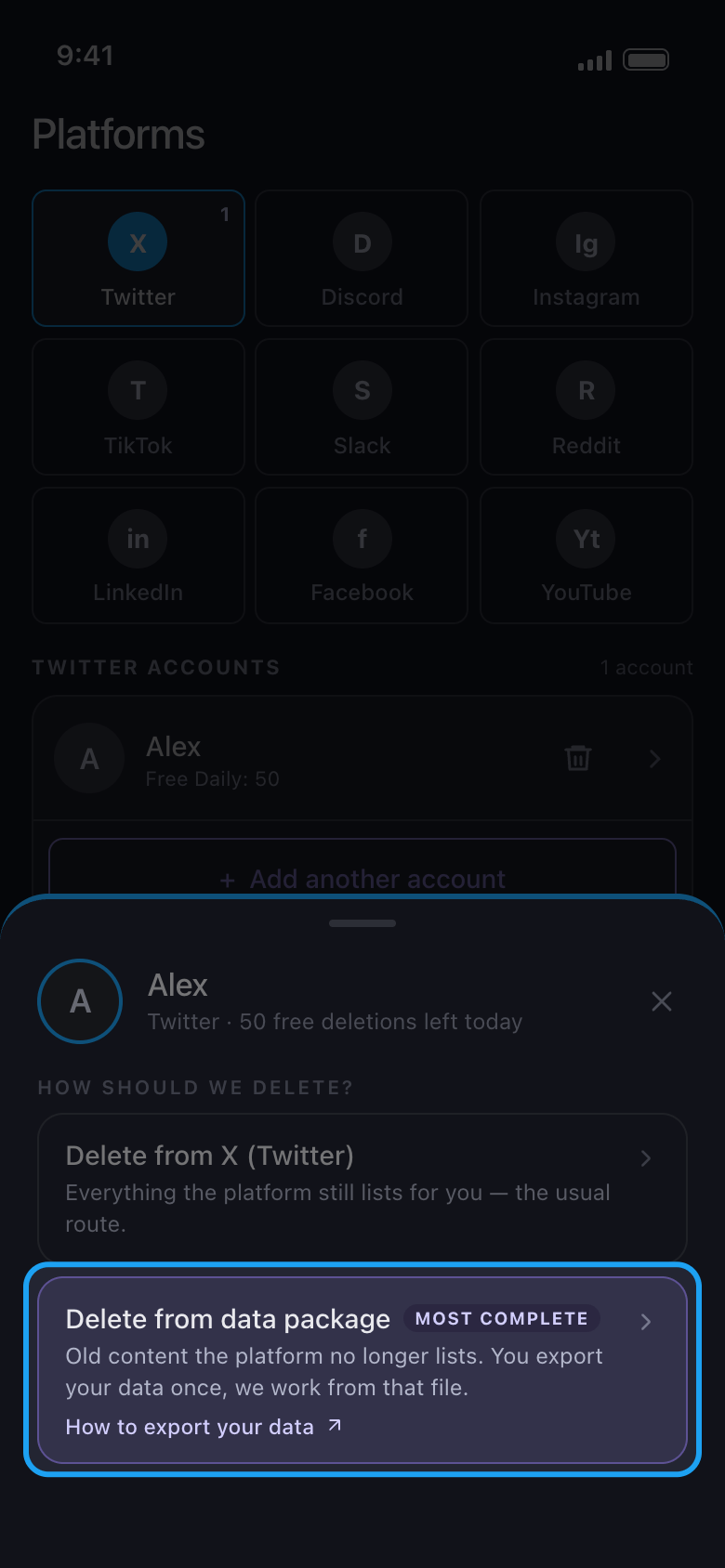
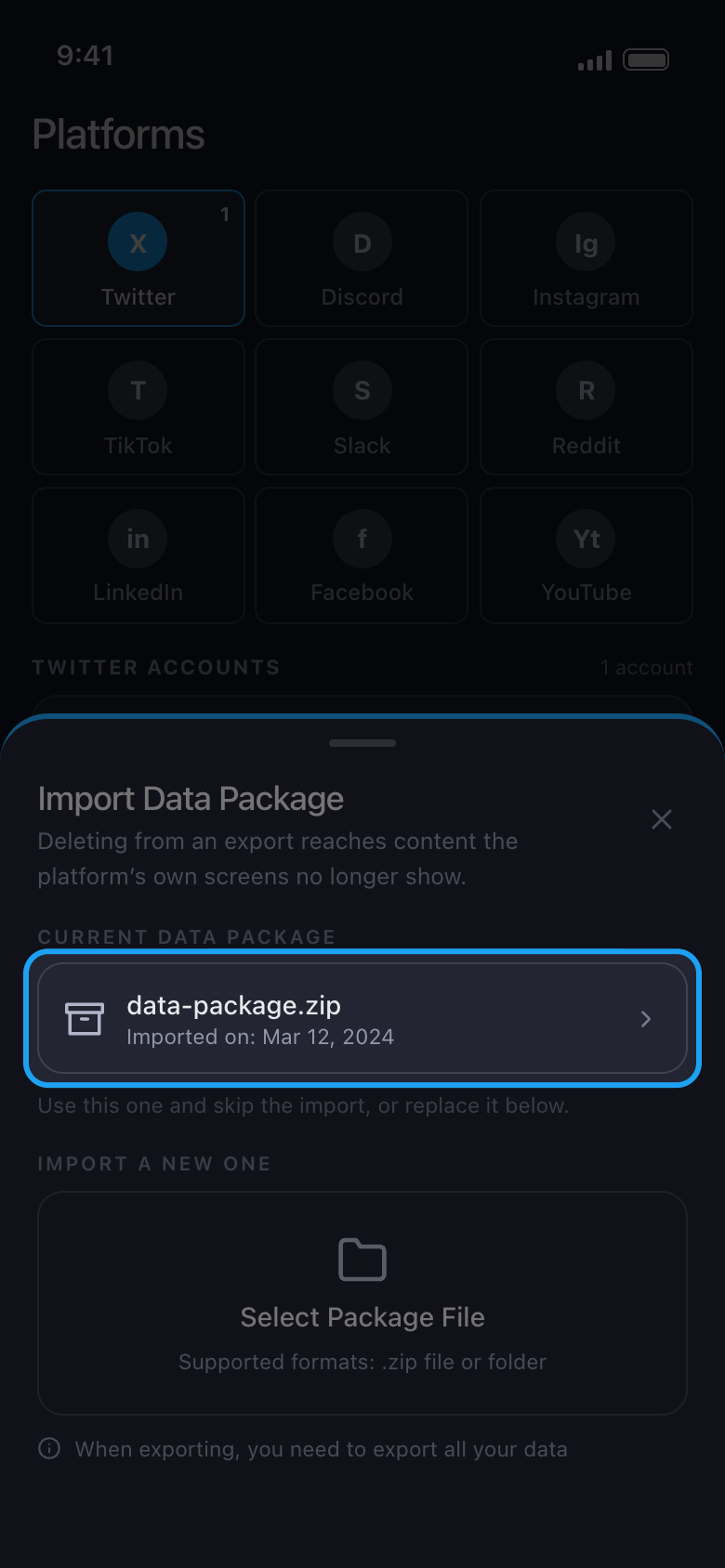
X also limits how much any app can delete in a given time, with or without Premium, so a very big history goes in batches. To carry on another day, open Delete from data package again and tap your archive under Current Data Package: Unpost uses it again without a new import.
In the app Main → Twitter → account → Delete from data package → Current Data Package
Good to know
- Without Premium, each account can delete 50 items a day, from the archive too: the run then ends with Free daily limit reached, and the allowance comes back the next day. Premium removes that cap.
- Use the archive of the X account you connected in Unpost: another account’s archive stops with The selected data package belongs to a different account.
- Import stopped means nothing was deleted. Check what the sheet lists under Worth checking, then tap Choose another file.
- The run’s progress can name Likes even if you ticked only posts or replies: only what you ticked is deleted. For likes a normal run leaves behind, tick Delete Likes and choose Like Then Unlike on the next screen.
- During a run, don’t use X on any device, and on an iPhone keep Unpost open on screen: see Does Unpost need to stay open while it deletes?
- Posts still there after a new archive? Report it from the result screen: see How to update Unpost and report a problem.
More guides