
How to Delete All Instagram Comments at Once
Can You Delete All Instagram Comments at Once?
Not inside Instagram: there is no one-tap way to delete all Instagram comments. Its Your Activity screen lists the comments you left, lets you tick a batch, delete it, and start again until the list is empty. The two real ways to clear everything are a long session of batches, or an app that works through the list for you while you leave Instagram closed.
This page is about bulk cleanup of comments you wrote. For a single comment, follow how to delete a comment on Instagram. If comments are one part of a wider reset with posts, likes, DMs and followers, the Instagram cleanup guide maps every route.
The Manual Way: Your Activity, Batch by Batch
In current versions of Instagram, every comment you left sits in one list:
- Open your profile and tap the menu (three lines, top right).
- Tap Your activity, then Interactions, then Comments.
- Open Sort & filter to show the oldest first or to limit the list to a date range.
- Tap Select, tick the comments, then tap Delete and confirm.
- Wait for the list to reload and repeat.
Each round is capped, so years of comments mean a long evening of select, delete, reload. Sorting oldest first lets you work from the comments you most likely want gone, and stop when you reach the ones you are happy to keep.
Scripts shared online promise the same in one go, but they run in a desktop browser’s developer console inside your logged-in Instagram session. You paste code you may not be able to read into the one place with full access to your account.
Delete Every Comment in One Run With Unpost
Unpost deletes the comments of a connected Instagram account item by item, as one run, while it shows the progress and then the result. You choose the account and the options once:
-
Install Unpost from the App Store or Google Play (get Unpost).
-
Open it, pick the app’s language, then tap Continue under the privacy policy.
-
Without Premium the app opens on its Subscription tab: tap Main in the bottom bar.
-
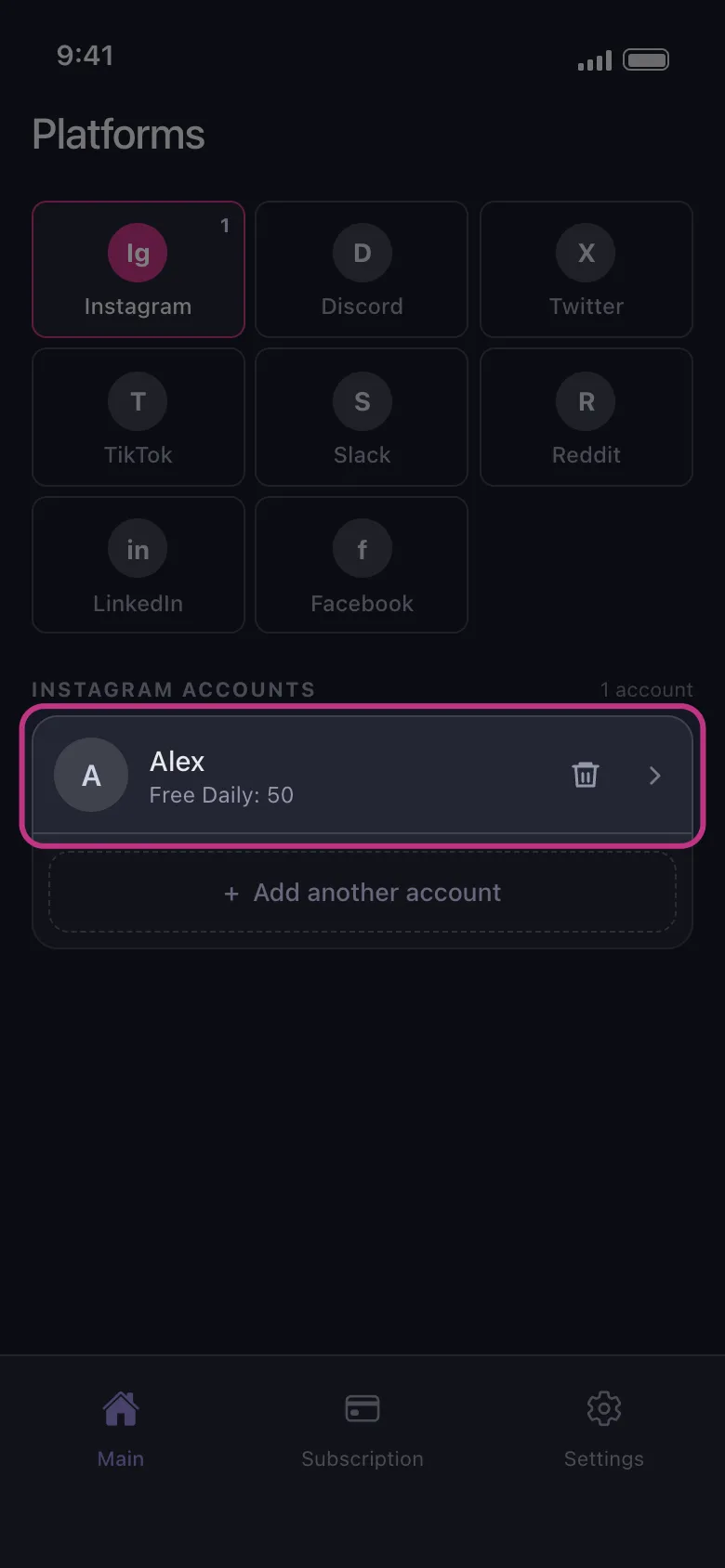
Tap the Instagram tile, then the connect button under it, and log in on Instagram’s own page, which opens inside Unpost.
-
Tap the connected account.
-
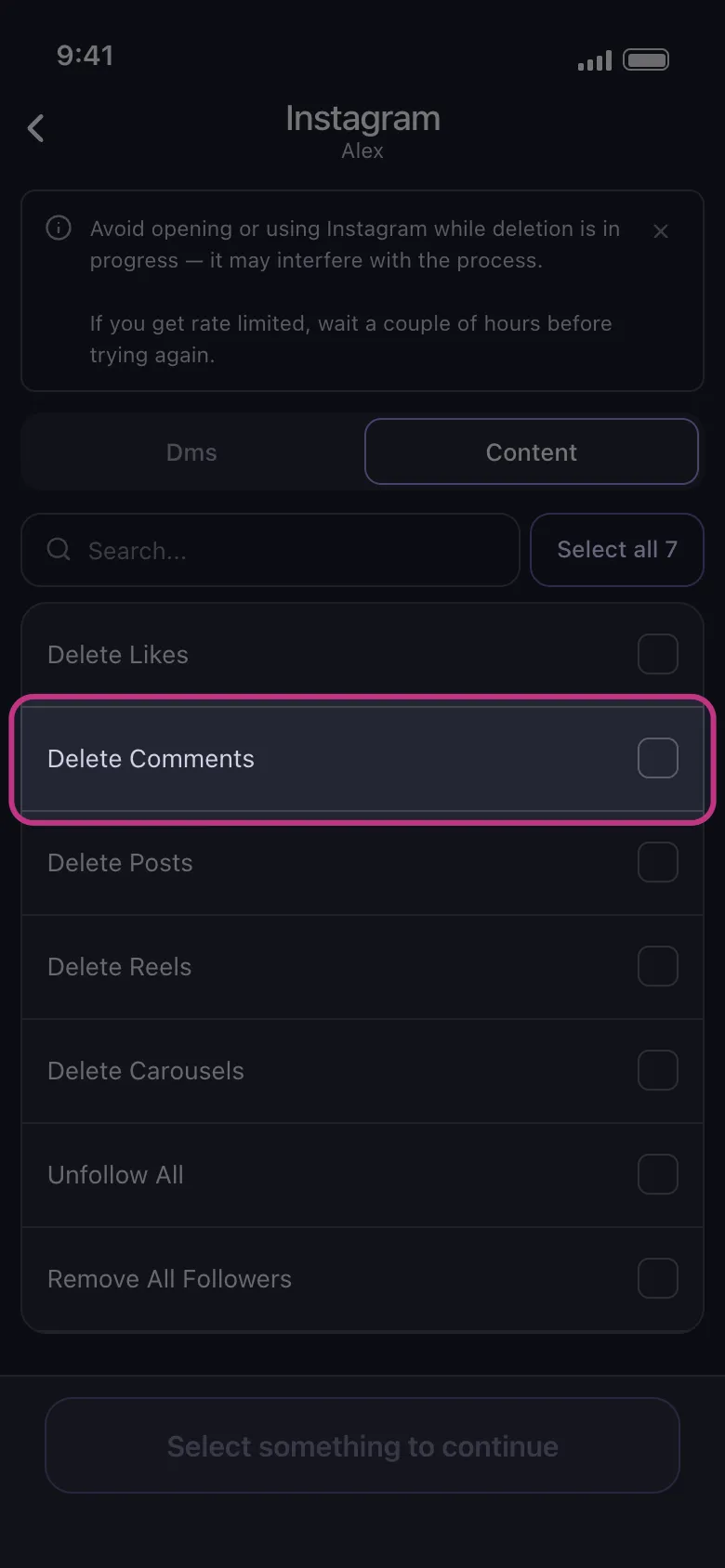
Pick Delete Comments, then tap Delete. Deleting is permanent: there is no undo, and Unpost keeps no backup.
-
Read the rules and tap Got it. On an iPhone, keep Unpost in the foreground until the run ends; on Android it goes on in the background and with the screen locked, but not if you close the app. Do not open Instagram meanwhile. If Instagram rate-limits the run, wait a couple of hours before trying again.
Runs are slow on purpose, to protect the account from a ban. Without Premium, each connected account gets 50 free deletions a day and the run stops when they are used: 1,000 comments take 20 days at that pace. Premium, a monthly subscription through the App Store or Google Play, removes the cap.
Your password is typed on Instagram’s page, not into a form of Unpost’s; the session stays on the phone in encrypted storage, and deleted content never passes through an Unpost server. The app does ship Firebase analytics and Sentry crash reporting.
The same bulk delete for Instagram covers Likes, Posts, Reels and Carousels. When likes are your next cleanup, deleting Instagram likes compares both routes.
Keep Some Comments: Sort Them in Your Activity
There is no keyword filter on Instagram in Unpost, so a run cannot pick comments by the words in them. To keep a few, work in Your Activity instead: Sort & filter limits the list to a date range, and you tick only the comments you want gone.
What a Comment Cleanup Cannot Reach
- Comments other people left on your posts. That is moderation, done from the post’s own comment list, not a cleanup of your history.
- Comments Instagram no longer lists to you. On Instagram, the app has no data-export route (that exists for Discord, Reddit and X), so do not count on it to reach a comment Instagram itself no longer shows.
- Copies. Screenshots, quotes and reposts made by others stay where they are.
Install Unpost, connect the account and start with Delete Comments.
Frequently Asked Questions

Get Started
Delete Old Content Across Your Accounts
Bulk delete messages, posts, likes, comments, DMs, reactions, bookmarks, followers, and more — all from one app.
No password storage • 50 free deletions a day per account • iOS & Android


Unpost is distributed only through the App Store and Google Play.