
How Can I Delete My YouTube Account or Channel?
The answer to “how can I delete my YouTube account” is to delete its channel, on a computer only, in YouTube Studio under Remove YouTube Content. Your Google account, with Gmail and Drive, stays. Hiding the channel is a separate setting that also works in the YouTube app. Deleting the Google account takes YouTube with it, and everything else Google holds.
If you mostly want your trail gone, keep the channel and empty it, which is deleting all your YouTube activity rather than the account.
Channel or Google account: which one you are closing
You sign in to YouTube with a Google account. The channel is your public face on it: the name and picture next to every comment, your uploads, your playlists.
| Hide the channel | Delete the channel | Delete the Google account | |
|---|---|---|---|
| Can you undo it? | Yes, restore it later | No | Treat it as no |
| Videos, playlists, community posts | Hidden from others | Deleted | Deleted |
| Comments you left | YouTube doesn’t say | Deleted | Deleted |
| Gmail, Drive, Photos | Untouched | Untouched | Deleted |
Deleting the Google account starts in your Google Account settings, under Data & privacy, then Delete your Google Account.
Before you delete anything, download your videos and comments with Google Takeout. After a deletion, that export is the only copy you will have.
Hide your channel: reversible, and the account keeps working
Hiding is the right move when you might come back, or when you want the channel out of sight today and have not decided about the rest. YouTube’s help page says a hidden channel’s name, videos, playlists and community posts are hidden from search and from other users.
On a computer, open YouTube’s Settings, then Advanced Settings, then Hide your channel, and click Hide. In the YouTube app, tap your profile picture, then Settings, Privacy and Hide your channel, and tap Hide.
Restoring sits in the same place: Restore your channel, then Restore. One catch: videos that were public come back set to private, so set them back to public in YouTube Studio.
How can I delete my YouTube account for good: the channel steps
- On a computer, sign in to YouTube Studio. A channel cannot currently be deleted on mobile devices, YouTube’s help page says.
- If your Google account has several channels, switch to the one you want to remove from your profile picture menu. If you were invited as an Owner in the channel’s permissions, you can delete it; as a Manager, Editor or Viewer you can’t, so the owner has to.
- Open Settings, then Channel, then Advanced settings, and at the bottom click Remove YouTube Content.
- Sign in again if asked.
- Choose I want to permanently delete my content, tick the boxes that confirm what goes, and click Delete my content.
Per YouTube’s help page, this permanently deletes the channel’s videos, comments, messages, playlists and history.
What stays: every copy outside your channel, such as reuploads, screenshots and quotes of your comments in other people’s replies. Those sit with the rest of your digital footprint, beyond YouTube’s delete page.
Keep the account, clear what is on it
Many people searching for the delete page want an empty channel more than a closed one: no old comments, likes or watch history, and the name and subscribers intact. Unpost is a phone app for iPhone and Android that can bulk delete posts, comments, messages and more. It does not delete YouTube channels or Google accounts. On YouTube it clears twelve categories: eleven in four groups, one on a row of its own:
- Delete Likes & Dislikes: likes and dislikes on videos, and on comments
- Delete What You Wrote: comments, replies and live chat messages
- Watch history, and unsubscribing from every channel you subscribe to
- Videos and Shorts
- On a row of its own, comments on your videos and Shorts
A channel your account manages but does not own gets three of them: its videos, its Shorts and the comments on them.
Search history, playlists, community posts and the channel itself are not among the twelve. A date range or keywords narrow a run, and a date range skips subscriptions, which carry no date. For videos and Shorts you can also set bounds on views, likes and comments, and pick the visibility.
Without Premium, each connected account can delete 50 items a day. The day counts in UTC, from the server’s clock, and a run stops when the 50 are used. At that pace, 600 comments and 400 likes take 20 days. Premium, a monthly subscription through the App Store or Google Play, removes the cap.
You sign in on Google’s own page, opened inside the app, and the session stays on your phone in encrypted storage. What you delete never passes through the app’s servers, though it does run analytics and crash-reporting tools.
-
Download Unpost from the App Store or Google Play.
-
Open it, pick a language, then tap Continue under the privacy policy.
-
Without Premium the app opens on its Subscription tab: tap Main in the bottom bar to reach the platforms.
-
Tap the YouTube tile, then the connect button under it, and sign in on Google’s page.
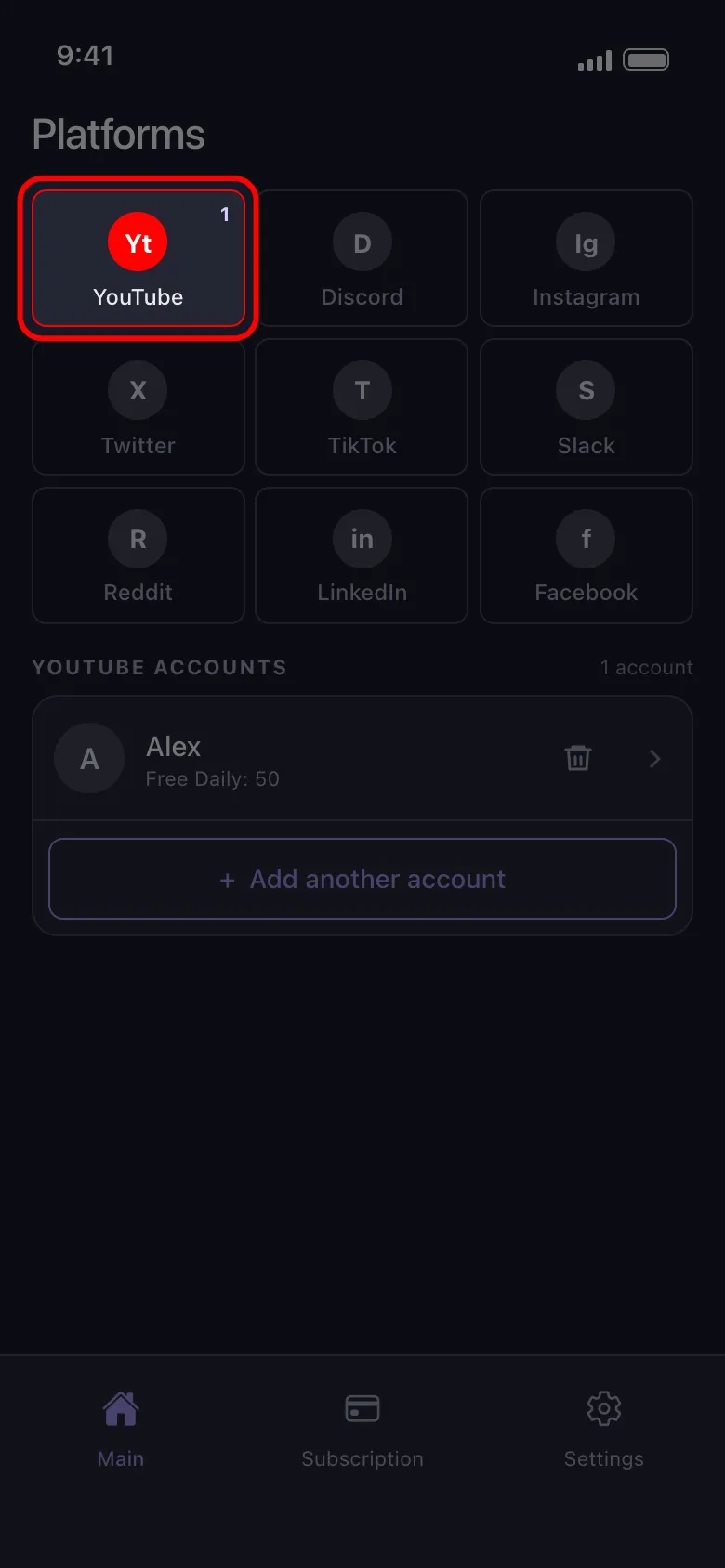
-
Tap the connected account, pick the rows you want (say Delete Comments and Delete Likes) and tap Continue.
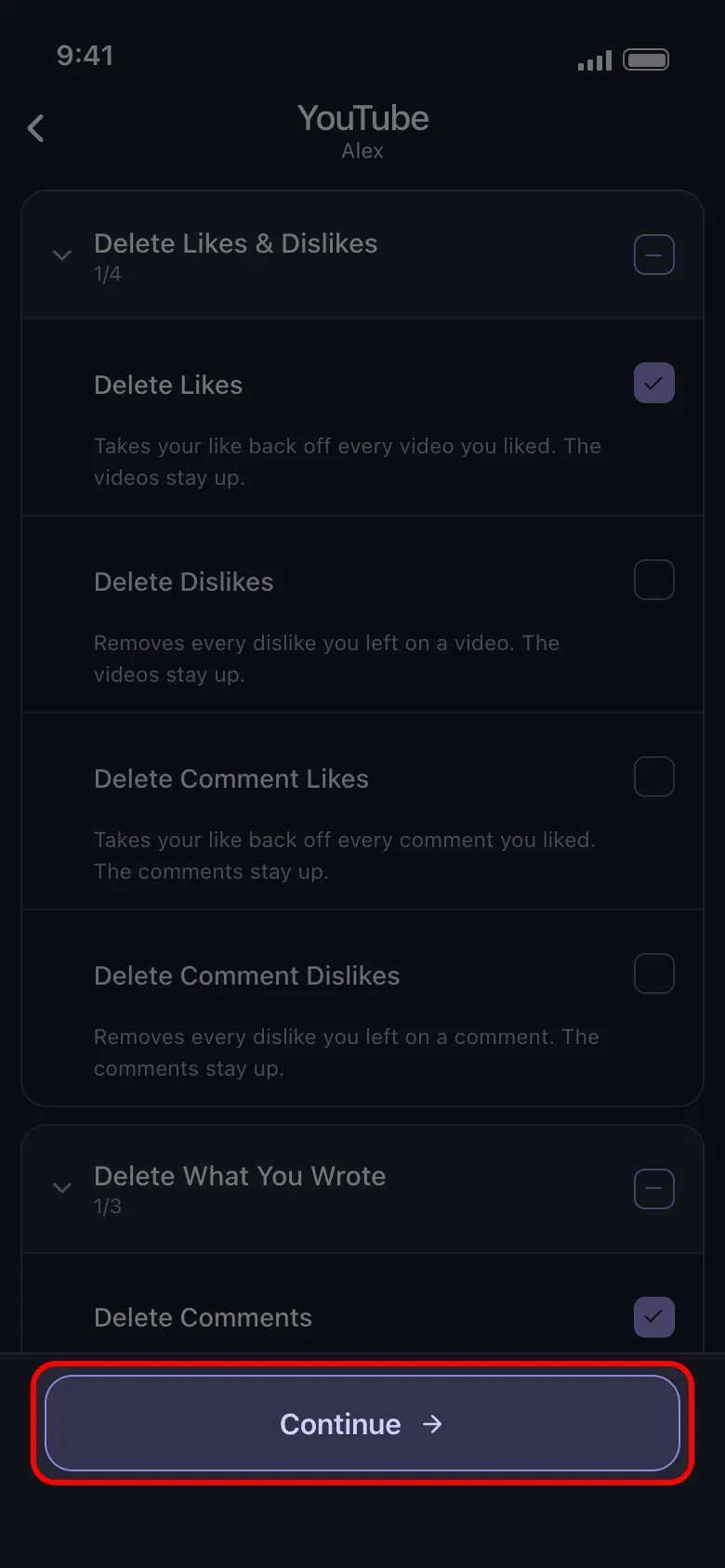
-
When the options screen opens, set a date range or keywords if you want, then tap Continue again.
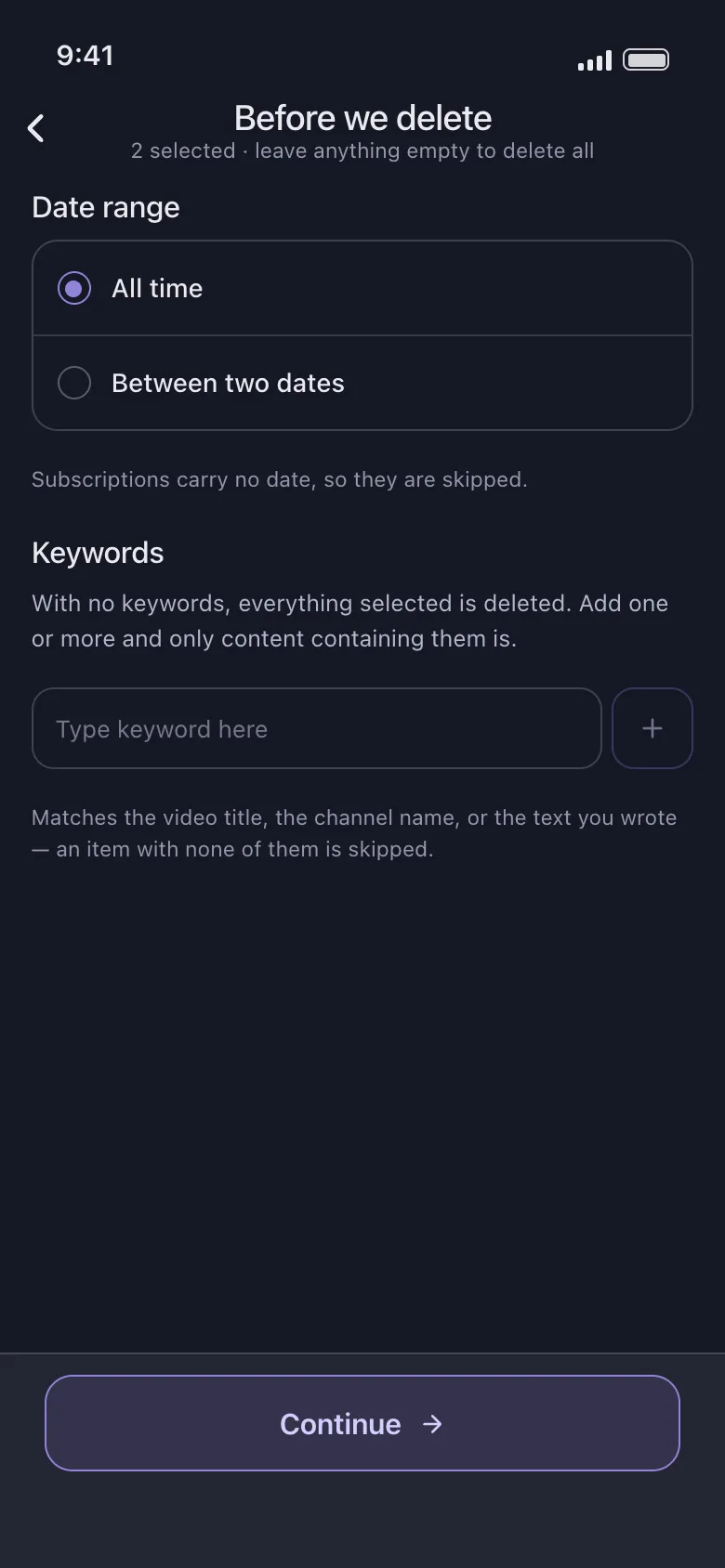
-
The Review sheet shows a tile per row you picked, with its date range and filters, then the rules of a run. Tap Start deleting.
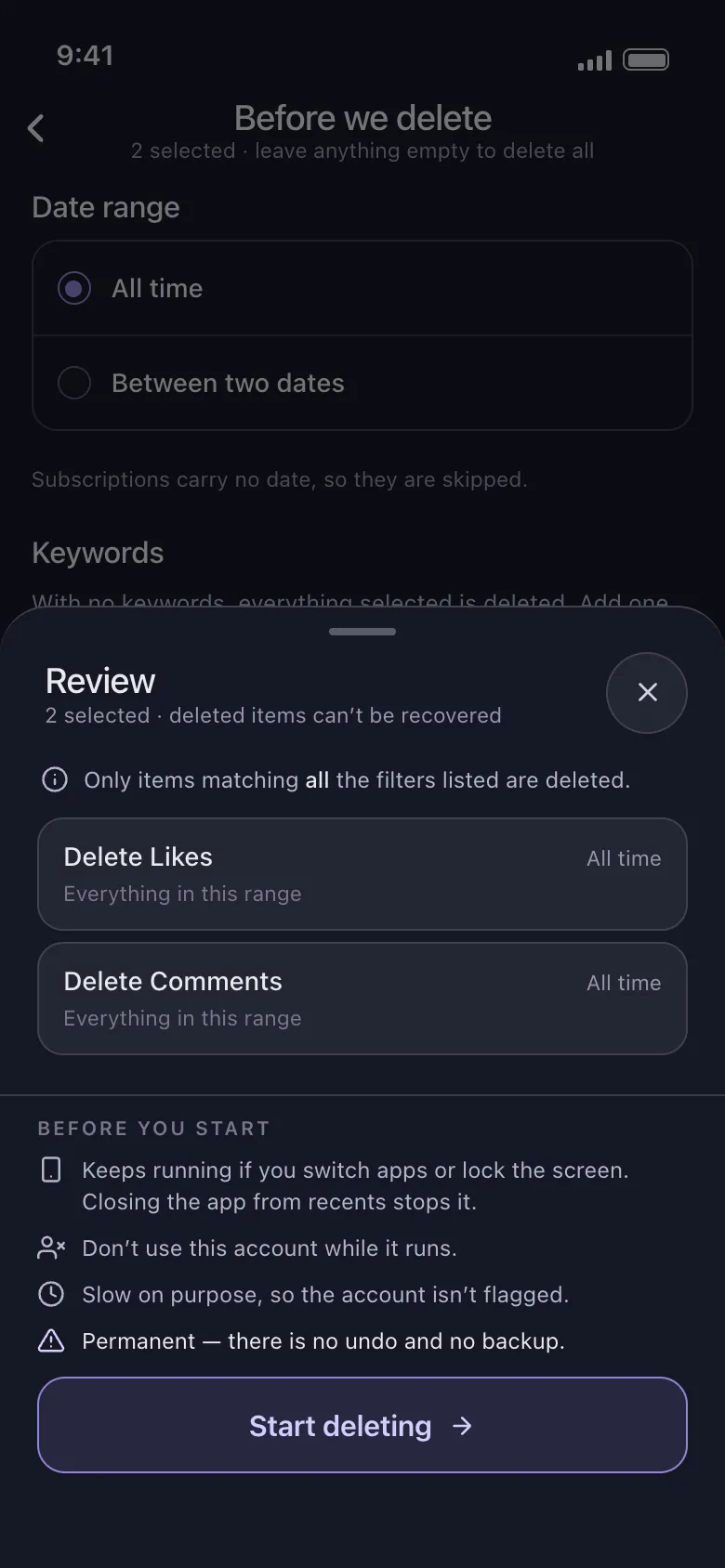
Keep the app open until the run ends: on an iPhone it has to stay on screen, while on Android it carries on in the background unless you close it from recents. Stay off the YouTube account meanwhile. Deleting is slow on purpose, so the account is not flagged, and there is no undo or backup.
To empty a channel instead of closing it, get Unpost and start with the categories you most want gone.
Frequently Asked Questions

Get Started
Delete Old Content Across Your Accounts
Bulk delete messages, posts, likes, comments, DMs, reactions, bookmarks, followers, and more — all from one app.
No password storage • 50 free deletions a day per account • iOS & Android


Unpost is distributed only through the App Store and Google Play.