
How to Find Old Discord Messages (By User, Date, Channel, and Keyword)
Quick Summary
If you are trying to find old Discord messages, the fastest starting point is Discord search.
You can search old messages by:
- user
- date
- channel
- keyword
- content type such as links, files, or other data
That is useful whether you want to:
- recover context from an old conversation
- find messages before deleting them
- review past posts in a server
- clean up a specific time period
- search for messages tied to one person, project, or topic
And once you find the messages, you can either delete them manually or use a bulk cleanup path with Unpost.
Jump To
Find the exact filter you need.
Use desktop when you want stronger combined filters and sorting. Use mobile when you just need to locate the message quickly while away from your computer.
| Search task | Desktop or browser | Mobile |
|---|---|---|
| Combine several filters | Best option for precise search | Works, but feels more limited |
| Sort old results | Strongest experience | More limited |
| Quick DM lookup on the go | Works well | Very convenient |
| Prep for selective cleanup | Best choice before deletion | Good for a shortlist |
Why finding old messages matters before cleanup
A lot of deletion problems start as search problems.
People often know roughly what they want to remove, but not exactly where it is.
Examples:
- “I want to delete messages from 2021.”
- “I want to find everything I posted in one server.”
- “I need to look for messages that mention one name.”
- “I remember the conversation, but the DM is gone from my sidebar.”
- “I want to clean up before deleting my account.”
That means a good Discord cleanup workflow usually starts with finding first and deleting second.
If you are in the second stage already, go to:
- How to Delete Discord Messages in Bulk
- How selective cleanup works in Unpost
- How to Delete Old Discord Messages with a Data Package
How to search old Discord messages on desktop or browser
Discord’s desktop and browser search is the best place to start if you want precision.
Desktop and browser search is the easiest place to combine filters before you clean anything up.
What you can filter by
On desktop and browser, Discord search can help you narrow results by:
- a specific user
- a specific channel
- mentions
- content type
- date-related criteria
- multiple combined filters
That makes desktop the strongest option when you want to search old messages before doing a selective cleanup.
Useful search habits
When searching old history, start broad and then narrow down.
A practical order is:
- choose the relevant server or DM
- search one keyword or person first
- add date narrowing next
- use channel filtering if the results are too broad
- sort by oldest or newest if needed
This helps you avoid getting overwhelmed by huge results.
Desktop shortcuts worth remembering
Discord search supports quick shortcuts such as:
from:in:mentions:has:
That makes it easy to search for patterns like:
- messages from a specific person
- messages in one channel
- messages that mention someone
- messages containing files or links
If you are cleaning up one project, one breakup, one old username, or one employer name, this is the fastest way to start.
Sorting is most useful after the filters are already narrow enough to show the time window you care about.
How to search old Discord messages on mobile
Discord mobile search is more limited than desktop, but still very useful.
On mobile, you can search with filters such as:
- from a specific person
- mention someone
- has specific data
- in a specific channel
- sent on a date
- before a date
- after a date
- by author type
That means mobile is good enough for:
- checking your old DM history
- finding messages from a certain period
- searching messages in a channel while you are away from a computer
- building a shortlist of what you want to delete later
The main limitation is that desktop and browser give you a better combined-filter and sorting experience.
Mobile search is strong enough for date windows and people filters, even if the full desktop experience is still better.
How to find old Discord messages by date
Date-based searching is one of the most useful cleanup workflows because many people think in time periods, not exact message text.
You might want to find:
- everything from one school year
- messages before a breakup or job change
- posts during a past project
- old messages before deleting an account
Start with:
- sent on a date
- before a date
- after a date
Once you know the time window you care about, you can decide whether manual deletion is enough or whether you want a bulk date-range cleanup.
If your real goal is removal, the most direct follow-up is How to Delete Discord Messages by Date Range. If you want the broader filter overview too, use the filters section in How to Delete Discord Messages in Bulk.
How to find old Discord messages by person or keyword
If you are looking for messages connected to one person, you usually want one of two paths.
Search by user
Use the person or user filter to find messages sent by a certain account.
This is useful when you want to:
- review one conversation pattern
- find messages from one team member or moderator
- isolate posts from one user in a server
- prepare for admin cleanup in a server
If you are a server admin trying to act on those results later, also read Can You Delete Someone Else’s Discord Messages? Admin Guide.
Search by keyword
Use a keyword if you want to find messages containing:
- a name
- a company
- a project codename
- a specific phrase
- a sensitive topic
This is especially helpful when you remember what was discussed but not where it happened.
If your end goal is deletion, the fastest follow-up is How to Delete Discord Messages by Keyword. If you want the broader filters overview too, use How selective cleanup works in Unpost.
How to find messages with files, links, or other content types
Sometimes the issue is not the text itself. It is the type of message.
Discord search can help you find messages containing:
- links
- files
- embeds
- polls
- other content types
That matters when you are trying to find:
- old shared resources
- attachments you posted
- link-heavy project threads
- media messages in a server
This is also useful before a privacy cleanup because content-type searching can uncover messages you forgot about.
What to do if the old message is in a closed DM
This is where many users get stuck.
A DM disappearing from the sidebar does not necessarily mean the history is gone. Start with:
-
Discord search
-
reopening the conversation if you can
-
checking whether the message history is still accessible in the app
-
switching to a data-package workflow if the chat is older or harder to surface

If you are confused about what Close DM really does, read What Does Close DM Mean on Discord? Does It Delete Messages?.
If you suspect older content is missing from normal search or navigation, first request the archive with How to Request Your Discord Data Package, then use How to Delete Old Discord Messages with a Data Package.
What to do after you find the messages
Once you find the messages, you have three main options.
Option 1: Delete a few messages manually
Best if you only found a handful of posts and they are easy to remove.
Option 2: Use Unpost for selective cleanup
Best if you want to remove:
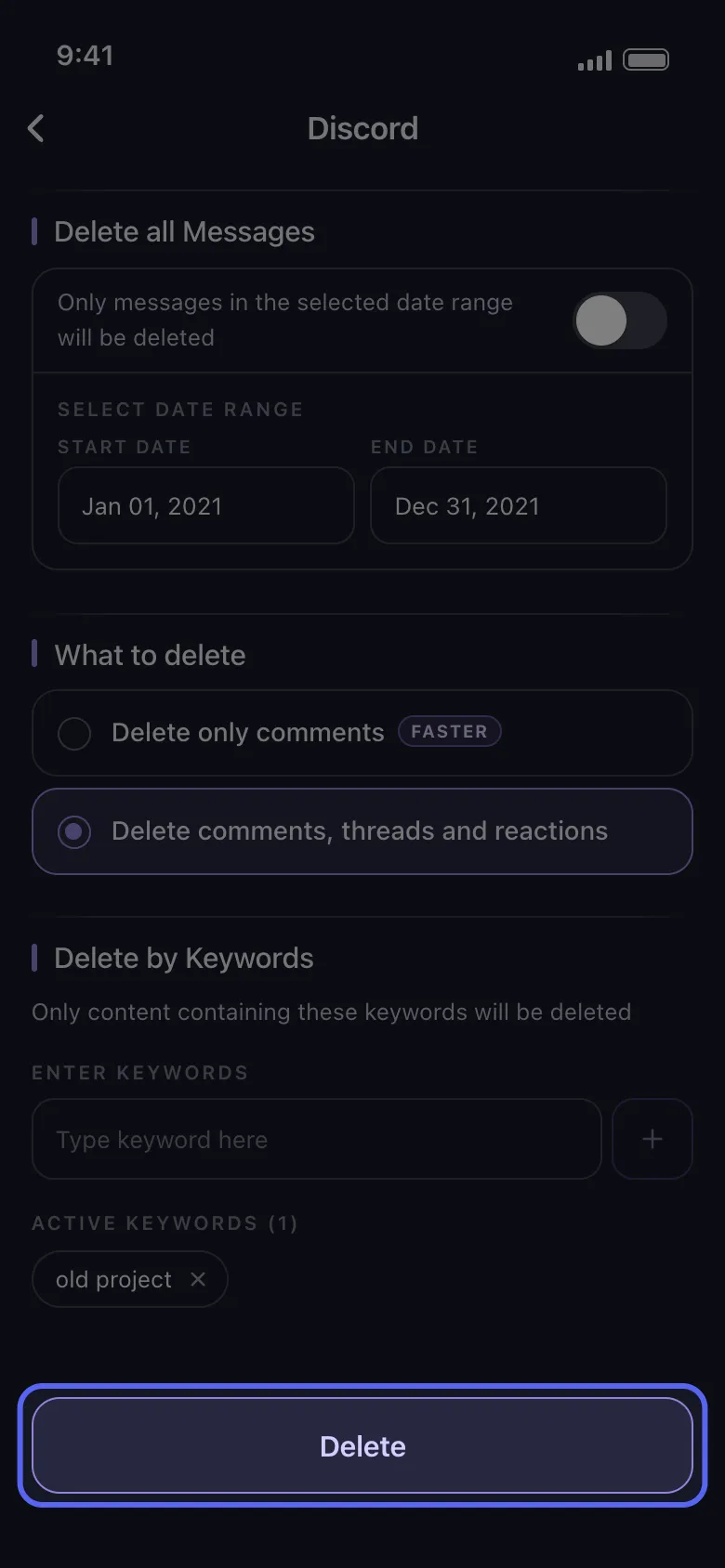
- a whole date range
- all messages with certain keywords
- multiple DMs
- multiple server channels
- threads and reactions too
Option 3: Use a data package for older cleanup
Best if the messages are older, buried, or hard to access through the normal interface.
Found The Messages?
Now delete them by date or keyword.
Discord search narrows the target. Unpost handles the selective cleanup when one-by-one deletion becomes too slow.
How Unpost fits into this workflow
Unpost works well after search because it turns “I found the messages” into “I actually removed them.”
For Discord cleanup, Unpost supports:
- DMs and group DMs
- server channels
- threads
- reactions
- date filtering
- keyword filtering
- data-package imports for old-message cleanup
So the best process often looks like this:
-
use Discord search to narrow the target
-
decide whether you want a date-based or keyword-based deletion
-
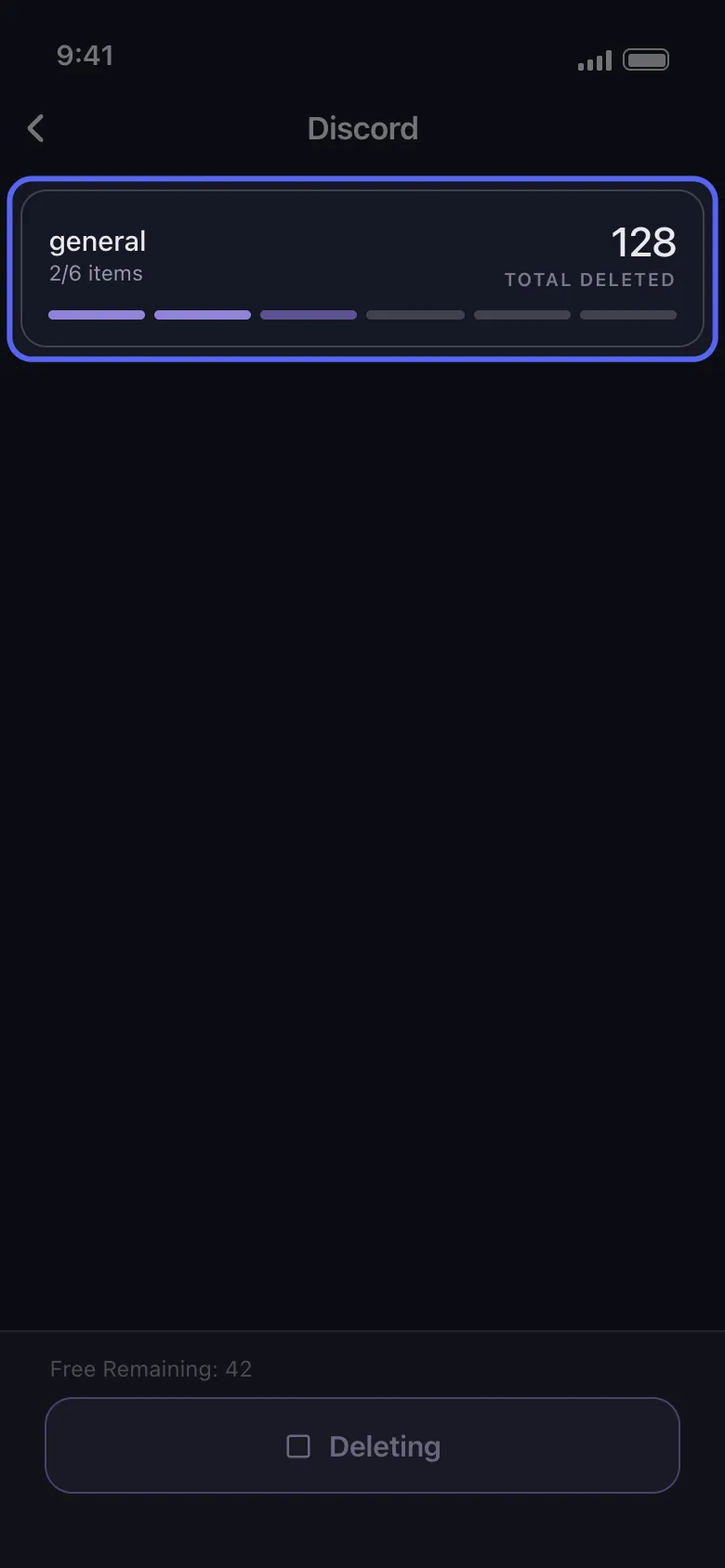
run the cleanup in Unpost
-
keep the app open while the deletion job runs
If you want the broad workflow, go back to the main hub: How to Delete Discord Messages in Bulk.
The cleanest workflow is usually search first, cleanup second.
Continue In Unpost
Ready to clean up what you found?
Install Unpost, choose the exact Discord scope you want, and then apply date or keyword filters to the messages you just located.
FAQ
Can Discord search go very far back?
Yes. Discord search is designed to help you find older messages, not just recent ones.
Can I search old Discord messages in DMs?
Yes. Search works in DMs as well as servers.
Is desktop better than mobile for old-message search?
Usually yes, because desktop or browser offers stronger combined filtering and sorting.
Can I sort search results?
On desktop and browser, yes. Mobile is more limited.
What if I need to search and delete very old messages?
Use search first, then move to a Discord data-package workflow if needed.
Final recommendation
If your real goal is Discord cleanup, do not start by scrolling blindly.
Start with search.
Find the messages by:
- date
- keyword
- user
- channel
- content type
Then choose the right cleanup path:
- manual delete for a few messages
- Unpost for selective bulk cleanup
- data package for older or hard-to-find history
That is the fastest way to turn Discord message history into a clean, controlled footprint.
Frequently Asked Questions

Get Started
Delete Old Content Across Your Accounts
Bulk delete messages, posts, likes, comments, DMs, reactions, bookmarks, followers, and more — all from one app.
No password storage • Free to start • iOS & Android
 Download for iOS
  Download for Android