
Unpost for Discord
Discord message deleter for iPhone and Android
Unpost deletes the messages you sent on Discord, in DMs, group chats and server channels, one by one from your phone: all of them, only a date range, or only the ones with a keyword.


50 free deletions per connected account, every dayFree vs Premium
What it deletes on Discord
The messages you sent, wherever you sent them. The app lists your real conversations and servers when you open it.
-
Direct messages
Your side of every DM. The other person’s messages stay: in a DM, only what you sent can go.
-
Group chats
Your messages in group DMs, listed with your direct messages.
-
Server channels
Your messages in the servers you’re in: one channel, several, or every channel of a server.
-
Threads and reactions
Your replies in threads and your reactions, if you choose to delete them too.
Other people’s messages? Only in servers and channels you moderate, as an admin (below).
Three ways to delete
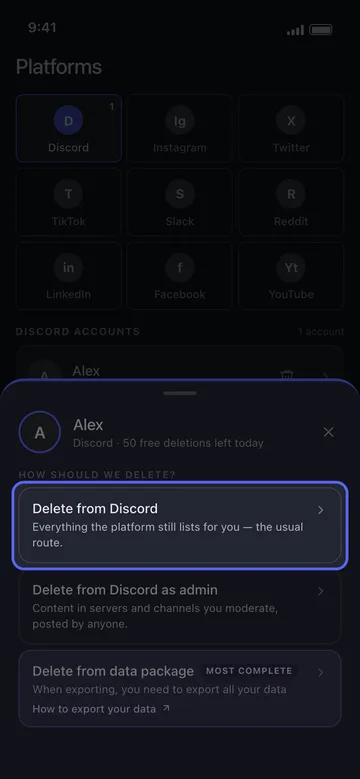
Tap your Discord account and the app asks how you want to delete.
-
Straight from your account
In the app Delete from Discord
The usual route: the DMs, group chats and server channels Discord still lists for you. Tick what to clean, set the filters, check the Review sheet and start.
How to delete one conversation, channel, or server -
As a server admin
In the app Delete from Discord as admin
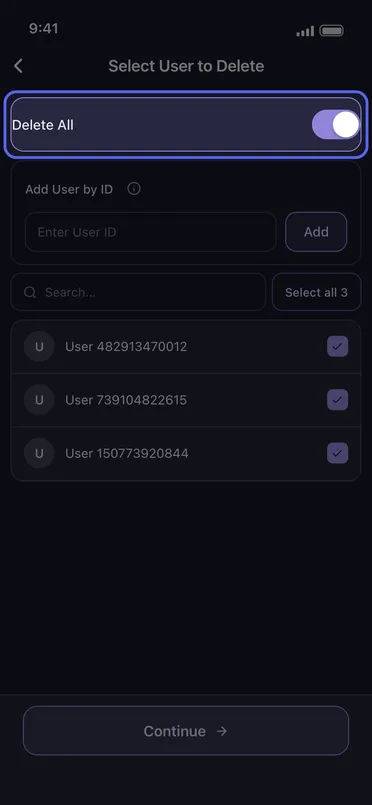
In servers and channels you moderate, delete what anyone posted: every member at once, or only the members you pick. Someone who isn’t in the list can be added by their Discord user ID.
How to delete other people’s messages as an admin -
From your Discord data export
In the app Delete from data package
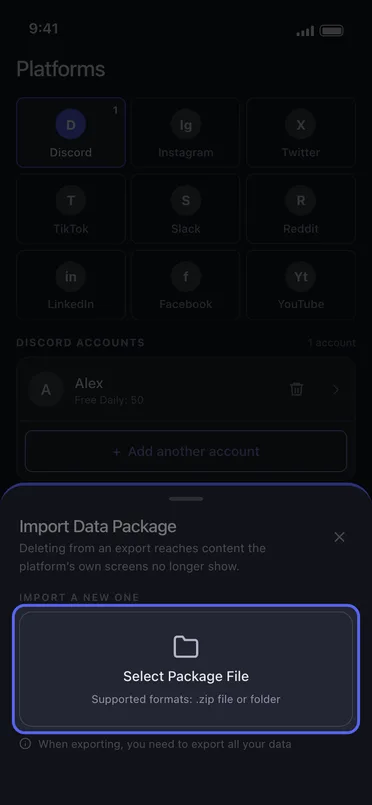
Ask Discord for all of your data, then import the export as a .zip file or a folder: it reaches messages Discord’s own screens no longer list. The file is read on your phone and never uploaded.
How to delete old messages with a data package
Choose exactly what goes
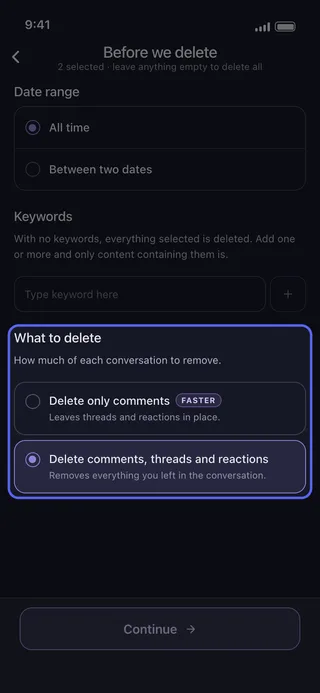
Leave the options empty to delete everything you picked, or narrow the run:
-
Date range
All time, or only Between two dates.
-
Keywords
Add one or more words and only the messages containing them are deleted.
-
What to delete
Delete only comments leaves threads and reactions in place; Delete comments, threads and reactions removes everything you left in the conversation.
Only the messages matching every filter you set are deleted.
How it works
The first time, from install to a running deletion:
-
Install Unpost
From the App Store or Google Play. Pick the app’s language, then tap Continue under the privacy policy.
-
Connect Discord
Without Premium the app opens on its Subscription tab: tap Main, then the Discord tile and Connect Discord. You log in on Discord’s own page, inside the app.
-
Pick
Tap your account, choose a way, tick what to delete and tap Continue. Set the filters, then tap Continue again.
-
Review
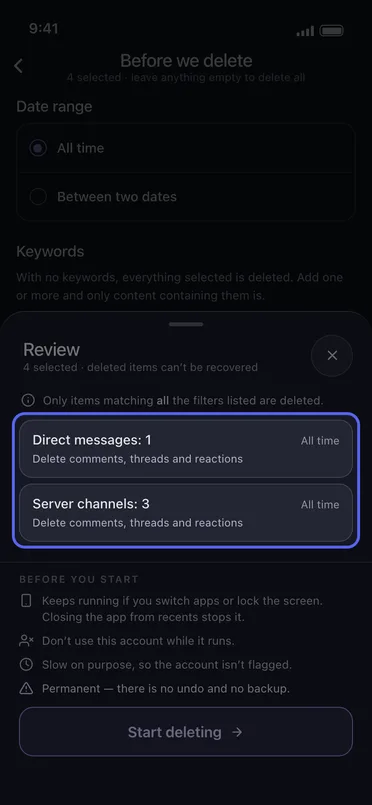
The Review sheet counts what you picked without naming it (Direct messages: 3), with each tile’s date range and filters, then the rules of a run under Before you start.
-
Start
Tap Start deleting and leave the app running until the run ends.
Slow on purpose
- One item at a time, slowly on purpose, so the account isn’t flagged. Discord also rate-limits long runs, and the app pauses when it does.
- On Android a run keeps going in the background and with the screen locked, but not if you close the app from recents. On an iPhone the app has to stay open on screen.
- Don’t use the account while it runs.
- It’s permanent: there is no undo and no backup.
Free vs Premium
Free to start. Premium when you need more.
Same app and same platforms on both plans: Premium lifts Unpost’s daily cap, not the platforms’ own rate limits.
Free
For trying it out and for small cleanups
- 50 deletions per connected account, every day (the day runs on UTC)
- Every platform: Discord, Instagram, X (Twitter), TikTok, Slack, LinkedIn, Facebook, YouTube and Reddit
On Reddit, the free plan randomizes posts and comments instead of deleting them: each one is edited into random words, with a line crediting Unpost. Those edits don’t count toward the 50.
How the free daily limit worksPremium
For big backlogs and regular cleanups
- No daily cap, on any platform
- Permanent delete for Reddit posts and comments
- No Unpost credit line on Reddit
- One monthly subscription, bought through the App Store or Google Play
Price shown in your App Store or Google Play.
Upgrading to Premium and restoring itWhat happens to your Discord account
-
You sign in on Discord’s own page
The login opens inside the app, on discord.com: you type your password into Discord’s page, not into a form of Unpost’s.
-
The session stays on your phone
What Discord issues at login is kept on the phone, in encrypted storage. Logging out of every account in Settings clears it.
-
No Unpost server in between
What you delete never passes through an Unpost server: the delete requests go from your phone straight to Discord.
Questions about deleting Discord messages with Unpost
Can I delete someone else’s Discord messages?
Is it free?
Does it work on iPhone and Android?
Can I delete old messages Discord no longer shows?
Can I undo a deletion?
Why is it slow?
Do I give Unpost my Discord password?
Keep reading
How to do it, step by step: on Discord itself and in the app.
Discord guides
- Start here How to Delete Discord Messages: One or All, DMs and Servers How to delete Discord messages: hover over one (hold it on mobile), tap Delete Message and confirm, or clear every DM and server message you sent with Unpost.
- Can You Delete Someone Else's Discord Messages? Admin Guide Learn when you can delete another user's Discord messages, what is possible in DMs versus servers, and how to use Unpost admin mode for targeted server cleanup.
- How to Delete Old Discord Messages with a Data Package Need to remove old or hard-to-find Discord messages? Learn how to request your Discord data package, import it into Unpost, and clean up older DMs, group DMs, and server messages.
- How to Delete Discord DMs and Chat History Learn how to delete Discord DMs, direct messages, and chat history. Understand what closing a DM does, how native deletion works, and how to bulk delete your DMs with Unpost.
- Does Deleting Your Discord Account Delete Messages? What to Do First Learn what really happens to your messages when you delete a Discord account, why you should clean up first, and how to remove DMs and server messages before leaving.
Step by step in the app
- How to delete one conversation, channel, or server
- How to delete other people’s messages as an admin
- How to delete old messages with a data package
- How to add an account and run your first cleanup
- How to delete only a date range
- How to delete messages containing a keyword
